
To create a strong remote work setup beyond just a laptop, focus on ergonomic accessories like an adjustable chair, an appropriately sized desk, and a comfortable keyboard and mouse to prevent strain. Make certain your workspace promotes good posture and includes air quality solutions to stay refreshed. Adding items that support your physical health and comfort boosts focus and productivity. Keep exploring for tips on building a workspace that truly supports your well-being and efficiency.
Key Takeaways
- Ergonomic accessories like adjustable chairs, desks, keyboards, and mice to support proper posture and reduce strain.
- A dedicated, organized workspace that minimizes distractions and promotes focus.
- Good lighting, preferably natural or adjustable, to reduce eye strain and enhance visibility.
- Air quality solutions such as ventilation or air purifiers for a healthy, comfortable environment.
- Additional essentials like external monitors, noise-canceling headphones, and cable management tools for efficiency.
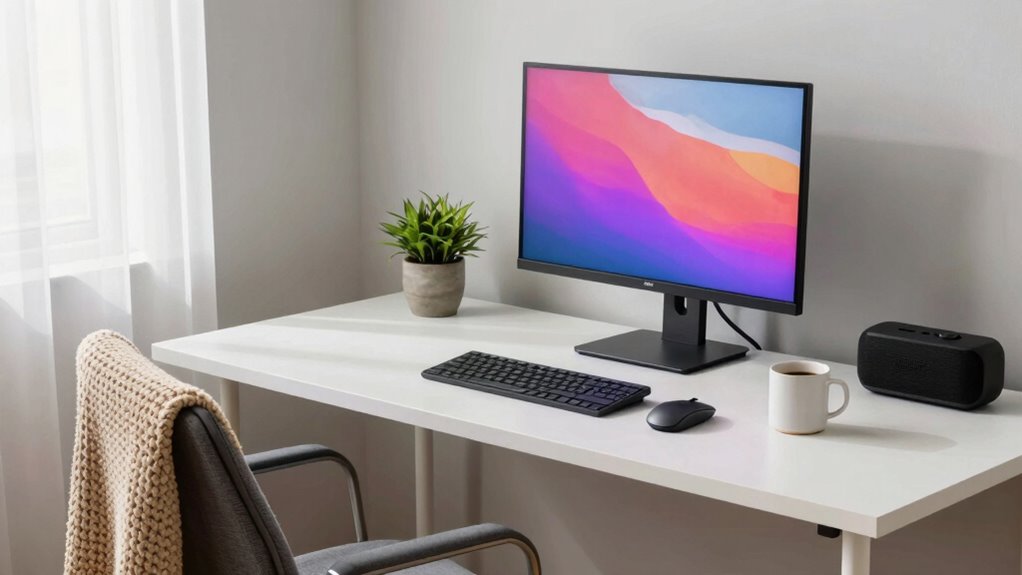
Setting up an effective remote work environment is crucial for maintaining productivity and comfort. While a good laptop is the foundation, it’s not enough to guarantee you work efficiently and avoid discomfort. You need the right accessories and reliable connectivity to create a space that supports your focus and well-being. One of the most important investments you can make is in ergonomic accessories. These include an adjustable chair that supports your posture, a desk at the correct height, and accessories like a keyboard and mouse that reduce strain on your wrists and shoulders. Ergonomic accessories help prevent long-term health issues such as back pain, neck strain, and repetitive stress injuries, keeping you comfortable throughout your workday. They also enable you to maintain good posture, which boosts your concentration and overall productivity. Additionally, incorporating ergonomic accessories into your setup contributes to a healthier work routine and lasting comfort. Proper ergonomic setup can also reduce fatigue and improve your overall well-being during long work hours. Creating a healthy work environment is essential for sustaining focus and avoiding physical strain over time, especially when considering other home office essentials that support your physical health. Incorporating air quality solutions, like proper ventilation and purification, can further enhance your workspace by reducing indoor pollutants that may cause fatigue or discomfort.

TRALT Office Chair – Ergonomic Desk Chair with Adjustable Lumbar Support, Mesh Computer Chair, Executive Chairs for Home Office Comfortable Lumbar Support (Black)
- High-Resilience Foam Seat: Maintains shape and comfort over time
- Adjustable Lumbar Support: Customizable tension for lower back relief
- Breathable Mesh Backrest: Ensures airflow and durability
As an affiliate, we earn on qualifying purchases.
As an affiliate, we earn on qualifying purchases.
Frequently Asked Questions
How Can I Improve My Internet Connection for Remote Work?
You can improve your internet connection by upgrading your internet speed plan to guarantee faster, more reliable bandwidth. Additionally, optimize your router’s placement—sit it in a central location, away from obstructions and interference. Regularly update your router’s firmware and consider using a wired Ethernet connection for tasks that need high stability. These steps help guarantee smoother video calls, quicker downloads, and a more efficient remote work experience.
What Ergonomic Accessories Are Essential for Long Hours?
For long hours, you need ergonomic accessories like an ergonomic keyboard and an adjustable monitor. An ergonomic keyboard reduces strain on your wrists and promotes better posture, while an adjustable monitor allows you to set eye level, preventing neck fatigue. These accessories help you stay comfortable and focused, minimizing the risk of strain or injury. Investing in them creates a healthier, more productive remote work environment.
How Do I Manage Distractions in a Remote Environment?
To manage distractions remotely, you should practice mindfulness techniques to stay focused and aware of your environment. Set clear boundaries and use time management strategies like the Pomodoro Technique to structure your work periods. Create a dedicated workspace, turn off non-essential notifications, and communicate your availability to colleagues. These steps help you minimize interruptions, maintain productivity, and stay present in your tasks throughout the workday.
What Security Measures Should I Implement at Home?
You should implement robust cybersecurity protocols, such as using strong, unique passwords and enabling two-factor authentication. Regularly update your software to patch security vulnerabilities. Use data encryption for sensitive files and communications, and secure your Wi-Fi network with a strong password. Additionally, consider a VPN for secure internet access, and avoid public Wi-Fi for work tasks. These measures help protect your data and maintain a safe remote work environment.
How Can I Create a Dedicated Workspace in a Small Home?
Create a dedicated workspace by choosing a quiet corner, setting up a designated area that signals work time, and adding noise isolation elements like headphones or a door draft stopper. Keep your space organized with essential tools within reach, and personalize it to boost focus. This setup helps you mentally switch into work mode, maintain boundaries, and stay productive, even in a small home.

ErGear 48 X 24 Inch Height Adjustable Electric Standing Desk, Black
- Electric Height Adjustable Standing Desk for Comfortable Work…
- Powerful Motor with Memory Presets – Equipped with…
- Exceptional Stability Steel Frame – Built with a…
As an affiliate, we earn on qualifying purchases.
As an affiliate, we earn on qualifying purchases.
Conclusion
To truly thrive in remote work, don’t forget the essentials beyond just a laptop—think good lighting, a comfy chair, and reliable internet. Equip your space like a modern knight’s castle, ready for any challenge. Remember, even in this digital age, a strong setup is your Excalibur, empowering you to conquer your day with ease and confidence. So, build your fortress wisely, and let your productivity reign supreme!

Wireless Keyboard and Mouse Combo, 2.4G Ergonomic Wave Keys(Black)
- Wave Ergonomic Design: Fits fingers and relieves wrist strain
- Adjustable Keyboard Stand: Customize height for comfort
- Wrist Rest Included: Supports long-term use
As an affiliate, we earn on qualifying purchases.
As an affiliate, we earn on qualifying purchases.

Levoit Air Purifiers for Bedroom Home Pets Dorm Room, Small Air Purifiers
- Certified for Performance and Safety: AHAM verified for quality assurance
- Effective Pollutant Removal: Captures lint, pet dander, smoke, and allergens
- Odor Neutralization: Reduces smoke, fumes, and household odors
As an affiliate, we earn on qualifying purchases.
As an affiliate, we earn on qualifying purchases.