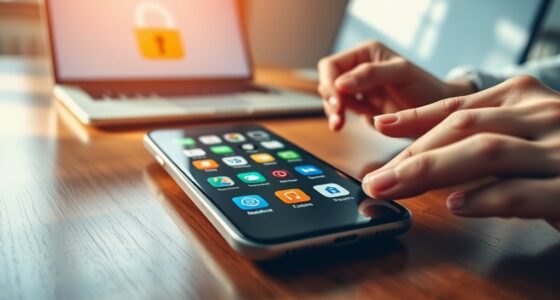
Mobile device security differs from desktop security because your mobile device faces more threats from social engineering, malicious apps, and unsecured networks. Since it’s portable, it’s easier for attackers to target, especially through permission overreach or public Wi-Fi. Unlike desktops, mobile OS updates are often automatic, but you still need to stay alert. To protect yourself better, understanding these differences helps you manage risks effectively—there’s much more to explore on how to stay safe.
Open a free Amazon Business account
Business pricing, bulk buying and tax-exempt orders.
As an affiliate, we earn on qualifying purchases.
Key Takeaways
- Mobile apps request permissions dynamically, increasing risks of overreach and unauthorized data access.
- Mobile devices are more vulnerable to social engineering, phishing, and malicious apps due to their portable nature.
- Connectivity to various networks (public Wi-Fi, cellular) exposes mobile devices to higher interception and attack risks.
- Mobile OS updates are automatic and pushed directly, while desktop updates rely more on user action and testing.
- Mobile security requires tailored approaches for device management, automatic updates, and user vigilance.

In today’s digital landscape, understanding the differences between mobile device security and desktop security is essential for protecting your personal and professional information. Mobile devices operate in a different environment than desktops, which affects how security measures are implemented and maintained. One key distinction is how apps on your phone request permissions. These app permissions dictate what data and features an app can access, such as your camera, location, or contacts. On mobile devices, you often grant permissions during installation or through prompts, making it easier to overlook potential risks. If an app oversteps its boundaries, it can access sensitive data or functions you didn’t intend to share, increasing vulnerability. Desktop security, on the other hand, generally relies on more static permissions and user control, with permissions managed more explicitly through system settings. This difference means that mobile users need to stay vigilant about app permissions to prevent unauthorized access. Additionally, mobile devices are more susceptible to social engineering attacks because their portable nature makes them easier targets for phishing attempts or malicious apps. Network vulnerabilities also set mobile security apart from desktop security. Mobile devices are constantly on the move, connecting to various networks—public Wi-Fi, cellular data, or hotspots. Each connection introduces risks, especially if the network is unsecured or compromised. Public Wi-Fi networks are notorious for their vulnerabilities, making it easier for hackers to intercept data transmitted from your device. Mobile devices often automatically connect to available networks, sometimes without your knowledge or consent, which can expose you to man-in-the-middle attacks or data theft. This also underscores the importance of understanding network security principles to safeguard mobile communications. The variety of operating systems and device manufacturers further complicates mobile security, requiring tailored approaches to protect different devices effectively. Desktops typically operate within more controlled environments, often behind firewalls and secured networks, providing an extra layer of protection. This mobility means you need to be proactive about securing your mobile connections, using VPNs and avoiding untrusted networks whenever possible. Moreover, security updates** for mobile devices are often delivered automatically, which can be advantageous but also means users should remain attentive to update notifications to ensure their devices are protected against the latest threats. Staying informed about security patches helps in promptly addressing vulnerabilities before they can be exploited by malicious actors. Another aspect that makes mobile security different is how updates and patches are delivered and applied. Mobile OS updates tend to be pushed directly to devices, often with minimal user intervention. While this can be convenient, it also means that vulnerabilities can sometimes be exploited before you even realize a security patch is needed. Desktop systems usually have more time to test updates before deployment, but they also depend heavily on user action to install security patches**. This difference influences how quickly you can respond to emerging threats.

ESET Mobile Security & Antivirus
- Payment Protection: Secure online shopping and banking
- Proactive Anti-Theft: Protect and locate lost phones
- Anti-Phishing: Block scam websites and messages
As an affiliate, we earn on qualifying purchases.
As an affiliate, we earn on qualifying purchases.
Frequently Asked Questions
How Do Mobile Device Security Threats Differ From Desktop Threats?
Mobile device security threats differ from desktop threats because mobile devices rely heavily on mobile encryption and app permissions, which are more vulnerable to exploitation. You face risks like malicious apps requesting excessive permissions or malware bypassing encryption. Unlike desktops, mobile devices are often used on public networks, increasing exposure. You need to be cautious with app permissions and guarantee your mobile encryption is robust to protect your data effectively.
Are Mobile Devices More Vulnerable to Physical Theft Than Desktops?
Yes, mobile devices are more vulnerable to physical theft than desktops because they’re portable and often carried everywhere. When stolen, your device’s mobile encryption and biometric authentication can protect your data, but only if they’re properly enabled. Without these security features, thieves can access sensitive information more easily. So, staying vigilant, using encryption, and biometric locks considerably reduce the risk and protect your data if your mobile device gets stolen.
What Are the Unique Privacy Concerns for Mobile Users?
Sure, your mobile device’s privacy is at risk, thanks to location tracking and biometric data. You might think you’re just checking social media, but your device could be secretly whispering your whereabouts to advertisers or government agencies. Biometric authentication—like fingerprint scans—sounds secure until someone steals your thumb. So, stay alert, disable unnecessary tracking, and don’t rely solely on your fingerprint, or you might be giving away more than you bargained for.
How Does App Store Security Impact Mobile Device Safety?
App store security impacts your mobile device safety through rigorous app vetting processes, which screen for malware and malicious intent before apps reach you. Permission controls give you power over what data and functions apps can access, reducing vulnerabilities. By trusting secured app stores and managing permissions carefully, you minimize risks like data breaches or malware infections, ensuring your mobile device remains safe and protected from potential threats.
Do Mobile Device Security Measures Affect User Experience?
Mobile device security measures do impact your user experience. While they prioritize user convenience by protecting your data, they can also introduce usability challenges, like frequent prompts or multi-factor authentication. These security steps may slow down your access or require extra effort, but they’re essential for safeguarding your device. Striking a balance between security and usability helps guarantee you stay protected without feeling overwhelmed by security procedures.

Verizon Wireless Jetpack Inseego MiFi 8800L | Free VPN Mobile Hotspot for Travel | 4G Mobile Portable WiFi | Unlocked Globally | Near 5G Speed up to 1200 Mbps | EVDO-LINK Bundle – Verizon Sim Card
- Data Plans for USA and International: Affordable plans for US and global use
- Global Compatibility: Works in over 180 countries with multiple LTE bands
- High-Speed Mobile Hotspot: Supports up to 1200 Mbps near 5G speeds
As an affiliate, we earn on qualifying purchases.
As an affiliate, we earn on qualifying purchases.
Conclusion
In the end, understanding the differences between mobile and desktop security is like knowing the unique keys to different doors. You must adapt your strategies to each device’s quirks, just as a locksmith customizes their approach. Stay vigilant, update your defenses regularly, and treat each device as a treasure chest of personal info. With these measures, you keep your digital world safe, turning your mobile and desktop devices into secure fortresses rather than open gates.

Ailun Privacy Screen Protector iPhone 17e/16e/14/13/13 Pro, 2 Pack
- Pack Size: Includes 2 privacy screen protectors
- Device Compatibility: Fits iPhone 17e, 16e, 14, 13, 13 Pro
- Protection Level: Scratch, scrape, bump resistant
As an affiliate, we earn on qualifying purchases.
As an affiliate, we earn on qualifying purchases.

Simket 2 Pack Military Grade Faraday Bags, Fireproof Waterproof Signal Blocking Pouch for Cell Phone & Car Keys, RFID GPS WIFI NFC Blocker, Anti-Tracking Privacy Shielding Pouch for Daily Travel
- High-Performance Shielding Material: Over 80dB multi-spectrum signal blocking
- Enhanced Privacy and Security: Cuts off signals to prevent tracking and hacking
- Large, Portable Design: Fits most smartphones and gadgets comfortably
As an affiliate, we earn on qualifying purchases.
As an affiliate, we earn on qualifying purchases.
Baby shower & registry season Picks
baby registry must-haves
As an affiliate, we earn on qualifying purchases.