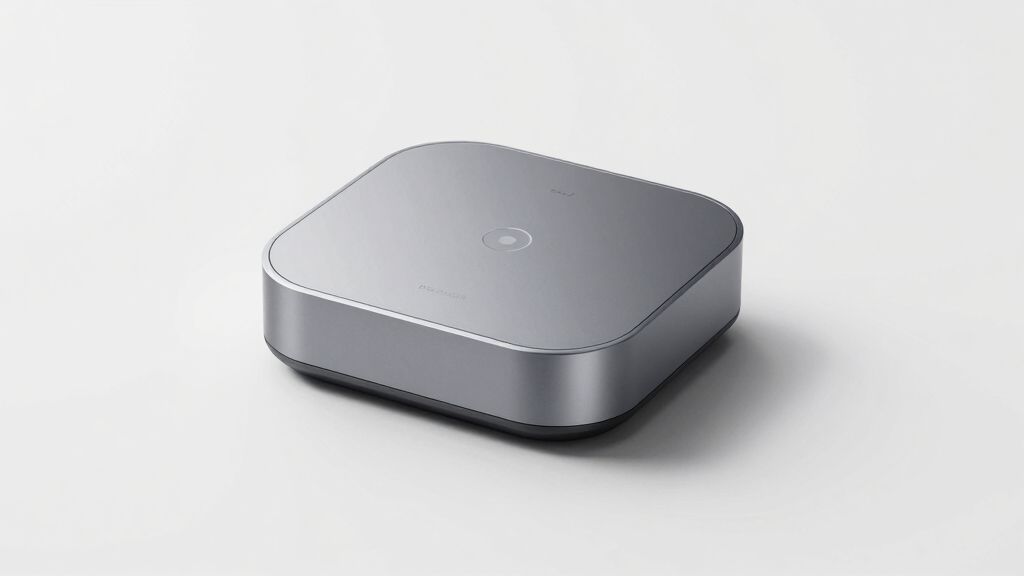

In the premium segment of smart home control, choosing the right hub means balancing advanced features with ease of use and integration. The Brilliant Smart Home Control stands out for its in-wall touchscreen and multi-device control, making it ideal for centralized home automation. The Echo Show 21 offers an expansive 21-inch display perfect for media-rich environments, though its size may limit placement options. Meanwhile, the Google Nest Hub Max combines a sleek design with versatile voice and touch control, suited for those who prefer Google’s ecosystem. These options reveal key tradeoffs: the Brilliant excels in integrated wall control but requires installation, the Echo Show 21 provides immersive entertainment at a higher price, and the Nest Hub Max balances form with function but may be bulky for smaller spaces.

Get privacy and security gear delivered free — and shop member deals
- Fast, free delivery on millions of items
- Access to Prime Big Deal Days deals on October 6–7
- Prime Video, Amazon Music and more included
Key Takeaways
- The Brilliant Smart Home Control offers seamless in-wall integration with multi-device control, ideal for a permanent, centralized setup.
- The Echo Show 21 provides a large, immersive display perfect for entertainment-focused spaces but demands a bigger footprint.
- The Google Nest Hub Max combines voice and touch control into a sleek design, suited for Google ecosystem users willing to accommodate its size.
- Pricing over $500 reflects advanced features or larger screens, but tradeoffs include installation complexity or space considerations.
- Choosing the right hub depends on your home layout, preferred ecosystem, and whether you prioritize media, control, or integration.
| Brilliant Smart Home Control (2-Switch Panel) |  | Best for centralized wall control and multi-device integration | Display: 5-inch LCD touchscreen | Compatibility: Alexa, Ring, Sonos, Hue, Google Nest, Wemo, SmartThings, Apple HomeKit | Installation: Requires neutral & ground wires, in-wall mounting | VIEW LATEST PRICE | See Our Full Breakdown |
| Echo Show 21 (2024 Release) with Premium Adjustable Stand |  | Best for media-rich environments and flexible viewing | Display: 21-inch Full-HD (1080p) | Built-in Fire TV: Yes | Sound: Vibrant, powerful stereo speakers | VIEW LATEST PRICE | See Our Full Breakdown |
| Google Nest Hub Max 10″ Smart Display with Google Assistant – Chalk |  | Best for Google ecosystem users needing a sleek smart display | Display: 10-inch HD touchscreen | Voice Assistant: Google Assistant | Camera: Yes, with Face Match | VIEW LATEST PRICE | See Our Full Breakdown |
| Google Nest Hub Max 10″ Smart Display with Voice Control, Camera, and Smart Home Hub – Chalk |  | Best for integrated Google smart home experience and security | Display: 10-inch HD touchscreen | Audio Output: Stereo speakers with rear woofer | Control Methods: Gesture, Touch, Voice | VIEW LATEST PRICE | See Our Full Breakdown |
| Logitech Harmony Elite Remote Control, Hub and App |  | Best for universal remote control and smart device management | Supported Devices: Up to 15 | Connectivity: Infrared, Bluetooth | Range: 12 feet | VIEW LATEST PRICE | See Our Full Breakdown |
| smart home hubs over $500 | Display | Connectivity | Color |
|---|---|---|---|
| Brilliant Smart Home Control | 5-inch LCD touchscreen | — | — |
| Echo Show 21 | 21-inch Full-HD (1080p) | — | — |
| Google Nest Hub Max 10" Smart | 10-inch HD touchscreen | Wi-Fi, Bluetooth | Chalk |
| Google Nest Hub Max 10" Smart | 10-inch HD touchscreen | Wi-Fi, Bluetooth | Chalk |
| Logitech Harmony Elite Remote | — | Infrared, Bluetooth | Black |
More Details on Our Top Picks
Brilliant Smart Home Control (2-Switch Panel)
The Brilliant Smart Home Control stands out for transforming a standard light switch into a smart hub with a built-in touchscreen and voice assistant. It excels in providing a permanent, in-wall control point for lighting, music, cameras, locks, and scenes, making it ideal for homes that favor a clean, integrated look. Compared with larger displays, it doesn’t dominate space but offers deep control for compatible smart devices, including Philips Hue, Ring, and Sonos. Its major tradeoff is the installation complexity—requiring neutral and ground wires—and it’s not designed for portable use. This pick makes the most sense for homeowners seeking a sleek, always-accessible control point that replaces existing switches, rather than a portable device.
Pros:- Seamless in-wall installation with a sleek touchscreen
- Supports multiple smart ecosystems (Alexa, Apple HomeKit, SmartThings)
- Controls lighting, music, locks, cameras, and scenes from one panel
Cons:- Requires professional installation and existing wiring
- Limited portability—fixed in one location
- Higher upfront cost and complexity
Best for: Homeowners wanting a permanent, integrated control panel
Not ideal for: Renters or those unwilling to do in-wall wiring
- Display:5-inch LCD touchscreen
- Compatibility:Alexa, Ring, Sonos, Hue, Google Nest, Wemo, SmartThings, Apple HomeKit
- Installation:Requires neutral & ground wires, in-wall mounting
- Camera:Built-in with privacy shutter
- Control:Lights, music, locks, scenes, cameras
- Size:In-wall, 2-gang panel
Our verdict“A top choice for permanent, integrated smart home control, especially in new or renovated homes.”
Echo Show 21 (2024 Release) with Premium Adjustable Stand
The Echo Show 21 offers an immersive 21-inch Full-HD display with Fire TV and Alexa integration, making it ideal for kitchens, living rooms, or entertainment areas. Its large screen supports vibrant streaming, video calls, and smart home dashboards, while the adjustable stand allows for optimal positioning. Compared to smaller smart displays, it provides a more cinema-like experience, but its size may limit placement options in smaller spaces or wall mounting. The premium stand adds convenience but increases the overall cost. This device makes most sense for those who want a central entertainment hub combined with smart home control, and who don’t mind its footprint and higher price point.
Pros:- Massive 21-inch Full-HD display for immersive content
- Built-in Fire TV for streaming apps and media
- Adjustable stand for customizable viewing angles
- Smart home dashboard for centralized control
Cons:- Requires subscription for some streaming services
- Size may be impractical for compact spaces
- Higher price due to premium features
Best for: Media lovers seeking a versatile, large-screen smart display
Not ideal for: Small spaces or those seeking a portable or less obtrusive device
- Display:21-inch Full-HD (1080p)
- Built-in Fire TV:Yes
- Sound:Vibrant, powerful stereo speakers
- Stand:Premium adjustable, anodized aluminum
- Video Calling:Yes with camera
- Orientation:Landscape with 360° swivel
Our verdict“Ideal for media enthusiasts who want a large, versatile smart display with integrated entertainment.”
Google Nest Hub Max 10″ Smart Display with Google Assistant – Chalk
The Google Nest Hub Max combines a 10-inch HD touchscreen with Google Assistant, supporting voice commands, video calls, and smart home management. Its clean design and seamless Google ecosystem integration make it well-suited for users already invested in Google services. Compared to larger displays, it’s more compact but still offers a sizable viewing area for visual alerts and controls. Its main limitation is the lack of advanced media streaming features or extensive third-party app support, and some users might be concerned about privacy with the always-on microphone and camera. This device makes sense for Google-centric households seeking a stylish, functional smart display for everyday tasks and control.
Pros:- Large 10-inch HD display for clear visuals
- Built-in Google Assistant for voice control
- Supports video calls and smart home control
Cons:- Limited detailed specifications or expandability
- Potential privacy concerns with always-on microphone and camera
- Less suitable for media-heavy environments
Best for: Google ecosystem enthusiasts wanting a compact smart hub
Not ideal for: Users seeking extensive media streaming or privacy-sensitive setups
- Display:10-inch HD touchscreen
- Voice Assistant:Google Assistant
- Camera:Yes, with Face Match
- Audio:Stereo speakers
- Connectivity:Wi-Fi, Bluetooth
- Color:Chalk
Our verdict“A perfect fit for Google ecosystem fans who want a stylish, easy-to-use smart display.”
Google Nest Hub Max 10″ Smart Display with Voice Control, Camera, and Smart Home Hub – Chalk
The Google Nest Hub Max with its 10-inch HD touchscreen, stereo sound, and Google Assistant offers a comprehensive smart home hub with added security features like Face Match and gesture controls. Its built-in camera allows for security monitoring and personalized recognition, making it a versatile choice for households that value both control and security. Compared with the non-camera version, this model offers more functionality but at the expense of increased size and privacy considerations. Its compatibility with a wide range of Google-compatible devices makes it a natural pick for Google ecosystem lovers who want a multi-purpose device that doubles as a security camera.
Pros:- Large 10-inch HD display with clear visuals
- Built-in camera with Face Match and gesture control
- Rich stereo sound for calls and media
- Supports a broad range of Google-compatible devices
Cons:- Bulky size may not suit small spaces
- Limited to Google ecosystem devices
- Privacy concerns due to camera and always-on mic
Best for: Google users seeking a combined smart display and security device
Not ideal for: Those concerned about privacy or seeking a small, unobtrusive device
- Display:10-inch HD touchscreen
- Audio Output:Stereo speakers with rear woofer
- Control Methods:Gesture, Touch, Voice
- Built-in Camera:Yes
- Connectivity:Wi-Fi, Bluetooth
- Color:Chalk
- Weight:5 pounds
- Sound Quality:2.1 channels
Our verdict“A comprehensive choice for those wanting both a smart display and security features within Google’s ecosystem.”
Logitech Harmony Elite Remote Control, Hub and App
The Logitech Harmony Elite is a powerful remote hub that supports up to 15 devices, spanning entertainment systems and smart home gadgets. Its touchscreen, app, and voice command support (via Alexa) make it a flexible control center for complex setups. Compared to dedicated smart displays, it offers more comprehensive device control without a visual interface, but it’s limited to infrared and Bluetooth, which can restrict range and device compatibility. Its main drawback is the cap on supported devices and the need for initial configuration, but it excels for users with diverse home entertainment and smart device needs who prefer a dedicated remote interface over a visual display.
Pros:- Supports up to 15 devices with easy setup
- Compatible with Alexa for voice commands
- Transforms smartphones into universal remotes via the app
Cons:- Limited to 15 devices—less ideal for larger setups
- Infrared range can be restricted, affecting performance
- Requires setup and learning curve for optimal use
Best for: Users with multiple entertainment and smart home devices needing centralized control
Not ideal for: Homes with more than 15 smart devices or those seeking a visual control interface
- Supported Devices:Up to 15
- Connectivity:Infrared, Bluetooth
- Range:12 feet
- Controller Type:Touch and app
- Weight:2.3 pounds
- Color:Black
Our verdict“A solid choice for managing multiple entertainment and smart devices through a dedicated remote system.”

How We Picked
Our selection process focused on premium smart home hubs priced over $500, emphasizing device versatility, ecosystem compatibility, user interface, and expandability. We compared features such as display size, control methods, integration capabilities, and installation requirements. Tradeoffs like size, setup complexity, and subscription needs were carefully considered to match different buyer needs—from those seeking comprehensive wall control to media-centric displays or universal remote systems.
| smart home hubs over $500 | Connectivity | Color |
|---|---|---|
| Brilliant Smart Home Control | — | — |
| Echo Show 21 | — | — |
| Google Nest Hub Max 10" Smart | Wi-Fi, Bluetooth | Chalk |
| Google Nest Hub Max 10" Smart | Wi-Fi, Bluetooth | Chalk |
| Logitech Harmony Elite Remote | Infrared, Bluetooth | Black |
Factors to Consider When Choosing Best Smart Home Hubs Over $500
When selecting a high-end smart home hub over $500, it’s important to consider your primary needs—whether it’s integrated wall control, large-screen entertainment, or versatile device management. These devices are generally aimed at dedicated users who want premium features, seamless ecosystem integration, and future expandability. Key factors include compatibility with your existing smart system, installation complexity, display size, and whether you prefer a fixed or portable control point.Ecosystem Compatibility and Control
First, determine which smart home ecosystem you are invested in—Amazon Alexa, Google Assistant, or Apple HomeKit. Each hub offers strong integration within its ecosystem but limited cross-compatibility. For example, the Brilliant Panel excels in in-wall control across multiple ecosystems, whereas the Google Nest Hub Max and Nest Hub Max are optimized for Google-powered environments. Compatibility impacts not just device control but also future expandability.
Display Size and Placement
Next, consider the display size that fits your space and usage pattern. Large screens like the Echo Show 21 are ideal for media-rich environments but require ample space or a dedicated spot. The Google Nest Hub Max offers a balance with a 10-inch display, suitable for most rooms. Fixed in-wall options like the Brilliant are perfect for permanent locations, while portable displays or remotes provide flexibility but might lack the permanence or integrated look of wall-mounted panels.
Installation and Setup
Installation complexity varies significantly. Wall-mounted panels like the Brilliant require professional wiring, making them less suitable for renters or DIYers. Conversely, smart displays like the Echo Show or Google Nest Hub Max are plug-and-play, but their size and placement options are more limited. Consider your technical comfort and whether you prefer a seamless, integrated setup or a portable, flexible control point.
Additional Features and Future Proofing
Finally, look at extra features such as built-in cameras, microphones, and security functions for added convenience and protection. Devices with cameras, like the Nest Hub Max, can double as security monitors, but privacy concerns are worth weighing. Subscription requirements for streaming or premium features can also impact overall value. Think about your longer-term needs, including compatibility with new devices and services.
Frequently Asked Questions
Can I use these hubs without professional installation?
Most smart displays like the Echo Show 21 or Google Nest Hub Max are designed for easy setup and do not require professional installation. However, in-wall panels like the Brilliant Smart Home Control do require wiring and installation expertise, making professional help advisable for a clean, safe setup. Consider your comfort level with electrical work before choosing a fixed in-wall hub.
Are these devices compatible with all smart home brands?
Compatibility varies by device. The Brilliant panel supports multiple ecosystems, including Alexa, Apple HomeKit, and SmartThings, making it highly versatile. The Echo Show and Google Nest Hub Max are optimized for Amazon and Google ecosystems, respectively, but may have limited support for other brands. Check each device’s compatibility list to ensure it works with your existing smart gadgets.
Do I need a subscription for streaming services on these hubs?
Yes, some features like streaming apps or premium content on larger displays such as the Echo Show 21 or Google Nest Hub Max may require subscriptions. The hubs themselves do not usually include free access to all streaming services, so factor in ongoing costs if entertainment is a priority. Basic control and notifications, however, typically do not need subscriptions.
How secure are these smart displays with cameras?
Security features vary; the Google Nest Hub Max includes a camera with Face Match and gesture controls, which can be a security asset but also raises privacy concerns. Both Amazon and Google provide privacy controls like camera shutters and microphone muting, but it’s important to review each device’s privacy policies and settings. For security-focused households, disabling cameras or opting for non-camera devices might be preferable.
Which device is best for someone new to smart home tech?
For newcomers, the Google Nest Hub Max or Echo Show 21 are excellent starting points due to their intuitive interfaces, large displays, and straightforward setup. These devices also offer voice control and multimedia capabilities, making them versatile for everyday use without extensive technical knowledge. The in-wall Brilliant panel is better suited for experienced users seeking a permanent home control solution.
Conclusion
For those seeking a permanent, integrated control solution, the Brilliant Smart Home Control offers unmatched in-wall functionality, perfect for new construction or major renovations. Media enthusiasts who want a large, immersive display should consider the Echo Show 21, despite its size and setup requirements. Meanwhile, users in the Google ecosystem will find the Google Nest Hub Max an attractive, versatile choice, especially if security features are a priority. Budget-conscious buyers or those seeking easy installation may prefer the less expensive or portable options, but for over $500, these hubs deliver premium control and multimedia experiences tailored to distinct needs.
Evergreen bestsellers Picks
bestsellers
As an affiliate, we earn on qualifying purchases.