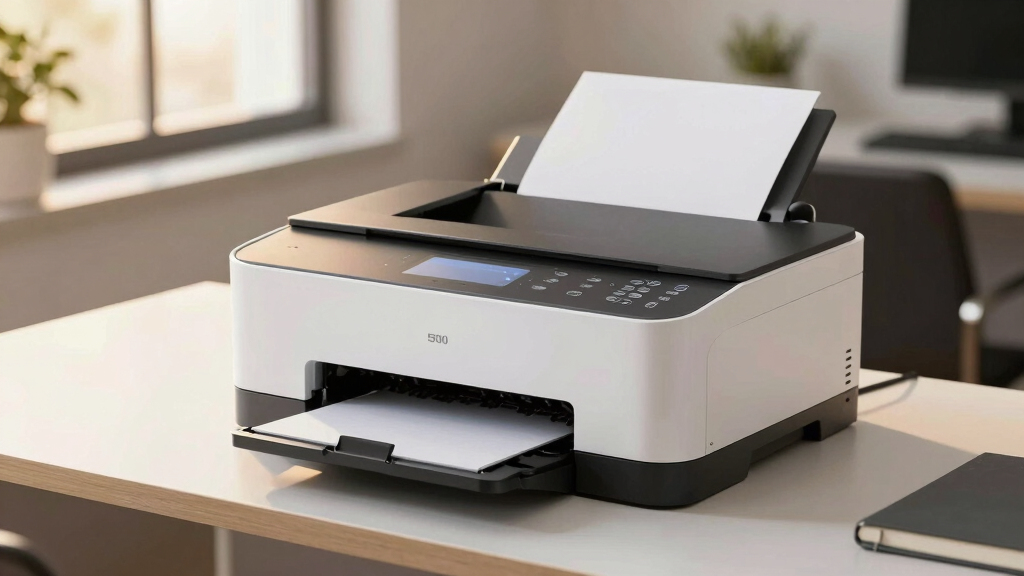

Choosing the best color laser printer over $500 means balancing high-quality output, speed, and advanced features. The top models like the Brother HL-L8430CDWT stand out for their reliable performance and dual paper trays, but come with higher price tags and larger footprints. Meanwhile, printers like the HP Color LaserJet Pro 4301fdw offer impressive multifunctionality at a slightly lower price point, though sometimes at the expense of speed or security features. Buyers must decide whether they prioritize print quality, speed, security, or cost efficiency, as each model offers different tradeoffs. Keep reading for a detailed comparison to find the best fit for your needs.

Get privacy and security gear delivered free — and shop member deals
- Fast, free delivery on millions of items
- Access to Prime Big Deal Days deals on October 6–7
- Prime Video, Amazon Music and more included
Key Takeaways
- The most balanced option overall combines speed, print quality, and additional features without excessive cost.
- Premium models like the HP Color LaserJet Enterprise offer advanced security and high-volume capacity, ideal for business use.
- Multifunctionality is common at this price point but varies in speed and ease of use, influencing suitability for different workflows.
- Compact designs are available but often limit paper capacity or features, making them better suited for smaller offices or personal use.
- Price differences reflect security features, speed, and duty cycle; paying more generally yields longer-lasting, more capable printers.
| Brother HL-L8430CDWT Business Color Laser Printer with Wireless Networking and Dual Paper Trays |  | Best Overall for High Volume Business Use | Print Speed: 33 pages per minute | Color: Yes | Paper Trays: Dual (250-sheet and 520-sheet, expandable to 1,340 sheets) | VIEW LATEST PRICE | See Our Full Breakdown |
| Canon imageCLASS MF753Cdw Wireless Duplex Color Laser All-in-One Printer, Scanner, Copier, Fax, 35 PPM, White |  | Best for Small to Medium Businesses with Versatile Needs | Printer Type: Laser | Functions: Print, Scan, Copy, Fax | Print Speed: 35 pages per minute | VIEW LATEST PRICE | See Our Full Breakdown |
| Brother MFC-L8930CDW Business Color Laser All-in-One Printer |  | Best for High-Performance Business Use with Security | Print Speed: up to 33 ppm | Scan Speed: up to 104 ipm | Auto Document Feeder: 80 pages | VIEW LATEST PRICE | See Our Full Breakdown |
| HP Color LaserJet Enterprise M455dn Duplex Printer |  | Best for Enterprise-Grade Security and Speed | Printer Type: Laser | Print Speed: 29 pages per minute | First Page Out: 9.3 seconds black, 10.9 seconds color | VIEW LATEST PRICE | See Our Full Breakdown |
| HP Color LaserJet Pro MFP 3301fdw Wireless All-in-One Color Laser Printer |  | Best for Small Offices Needing Versatile Functionality | Print Speed: 26 ppm | Functions: Print, Scan, Copy, Fax | Connectivity: Wireless (dual-band Wi-Fi) | VIEW LATEST PRICE | See Our Full Breakdown |
| Brother MFC-L8730CDW Business Color Laser All-in-One Printer, Duplex Print, Scan, Copy, Wireless, Advanced Security |  | Best Overall for Small to Medium Business Environments | Print Speed: up to 33 ppm | Scan Speed: up to 104 ipm | Auto Document Feeder: 80 pages | VIEW LATEST PRICE | See Our Full Breakdown |
| HP Color LaserJet Enterprise 5700dn Printer |  | Best for High-Volume, Professional Office Printing | Printer Type: Laser | Print Speed: Black: 45 ppm, Color: 43 ppm | Maximum Media Size: 8.5 x 14 inches | VIEW LATEST PRICE | See Our Full Breakdown |
| HP Color LaserJet Pro MFP 4301fdw Wireless All-in-One Color Laser Printer |  | Best for Small Teams Needing Versatile All-in-One Functions | Printer Type: Laser | Output Type: Color | Maximum Copy Speed: 35 pages per minute | VIEW LATEST PRICE | See Our Full Breakdown |
| Brother MFC-L9610CDN Enterprise Color Laser All-in-One Printer |  | Best for Large Workgroups Needing Speed and Security | Print Speed: up to 42 ppm | Duplex Scan Speed: up to 104 ipm | Paper Capacity: 520 sheets (expandable to 1,620) | VIEW LATEST PRICE | See Our Full Breakdown |
| HP Color LaserJet Pro 4201dw Wireless Color Laser Printer |  | Best for Small Office Teams Needing Speed and Convenience | Print Speed: up to 35 ppm | Connectivity: Wi-Fi, Ethernet, Bluetooth | Cartridge Yield: Starter: 1,200 black, 1,000 color pages | VIEW LATEST PRICE | See Our Full Breakdown |
| color laser printers over $500 | Print Speed | Connectivity |
|---|---|---|
| Brother HL-L8430CDWT Business | 33 pages per minute | — |
| Canon imageCLASS MF753Cdw Wire | 35 pages per minute | Wireless, Network-Ready, Mobile Device Compatible |
| Brother MFC-L8930CDW Business | up to 33 ppm | — |
| HP Color LaserJet Enterprise M | 29 pages per minute | — |
| HP Color LaserJet Pro MFP 3301 | 26 ppm | Wireless (dual-band Wi-Fi) |
| Brother MFC-L8730CDW Business | up to 33 ppm | Wi-Fi, Ethernet |
| HP Color LaserJet Enterprise 5 | Black: 45 ppm, Color: 43 ppm | Ethernet, USB, Wi-Fi |
| HP Color LaserJet Pro MFP 4301 | — | — |
| Brother MFC-L9610CDN Enterpris | up to 42 ppm | Gigabit Ethernet, optional dual-band wireless |
| HP Color LaserJet Pro 4201dw W | up to 35 ppm | Wi-Fi, Ethernet, Bluetooth |
More Details on Our Top Picks
Brother HL-L8430CDWT Business Color Laser Printer with Wireless Networking and Dual Paper Trays
The Brother HL-L8430CDWT stands out as the best overall choice for busy offices that need reliable, high-capacity printing. Its dual paper trays, expandable to 1,340 sheets, significantly reduce refilling interruptions, a feature that outshines the smaller capacity of the HP Color LaserJet Pro MFP 3301fdw. The high-yield toner options and secure NFC badge authentication make it cost-effective and secure for larger work environments. However, its larger footprint makes it less suitable for small or cluttered spaces, and the initial setup can be complex. Compared to more compact models like the Canon imageCLASS MF753Cdw, it offers better paper handling and security, though at a higher price and size.
Pros:- High-capacity paper trays reduce frequent refills
- Cost-effective with high-yield toner cartridges
- Secure printing via NFC card reader
Cons:- Relatively large footprint for small offices
- Initial setup may be complex for some users
Best for: Large offices or departments requiring high-volume, secure printing with minimal downtime
Not ideal for: Small workspaces or home offices with limited space due to its size and setup complexity
- Print Speed:33 pages per minute
- Color:Yes
- Paper Trays:Dual (250-sheet and 520-sheet, expandable to 1,340 sheets)
- Touchscreen:2.7-inch color touchscreen
- Security:Triple Layer Security with NFC card reader
- Included Toner:3,000-page black, 1,800-page color
Our verdict“This model is perfect for busy, high-volume office environments that prioritize security and capacity over compact size.”
Canon imageCLASS MF753Cdw Wireless Duplex Color Laser All-in-One Printer, Scanner, Copier, Fax, 35 PPM, White
The Canon imageCLASS MF753Cdw is a versatile all-in-one that excels in small to medium-sized business environments. Its 5-inch color touchscreen offers intuitive control, and the auto duplex feature supports efficient double-sided printing, similar to the HP Color LaserJet Enterprise M455dn, but with a more user-friendly interface. While it’s heavier at 48.5 pounds, its combination of fast print and scan speeds (35 ppm) and high-capacity toner options make it suitable for frequent use. However, its weight and higher power consumption (650 watts) might be drawbacks for smaller offices with limited electrical capacity. Compared to the Brother MFC-L8930CDW, it provides comparable performance but with a slightly more compact footprint and easier usability.
Pros:- Fast printing and scanning speeds of 35 ppm
- Intuitive 5-inch color touchscreen
- High-capacity toner options reduce replacement frequency
- Auto duplex printing and scanning for efficiency
Cons:- Relatively heavy at 48.5 pounds
- High power consumption at 650 watts
Best for: Small to medium-sized businesses seeking a reliable, all-in-one color laser with easy-to-use controls
Not ideal for: Tiny offices or work-from-home setups with space constraints due to its weight and size
- Printer Type:Laser
- Functions:Print, Scan, Copy, Fax
- Print Speed:35 pages per minute
- Print Resolution:1200 x 1200 dpi
- Paper Capacity:250-sheet standard cassette, 50-sheet multipurpose tray, expandable up to 850 sheets
- Display:LCD 600 x 600 resolution
- Connectivity:Wireless, Network-Ready, Mobile Device Compatible
- Warranty:3 years limited
Our verdict“This printer offers a solid balance of versatility and speed, ideal for small to medium businesses that need a dependable all-in-one device.”
Brother MFC-L8930CDW Business Color Laser All-in-One Printer
The Brother MFC-L8930CDW is tailored for demanding business environments that need speed and security in a compact form. Its impressive scan speed of 104 ipm and a 7-inch color touchscreen make it stand out against models like the HP Color LaserJet Enterprise M455dn, which has a more traditional interface. While it’s slightly bulky, it offers versatile connectivity with Wi-Fi and Ethernet, plus advanced security features including NFC. The high-yield toner options, with pages reaching up to 7,500 for black and 6,500 for color, mean less frequent replacements but at a higher cost. This makes it better suited for businesses with consistent, high-volume needs but less so for small offices with space limitations or tight budgets.
Pros:- High-quality color and black printing
- Fast scan speeds of 104 ipm
- Advanced security features including NFC
- High-yield toner options for cost savings
Cons:- May be bulky for small spaces
- High-yield toner cartridges can be expensive
Best for: Business environments requiring fast, secure, and high-volume printing with advanced scanning
Not ideal for: Small offices or home setups where space is tight and the budget is limited
- Print Speed:up to 33 ppm
- Scan Speed:up to 104 ipm
- Auto Document Feeder:80 pages
- Touchscreen:7-inch color
- Security Features:Triple Layer Security, NFC
- Toner Yield:Black: 3,000 pages, Color: 1,800 pages (standard), Black: 7,500 pages, Color: 6,500 pages (high yield)
Our verdict“A high-performance, security-focused printer ideal for busy offices with high-volume needs and plenty of space.”
HP Color LaserJet Enterprise M455dn Duplex Printer
The HP Color LaserJet Enterprise M455dn is designed for large workgroups that prioritize speed and security. Its capabilities include a respectable 29 ppm print speed and rapid first-page-out times, making it suitable for high-demand environments. The automatic duplex feature saves paper, while its robust security measures protect against malware and data breaches—a critical feature in enterprise settings. The larger footprint and 41.7-pound weight mean it’s less suited for small offices or cramped spaces. Compared to the HP Color LaserJet Pro MFP 3301fdw, it offers enterprise-level security and faster speeds but at a higher cost and size, making it less flexible for smaller setups.
Pros:- Fast print speeds suitable for busy workgroups
- Automatic duplex printing saves time and paper
- Enhanced security features protect sensitive data
- Supports mobile device printing
Cons:- Heavy at 41.7 pounds, difficult to reposition
- Large footprint requires ample space
Best for: Large teams or departments needing fast, secure, and reliable printing with minimal intervention
Not ideal for: Small offices or home use where space and budget are limited due to its size and cost
- Printer Type:Laser
- Print Speed:29 pages per minute
- First Page Out:9.3 seconds black, 10.9 seconds color
- Automatic Duplex:Yes
- Supported Media:Card stock, Envelopes, Labels, Plain paper, Transparencies
- Maximum Copy Speed:29 pages per minute
Our verdict“This model is ideal for enterprise environments needing high speed, security, and durability at a premium price point.”
HP Color LaserJet Pro MFP 3301fdw Wireless All-in-One Color Laser Printer
The HP Color LaserJet Pro 3301fdw offers a compact, all-in-one solution perfect for small offices that need printing, scanning, copying, and faxing in one device. It delivers solid speeds of 26 ppm and supports automatic duplexing, making it a reliable choice alongside the Canon imageCLASS MF753Cdw for users who value wireless connectivity and multifunctionality. However, it relies on HP cartridges with chips or circuitry, which could be a concern for cost and compatibility. Its limited mobile app support makes it less appealing for users who want seamless smartphone integration. Compared with the more security-centric Brother MFC-L8930CDW, it’s more space-efficient but less feature-rich in security options.
Pros:- Fast color printing and scanning
- Wireless connectivity with self-reset feature
- Automatic duplex printing and scanning
- Reliable performance for small offices
Cons:- Requires cartridges with HP chips or circuitry
- Limited mobile app support
Best for: Small offices or remote teams requiring a compact, all-in-one color laser with wireless connectivity
Not ideal for: High-volume or security-sensitive environments where advanced features are necessary
- Print Speed:26 ppm
- Functions:Print, Scan, Copy, Fax
- Connectivity:Wireless (dual-band Wi-Fi)
- Automatic Duplex:Yes
- Auto Document Feeder:Yes
- Input Tray Capacity:250 sheets
Our verdict“This printer suits small teams needing a dependable, space-efficient all-in-one with wireless features, but with some limitations on mobile integration.”
Brother MFC-L8730CDW Business Color Laser All-in-One Printer, Duplex Print, Scan, Copy, Wireless, Advanced Security
The Brother MFC-L8730CDW stands out for offering a well-rounded combination of speed, security, and eco-friendly features, making it the best choice for businesses that need reliable color output without sacrificing security. Compared to the HP Color LaserJet Enterprise 5700dn, it excels in versatility, with full scan and copy functions, but it’s more compact and eco-conscious, thanks to its PCR recycled material. Its high-capacity toner and fast scan speeds support demanding workflows, yet the upfront cost might deter smaller operations with limited budgets. This model’s security, including NFC card reader and triple-layer protection, is a clear advantage over simpler multifunctions. However, its size and toner costs are tradeoffs to consider. This pick makes the most sense for growing offices requiring secure, multifunction, and eco-smart printing.
Pros:- High-quality color and black printing with fast speeds
- Advanced scanning with cloud and document creation features
- Secure with multi-layer security and NFC authentication
Cons:- May be expensive upfront due to advanced features
- Large size might require significant office space
- High-yield toner cartridges could be costly to replace
Best for: Small to medium-sized businesses needing a secure, multifunction device with high-quality color output
Not ideal for: Small offices with tight space constraints or tight budgets, due to its larger footprint and higher initial investment
- Print Speed:up to 33 ppm
- Scan Speed:up to 104 ipm
- Auto Document Feeder:80 pages
- Touchscreen:3.5 inches
- Connectivity:Wi-Fi, Ethernet
- Cartridges:Black 3,000 pages, Color 1,800 pages
- Recycled Material:12% PCR
- Certifications:ENERGY STAR, EPEAT Silver
Our verdict“This is a top choice for businesses that prioritize security, multifunctionality, and eco-friendly features in a compact design.”
HP Color LaserJet Enterprise 5700dn Printer
The HP Color LaserJet Enterprise 5700dn is tailored for busy environments where speed and large volume capacity are crucial. Its rapid print speeds of 45 ppm black and 43 ppm color outshine many competitors, including the Brother MFC-L9610CDN, which offers more versatile scanning but falls behind in sheer speed. With a 650-sheet capacity, it minimizes refill interruptions, ideal for high-volume workflows, but its hefty weight and size demand dedicated space. The printer’s focus on print-only function simplifies operation but limits flexibility. Compared to multifunction models, it’s less adaptable but more streamlined for high-volume, print-only needs. This model is best for enterprises that prioritize high-speed, large-volume printing over multifunction capabilities.
Pros:- Fast speed suitable for high-volume printing
- Large paper capacity reduces refill frequency
- Vivid, professional-quality prints
Cons:- Heavy and bulky, requiring dedicated space
- Limited to print-only functionality
- Higher initial cost compared to smaller models
Best for: Large organizations needing fast, high-capacity printing with minimal fuss
Not ideal for: Small offices or teams requiring multifunction features like scanning or copying on a single device
- Printer Type:Laser
- Print Speed:Black: 45 ppm, Color: 43 ppm
- Maximum Media Size:8.5 x 14 inches
- Maximum Sheet Capacity:650 sheets
- Weight:68.5 pounds
- Connectivity:Ethernet, USB, Wi-Fi
- Display Type:LCD
- Supported Media:Banner paper, Envelopes, Glossy photo paper, Labels, Plain paper
Our verdict“Ideal for large-scale printing environments where speed and capacity outweigh multifunction needs.”
HP Color LaserJet Pro MFP 4301fdw Wireless All-in-One Color Laser Printer
The HP Color LaserJet Pro 4301fdw makes a compelling case for small teams that need a versatile, space-efficient device. Its combination of fast 35 ppm color printing, scanning, copying, and faxing ensures it can handle multiple office tasks with ease. Its wireless support and security features make it flexible for mobile and shared office environments. Compared to the Brother MFC-L8730CDW, it offers fewer advanced security options but adds faxing and a slightly smaller footprint. Its weight of 45 pounds is manageable, but it can be cumbersome for relocations. While its all-in-one capabilities are attractive, the control interface details are sparse, which could hinder ease of use. It’s a balanced choice for smaller teams that need multifunctionality without excess bulk. This model suits small but busy offices that value versatility and speed.
Pros:- Fast color printing at up to 35 ppm
- All-in-one functions including scan, copy, and fax
- Wireless connectivity with mobile device support
Cons:- Heavy, at 45 pounds, and not very portable
- Limited control interface details might reduce ease of use
- Requires specific HP cartridges with chips
Best for: Small teams requiring fast, multi-function color printing within limited space
Not ideal for: High-volume environments or offices needing extensive security options beyond basic features
- Printer Type:Laser
- Output Type:Color
- Maximum Copy Speed:35 pages per minute
- Dimensions:16.6 x 23.5 x 15.1 inches
- Weight:45 pounds
- Additional Functions:Copy, Scan, Fax
Our verdict“This is a flexible, space-conscious choice ideal for small teams that need quick, multifunctional printing.”
Brother MFC-L9610CDN Enterprise Color Laser All-in-One Printer
The Brother MFC-L9610CDN is designed for busy, mid to large-sized offices that demand high throughput and security. Its impressive 42 ppm print and 104 ipm scan speeds significantly boost productivity compared to smaller multifunctions like the HP Color LaserJet Pro 4301fdw. The large, expandable 520 to 1,620-sheet paper capacity reduces downtime, a key advantage for high-volume environments. Its 7-inch touchscreen and advanced security, including NFC and triple-layer protection, make day-to-day operation smoother and safer. However, its high initial cost and larger footprint might be prohibitive for smaller offices. The setup can be complex due to the many features, which could overwhelm less experienced users. It’s best suited for enterprises prioritizing speed, security, and capacity over initial simplicity. This model fits large teams that need fast, secure, multifunction printing with minimal interruption.
Pros:- Fast print and scan speeds increase productivity
- Large, expandable paper capacity minimizes refilling
- Advanced security features protect sensitive documents and networks
Cons:- High initial cost can be a barrier for small businesses
- Complex setup with many features may be overwhelming
- Bulkier size requires sufficient office space
Best for: Mid to large-sized workgroups requiring high speed, security, and large capacity
Not ideal for: Small offices or teams with limited space or simpler printing needs
- Print Speed:up to 42 ppm
- Duplex Scan Speed:up to 104 ipm
- Paper Capacity:520 sheets (expandable to 1,620)
- Touchscreen:7-inch color
- Connectivity:Gigabit Ethernet, optional dual-band wireless
- Security Features:Triple Layer Security, NFC card reader
- Energy Certification:ENERGY STAR
Our verdict“This is an excellent choice for high-demand offices that need speed, security, and large-volume capacity in a single device.”
HP Color LaserJet Pro 4201dw Wireless Color Laser Printer
The HP Color LaserJet Pro 4201dw emphasizes speed and wireless simplicity, making it ideal for small teams that require quick, professional color prints without fuss. Its 35 ppm speed is comparable to the HP Color LaserJet Pro 4301fdw, but with the added benefit of Bluetooth and Ethernet. Its secure printing with HP Wolf Pro Security provides peace of mind, especially for workgroups focused on data protection. However, it relies on original HP cartridges with chips, which can add to ongoing costs. Its small office target makes it less suitable for high-volume environments or larger teams, despite its fast output. The device’s easy setup and wireless features are practical, but its limited capacity and no multifunction features restrict its scope. This printer is best for small teams prioritizing speed, security, and convenience over multifunctional versatility.
Pros:- Fast printing speed with high-quality output
- Secure printing with advanced security features
- Wireless and Bluetooth connectivity for ease of use
Cons:- Requires original HP cartridges with chips
- Limited to small office use, not ideal for high volume
- No multifunction capabilities for scanning or copying
Best for: Small office teams up to 10 people needing fast, secure color printing wirelessly
Not ideal for: High-volume or multifunction needs, or larger offices with more users
- Print Speed:up to 35 ppm
- Connectivity:Wi-Fi, Ethernet, Bluetooth
- Cartridge Yield:Starter: 1,200 black, 1,000 color pages
- Dimensions:16.6 x 23.5 x 15.1 inches
- Weight:45 pounds
- Intended Use:Small teams up to 10 people
Our verdict“This is a fast, secure, and easy-to-use printer perfect for small teams focused on high-quality color output.”

How We Picked
To determine the best color laser printers over $500, I focused on models that deliver high performance, durability, and advanced features suitable for small to large offices. Criteria included print speed, color accuracy, build quality, security features, and ease of maintenance. Value was also a key factor—models had to justify their higher price with meaningful benefits. I compared these printers based on their ability to handle high-volume printing, network capabilities, and user-friendliness. The ranking prioritizes overall performance and feature set, aiming to match different user needs from small businesses to enterprise environments.| color laser printers over $500 | Connectivity |
|---|---|
| Brother HL-L8430CDWT Business | — |
| Canon imageCLASS MF753Cdw Wire | Wireless, Network-Ready, Mobile Device Compatible |
| Brother MFC-L8930CDW Business | — |
| HP Color LaserJet Enterprise M | — |
| HP Color LaserJet Pro MFP 3301 | Wireless (dual-band Wi-Fi) |
| Brother MFC-L8730CDW Business | Wi-Fi, Ethernet |
| HP Color LaserJet Enterprise 5 | Ethernet, USB, Wi-Fi |
| HP Color LaserJet Pro MFP 4301 | — |
| Brother MFC-L9610CDN Enterpris | Gigabit Ethernet, optional dual-band wireless |
| HP Color LaserJet Pro 4201dw W | Wi-Fi, Ethernet, Bluetooth |
Factors to Consider When Choosing Best Color Laser Printers Over $500
When selecting a color laser printer over $500, it’s important to consider factors that impact long-term efficiency, cost, and usability. Higher-priced models often come with features that justify their cost, but understanding your specific needs will help you avoid overspending or missing critical capabilities. The following factors will help clarify what to look for and how to avoid common pitfalls.Print Speed and Duty Cycle
In this price range, speed and duty cycle are vital for busy environments. Look for printers that can handle your monthly print volume without frequent jams or maintenance. High print speeds reduce wait times, especially for large jobs, while a high duty cycle ensures durability over years of use. Choosing a model with a speed that exceeds your current needs can provide room to grow, but avoid overpaying for features you won’t use if your volume is low.
Color Accuracy and Resolution
Color quality is essential for professional presentations, marketing materials, or detailed graphics. Higher resolution (measured in dpi) improves color sharpness and consistency. Beware that some models might have impressive specs on paper but fall short in real-world color fidelity. Test prints or reviews can reveal how well the printer reproduces colors, especially if you require precise color matching for branding purposes.
Multifunction Features
Many printers in this range include scanning, copying, and faxing options. These add versatility but can also increase complexity and size. Assess whether you need all these functions regularly, as multifunction models can sometimes slow down print jobs or require more maintenance. If your primary need is color printing, a dedicated printer might be a better, more streamlined choice.
Connectivity and Security
Wireless and Ethernet connectivity are standard, but ensure your chosen model supports your network setup. Advanced security features like user authentication and encrypted printing are valuable for business environments handling sensitive data. Overlooking these can expose your network to vulnerabilities, especially if the printer is accessible to multiple users.
Cost of Maintenance and Supplies
High initial cost is just one part of total ownership; toner costs and replacement parts matter significantly. Check the yield per toner cartridge to estimate ongoing expenses. Some high-end models have larger toner cartridges that lower cost per page, which is beneficial for high-volume printing. Don’t forget to factor in the availability and price of supplies when choosing a model.
Frequently Asked Questions
How do I decide if I need a multifunction color laser printer?
If your workflow requires scanning, copying, or faxing as part of your daily tasks, a multifunction model offers added convenience and time savings. However, multifunction printers tend to be larger and more complex to maintain. For occasional use or if you only need high-quality color printing, a dedicated printer might be simpler and more cost-effective in the long run.
Are higher-priced models more reliable for high-volume printing?
Generally, yes. Models over $500 often feature more durable components, higher duty cycles, and better build quality, which supports consistent performance over time. They usually also have larger toner capacities, reducing the frequency and cost of replacements. Still, it’s important to match the printer’s rated capacity with your actual needs to avoid underutilizing or overstressing the device.
What security features should I look for in a business-oriented color laser printer?
Look for features like user authentication, encrypted printing, and secure network protocols. These help prevent unauthorized access and protect sensitive data. Some models also offer secure boot and firmware protection, which are beneficial if your organization handles confidential or regulated information. Prioritize these features if security is a primary concern for your business.
How important is print speed for my daily use?
Print speed directly impacts productivity, especially in a busy office environment. A faster printer reduces wait times and allows multiple jobs to be completed more quickly. For light use, moderate speeds may suffice, but for high-volume workflows, investing in a model with higher ppm (pages per minute) can make a noticeable difference in daily efficiency.
Should I prioritize security or print quality in these models?
This depends on your primary needs. If you handle sensitive data, security features should take precedence to protect your information. If your focus is on professional presentation materials, then color accuracy and resolution might matter more. Typically, top-tier models balance both, but clarifying your main priorities will help you choose the best model for your environment.
Conclusion
For small businesses or offices prioritizing overall performance and reliability, the Brother HL-L8430CDWT offers excellent speed and capacity. Those seeking a versatile, feature-rich option with advanced security might prefer the HP Color LaserJet Enterprise M455dn. Budget-conscious buyers or newcomers will find the HP Color LaserJet Pro 4201dw provides solid value and ease of use. For high-volume, enterprise-level needs, the HP Color LaserJet Enterprise 5700dn is worth the investment. Ultimately, matching the model to your specific workflow, security needs, and budget will deliver the best long-term results.
As an affiliate, we earn on qualifying purchases.Halloween Picks
halloween