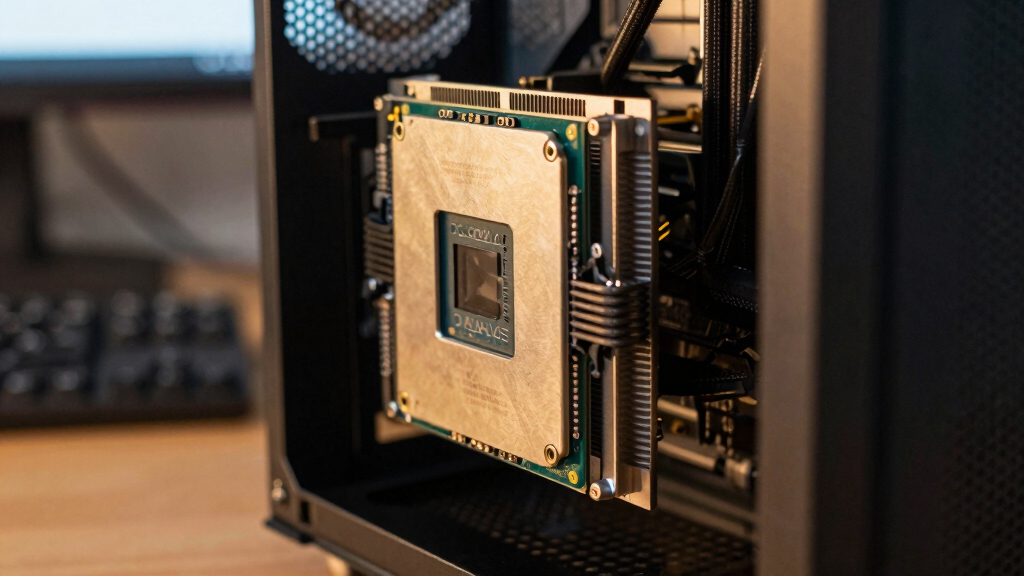

Choosing the best CPUs over $500 requires balancing raw performance, core counts, and future-proofing. The AMD Ryzen 9 9950X3D stands out as the best overall for its exceptional gaming and productivity mix, while the Intel Core i9-14900K offers top-tier raw power for demanding tasks. Other standout options include the AMD Ryzen Threadripper 9960X for high-end workstation use and the AMD Ryzen 7 9800X3D as a more budget-conscious choice with impressive gaming capabilities. The main tradeoffs in this category involve balancing high cost with the latest features versus slightly older but still powerful options. Continue reading for a detailed breakdown of each CPU and who they suit best.
Open a free Amazon Business account
Business pricing, bulk buying and tax-exempt orders.
Create a free accountAs an affiliate, we earn on qualifying purchases.
Key Takeaways
- The top-performing CPUs over $500 tend to emphasize core count and multi-threaded performance, but this often comes with increased price and power consumption.
- AMD’s 3D V-Cache technology provides a notable boost in gaming performance, making certain Ryzen models particularly compelling for gamers willing to pay a premium.
- Workstation and content creator users should prioritize high core counts and stability, guiding them toward Threadripper options despite their higher cost.
- Price-to-performance ratios vary widely in this segment; some models deliver exceptional value, while others focus solely on raw power without regard for budget.
- Future-proofing considerations, such as PCIe 5.0 support and DDR5 compatibility, influence long-term investment decisions in this high-end segment.
| AMD Ryzen 9 9950X3D 16-Core Processor | 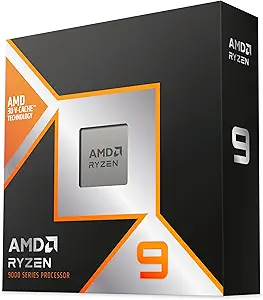 | Best Overall for Gaming and Heavy Content Creation | Number of Cores: 16 | Max Boost Clock: 5.7 GHz | Base Clock: 4.3 GHz | VIEW LATEST PRICE | See Our Full Breakdown |
| AMD Ryzen 9 9900X3D 12-Core Processor |  | Best for Gaming and Content Creation on a Slight Budget | Cores: 12 | Technology: 3D V-Cache | Use: Gaming and Content Creation | VIEW LATEST PRICE | See Our Full Breakdown |
| AMD Ryzen™ Threadripper™ 9960X |  | Best for Professional Workstations Needing High Multithreaded Power | Processor Series: Ryzen Threadripper 9000 Series | Processor Speed: 4.2 GHz | Processor Socket: Socket STR5 | VIEW LATEST PRICE | See Our Full Breakdown |
| AMD Ryzen Threadripper 9980X | | Best for Heavy Duty Professional and Creative Work | Processor Series: Ryzen Threadripper 9980X | Processor Speed: 3.2 GHz | Processor Socket: Socket STR5 | VIEW LATEST PRICE | See Our Full Breakdown |
| 4G Network Radio for Ford Mustang (2015-2023) with QLED Touch Screen and CarPlay |  | Best for In-Vehicle Infotainment Upgrades | Compatibility: Ford Mustang 2015-2023 | Display: QLED Touch Screen | Processor: 8-core CPU | VIEW LATEST PRICE | See Our Full Breakdown |
| AMD Ryzen Threadripper 9970X |  | Best for Heavy-Duty Workstation Performance | Series: Ryzen Threadripper 9000 | Type: Desktop Workstation Processor | VIEW LATEST PRICE | See Our Full Breakdown | |
| MINISFORUM N5 Pro 5-Bay Desktop AI NAS with AMD Ryzen AI 9 HX PRO 370 |  | Best for Enterprise-Grade NAS and AI Integration | Processor: AMD Ryzen AI 9 HX PRO 370, 12-core/24-thread | Memory: Up to 96GB DDR5 ECC RAM | Storage: Supports 144TB total with 22TB x 5 HDDs | VIEW LATEST PRICE | See Our Full Breakdown |
| AMD Ryzen 7 9800X3D 8-Core, 16-Thread Desktop Processor |  | Best for Gaming with Large Cache | Cores: 8 | Threads: 16 | Cache: 96MB L3 | VIEW LATEST PRICE | See Our Full Breakdown |
| Intel Core i9-14900K Desktop Processor | 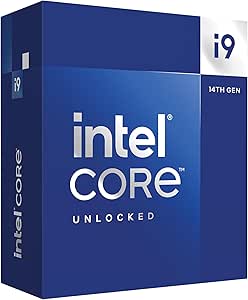 | Best for High-Performance Gaming and Content Creation | Processor Series: Core i9 | Processor Speed: up to 6.0 GHz | Processor Socket: LGA 1700 | VIEW LATEST PRICE | See Our Full Breakdown |
More Details on Our Top Picks
AMD Ryzen 9 9950X3D 16-Core Processor
The AMD Ryzen 9 9950X3D stands out for its combination of high core count and cutting-edge Zen 5 architecture, making it ideal for demanding gaming and content creation. Its maximum boost clock of 5.7 GHz surpasses many competitors, including the Ryzen 9 9900X3D, delivering exceptional performance where single-threaded speed matters most. Compared with the 9900X3D, it offers a more recent architecture and higher boost speeds, though it requires an AM5 motherboard, which could add to overall cost and complexity. The high power consumption is a tradeoff for the top-tier performance, but for those seeking the best in gaming and heavy multitasking, this CPU provides a compelling package. Be aware that the premium price and platform upgrade costs may deter budget-conscious builders.
Pros:- Exceptional boost clock of up to 5.7 GHz for demanding tasks
- Latest Zen 5 architecture improves efficiency and performance
- High core count supports multitasking and parallel workloads
Cons:- Requires an expensive AM5 motherboard and DDR5 RAM
- High power consumption increases operational costs
Best for: Gamers, streamers, and content creators who need the latest architecture with top speed and multitasking capabilities.
Not ideal for: Casual users or those with existing AM4 systems looking for a cost-effective upgrade, as the platform change adds expense.
- Number of Cores:16
- Max Boost Clock:5.7 GHz
- Base Clock:4.3 GHz
- Architecture:Zen 5
- Form Factor:Desktop
- Processor Type:Boxed Processor
Bottom line: This CPU is perfect for high-end gamers and creators willing to invest in the latest platform for maximum performance.
AMD Ryzen 9 9900X3D 12-Core Processor
The Ryzen 9 9900X3D offers a solid balance of performance and value, especially for gamers and creators who want a high-core count with the added benefit of 3D V-Cache technology. While it doesn’t have the raw speed of the 9950X3D, its 12 cores and cache enhancements still deliver excellent gaming performance and multitasking capabilities. Compared to the 9950X3D, it’s more affordable and compatible with older AM4 platforms, making it accessible for those not ready to upgrade their entire system. However, it still consumes significant power and might be pricier than some mid-range options. For users prioritizing gaming and multitasking without the latest platform costs, this CPU provides a meaningful performance boost. Tradeoffs include slightly lower clock speeds and fewer cores than the 9950X3D.
Pros:- Excellent gaming performance with 3D V-Cache
- High core count supports multitasking and creative workloads
- Compatible with AM4 motherboards, reducing upgrade costs
Cons:- Potentially high power consumption
- Lacks the architectural improvements of Zen 5
Best for: Gamers and content creators who want high performance without the latest platform upgrade.
Not ideal for: Users seeking the highest core counts or the newest architecture, as it’s limited to older socket compatibility.
- Cores:12
- Technology:3D V-Cache
- Use:Gaming and Content Creation
Bottom line: This CPU suits gamers and creators who want high performance on a more mature platform at a better price point.
AMD Ryzen™ Threadripper™ 9960X
The Threadripper 9960X is designed for demanding workstation tasks, boasting 24 cores and 48 threads. Its base clock of 4.2 GHz and large 24 MB secondary cache make it well-suited for rendering, simulation, and professional multitasking. When compared with the 9980X, it offers slightly lower core count but still maintains a high thread count, making it ideal for users who need robust multi-core performance without the extreme power draw of the 9980X. The 9960X’s 350W power requirement is significant, and it demands a high-end motherboard with TR5 socket, which adds to total system cost. For professionals needing reliable, multi-threaded processing, this CPU excels, but it’s overkill for casual or gaming builds. Tradeoffs include high power consumption and the need for specialized cooling solutions.
Pros:- High core and thread count for parallel processing tasks
- Fast base clock of 4.2 GHz supports demanding workflows
- Large cache memory improves data access speeds
Cons:- Extremely high power consumption at 350W
- Requires specialized, costly motherboard and cooling solutions
Best for: Workstation users doing 3D rendering, CAD, or scientific simulations who need high thread counts.
Not ideal for: Casual users or gamers, as the platform costs and power draw outweigh gaming or everyday performance benefits.
- Processor Series:Ryzen Threadripper 9000 Series
- Processor Speed:4.2 GHz
- Processor Socket:Socket STR5
- Secondary Cache:24 MB
- Wattage:350 watts
- Processor Threads:48
- Processor Cores:24
Bottom line: This CPU is best for professional workstations that demand maximum multi-threaded performance without concern for energy costs.
AMD Ryzen Threadripper 9980X
The Threadripper 9980X offers an astonishing 64 cores and 128 threads, making it a powerhouse for the most demanding professional applications. Its 3.2 GHz base clock might seem modest, but with 256 MB of cache and a robust platform, it excels at multi-threaded tasks like 3D rendering, large-scale simulations, and content creation. Compared to the 9960X, it provides significantly more cores and threads, but at the cost of increased power consumption and a higher price tag. It also requires a premium motherboard and cooling setup, limiting its suitability for casual or gaming users. This CPU makes sense for those who need maximum parallel processing power and are ready to invest in a high-end workstation setup. The tradeoff is the enormous energy and financial cost involved.
Pros:- Unmatched multi-core and multi-threaded performance
- Designed specifically for professional-grade workflows
- Large cache memory enhances data throughput
Cons:- Enormous power consumption at 350W
- Very high cost and platform complexity
Best for: Content creators, engineers, and 3D artists who need the highest core and thread counts available for professional workloads.
Not ideal for: Typical gamers or casual users, as the platform costs and power draw are excessive for general use.
- Processor Series:Ryzen Threadripper 9980X
- Processor Speed:3.2 GHz
- Processor Socket:Socket STR5
- Secondary Cache:64 MB
- Wattage:350 watts
- Processor Threads:128
- Processor Cores:64
Bottom line: This CPU is suited for professionals running highly parallelized, resource-intensive tasks with a large budget and advanced cooling solutions.
4G Network Radio for Ford Mustang (2015-2023) with QLED Touch Screen and CarPlay
This upgrade radio stands out for integrating modern connectivity like wireless CarPlay and Android Auto, combined with a powerful 8-core CPU that enhances multimedia performance. Compared to typical aftermarket head units, this model offers 4K video support and maintains steering wheel controls, which is ideal for Mustang owners seeking seamless tech integration. However, its installation can be complex for those without technical experience, and durability over time remains unverified, which could be a concern for long-term reliability. The processor and 4GB RAM ensure smooth UI navigation and app performance, making it a strong choice for tech-savvy drivers who want top-tier in-car entertainment.
Pros:- Easy plug-and-play installation
- Supports 4K video output for high-quality media playback
- Maintains original steering wheel controls for safety and convenience
- Wireless CarPlay and Android Auto support
Cons:- Requires some technical knowledge for proper installation
- Limited information on long-term durability
Best for: Mustang owners who want a high-tech, multimedia-rich upgrade with easy connectivity features.
Not ideal for: Car owners unfamiliar with vehicle electronics or seeking a simple, plug-and-play solution without technical setup.
- Compatibility:Ford Mustang 2015-2023
- Display:QLED Touch Screen
- Processor:8-core CPU
- RAM:4GB
- Storage:64GB ROM
- Connectivity:Wireless CarPlay, Wired Android Auto
Bottom line: This radio is best suited for Mustang owners who prioritize multimedia features and are comfortable with installation complexity.
AMD Ryzen Threadripper 9970X
The AMD Ryzen Threadripper 9970X delivers exceptional multi-core processing power tailored for demanding professional workloads, making it a clear choice over mainstream CPUs like the Intel Core i9-14900K when multi-threaded performance is critical. Its high core count and efficiency support intensive tasks such as 3D rendering, scientific simulations, and large-scale engineering projects. The main tradeoff involves its high power consumption and the need for a compatible, high-end motherboard, which can significantly increase total system cost. This model excels for users who prioritize raw processing power and can handle the setup complexity, unlike more consumer-oriented options.
Pros:- Exceptional multi-core processing power
- Reliable and efficient for professional workloads
- Ideal for demanding creative, engineering, and scientific tasks
Cons:- High power consumption increases energy costs
- Requires a high-end, compatible motherboard, adding to overall expense
Best for: Creative professionals and engineers running demanding applications requiring maximum multi-core performance.
Not ideal for: Casual users or gamers who don’t need extensive CPU cores and prefer simpler, cost-effective setups.
- Series:Ryzen Threadripper 9000
- Type:Desktop Workstation Processor
Bottom line: This CPU is perfect for professionals who need maximum multi-core throughput and are prepared for higher system costs.
MINISFORUM N5 Pro 5-Bay Desktop AI NAS with AMD Ryzen AI 9 HX PRO 370
The MINISFORUM N5 Pro offers an impressive blend of AI acceleration, extensive storage, and high-speed networking, making it ideal for data centers, AI research, or large-scale media storage. Its AMD Ryzen AI 9 HX PRO 370 provides substantial processing power, especially for AI workloads, outperforming typical consumer CPUs like the Ryzen 7 9800X3D in multitasking and AI tasks. The complex setup and hardware expansion options require technical expertise, but for those with the skills, it provides unmatched flexibility. This model is less suited for gaming or simple office tasks, where a high-end desktop CPU would suffice.
Pros:- High-performance AMD Ryzen AI 9 HX PRO 370
- Supports up to 144TB storage with multiple RAID options
- Advanced networking with 10GbE and 5GbE ports
- Flexible hardware expansion including PCIe and external GPU support
Cons:- System disk reduces available drive bays
- Complex setup requiring technical knowledge
Best for: IT professionals and data centers needing robust AI processing, high storage capacity, and enterprise networking features.
Not ideal for: Home users or gamers seeking straightforward, single-purpose CPUs without extensive storage or AI features.
- Processor:AMD Ryzen AI 9 HX PRO 370, 12-core/24-thread
- Memory:Up to 96GB DDR5 ECC RAM
- Storage:Supports 144TB total with 22TB x 5 HDDs
- Network Ports:1x 10GbE, 1x 5GbE
- Video Outputs:1x HDMI 8K@60Hz
Bottom line: This NAS and AI powerhouse is best for enterprise environments demanding extensive storage and AI capabilities, not typical gaming or home use.
AMD Ryzen 7 9800X3D 8-Core, 16-Thread Desktop Processor
The AMD Ryzen 7 9800X3D emphasizes gaming performance thanks to its innovative 3D V-Cache technology, offering a substantial 96MB of L3 cache that boosts frame rates in CPU-bound titles. While it doesn’t match the raw multithreaded power of the Threadripper 9970X, its high clock speeds up to 5.2GHz and efficient Zen5 architecture make it a standout for gamers seeking performance gains over general-purpose CPUs like the Intel Core i9-14900K. Its main limitation lies in its socket exclusivity (AM5) and the need for a compatible cooler, which adds to setup complexity and cost. It’s less suited for workloads beyond gaming or lightly threaded tasks.
Pros:- Exceptional gaming performance with Zen5 architecture
- Large 96MB L3 cache improves game speed
- Supports high clock speeds up to 5.2GHz
- Efficient power and thermal performance
Cons:- Cooler not included and may increase build costs
- Limited to AM5 socket, requiring compatible motherboard
Best for: High-end gamers wanting the best frame rates and cache performance in their builds.
Not ideal for: Professionals or content creators needing maximum multi-core processing for rendering or scientific computing.
- Cores:8
- Threads:16
- Cache:96MB L3
- Base Clock:up to 5.2GHz
- Socket:AM5
Bottom line: This CPU is ideal for gamers who want top-tier gaming performance and large cache benefits, but not for heavy multi-threaded workloads.
Intel Core i9-14900K Desktop Processor
The Intel Core i9-14900K offers a versatile high-end option with 24 cores and 32 threads, tailored for users who need both exceptional gaming and creative workloads. Its max turbo speed of 6.0GHz outperforms many rivals like the Ryzen 7 9800X3D in single-threaded tasks and gaming, while supporting DDR4 and DDR5 memory for flexibility. However, its power draw at 125W and the need for a compatible motherboard with the latest chipset can complicate upgrades. This CPU makes more sense for users who want a balance of gaming, streaming, and content creation, rather than specialized workloads requiring maximum cores.
Pros:- High core and thread count for multitasking
- Max clock speed of up to 6.0 GHz for responsiveness
- Supports both DDR4 and DDR5 platforms
- Includes integrated Intel UHD Graphics 770
Cons:- High power consumption at 125W
- Requires latest motherboard with compatible chipset
Best for: Enthusiast gamers and content creators seeking high core counts, fast clocks, and platform versatility.
Not ideal for: Budget-conscious builders or those prioritizing energy efficiency over raw performance.
- Processor Series:Core i9
- Processor Speed:up to 6.0 GHz
- Processor Socket:LGA 1700
- Cores:24
- Threads:32
Bottom line: This CPU is perfect for users who want a balanced platform for gaming and productivity with cutting-edge performance.

How We Picked
This lineup was selected based on a combination of performance benchmarks, core counts, power efficiency, and feature sets relevant to high-end users. I prioritized CPUs that are over $500 to focus on premium segments, ensuring each offers advanced technologies like PCIe 5.0 or DDR5 support. The ranking also considers user versatility—whether the CPU is suited for gaming, content creation, or workstation tasks—and long-term value, not just raw speed. Cost-to-performance ratio was a key factor, along with build quality and thermals, to help readers identify options that balance power and reliability effectively.Factors to Consider When Choosing Best CPUs Over $500
When selecting a CPU over $500, it’s crucial to evaluate your specific needs and how each processor’s features align with those. High-end CPUs are not just about speed—they also influence your overall system stability, upgradeability, and future-proofing. Understanding key factors will help you avoid overspending on features you don’t need or missing out on value that can deliver long-term benefits.Performance and Core Count
For demanding tasks like 3D rendering, video editing, or high-end gaming, a higher core and thread count can significantly improve productivity and smoothness. However, more cores often come with increased power consumption and heat generation, which may require better cooling solutions. Balance your workload expectations with your hardware capacity to avoid wasting money on cores that won’t be fully utilized in your typical use case.
Technology Support and Compatibility
Features like PCIe 5.0 and DDR5 RAM are becoming more common in high-end CPUs, offering enhanced bandwidth for GPUs and faster memory. While these technologies future-proof your system, they also tend to increase initial costs. Confirm your motherboard compatibility and consider whether these advanced features align with your upgrade plans or if a slightly older platform might offer better value without sacrificing much performance.
Power Consumption and Cooling
High-end CPUs often demand robust cooling solutions due to their increased TDP. Investing in a quality cooling system can ensure stability and longevity, especially if you’re overclocking. Be mindful that higher power draw can also raise electricity costs and require a more substantial power supply, which adds to your overall build expenses. Consider your case airflow and cooling options early in your build process.
Price-to-Performance Ratio
While CPUs over $500 deliver impressive power, some provide better value in terms of performance per dollar. It’s important to compare benchmark scores and real-world performance relative to their price tags. Sometimes, a slightly lower-priced model can meet your needs without paying for features you won’t use, whereas premium models might offer incremental gains that are only relevant for professional workloads.
Intended Use and Future Needs
Identify your primary use case—gaming, content creation, workstation tasks—and choose a CPU that aligns with those demands. For example, gamers may prioritize cache size and single-thread performance, whereas creators benefit from higher core counts. Additionally, consider your upgrade path; investing in a platform with future compatibility ensures your build remains relevant for years to come, avoiding early obsolescence.
Frequently Asked Questions
Is it worth paying over $500 for a CPU?
Paying more than $500 for a CPU can be justified if your workload demands maximum performance, such as professional content creation or 3D rendering. These CPUs often include features like higher core counts, better multi-threading, and advanced technologies that can significantly reduce rendering or compilation times. However, for gaming or general use, a mid-range processor might deliver similar performance at a lower cost, making the extra investment less necessary.
Should I prioritize core count or clock speed in this price range?
Both core count and clock speed matter, but their importance depends on your primary tasks. For gaming, high clock speeds often translate to better performance, so focus on CPUs with higher single-thread performance. For multitasking, content creation, or professional workloads, higher core counts will generally provide more benefit. Balancing these factors based on your specific use case is key to making a smart investment.
How important is future-proofing in this segment?
Future-proofing becomes increasingly relevant at this spending level, where investing in features like PCIe 5.0, DDR5 RAM, and support for upcoming standards can extend the lifespan of your build. While these features add to the initial cost, they can save money in the long run by delaying the need for upgrades. However, it’s important to evaluate whether your current platform supports these technologies or if you’ll need additional components, which can influence your overall budget.
Do high-end CPUs over $500 need special cooling solutions?
Most high-end CPUs in this price range generate significant heat and benefit from quality cooling solutions, especially if overclocking is involved. Stock coolers are typically insufficient for sustained high loads, so investing in a premium air or liquid cooling system can improve stability, reduce noise, and prolong component lifespan. Consider your case airflow and noise preferences when choosing a cooling method.
Is it better to buy a new CPU or wait for upcoming releases?
Waiting for upcoming CPU releases can sometimes provide access to newer technologies and better performance at similar or slightly higher prices. However, if you need a powerful system now, investing in a current high-end CPU ensures immediate benefits. Consider your current needs versus the cost and availability of upcoming models, and whether the potential performance gains justify the wait.
Conclusion
For general users and gamers who want a balanced mix of speed and efficiency, the AMD Ryzen 9 9950X3D offers an excellent overall experience. Content creators and workstation users should consider the AMD Ryzen Threadripper 9960X for its high core count and professional features, despite the higher price. Budget-conscious buyers can find value in options like the AMD Ryzen 7 9800X3D if gaming is a priority without overspending. For those seeking the ultimate in raw power, the Intel Core i9-14900K is the premium pick. Your choice should align with your specific workload, future plans, and budget constraints.
Summer Picks
summer essentials
As an affiliate, we earn on qualifying purchases.