Among these encrypted USB flash drives, I name the Kingston IronKey Vault Privacy 50 16GB my best overall pick for its security-focused design and practical capacity. The Apricorn Aegis Secure Key 3 NX stands out for keypad access and strong validation credentials, while the Kingston IronKey Locker+ 50 G2 offers several capacities for buyers who need more room. The main tradeoffs are how a drive authenticates access, how much storage you need, and whether you prefer a keypad or software-based use. Smaller capacities may suit sensitive documents but can limit backups, while larger versions call for careful capacity planning. Read on for the full breakdown and a guide to choosing the right balance of security, usability, and space.

Get privacy and security gear delivered free — and shop member deals
- Fast, free delivery on millions of items
- Access to Prime Big Deal Days deals on October 6–7
- Prime Video, Amazon Music and more included
Key Takeaways
- Vault Privacy 50 16GB is my overall pick because it balances a security-led design with a manageable capacity for documents and work files.
- Aegis Secure Key 3 NX models stand apart with keypad access and FIPS 140-2 Level 3 validation stated for the 8GB listing; check the exact model and documentation before buying.
- The IronKey Locker+ 50 G2 appears in 32GB, 64GB, and 128GB versions, giving buyers a clear capacity ladder within one product family.
- Integral Crypto-197 is offered in 4GB and 16GB versions, a reminder that compact encrypted storage can be a better fit for documents than for full backups.
- The lineup includes both keypad-authenticated drives and other encrypted USB designs, so access method, device compatibility, and recovery procedures can matter as much as capacity.
| Kingston IronKey Vault Privacy 50 16GB Encrypted USB Drive |  | Best for Enterprise Security | Storage capacity: 16GB | Interface: USB 3.2 Gen 1 | Encryption: FIPS 197 XTS-AES 256-bit hardware encryption | VIEW LATEST PRICE | See Our Full Breakdown |
| Apricorn 8GB Aegis Secure Key 3 NX 256-bit Encrypted FIPS 140-2 Level 3 Validated Secure USB 3.0 Flash Drive (ASK3-NX-8GB), Black |  | Best for Managed Access Controls | Capacity: 8GB | Interface: USB 3.0 | Encryption: 256-bit encryption | VIEW LATEST PRICE | See Our Full Breakdown |
| Integral 32GB Secure 360 Encrypted USB 3.0 Flash Drive (256-bit AES) |  | Best for More Storage and Everyday Use | Capacity: 32GB | Interface: USB 3.0 SuperSpeed | Encryption: 256-bit AES encryption software | VIEW LATEST PRICE | See Our Full Breakdown |
| Kingston IronKey Locker+ 50 G2 32GB Encrypted USB Drive | 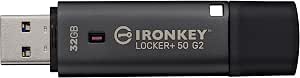 | Best Balanced Hardware-Encrypted Pick | Capacity: 32GB | Encryption: XTS-AES 256-bit hardware encryption | Certification: FIPS 197 | VIEW LATEST PRICE | See Our Full Breakdown |
| Integral Crypto-197 4GB USB 3.0 Encrypted Flash Drive |  | Best for Minimal, Self-Contained Storage | Storage capacity: 4GB | Interface: USB 3.0 | Encryption: 256-bit AES hardware encryption | VIEW LATEST PRICE | See Our Full Breakdown |
| Apricorn Aegis Secure Key 3 NX 32GB Encrypted USB 3.0 Flash Drive | | Best for Layered Access Controls | Capacity: 32 GB | Interface: USB 3.0 | Encryption: 256-bit AES XTS hardware encryption | VIEW LATEST PRICE | See Our Full Breakdown |
| Kingston IronKey Locker+ 50 G2 64GB Encrypted USB Drive |  | Best for Speed in a Mid-Size Drive | Capacity: 64 GB | Interface: USB 3.2 Gen 1 | Encryption: XTS-AES 256-bit hardware encryption | VIEW LATEST PRICE | See Our Full Breakdown |
| Kingston Digital DataTraveler Vault Privacy 3.0 8GB USB Flash Drive |  | Best for TAA-Compliant Small Transfers | Capacity: 8 GB | Interface: USB 3.0 | Encryption: 256-bit AES hardware-based encryption | VIEW LATEST PRICE | See Our Full Breakdown |
| Integral Crypto-197 16GB USB 3.0 Hardware-Encrypted Flash Drive | | Best for Automatic Locking and Tamper Response | Capacity: 16 GB | Interface: USB 3.0 | Encryption: 256-bit AES hardware encryption | VIEW LATEST PRICE | See Our Full Breakdown |
| Kingston IronKey Locker+ 50 G2 128GB Encrypted USB Drive |  | Best for Higher-Capacity Encrypted Storage | Capacity: 128 GB | Interface: USB 3.2 Gen 1 | Connector: USB Type-A | VIEW LATEST PRICE | See Our Full Breakdown |
| Kingston IronKey Keypad 200 16GB Encrypted USB Flash Drive |  | Best for Cross-Platform Keypad Security | Storage capacity: 16 GB | Interface: USB 3.2 Gen 1 | Connector: USB Type-A | VIEW LATEST PRICE | See Our Full Breakdown |
| iStorage datAshur PRO 4 GB Encrypted USB Flash Drive |  | Best for Certified, Rugged Small-File Storage | Storage capacity: 4 GB | Interface: USB 3.2, backward compatible | Encryption: AES-XTS 256-bit hardware encryption | VIEW LATEST PRICE | See Our Full Breakdown |
| encrypted USB flash drife | Interface | Encryption | Capacity | Certification |
|---|---|---|---|---|
| Kingston IronKey Vault Privacy | USB 3.2 Gen 1 | FIPS 197 XTS-AES 256-bit hardware encryption | — | — |
| Apricorn 8GB Aegis Secure Key | USB 3.0 | 256-bit encryption | 8GB | FIPS 140-2 Level 3 validated |
| Integral 32GB Secure 360 Encry | USB 3.0 SuperSpeed | 256-bit AES encryption software | 32GB | — |
| Kingston IronKey Locker+ 50 G2 | USB 3.2 Gen 1 | XTS-AES 256-bit hardware encryption | 32GB | FIPS 197 |
| Integral Crypto-197 4GB USB 3. | USB 3.0 | 256-bit AES hardware encryption | — | FIPS 197 |
| Apricorn Aegis Secure Key 3 NX | USB 3.0 | 256-bit AES XTS hardware encryption | 32 GB | — |
| Kingston IronKey Locker+ 50 G2 | USB 3.2 Gen 1 | XTS-AES 256-bit hardware encryption | 64 GB | FIPS 197 certified |
| Kingston Digital DataTraveler | USB 3.0 | 256-bit AES hardware-based encryption | 8 GB | — |
| Integral Crypto-197 16GB USB 3 | USB 3.0 | 256-bit AES hardware encryption | 16 GB | FIPS 197 |
| Kingston IronKey Locker+ 50 G2 | USB 3.2 Gen 1 | 256-bit XTS-AES hardware encryption | 128 GB | FIPS 197 |
| Kingston IronKey Keypad 200 16 | USB 3.2 Gen 1 | XTS-AES 256-bit hardware encryption | — | FIPS 140-3 Level 3 pending |
| iStorage datAshur PRO 4 GB Enc | USB 3.2, backward compatible | AES-XTS 256-bit hardware encryption | — | FIPS 140-2 Level 3, NLNCSA DEP-V, NATO Restricted |
More Details on Our Top Picks
Kingston IronKey Vault Privacy 50 16GB Encrypted USB Drive
I’d put the IronKey Vault Privacy 50 near the top for buyers who need hardware encryption plus protections aimed at organizational use. Its FIPS 197 XTS-AES 256-bit encryption is paired with defenses against brute-force attempts and BadUSB attacks, while multi-password options give teams more access flexibility than the simpler Integral Crypto-197 4GB. TAA compliance also makes this a better fit for some government and enterprise procurement needs. Its listed read and write speeds are strong for moving files without giving up the drive’s security focus. The tradeoff is capacity: 16GB can fill quickly with large project files, and unlike the more capacious IronKey Locker+ 50 G2 32GB, this model leaves less room for a broader working set. It also depends on keeping the physical drive under control.
Pros:- FIPS 197-certified XTS-AES 256-bit hardware encryption
- Brute-force and BadUSB attack protections
- TAA compliance for relevant procurement requirements
- Listed read and write speeds of up to 250 MB/s and 180 MB/s
Cons:- 16GB capacity may be restrictive for large files or ongoing projects
- Physical possession of the drive remains part of the security model
Best for: Enterprise and government staff who need a TAA-compliant, hardware-encrypted drive for a relatively small set of sensitive files.
Not ideal for: People carrying large media libraries or backups, since 16GB limits how much they can store on one drive.
- Storage capacity:16GB
- Interface:USB 3.2 Gen 1
- Encryption:FIPS 197 XTS-AES 256-bit hardware encryption
- Read speed:Up to 250 MB/s
- Write speed:Up to 180 MB/s
- Security protections:Brute-force and BadUSB attack protection
- Password options:Multiple password options
- Compliance:TAA compliant
Our verdict“Choose the Vault Privacy 50 if enterprise-focused protections and TAA compliance matter more than carrying a large amount of data.”
Apricorn 8GB Aegis Secure Key 3 NX 256-bit Encrypted FIPS 140-2 Level 3 Validated Secure USB 3.0 Flash Drive (ASK3-NX-8GB), Black
The Apricorn Aegis Secure Key 3 NX is the most control-oriented pick here for buyers who need separate administrative and user access. Its FIPS 140-2 Level 3 validation, two read-only modes, and data recovery PINs offer a more involved security toolkit than the Integral Secure 360 32GB, which centers on password protection and automatic erasure. Those controls can help an organization set rules for how data is accessed, while recovery PINs provide another route if a credential is lost. The tradeoff is a small 8GB capacity, below both Kingston IronKey models in this group, and its specialized modes may take more planning to configure. I’d choose it for tightly managed files rather than as a general-purpose carry-all; buyers who want more space should look at the Secure 360 or IronKey Locker+ 50 G2.
Pros:- FIPS 140-2 Level 3 validation
- Separate administrator and user modes
- Two read-only modes for restricting changes to data
- Data recovery PINs add an access-recovery option
Cons:- 8GB capacity is the smallest among the higher-capacity options in this group
- Specialized security modes may require technical setup and administration
Best for: IT administrators and security-conscious staff who need distinct admin and user access, read-only options, and recovery PINs on a compact drive.
Not ideal for: Users storing sizeable work folders or media collections, or anyone who wants straightforward setup without configuring specialized access modes.
- Capacity:8GB
- Interface:USB 3.0
- Encryption:256-bit encryption
- Certification:FIPS 140-2 Level 3 validated
- Model:ASK3-NX-8GB
- Access controls:Separate admin and user modes
- Read-only modes:Two
- Recovery:Data recovery PINs
Our verdict“Pick the Aegis Secure Key 3 NX when managed access controls matter more than storage space or simple setup.”
Integral 32GB Secure 360 Encrypted USB 3.0 Flash Drive (256-bit AES)
The Integral Secure 360 gives buyers a useful middle ground: 32GB capacity, USB 3.0, and 256-bit AES encryption without requiring software installation. Its rotating capless case also avoids a separate cap that can get lost, making it more convenient for regular carry than the more security-control-heavy Apricorn Aegis Secure Key 3 NX. The key tradeoff is its automatic erase after 10 failed password attempts. That can protect sensitive files if someone repeatedly guesses, but a forgotten password or repeated entry mistake can destroy the stored data. Compared with Kingston’s IronKey Locker+ 50 G2 32GB, this option is distinguished by its software-based encryption approach and no-install setup rather than the Kingston’s listed hardware encryption. I’d favor it for portable everyday files, not for data that cannot be restored elsewhere.
Pros:- 32GB capacity exceeds the 16GB and 8GB choices in this group
- No software installation required
- Capless rotating case avoids a loose cap
- Compatible with Windows and macOS
Cons:- Data is erased after 10 failed password attempts
- Encryption is software-based rather than the stated hardware encryption on the Kingston IronKey models
- Password-based security may take some users time to learn
Best for: Windows or macOS users who want 32GB of encrypted portable storage with no software installation and a capless design.
Not ideal for: People who cannot tolerate permanent data loss after repeated incorrect password attempts or who need hardware encryption specifically.
- Capacity:32GB
- Interface:USB 3.0 SuperSpeed
- Encryption:256-bit AES encryption software
- Compatibility:Windows and macOS
- Security feature:Data erased after 10 failed password attempts
- Design:Capless rotating case
- Software installation:Not required
- Warranty:2 years
Our verdict“Choose the Secure 360 for convenient 32GB encrypted storage and no-install use, provided you can safely manage its password and keep a backup.”
Kingston IronKey Locker+ 50 G2 32GB Encrypted USB Drive
For buyers weighing capacity against certified hardware security, the IronKey Locker+ 50 G2 32GB is the balanced choice in this batch. It doubles the capacity of the Vault Privacy 50 16GB while retaining FIPS 197-certified XTS-AES 256-bit hardware encryption and offering Admin and User password options. That makes it more practical for carrying a working set of documents, though the Vault Privacy 50 lists faster read and write speeds and adds stated protections against BadUSB attacks. The Locker+ 50 G2’s listed speeds—up to 145 MB/s read and 115 MB/s write—are still useful for routine transfers, but this is not the speed leader here. Buyers should also plan around the limited 32GB capacity and any management-software needs. I’d pick it when 16GB feels too tight but enterprise-specific features are not the main priority.
Pros:- FIPS 197-certified XTS-AES 256-bit hardware encryption
- 32GB capacity offers more room than the Vault Privacy 50 16GB and Aegis 8GB
- Admin and User password options support multiple access roles
- USB 3.2 Gen 1 interface with listed read speeds up to 145 MB/s
Cons:- 32GB may not hold large backups or extensive media libraries
- Listed speeds are lower than those of the Vault Privacy 50
- Hardware encryption features may require management software
Best for: Professionals who want certified hardware encryption and room for a moderate document or project collection without moving to a larger-capacity drive.
Not ideal for: Users transferring large files frequently or storing extensive media collections, who may need faster performance or more than 32GB.
- Capacity:32GB
- Encryption:XTS-AES 256-bit hardware encryption
- Certification:FIPS 197
- Interface:USB 3.2 Gen 1
- Read speed:Up to 145 MB/s
- Write speed:Up to 115 MB/s
- Password options:Admin and User
- Model:IKLP50G2/32GB
Our verdict“Choose the Locker+ 50 G2 32GB for a balance of certified hardware encryption, moderate capacity, and flexible password roles.”
Integral Crypto-197 4GB USB 3.0 Encrypted Flash Drive
The Integral Crypto-197 4GB suits a narrow job: carrying a small amount of sensitive data on a drive that needs no software installation. Its FIPS 197-certified 256-bit AES hardware encryption and automatic lock when disconnected make it more self-contained than the software-encrypted Integral Secure 360 32GB. A dual-layer waterproof casing adds physical protection that the product data does not list for the other drives in this batch. The sharpest tradeoff is capacity: 4GB is far less than the Secure 360’s 32GB and the Kingston IronKey Locker+ 50 G2’s 32GB, so this is not a practical choice for broad backups. Its erase-after-six-failed-attempts rule is also stricter than the Secure 360’s ten-attempt limit, raising the risk of losing data after password errors. I’d reserve it for small, backed-up files.
Pros:- FIPS 197-certified 256-bit AES hardware encryption
- Locks automatically when disconnected
- Dual-layer waterproof casing
- No software installation required
Cons:- 4GB capacity is substantially smaller than the 32GB options in this group
- Data is erased after six unsuccessful access attempts
- Requires an 8–16 character alphanumeric password
Best for: People who need to carry a small, backed-up set of sensitive files and value hardware encryption, automatic locking, and water-resistant protection.
Not ideal for: Anyone storing large files or relying on this as the only copy of important data, given the 4GB capacity and erase-after-six-attempts policy.
- Storage capacity:4GB
- Interface:USB 3.0
- Encryption:256-bit AES hardware encryption
- Certification:FIPS 197
- Password length:8–16 characters
- Failed access protection:Data erased after 6 unsuccessful attempts
- Protection:Dual-layer waterproof design
- Software required:No
Our verdict“Choose the Crypto-197 4GB for a small, backed-up payload when hardware encryption and waterproof casing matter more than capacity.”
Apricorn Aegis Secure Key 3 NX 32GB Encrypted USB 3.0 Flash Drive
The Aegis Secure Key 3 NX is the strongest fit here for buyers who want more than a single unlock password. Its separate admin and user modes, read-only option, and data-recovery PINs give IT teams ways to manage access and limit changes to stored files. The listed 256-bit AES XTS hardware encryption and FIPS 140-2 Level 3 validation target a more demanding security brief than the Kingston DataTraveler Vault Privacy 3.0, whose supplied details focus on encryption and corporate customization. The tradeoff is storage: 32GB is modest beside the 128GB Kingston IronKey Locker+ 50 G2, and the product data says FIPS validation was pending at capture, so buyers should verify its current status before relying on that claim. USB 3.0 speeds and broad OS compatibility add flexibility, but this is a security-first, not capacity-first, choice.
Pros:- Separate admin and user modes support managed access.
- Read-only controls can help prevent changes to stored data.
- Data-recovery PINs provide an additional account recovery path.
- Listed compatibility spans Windows, iOS, Linux, Android, and Chrome.
Cons:- 32GB capacity is restrictive for large datasets.
- FIPS 140-2 Level 3 validation was listed as pending at data capture.
- USB 3.0 is older than the USB 3.2 Gen 1 interface on the Kingston IronKey Locker+ 50 G2.
Best for: IT administrators and security-conscious professionals who need managed user access, recovery PINs, and read-only controls on a portable drive.
Not ideal for: People carrying large media libraries or project archives, or buyers who require confirmed current FIPS 140-2 Level 3 validation without checking its status.
- Capacity:32 GB
- Interface:USB 3.0
- Encryption:256-bit AES XTS hardware encryption
- Security standard:FIPS 140-2 Level 3 validation listed as pending at data capture
- Read speed:77 MB/s
- Write speed:60 MB/s
- Compatibility:Windows, iOS, Linux, Android, Chrome
- Color:Black
Our verdict“Choose this Apricorn when layered access controls matter more than capacity, but verify the validation status before buying for a compliance requirement.”
Kingston IronKey Locker+ 50 G2 64GB Encrypted USB Drive
The 64GB IronKey Locker+ 50 G2 suits buyers who want a balance of capacity and transfer speed without stepping up to the 128GB version. Its stated read and write rates—up to 145MB/s and 115MB/s—outpace the 32GB Apricorn Aegis Secure Key 3 NX figures, making frequent file transfers a stronger part of its appeal. The drive pairs those speeds with FIPS 197-certified XTS-AES 256-bit hardware encryption and admin/user password modes. That makes it a more straightforward fit for users who want encrypted storage and separate access roles, while the Apricorn offers more specialized controls such as read-only mode and recovery PINs. The main compromise is its 64GB ceiling: buyers moving large archives may prefer the 128GB IronKey model. Its five-year warranty is useful support, but it does not solve the capacity limit.
Pros:- Stated read speed of up to 145MB/s and write speed of up to 115MB/s.
- FIPS 197-certified XTS-AES 256-bit hardware encryption.
- Admin and user password modes support distinct access roles.
- Includes a five-year manufacturer warranty.
Cons:- 64GB may be limiting for large backups and media libraries.
- Lacks the Apricorn Aegis Secure Key 3 NX’s listed read-only mode and recovery PIN features.
- USB Type-A connectivity may not suit devices without a compatible port.
Best for: Professionals transferring protected documents or moderate-sized work files who want fast stated speeds and separate admin and user passwords.
Not ideal for: Users who routinely carry large video collections or backups; the 128GB Kingston IronKey Locker+ 50 G2 is a better capacity fit.
- Capacity:64 GB
- Interface:USB 3.2 Gen 1
- Encryption:XTS-AES 256-bit hardware encryption
- Certification:FIPS 197 certified
- Read speed:Up to 145 MB/s
- Write speed:Up to 115 MB/s
- Dimensions:0.73 × 0.37 × 0.37 in (D × W × H)
- Weight:22.68 g
- Warranty:5 years
Our verdict“Pick the 64GB IronKey for fast transfers and certified hardware encryption when its capacity is enough for your working files.”
Kingston Digital DataTraveler Vault Privacy 3.0 8GB USB Flash Drive
The DataTraveler Vault Privacy 3.0 is a narrow-purpose pick: its TAA compliance and customizable configuration are useful for organizations with procurement or IT policy requirements, while hardware-based 256-bit AES encryption protects data on the drive. Compared with the 16GB Integral Crypto-197, this Kingston offers half the listed storage and does not specify the same automatic lock or failed-attempt erase behavior. Its case makes most sense for controlled transfers of small document sets, not as a general-purpose work drive. The 8GB capacity is the defining limitation, especially beside the 64GB IronKey Locker+ 50 G2. Optional ESET antivirus may appeal to organizations seeking another layer of tooling, but it is not included as a standard feature in the supplied details and may call for added setup.
Pros:- TAA compliant for procurement environments that require it.
- 256-bit AES hardware-based encryption protects stored data.
- Customizable for corporate IT requirements.
- USB 3.0 interface supports SuperSpeed transfers.
Cons:- 8GB capacity is very limited for modern work files.
- ESET antivirus protection is optional and may require additional setup.
- Supplied details do not list the access-management features found on the Apricorn Aegis Secure Key 3 NX.
Best for: Government or corporate IT teams that need a TAA-compliant encrypted drive for small, policy-controlled file transfers.
Not ideal for: Individuals carrying routine work folders, large files, or backups; 8GB offers far less room than the other drives in this group.
- Capacity:8 GB
- Interface:USB 3.0
- Encryption:256-bit AES hardware-based encryption
- Compliance:TAA compliant
- Model:DTVP30/8GB
- Brand:Kingston Digital
- Optional protection:ESET antivirus protection
Our verdict“Choose this Kingston only when TAA compliance and a small encrypted transfer drive matter more than storage space or advanced access controls.”
Integral Crypto-197 16GB USB 3.0 Hardware-Encrypted Flash Drive
The Integral Crypto-197 emphasizes what happens when access attempts go wrong. It locks when disconnected or when the host computer locks, then erases its data and encryption key after six failed password attempts. That response can suit sensitive files on a drive that may be misplaced, but it also raises the stakes of a forgotten password or repeated typing mistake. Compared with the Apricorn Aegis Secure Key 3 NX, Integral lists a tougher failed-attempt consequence and a double-layer waterproof casing, while the Apricorn offers more flexible recovery PINs and admin/user controls. Its 16GB capacity is small, though it doubles the 8GB Kingston DataTraveler Vault Privacy 3.0. The hardened inner case and rubberized outer layer add practical protection, but this is a cautious, low-capacity option rather than a roomy everyday drive.
Pros:- FIPS 197-certified 256-bit AES hardware encryption.
- Automatically locks when disconnected or when the computer locks.
- Erases the data and encryption key after six failed access attempts.
- Double-layer waterproof design uses a hardened inner case and rubberized outer casing.
Cons:- Only 16GB of storage is available.
- Six incorrect password attempts erase the data and encryption key.
- Compatibility is listed for PC and Mac, with no broader mobile-device support specified.
Best for: Users carrying a small set of sensitive files who prioritize automatic locking, failed-password protection, and a water-resistant enclosure.
Not ideal for: Anyone likely to forget passwords or share access with people who may mistype; six failed attempts trigger permanent data and key erasure.
- Capacity:16 GB
- Interface:USB 3.0
- Encryption:256-bit AES hardware encryption
- Certification:FIPS 197
- Password format:8–16 character alphanumeric password
- Failed-access protection:Data and encryption key erased after 6 failed attempts
- Compatibility:PC and Mac
- Water resistance:Double-layer waterproof design
Our verdict“Select the Crypto-197 for automatic locking and a rugged, water-resistant shell only if you can reliably manage its password and strict lockout behavior.”
Kingston IronKey Locker+ 50 G2 128GB Encrypted USB Drive
For buyers who need more room without giving up the security and speed profile of the smaller IronKey, the 128GB Locker+ 50 G2 is the clearest capacity upgrade in this group. It doubles the 64GB Kingston IronKey Locker+ 50 G2 while retaining 256-bit XTS-AES hardware encryption, FIPS 197 certification, and admin/user password options. The stated speeds of up to 145MB/s read and 115MB/s write suit repeated transfers better than the 32GB Apricorn Aegis Secure Key 3 NX, though the Apricorn supplies more detailed access controls, including read-only capability and recovery PINs. Kingston’s supplied data identifies a USB Type-A connector and gives computer-focused compatibility details, so buyers should check their device ports and operating systems before relying on it with phones or tablets. The tradeoff is a larger capacity without listed rugged or waterproof protection.
Pros:- 128GB capacity provides more room than the 64GB IronKey model.
- FIPS 197-certified 256-bit XTS-AES hardware encryption.
- Separate admin and user passwords with complex or passphrase modes.
- Stated speeds reach up to 145MB/s read and 115MB/s write.
Cons:- USB Type-A connector may require an adapter for newer devices.
- Compatibility details are limited to computers in the supplied product data.
- No ruggedized or waterproof construction is listed.
Best for: Professionals who need to carry larger encrypted work folders or project files and want separate admin and user passwords.
Not ideal for: Mobile-first users needing clearly specified phone compatibility, or anyone seeking a rugged or waterproof drive; those features are not listed here.
- Capacity:128 GB
- Interface:USB 3.2 Gen 1
- Connector:USB Type-A
- Encryption:256-bit XTS-AES hardware encryption
- Certification:FIPS 197
- Password security:Admin and user passwords; complex or passphrase modes
- Read speed:Up to 145 MB/s
- Write speed:Up to 115 MB/s
- Dimensions:0.73 × 0.37 × 0.37 in (D × W × H)
Our verdict“Choose the 128GB IronKey when capacity is the deciding factor and you want the same stated encryption and speed class as its 64GB sibling.”
Kingston IronKey Keypad 200 16GB Encrypted USB Flash Drive
The IronKey Keypad 200 pairs XTS-AES 256-bit hardware encryption with an onboard alphanumeric keypad, so PIN entry does not depend on software installed on the host computer. That makes it a stronger fit for people moving protected files among Windows, macOS, Linux, Chrome OS, and Android devices than a drive whose access flow relies on a particular desktop setup. Its admin and user PIN options, brute-force protection, and BadUSB protection add layers beyond basic password access. Compared with the iStorage datAshur PRO, it offers twice the stated capacity and newer USB 3.2 Gen 1 interface, while the datAshur has a completed FIPS 140-2 Level 3 certification and IP57 protection. The tradeoff here is that FIPS 140-3 Level 3 certification is still pending, and 16GB remains modest for large archives.
Pros:- XTS-AES 256-bit hardware encryption avoids reliance on host-side encryption software
- Alphanumeric keypad supports administrator and user PIN options
- Brute-force and BadUSB protections address additional attack risks
- Compatible with a broad range of systems that support USB mass storage
Cons:- FIPS 140-3 Level 3 certification is pending
- 16GB capacity may not suit large media collections or full-device backups
- USB Type-A connector may require an adapter on devices with USB-C ports only
Best for: People who need keypad-controlled encrypted storage that can move among several operating systems, with separate administrator and user PIN options.
Not ideal for: Buyers who need a completed FIPS 140-3 Level 3 certification, high storage capacity, or a documented dust- and water-resistant rating.
- Storage capacity:16 GB
- Interface:USB 3.2 Gen 1
- Connector:USB Type-A
- Encryption:XTS-AES 256-bit hardware encryption
- PIN access:Alphanumeric keypad; administrator and user PIN options
- Certification:FIPS 140-3 Level 3 pending
- Read/write speeds:Up to 145 MB/s read; 115 MB/s write
- Compatibility:Windows, macOS, Linux, Chrome OS, Android, and systems supporting USB mass storage
Our verdict“Choose the Keypad 200 for keypad-based, cross-platform protection and extra attack safeguards, but look elsewhere if completed FIPS certification or more storage is a requirement.”
iStorage datAshur PRO 4 GB Encrypted USB Flash Drive
The datAshur PRO is the more defensible pick for buyers whose checklist prioritizes completed security credentials and physical resilience over capacity. It combines AES-XTS 256-bit hardware encryption with PIN authentication and needs no host software, while its FIPS 140-2 Level 3 certification, listed NATO Restricted status, and IP57 dust- and water-resistance rating give it a different emphasis from the Kingston IronKey Keypad 200. The Kingston offers 16GB rather than this drive’s 4GB and includes stated brute-force and BadUSB protections; the datAshur PRO instead provides a completed FIPS 140-2 certification and a stated ingress rating. Its listed speeds are also higher, though real transfer results depend on the host and files. The main compromise is severe capacity: 4GB suits a small set of sensitive documents, not a broad backup or growing work archive.
Pros:- AES-XTS 256-bit hardware encryption works without host software
- FIPS 140-2 Level 3 certification is completed
- IP57 rating provides stated dust and water resistance
- Broad compatibility includes desktop systems, Android, and virtualized or embedded environments
Cons:- 4GB capacity sharply limits the number and size of files it can hold
- PIN entry is required to access the drive
- Security credentials listed are FIPS 140-2 and NATO Restricted, not FIPS 140-3
Best for: Security-conscious professionals who carry a small set of sensitive files and need a certified, dust- and water-resistant drive for varied systems.
Not ideal for: Users storing large document collections, photos, or backups, since 4GB fills quickly and every access requires entering a PIN.
- Storage capacity:4 GB
- Interface:USB 3.2, backward compatible
- Encryption:AES-XTS 256-bit hardware encryption
- Authentication:7–15 digit PIN
- Certification:FIPS 140-2 Level 3, NLNCSA DEP-V, NATO Restricted
- Ingress protection:IP57 dust and water resistance
- Read/write speeds:Up to 169 MB/s read; up to 135 MB/s write
- Compatibility:Windows, macOS, Linux, Chrome, Android, thin clients, zero clients, embedded systems, Citrix, and VMware
Our verdict“Pick the datAshur PRO for certified, rugged protection of a small file set, but choose a higher-capacity option such as the IronKey Keypad 200 for larger collections.”

How We Picked
I ranked these drives by how well their listed security approach, access method, capacity, and everyday usability match common secure-storage needs. I gave extra weight to clear hardware-security credentials and practical authentication, while also looking at whether the capacity suits the intended role. A compact drive can be a sensible choice for sensitive files but is a poor fit for carrying large media libraries; a bigger capacity does not by itself make a drive more secure.
The order reflects differences buyers can act on: the Vault Privacy 50 leads as a balanced general-purpose choice, while keypad models earn attention from buyers who want authentication without relying on a host computer’s software workflow. The IronKey Locker+ 50 G2 capacities offer a useful size range, and the Integral models suit more limited storage needs. I treat product-family names and listed certifications as model-specific: buyers should confirm the exact capacity, generation, and current security documentation before purchase.
| encrypted USB flash drife | Interface | Certification |
|---|---|---|
| Kingston IronKey Vault Privacy | USB 3.2 Gen 1 | — |
| Apricorn 8GB Aegis Secure Key | USB 3.0 | FIPS 140-2 Level 3 validated |
| Integral 32GB Secure 360 Encry | USB 3.0 SuperSpeed | — |
| Kingston IronKey Locker+ 50 G2 | USB 3.2 Gen 1 | FIPS 197 |
| Integral Crypto-197 4GB USB 3. | USB 3.0 | FIPS 197 |
| Apricorn Aegis Secure Key 3 NX | USB 3.0 | — |
| Kingston IronKey Locker+ 50 G2 | USB 3.2 Gen 1 | FIPS 197 certified |
| Kingston Digital DataTraveler | USB 3.0 | — |
| Integral Crypto-197 16GB USB 3 | USB 3.0 | FIPS 197 |
| Kingston IronKey Locker+ 50 G2 | USB 3.2 Gen 1 | FIPS 197 |
| Kingston IronKey Keypad 200 16 | USB 3.2 Gen 1 | FIPS 140-3 Level 3 pending |
| iStorage datAshur PRO 4 GB Enc | USB 3.2, backward compatible | FIPS 140-2 Level 3, NLNCSA DEP-V, NATO Restricted |
Factors to Consider When Choosing Encrypted USB Flash Drives
Choosing among encrypted USB flash drives is less about collecting the most impressive specifications and more about matching the drive to how you store and retrieve sensitive files. I would start with your access routine and threat concerns, then set capacity and compatibility requirements. These broader checks can prevent a secure drive from becoming inconvenient—or from holding the only copy of important data.
Choose an Authentication Method You Can Use Reliably
Keypad drives let you enter a PIN on the device, which can reduce reliance on software installed on the computer you use. That can be helpful when moving between managed computers, but keypad entry takes practice and can be awkward in low light or tight ports. Other designs may involve software prompts or host-side steps, so check the setup and unlock process for your operating systems before buying. Consider what happens after repeated incorrect attempts and how a forgotten PIN is handled. A security feature is only useful if you can follow its process consistently. Avoid choosing a method based solely on convenience if it conflicts with your workplace’s access policies.
Size Capacity Around the Files You Actually Carry
Estimate the size of your working set rather than buying capacity based on an imagined future archive. Text records and spreadsheets need far less room than video, design projects, or full device backups. Leaving spare space can make updates easier, but a larger drive may also encourage storing more sensitive information in one place. The 4GB and 8GB options in this roundup may suit document-focused use, while 16GB to 128GB choices offer more room for mixed files. Do not treat capacity as a backup plan: encrypted storage can still be lost, damaged, or rendered inaccessible. Keep another protected copy of files you cannot replace.
Read Certification Claims at the Exact Model Level
Security standards and validation claims can help buyers compare products, especially in regulated or organizational settings. They apply to specific models, configurations, and sometimes firmware versions—not automatically to every drive in a product family. Confirm the exact model number and capacity against the manufacturer’s current documentation before relying on a claim for compliance. A certification does not tell you whether the drive fits your operating system, access workflow, or recovery requirements. Buyers choosing for work should also ask whether their organization accepts the specific validation and device. For personal use, usability and reliable handling may matter more than a credential that does not match a formal requirement.
Check Compatibility Before Moving Files Between Devices
Encrypted drives can add software, permissions, or device-level steps that differ from an ordinary flash drive. Check support for the computers you plan to use, including whether you can unlock the drive without administrator rights. If you work across Windows and macOS, confirm how the drive formats data and whether file-system compatibility will limit access. Keypad entry may simplify the unlock step on shared computers, but it does not guarantee every computer can read the stored files. Ask whether your normal workflow involves tablets, phones, or restricted workplace machines. A short compatibility check is better than discovering that a secure copy cannot be opened when needed.
Plan for PIN Loss, Device Failure, and File Recovery
Encryption protects confidentiality, but it can make forgotten credentials or a failed device harder to recover from. Before storing important files, read the manufacturer’s guidance on PIN resets, recovery options, lockout behavior, and whether data can be restored. Do not assume a vendor can recover files if you lose the credential; that may be contrary to the security design. Keep a separate, protected copy of critical information and test your recovery process while the files are still available elsewhere. For workplace deployments, decide who manages credentials and what happens when an employee leaves. A disciplined recovery plan is part of choosing the drive, not an afterthought.
Match Durability and Handling to Where You Carry It
A drive carried on a key ring or moved between locations faces more physical wear than one kept in a locked office. Check the product’s construction and the manufacturer’s stated environmental limits rather than assuming that encryption implies resistance to water, impact, or dust. A cap, connector cover, or compact body may affect how easily the drive survives daily handling, but those details should be verified for the exact model. Consider whether the drive will stay attached to keys, travel in a bag, or remain plugged into a workstation. Small devices are easy to misplace, so a secure storage routine matters alongside physical build. If the files are irreplaceable, protect the data with a separate backup rather than relying on ruggedness alone.
Frequently Asked Questions
Is a keypad-encrypted USB drive better than one that unlocks through software?
Neither approach is best for every workflow. A keypad model can be convenient when you use shared or restricted computers because you enter the credential on the drive itself. Software-based unlocking may feel more familiar, but it can depend on compatible host systems or permissions. Compare the exact setup steps and supported operating systems, not just the product-family name. Choose the method you can use consistently without weakening your credential habits.
How much capacity should I choose for sensitive work files?
Start by totaling the files you expect to carry at once, then leave room for routine updates. A small-capacity model can be enough for documents and a limited set of records, while media or project files can quickly outgrow 8GB or 16GB. The IronKey Locker+ 50 range in this roundup spans 32GB, 64GB, and 128GB, which makes it easier to match storage size to a defined workload. Avoid filling a drive with unrelated data just because space is available. Keep a separate encrypted backup for important files rather than treating a larger USB drive as your only archive.
Can I rely on an encrypted USB drive as my only backup?
No. Encryption can protect stored information from unauthorized access, but it does not prevent loss, physical damage, or device failure. If the drive is lost or its credential becomes unavailable, your files may be difficult or impossible to retrieve. Keep another copy in a separate, protected location and check that you can restore it. For work data, follow your organization’s backup and retention rules. A secure drive is best treated as portable storage, not as a complete backup strategy.
What should I verify before buying a drive for regulated work?
Confirm the exact model number, capacity, firmware or version details, and current validation documentation. A security claim listed for one Aegis Secure Key 3 NX configuration should not automatically be applied to another capacity or generation. Ask your security or compliance team which standards and device policies it accepts. Check operating-system support, access controls, and how credentials are managed when staff change roles. A drive can have relevant credentials yet still fail to fit your organization’s approved workflow.
What happens if I forget the PIN or lose access to the drive?
The answer depends on the specific model and its lockout or recovery design, so read the manufacturer’s instructions before storing important files. Some security designs limit attempts or erase access after repeated incorrect entries, and recovery may not be possible without the correct credential. Do not assume customer support can bypass encryption or restore the contents. Test the setup with nonessential files first, then document your organization’s credential-handling process if the drive is for work. Keep a separate protected copy of anything you cannot afford to lose.
Conclusion
For a balanced choice, I recommend the Kingston IronKey Vault Privacy 50 16GB as best overall. Buyers seeking the strongest stated validation credentials in this lineup should examine the Apricorn Aegis Secure Key 3 NX, checking that the precise model meets their requirements; its keypad approach also makes it my pick for users who want device-based PIN entry. For best value in practical capacity, the Kingston IronKey Locker+ 50 G2 32GB is a sensible starting point, while the 64GB and 128GB versions suit larger workloads. Beginners should choose the capacity and unlock method they can manage comfortably, with the 16GB Vault Privacy 50 a straightforward balanced option. For document-only storage or a compact file set, compare the Integral Crypto-197 4GB and iStorage datAshur PRO 4GB; for extra space within the same product family, look at the IronKey Locker+ 50 G2 range. Before deciding, confirm compatibility, model-specific security claims, and a separate backup plan.
Halloween Picks
halloween
As an affiliate, we earn on qualifying purchases.