Among these digital voice recorders, I’d choose the EVISTR L359 as the best overall for its generous storage and built-in AI transcription, while the Olympus VN-541PC is a simpler pick for basic note-taking and the Plaud Note Pro suits people who want transcription and summaries. The main tradeoff is between straightforward recording controls and AI-assisted tools that can make recordings easier to search and review. Storage capacity, voice activation, privacy features, and wearability also separate these options. I compare those differences and explain who should skip each pick in the full breakdown below.

Get privacy and security gear delivered free with Prime
- Fast, free delivery on millions of items
- Prime Video, Amazon Music and more included
- Member-only deals all year
Key Takeaways
- The EVISTR L359 combines 128GB of storage with AI transcription, making it the most balanced option here for buyers who want recording and a route to written notes.
- The Plaud Note Pro models focus on transcription and summaries rather than being simple, screen-and-button recorders; they make more sense when reviewing spoken material is part of the workflow.
- The Olympus VN-541PC has just 4GB of storage, a sharp contrast with the 64GB to 160GB capacities listed for several alternatives; it suits short, basic recordings better than large archives.
- Voice activation appears across several lower-cost-style models, but it is not a substitute for checking recording quality and testing how reliably a device starts and stops in a quiet room.
- The lineup spans pocket recorders, a wearable Plaud NotePin S, and AI-focused devices, so comfort and recording habits may matter more than choosing the largest storage figure.
| QNGEE 64GB Digital Voice Recorder with Playback |  | Best for Straightforward Everyday Recording | Storage: 64 GB TF card | Recording quality: 1536 kbps PCM | Battery capacity: 260 mAh | VIEW LATEST PRICE | See Our Full Breakdown |
| Elasound 132GB Voice Activated Recorder with AI-Intelligent Triple Noise Reduction – 9800 Hours Storage, 100-Hour Continuous Recording |  | Best for Long Recording Sessions | Memory storage: 136 GB | Battery life: Up to 100 hours | Claimed recording capacity: Up to 9,800 hours | VIEW LATEST PRICE | See Our Full Breakdown |
| Cappsu Digital Voice Recorder with Playback, 32GB Built-in Memory |  | Best Compact Pick | Storage: 32 GB built-in | Maximum recording bitrate: 1536 Kbps | Continuous recording time: Up to 20 hours | VIEW LATEST PRICE | See Our Full Breakdown |
| EVISTR L359 128GB Digital Voice Recorder with AI Transcription |  | Best for Transcription and Organization | Storage: 128 GB | Continuous recording time: Up to 33 hours | Recording capacity: Up to 9,216 hours at 32 kbps | VIEW LATEST PRICE | See Our Full Breakdown |
| 160GB Digital Voice Recorder with Playback |  | Best for Stereo Recording and Playback Controls | Storage: 160GB total: 32GB built-in and 128GB memory card | Maximum recording capacity: Up to 11,500 hours | Battery: 1100 mAh rechargeable | VIEW LATEST PRICE | See Our Full Breakdown |
| Plaud NotePin S Wearable AI Voice Recorder, Black |  | Best Wearable Recorder for AI Notes | Storage: 64 GB | Continuous recording time: 20 hours | Standby time: 40 days | VIEW LATEST PRICE | See Our Full Breakdown |
| 16GB Digital Voice Recorder with Voice Activation |  | Best for Playback Practice | Storage: 16 GB | Recording formats: MP3 and WAV | Microphone: Built-in stereo | VIEW LATEST PRICE | See Our Full Breakdown |
| Olympus VN-541PC 4GB Digital Voice Recorder with PC Link, Black (Renewed) |  | Best Simple Recorder for Basic Notes | Model: VN-541PC | Condition: Renewed | Memory: 4 GB | VIEW LATEST PRICE | See Our Full Breakdown |
| EVIDA 128GB Digital Voice Recorder with Voice Activation, Playback, and Password Protection |  | Best for Large Onboard Archives | Model: VR01 | Storage: 128 GB | Recording formats: WAV and MP3 | VIEW LATEST PRICE | See Our Full Breakdown |
| EVISTR L357 64GB Digital Voice Recorder with Playback |  | Best Overall for Everyday Recording | Storage: 64 GB | Recording formats: WAV and MP3 | Microphone: Built-in stereo | VIEW LATEST PRICE | See Our Full Breakdown |
| Plaud Note Pro AI Voice Recorder with Transcription and Summaries |  | Best for Calls and Meetings | Storage: 64 GB | Microphones: Four MEMS microphones and one VPU microphone | Recording format: WAV | VIEW LATEST PRICE | See Our Full Breakdown |
| Pocket AI Voice Recorder with Transcription, 64 GB, Space Grey |  | Best for Phone-Centered AI Notes | Storage: 64 GB | Connectivity: Bluetooth | Compatibility: Smartphones; MagSafe compatible | VIEW LATEST PRICE | See Our Full Breakdown |
| HoTiyan 8GB Digital Voice Recorder with Voice Activation and MP3 Playback |  | Best for Hands-On Playback | Storage: 8 GB | Recording formats: MP3, WAV | Bitrate options: 32, 64, 128, or 192 kbps | VIEW LATEST PRICE | See Our Full Breakdown |
| Plaud Note Pro AI Voice Recorder with Transcription and Summaries |  | Best for Multilingual Meeting Notes | Transcription languages: 112 | Microphones: Four MEMS microphones and one VPU microphone | Recording time: Up to 30 hours in Enhance Mode; up to 50 hours in Endurance Mode | VIEW LATEST PRICE | See Our Full Breakdown |
| Sunlan 16GB Digital Voice Recorder with Playback |  | Best for Simple One-Button Recording | Storage: 16 GB | Recording format: WAV | Microphone: Built-in mono with noise cancellation | VIEW LATEST PRICE | See Our Full Breakdown |
| digital voice recorder | Storage | Microphone |
|---|---|---|
| QNGEE 64GB Digital Voice Recor | 64 GB TF card | — |
| Elasound 132GB Voice Activated | — | Built-in |
| Cappsu Digital Voice Recorder | 32 GB built-in | — |
| EVISTR L359 128GB Digital Voic | 128 GB | Built-in, mono |
| 160GB Digital Voice Recorder w | 160GB total: 32GB built-in and 128GB memory card | — |
| Plaud NotePin S Wearable AI Vo | 64 GB | Built-in; mono and stereo modes |
| 16GB Digital Voice Recorder wi | 16 GB | Built-in stereo |
| Olympus VN-541PC 4GB Digital V | — | Built-in mono |
| EVIDA 128GB Digital Voice Reco | 128 GB | Built-in mono with noise cancellation |
| EVISTR L357 64GB Digital Voice | 64 GB | Built-in stereo |
| Plaud Note Pro AI Voice Record | 64 GB | — |
| Pocket AI Voice Recorder with | 64 GB | Built-in |
| HoTiyan 8GB Digital Voice Reco | 8 GB | Built-in stereo |
| Plaud Note Pro AI Voice Record | — | — |
| Sunlan 16GB Digital Voice Reco | 16 GB | Built-in mono with noise cancellation |
More Details on Our Top Picks
QNGEE 64GB Digital Voice Recorder with Playback
The QNGEE F5 suits buyers who want a simple recorder with useful capacity but do not need transcription tools or unusually long runtime. Its powered-off one-touch recording can shorten the gap between deciding to capture something and actually recording it, while voice activation and automatic noise reduction add convenience for lectures and meetings. Compared with the Cappsu V02, it offers more storage and a longer stated continuous runtime; the Cappsu is lighter and includes an external microphone and earphones. The QNGEE’s USB-C transfers and MP3/WAV playback make it a practical standalone option, though its 260 mAh battery is modest beside the 1100 mAh unit in the 160GB Digital Voice Recorder. Its listed specifications do not clarify how recording quality or runtime changes across settings.
Pros:- One-touch recording can start while the device is powered off.
- Voice activation and automatic noise reduction support hands-free capture.
- 64GB TF card and up to 30 hours of stated use.
- USB-C transfers, a 3.5 mm headphone jack, and MP3/WAV playback.
Cons:- The 260 mAh battery capacity is modest compared with recorders in this lineup built for longer sessions.
- The included storage is a TF card rather than built-in memory.
- The product details do not specify how noise reduction affects recordings in challenging environments.
Best for: Students and meeting attendees who want one-touch capture, voice activation, and enough storage for frequent recordings without app-based transcription.
Not ideal for: People recording all-day events or prioritizing extended battery capacity; its stated runtime is shorter than the Elasound NZ007 and the 160GB Digital Voice Recorder.
- Storage:64 GB TF card
- Recording quality:1536 kbps PCM
- Battery capacity:260 mAh
- Battery life:Up to 30 hours
- Port:USB Type-C
- Headphone jack:3.5 mm
- Audio formats:MP3, WAV
- Warranty:1 year
Our verdict“Choose the QNGEE F5 for convenient everyday recording with playback and voice activation, but pick the Elasound for longer sessions or the Cappsu for a lighter recorder with included accessories.”
Elasound 132GB Voice Activated Recorder with AI-Intelligent Triple Noise Reduction – 9800 Hours Storage, 100-Hour Continuous Recording
The Elasound NZ007 is the endurance pick here: its stated 100-hour continuous recording time and large memory target people who need to leave a recorder running through long sessions. Voice activation and one-touch recording can reduce the effort of starting and managing captures, while triple noise reduction is intended to help with less controlled sound. Its claimed 9,800 hours of capacity depends on low-bitrate recording, so it should not be read as the amount of high-quality audio it can hold. Compared with the QNGEE F5, the Elasound offers far longer runtime and more listed storage, but it is bulkier and lacks a built-in speaker. Playback requires headphones or another device, unlike a recorder designed around onboard playback. Choose it for recording duration, not the smallest carry or simplest review of captured audio.
Pros:- Up to 100 hours of stated continuous recording.
- 136 GB listed memory capacity and a claimed high total recording time at low bitrate.
- Voice activation and one-touch recording simplify hands-free capture.
- USB-C connectivity and a 3.5 mm headphone jack.
Cons:- The 9,800-hour capacity claim relies on low-bitrate recording, which may limit audio quality.
- No built-in speaker, so playback requires headphones or an external device.
- Its 4.5 × 4 × 1.1-inch dimensions make it less pocket-friendly than the Cappsu V02.
Best for: Researchers, interviewers, and event note-takers who need a recorder to run for long stretches and can review files through headphones or a computer.
Not ideal for: Pocketability-focused buyers and anyone who wants to listen back directly through a built-in speaker; the recorder is relatively bulky and has no speaker.
- Memory storage:136 GB
- Battery life:Up to 100 hours
- Claimed recording capacity:Up to 9,800 hours
- Audio format:MP3
- Interface:USB Type-C
- Microphone:Built-in
- Headphone jack:3.5 mm
- Dimensions:4.5 × 4 × 1.1 inches
- Weight:0.17 kg
Our verdict“Pick the Elasound NZ007 when long uninterrupted recording matters more than compact size, onboard speaker playback, or consistently high-bitrate storage.”
Cappsu Digital Voice Recorder with Playback, 32GB Built-in Memory
At 1.6 ounces, the Cappsu V02 is the portability choice in this group, and its built-in 32GB means there is no memory card to install or keep track of. One-click recording keeps operation simple; voice activation can stretch its stated recording time to up to 50 hours, although continuous recording is rated for up to 20 hours. The included external microphone and earphones give it a useful starting kit that the QNGEE F5 does not list. In exchange, the QNGEE offers twice the storage and a longer stated continuous runtime. The Cappsu’s maximum 1536 Kbps bitrate supports detailed capture, but results may depend on keeping the recorder close to the speaker. It is a better fit for portable notes and interviews than distant or all-day recording.
Pros:- Lightweight 1.6-ounce body is easy to carry.
- Built-in 32GB storage avoids reliance on a separate memory card.
- One-click and voice-activated recording provide simple capture options.
- Includes USB-C cable, earphones, and an external microphone.
Cons:- Continuous recording is rated for up to 20 hours, shorter than the QNGEE F5 and Elasound NZ007.
- Recording clarity may suffer when the device is far from the sound source.
- Its 32GB capacity is lower than the other recorders in this batch.
Best for: Students, journalists, and mobile note-takers who want a lightweight recorder with built-in memory and basic recording accessories in the box.
Not ideal for: People recording long events without breaks or capturing distant speakers; continuous runtime is limited to 20 hours and clarity may depend on microphone placement.
- Storage:32 GB built-in
- Maximum recording bitrate:1536 Kbps
- Continuous recording time:Up to 20 hours
- Voice-activated recording time:Up to 50 hours
- Weight:1.6 oz
- Dimensions:4.16 × 1.46 × 0.47 inches
- Interface:USB Type-C
- Headphone jack:3.5 mm
- Included accessories:USB-C cable, earphones, external microphone, user manual
Our verdict“Choose the Cappsu V02 for a light, ready-to-carry recorder with built-in storage and accessories, not for extended unattended sessions.”
EVISTR L359 128GB Digital Voice Recorder with AI Transcription
The EVISTR L359 stands apart from the more traditional recorders here by pairing 128GB storage with AI transcription and tools for summaries, mind maps, speaker identification, and insights. For people who need searchable notes after a meeting or interview, that workflow may matter more than the high-bit-rate recording offered by the 160GB Digital Voice Recorder. The tradeoff is dependence on the AI DVR Link app; transcription features are not simply part of the recorder’s standalone playback. It also transfers through wired OTG, so moving files to a phone or computer calls for a cable rather than a wireless workflow. At 65 grams, it remains compact, and voice activation, noise reduction, and password protection cover routine recording needs. Its built-in mono microphone is less flexible than a stereo setup for spatial audio.
Pros:- AI transcription supports 113 languages and includes summaries, mind maps, speaker identification, and insights.
- 128GB storage and up to 33 hours of continuous recording.
- Voice activation, noise reduction, and password protection support everyday use.
- Compact 65 g body with USB-C and wired OTG compatibility.
Cons:- AI features require the AI DVR Link app.
- OTG file transfers require a wired connection.
- Built-in mono microphone does not provide stereo recording.
Best for: Professionals, students, and interviewers who want recordings converted into searchable text and organized into summaries through a companion app.
Not ideal for: Buyers who want transcription without an app, wireless file transfer, or stereo recording; this model relies on app-based AI tools, wired OTG, and a mono built-in microphone.
- Storage:128 GB
- Continuous recording time:Up to 33 hours
- Recording capacity:Up to 9,216 hours at 32 kbps
- Audio formats:MP3, WAV
- Maximum recording bitrate:3072 kbps
- Transcription languages:113
- Weight:65 g (2.24 oz)
- Microphone:Built-in, mono
- Connectivity:USB Type-C; wired OTG
Our verdict“Choose the EVISTR L359 if turning recordings into organized text matters more than wireless transfers or stereo capture.”
160GB Digital Voice Recorder with Playback
This 160GB recorder brings together dual microphones, stereo recording, and extensive playback tools, making it a strong fit for people who want to capture and review audio on the device. Its 68-plus-hour stated battery life gives it more endurance than the QNGEE F5 and Cappsu V02, while scheduled and segment recording can help structure recurring or lengthy sessions. A-B repeat, bookmarking, and variable-speed playback are especially useful for reviewing interviews or lectures without repeatedly searching from the start. Unlike the EVISTR L359, it does not offer AI transcription or summaries, so organizing recordings still takes manual work. Its 160GB is split between 32GB built-in storage and a 128GB memory card, which means some capacity depends on the removable card. The listed data does not establish independent audio-performance results.
Pros:- Dual microphones support stereo recording.
- Up to 68 hours of continuous battery life.
- Playback tools include A-B repeat, bookmarking, and variable-speed playback.
- Recording modes, voice control, scheduled recording, and password protection provide flexible control.
Cons:- The 160GB total is split between 32GB built-in storage and a 128GB memory card.
- No AI transcription or automatic summaries are listed, unlike the EVISTR L359.
- Independent performance details are not provided, so real-world recording quality is difficult to judge from the supplied information.
Best for: Students, interviewers, and musicians who want stereo capture, long battery life, and detailed onboard playback controls for reviewing recordings.
Not ideal for: Buyers who need AI transcription or prefer a single built-in storage pool; it has no listed transcription tools and divides capacity between internal memory and a card.
- Storage:160GB total: 32GB built-in and 128GB memory card
- Maximum recording capacity:Up to 11,500 hours
- Battery:1100 mAh rechargeable
- Continuous battery life:68+ hours
- Maximum recording bitrate:1536 kbps
- Microphones:Dual microphones
- Audio formats:WAV, MP3
- Recording modes:Normal, meeting, outdoor, long-distance
- Playback and control features:Voice control, scheduled and segment recording, A-B repeat, bookmarking, variable-speed playback, password protection
Our verdict“Pick this recorder for stereo capture, long runtime, and hands-on playback controls, but choose the EVISTR L359 if searchable transcripts matter more.”
Plaud NotePin S Wearable AI Voice Recorder, Black
The Plaud NotePin S is the standout when a recorder needs to be worn, not just carried. Its pin, clip, lanyard, and wristband let buyers choose how to capture conversations, while the 112-language transcription and AI-generated summaries turn recordings into notes and structured insights. Unlike the EVISTR L357, which focuses on conventional audio capture and playback, this model is built around a connected note-taking workflow and can combine audio with typed notes and images. Its 64 GB storage and 20-hour continuous recording time support recording away from a connection, but transcription depends on the app or web service. The free plan includes 300 transcription minutes per month, so frequent users may need a different workflow. Buyers also need to respect consent requirements and local recording laws.
Pros:- Transcription supports 112 languages and can produce summaries and structured insights
- Included pin, clip, lanyard, and wristband give several ways to wear it
- 64 GB of local storage supports recording without an internet connection
- Can combine recorded audio with typed notes and images
Cons:- Free transcription is limited to 300 minutes per month
- Transcription and AI features rely on the Plaud app or web service
- Recording conversations requires attention to consent and local privacy laws
Best for: People who attend frequent meetings or interviews and want a discreet wearable recorder with multilingual transcripts and summaries
Not ideal for: Buyers who want a self-contained recorder with no app or transcription-service dependency, or who need unlimited transcription without a monthly allowance
- Storage:64 GB
- Continuous recording time:20 hours
- Standby time:40 days
- Microphone:Built-in; mono and stereo modes
- Audio format:MP3
- Connectivity:Bluetooth 5
- Weight:17.28 g (0.61 oz)
- Free transcription plan:300 minutes per month
Our verdict“Choose the NotePin S if wearable capture and AI-generated meeting notes matter more than an entirely standalone recording workflow.”
16GB Digital Voice Recorder with Voice Activation
This 16GB digital recorder suits buyers who need straightforward capture plus useful listening controls. Voice activation can skip quiet stretches, while A-B repeat and variable-speed playback help with language practice, interviews, or reviewing dictated notes. It records in MP3 or WAV, giving users a choice between smaller files and a format suited to retaining more audio detail. Compared with the EVISTR L357, it has less storage and shorter playback time, but its compact body and familiar playback tools make it a practical pick for focused sessions rather than large archives. The 199-file limit is a meaningful constraint even when storage remains, and earphone playback is listed at up to eight hours. A 1.1-inch screen and Micro USB connection also feel less convenient than the EVISTR’s USB-C transfer.
Pros:- Voice activation can reduce silent recording and conserve storage
- MP3 and WAV formats offer a choice of file size and recording format
- A-B repeat and variable-speed playback help with focused review
- Up to 20 hours of continuous recording per charge
Cons:- Recording file capacity is limited to 199 files
- Earphone playback lasts up to eight hours
- Micro USB transfer is less convenient than the EVISTR L357’s USB-C connection
Best for: Students, language learners, and interviewers who want voice-activated recording with repeat and variable-speed playback
Not ideal for: People building a large recording archive or needing long playback sessions without recharging
- Storage:16 GB
- Recording formats:MP3 and WAV
- Microphone:Built-in stereo
- Continuous recording time:Up to 20 hours
- Maximum recording time:Up to 1,120 hours at 32 kbps
- File capacity:Up to 199 files
- Headphone jack:3.5 mm
- Connectivity:Micro USB
Our verdict“Pick this recorder for playback practice and everyday notes, but choose the EVISTR L357 if you need more storage or a newer transfer connection.”
Olympus VN-541PC 4GB Digital Voice Recorder with PC Link, Black (Renewed)
The renewed Olympus VN-541PC is the uncomplicated choice for brief lectures, reminders, and personal notes. Its four recording scenes make it easier to select a setup for common situations, and direct Micro-USB PC Link access avoids relying on a separate card reader. Noise cancellation is intended to make playback clearer, though the built-in microphone records in mono rather than stereo. That makes this a more basic capture tool than the 16GB Digital Voice Recorder, which offers stereo recording and MP3 as well as WAV. The Olympus has only 4 GB of memory, so it is better suited to regular file transfers than keeping a large collection on the device. Because this unit is renewed, buyers should also weigh its 90-day limited warranty and condition against the greater storage and newer connections offered by other picks.
Pros:- Four recording scene settings simplify setup for common situations
- Direct Micro-USB connection supports PC Link file access
- Noise cancellation is available for clearer playback
- Two AAA batteries are included
Cons:- 4 GB internal memory is limited compared with the 16GB recorder and EVISTR L357
- Mono microphone does not capture stereo audio
- Renewed condition comes with a 90-day limited warranty
Best for: Buyers who want a simple recorder for short notes and lectures, with direct PC file access and familiar AAA batteries
Not ideal for: People who need stereo capture, extensive onboard storage, or a new rather than renewed device
- Model:VN-541PC
- Condition:Renewed
- Memory:4 GB
- Recording format:WAV
- Recording time:Up to 1,200 minutes
- Microphone:Built-in mono
- PC connection:Micro-USB
- Power:Two AAA batteries
- Warranty:90-day limited warranty
Our verdict“Choose the VN-541PC for basic notes and simple PC transfers if you are comfortable with renewed condition and limited mono recording.”
EVIDA 128GB Digital Voice Recorder with Voice Activation, Playback, and Password Protection
The EVIDA VR01 is the storage-first choice in this group: its 128 GB capacity gives frequent recorders room to keep files onboard rather than clearing space after every session. It records WAV or MP3, offers six voice-activation sensitivity levels, and includes folders, bookmarks, A-B repeat, and password protection for managing and reviewing recordings. Compared with the EVISTR L357, it holds twice the listed storage and offers longer continuous recording, but its microphone is mono and it lacks a headphone jack. That omission can make private listening less convenient than on the EVISTR or the 16GB recorder. The stated maximum recording quality of 1536 Kbps also means storage use will depend heavily on settings. Buyers should check the listed battery specification before purchase, since it identifies a C battery.
Pros:- 128 GB onboard storage supports a substantial recording archive
- Six voice-activation sensitivity levels let users adjust when recording starts
- WAV and MP3 recording formats are supported
- Playback tools include folders, bookmarks, A-B repeat, and password protection
Cons:- Built-in microphone is mono
- No headphone jack for direct listening through wired headphones
- Listed battery specification identifies a C battery, which buyers should verify
Best for: Interviewers, students, and field note-takers who keep many recordings locally and want voice activation plus file organization
Not ideal for: Buyers who need stereo capture, direct headphone monitoring, or a compact everyday recorder
- Model:VR01
- Storage:128 GB
- Recording formats:WAV and MP3
- Maximum recording quality:Up to 1536 Kbps
- Continuous recording time:Up to 54 hours
- Microphone:Built-in mono with noise cancellation
- Voice activation:6 sensitivity levels
- Connectivity:USB 2.0
- Warranty:18 months
Our verdict“Choose the EVIDA if keeping a large local archive matters most, and skip it if stereo capture or headphone playback is a priority.”
EVISTR L357 64GB Digital Voice Recorder with Playback
The EVISTR L357 earns the everyday pick by balancing storage, stereo capture, long battery life, and straightforward file transfer. Its 64 GB memory is far more room than the Olympus VN-541PC’s 4 GB, while a stereo microphone and WAV/MP3 support make it more flexible for meetings, lectures, and personal notes. Seven recording-gain levels and seven voice-activation sensitivity levels give buyers more control over capture than the simpler Olympus. USB-C file transfer works with Windows and Mac, and the 3.5 mm headphone jack supports direct playback. The tradeoffs are a small 1-inch screen and inconsistent battery-life information in the product listing; its stated continuous recording figure is up to 32 hours. It lacks the EVIDA’s 128 GB archive capacity, but offers stereo recording and a more convenient headphone setup.
Pros:- 64 GB storage provides room for frequent recording
- Built-in stereo microphone supports WAV and MP3 recording
- Seven gain and voice-activation sensitivity levels allow capture adjustments
- USB-C file transfer, Windows and Mac compatibility, and a 3.5 mm headphone jack
Cons:- The listed battery-life information varies across product details
- Small 1-inch screen limits on-device navigation
- Less storage than the EVIDA VR01’s 128 GB
Best for: Students, professionals, and everyday note-takers who want stereo recording, ample storage, and easy computer transfer
Not ideal for: People who need AI transcription, a large display, or the EVIDA’s greater 128 GB local capacity
- Storage:64 GB
- Recording formats:WAV and MP3
- Microphone:Built-in stereo
- Continuous recording time:Up to 32 hours
- Continuous playback time:Up to 35 hours
- Recording gain:7 adjustable levels
- Voice activation:7 sensitivity levels
- Charging and file transfer:USB Type-C
- Headphone jack:3.5 mm
Our verdict“Choose the L357 for a balanced standalone recorder with stereo capture and USB-C transfer, unless AI transcription or maximum storage is your main need.”
Plaud Note Pro AI Voice Recorder with Transcription and Summaries
Call-and-meeting capture is this Plaud’s clearest advantage: four MEMS microphones plus a VPU microphone support recording, while the app can turn audio into transcripts, summaries, and searchable answers. Its 64 GB storage and up to 50 hours in Endurance Mode make it better suited to frequent use than the HoTiyan H-10001, which focuses on local recording and playback rather than AI workflows. The slim, 30-gram body and magnetic accessories also make it easy to carry with a phone or laptop.
The tradeoff is that the recorder’s smarter functions depend on the app and its plan. The included allowance is 300 transcription minutes per month, and higher limits require an upgrade. It also lacks a headphone jack, unlike the HoTiyan, so it is less convenient for direct, on-device listening.
Pros:- AI-assisted transcription, summaries, and recording queries
- Up to 50 hours of recording in Endurance Mode
- Slim 30 g design with a 0.95-inch AMOLED status display
- Includes 300 transcription minutes per month
Cons:- Higher transcription limits and some features require a paid plan
- No headphone jack for direct wired listening
Best for: Professionals who record frequent calls or meetings and want transcripts and summaries alongside the audio.
Not ideal for: Listeners who want a standalone recorder with a headphone jack or who need heavy transcription without a subscription.
- Storage:64 GB
- Microphones:Four MEMS microphones and one VPU microphone
- Recording format:WAV
- Battery life:Up to 30 hours in Enhance Mode; up to 50 hours in Endurance Mode
- Recording range:Up to 16.4 ft (5 m) in Enhance Mode
- Display:0.95-inch AMOLED
- Weight:30 g (1.06 oz)
- Included transcription:300 minutes per month on the starter plan
Our verdict“Choose this Plaud if you want a slim call-and-meeting recorder with AI tools, and skip it if you need unrestricted transcription or headphone playback.”
Pocket AI Voice Recorder with Transcription, 64 GB, Space Grey
Phone-first workflow sets Pocket apart from the Plaud Note Pro: it attaches to MagSafe-compatible devices and turns recordings into transcripts, summaries, action items, and searchable insights. That makes it a natural fit for people who already manage notes on a smartphone and want follow-up tasks generated from conversations. Its 64 GB storage and stated battery life of up to four days also suit extended stretches away from charging, while core features are included rather than all being gated behind a plan.
Compared with the HoTiyan H-10001, Pocket offers a more automated path from speech to organized notes, but it gives up the traditional recorder’s dedicated playback controls and headphone jack. Its MagSafe attachment also narrows its usefulness: buyers with incompatible phones may not get the intended mounting setup. Optional premium features can add subscription costs, so it is less appealing if a self-contained recorder is the priority.
Pros:- Creates transcripts, summaries, and action items from recordings
- Searchable insights and question-based access to recorded content
- 64 GB of storage
- Up to four days of stated battery life
Cons:- MagSafe attachment is intended for compatible devices
- Some advanced features require an optional subscription
Best for: Smartphone users with MagSafe-compatible devices who want recordings converted into searchable notes and action items.
Not ideal for: People seeking a conventional standalone recorder, direct headphone playback, or a magnetic mount for a non-compatible phone.
- Storage:64 GB
- Connectivity:Bluetooth
- Compatibility:Smartphones; MagSafe compatible
- Battery life:Up to 4 days
- Microphone:Built-in
- Color:Space Grey
- Model number:PKT 01
Our verdict“Pick Pocket if your phone is the center of your recording workflow and you want automated follow-up notes, but choose a traditional recorder for independent playback and controls.”
HoTiyan 8GB Digital Voice Recorder with Voice Activation and MP3 Playback
The HoTiyan H-10001 suits buyers who want recording and listening controls on the device, not an AI service organizing everything afterward. Voice activation can limit silent stretches, while A-B repeat and variable playback speed help students review a specific passage or interviewers revisit an answer. It records in MP3 or WAV and includes a headphone jack, giving it a more traditional playback setup than either Plaud Note Pro model.
That simplicity comes with clear limits. Its 8 GB storage is far below the 64 GB in the Plaud and Pocket recorders, and continuous recording tops out at 20 hours. The HoTiyan is also dependent on a Micro USB connection for computer transfers, rather than offering the app-based syncing and transcription features found in the AI options. Choose it for direct file control; skip it if searchable transcripts matter more than playback tools.
Pros:- Voice activation can reduce recording of quiet sections
- Records in MP3 and WAV and supports MP3 playback
- A-B repeat and variable playback speed aid review
- 3.5 mm headphone jack and Micro USB computer transfer
Cons:- 8 GB storage is limited beside the 64 GB Plaud and Pocket models
- Continuous recording battery life is up to 20 hours
- Uses Micro USB for file transfer
Best for: Students and interviewers who want voice activation, headphone playback, and tools for reviewing recordings at variable speeds.
Not ideal for: People recording large archives or expecting built-in transcription, summaries, and wireless syncing.
- Storage:8 GB
- Recording formats:MP3, WAV
- Bitrate options:32, 64, 128, or 192 kbps
- Maximum recording time:Up to 560 hours, depending on bitrate
- Continuous recording battery life:Up to 20 hours
- Microphone:Built-in stereo
- Headphone jack:3.5 mm
- USB interface:Micro USB, USB 2.0 Type B
Our verdict“Choose the HoTiyan for straightforward recording and hands-on audio review, but choose Plaud or Pocket if you need AI transcription and searchable notes.”
Plaud Note Pro AI Voice Recorder with Transcription and Summaries
This Plaud Note Pro earns a distinct place for people who need multilingual meeting documentation: it transcribes speech in 112 languages and can add automatic speaker labels, summaries, mind maps, and task lists. Typed notes and images can join the audio, creating a richer record than the HoTiyan H-10001’s straightforward voice files. Its cross-device syncing through Plaud apps and desktop tools also suits users who move between a phone and computer.
Hardware-wise, it shares the slim 0.12-inch profile, 1.06-ounce weight, microphone setup, and up-to-50-hour Endurance Mode with the other Plaud Note Pro listing here; those similarities make language and workflow the reason to pick this version, not a recording advantage. The included transcription allowance is 300 minutes per month, and higher limits or some features require a paid plan. Buyers who only need basic recordings can avoid that app-plan dependency with the HoTiyan.
Pros:- Transcribes in 112 languages with automatic speaker labels
- Creates summaries, mind maps, and task lists
- Combines audio with typed notes and images
- Up to 50 hours of recording in Endurance Mode
Cons:- Starter Plan includes 300 transcription minutes per month
- Higher transcription limits and some features require a paid plan
Best for: Multilingual teams and professionals who need speaker-labeled transcripts, structured meeting outputs, and notes synced across devices.
Not ideal for: People who record only occasionally, do not need transcription, or need more than the included monthly transcription allowance without paying for a plan.
- Transcription languages:112
- Microphones:Four MEMS microphones and one VPU microphone
- Recording time:Up to 30 hours in Enhance Mode; up to 50 hours in Endurance Mode
- Recording range:Up to 16.4 ft (5 m) in Enhance Mode
- Weight:1.06 oz
- Display:AMOLED
- Included transcription:300 minutes per month
- Connectivity:Plaud Desktop, Web, and mobile app; Apple Find My compatible
Our verdict“Choose this Plaud for multilingual, structured meeting records, while the HoTiyan is a simpler fit for buyers who just want audio files and direct playback.”
Sunlan 16GB Digital Voice Recorder with Playback
The Sunlan keeps the task focused: press a button to record, use voice activation to avoid capturing some quiet stretches, then play files back or transfer them over USB. Its 16 GB capacity gives it twice the built-in storage of the HoTiyan H-10001, making it a more comfortable choice for longer-running local archives, though it still falls short of the 64 GB Plaud and Pocket options. A stated 30 hours of recording and compact 35-gram build suit users who want a portable recorder without an AI account or app workflow.
It records WAV through a mono microphone, so it lacks the HoTiyan’s stereo capture and format flexibility. Playback is limited to up to seven hours, and there are no transcription or summary tools like those on either Plaud Note Pro. The Sunlan makes most sense for basic speech capture and file transfer, not for listeners seeking richer recording controls or searchable meeting notes.
Pros:- One-button recording keeps operation simple
- Voice activation can save recording time and power
- 16 GB storage exceeds the HoTiyan’s 8 GB
- Compact 35 g body with USB transfer and a 3.5 mm headphone jack
Cons:- Mono microphone recording offers less channel detail than the HoTiyan’s stereo mic
- Playback battery life is up to 7 hours
- WAV-only recording with no AI transcription features
Best for: People who want a small, simple recorder for lectures, reminders, or interviews with voice activation and USB file transfer.
Not ideal for: Buyers who need stereo recording, long playback sessions, MP3 recording, or AI-generated transcripts and summaries.
- Storage:16 GB
- Recording format:WAV
- Microphone:Built-in mono with noise cancellation
- Recording bitrate:1536 kbps
- Recording time:Up to 30 hours
- Playback time:Up to 7 hours
- Headphone jack:3.5 mm
- Dimensions and weight:0.5 × 1.4 × 3.3 inches; 35 g
Our verdict“Pick the Sunlan for uncomplicated local speech recording and USB transfers, but choose the HoTiyan for stereo and playback controls or Plaud for AI notes.”
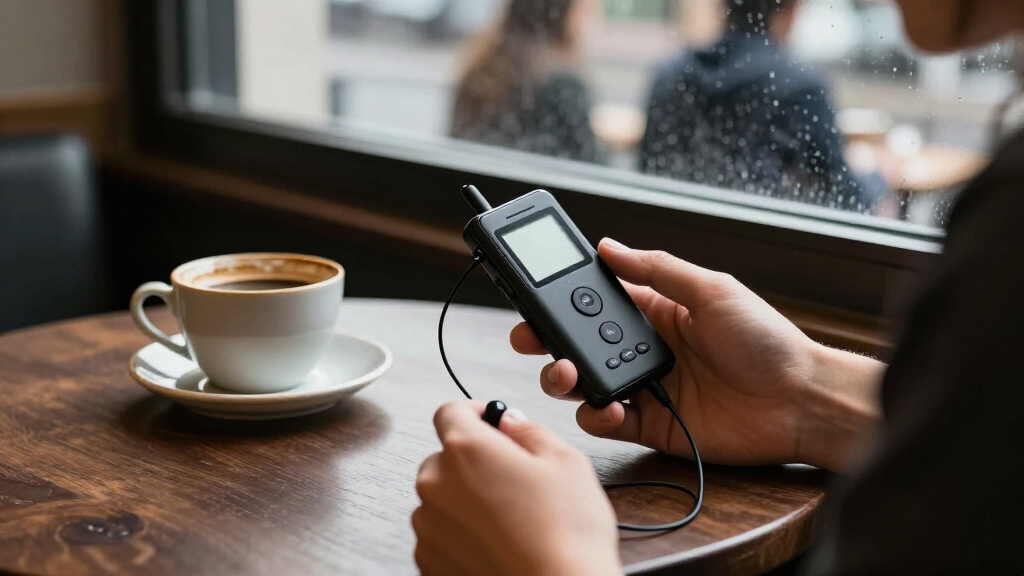
How We Picked
I compared the listed devices as digital voice recorders, focusing on the decisions that shape everyday use: stated storage capacity, recording and playback controls, voice activation, portability, transcription tools, and privacy-related features. I gave more weight to a useful balance of recording basics and workflow support than to a large storage number alone. I also separated conventional recorders from AI-assisted and wearable models, since they solve different problems and should not be ranked as if they offer the same experience.
The order reflects fit across common recording needs, not a claim that every model has been independently tested. Models with clearer practical advantages for general note-taking and review rank ahead of more specialized choices. Simple recorders remain useful for buyers who value direct controls, while limited storage or fewer listed tools narrow their audience. Where two listings share a model name, I treat them as duplicate options rather than inventing a difference.
| digital voice recorder | Microphone |
|---|---|
| QNGEE 64GB Digital Voice Recor | — |
| Elasound 132GB Voice Activated | Built-in |
| Cappsu Digital Voice Recorder | — |
| EVISTR L359 128GB Digital Voic | Built-in, mono |
| 160GB Digital Voice Recorder w | — |
| Plaud NotePin S Wearable AI Vo | Built-in; mono and stereo modes |
| 16GB Digital Voice Recorder wi | Built-in stereo |
| Olympus VN-541PC 4GB Digital V | Built-in mono |
| EVIDA 128GB Digital Voice Reco | Built-in mono with noise cancellation |
| EVISTR L357 64GB Digital Voice | Built-in stereo |
| Plaud Note Pro AI Voice Record | — |
| Pocket AI Voice Recorder with | Built-in |
| HoTiyan 8GB Digital Voice Reco | Built-in stereo |
| Plaud Note Pro AI Voice Record | — |
| Sunlan 16GB Digital Voice Reco | Built-in mono with noise cancellation |
Factors to Consider When Choosing Digital Voice Recorders
Before choosing a recorder, I’d start with how you will capture, store, and revisit audio—not with the biggest capacity number. These decisions can prevent common mismatches, such as buying transcription features you will not use or choosing a basic recorder when searchable notes are central to your work.
Match the recorder to your recording routine
Think about where recordings happen: a classroom, a meeting room, a desk, or while walking. A pocket recorder with direct controls may suit scheduled interviews, while a wearable device can be more convenient when reaching for a recorder would interrupt your routine. For meetings, check whether the device can sit near the speakers and whether its controls are easy to operate discreetly. A small body is useful only if it remains accessible and the microphone is positioned sensibly. Avoid choosing solely by shape; a recorder that is easy to carry but awkward to start may miss the moments you wanted to capture.
Choose storage for your habits, not the headline number
Storage needs depend on recording length, audio settings, and how often you transfer or delete files. A large capacity can reduce file-management chores, but it does not improve sound quality by itself. Buyers who record brief reminders may have little need for 128GB or more, while students or professionals saving many sessions may value extra room. Check how files move to a computer or phone and whether the transfer process fits your routine. Do not assume a storage figure tells you how many hours you can record unless the recording format and quality are also clear.
Treat voice activation as a convenience, not a guarantee
Voice activation can reduce silent stretches in recordings and limit unnecessary file length, which may help when capturing lectures or interviews. It can also miss quiet speech or cut off words if its trigger threshold is poorly suited to the room. Background noise may cause unwanted starts, so the feature is not automatically useful in busy spaces. If you plan to rely on it, test it with the kind of speaker distance and volume you expect. For high-stakes interviews or important meetings, continuous recording is often the safer choice when battery and storage allow.
Decide whether transcription earns its place
AI transcription and summaries can make long recordings easier to search and review, but they add a software layer to a device that may otherwise work on its own. Consider whether you need readable notes, searchable quotes, or just an audio file you can replay. Transcription quality can vary with accents, overlapping speakers, specialized terms, and room noise, so plan to check the output rather than treating it as a final transcript. Find out whether the feature depends on an app, an account, an internet connection, or a service plan before relying on it. A basic recorder may be the better fit when dependable manual playback matters more than automated text.
Check privacy and file handling before recording others
Recordings can contain sensitive conversations, personal details, or work information, so security features deserve attention alongside sound and storage. Password protection, where offered, may add a useful barrier, but it does not answer every question about how files are transferred or stored. For AI services, review where audio and transcripts go, who can access them, and how deletion works. Also check local consent rules before recording conversations, especially in workplaces or private settings. If confidentiality is a priority, favor a workflow you can explain and control over features you do not understand.
Compare the full workflow, including power and transfers
A recorder is only convenient if it is ready when needed and its files are easy to retrieve. Look for clear information about charging or battery requirements, continuous recording time, connection methods, and supported file handling. A long stated runtime can be helpful, but actual endurance may vary with settings and use. Think through the full sequence: start recording, confirm capture, transfer or transcribe, then archive or delete. Buyers often focus on microphone and storage claims while overlooking the time spent moving files or keeping a device charged.
Frequently Asked Questions
Is an AI voice recorder a better choice than a standard digital recorder?
It depends on what you do after recording. AI features can help when you regularly need searchable transcripts or condensed meeting notes, while a standard recorder can be simpler for capturing audio and replaying it. Automated text may need correction, particularly with multiple speakers, specialized vocabulary, or noisy rooms. Check whether transcription requires an app, account, connection, or ongoing service before choosing. If you rarely read transcripts, a conventional model may avoid features you would not use.
How much storage do I need for lectures or work meetings?
Estimate how many hours you record in a typical week and how often you can transfer files to another device. A smaller capacity can be enough for short voice notes that you regularly clear, while frequent long sessions make extra room more useful. The listed capacity alone cannot determine recording hours because audio format and quality affect file size. Also consider whether the recorder makes file transfer straightforward, since easy archiving can reduce pressure to keep everything stored on the device. If you cannot find recording-format details, avoid treating a capacity figure as a precise runtime promise.
Can I rely on voice activation to record an entire conversation?
I would not rely on voice activation without testing it in the intended setting. Quiet speech, distance from the microphone, and background sounds can affect when recording starts or stops. A missed first word or a clipped response can matter in an interview or class, even if the feature saves storage during pauses. Try it with representative speakers and room noise before using it for an important session. When missing audio would be costly, continuous recording is the safer approach if the device has enough power and storage.
Should I choose a wearable recorder or a pocket recorder?
A wearable recorder can suit people who need quick, hands-free access or want to capture notes while moving. A pocket recorder may offer a more familiar button-based workflow and is often easier to place deliberately near a speaker. Neither form guarantees better audio; microphone placement and the distance to the person speaking still matter. Consider whether clothing, movement, or handling noise could interfere with capture. Choose the shape that fits your routine, then check how reliably you can confirm recording has started.
What should I check before using a recorder for confidential meetings?
Start by checking whether the recorder offers a device password and how its files are transferred, stored, and deleted. If transcription or summaries use an app or online service, review the service’s data practices before sending sensitive audio. A password feature can help restrict casual access, but it does not necessarily protect files once they leave the device. Confirm that recording is permitted and that participants have given any consent required in your location or workplace. For sensitive material, choose a workflow with clear controls over both audio and transcripts.
Conclusion
For most buyers, I’d start with the EVISTR L359 as the best overall because it pairs substantial listed storage with AI transcription. The best value-style fit is the EVISTR L357 for someone who wants a straightforward 64GB playback recorder without making transcription the main reason to buy. Beginners who want a simple, established control layout can look at the Olympus VN-541PC, provided its 4GB capacity fits short recordings. For a premium, transcript-centered workflow, consider the Plaud Note Pro; for wearable capture, the Plaud NotePin S has the more specialized form. If password protection is a priority, the EVIDA 128GB is the specific option to compare, while buyers who only need occasional short notes can favor a basic model and skip extra AI features.
Halloween Picks
halloween
As an affiliate, we earn on qualifying purchases.