

Choosing the right personal VPN router depends heavily on whether you prioritize portability for hotel stays or raw throughput for a home office. My top pick for most travelers is the GL.iNet Beryl AX because it balances Wi-Fi 6 speed with an incredibly user-friendly interface, while the TP-Link Roam 6 offers a more budget-friendly entry point for those who don’t need advanced features. The main tradeoff you face in this category is between processing power and size; smaller units often throttle speeds when encrypting traffic, whereas larger desktop routers offer better performance but are impractical for carry-on luggage. If you are looking for a device that simplifies OpenVPN or WireGuard setup without requiring command-line knowledge, continue reading for our detailed breakdown of these fifteen options.

Get privacy and security gear delivered free with Prime
- Fast, free delivery on millions of items
- Prime Video, Amazon Music and more included
- Member-only deals all year
Key Takeaways
- Travel-specific routers like those from GL.iNet dominate the market because they prioritize ease of use and compact form factors over the raw multi-gigabit throughput found in home routers.
- Wi-Fi 6 support is now the baseline for 2027 recommendations, as older AC1200 models struggle to maintain stable connections in crowded hotel or conference environments.
- Wired-only VPN routers, such as the TP-Link ER605, offer superior stability for home networks but lack the wireless bridging capabilities necessary for protecting devices on public hotel Wi-Fi.
- Processing overhead remains the biggest bottleneck; even high-end routers see a 30-50% speed reduction when running WireGuard encryption, so buyers must match their internet plan speed to the router’s CPU.
- The ‘travel mode’ feature, which allows a router to connect to an existing Wi-Fi network and create its own secure local network, is the single most valuable feature for frequent travelers.
| GL.iNet GL-SFT1200 Opal AC1200 Dual-Band Travel Router | 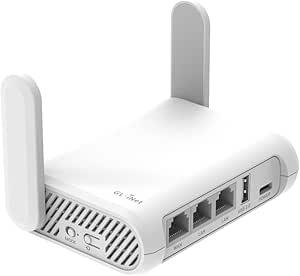 | Best Compact Travel Router for VPN Flexibility | Wi-Fi Standard: Wi-Fi 5 (AC1200) | Maximum Speed: 1200 Mbps | VPN Protocols: OpenVPN, WireGuard | VIEW LATEST PRICE | See Our Full Breakdown |
| GL.iNet Flint 2 Wi-Fi 6 Gaming Router |  | Best High-Performance Home VPN Router | Wi-Fi Standard: Wi-Fi 6 (AX6000) | Max Data Rate: 6000 Mbps | LAN Ports: 2 x 2.5G, 4 x 1G | VIEW LATEST PRICE | See Our Full Breakdown |
| ASUS RT-AX1800S Dual-Band Wi-Fi 6 Router |  | Best for Mesh Network Expansion | Wi-Fi Standard: Wi-Fi 6 (AX1800) | Max Data Rate: 1800 Mbps | Ethernet Ports: 5 Gigabit (1 WAN, 4 LAN) | VIEW LATEST PRICE | See Our Full Breakdown |
| TP-Link Roam 6 AX1500 Portable Wi-Fi 6 Travel Router (TL-WR1502X) |  | Best Modern Travel Router for Simplicity | Wi-Fi Standard: Wi-Fi 6 (AX1500) | Max Wireless Speed: 1500 Mbps | Ports: 2 Gigabit Ethernet, 1 USB 2.0 | VIEW LATEST PRICE | See Our Full Breakdown |
| TP-Link ER605 Wired Gigabit VPN Router |  | Best Wired Router for Multi-WAN Reliability | Wi-Fi Support: None (Wired Only) | WAN Ports: 3 (1 Dedicated, 2 WAN/LAN) | LAN Ports: 2 Gigabit | VIEW LATEST PRICE | See Our Full Breakdown |
| GL.iNet GL-MT3600BE Beryl 7 Dual-Band Wi-Fi 7 Travel Router |  | Best Overall for Power Travelers | Wi-Fi Standard: Wi-Fi 7 (802.11be) | Wireless Speed: 2882 Mbps (5 GHz) | VPN Throughput: 1100 Mbps (WireGuard) | VIEW LATEST PRICE | See Our Full Breakdown |
| GL.iNet GL-BE3600 Slate 7 Wi-Fi 7 Travel Router with Touchscreen and Dual 2.5G Ethernet |  | Best for Ease of Management | Wi-Fi Standard: Wi-Fi 7 (802.11be) | RAM: 2 GB | VPN Throughput: 540 Mbps (WireGuard) | VIEW LATEST PRICE | See Our Full Breakdown |
| GL.iNet GL-A1300 Slate Plus Dual-Band Travel Router |  | Best Value for Basic Secure Travel | Wi-Fi Standard: Wi-Fi 5 (802.11ac) | Wireless Speed: 867 Mbps (5 GHz) | VPN Throughput: 170 Mbps (WireGuard) | VIEW LATEST PRICE | See Our Full Breakdown |
| TP-Link Omada ER707-M2 Multi-Gigabit VPN Router |  | Best for Small Office Home Office (SOHO) | Network Type: Wired Only | WAN Ports: 2 × 2.5 Gbps | Concurrent Sessions: 500,000 | VIEW LATEST PRICE | See Our Full Breakdown |
| TP-Link Roam 6 AX1500 Wi-Fi 6 Travel Router |  | Best for Beginners and Simplicity | Wi-Fi Standard: Wi-Fi 6 (802.11ax) | Wireless Speed: 1201 Mbps (5 GHz) | VPN Protocols: OpenVPN, WireGuard | VIEW LATEST PRICE | See Our Full Breakdown |
| GL.iNet Slate AX Wi-Fi 6 Travel Router |  | Best Premium Travel Router | Wi-Fi Standard: Wi-Fi 6 (802.11ax) | Max Combined Speed: 1800 Mbps | Max Devices: 120 | VIEW LATEST PRICE | See Our Full Breakdown |
| GL.iNet GL-MT3000 Beryl AX Wi-Fi 6 Travel Router | 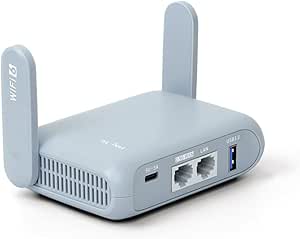 | Best High-Performance Compact | Wi-Fi Standard: Wi-Fi 6 (802.11ax) | WAN Port: 2.5 Gbps | 5 GHz Speed: 2402 Mbps | VIEW LATEST PRICE | See Our Full Breakdown |
| GL.iNet GL-MT300N-V2 Mango Portable Travel Wi-Fi Router |  | Best Ultra-Portable Budget Pick | Weight: 39 g (1.41 oz) | Wi-Fi Standard: Wi-Fi 4 (802.11n) | Frequency Band: 2.4 GHz only | VIEW LATEST PRICE | See Our Full Breakdown |
| Omada Fusion 2.5G Multi-WAN Wired VPN Router |  | Best Wired Desktop Hub | Ports: 5 x 2.5G Ethernet | Connectivity: Wired Only | WAN Support: 4 WAN connections | VIEW LATEST PRICE | See Our Full Breakdown |
| GL.iNet GL-AR300M16 Mini Travel Wi-Fi Router | 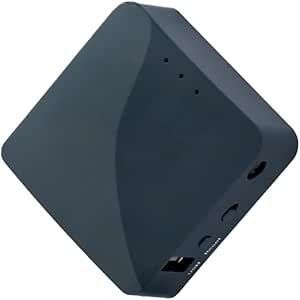 | Best for DIY Enthusiasts | Wi-Fi Standard: Wi-Fi 4 (802.11n) | Frequency Band: 2.4 GHz | Max Speed: 300 Mbps | VIEW LATEST PRICE | See Our Full Breakdown |
| personal VPN router | Wi-Fi Standard |
|---|---|
| GL.iNet GL-SFT1200 Opal AC1200 | Wi-Fi 5 (AC1200) |
| GL.iNet Flint 2 Wi-Fi 6 Gaming | Wi-Fi 6 (AX6000) |
| ASUS RT-AX1800S Dual-Band Wi-F | Wi-Fi 6 (AX1800) |
| TP-Link Roam 6 AX1500 Portable | Wi-Fi 6 (AX1500) |
| TP-Link ER605 Wired Gigabit VP | — |
| GL.iNet GL-MT3600BE Beryl 7 Du | Wi-Fi 7 (802.11be) |
| GL.iNet GL-BE3600 Slate 7 Wi-F | Wi-Fi 7 (802.11be) |
| GL.iNet GL-A1300 Slate Plus Du | Wi-Fi 5 (802.11ac) |
| TP-Link Omada ER707-M2 Multi-G | — |
| TP-Link Roam 6 AX1500 Wi-Fi 6 | Wi-Fi 6 (802.11ax) |
| GL.iNet Slate AX Wi-Fi 6 Trave | Wi-Fi 6 (802.11ax) |
| GL.iNet GL-MT3000 Beryl AX Wi- | Wi-Fi 6 (802.11ax) |
| GL.iNet GL-MT300N-V2 Mango Por | Wi-Fi 4 (802.11n) |
| Omada Fusion 2.5G Multi-WAN Wi | — |
| GL.iNet GL-AR300M16 Mini Trave | Wi-Fi 4 (802.11n) |
More Details on Our Top Picks
GL.iNet GL-SFT1200 Opal AC1200 Dual-Band Travel Router
This model stands out for travelers who prioritize OpenWrt flexibility and WireGuard support in a pocket-sized form factor. Unlike the ASUS RT-AX1800S, which is designed for stationary home use, the Opal is built for mobility, weighing just 145 grams. It supports both OpenVPN and WireGuard, offering modern security protocols that older travel routers often lack. However, the 128 MB of RAM limits its ability to handle heavy multitasking or complex plugin stacks compared to the more powerful GL.iNet Flint 2. It is an excellent choice for securing public Wi-Fi connections on the go, though users should be prepared to configure the VPN settings manually before their trip, as the physical toggle requires prior setup.
Pros:- Extremely lightweight and portable for carry-on luggage
- Supports both OpenVPN and WireGuard for secure connections
- Runs on OpenWrt, allowing for extensive community-driven customization
- Three gigabit Ethernet ports provide wired flexibility in hotel rooms
Cons:- Low RAM capacity limits performance for advanced plugins
- Initial VPN configuration requires technical familiarity before travel
- Wi-Fi 5 standard offers slower speeds than newer Wi-Fi 6 models
Best for: Frequent travelers who need a lightweight, portable router with modern VPN protocols and OpenWrt customization.
Not ideal for: Users who need high-bandwidth streaming or complex network setups, as the limited RAM may struggle under heavy load.
- Wi-Fi Standard:Wi-Fi 5 (AC1200)
- Maximum Speed:1200 Mbps
- VPN Protocols:OpenVPN, WireGuard
- Ports:2 Gigabit LAN, 1 Gigabit WAN
- RAM:128 MB
- Weight:145 g
- OS:OpenWrt
Our verdict“This is the ideal companion for digital nomads who value security and portability over raw speed.”
GL.iNet Flint 2 Wi-Fi 6 Gaming Router
The Flint 2 is a powerhouse for home users who demand Wi-Fi 6 speeds and high-speed VPN throughput. With 1 GB of DDR4 RAM and 8 GB of storage, it vastly outperforms the Opal in handling multiple devices and heavy data loads. It supports WireGuard speeds up to 900 Mbps, making it suitable for streaming and gaming while encrypted. Compared to the ASUS RT-AX1800S, the Flint 2 offers superior VPN performance and includes built-in AdGuard Home for network-wide ad blocking. However, it is not portable like the TP-Link Roam 6, and the complex initial firmware update may frustrate beginners. This router is for those who want a central hub that combines robust security with high-bandwidth connectivity.
Pros:- Wi-Fi 6 support delivers speeds up to 6 Gbps
- High-speed WireGuard VPN support (up to 900 Mbps)
- Built-in AdGuard Home for network-wide ad and tracker blocking
- Robust hardware with 1 GB RAM and 8 GB storage
Cons:- Requires a firmware update during initial setup
- Not designed for portability or travel use
- Actual VPN speeds depend heavily on internet provider limits
Best for: Power users and gamers who need high-speed Wi-Fi 6 and fast, encrypted connections for multiple devices.
Not ideal for: Travelers looking for a portable solution, as this is a stationary home router with a larger footprint.
- Wi-Fi Standard:Wi-Fi 6 (AX6000)
- Max Data Rate:6000 Mbps
- LAN Ports:2 x 2.5G, 4 x 1G
- RAM:1 GB DDR4
- Storage:8 GB eMMC
- VPN Speed:Up to 900 Mbps (WireGuard)
- Security:WPA3, AdGuard Home
Our verdict“This router is the best choice for home networks that require top-tier speed and advanced privacy features.”
ASUS RT-AX1800S Dual-Band Wi-Fi 6 Router
This ASUS model is tailored for households already invested in the ASUS AiMesh ecosystem. It offers Wi-Fi 6 capabilities with MU-MIMO and OFDMA, ensuring efficient handling of many devices, though its 1800 Mbps max speed is lower than the Flint 2. The inclusion of AiProtection Classic provides solid security features like malicious site blocking and parental controls, which are more user-friendly than the manual configurations found on the GL.iNet Opal. However, its VPN performance is generally less specialized than dedicated VPN routers, and it lacks the high-speed 2.5G ports seen on premium models. It is a reliable choice for expanding existing ASUS networks but may feel underpowered for heavy VPN usage compared to competitors with more RAM.
Pros:- Seamless integration with ASUS AiMesh for whole-home coverage
- Includes AiProtection Classic for built-in network security
- Wi-Fi 6 with OFDMA and MU-MIMO for efficient multi-device handling
- Five Gigabit Ethernet ports for wired connections
Cons:- Lower max throughput compared to higher-end Wi-Fi 6 routers
- VPN features are less specialized than dedicated VPN-focused models
- 256 MB RAM may limit performance with many simultaneous connections
Best for: Homeowners already using ASUS routers who want to expand coverage with AiMesh and basic Wi-Fi 6 security.
Not ideal for: Users seeking maximum VPN throughput or advanced networking features like 2.5G ports.
- Wi-Fi Standard:Wi-Fi 6 (AX1800)
- Max Data Rate:1800 Mbps
- Ethernet Ports:5 Gigabit (1 WAN, 4 LAN)
- Antennas:4 External
- RAM:256 MB
- Security:AiProtection Classic, WPA3
- Compatibility:ASUS AiMesh
Our verdict“Choose this if you are an ASUS user prioritizing easy mesh expansion and reliable home security over maximum VPN speed.”
TP-Link Roam 6 AX1500 Portable Wi-Fi 6 Travel Router (TL-WR1502X)
The TP-Link Roam 6 brings Wi-Fi 6 technology to the travel segment, offering faster wireless speeds than the AC1200 Opal. It is designed for users who want a plug-and-play experience without the steep learning curve of OpenWrt. The device supports multiple modes, including router, hotspot, and repeater, making it versatile for various travel scenarios. However, it does not support OpenWrt, limiting customization options for advanced users who might prefer the GL.iNet models. While it creates a private network from public Wi-Fi effectively, it lacks the deep VPN protocol flexibility of the Flint 2. This is the best option for travelers who want modern wireless standards and ease of use over technical configurability.
Pros:- Wi-Fi 6 support provides faster wireless speeds for modern devices
- Compact and lightweight with USB-C power compatibility
- Supports multiple operating modes including hotspot and repeater
- User-friendly interface suitable for non-technical travelers
Cons:- No OpenWrt support, limiting advanced customization
- Does not provide cellular internet access on its own
- VPN features are less flexible than those on OpenWrt-based routers
Best for: Travelers who want Wi-Fi 6 speeds and a simple interface without needing to configure complex open-source software.
Not ideal for: Power users who require OpenWrt support or advanced VPN customization beyond standard presets.
- Wi-Fi Standard:Wi-Fi 6 (AX1500)
- Max Wireless Speed:1500 Mbps
- Ports:2 Gigabit Ethernet, 1 USB 2.0
- Power Input:USB-C (5V/3A)
- Dimensions:4.09 × 3.54 × 1.10 in.
- Security:WPA3, WPA2-Enterprise
- OpenWrt Support:No
Our verdict“This router is ideal for travelers who prioritize ease of use and Wi-Fi 6 performance over deep technical customization.”
TP-Link ER605 Wired Gigabit VPN Router
This router is a distinct outlier in the lineup, offering no Wi-Fi capability in exchange for robust wired performance and multi-WAN support. It allows users to combine three Ethernet WAN connections with a USB cellular backup, providing unmatched reliability for businesses or homes with multiple internet lines. Compared to the travel routers like the Opal or Roam 6, the ER605 is strictly for stationary, wired setups. It supports a wide range of VPN protocols including IPsec, OpenVPN, and L2TP, making it suitable for site-to-site connections. However, the complex configuration via Omada SDN is not for beginners. This is the right choice for users who need a dedicated, high-reliability VPN gateway and already have separate access points for wireless coverage.
Pros:- Supports up to three WAN connections plus USB cellular backup
- Extensive VPN protocol support including IPsec and OpenVPN
- Integrates with Omada SDN for centralized management
- High-reliability wired performance with gigabit ports
Cons:- Lacks Wi-Fi capabilities, requiring separate access points
- Configuration is complex and less intuitive for beginners
- No built-in wireless security features like WPA3 for client devices
Best for: Small businesses or tech-savvy users who need a wired-only router with multi-WAN failover and site-to-site VPN support.
Not ideal for: Home users looking for an all-in-one Wi-Fi router or those uncomfortable with complex network configuration.
- Wi-Fi Support:None (Wired Only)
- WAN Ports:3 (1 Dedicated, 2 WAN/LAN)
- LAN Ports:2 Gigabit
- USB WAN:Yes (4G/3G Backup)
- VPN Protocols:IPsec, OpenVPN, L2TP, PPTP
- Management:Omada SDN
- Dimensions:6.22 x 3.98 x 0.98 inches
Our verdict“This is a specialized tool for wired networks requiring high availability and advanced VPN routing, not for typical home Wi-Fi needs.”
GL.iNet GL-MT3600BE Beryl 7 Dual-Band Wi-Fi 7 Travel Router
The GL.iNet GL-MT3600BE Beryl 7 sets the bar for what a modern travel router should be. Unlike the older GL.iNet GL-A1300 Slate Plus, which struggles with encrypted traffic, this unit leverages Wi-Fi 7 to deliver WireGuard speeds up to 1.1 Gbps. This means you can stream high-definition video or conduct video calls without the lag often associated with mobile hotspots. The inclusion of two 2.5G Ethernet ports is a significant upgrade, allowing for faster wired connections when you plug into hotel backbones. However, this performance comes at a cost: the OpenWrt firmware offers deep customization but presents a steep learning curve for novices. It is not a plug-and-play device for the technologically hesitant. While the TP-Link Roam 6 offers simpler setup, the Beryl 7’s throughput and hardware flexibility make it the superior choice for those who demand speed and control.
Pros:- Wi-Fi 7 support provides future-proof wireless speeds
- WireGuard VPN throughput reaches 1.1 Gbps
- Dual 2.5G Ethernet ports eliminate wired bottlenecks
- OpenWrt firmware allows for advanced network control
Cons:- Complex setup process for non-technical users
- VPN features rely on third-party subscription services
- Physical toggle switch requires manual configuration
Best for: Tech-savvy travelers who need maximum VPN throughput and wired speed in hotel environments.
Not ideal for: Casual users who want a simple, pre-configured device without firmware customization.
- Wi-Fi Standard:Wi-Fi 7 (802.11be)
- Wireless Speed:2882 Mbps (5 GHz)
- VPN Throughput:1100 Mbps (WireGuard)
- Ethernet Ports:2 × 2.5 Gbps
- Operating System:OpenWrt 21.02
- Device Capacity:Up to 120 devices
Our verdict“The Beryl 7 is the definitive choice for power users who prioritize raw speed and customization over ease of use.”
GL.iNet GL-BE3600 Slate 7 Wi-Fi 7 Travel Router with Touchscreen and Dual 2.5G Ethernet
The GL.iNet GL-BE3600 Slate 7 distinguishes itself with an integrated touchscreen interface, allowing users to monitor network status and toggle VPN modes without opening a web browser. This is a practical convenience the GL.iNet GL-MT3600BE Beryl 7 lacks, despite both sharing similar Wi-Fi 7 hardware foundations. The Slate 7 runs a newer OpenWrt 23.05 kernel, offering slightly better software stability than its sibling. However, its WireGuard VPN speed caps at 540 Mbps, which is half the throughput of the Beryl 7. This makes it less ideal for bandwidth-intensive tasks over VPN. The 2 GB of RAM is generous for a travel router, enabling smoother multitasking with plugins. If you value quick visual feedback and easier administration over maximum encrypted bandwidth, this model offers a more user-friendly experience.
Pros:- Integrated touchscreen simplifies network monitoring
- 2 GB RAM supports extensive plugin usage
- Dual 2.5G Ethernet ports ensure fast wired links
- Wi-Fi 7 compatibility with dual-band support
Cons:- Lower WireGuard VPN speeds compared to Beryl 7
- Touchscreen settings require initial configuration
- Requires third-party VPN subscriptions for full utility
Best for: Users who want quick visual control over network settings without accessing a computer dashboard.
Not ideal for: Heavy VPN users who need maximum encrypted throughput for streaming or large file transfers.
- Wi-Fi Standard:Wi-Fi 7 (802.11be)
- RAM:2 GB
- VPN Throughput:540 Mbps (WireGuard)
- Ethernet Ports:2 × 2.5 Gbps
- Interface:Touchscreen Display
- Operating System:OpenWrt 23.05
Our verdict“The Slate 7 balances high-end hardware with intuitive touch controls, though it sacrifices some VPN speed for usability.”
GL.iNet GL-A1300 Slate Plus Dual-Band Travel Router
The GL.iNet GL-A1300 Slate Plus remains a solid contender for those who need reliable security without the premium price tag of Wi-Fi 7 models. While its Wi-Fi 5 speeds are modest, they are sufficient for browsing and email on most hotel networks. The real limitation is its VPN performance; OpenVPN throughput maxes out at 28 Mbps, and even WireGuard hits a ceiling of 170 Mbps. This is significantly slower than the GL.iNet GL-MT3600BE Beryl 7, which can handle gigabit-class traffic. However, for casual travelers who primarily check email and browse social media, this speed is acceptable. The OpenWrt firmware still allows for customization, making it a flexible tool for privacy-conscious users on a budget. It is a cost-effective way to secure public Wi-Fi if you do not require high-bandwidth applications.
Pros:- Affordable entry point into secure travel networking
- Supports both OpenVPN and WireGuard protocols
- OpenWrt firmware allows for feature customization
- Compact and lightweight for easy portability
Cons:- Very low VPN throughput limits bandwidth-heavy tasks
- Wi-Fi 5 technology is becoming outdated
- No gigabit Ethernet ports for fast wired connections
Best for: Budget-conscious travelers who need basic VPN protection for browsing and email.
Not ideal for: Users who stream video, game, or transfer large files while connected to a VPN.
- Wi-Fi Standard:Wi-Fi 5 (802.11ac)
- Wireless Speed:867 Mbps (5 GHz)
- VPN Throughput:170 Mbps (WireGuard)
- Ethernet Ports:3 × 1 Gbps
- RAM:256 MB
- Operating System:OpenWrt 21.02
Our verdict“The Slate Plus offers essential security features at a lower cost, provided you accept limited VPN speeds.”
TP-Link Omada ER707-M2 Multi-Gigabit VPN Router
The TP-Link Omada ER707-M2 occupies a different niche than the travel-focused GL.iNet models. As a wired-only router, it lacks the built-in Wi-Fi found in the TP-Link Roam 6 AX1500 or the GL.iNet Slate series. This makes it unsuitable for travel but powerful for a static home office or small business setup. It supports up to 500,000 concurrent sessions and offers dual 2.5 Gbps WAN ports, allowing for load balancing or failover between two internet sources. The Omada cloud management system provides robust remote monitoring capabilities that consumer-grade routers typically lack. While it supports multiple VPN protocols, it is not optimized for client-side travel use. Instead, it serves as a robust gateway for secure site-to-site connections or heavy-duty NAT performance in a fixed location.
Pros:- Dual 2.5 Gbps WAN ports for multi-WAN setups
- High session capacity supports heavy network loads
- Cloud-based management via Omada software
- Robust support for multiple VPN protocols
Cons:- No built-in Wi-Fi capabilities
- LTE backup requires additional hardware dongle
- Not portable or suitable for travel
Best for: Small business owners or home office users needing a dedicated wired gateway with multi-WAN support.
Not ideal for: Travelers or anyone needing integrated Wi-Fi functionality.
- Network Type:Wired Only
- WAN Ports:2 × 2.5 Gbps
- Concurrent Sessions:500,000
- Management:Omada Cloud
- VPN Protocols:IPsec, OpenVPN, L2TP, PPTP
- Warranty:5 Years
Our verdict“The ER707-M2 is a specialized wired gateway for fixed locations, not a personal travel router.”
TP-Link Roam 6 AX1500 Wi-Fi 6 Travel Router
The TP-Link Roam 6 AX1500 prioritizes ease of use over extreme customization. Unlike the GL.iNet GL-A1300 Slate Plus or the Beryl 7, it does not run OpenWrt. This means you cannot install custom plugins or modify the firmware to the same depth. For many users, this is a benefit: the setup is streamlined, and the interface is familiar. It supports Wi-Fi 6, offering better efficiency than the Wi-Fi 5 Slate Plus, though its AX1500 speed rating is lower than the Wi-Fi 7 options. The USB-C power input is a modern convenience, allowing you to charge it with standard phone cables. It supports OpenVPN and WireGuard, providing essential security for public networks. If you want a reliable, simple device that just works without technical tinkering, this is the logical choice.
Pros:- Simple, user-friendly setup process
- Wi-Fi 6 support improves network efficiency
- USB-C power input adds convenience
- Compact form factor fits easily in luggage
Cons:- Does not support OpenWrt or custom firmware
- Lower maximum wireless speeds than Wi-Fi 7 rivals
- Limited device capacity compared to high-end models
Best for: Non-technical users who want a simple, reliable travel router with standard VPN support.
Not ideal for: Advanced users who require OpenWrt firmware or custom network configurations.
- Wi-Fi Standard:Wi-Fi 6 (802.11ax)
- Wireless Speed:1201 Mbps (5 GHz)
- VPN Protocols:OpenVPN, WireGuard
- Power Input:USB-C
- Device Capacity:Up to 60 devices
- Operating System:TP-Link Proprietary
Our verdict“The Roam 6 is the ideal entry-level travel router for those who value simplicity over customization.”
GL.iNet Slate AX Wi-Fi 6 Travel Router
The GL.iNet Slate AX stands out as the most capable portable option in this lineup, bridging the gap between home performance and travel convenience. Unlike the GL.iNet GL-MT300N-V2 Mango, which is limited to single-band Wi-Fi 4, the Slate AX delivers Wi-Fi 6 speeds up to 1800 Mbps, making it ideal for modern devices that demand high throughput. It supports both OpenVPN and WireGuard with impressive throughput caps, ensuring your encrypted traffic doesn’t bottleneck on older hardware. However, this power comes with a slightly larger footprint and a more complex initial setup via the admin panel compared to simpler plug-and-play alternatives. It is significantly faster than the Omada Fusion for wireless needs, though it lacks the Fusion’s multi-WAN wired redundancy. For travelers who refuse to compromise on speed or security, this is the clear choice.Pros:- Delivers Wi-Fi 6 speeds up to 1800 Mbps, far exceeding older travel routers.
- Supports high-throughput WireGuard and OpenVPN protocols for secure browsing.
- Can connect up to 120 devices, making it suitable for small group travel.
- Includes USB file sharing capabilities for local network storage access.
Cons:- The physical feature toggle requires configuration in the admin panel, adding setup friction.
- Public Wi-Fi time limits may require manual reconnection, interrupting workflow.
- Larger and heavier than ultra-compact alternatives like the Mango.
Best for: Digital nomads and business travelers who need high-speed Wi-Fi 6 connectivity and robust VPN performance on the go.
Not ideal for: Budget-conscious users or those who only need basic internet access for a single device, as it is overkill for simple tasks.
- Wi-Fi Standard:Wi-Fi 6 (802.11ax)
- Max Combined Speed:1800 Mbps
- Max Devices:120
- VPN Protocols:OpenVPN, WireGuard
- Ports:3 Gigabit Ethernet
- Security:WPA3
- OS:OpenWrt 21.02
Our verdict“This is the definitive choice for travelers who want home-level Wi-Fi 6 speed and security in a portable form factor.”
GL.iNet GL-MT3000 Beryl AX Wi-Fi 6 Travel Router
The GL.iNet GL-MT3000 Beryl AX offers a compelling balance of modern connectivity and portability, featuring a 2.5G WAN port that future-proofs it for faster broadband connections. While it matches the GL.iNet Slate AX in Wi-Fi 6 capability, the Beryl AX distinguishes itself with USB 3.0 support and a more compact chassis. Its dual-band speeds reach up to 2402 Mbps on 5 GHz, providing ample bandwidth for streaming and video calls. Compared to the Omada Fusion 2.5G, the Beryl AX provides essential wireless functionality, which the wired-only Fusion lacks. However, the VPN throughput is capped lower than the Slate AX, and users must manage their own VPN subscriptions. It is an excellent pick for those who want gigabit-plus wired speeds and Wi-Fi 6 in a pocketable device.Pros:- Features a 2.5G WAN port for high-speed wired connections.
- Includes USB 3.0 for fast external storage or tethering.
- Supports both VPN client and server modes for flexible network setups.
- Compact design fits easily into carry-on luggage or laptop bags.
Cons:- VPN services require an active third-party subscription, adding ongoing costs.
- The physical toggle switch must be configured before use, which can be unintuitive.
- VPN throughput is lower than the Slate AX for heavy encrypted traffic.
Best for: Tech-savvy travelers who need 2.5G wired connectivity and Wi-Fi 6 in a compact, lightweight package.
Not ideal for: Users who require maximum VPN throughput, as the WireGuard speeds cap at 300 Mbps, lower than some competitors.
- Wi-Fi Standard:Wi-Fi 6 (802.11ax)
- WAN Port:2.5 Gbps
- 5 GHz Speed:2402 Mbps
- USB Port:USB 3.0
- VPN Max Speed:300 Mbps (WireGuard)
- Security:WPA3, DoH, DoT
- RAM:64 MB
Our verdict“A strong contender for those prioritizing wired speed and compactness over maximum wireless range.”
GL.iNet GL-MT300N-V2 Mango Portable Travel Wi-Fi Router
The GL.iNet GL-MT300N-V2 Mango is the epitome of minimalism, weighing just 39 grams and costing a fraction of its Wi-Fi 6 siblings. It lacks the modern speed of the GL.iNet Beryl AX, operating only on the 2.4 GHz band with Wi-Fi 4 standards, but this limitation makes it incredibly energy-efficient and simple. It effectively converts public hotel Wi-Fi into a private network using its pre-installed OpenWrt and OpenVPN client. Unlike the Omada Fusion, which is a bulky wired-only unit, the Mango is truly pocket-sized and includes a mobile app for easy configuration. It is not suitable for heavy streaming or multiple high-bandwidth users, but for a solo traveler needing secure web browsing and email, it is an unbeatable value. It skips the complexity of dual-band setup entirely.Pros:- Extremely lightweight (39g) and compact, fitting in any pocket.
- Pre-installed OpenWrt and OpenVPN simplify secure setup.
- Includes a mobile app for easy configuration on the go.
- Significantly more affordable than dual-band Wi-Fi 6 models.
Cons:- Supports only the 2.4 GHz band, leading to slower speeds and potential congestion.
- Power adapter is sold separately, adding to the total cost.
- Cannot handle high-bandwidth tasks like 4K streaming or large file downloads.
Best for: Solo travelers who prioritize extreme portability and basic secure browsing over high-speed performance.
Not ideal for: Users who need to connect multiple devices or stream high-definition video, due to its single-band limitation.
- Weight:39 g (1.41 oz)
- Wi-Fi Standard:Wi-Fi 4 (802.11n)
- Frequency Band:2.4 GHz only
- Max Speed:300 Mbps
- OS:OpenWrt
- VPN Support:OpenVPN Client
- Ports:2 x 100 Mbps Ethernet
Our verdict“The go-to router for minimalist travelers who need a tiny, secure hotspot for basic internet tasks.”
Omada Fusion 2.5G Multi-WAN Wired VPN Router
The Omada Fusion 2.5G occupies a unique niche as a wired-only powerhouse, contrasting sharply with the wireless-first designs of the GL.iNet Slate AX. It features five 2.5G ports and supports multi-WAN load balancing, making it ideal for users who need to combine multiple internet connections for redundancy or speed. The built-in touchscreen allows for on-device monitoring of network health, a feature absent in most travel routers. Unlike the GL.iNet Beryl AX, it does not provide Wi-Fi, requiring a separate access point. This makes it less convenient for hotel rooms but superior for home offices or desktop setups where wired stability and security are paramount. Its IPS/IDS capabilities offer deeper security monitoring than typical consumer travel routers.Pros:- Supports multi-WAN load balancing for combined bandwidth and failover.
- Features a 2.51-inch touchscreen for real-time network diagnostics.
- Includes IPS/IDS for advanced intrusion prevention.
- Five 2.5G Ethernet ports provide massive wired throughput.
Cons:- No Wi-Fi support, requiring an additional wireless access point.
- Bulky compared to travel routers, making it unsuitable for portability.
- Requires more technical knowledge to set up multi-WAN configurations.
Best for: Home office users or desktop gamers who need multi-WAN redundancy and high-speed wired connections without Wi-Fi.
Not ideal for: Travelers or hotel users, as it lacks any wireless connectivity and requires a separate access point.
- Ports:5 x 2.5G Ethernet
- Connectivity:Wired Only
- WAN Support:4 WAN connections
- Touchscreen:2.51 inches
- Security:IPS/IDS, ACL
- Weight:0.56 kg
- Warranty:5 years
Our verdict“A specialized wired hub for desktop setups requiring multi-WAN resilience and advanced security monitoring.”
GL.iNet GL-AR300M16 Mini Travel Wi-Fi Router
The GL.iNet GL-AR300M16 is a quirky, highly hackable option that appeals to tinkerers more than casual users. It shares the 2.4 GHz limitation of the Mango but offers superior hardware expansion options, including a USB port for 3G/4G modems and dual Ethernet ports. Unlike the Beryl AX, which is sealed for consumer ease, the AR300M16 encourages DIY hardware modifications and custom OpenWrt builds. It supports both OpenVPN and WireGuard client/server modes, matching the security features of its pricier siblings. However, its Wi-Fi 4 speeds and single-band nature make it obsolete for modern high-speed needs. It is best viewed as a development tool or a backup router for specific tethering setups rather than a primary travel device.Pros:- Supports USB 3G/4G modem tethering for cellular backup.
- Offers hardware expansion interfaces for DIY modifications.
- Includes OpenVPN and WireGuard client/server capabilities.
- Runs OpenWrt out of the box for extensive customization.
Cons:- Limited to single-band 2.4 GHz Wi-Fi 4, resulting in slow speeds.
- Smaller coverage area compared to dual-band competitors.
- Setup and customization require a higher level of technical expertise.
Best for: Network enthusiasts and developers who want a cheap, hackable platform for custom OpenWrt builds and modem tethering.
Not ideal for: General consumers looking for fast, reliable Wi-Fi 6 performance, as it is limited to older Wi-Fi 4 standards.
- Wi-Fi Standard:Wi-Fi 4 (802.11n)
- Frequency Band:2.4 GHz
- Max Speed:300 Mbps
- Ports:2 x 10/100 Mbps Ethernet
- USB Support:3G/4G Modem Tethering
- OS:OpenWrt
- Weight:1.44 oz
Our verdict“A niche tool for hackers and developers who prioritize customization and cellular tethering over raw speed.”

How We Picked
I evaluated these fifteen devices based on their ability to simplify the often-complex process of running a VPN on hardware that doesn’t natively support it well. My primary criteria included the quality of the firmware interface, specifically looking for how easily a non-technical user could install and switch between OpenVPN, WireGuard, and OpenConnect protocols. I also examined the hardware specs, paying close attention to CPU architecture and RAM, because encryption is a resource-intensive task that can cripple cheaper chips, resulting in unusable internet speeds.
Additionally, I weighed portability against performance. For travel routers, I prioritized units that fit easily into a pocket or laptop bag and offered USB charging options. For home-focused models, I looked for multi-WAN support and advanced routing capabilities. The ranking reflects a balance of these factors, favoring devices that offer the best user experience for the intended use case rather than just listing the highest theoretical specifications.
Factors to Consider When Choosing Personal VPN Routers
Selecting a personal VPN router requires understanding the difference between a standard wireless router and a specialized travel or gateway device. This guide breaks down the technical and practical factors that determine which model will actually fit your daily routine.Understanding Encryption Overhead and CPU Power
A common mistake buyers make is assuming that a router’s advertised Wi-Fi speed translates directly to VPN speed. Encryption overhead is substantial; when a router encrypts and decrypts traffic, the CPU works harder, often cutting throughput in half. For example, a router capable of 1000 Mbps on standard Wi-Fi might only manage 300-400 Mbps through a WireGuard tunnel. If your internet plan is 500 Mbps or higher, you need a router with a strong ARM-based processor to avoid bottlenecks. Cheaper models with older MIPS or low-power ARM chips will significantly throttle your connection, making video calls laggy and downloads painfully slow. Always check the CPU model and core count before purchasing if you have a fast internet connection.
The Importance of ‘Repeater’ or ‘Bridge’ Mode
For travelers, the ability to connect to an existing Wi-Fi network is non-negotiable. This feature, often called Repeater Mode or WISP Mode, allows your personal router to join a hotel or airport network and then broadcast its own secure SSID. This means every device you connect to your personal router is protected by the VPN, while the hotel network sees only your router’s traffic. Not all routers support this feature robustly; some struggle with captive portals (the login pages common in hotels). Look for devices with a dedicated physical switch for this mode or a very clear software toggle. Without this capability, the device becomes useless in the very scenarios where you most need privacy.
WireGuard vs. OpenVPN: Protocol Compatibility
While OpenVPN has been the industry standard for years, WireGuard is rapidly becoming the preferred protocol due to its superior speed and smaller codebase. However, not all routers support WireGuard natively in their firmware. Some budget-friendly travel routers only support OpenVPN, which is secure but heavier on the CPU. If you plan to use a modern VPN provider like NordVPN or Surfshark, verify that the router supports their specific setup files or has an integrated app store that simplifies installation. A router that only supports OpenVPN might require you to manually extract configuration files, a tedious process that many users find frustrating. Prioritize WireGuard support if you want a ‘set it and forget it’ experience with faster speeds.
Portability Factors: Power and Form Factor
For travel routers, physical design dictates usability. USB-C power delivery is a major advantage, allowing you to power the router with a standard laptop charger or power bank, eliminating the need to carry a proprietary wall adapter. Check the antenna design carefully; internal antennas are sleeker and less likely to snap, but external antennas often provide better range in large hotel rooms. Additionally, consider the number of Ethernet ports. If you travel with a laptop that lacks an Ethernet port, you might want a router with a built-in USB-to-Ethernet adapter or a separate port for a wired console connection. Bulky routers with multiple external antennas are better left for home setups where desk space is not an issue.
Firmware Flexibility and Community Support
Stock firmware can sometimes be limiting. Manufacturers like GL.iNet and ASUS offer robust custom firmware options, such as OpenWrt compatibility, which allows for deep customization and the installation of third-party packages. If you are a power user who wants to block ads, run Pi-hole, or configure complex routing rules, check if the router has an active community forum or official documentation for flashing alternative firmware. TP-Link devices, for instance, often have locked bootloaders on consumer models, making it difficult to install custom software. Buying a device with open or semi-open firmware future-proofs your investment, allowing you to add features as your needs evolve without replacing the hardware.
Frequently Asked Questions
Do I really need a separate VPN router if I already use a VPN app on my phone and laptop?
A VPN app protects only the device it is installed on, leaving smart TVs, gaming consoles, and IoT devices exposed to the network. A personal VPN router encrypts all traffic passing through it, creating a secure tunnel for every device connected to its Wi-Fi. This is particularly useful in hotel rooms where you might connect a Kindle, a smart speaker, or a guest’s laptop that doesn’t have a VPN client installed. It also simplifies management, as you configure the encryption once on the router rather than on each individual device. For comprehensive network security, a router is the more efficient solution.
Why does my internet speed drop when I connect to my VPN router?
Speed drops are a normal result of encryption overhead. The router’s CPU must encrypt outgoing data and decrypt incoming data in real-time, which consumes processing power and introduces latency. The severity of the drop depends on the router’s hardware; a powerful quad-core processor will handle encryption with minimal impact, while a budget single-core chip might reduce speeds by 50% or more. Using the WireGuard protocol instead of OpenVPN can help mitigate this, as it is designed for efficiency. If you experience significant lag, check if your router is throttling due to thermal limits or if your internet plan exceeds the router’s maximum VPN throughput capacity.
Can I use a travel router as my main home router?
While technically possible, most travel routers are not designed to replace a primary home router. They typically have fewer Ethernet ports, limited range, and weaker antennas compared to dedicated home units like the ASUS RT-AX1800S. Travel routers often prioritize portability and power efficiency over coverage area, meaning they may struggle to cover a multi-story house. Additionally, home routers often include advanced features like guest network isolation, parental controls, and higher concurrent device limits. It is better to use a travel router for what it was designed for: secure connectivity on the go, while keeping a robust home router for your primary living space.
Is it safe to use a travel router on public Wi-Fi?
Yes, using a travel router is significantly safer than connecting directly to public Wi-Fi because it creates an encrypted tunnel between your devices and the router. Even if the public network is compromised or monitored, attackers cannot easily read your traffic because it is encrypted before it leaves your device. However, the router itself must be configured correctly; ensure you have changed the default admin password and that the firmware is up to date to prevent exploitation. The key is that your devices connect to your trusted local network, not the hostile public one. This isolation is the primary security benefit of using a personal router in untrusted environments.
What is the difference between a travel router and a wired VPN gateway?
A travel router focuses on wireless bridging and portability, allowing you to connect to existing Wi-Fi networks and create a private subnet. A wired VPN gateway, like the TP-Link ER605, is designed to sit between your modem and a switch or access point, handling heavy loads and multiple connections via Ethernet. Wired gateways generally offer better performance and stability for home or office use but lack the ability to join a Wi-Fi network as a client. Choose a travel router for mobility and hotel use; choose a wired gateway for a permanent, high-performance home network setup where you control the entire infrastructure.
Conclusion
Choosing the right personal VPN router ultimately comes down to matching the hardware to your lifestyle. For the vast majority of users seeking a balance of portability, ease of use, and modern Wi-Fi 6 speeds, the GL.iNet Beryl AX stands out as the best overall pick due to its intuitive interface and reliable performance. If you are on a tighter budget but still need a solid travel companion, the TP-Link Roam 6 offers excellent value, provided you are comfortable with a slightly less polished software experience. For beginners who want the simplest possible setup, the GL.iNet Slate AX is highly recommended for its one-click VPN integration. Those requiring maximum throughput for a home office should look toward the ASUS RT-AX1800S or the TP-Link ER605 for wired stability. Finally, for the tech-savvy user who wants the latest Wi-Fi 7 technology in a travel form factor, the GL.iNet Beryl 7 is the premium choice. Select the model that aligns with your primary use case—whether it’s protecting devices in a hotel room or securing your entire home network—and you will have peace of mind wherever you connect.
As an affiliate, we earn on qualifying purchases.Halloween Picks

Kalolary 12ft Halloween Witch Haunted House Inflatable Archway

HOPOCO Halloween Pumpkin Fog Machine with 12 LED Colors and 4 Light Modes

ELAMAS 11ft Animatronic Flying Witch Halloween Decoration