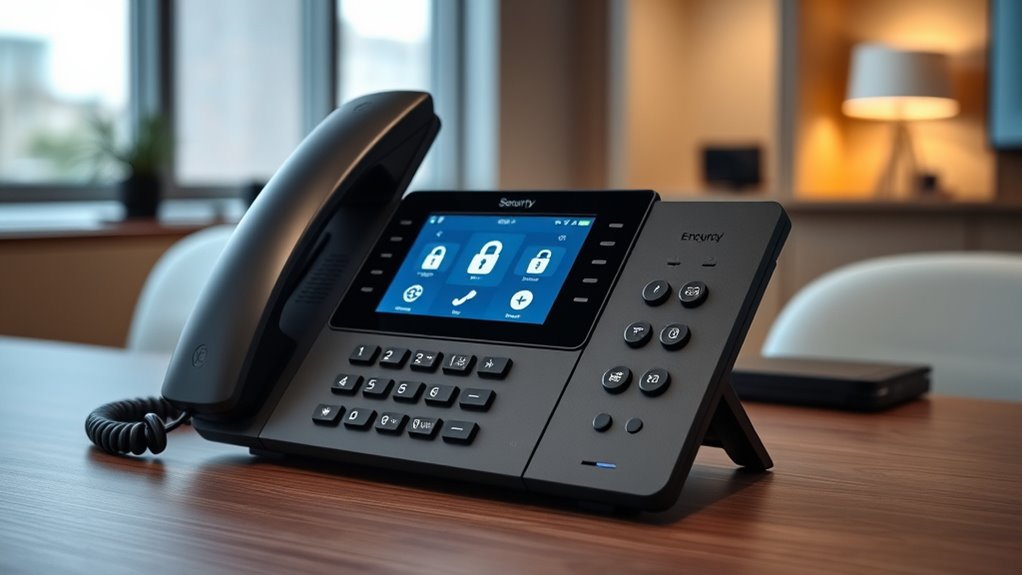

Encrypted VoIP desk phones are essential for anyone needing secure voice communication, whether for business or sensitive personal use. The best models combine strong security features with reliable call quality and ease of use. The Yealink T74U stands out as the overall top pick due to its robust security protocols and versatile connectivity options. The Poly CCX 600 offers a premium touchscreen experience with enterprise-grade encryption, making it ideal for high-security environments. However, these phones vary in complexity, price, and feature sets, presenting tradeoffs like cost versus security level or simplicity versus advanced features. Continue reading for a detailed breakdown of each model and what suits your specific needs.
Open a free Amazon Business account
Business pricing, bulk buying and tax-exempt orders.
Create a free accountAs an affiliate, we earn on qualifying purchases.
Key Takeaways
- Security protocols like SRTP and TLS are standard among top models, but implementation quality varies.
- Touchscreen interfaces and additional features often come with a higher price but improve usability for complex workflows.
- Wi-Fi-enabled options offer flexibility but may introduce additional security considerations compared to wired models.
- Price ranges reflect differences in build quality, security features, and support for multiple SIP accounts.
- Choosing the right phone depends heavily on your security requirements, technical comfort, and budget constraints.
| Yealink T74U IP Phone – Corded, Wall Mountable, Stand Mountable, 10 Multiple Conferencing |  | Best Overall for Flexible Conference Rooms | Connectivity: VoIP | Mounting Options: Wall Mountable, Stand Mountable | Conference Capacity: 10 | VIEW ON AMAZON | See Our Full Breakdown |
| Poly OBI VVX 350 IP Phone, Black, Corded |  | Best Value for Standard Office Use | Handset Connectivity: Corded | Display: 3.5 inch color LCD | Line Keys: 6 | VIEW ON AMAZON | See Our Full Breakdown |
| Grandstream GRP2613 IP Phone with 6 Lines and 4 SIP Accounts |  | Best for Enterprise Multi-Line Use | Lines: 6 | SIP Accounts: 4 | Display: 2.8-inch color | VIEW ON AMAZON | See Our Full Breakdown |
| Yealink T57W IP Phone, 16 VoIP Accounts, 7-Inch Color Touch Screen |  | Best for Executive Heavy Call Loads | VoIP Accounts: 16 | Display: 7-inch 800×480 | HD Voice: Yes | VIEW ON AMAZON | See Our Full Breakdown |
| Yealink SIP-T44W-PSU Wi-Fi IP Phone with Power Adapter, 12 VoIP Accounts, 2.8-Inch Color Display, Dual Gigabit Ethernet, PoE |  | Best for Versatile Business Communication | VoIP Accounts: 12 | Display: 2.8-inch color LCD | Wi-Fi: Dual-band 2.4G/5G | VIEW ON AMAZON | See Our Full Breakdown |
| Grandstream GRP2612W IP Phone with Wi-Fi and 4 Lines |  | Best for Enterprise Multi-Line Deployment | Number of SIP Accounts: 4 | Display: 2.4-inch color display | Wi-Fi Support: Yes, dual-band | VIEW ON AMAZON | See Our Full Breakdown |
| Yealink T77U IP Phone – Corded, 7-inch Color LCD, SIP Support, 84 Programmable Buttons, Wall and Stand Mountable |  | Best for Advanced User Customization and Visual Navigation | Display: 7-inch color LCD | Connectivity: Corded | VoIP Protocols: SIP, supports multiple protocols | VIEW ON AMAZON | See Our Full Breakdown |
| Polycom VVX 250 Business IP Phone |  | Best for Basic Voice Needs with Proven Reliability | Number of Lines: 4 | Display: Color display | HD Voice Support: Polycom HD Voice 2 | VIEW ON AMAZON | See Our Full Breakdown |
| Grandstream GXP1620 IP Phone with 2 Lines and 2 SIP Accounts |  | Best for Entry-Level Secure VoIP Use | Lines: 2 | SIP Accounts: 2 | Display: 2.9-inch LCD | VIEW ON AMAZON | See Our Full Breakdown |
| Grandstream Cordless WiFi IP Phone WP826 SIP Phone |  | Best for Mobile Flexibility in Wireless Environments | Connectivity: Wi-Fi 6 | Display: 4-inch color LCD | Type: Cordless SIP Phone | VIEW ON AMAZON | See Our Full Breakdown |
| Poly CCX 600 Desktop Business Media Phone with 7-Inch Touchscreen |  | Best for Executives Needing Advanced Features and Video Support | Display: 7-inch color touchscreen | Connectivity: Wi-Fi, Bluetooth, USB-A, USB-C, RJ9, EHS ports | Audio Technology: Poly Acoustic Fence, HD Voice | VIEW ON AMAZON | See Our Full Breakdown |
| encrypted voip desk phone | Display | Connectivity |
|---|---|---|
| Yealink T74U IP Phone | — | VoIP |
| Poly OBI VVX 350 IP Phone | 3.5 inch color LCD | — |
| Grandstream GRP2613 IP Phone w | 2.8-inch color | Dual Gigabit Ethernet, Wi-Fi 6, Bluetooth |
| Yealink T57W IP Phone | 7-inch 800×480 | — |
| Yealink SIP-T44W-PSU Wi-Fi IP | 2.8-inch color LCD | — |
| Grandstream GRP2612W IP Phone | 2.4-inch color display | — |
| Yealink T77U IP Phone | 7-inch color LCD | Corded |
| Polycom VVX 250 Business IP Ph | Color display | Corded |
| Grandstream GXP1620 IP Phone w | 2.9-inch LCD | — |
| Grandstream Cordless WiFi IP P | 4-inch color LCD | Wi-Fi 6 |
| Poly CCX 600 Desktop Business | 7-inch color touchscreen | Wi-Fi, Bluetooth, USB-A, USB-C, RJ9, EHS ports |
More Details on Our Top Picks
Yealink T74U IP Phone – Corded, Wall Mountable, Stand Mountable, 10 Multiple Conferencing
The Yealink T74U stands out for its crystal-clear audio quality and versatile mounting options, making it ideal for conference halls and shared spaces. Compared with the Poly VVX 350, it offers superior conferencing capacity, supporting up to 10 parties simultaneously. However, it lacks detailed information on its display or additional features, which could be a drawback for users seeking more advanced interface options. Its single-cable setup simplifies installation, and the multiple mounting options provide deployment flexibility. This phone makes the most sense for organizations prioritizing reliable voice clarity and flexible room setup, with less concern about onboard features or display size.
Pros:- High-quality crystal-clear voice calls
- Flexible mounting options (wall and stand)
- Supports multiple conferencing up to 10 participants
Cons:- Limited details on display or additional features
- No information on screen size or advanced interface
Best for: Organizations needing reliable, high-quality conference phones with flexible mounting options.
Not ideal for: Small offices or home setups requiring simple, compact devices without extensive conferencing features.
- Connectivity:VoIP
- Mounting Options:Wall Mountable, Stand Mountable
- Conference Capacity:10
- Power/Data Transmission:Single cable
Our verdict“This model is best suited for conference environments where voice clarity and flexible installation are priorities over display features.”
Poly OBI VVX 350 IP Phone, Black, Corded
The Poly OBI VVX 350 offers solid HD voice quality and reliable connectivity at an attractive price point, making it suitable for everyday office environments. Compared to the Yealink T74U, it provides a straightforward, corded design with a 3.5-inch color LCD, but lacks wireless options or touchscreen capabilities, limiting its modern feature set. Its dual RJ-45 ports with PoE facilitate easy installation, yet the basic design might not appeal to users expecting a more polished interface or touch controls. This phone is ideal for users who prioritize clear audio and simple deployment over advanced features or sleek design.
Pros:- High-quality HD voice and clear audio
- Flexible installation with desktop and wall mounting
- Supports PoE for easy deployment
Cons:- Limited to corded connection, no wireless option
- No touchscreen or advanced interface features
Best for: Small to medium-sized offices seeking dependable, straightforward VoIP phones with good audio quality.
Not ideal for: Users needing wireless connectivity or touchscreen interfaces for extensive call management.
- Handset Connectivity:Corded
- Display:3.5 inch color LCD
- Line Keys:6
- Audio Technology:Poly HD Voice
Our verdict“This phone suits office environments that value straightforward reliability and audio clarity without extra frills.”
Grandstream GRP2613 IP Phone with 6 Lines and 4 SIP Accounts
The Grandstream GRP2613 excels for enterprise settings requiring multiple lines and SIP accounts, with a 2.8-inch color display and advanced connectivity options. Compared with the Yealink T57W, it supports up to 6 lines and 4 SIP accounts, ideal for busy professionals managing multiple calls. Its dual Gigabit Ethernet ports with PoE facilitate seamless network integration, and noise reduction technology ensures clarity even in high-volume environments. While it offers Wi-Fi 6 and Bluetooth, these features are model-dependent and might not be available in all configurations. This phone is designed for users needing extensive line management and high-quality audio, but its complexity and lack of a touchscreen may be less appealing to casual users.
Pros:- Supports multiple lines and SIP accounts for versatile use
- High-definition audio with noise reduction
- Dual Gigabit Ethernet ports with PoE for easy deployment
- Optional Wi-Fi 6 and Bluetooth connectivity
Cons:- Does not include batteries, requires external power
- Complex setup may challenge non-technical users
Best for: Large enterprises or call centers managing multiple concurrent lines and requiring robust connectivity.
Not ideal for: Small offices or home users with basic calling needs or limited technical support.
- Lines:6
- SIP Accounts:4
- Display:2.8-inch color
- Connectivity:Dual Gigabit Ethernet, Wi-Fi 6, Bluetooth
Our verdict“This phone is tailored for enterprise environments that need multi-line handling and high-quality audio, accepting some setup complexity.”
Yealink T57W IP Phone, 16 VoIP Accounts, 7-Inch Color Touch Screen
The Yealink T57W is a premium choice for executives and busy managers, featuring a large 7-inch adjustable color touchscreen that simplifies complex call handling. Compared with the Poly VVX 350, its extensive support for 16 SIP accounts makes it ideal for high-volume environments. The inclusion of a USB port for recording and wireless Wi-Fi connectivity adds to its versatility. However, the requirement to buy a power adapter separately or rely on PoE can complicate setup, and its advanced features may be overwhelming for basic users. This model is best suited for users who need a sophisticated interface and extensive call management capabilities, but less so for those seeking simplicity.
Pros:- Large, adjustable 7-inch touch screen
- Supports up to 16 SIP accounts
- HD voice with Acoustic Shield technology
- Wireless Wi-Fi connectivity
Cons:- Power adapter not included
- Potentially complex setup for non-technical users
Best for: Senior professionals or teams managing numerous lines who need a user-friendly, feature-rich device.
Not ideal for: Small teams or casual users who prefer straightforward, no-frills phones.
- VoIP Accounts:16
- Display:7-inch 800×480
- HD Voice:Yes
- Wireless Connectivity:802.11ac Wi-Fi
Our verdict“Ideal for high-level professionals requiring an intuitive interface and extensive line support, with some setup considerations.”
Yealink SIP-T44W-PSU Wi-Fi IP Phone with Power Adapter, 12 VoIP Accounts, 2.8-Inch Color Display, Dual Gigabit Ethernet, PoE
The Yealink SIP-T44W offers a balanced feature set catering to busy business environments, supporting 12 lines and a 2.8-inch color display. Its dual-band Wi-Fi and Bluetooth 4.2 facilitate flexible wireless connectivity, while the dual USB ports expand functionality such as headset use or recording. Compared to the Grandstream GRP2613, it provides a more compact form with integrated wireless options, but it may require a separate power adapter despite PoE support. Its multi-line capability makes it suitable for dynamic office settings, though users seeking extensive touchscreen interfaces might prefer other models. This phone is a versatile choice that balances wired and wireless connectivity for various workflows.
Pros:- Supports 12 VoIP lines for busy call management
- Built-in dual-band Wi-Fi and Bluetooth
- Two USB ports for headsets and recording
- HD voice quality with Optima HD Voice technology
Cons:- Requires power source or PoE, power adapter included
- Size and complexity may be overkill for simple environments
Best for: Business users needing reliable multi-line support with flexible wired and wireless options.
Not ideal for: Home users or small offices with minimal call volume and simple setup needs.
- VoIP Accounts:12
- Display:2.8-inch color LCD
- Wi-Fi:Dual-band 2.4G/5G
- Bluetooth:4.2
Our verdict“A versatile device suited for dynamic offices needing a mix of wired and wireless connectivity with multi-line support, accepting some setup complexity.”
Grandstream GRP2612W IP Phone with Wi-Fi and 4 Lines
The Grandstream GRP2612W stands out for supporting up to 4 SIP accounts and multiple lines, making it ideal for busy office environments. Its built-in dual-band Wi-Fi offers flexible connectivity, comparable to the cordless WP826 but with more extensive wired options via dual Ethernet ports with PoE. The HD audio, supporting codecs like G.722 and Opus, ensures clarity, while enterprise-grade security features provide encrypted data protection. Compared to the Polycom VVX 250, it excels in multi-line handling but is larger and less suitable for smaller desks. Its 24-minute recording capacity is limited, which might matter for those needing longer call recordings. This model is best suited for organizations needing scalable, secure desk phones with robust network options. However, it’s less ideal if desk space is constrained or if simple single-line phones suffice.
Pros:- Supports 4 SIP accounts and multiple lines for complex workflows
- Dual-band Wi-Fi for flexible, wireless connectivity
- HD audio with support for major codecs ensures clear calls
- Enterprise-level security with encrypted data storage
Cons:- Requires Ethernet cable for initial setup if Wi-Fi isn’t used
- Relatively large size may not suit all desk setups
- Limited recording capacity of only 24 minutes
Best for: Large enterprises or call centers requiring multiple lines and secure data handling
Not ideal for: Small offices or individual users who prioritize compact design and basic features
- Number of SIP Accounts:4
- Display:2.4-inch color display
- Wi-Fi Support:Yes, dual-band
- Ethernet Ports:Dual 10/100 Mbps with PoE
- Audio Codec Support:G.722, Opus, wideband codecs
- Dimensions:12 x 8.5 x 3.4 inches
- Weight:500 g
- Answering System:Digital
- Conference Call Capability:3-way
Our verdict“This phone makes the most sense for organizations needing scalable, secure, multi-line VoIP desk phones with flexible connectivity options.”
Yealink T77U IP Phone – Corded, 7-inch Color LCD, SIP Support, 84 Programmable Buttons, Wall and Stand Mountable
The Yealink T77U offers a large 7-inch color touchscreen and 84 programmable buttons, making it ideal for users who need quick access to numerous features. Its support for multiple VoIP protocols, including SIP, provides versatility that surpasses basic models like the Polycom VVX 250, especially for complex call handling. The high-quality Yealink Optima HD voice technology ensures clear communications, while its security features like WPA2 and TLS 1.3 protect sensitive data. Unlike the more straightforward VVX 250, the T77U’s extensive button customization and touchscreen navigation cater to power users and technical staff. The corded design, however, restricts mobility, and its large footprint may not fit small workspaces. This pick is best for organizations or users who value advanced features and easy UI navigation over portability.
Pros:- Large 7-inch touchscreen for easy navigation
- 84 programmable buttons for quick feature access
- Supports multiple VoIP protocols for flexibility
- High security with WPA2 and TLS 1.3
Cons:- Corded design limits movement around the desk
- Large size may not fit compact spaces
- No built-in speakerphone feature mentioned
Best for: Power users, technical staff, or call center teams needing quick access and customization
Not ideal for: Users seeking mobility or small desk setups with limited space
- Display:7-inch color LCD
- Connectivity:Corded
- VoIP Protocols:SIP, supports multiple protocols
- Programmable Buttons:84
- Mounting Options:Wall and stand mountable
- Security:WPA2, TLS 1.3
Our verdict“This phone is well-suited for users who need a customizable, feature-rich device with a large display for simplified management.”
Polycom VVX 250 Business IP Phone
The Polycom VVX 250 offers a straightforward, four-line IP phone solution that excels in HD voice quality with Polycom HD Voice 2. Its color display provides clear visual cues, and dual Gigabit Ethernet ports support high-speed network performance, similar to the Grandstream GRP2612W but with a simpler user interface. This model is ideal for organizations seeking a reliable, easy-to-administer device, but falls short compared to more advanced phones like the Yealink T77U in terms of customization and features. The absence of Wi-Fi limits flexibility, and its design feels somewhat dated against newer touchscreen options. If your needs are basic and stability is priority, this phone remains a dependable choice, though it lacks future-proofing features for complex setups.
Pros:- HD voice quality with Polycom HD Voice 2
- Color display for visual cues
- Dual Gigabit Ethernet ports for fast connectivity
- Supports integration with over 60 call control platforms
Cons:- Limited to basic IP phone features, no advanced functions
- No Wi-Fi connectivity options for flexible placement
- Design appears somewhat outdated compared to touchscreen models
Best for: Small to medium businesses requiring a reliable, straightforward IP phone for daily use
Not ideal for: Power users or teams needing extensive customization and advanced call features
- Number of Lines:4
- Display:Color display
- HD Voice Support:Polycom HD Voice 2
- Ethernet Ports:Dual Gigabit
- Compatibility:Supports over 60 call control platforms
- Connectivity:Corded
Our verdict“This phone suits organizations prioritizing stable, simple communication devices over advanced features or mobility.”
Grandstream GXP1620 IP Phone with 2 Lines and 2 SIP Accounts
The Grandstream GXP1620 is a budget-friendly, 2-line IP phone with essential features like HD wideband audio and a 2.9-inch LCD display. Its support for 2 SIP accounts and advanced security protocols such as SRTP and TLS makes it suitable for small businesses or departments emphasizing security. Compared to the Polycom VVX 250, it offers more security options but has a more basic design and smaller display, which may not appeal to users who prefer modern interfaces. Its limited lines and features make it less suitable for busy call centers or multi-line environments. This model is best for small teams needing secure, reliable VoIP communication without extensive customization.
Pros:- Supports 2 SIP accounts and lines for basic use
- HD wideband audio for clear calls
- Strong security protocols including SRTP and TLS
- Large phonebook capacity
Cons:- Limited to VoIP use, no wireless options
- Basic design and small display may feel outdated
- Limited to 2 lines, not suitable for high-volume environments
Best for: Small teams or departments focused on secure, simple VoIP communication
Not ideal for: Large offices or users needing multi-line or advanced call features
- Lines:2
- SIP Accounts:2
- Display:2.9-inch LCD
- Call Features:HD wideband audio, 3-way conference
- Security:SRTP, TLS, 802.1x
- Dimensions:Approximately 5 x 7 inches
Our verdict“This phone offers a cost-effective, secure choice for small teams with limited multi-line needs.”
Grandstream Cordless WiFi IP Phone WP826 SIP Phone
The Grandstream WP826 is a cordless Wi-Fi IP phone equipped with Wi-Fi 6 for fast, reliable wireless communication. Its 4-inch color LCD makes navigating calls or contacts straightforward, providing mobility that wired models like the VVX 250 cannot match. This device is ideal for environments where users need to move freely, such as reception areas or on-the-go staff. Compared to the fixed Grandstream GXP1620, the WP826 emphasizes wireless convenience but leaves out details on battery life or talk time, which could impact day-long usability. Limited additional features mean it may not serve complex call environments well. This pick is best for users who prioritize mobility and wireless connectivity over extensive feature sets.
Pros:- Wi-Fi 6 connectivity for fast, reliable wireless calls
- Cordless design enhances mobility
- Vibrant 4-inch color LCD for easy navigation
Cons:- Limited information on battery duration or talk time
- No details on additional features or accessories
- Potentially limited compatibility with some PBX systems
Best for: Business staff who need to move freely around their workspace while on calls
Not ideal for: Teams requiring long talk times or extensive telephony features
- Connectivity:Wi-Fi 6
- Display:4-inch color LCD
- Type:Cordless SIP Phone
Our verdict“This phone excels for users who need mobility and wireless convenience, though it may lack endurance for prolonged use.”
Poly CCX 600 Desktop Business Media Phone with 7-Inch Touchscreen
The Poly CCX 600 stands out for its large 7-inch color touchscreen, making it ideal for managers and executives who rely on intuitive interfaces. Compared to the Yealink T74U, which offers similar connectivity but lacks a touchscreen, the CCX 600 provides a more user-friendly experience—though this comes at a higher cost and increased complexity. Its advanced noise-canceling technology and HD Voice ensure clear calls, vital for busy decision-makers. The supporting connectivity options, including Wi-Fi, Bluetooth, and multiple USB ports, make it versatile for various collaboration setups. However, to enable video calls, you need to add an optional EagleEye Mini USB camera, adding extra cost and setup steps. While its array of features benefits those with demanding communication needs, less tech-savvy users might find the interface overwhelming. Overall, this model is best suited for senior staff or environments where multimedia communication and ease of use are priorities, despite its higher price and additional setup requirements.
Pros:- Large, intuitive 7-inch color touchscreen enhances usability
- Exceptional audio quality with noise cancellation technology
- Multiple connectivity options including Wi-Fi, Bluetooth, and USB ports
- Supports popular collaboration platforms like Zoom and Teams
Cons:- Requires an optional camera for video calls, adding to overall cost
- May be too complex for users unfamiliar with advanced telephony features
- Price is relatively high compared to simpler desk phones
Best for: Executives and managers requiring a high-end, multimedia communication device with easy-to-use touchscreen controls.
Not ideal for: Small teams or budget-conscious offices that need basic voice calling, as the high cost and complexity may be unnecessary.
- Display:7-inch color touchscreen
- Connectivity:Wi-Fi, Bluetooth, USB-A, USB-C, RJ9, EHS ports
- Audio Technology:Poly Acoustic Fence, HD Voice
- Power:PoE
- Compatibility:Zoom, Teams, others
- Additional:Supports optional EagleEye Mini USB camera
Our verdict“This phone makes the most sense for high-level professionals who need a multimedia-enriched device with a user-friendly interface and are willing to invest in advanced features.”

How We Picked
We evaluated these encrypted VoIP desk phones based on their security features, call quality, ease of use, build quality, and compatibility with enterprise environments. Devices had to support standard encryption protocols like SRTP and TLS to qualify. We also considered usability factors such as interface design, setup simplicity, and additional features like touchscreen displays or Wi-Fi connectivity. Cost and value were weighed against security and feature set, ensuring recommendations for different budgets and user types. The ranking prioritizes models that balance strong security with reliable performance and user-friendly design, making them suitable for various professional settings.| encrypted voip desk phone | Connectivity |
|---|---|
| Yealink T74U IP Phone | VoIP |
| Poly OBI VVX 350 IP Phone | — |
| Grandstream GRP2613 IP Phone w | Dual Gigabit Ethernet, Wi-Fi 6, Bluetooth |
| Yealink T57W IP Phone | — |
| Yealink SIP-T44W-PSU Wi-Fi IP | — |
| Grandstream GRP2612W IP Phone | — |
| Yealink T77U IP Phone | Corded |
| Polycom VVX 250 Business IP Ph | Corded |
| Grandstream GXP1620 IP Phone w | — |
| Grandstream Cordless WiFi IP P | Wi-Fi 6 |
| Poly CCX 600 Desktop Business | Wi-Fi, Bluetooth, USB-A, USB-C, RJ9, EHS ports |
Factors to Consider When Choosing Encrypted Voip Desk Phones
Selecting the right encrypted VoIP desk phone requires careful consideration of several factors that go beyond basic security features. Understanding how these elements interact helps ensure you choose a device that not only protects your communications but also fits seamlessly into your workflow and environment. Here are some key aspects to keep in mind:Security Protocols and Encryption Standards
Look for phones that support industry-standard encryption protocols such as SRTP (Secure Real-Time Transport Protocol) and TLS (Transport Layer Security). These protocols safeguard your voice data from interception and eavesdropping. Devices with hardware-based security modules or secure boot features offer extra layers of protection against tampering. Be wary of models that advertise encryption but lack proper implementation, as this can give a false sense of security.
Ease of Use and User Interface
A user-friendly interface can significantly reduce setup time and improve daily productivity. Touchscreen models or phones with intuitive menus are better suited for users who need quick access to features or frequently change configurations. Conversely, simpler models with physical buttons may appeal to less tech-savvy users but might lack advanced configurability. Balancing usability with security features is key to choosing a device that fits your team’s skill level.
Connectivity Options and Compatibility
Consider whether the phone supports wired Ethernet, Wi-Fi, or both, depending on your office setup. Wi-Fi models offer flexibility but require robust security measures to prevent wireless vulnerabilities. Ensure the device is compatible with your existing SIP provider and supports multiple SIP accounts if needed. Also, check for features like Power over Ethernet (PoE) to simplify installation and reduce clutter.
Advanced Features and Future-Proofing
High-end models may include features like high-resolution screens, programmable keys, or integration with collaboration tools. These can enhance productivity but often come at a higher cost. Think about your future needs—investing in a phone with firmware updates or modular security features can extend its lifespan. However, avoid overpaying for features that won’t be used, which can inflate your total cost of ownership.
Price and Total Cost of Ownership
While security is critical, it’s important to consider the overall value. Cheaper models might lack critical encryption features or have lower build quality, leading to higher replacement or maintenance costs later. Conversely, premium models justify their price through superior security, durability, and support. Factor in ongoing costs like support contracts or firmware updates when making your decision to ensure long-term satisfaction.
Frequently Asked Questions
Can I upgrade the security features of my existing VoIP phone?
Upgrading security features on existing VoIP phones depends on the device’s hardware and firmware capabilities. Many modern phones support firmware updates that enable new security protocols or fix vulnerabilities, but some older or simpler models may lack this flexibility. It’s best to verify with the manufacturer whether upgrades are available and compatible with your current setup before making a purchase decision. For critical security needs, investing in a device with built-in hardware security features often provides more reliable protection.
Are Wi-Fi-enabled encrypted VoIP phones less secure than wired ones?
Wi-Fi-enabled phones can be just as secure as wired models if they support strong encryption protocols like WPA3, along with SRTP and TLS for voice data encryption. The main concern is wireless network security; if your Wi-Fi network isn’t properly secured, it could be vulnerable to attacks. Using robust Wi-Fi security settings, combined with a separate VLAN for voice traffic, can mitigate these risks. For environments with high-security requirements, wired connections generally offer a more straightforward security profile.
What should I prioritize in a high-security VoIP desk phone?
Prioritizing hardware-based security features, such as secure boot and tamper-resistant design, is vital for high-security environments. Support for industry-standard encryption protocols like SRTP and TLS is also essential. Additionally, look for phones that receive regular firmware updates and support advanced authentication methods. The combination of these features helps protect sensitive conversations from interception and unauthorized access, making them suitable for government, military, or corporate sectors handling confidential data.
Is it necessary to choose a touchscreen model for security purposes?
Touchscreen models are not inherently more secure than traditional phones, but they often provide easier access to security settings and more straightforward management of configurations. They also tend to support more advanced features, which can include security options. However, the choice should depend on your workflow and user preference rather than security alone. In high-security settings, focus on encryption support and hardware security features rather than interface type.
How do I ensure my VoIP phone remains secure after purchase?
Maintaining security involves regular firmware updates, strong network segmentation, and proper password management. Always keep your device’s firmware current to patch vulnerabilities and enable the latest security features. Use secure, private Wi-Fi networks or wired connections whenever possible. Additionally, configure strong, unique passwords for device access and SIP accounts. Regularly reviewing security settings and monitoring network traffic can help identify and mitigate potential threats over time.
Conclusion
For organizations prioritizing overall security and ease of use, the Yealink T74U offers a balanced mix of features and security protocols at a reasonable price. Those with high-security needs and a budget for premium equipment should consider the Poly CCX 600, which provides enterprise-grade encryption and a user-friendly touchscreen. For small teams or less complex environments, models like the Grandstream GXP1620 deliver essential encryption features at a more accessible price point. Beginners or those new to VoIP security may find simpler, well-supported options more manageable, while larger enterprises should invest in models with advanced features and extensive support plans. Tailor your choice based on your security requirements, technical comfort, and budget to get the best fit for your needs.
Flea & tick season Picks
flea and tick prevention
As an affiliate, we earn on qualifying purchases.