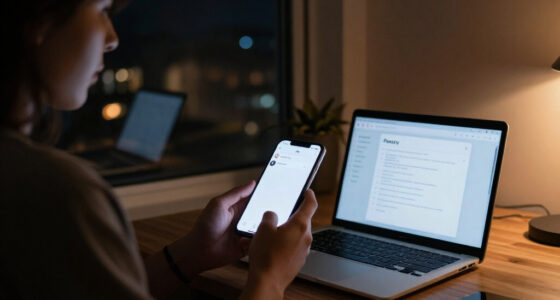

Shopping for a laptop privacy screen usually means choosing between two ways to attach the filter: a magnetic screen that lifts off, or an adhesive screen that stays on the display. Both narrow the viewing angle so people beside you see less of the screen, but they solve different everyday problems. The main tradeoff is convenience versus permanence: magnets suit people who switch between private work and sharing their screen, while adhesive fits users who want a screen left in place at a lower upfront cost. Laptop bezel design, screen size, and whether your display is touch-enabled can matter as much as attachment style.

Get privacy and security gear delivered free with Prime
- Fast, free delivery on millions of items
- Prime Video, Amazon Music and more included
- Member-only deals all year

14 Inch 16:10 Laptop Privacy Screen Filter – Computer Monitor Privacy Shield and Protector
- ✔ Screen format: 14 inches, 16:10
- ✔ Dimensions: 11.93 × 7 inches
- ✔ Material: Microlouver film

Magnetic Laptop Privacy Screen 14" 16:9 Patented Removable Filter Shield and Protector
- ✔ Screen format: 14 inches, 16:9
- ✔ Dimensions: 12.2 × 6.9 inches
- ✔ Material: Microlouver film

15.6" Privacy Screen Filter for 16:9 Monitors (1920×1080)
- ✔ Screen format: 15.6 inches, 16:9
- ✔ Resolution: 1920 × 1080
- ✔ Target panel dimensions: 344 × 194 mm
At a Glance
| Criteria | Magnetic laptop privacy screens | Adhesive laptop privacy screens | Winner |
|---|---|---|---|
| Removal and daily convenience | Lifts off and reattaches quickly; convenient for sharing or cleaning. | Stays mounted; no daily placement step, but removal is less convenient. | A |
| Fit and compatibility | Requires a compatible magnetic bezel or attachment system; thin bezels can be a problem. | May fit displays without a magnetic bezel, though attachment strips and dimensions must match. | Depends |
| Privacy performance | Performance depends on the filter, not the magnets; check the stated viewing angle. | Performance depends on the filter; permanent mounting does not make the viewing angle narrower. | Tie |
| Display clarity and touch | Removable layers can affect brightness and reflections; touch response may vary by model. | Adhesive placement can be fiddly; touch use and surface finish vary by product. | Depends |
| Protection and durability | Can be stored separately when not needed, but handling adds chances for scratches or loss. | Stays attached during everyday use, but adhesive can collect dust or leave residue. | Depends |
| Price and value | Often costs more; the premium pays for repeated removal and flexible use. | Usually lower cost; better value if the filter will remain on the laptop. | B |
14 Inch 16:10 Laptop Privacy Screen Filter – Computer Monitor Privacy Shield and Protector
The SightPro is our leading general-purpose choice for buyers whose laptop has a 14-inch 16:10 display. Its stated combination of side-view blackout and clear straight-on viewing addresses the central privacy-screen tradeoff: limiting the view from beside you while keeping your own screen readable. Compared with the magnetic 14-inch filter, this model is aimed at a different screen shape, so it is not a substitute for a 16:9 panel even though both are described as 14-inch products.Its practical advantage is the choice between adhesive strips and slide-mount tabs. That gives buyers a way to choose between a more fixed attachment and a removable setup, which can matter when a laptop moves between home, office, and shared spaces. The description also identifies glare, UV, and blue-light reduction, adding display comfort considerations alongside privacy. These are useful stated features, but the listing does not provide the same precise fit dimensions as the 15.6-inch pick.We would skip it for a touchscreen laptop or if the screen dimensions have not been checked: the product warns that diagonal size alone is insufficient. Like the other filters here, it limits side views rather than promising privacy from someone directly behind you. The 8H hardness is listed, but buyers should not treat that figure as a guarantee against every kind of damage. Its broad appeal depends on having the right 16:10 panel.
Pros:
- Designed for a 14-inch 16:10 screen format.
- Offers both adhesive-strip and slide-mount installation.
- Described as reducing glare, UV, and blue light as well as side viewing.
- Compact format suits laptop travel and shared workspaces.
Cons:
- Not optimized for touchscreen laptops.
- Requires precise screen measurements; diagonal size is not enough.
- Does not block visibility from directly behind the viewer.
Best for: Owners of compatible 14-inch 16:10 laptops who want a choice of removable or adhesive mounting for work in shared spaces.
Not ideal for: Touchscreen users, owners of 14-inch 16:9 screens, or anyone unable to verify the screen’s width and height before ordering.
Bottom line: For a confirmed 14-inch 16:10 laptop, the SightPro offers the most balanced mix of privacy features and mounting choice in this comparison.
“For a confirmed 14-inch 16:10 laptop, the SightPro offers the most balanced mix of privacy features and mounting choice in this comparison.”
Magnetic Laptop Privacy Screen 14" 16:9 Patented Removable Filter Shield and Protector
For a compatible 14-inch 16:9 laptop, this magnetic screen is the convenience pick. Its magnets attach at the top edge, avoiding the adhesive strips and slide-on tabs used by the SightPro and the 15.6-inch filter. That makes the basic routine simple: attach the filter when working in public, then remove it when a shared screen is no longer needed. The benefit is ease of removal, while the tradeoff is that buyers must confirm the laptop’s top edge and panel dimensions suit this specific design.The listing describes strong side-view privacy with a clear front view and also includes UV and blue-light reduction. A webcam cover, cleaning cloth, and storage folder add practical travel items that are absent from the other two listings. Those extras make this bundle more focused on carrying and handling the filter, but they do not resolve compatibility questions: its stated dimensions and 14-inch 16:9 target still need to match the laptop.Compared with the SightPro, this model prioritizes fast magnetic attachment over having two mounting methods and is aimed at a 16:9 rather than 16:10 display. Compared with the 15.6-inch filter, it is smaller and more geared toward moving between locations. Its listed hardness is 2H, and the manufacturer says it is not optimized for touchscreens. Buyers who need a permanent-feeling fit, touchscreen use, or a different screen shape should look elsewhere in the lineup—or confirm compatibility before buying.
Pros:
- Magnetic top-edge attachment avoids adhesive strips.
- Designed for quick removal and storage between uses.
- Includes a webcam cover, cleaning cloth, and storage folder.
- Described as reducing side views, UV, and blue-light exposure.
Cons:
- Requires verification of exact display dimensions and 16:9 format.
- Not optimized for touchscreen laptops.
- Listed hardness is 2H, lower than the SightPro’s stated 8H.
Best for: People with a matching 14-inch 16:9 laptop who regularly remove a privacy screen and want a storage folder and webcam cover for travel.
Not ideal for: Touchscreen laptop owners, users with 14-inch 16:10 displays, or buyers who want a filter secured by adhesive or slide tabs.
Bottom line: Choose this magnetic model when quick removal matters more than multiple mounting methods and your 14-inch 16:9 screen is a confirmed match.
“Choose this magnetic model when quick removal matters more than multiple mounting methods and your 14-inch 16:9 screen is a confirmed match.”
15.6" Privacy Screen Filter for 16:9 Monitors (1920×1080)
This is the clearest match in the group for a buyer who already knows they have a 15.6-inch 16:9 Full HD laptop. The listing gives a target panel size of 344 × 194 mm, which offers a more concrete fit check than a diagonal measurement alone. It states that the filter blocks side viewing beyond a 60-degree angle and reduces blue light by about 30%. Those details help buyers compare its stated privacy and filtering approach with the broader claims for the two 14-inch options.Installation follows the familiar approach used by the SightPro: buyers can use slide-on/off tabs or adhesive strips. That offers some flexibility, but this pick does not bring the magnetic model’s quick snap-on attachment or its travel accessories. Its stated dust and scratch protection may appeal to people who want a filter to serve as a display cover as well as a privacy aid, although the listed hardness is 3H, below the SightPro’s 8H specification.The key limitation is the narrow compatibility target. A 15.6-inch diagonal is not sufficient if the display is a different aspect ratio or its bezel changes how the filter sits. The listing itself cautions that bezel variations may cause a misfit. This option also excludes touchscreen devices. For a 14-inch laptop, the SightPro or magnetic filter is the relevant comparison; for a matching 15.6-inch 16:9 panel, this one is the more directly specified fit.
Pros:
- Specifies a 344 × 194 mm target for fit checking.
- States a side-view blocking angle beyond 60 degrees.
- Offers slide-on/off tabs or adhesive-strip installation.
- Lists dust and scratch protection plus about 30% blue-light reduction.
Cons:
- Only intended for exact 15.6-inch 16:9 screens.
- Bezel differences may affect fit.
- Not compatible with touchscreen devices.
Best for: Laptop owners with a verified 15.6-inch 16:9, 1920 × 1080 screen who want a filter with stated panel dimensions and two mounting options.
Not ideal for: Touchscreen users, people with a different 15.6-inch aspect ratio, or anyone whose bezel and visible panel dimensions have not been checked.
Bottom line: For a verified 15.6-inch 16:9 Full HD panel, this is the most explicitly dimensioned choice, though its fit limits are strict.
“For a verified 15.6-inch 16:9 Full HD panel, this is the most explicitly dimensioned choice, though its fit limits are strict.”
As an Amazon Associate we earn from qualifying purchases.
Key Differences
The attachment method changes how the filter fits into a workday. A magnetic screen is easier to take off before showing a colleague a design, sharing a presentation, or cleaning the display. That flexibility is useful only if the laptop and filter are made to work together: many magnetic designs rely on a bezel that can hold the panel, and very narrow bezels may leave too little surface. An adhesive screen is less flexible, but it can be fitted to a wider range of display edges when the supplied tabs or strips suit the laptop.
Privacy itself is a filter characteristic, not an automatic advantage of either mounting style. Compare the stated viewing angle, screen dimensions, and user reports for the exact product and display type. A strong privacy filter can make a screen harder to read from the side, but it can also dim the view for the person sitting directly in front. Either type may affect reflections, perceived sharpness, or touch use. The practical choice is whether the ability to remove the filter is worth extra cost and compatibility checks, or whether a fixed screen better matches a steady routine.
Detailed Comparison
Removal and daily convenience (Magnetic laptop privacy screens wins — moderate)
Magnetic screens win by a moderate margin for people who regularly switch between private work and sharing a screen. They lift off without peeling adhesive strips, then can be put back when needed. That makes spontaneous collaboration less awkward, though the user must store and handle the panel carefully. Adhesive screens are simpler when privacy is needed all day: once installed, there is no daily fitting step. They are less convenient when sharing becomes frequent because removal and reattachment are not their intended routine.
Fit and compatibility (major difference)
There is no universal winner; the laptop determines the result. A magnetic model is a clean fit when its attachment points match the laptop’s bezel, but a narrow or irregular bezel can make it unsuitable. Adhesive models can work with more display-edge designs if their tabs or mounting strips have enough contact area. For either type, match the exact visible screen dimensions and aspect ratio, and check whether the webcam, sensors, or hinges could be obstructed. A poor fit can leave exposed edges or interfere with the display even if the advertised screen size looks right.
Privacy performance (major difference)
This is a tie when the filters offer the same viewing-angle specification. Magnetic mounting does not block more side views simply because it is removable, and adhesive mounting does not create stronger privacy by staying put. Compare how far off-center the manufacturer says the view becomes obscured, and consider whether people behind or beside you can see the screen in your usual seating arrangement. A tighter viewing angle may improve shoulder-surfing protection but make it harder to share the display with someone seated nearby.
Display clarity and touch (moderate difference)
Neither attachment type guarantees a clearer image or reliable touch. The filter’s material, finish, thickness, and fit on the particular display have greater influence. A removable magnetic panel can be lifted away if it makes a touch gesture or close color review inconvenient, which gives it a practical edge for mixed use. An adhesive panel remains in the viewing path unless the user removes it, and adhesive application can require careful alignment. The difference is moderate: check whether the product is designed for touchscreens and whether it lists compatibility with the laptop’s display finish.
Protection and durability (minor difference)
The result depends on how the filter is used. A magnetic screen can be removed and stored when the laptop is closed or when accurate color matters, but frequent handling increases the chance of fingerprints, scratches, or misplacement. An adhesive screen stays in place and is less likely to be set down and lost, yet its edges can collect dust and the mounting material may wear or leave residue when removed. Neither type should be assumed to protect a laptop display from impact. Choose based on handling habits and the manufacturer’s cleaning and storage guidance.
Price and value (Adhesive laptop privacy screens wins — moderate)
Adhesive screens usually win on upfront value for a laptop that needs a filter throughout the day. The lower price is useful when the fit is straightforward and the user expects to leave the screen installed. A magnetic version can justify its premium for people who remove the filter often, work across private and collaborative settings, or need easier access to the bare display. Paying more for magnets alone is poor value if the screen will rarely come off; compare the exact filter quality and warranty as well as the attachment method.
Magnetic laptop privacy screens: Pros and Cons
Pros:
- Fast to remove for screen sharing or cleaning.
- Can be stored separately when a bare display is preferable.
- Avoids peeling adhesive during routine removal.
Cons:
- Often costs more.
- May not fit laptops with very narrow or unusual bezels.
- Needs careful handling and storage to avoid scratches or loss.
Adhesive laptop privacy screens: Pros and Cons
Pros:
- Usually costs less.
- Works with more bezel designs when the mounting system is compatible.
- Stays in place without a daily attachment step.
Cons:
- Less convenient to remove and reinstall.
- Application requires careful alignment.
- Adhesive or tabs may collect dust or leave residue when removed.
Who Should Choose What
Choose Magnetic laptop privacy screens if:
- You regularly remove a privacy filter to share your screen or work with accurate colors.
- Your laptop has a compatible bezel and the product lists your exact screen dimensions.
- The convenience of quick removal is worth paying more to you.
Choose Adhesive laptop privacy screens if:
- You want privacy throughout the workday and expect to leave the filter installed.
- Lower upfront cost matters more than quick removal.
- Your laptop’s bezel is unsuitable for magnetic mounting but supports the adhesive product’s attachment method.
Skip both if: Your work depends on consistently accurate colors or unrestricted touch input and the available filters noticeably interfere, or you cannot find a product that fits the laptop’s exact display and mounting needs.
Value for Money
Pay more for a magnetic screen when you will use its removable design often: regular screen sharing, cleaning, or switching between private work and color-sensitive tasks can make the extra convenience worthwhile. If the filter will stay on the laptop for most of its life, an adhesive model is usually the better value, provided the fit and filter specifications are right. Do not pay a premium for the mounting style while overlooking viewing-angle performance, dimensions, display finish, or a return policy that lets you correct a fit mistake.
Final Verdict
Choose a magnetic privacy screen if you switch between private work and an unobstructed display, and your laptop’s bezel supports a secure fit. Choose an adhesive screen if you want an affordable filter that stays installed. For most users who keep privacy protection on throughout the day, adhesive offers better value; for frequent collaborators, magnetic removal earns its higher price. The deciding factor is how often you need the bare screen, after confirming exact compatibility.
Frequently Asked Questions
Do magnetic laptop privacy screens provide stronger privacy than adhesive ones?
Not by attachment method alone. Privacy depends on the filter’s viewing-angle design and how it performs on your display. Compare the stated angle and test the screen from the positions people occupy around you.
Can I use an adhesive privacy screen on a touchscreen laptop?
Some products support touchscreens, but performance varies. Check the manufacturer’s touchscreen compatibility details for your display, since an added layer may change touch response or feel.
Will a magnetic privacy screen fit any laptop?
No. Many magnetic designs need a compatible bezel or attachment points. Check the specific laptop model, visible display dimensions, and webcam or sensor placement before buying.
Is an adhesive privacy screen hard to remove?
Removal depends on its mounting system. Tabs or strips may peel away more easily than adhesive applied directly across the display, but residue is possible. Follow the product’s removal guidance and avoid pulling on the screen surface.
Which type should I choose for frequent travel?
Choose magnetic if you want to remove the filter between tasks and can store it safely in a sleeve. Choose adhesive if you want privacy to remain available without carrying or handling a separate panel. In either case, match the filter to your laptop before relying on it on the road.