For those seeking the best HDR monitors over $500, the options are diverse, balancing premium display quality with advanced features. The ASUS ROG Strix 34” Ultrawide QD-OLED stands out for gaming with its ultra-fast response times and immersive ultrawide format, while the ProArt 32” 6K Monitor appeals to professionals needing precise color accuracy and high resolution. However, buyers face tradeoffs between price, size, color fidelity, and refresh rates. High-end HDR monitors often cost significantly more, but they also deliver superior contrast, brightness, and detail. Continue reading for a detailed look at the best options and what makes each one unique.
Key Takeaways
- The top picks balance HDR performance, color accuracy, and refresh rate, with gaming-focused models emphasizing response times and professional monitors prioritizing color fidelity.
- Ultrawide formats like the ASUS ROG Strix and MSI MPG QD-OLED excel for immersive experiences, but may not suit standard desk setups or professional workflows.
- HDR brightness levels vary significantly; models with DisplayHDR 1000 or higher provide more vivid contrast but often come at a higher price point.
- Build quality and ergonomic features are key, especially for long work or gaming sessions—adjustability and sturdy stands matter more than in lower-tier options.
- Price differences reflect the intended use: gaming, professional editing, or general premium performance, so selecting based on primary needs is crucial.


More Details on Our Top Picks
ASUS ROG Strix 34” Ultrawide QD-OLED HDR Gaming Monitor (XG34WCDG) – 3440×1440, 175Hz, 0.03ms, G-SYNC Compatible
The ASUS ROG Strix XG34WCDG stands out as the best all-around HDR monitor over $500 for those seeking both stunning visuals and high-performance gaming. Its QD-OLED technology delivers vivid, deep blacks and a broad color spectrum, making it ideal for immersive gaming and content creation. Compared to the MSI MPG 321URX, which offers higher refresh rates, this model sacrifices some of that speed for superior contrast and color vibrancy, though it comes at a higher price and with concerns about potential burn-in if OLED care features are neglected. The 175Hz refresh rate and 0.03ms response time make it highly responsive for fast-paced gaming, while the HDR support enhances visual depth. However, the large size demands ample desk space and the premium cost might be prohibitive for budget-conscious buyers. Overall, this monitor makes the most sense for gamers who also want top-tier HDR quality and vibrant visuals for creative work.
Pros:- Vivid, high-contrast HDR display with 99.3% DCI-P3 coverage
- High refresh rate of 175Hz and ultra-fast 0.03ms response time for gaming
- Advanced OLED care functions to prevent burn-in
- Multiple connectivity options including HDMI and DisplayPort
Cons:- Premium price point may limit accessibility
- Large size requires significant desk space
- Potential OLED burn-in risk if care features are not properly managed
Best for: High-end gamers and creative professionals who want vibrant HDR visuals combined with fast response times.
Not ideal for: Users with limited desk space or those on a strict budget, due to its size and premium price.
Bottom line: This monitor is best suited for gamers and creatives who prioritize vibrant HDR visuals and fast response times, despite its high cost and size.
Dell 27 Plus 4K Monitor – S2725QS – 27-inch 4K (3840 x 2160) 120Hz IPS Display with AMD FreeSync Premium, sRGB 99%, Integrated Speakers, Ash White
The Dell S2725QS makes this list as the ideal choice for creative professionals seeking excellent color fidelity in a 27-inch form factor. Its IPS panel ensures wide viewing angles and accurate color reproduction, comparable to the ASUS ProArt PA32QCV but at a more accessible size. The 120Hz refresh rate and AMD FreeSync Premium provide smooth visuals, especially useful for video editing or multimedia work. While it doesn’t match the ultra-high resolution of the ProArt 6K, it strikes a balance between image quality and affordability, with features like blue light reduction and HDR readiness enhancing long work sessions. Its limited ports, particularly only two HDMI connections, may restrict flexibility for some setups. Overall, this monitor is best for creative users who need crisp 4K visuals without the high price or size of professional-grade models.
Pros:- Vivid 4K visuals with 99% sRGB coverage
- Smooth performance with 120Hz refresh rate and FreeSync Premium
- Enhanced eye comfort with blue light reduction
- Sleek, modern ash white design
Cons:- Limited to only two HDMI ports
- No USB-C or DisplayPort for higher flexibility
- Higher price for a 27-inch display with premium features
Best for: Creative professionals and multimedia enthusiasts who prioritize accurate color and sharp 4K resolution in a manageable size.
Not ideal for: Gamers or users needing extensive connectivity options, as it has limited ports and lacks higher refresh rates for competitive gaming.
Bottom line: This monitor is ideal for creatives who need reliable 4K color accuracy and decent refresh rates without the size and cost of larger professional displays.
ASUS ProArt Display 32” 6K Professional Monitor (PA32QCV)
The ASUS ProArt PA32QCV is tailored for demanding content creators who require ultra-high resolution and color precision. Its 6K resolution surpasses most monitors in this list, making it ideal for detailed editing and color grading. With 98% DCI-P3 coverage and Calman verification, it provides exceptional color accuracy, comparable to the MSI MPG 321URX but with a focus on professional use rather than gaming. The extensive connectivity, including dual Thunderbolt 4 ports with high wattage delivery, makes it versatile for professional workflows. Its 60Hz refresh rate is a clear tradeoff, as it’s not suited for gaming or fast-moving applications. This monitor demands a large desk space and a significant investment, but it delivers unparalleled detail and color fidelity for creators.
Pros:- Exceptional 6K resolution for detailed editing
- High color accuracy with 98% DCI-P3 and Calman verification
- Versatile connectivity including dual Thunderbolt 4 with 96W power delivery
- Ergonomic and adjustable design for comfortable use
Cons:- High price and large size limit accessibility
- Limited refresh rate not suited for gaming
- Requires ample desk space
Best for: Professional content creators and video editors demanding the highest resolution and color accuracy.
Not ideal for: Casual users or gamers who need higher refresh rates or a smaller, more affordable display.
Bottom line: Best suited for professionals who need ultra-high resolution and precise color fidelity over gaming or casual use.
MSI MPG 321URX QD-OLED 32-Inch 4K UHD Gaming Monitor
The MSI MPG 321URX stands out as a top choice for gamers who demand vibrant visuals combined with ultra-fast performance. Its QD-OLED panel delivers stunning color depth and deep blacks, rivaling the ASUS ROG for visual quality, while the impressive 240Hz refresh rate and 0.03ms response time make it a powerhouse for fast-paced gaming. This makes it a better option than the ASUS XG34WCDG for those primarily focused on competitive gaming, though OLED panels carry a risk of burn-in with prolonged static images. Its 32-inch size offers a comfortable viewing experience but may be too large for some desks. Overall, this monitor balances vibrant HDR visuals with exceptional gaming responsiveness, at a premium cost.
Pros:- Vivid 4K UHD OLED display with excellent color accuracy
- High 240Hz refresh rate ideal for competitive gaming
- Fast 0.03ms response time reduces motion blur
- Versatile connectivity including USB-C, HDMI, and DisplayPort
Cons:- Premium price and OLED burn-in risk
- Limited to 32 inches, which may not fit all setups
- Costly for users not prioritizing gaming performance
Best for: Serious gamers seeking a 4K OLED with ultra-high refresh rates and fast response times.
Not ideal for: Casual users or those with limited desk space, due to its size and higher price point, and users concerned about OLED burn-in.
Bottom line: This monitor is best for gamers demanding cutting-edge OLED visuals and ultra-fast response, despite its higher price and potential burn-in concerns.
ASUS ProArt 34” Ultrawide Curved HDR Monitor (PA34VCNV)
The ASUS ProArt PA34VCNV offers a wide, curved 34-inch ultrawide experience perfect for creative workflows that benefit from extensive screen real estate. Its IPS panel guarantees accurate color with 100% sRGB and Rec. 709 coverage, along with factory calibration for professional-grade color fidelity, comparable to the ASUS ProArt 32” 6K but in a more practical size. The monitor features a curved 3800R radius that enhances immersion and reduces distortion across the wide aspect ratio. Its connectivity options, including USB-C with 96W power delivery, make it a flexible choice for creatives who need a reliable, calibrated display. The main tradeoff is its high cost and size, which could be impractical for some workspace constraints. Overall, this display excels for professionals needing a wide, color-accurate monitor for editing, design, or video work.
Pros:- Excellent factory-calibrated color accuracy with Delta E<2
- Wide 100% sRGB and Rec. 709 coverage for accurate color
- Extensive connectivity including USB-C with 96W PD
- Ergonomic design with tilt, swivel, and height adjustments
Cons:- High price limits accessibility for some users
- Size and curvature may not fit all desks comfortably
- Limited to 34 inches, which might be small for some professional workflows
Best for: Creative professionals requiring an expansive, color-accurate ultrawide display for editing and design tasks.
Not ideal for: Casual users or gamers who prioritize high refresh rates or smaller sizes, due to its professional focus and size.
Bottom line: Ideal for professionals needing a wide, color-accurate ultrawide monitor for precise editing and design work.
ASUS ProArt 27-inch 5K HDR Professional Monitor (PA27JCV)
The ASUS ProArt PA27JCV stands out for its stunning 5K resolution, delivering exceptional detail that surpasses the 4K options like the ASUS ProArt PA329CV. This monitor is ideal for professionals who need pixel-perfect accuracy, thanks to its factory calibration and a wide 99% DCI-P3 color gamut. While the high price reflects its target audience, it’s also limited to those with compatible hardware to truly leverage 5K performance. Compared to 4K displays, it provides finer detail but at a premium cost and reduced versatility for casual users. Its calibration and color consistency make it perfect for editing, though it’s overkill for general office tasks or gaming. If detailed visual work is your priority, this model makes the most sense, despite its higher price and hardware requirements.
Pros:- Exceptional 5K resolution for ultra-detailed visuals
- Outstanding color accuracy with wide DCI-P3 support
- Factory pre-calibrated for precise color work
- USB-C with 96W power delivery
Cons:- Premium price point limits accessibility
- Requires high-end hardware for full 5K performance
- Limited appeal outside professional creative work
Best for: Professional designers, high-resolution photo editors, and video colorists needing maximum detail and color accuracy
Not ideal for: Casual users or gamers who don’t require extreme resolution or professional-grade calibration
- Display Size:27 inches
- Resolution:5120 x 2880 (5K)
- Panel Type:IPS
- HDR:HDR
- Color Gamut:99% DCI-P3, 100% sRGB
- Color Accuracy:Delta E < 2
Bottom line: This monitor is ideal for professionals who need the highest resolution and color fidelity for detailed editing tasks.
MSI MPG 341CQPX QD-OLED 34-inch Curved Gaming Monitor, 3440 x 1440, 240Hz, HDR 400, HDMI, DP, USB-C, Tilt & Height Adjustable
The MSI MPG 341CQPX offers a stunning QD-OLED display with vibrant colors and high contrast, making it a top pick for gamers who want visual excellence. Its 3440 x 1440 resolution and ultra-fast 0.03ms response time deliver smooth, tear-free gameplay at 240Hz, outperforming traditional IPS or VA panels with OLED’s superior contrast and color vibrancy. Compared to the Alienware AW3425DW, it adds OLED benefits but at a similar premium price, with the added risk of burn-in over time. Its adjustable stand enhances comfort during long gaming sessions, yet the OLED panel’s susceptibility to burn-in may concern some users. This monitor is best suited for serious gamers who prioritize image quality and speed, accepting the tradeoff of potential longevity concerns.
Pros:- Exceptional contrast and vibrant color with QD-OLED technology
- Ultra-fast 0.03ms response time for competitive gaming
- High 240Hz refresh rate enhances fast-paced gameplay
- Ergonomic stand with tilt and height adjustment
Cons:- Premium price may be high for casual buyers
- OLED screens can be prone to burn-in over time
- Limited availability of QD-OLED monitors
Best for: Hardcore gamers seeking ultra-fast response times and vibrant OLED visuals
Not ideal for: Casual gamers or users concerned about OLED burn-in over long-term use
- Size:34 inches
- Resolution:3440 x 1440
- Refresh Rate:240Hz
- Response Time:0.03 ms
- HDR:HDR 400
- Color Coverage:DCI-P3 99.3%
Bottom line: This monitor is perfect for gamers who demand top-tier image quality and responsiveness, accepting some OLED longevity risks.
ASUS ProArt Display 32” 4K HDR Monitor (PA329CV)
The ASUS ProArt PA329CV makes a compelling case for creative professionals who prefer a 32-inch 4K display with exceptional color accuracy. Its factory calibration and 100% sRGB and Rec.709 coverage ensure vibrant, true-to-life images, outperforming many general-purpose 4K monitors. While its 60Hz refresh rate is less suited for gaming, it provides a stable platform for editing work that benefits from high contrast and wide viewing angles. Compared with the ASUS ProArt PA27JCV, it offers a larger screen but lacks the 5K resolution, which means less detail but better compatibility with current hardware. Its ergonomic stand and multiple connectivity options support extended work sessions, though the higher price may be a concern for casual users. This monitor is best for professional content creation rather than gaming or casual use.
Pros:- Excellent factory-calibrated color accuracy
- Wide viewing angles with IPS panel
- Multiple connectivity options including USB-C and HDMI
- Ergonomic stand for extended use
Cons:- Limited to 60Hz refresh rate, not ideal for gaming
- No built-in speakers, which may be inconvenient
- Higher price point for professional use only
Best for: Photographers, video editors, and graphic designers seeking accurate color reproduction
Not ideal for: Gamers or general users who prioritize high refresh rates or gaming features
- Display Size:32 inches
- Resolution:3840 x 2160 (4K UHD)
- Panel Type:IPS
- Brightness:400 cd/m²
- Color Gamut:100% sRGB, Rec.709
- Color Accuracy:Delta E < 2
Bottom line: This monitor is ideal for professionals who need precise color fidelity and a large workspace for editing tasks.
Alienware 34 240Hz QD-OLED Curved Gaming Monitor – AW3425DW
The Alienware AW3425DW offers an expansive 34.2-inch curved QD-OLED panel that combines vibrant colors with high contrast, setting it apart from traditional LCD gaming monitors. Its 240Hz refresh rate and 0.03ms response time promise ultra-smooth gameplay, especially for fast-paced titles. Compared to the MSI MPG 341CQPX, it emphasizes immersive visuals with its 1800R curvature and OLED technology, though at a significant premium. Its support for G-SYNC and FreeSync ensures tear-free gaming, but the large size and potential burn-in risks might deter some users. This monitor excels for gamers who prioritize image quality and immersion over long-term durability concerns, making it a specialized choice.
Pros:- Vibrant, high-contrast OLED display
- Fast 240Hz refresh rate and 0.03ms response time
- Curved 1800R design enhances immersion
- Supports G-SYNC and FreeSync Premium Pro
Cons:- High price limits accessibility
- OLED panels’ burn-in risk over time
- Large size may not fit all desks
Best for: Enthusiast gamers who want top-tier OLED visuals and fast response times for immersive gaming
Not ideal for: Casual gamers or users concerned about OLED burn-in over extended periods
- Size:34.2 inches
- Resolution:3440 x 1440
- Refresh Rate:240Hz
- Response Time:0.03ms
- HDR:DisplayHDR TrueBlack 400
- Color Coverage:DCI-P3 99.3%
Bottom line: This monitor suits gamers who seek the best visual immersion and responsiveness, with some acceptance of OLED longevity tradeoffs.
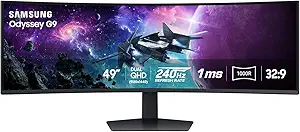
The Samsung Odyssey G9 is a massive 49-inch curved monitor that redefines immersive gaming and multitasking. Its Dual QHD resolution and 240Hz refresh rate rival multi-monitor setups, providing high resolution and ultra-smooth performance. The HDR 1000 brightness and 1,000,000:1 contrast ratio deliver stunning visuals with deep blacks and vibrant colors. Compared to smaller, high-end options like the Alienware AW3425DW, it offers an unparalleled panoramic experience, though its size can be unwieldy in smaller spaces. Its VESA compatibility and ergonomic adjustments help tailor the setup, but the sheer scale makes it unsuitable for compact desks. This monitor is best for users seeking an all-in-one solution for gaming, streaming, and productivity in a single expansive display.
Pros:- Massive 49-inch curved display for immersive experience
- High resolution with Dual QHD for multitasking
- Vivid HDR 1000 brightness with high contrast
- Ergonomic stand and VESA compatibility
Cons:- Size may not fit in all spaces
- Premium price point for such a large display
- Complex setup and calibration required
Best for: Gamers and professionals needing an expansive, high-resolution display for multitasking and immersive experiences
Not ideal for: Small-space users or those seeking a traditional desk setup without extensive ergonomic adjustments
- Screen Size:49 inches
- Resolution:5120 x 1440
- Curvature:1000R
- Refresh Rate:240Hz
- Response Time:1ms(GtG)
- HDR:DisplayHDR 1000
Bottom line: This monitor is ideal for those needing a large, high-resolution all-in-one display for gaming and multitasking, despite its size and cost.

How We Picked
Each monitor in this roundup was evaluated based on a combination of performance, build quality, and usability. Critical factors included HDR brightness and contrast ratio, color accuracy and coverage, refresh rate and response time, and overall screen size and resolution. We prioritized models that deliver true HDR performance with high peak brightness and wide color gamuts, ensuring vibrant, detailed images. The ranking also considers ergonomic features, connectivity options, and value for the price. Products were compared against each other to highlight their strengths and limitations, helping buyers identify the best fit for their specific needs and budgets.Factors to Consider When Choosing Best HDR Monitors Over $500
Choosing the best HDR monitor over $500 involves understanding several key factors beyond just specifications. Size and resolution should match your workspace and usage needs, whether for gaming or professional work. Brightness levels, especially peak HDR brightness, determine how vivid and impactful HDR content appears. Color accuracy and coverage are vital for creative professionals requiring precise color rendering. Additionally, refresh rate and response time are essential for gamers seeking smooth gameplay. Finally, ergonomic features and connectivity options influence daily usability and future-proofing your setup. Being aware of these factors helps avoid overspending on unnecessary features or selecting a monitor that underperforms in your primary tasks.HDR Brightness and Contrast
High HDR brightness levels, typically above 1000 nits, enable the monitor to display more impactful contrast and vivid highlights. This is especially important for HDR content, where bright details add depth and realism. Contrast ratio, meanwhile, affects the difference between the darkest blacks and brightest whites, influencing overall image depth. Monitors with true HDR certification, like DisplayHDR 1000 or higher, tend to deliver more reliable and spectacular HDR performance. However, these models are usually more expensive, and some may prioritize peak brightness over sustained brightness, which impacts real-world viewing experience.
Color Accuracy and Coverage
Color fidelity is critical for creative work, making wide color gamut coverage (like DCI-P3 or Adobe RGB) and factory calibration essential. Monitors with high color accuracy ensure that visuals remain true to source material, whether editing photos or videos. While gaming monitors may focus less on color precision, professional-grade models often boast near-perfect accuracy. When evaluating, check for color coverage percentages and calibration reports. Keep in mind that achieving high color accuracy can come at a premium, but it’s worthwhile if you need the most precise color reproduction.
Refresh Rate and Response Time
For gaming, high refresh rates (120Hz and above) combined with low response times (under 1ms) are key to smooth, tear-free gameplay. These specs reduce motion blur and latency, enhancing competitive play. Conversely, for professional or casual use, standard refresh rates of 60Hz or 120Hz may suffice, especially if color accuracy and HDR performance are prioritized. Check if the monitor supports adaptive sync technologies like G-SYNC or FreeSync, which can improve the gaming experience without screen tearing. Balancing these features with overall picture quality ensures the monitor meets your primary use case without unnecessary compromises.
Size, Resolution, and Screen Curvature
Screen size and resolution impact workspace and immersion. Ultrawide monitors like the ASUS ROG Strix or MSI MPG provide expansive views, ideal for multitasking or immersive gaming, but require ample desk space. Higher resolutions like 4K or 6K offer sharper images, crucial for detailed editing or content creation. Curved screens enhance immersion but may not suit all desk setups or work styles. Consider your space and primary activities—larger, higher-resolution displays are more expensive but deliver superior detail and productivity. Ensure the monitor’s size aligns with your viewing distance to avoid eye strain.
Ergonomics and Connectivity
Comfortable viewing angles and adjustable stands are often overlooked but significantly impact daily use, especially during long sessions. Look for tilt, height, and swivel adjustments to customize your setup. Connectivity options like HDMI 2.1, USB-C, and multiple ports future-proof your investment and facilitate seamless connections with PCs, consoles, and peripherals. Some models also include built-in speakers or hubs, adding convenience but sometimes sacrificing audio quality. Prioritizing ergonomic features and flexible connectivity ensures your monitor remains comfortable and adaptable over time.
Frequently Asked Questions
Is HDR 1000 worth it over lower HDR certifications?
HDR 1000 indicates peak brightness levels of 1000 nits or more, allowing for more vibrant highlights and better contrast. For HDR content, this level of brightness makes a noticeable difference in visual impact. While it enhances the viewing experience, monitors with HDR 1000 tend to be more expensive and may require a powerful graphics card to fully utilize their capabilities. If HDR performance is a priority, investing in HDR 1000 or higher is worthwhile, but for general use or casual viewing, a lower certification might suffice without overspending.
Can I use a high-end HDR monitor for color-sensitive work?
Yes, many high-end HDR monitors are designed for professional use, featuring wide color gamuts like DCI-P3 or Adobe RGB and excellent factory calibration. These features enable accurate color reproduction essential for photo editing, video production, and graphic design. However, ensure the monitor explicitly states its color accuracy metrics and calibration capabilities. Keep in mind that some HDR monitors focus more on contrast and brightness for gaming, so verify that the model you choose is suited for color-critical tasks before purchasing.
Is higher resolution always better for HDR monitors?
Higher resolutions, such as 4K or 6K, provide sharper images and more detail, which benefits creative workflows and immersive experiences. However, they also demand more powerful hardware to drive smooth performance, especially in gaming or 3D applications. For general productivity, a 4K monitor offers a good balance between detail and performance. In professional settings where precise detail matters, higher resolutions can be a significant advantage, but it’s important to ensure your system can handle the increased pixel count efficiently.
Should I prioritize refresh rate or HDR brightness for gaming?
For gaming, both high refresh rates (120Hz or higher) and high HDR brightness improve the experience, but the priority depends on your preferences. If smooth gameplay is your main concern, a high refresh rate with low response time is critical. If visual fidelity and HDR effects are more important, then look for a monitor with high peak brightness and good contrast. Ideally, choose a model that offers a balance—many premium gaming monitors now combine high refresh rates with excellent HDR performance, providing both smoothness and vibrant visuals.