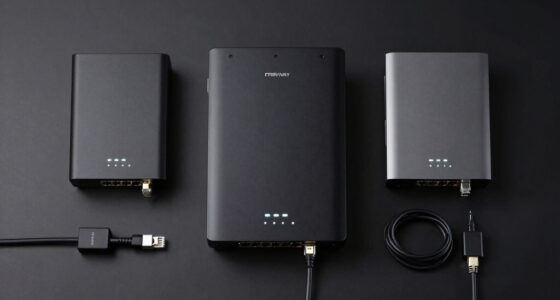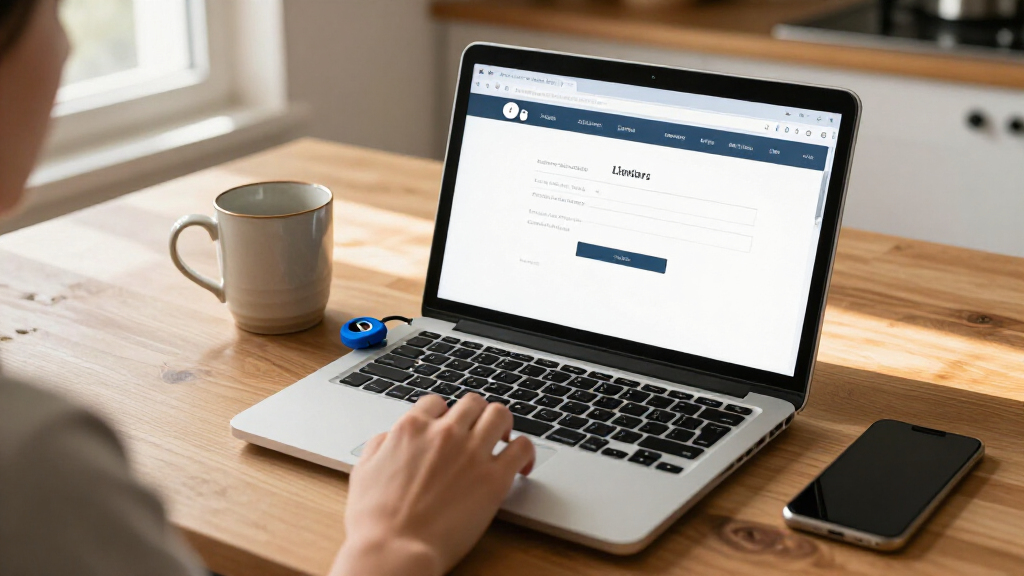

Choosing the right hardware security keys for online accounts determines how effectively you protect your digital identity against phishing and credential theft. My top recommendation for most users is the YubiKey 5C NFC because it combines universal USB-C connectivity with wireless NFC support, covering phones, laptops, and tablets without adapters. For those seeking a budget-friendly entry point, the Yubico Security Key NFC offers essential FIDO2 protection at a lower cost, though it lacks the advanced cryptographic features of the premium line. The primary tradeoff in this category is between device compatibility and feature depth; cheaper keys often omit biometric verification or multi-protocol support. I recommend continuing to read for a detailed breakdown of which key fits your specific ecosystem and threat model.

Get privacy and security gear delivered free with Prime
- Fast, free delivery on millions of items
- Prime Video, Amazon Music and more included
- Member-only deals all year
Key Takeaways
- The YubiKey 5C NFC remains the gold standard for versatility, supporting FIDO2, WebAuthn, and PIV/CAC on a single device, making it ideal for mixed-device environments.
- Budget-friendly FIDO2-only keys like the Thetis Pro and Yubico Security Key NFC provide strong phishing resistance but lack the enterprise-grade encryption protocols found in premium models.
- Form factor matters: Nano versions are safer for travel as they reduce the risk of physical damage or accidental removal, while standard keys are easier to handle frequently.
- Support for biometric verification (such as fingerprint or PIN) significantly enhances security by preventing unauthorized use if the physical key is lost or stolen.
- For users with older hardware, ensuring USB-A compatibility is critical, as many newer keys have shifted exclusively to USB-C, requiring adapters for legacy ports.
| Yubico YubiKey 5C and Nano 5C Security Key Bundle (2-Pack) |  | Best for a USB-C Primary Key and Backup | Brand: Yubico | Models: YubiKey 5C and Nano 5C | Number of keys: 2 | VIEW LATEST PRICE | See Our Full Breakdown |
| Yubico Security Key NFC USB-A and NFC Authentication Key |  | Best for Straightforward USB-A and Phone Sign-In | Connectivity: USB-A and NFC | Protocols: FIDO2/WebAuthn and FIDO U2F | Passkey capacity: Up to 100 slots | VIEW LATEST PRICE | See Our Full Breakdown |
| HyperFIDO Pro Mini U2F/FIDO2/HOTP Security Key |  | Best Compact FIDO and HOTP Option | Brand: Hypersecu | Model: HYF-HYPERFIDO-K8-PRO | Authentication protocols: FIDO U2F, FIDO2, OATH HOTP | VIEW LATEST PRICE | See Our Full Breakdown |
| Thetis Pro FIDO2 Security Key with USB-A, USB-C, and NFC |  | Best for Mixed USB-A and USB-C Devices | Authentication: FIDO2 | Connectors: USB-A and USB-C | NFC: Mobile authentication only; not supported on macOS or Windows | VIEW LATEST PRICE | See Our Full Breakdown |
| Thetis Pro for Business FIDO2 Security Key with USB-A, USB-C, and NFC |  | Best for FIDO and One-Time Password Mix | Authentication: FIDO2, passkeys, TOTP/HOTP, NFC | Certification: FIDO2 Level 1 | Connectors: USB-A and USB-C | VIEW LATEST PRICE | See Our Full Breakdown |
| Yubico YubiKey 5C NFC FIPS Security Key |  | Best for Regulated Work Accounts | Certification: FIPS 140-3 validated; Overall Level 2, Physical Security Level 3 | Connections: USB-C and NFC | Supported protocols: FIDO2/WebAuthn, FIDO U2F, Yubico OTP, OATH-TOTP/HOTP, PIV, OpenPGP | VIEW LATEST PRICE | See Our Full Breakdown |
| Thetis PRO-A FIDO2 Security Key, USB-A and NFC, 2-Pack |  | Best Two-Key Starter Set | Model: Thetis PRO-A | Quantity: 2 keys | Certification: FIDO2 Level 1 | VIEW LATEST PRICE | See Our Full Breakdown |
| Yubico YubiKey 5C NFC Security Key |  | Best Overall for USB-C and Phone Use | Model: YubiKey 5C NFC | Connectivity: USB-C and NFC | Supported protocols: FIDO2/WebAuthn, FIDO U2F, Yubico OTP, OATH-TOTP/HOTP, PIV, OpenPGP | VIEW LATEST PRICE | See Our Full Breakdown |
| Yubico YubiKey 5C USB-C Security Key |  | Best for USB-C-Only Setups | Model: YubiKey 5C (Y-243) | Connector: USB-C | Authentication protocols: FIDO2/WebAuthn, FIDO U2F, Yubico OTP, OATH-TOTP/HOTP, PIV, OpenPGP | VIEW LATEST PRICE | See Our Full Breakdown |
| Thetis Pro for Business FIDO2 Security Key with USB-A, USB-C, and NFC |  | Best for Mixed-Port Workplaces | Certification: FIDO2 Level 1 | Authentication: FIDO2, U2F, TOTP, and HOTP | Connections: USB-A, USB-C, and NFC | VIEW LATEST PRICE | See Our Full Breakdown |
| Thetis PRO-C FIDO2 USB-C Security Key with NFC, 2-Pack |  | Best for Flexible Account Coverage | Connectivity: USB-C, NFC | Authentication: FIDO2, passkeys, TOTP/HOTP | FIDO2 certification: Level 1 | VIEW LATEST PRICE | See Our Full Breakdown |
| Yubico YubiKey 5Ci Security Key |  | Best for Lightning-and-USB-C Devices | Connectors: Lightning and USB-C | Authentication standards: FIDO2/WebAuthn, FIDO U2F, Yubico OTP, OATH-TOTP/HOTP, PIV, OpenPGP | Firmware: 5.7 | VIEW LATEST PRICE | See Our Full Breakdown |
| Thetis FIDO2 Security Key, USB-A, 2-Pack |  | Best USB-A Backup Pair | Pack size: 2 | Certification: FIDO2 Level 1 | Interface: USB 2.0 | VIEW LATEST PRICE | See Our Full Breakdown |
| Kensington VeriMark NFC+ USB-C Security Key |  | Best for Rugged USB-C and NFC Carry | Connectivity: USB-C, NFC | Authentication standards: FIDO2, WebAuthn, CTAP 2.1; backwards compatible with CTAP 2 | Compatible platforms: Windows, macOS, iOS, Android, ChromeOS | VIEW LATEST PRICE | See Our Full Breakdown |
| Yubico FIDO Security Key NFC and USB-A |  | Best Simple USB-A and NFC Pick | Connectivity: USB-A, NFC | Protocols: FIDO2, FIDO U2F, Challenge-Response | Color: Blue | VIEW LATEST PRICE | See Our Full Breakdown |
| hardware security keys for online account | Dimensions |
|---|---|
| Yubico YubiKey 5C and Nano 5C | — |
| Yubico Security Key NFC USB-A | — |
| HyperFIDO Pro Mini U2F/FIDO2/H | 0.59 × 0.39 × 0.2 inches |
| Thetis Pro FIDO2 Security Key | 2.9 × 0.72 × 0.5 inches |
| Thetis Pro for Business FIDO2 | 2.9 × 0.72 × 0.5 inches |
| Yubico YubiKey 5C NFC FIPS Sec | — |
| Thetis PRO-A FIDO2 Security Ke | 0.3 × 0.6 × 0.3 in |
| Yubico YubiKey 5C NFC Security | 0.15 × 0.7 × 1.77 in |
| Yubico YubiKey 5C USB-C Securi | 0.49 × 1.16 × 0.2 in |
| Thetis Pro for Business FIDO2 | 2.9 × 0.72 × 0.5 in (D × W × H) |
| Thetis PRO-C FIDO2 USB-C Secur | 0.4 × 0.62 × 0.4 in |
| Yubico YubiKey 5Ci Security Ke | — |
| Thetis FIDO2 Security Key | — |
| Kensington VeriMark NFC+ USB-C | 2.01 × 0.63 × 0.2 in |
| Yubico FIDO Security Key NFC a | 3.31 × 0.67 × 2.09 in |
More Details on Our Top Picks
Yubico YubiKey 5C and Nano 5C Security Key Bundle (2-Pack)
For someone protecting several online accounts, this bundle pairs a standard USB-C YubiKey 5C with a smaller Nano 5C that can stay in a compatible device. Having two keys gives me a ready backup if one is lost, while support for FIDO2/WebAuthn and FIDO U2F covers phishing-resistant sign-in on services that accept those standards. Unlike the simpler Yubico Security Key NFC USB-A, this set also supports OTP, OATH, PIV, and OpenPGP, which can serve users with authentication needs beyond web sign-in. That flexibility comes with a tradeoff: both keys use USB-C, so neither is a fit for USB-A-only devices, and the Nano’s tiny form is less convenient to remove frequently. I’d choose this bundle for broad protocol support and a built-in spare, provided USB-C fits my devices.
Pros:- Includes two keys, giving the buyer a separate backup for account recovery.
- Supports FIDO2/WebAuthn and FIDO U2F alongside OTP, OATH, PIV, and OpenPGP.
- Waterproof and shockproof construction suits keys carried daily.
- Nano 5C’s compact form can stay connected to a compatible device.
Cons:- USB-C connectors do not fit USB-A-only devices.
- Neither key provides NFC authentication for phones without a USB-C port.
- The Nano form is small and may be less convenient for frequent removal.
Best for: USB-C device owners who want a full-size daily key, a compact second key, and support for multiple authentication standards.
Not ideal for: People with USB-A-only computers or anyone who needs a key with NFC for phone sign-in.
- Brand:Yubico
- Models:YubiKey 5C and Nano 5C
- Number of keys:2
- Hardware interface:USB Type-C
- Supported standards:FIDO2/WebAuthn, FIDO U2F, Yubico OTP, OATH-TOTP/HOTP, PIV, OpenPGP
- Construction:Waterproof and shockproof
- Firmware:5.7
- Country of manufacture:Sweden
Our verdict“Choose this two-key set if your devices use USB-C and you want broad protocol support plus a compact spare.”
Yubico Security Key NFC USB-A and NFC Authentication Key
This is the most focused choice here for people who want FIDO2 or U2F sign-in without extra authentication modes to configure. USB-A covers many older laptops and desktops, while NFC adds a way to authenticate with compatible mobile devices. Compared with the USB-C YubiKey 5C and Nano 5C Bundle, this key trades broader protocol support for a simpler FIDO-centered setup; it does not offer OTP or Yubico Authenticator app support. Its stated capacity of up to 100 passkey slots gives buyers room for multiple credentials, though the useful capacity depends on their account setup. Water-resistant and crush-resistant materials suit everyday carry, but the USB-A connector can be an obstacle on newer devices without an adapter. I’d pick it for basic phishing-resistant sign-in across USB-A computers and NFC phones.
Pros:- Offers both USB-A and NFC authentication for compatible computers and mobile devices.
- Supports FIDO2/WebAuthn and FIDO U2F for phishing-resistant sign-in.
- Provides up to 100 passkey slots.
- Water-resistant and crush-resistant construction is suited to everyday carry.
Cons:- USB-A may require an adapter for devices that only have USB-C.
- Does not support one-time passwords or the Yubico Authenticator app.
- Its FIDO-focused protocol set is narrower than the YubiKey 5C and Nano 5C Bundle.
Best for: People who use USB-A computers and NFC-enabled phones and want a dedicated FIDO security key for online accounts.
Not ideal for: Users who need USB-C, OTP or OATH features, or compatibility with the Yubico Authenticator app.
- Connectivity:USB-A and NFC
- Protocols:FIDO2/WebAuthn and FIDO U2F
- Passkey capacity:Up to 100 slots
- Water resistance:Water-resistant
- Impact resistance:Crush-resistant
- Color:Black
- Compatibility:Desktop, laptop, mobile, and tablet; NFC-enabled devices
- Limitations:No one-time password support; not compatible with the Yubico Authenticator app
Our verdict“Pick this key if USB-A and NFC cover your devices and you want straightforward FIDO sign-in without extra protocols.”
HyperFIDO Pro Mini U2F/FIDO2/HOTP Security Key
The HyperFIDO Pro Mini puts FIDO U2F and FIDO2 in a body small enough for a key chain, with HOTP available for accounts that use that method. FIDO use needs no additional software, which keeps online account sign-in simple compared with a more feature-packed option such as the YubiKey 5C and Nano 5C Bundle. The tradeoff is a narrower set of provided details and a USB connection with no stated NFC option, so mobile sign-in depends on compatible hardware. HOTP also requires programming, making that capability less ready to use than its FIDO functions. Its tiny size is appealing for a low-profile carry key, but buyers who want a second key in the package or broader authentication tools should look at the Yubico bundle instead. I’d choose this model when compactness and basic FIDO support lead the decision.
Pros:- Supports FIDO U2F and FIDO2 for compatible online accounts.
- Adds OATH HOTP for services that support that authentication method.
- FIDO use requires no additional software.
- Small, lightweight body fits on a key chain.
Cons:- HOTP requires programming before use.
- USB connectivity is the only connection listed; NFC is not specified.
- The listed feature set is narrower than the YubiKey 5C and Nano 5C Bundle.
Best for: People who want a very small USB key for FIDO-enabled accounts and may also need programmable HOTP.
Not ideal for: Buyers who need NFC phone authentication, a supplied backup key, or HOTP that works without programming.
- Brand:Hypersecu
- Model:HYF-HYPERFIDO-K8-PRO
- Authentication protocols:FIDO U2F, FIDO2, OATH HOTP
- Connectivity:USB
- Dimensions:0.59 × 0.39 × 0.2 inches
- Weight:0.16 ounces
- Software requirement:No additional software required for FIDO use
- HOTP setup:Requires programming
Our verdict“Choose the HyperFIDO Pro Mini if you want a tiny USB FIDO key and are prepared to program HOTP when needed.”
Thetis Pro FIDO2 Security Key with USB-A, USB-C, and NFC
The Thetis Pro’s clearest advantage is connector flexibility: its USB-A and USB-C connectors cover two common computer ports, and NFC can handle sign-in on compatible mobile devices. That makes it more adaptable across a mixed device setup than the USB-A-only Yubico Security Key NFC. The rotating metal cover protects the connectors when the key is carried, while its water- and crush-resistant design adds everyday durability. Its focus is narrower than the Thetis Pro for Business, which lists TOTP/HOTP and passkey slot counts; this model’s supplied specs emphasize FIDO2 authentication instead. Buyers should also note that NFC is for mobile authentication, not macOS or Windows, and Windows Hello has specific Enterprise and Entra ID requirements. I’d choose it for port flexibility, as long as those platform limits match my account setup.
Pros:- USB-A and USB-C connectors cover a range of computers without relying on one port type.
- NFC supports authentication on compatible mobile devices.
- Rotating metal cover protects the connectors during carry.
- Water- and crush-resistant construction suits daily use.
Cons:- NFC authentication is not supported on macOS or Windows.
- Windows Hello requires an eligible Windows Enterprise edition with Entra ID.
- ID Austria is not supported.
Best for: People who switch between USB-A and USB-C computers and want NFC sign-in on compatible mobile devices.
Not ideal for: Users who need NFC on macOS or Windows, rely on Windows Hello outside the stated Enterprise and Entra ID setup, or need ID Austria support.
- Authentication:FIDO2
- Connectors:USB-A and USB-C
- NFC:Mobile authentication only; not supported on macOS or Windows
- Compatible operating systems:Windows, macOS, Linux, Chrome OS
- Windows Hello:Requires a supported Windows Enterprise edition with Entra ID
- Dimensions:2.9 × 0.72 × 0.5 inches
- Weight:1 ounce
- Construction and power:Rotating metal cover; water- and crush-resistant; no battery required
- ID Austria:Not supported
Our verdict“Choose this Thetis Pro if your computers use a mix of USB-A and USB-C and you will use NFC only with compatible phones.”
Thetis Pro for Business FIDO2 Security Key with USB-A, USB-C, and NFC
This business-oriented Thetis combines FIDO2 passkeys with TOTP/HOTP support, so it can cover online accounts that use phishing-resistant sign-in as well as accounts that still rely on one-time codes. Its 200 passkey slots and 50 OATH slots give buyers stated capacity for both credential types. Compared with the standard Thetis Pro, its listed OATH support and slot counts make the choice clearer for someone who needs more than FIDO sign-in. USB-A, USB-C, and NFC offer broad connection options, though NFC is limited to mobile devices. The Manager App supports hardware PIN setup and OTP features, adding a setup step some buyers may not need. Windows Hello has an Enterprise requirement, and ID Austria is unsupported. I’d choose this model for mixed authentication needs, not for a simple FIDO-only setup.
Pros:- Supports FIDO2 passkeys as well as TOTP and HOTP.
- Lists capacity for 200 passkeys and 50 OATH credentials.
- USB-A and USB-C connectors plus mobile NFC cover multiple device types.
- Manager App supports hardware PIN setup and OTP features.
Cons:- NFC authentication is limited to mobile devices.
- Windows Hello requires a compatible Windows Enterprise edition.
- ID Austria is not supported.
Best for: People managing a mix of passkey-enabled accounts and services that still require TOTP or HOTP codes.
Not ideal for: Buyers who only need a basic FIDO key, need NFC on a computer, or depend on ID Austria or non-Enterprise Windows Hello.
- Authentication:FIDO2, passkeys, TOTP/HOTP, NFC
- Certification:FIDO2 Level 1
- Connectors:USB-A and USB-C
- Passkey capacity:200 slots
- OATH capacity:50 slots
- Manager App:Supports hardware PIN setup and TOTP/HOTP features
- Dimensions:2.9 × 0.72 × 0.5 inches
- Compatible devices:Computers and mobile devices with FIDO U2F/FIDO2 support
- Platform limitations:NFC for mobile; Windows Hello needs compatible Enterprise edition; ID Austria unsupported
Our verdict“Choose the Business model if you need one key for passkeys and one-time codes across compatible computers and mobile devices.”
Yubico YubiKey 5C NFC FIPS Security Key
For buyers whose account-security choice must meet a formal validation requirement, the YubiKey 5C NFC FIPS is the standout in this group. Its FIPS 140-3 validation, with Overall Level 2 and Physical Security Level 3, sets it apart from the standard YubiKey 5C NFC, which offers similar connection options and protocols without that listed validation. USB-C works with compatible computers, while NFC gives compatible phones a way to authenticate without plugging in. The broad protocol support also suits people managing more than basic passkey sign-ins. The tradeoff is that this extra credentialing may not matter for personal accounts, and compatibility still depends on the service and device. I’d also plan for a backup key: losing a sole security key can complicate account recovery.
Pros:- FIPS 140-3 validated, with Overall Level 2 and Physical Security Level 3
- USB-C and NFC support authentication across compatible computers and phones
- Broad protocol support includes FIDO2/WebAuthn, PIV, and OpenPGP
- Waterproof, crush-resistant design needs no battery, internet connection, or subscription
Cons:- The added validation may be unnecessary for ordinary personal accounts
- Service and device compatibility varies, so the listed protocols do not guarantee support everywhere
- A spare key is advisable to reduce lockout risk if the primary key is lost
Best for: Employees and administrators whose organization requires a FIPS 140-3-validated key and who use compatible USB-C computers or NFC-capable phones.
Not ideal for: Personal-account users who do not need FIPS validation, or anyone whose devices lack USB-C and NFC support.
- Certification:FIPS 140-3 validated; Overall Level 2, Physical Security Level 3
- Connections:USB-C and NFC
- Supported protocols:FIDO2/WebAuthn, FIDO U2F, Yubico OTP, OATH-TOTP/HOTP, PIV, OpenPGP
- Compatibility:Windows, macOS, Chrome OS, Linux, Chrome, and Edge
- Durability:Waterproof and crush-resistant
- Power requirements:No batteries required
- Country of manufacture:Sweden
Our verdict“Choose this over the standard YubiKey 5C NFC when FIPS validation is a requirement, not just a preference.”
Thetis PRO-A FIDO2 Security Key, USB-A and NFC, 2-Pack
The main advantage here is practical redundancy: this two-key set lets buyers keep a second key available for account recovery rather than relying on a single device. Both keys support FIDO2 passkeys and multifactor authentication, while TOTP/HOTP and 50 OATH slots cover services that have not adopted FIDO2. Compared with the YubiKey 5C NFC, the PRO-A uses USB-A rather than USB-C and includes two keys, making it a better fit for older computers or anyone setting up a backup from day one. Its NFC connection is limited to mobile authentication, however, and Windows Hello support requires a compatible Windows Enterprise edition. Buyers seeking one key for a mixed USB-A/USB-C setup may prefer the Thetis Pro for Business instead.
Pros:- Two keys make it easier to keep a backup available for account recovery
- Supports FIDO2 passkeys plus TOTP and HOTP for services without FIDO2
- Provides 50 OATH slots and 200 passkey slots
- USB-A and NFC support compatible computers and mobile devices
Cons:- NFC authentication is limited to mobile devices
- Windows Hello requires a supported Windows Enterprise edition with Entra ID
- Does not support ID Austria
Best for: People setting up passkeys on USB-A computers who want a separate backup key and need TOTP/HOTP support for older services.
Not ideal for: Buyers with USB-C-only computers, or users who expect NFC authentication to work on desktop systems.
- Model:Thetis PRO-A
- Quantity:2 keys
- Certification:FIDO2 Level 1
- Connectivity:USB-A, USB 2.0, and NFC
- Authentication:FIDO2, passkeys, TOTP, and HOTP
- OATH slots:50
- Passkey slots:200
- Compatible devices:Smartphones, tablets, Windows and macOS computers
- Dimensions:0.3 × 0.6 × 0.3 in
Our verdict“Pick this two-pack if USB-A compatibility and a ready backup matter more than USB-C support.”
Yubico YubiKey 5C NFC Security Key
For someone who wants one versatile key for everyday online accounts, the YubiKey 5C NFC balances computer and phone access better than the USB-C-only YubiKey 5C. Plug it into a compatible USB-C device or use NFC with a compatible phone, and its wide protocol support reaches beyond passkeys to OTP, smart-card, and OpenPGP use. That breadth makes it a stronger general-purpose choice than the more focused Thetis PRO-A, though the latter comes as a two-pack and offers 200 passkey slots. This Yubico model lists 100 passkey slots, and a USB-C connector can leave owners of older USB-A devices needing an adapter. A second key remains a sensible safeguard against losing access to accounts.
Pros:- USB-C and NFC provide two ways to authenticate on compatible devices
- Supports FIDO2/WebAuthn, U2F, OTP, PIV, and OpenPGP
- Works with more than 1,000 accounts and services, subject to service support
- Water-resistant, crush-resistant design operates without a battery or internet connection
Cons:- USB-C devices may require an adapter for computers with only USB-A ports
- The listed capacity is 100 passkey slots, fewer than the Thetis PRO-A’s 200
- A spare key is recommended in case the primary key is lost
Best for: People who use USB-C computers and NFC-capable phones and want one key for passkeys, multifactor authentication, and other supported protocols.
Not ideal for: Buyers who need two keys in the box, have only USB-A devices, or need FIPS validation.
- Model:YubiKey 5C NFC
- Connectivity:USB-C and NFC
- Supported protocols:FIDO2/WebAuthn, FIDO U2F, Yubico OTP, OATH-TOTP/HOTP, PIV, OpenPGP
- Passkey slots:100
- Dimensions:0.15 × 0.7 × 1.77 in
- Color:Black
- Water resistance:Yes
- Crush resistance:Yes
Our verdict“Choose this as a flexible daily key if you want both USB-C computer access and NFC phone sign-in.”
Yubico YubiKey 5C USB-C Security Key
If your accounts are accessed mainly from a USB-C computer, the YubiKey 5C offers the same broad protocol range as the 5C NFC without paying for a phone-authentication option you may not use. It supports FIDO2/WebAuthn and U2F for phishing-resistant sign-in, alongside OTP, PIV, and OpenPGP for compatible services and workflows. Unlike the YubiKey 5C NFC, it has no NFC connection, so it cannot provide that tap-to-authenticate route on a compatible phone. Thetis Pro for Business is more flexible on ports, offering USB-A, USB-C, and NFC, but this Yubico model is a simpler fit for USB-C-centered setups. Its connector is also a firm limitation: USB-A-only computers need an adapter.
Pros:- Supports FIDO2/WebAuthn, U2F, OTP, PIV, and OpenPGP
- Works with compatible accounts across major desktop operating systems
- Waterproof and crush-resistant
- Requires no battery or internet connection
Cons:- USB-C is the only listed connection, with no NFC option
- A USB-A-only device requires an adapter
- A backup key is recommended to reduce the risk of account lockout
Best for: USB-C laptop and desktop users who want broad authentication protocol support and do not need NFC phone sign-in.
Not ideal for: People who rely on NFC for mobile logins or need to use the same key with USB-A-only computers without an adapter.
- Model:YubiKey 5C (Y-243)
- Connector:USB-C
- Authentication protocols:FIDO2/WebAuthn, FIDO U2F, Yubico OTP, OATH-TOTP/HOTP, PIV, OpenPGP
- Compatibility:Mac and PC; Windows, macOS, ChromeOS, Linux
- Weight:0.2 ounces
- Dimensions:0.49 × 1.16 × 0.2 in
- Firmware:5.7
- Country of manufacture:Sweden
Our verdict“Choose this over the 5C NFC if USB-C is all you need and you prefer not to rely on mobile NFC.”
Thetis Pro for Business FIDO2 Security Key with USB-A, USB-C, and NFC
For buyers moving between older USB-A computers, newer USB-C laptops, and mobile devices, the Thetis Pro for Business has the broadest connection mix among these five picks. Its USB-A, USB-C, and NFC options reduce the need to carry adapters, while FIDO2 and U2F cover supported passkey and security-key sign-ins. TOTP/HOTP through the Thetis Manager app adds a route for services that do not support FIDO2. Compared with the YubiKey 5C NFC, this model accepts both common USB connector types, but its FIDO2 Level 1 certification and stated feature set may be less appealing to buyers seeking the Yubico key’s broader protocol list or the FIPS validation of the YubiKey 5C NFC FIPS. NFC is for mobile use, and Windows Hello support has a specific Enterprise requirement.
Pros:- USB-A, USB-C, and NFC support a broad mix of compatible devices
- FIDO2 and U2F support security-key and passkey sign-ins on compatible services
- TOTP/HOTP adds support for some services without FIDO2
- Rotating metal cover and water, crush, and tamper resistance help protect the key in daily carry
Cons:- NFC authentication is not supported on macOS or Windows
- Windows Hello requires a supported Windows Enterprise edition
- Does not support ID Austria
Best for: Workplace users who move among USB-A and USB-C computers and compatible mobile devices and want passkey plus TOTP/HOTP options.
Not ideal for: Buyers who need NFC authentication on Windows or macOS, require ID Austria, or need FIPS validation.
- Certification:FIDO2 Level 1
- Authentication:FIDO2, U2F, TOTP, and HOTP
- Connections:USB-A, USB-C, and NFC
- Compatible devices:Computers and mobile devices
- Dimensions:2.9 × 0.72 × 0.5 in (D × W × H)
- Power:No batteries required
- NFC limitation:Mobile authentication only; not supported on macOS or Windows
- Windows Hello:Requires a supported Windows Enterprise edition
Our verdict“Choose this over the YubiKey 5C NFC if you need both USB connector types, but check its platform limits before relying on NFC.”
Thetis PRO-C FIDO2 USB-C Security Key with NFC, 2-Pack
I’d choose this two-key set for households or individuals who want a backup and need more than passkey sign-in. The USB-C and NFC options cover computers and compatible phones, while TOTP/HOTP support can help protect accounts that do not accept FIDO2 keys. Its listed capacity of 200 passkey slots and 50 OATH slots gives it room for a broad account collection. Compared with the Thetis FIDO2 USB-A 2-Pack, this model is a better fit for newer USB-C devices and mobile NFC use; the USB-A pair may suit older computers instead. The tradeoff is that NFC works only with mobile devices, and some environments have compatibility limits: ID Austria is unsupported, and Windows Hello login requires a supported Enterprise edition with Entra ID.
Pros:- Includes two keys for a backup or a second user.
- USB-C and NFC support suit compatible computers and mobile devices.
- FIDO2 passkeys plus TOTP/HOTP cover accounts using different authentication methods.
- Lists capacity for 200 passkeys and 50 OATH credentials.
Cons:- NFC authentication is limited to mobile devices.
- ID Austria is not supported.
- Windows Hello login requires a supported Windows Enterprise edition with Entra ID.
Best for: People securing many mixed FIDO2 and OTP accounts who want a spare key and use USB-C devices or NFC-capable phones.
Not ideal for: People who need NFC authentication from a computer, support for ID Austria, or Windows Hello on a non-supported Windows setup.
- Connectivity:USB-C, NFC
- Authentication:FIDO2, passkeys, TOTP/HOTP
- FIDO2 certification:Level 1
- OATH slots:50
- Passkey slots:200
- Compatible devices:Smartphones, tablets, computers, laptops, desktops
- Pack size:2
- Dimensions:0.4 × 0.62 × 0.4 in
Our verdict“Choose this pair if you want USB-C and mobile NFC access alongside OTP support, and can work within its platform limits.”
Yubico YubiKey 5Ci Security Key
The YubiKey 5Ci is the clearest fit here for someone who needs a physical connector that can plug into both Lightning and USB-C devices. That makes it more useful across certain iPhone, iPad, and computer setups than the USB-A-only Yubico Security Key NFC, which instead offers tap-based NFC on compatible phones. Its appeal also extends beyond passkeys: the 5Ci supports FIDO2/WebAuthn, U2F, OTP, OATH, PIV, and OpenPGP, giving technically minded users more authentication options. It needs no battery or internet connection, and its stated waterproof, crush-resistant build suits keychain carry. The tradeoff is that broad protocol support does not guarantee every account or device will accept it. I’d also plan for a spare, since losing a sole key can complicate account recovery.
Pros:- Lightning and USB-C connectors support a wider mix of compatible devices than a single-connector key.
- Supports FIDO2/WebAuthn, U2F, OTP, OATH, PIV, and OpenPGP.
- Requires no batteries or internet connection.
- Waterproof and crush-resistant construction is suited to carry.
Cons:- Requires compatible devices and accounts; connector fit alone does not guarantee service support.
- No NFC connectivity is listed.
- A spare key is recommended to reduce the risk of account lockout.
Best for: People who switch between compatible Lightning and USB-C devices and want one key for FIDO sign-in plus several additional authentication standards.
Not ideal for: Buyers who want NFC tap authentication, a simple passkey-only device, or a setup that cannot accommodate a backup key.
- Connectors:Lightning and USB-C
- Authentication standards:FIDO2/WebAuthn, FIDO U2F, Yubico OTP, OATH-TOTP/HOTP, PIV, OpenPGP
- Firmware:5.7
- Power:No batteries required
- Network:No internet connection required
- Durability:Waterproof and crush-resistant
- Manufacturing:Manufactured in Sweden; programmed in the USA
Our verdict“Pick the 5Ci if your compatible devices include both Lightning and USB-C and you value broad protocol support over NFC.”
Thetis FIDO2 Security Key, USB-A, 2-Pack
If your accounts are accessed mainly from computers with USB-A ports, this two-key set keeps the setup straightforward: one key can stay in daily use while the other serves as a backup. The FIDO2 passkey and hardware MFA support protect compatible services without batteries or a network connection, and the rotating metal cover helps shield the connector when carried on a keychain. Compared with the Thetis PRO-C USB-C 2-Pack, this pair favors older USB-A equipment but gives up NFC and USB-C flexibility. That difference matters most for phone-first sign-in: there is no tap-based mobile authentication here. Compatibility is not universal either, including the stated limits for ID Austria and Windows Hello. I’d select it for a USB-A-centered account setup, not as a future-proof choice for mixed connectors.
Pros:- Two keys provide a backup or a second key for another user.
- Supports FIDO2 passkeys and hardware-based multifactor authentication.
- Rotating metal cover and keychain-friendly form support everyday carry.
- Works without batteries or network connectivity.
Cons:- USB-A connector limits use with devices that lack a compatible port.
- NFC is not supported.
- ID Austria and some Windows Hello configurations are unsupported.
Best for: People with USB-A computers who want two FIDO2 keys for account protection and backup, without needing phone-based NFC sign-in.
Not ideal for: Phone-first users, owners of USB-C-only devices, or anyone whose services require NFC authentication.
- Pack size:2
- Certification:FIDO2 Level 1
- Interface:USB 2.0
- Connector:USB Type-A
- OATH slots:50
- FIDO2 passkey slots:200
- Weight:8.53 g
- NFC:Not supported
Our verdict“Choose this pair for a USB-A-based setup that needs a spare key, but skip it if mobile NFC access matters.”
Kensington VeriMark NFC+ USB-C Security Key
The Kensington VeriMark NFC+ makes sense for buyers who want a compact USB-C and NFC passkey key with a clearly stated dust- and water-resistance rating. Its IP68 rating and slim, keychain-ready dimensions give it a tougher carry profile than the Thetis PRO-C, whose listed specs do not include an IP rating. Both offer USB-C and NFC, so the decision is less about basic connectivity and more about durability claims and certification: Kensington lists FIDO2 L2 and CTAP 2.1 compatibility, while Thetis lists FIDO2 Level 1 and adds TOTP/HOTP support. That missing OTP flexibility may matter if some of your accounts do not accept FIDO2 keys. The Kensington also depends on compatible devices, and advanced management features may require optional software.
Pros:- USB-C and NFC support authentication across compatible computers and mobile devices.
- Supports passkeys, FIDO2, WebAuthn, and CTAP 2.1.
- IP68 rating and slim dimensions suit keychain carry.
- FIDO2 L2 certification is listed for phishing-resistant security.
Cons:- Requires compatible devices and services.
- Advanced management features may require optional Kensington software.
- TOTP/HOTP support is not listed, unlike the Thetis PRO-C.
Best for: USB-C and NFC users who carry a key daily and prioritize a stated IP68 rating and FIDO2 L2 certification.
Not ideal for: People who need TOTP/HOTP support on the key, or buyers seeking advanced management without optional software.
- Connectivity:USB-C, NFC
- Authentication standards:FIDO2, WebAuthn, CTAP 2.1; backwards compatible with CTAP 2
- Compatible platforms:Windows, macOS, iOS, Android, ChromeOS
- Water and dust resistance:IP68
- Dimensions:2.01 × 0.63 × 0.2 in
- Weight:0.176 ounces
- Model:K64739WW
- Manufacturer:Kensington
Our verdict“Pick Kensington for a compact, IP68-rated USB-C/NFC key, but choose the Thetis PRO-C if OTP support matters more.”
Yubico FIDO Security Key NFC and USB-A
This Yubico key is a straightforward choice if you want FIDO2 or U2F sign-in from a USB-A computer and NFC access from a compatible phone. Compared with the broader YubiKey 5Ci, it has a narrower set of listed protocols and uses USB-A rather than Lightning and USB-C connectors. That makes it easier to match to a basic account-security setup, but less suited to buyers who need PIV, OpenPGP, or multiple connector types. Its stated resistance to tampering, water, and crushing supports keychain carry, though the product data does not provide an IP rating. NFC also depends on both a compatible device and service, so it is not a universal substitute for a USB connection. I’d choose it for supported FIDO accounts, not as an all-purpose authentication tool.
Pros:- Supports FIDO2 and FIDO U2F authentication.
- USB-A and NFC provide two ways to authenticate on compatible devices.
- Supports passwordless sign-in on compatible services.
- Designed to resist tampering, water, and crushing.
Cons:- USB connection is USB-A, which does not suit devices without a compatible port.
- NFC requires both a supported device and service.
- Its listed protocol set is narrower than the YubiKey 5Ci.
Best for: People with USB-A computers and NFC-capable phones who want a simple hardware key for compatible FIDO2 or U2F accounts.
Not ideal for: USB-C-only device owners, buyers needing Lightning connectivity, or users seeking the broader protocol set of the YubiKey 5Ci.
- Connectivity:USB-A, NFC
- Protocols:FIDO2, FIDO U2F, Challenge-Response
- Color:Blue
- Weight:5.67 g
- Dimensions:3.31 × 0.67 × 2.09 in
- Read speed:12 MB/s
- Write speed:12 MB/s
- Warranty:1 year
Our verdict“Choose this key for uncomplicated FIDO sign-in across USB-A computers and compatible NFC phones, not for broad connector or protocol needs.”
How We Picked
I evaluated these hardware security keys based on three primary criteria: protocol support, device compatibility, and build durability. Protocol support was the heaviest weighting factor because a key’s ability to handle FIDO2, WebAuthn, U2F, and PIV/CAC determines its longevity and utility across different platforms (Windows, macOS, Linux, Android, iOS). I prioritized keys that offer seamless integration with major identity providers like Google, Microsoft, and GitHub without requiring proprietary software.
Device compatibility was assessed by examining the physical connectors (USB-A, USB-C, Lightning, NFC) and form factors. A key that requires frequent adapters creates friction, leading to user abandonment, so I favored designs that work out-of-the-box with modern laptops and smartphones. Finally, build durability and warranty considerations separated premium picks from budget options. I excluded keys with poor connector reinforcement or limited cross-platform support, focusing on products that offer reliable long-term performance for protecting sensitive online accounts.
Factors to Consider When Choosing Hardware Security Keys For Online Accounts
Selecting a hardware security key involves balancing technical specifications with daily usability. The wrong choice can lead to frustration, while the right one provides invisible, robust protection. Here are the key factors to weigh before making a purchase.
Protocol Support and Future Proofing
Not all security keys support the same protocols. FIDO2 and WebAuthn are the current standards for strong, phishing-resistant authentication on most modern websites. However, if you work in an enterprise environment, you might need PIV/CAC support for smart card login or OpenPGP for email encryption. A key like the YubiKey 5 series supports all these protocols, making it future-proof. Cheaper keys often support only FIDO2 or U2F. If you anticipate needing enterprise features or specific cryptographic standards, investing in a multi-protocol key saves you from buying a second device later. Always check if your specific employer or service provider requires a specific protocol before purchasing.
Connector Types and Device Ecosystem
The physical interface of your key must match your devices. USB-C is standard for modern laptops and Android phones, while USB-A is necessary for older desktops and some corporate workstations. NFC is essential if you frequently authenticate on smartphones or tablets. Lightning connectors are still relevant for older iPhones. Many users make the mistake of buying a USB-C key only to realize their primary work laptop still has USB-A ports. If your ecosystem is mixed, look for keys with dual connectors (like USB-A and USB-C on the same body) or carry a small adapter. For pure mobile users, an NFC-only key might be the most convenient option, eliminating the need for physical insertion.
Biometric Verification vs. Physical Touch
Most security keys require a physical touch to authorize a login, proving you have the device. However, biometric keys add a second factor: your fingerprint or PIN. This is highly recommended if you are concerned about losing your key. If a thief steals your key, they still cannot use it without your fingerprint or PIN. Without biometrics, a stolen key is a skeleton key to your accounts. Models like the YubiKey Bio or certain Thetis Pro variants offer this layer. Consider your risk profile: if you travel frequently or have high-value accounts, the extra cost for biometric verification is a worthwhile investment for peace of mind.
Form Factor: Standard vs. Nano
Nano keys are designed to stay plugged into your device permanently, reducing the risk of loss or damage. They are ideal for laptops that stay in a bag. Standard keys are easier to handle, plug in, and unplug, making them better for shared computers or public terminals. The tradeoff is physical vulnerability. A standard key sticking out of a laptop port can be easily snapped off or knocked into a crack in a table. If you primarily use your key at a fixed workstation, a standard key offers better ergonomics. If you are constantly on the move, a Nano key is safer and less obtrusive. Some users buy a Nano key for their laptop and a standard key for their desktop.
Price vs. Feature Depth
You do not always need the most expensive key. Budget FIDO2 keys provide the same core phishing protection as premium models for most consumer accounts (Google, Facebook, Apple). The premium price tag on keys like the YubiKey 5 covers enterprise protocols, higher durability, and biometric options. If you are a developer or security engineer who needs SSH key storage or PIV certificates, the premium features are necessary. For a general user protecting social media and email, a mid-range key is sufficient. Avoid paying for features you will never use, but do not compromise on build quality, as a flimsy connector can fail and lock you out of your accounts.
Frequently Asked Questions
Do I need two security keys for my online accounts?
Yes, owning two security keys is a best practice for recovery purposes. If you lose or break your primary key, you need a backup to regain access to your accounts. Most services allow you to register multiple keys. I recommend keeping the backup key in a secure location, such as a home safe or a safety deposit box, rather than carrying it with you. This prevents a scenario where both keys are stolen together. Some products, like the Thetis PRO-A 2-Pack, are sold in pairs, making it easy to have a primary and a backup without buying two separate orders.
Can I use a hardware security key with my iPhone?
Compatibility depends on your iPhone model and the key’s connector. iPhone 15 and newer use USB-C, so they work directly with USB-C keys like the YubiKey 5C. Older iPhones use Lightning, requiring a Lightning-compatible key like the YubiKey 5Ci or an adapter. NFC keys also work with iPhones running iOS 13.3 or later, though the NFC reader is located near the top edge of the phone, which can make alignment tricky. For the smoothest experience on newer iPhones, a USB-C key is generally more reliable than NFC due to faster read speeds and easier positioning.
What happens if I lose my hardware security key?
If you lose your key, you can still access your accounts if you registered a backup method. This could be a second security key, a phone number, or an email address, depending on your settings. Services like Google and Microsoft provide account recovery flows for lost keys. However, these flows are intentionally slow to prevent attackers from bypassing 2FA. If you did not set up any backup methods, you may be permanently locked out of your account. This is why I strongly advise setting up a second key or a trusted recovery phone number immediately after enabling hardware 2FA.
Are hardware security keys better than authenticator apps?
Yes, hardware keys are phishing-resistant, whereas authenticator apps are not. With an app, a malicious website can trick you into entering a code, which the attacker then uses to log in. A hardware key verifies the domain of the website you are logging into; if the domain does not match the legitimate service, the key will not respond. This makes hardware keys the strongest form of 2FA for protecting against sophisticated attacks. While authenticator apps are convenient and free, they are vulnerable to social engineering. For high-value accounts like banking or primary email, a hardware key is the superior choice.
Do hardware security keys work with all websites?
No, support is growing but not universal. Major platforms like Google, Microsoft, Apple, GitHub, and Facebook fully support hardware keys. However, smaller websites or legacy systems may only support SMS or app-based 2FA. Before buying a key, check if your most critical accounts support FIDO2 or U2F. If a website does not support hardware keys, you can still use the key for other accounts. It is also worth noting that some enterprise environments may require specific configurations or drivers for keys to work with internal portals, so consult your IT department if you are using this for work.
Conclusion
Selecting the right hardware security keys for online accounts comes down to matching the device to your daily workflow and security requirements. For the majority of users, the YubiKey 5C NFC is the best overall choice due to its unmatched versatility and broad protocol support. If you are on a tight budget and only need basic phishing protection for personal accounts, the Yubico Security Key NFC or Thetis Pro offers excellent value. For those requiring biometric verification to prevent unauthorized use if the key is lost, the YubiKey Bio or select Thetis models are the premium picks. Beginners should look for keys with simple USB-C or NFC connectivity to avoid adapter frustrations. Ultimately, the best key is the one you will use consistently, so prioritize ease of use alongside security features.
Halloween Picks

MGparty 10FT Halloween Inflatable Archway with LED Lights

Kalolary 11 ft Halloween Inflatable Archway Ghost House Tunnel

10.5 ft Lighted Pumpkin and Ghost Halloween Inflatable Archway
As an affiliate, we earn on qualifying purchases.