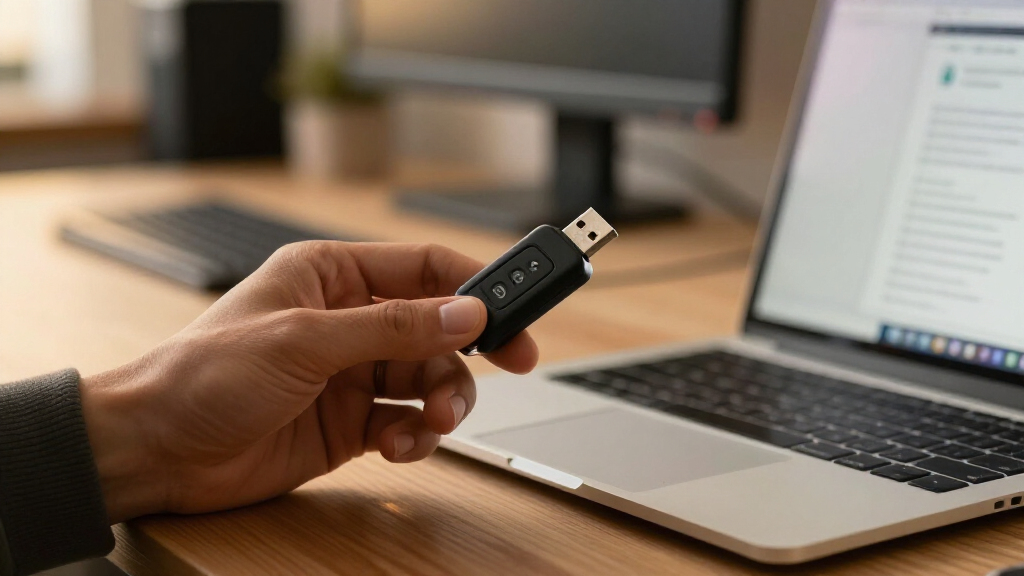
A USB security key for online authentication adds a physical check to sign-ins, but the right choice depends on your devices, accounts, and backup plan. I rank the Yubico YubiKey 5C as the best overall for its USB-C connection and broad authentication features. The Yubico Security Key NFC is a simpler fit for USB-A devices and phones with NFC, while the Thetis FIDO2 two-pack makes it easier to keep a spare. The main tradeoffs are connector compatibility, NFC access, advanced features, and whether you want one key or a backup pair. Read on for how the 15 options compare and which one fits your sign-in routine.

Get privacy and security gear delivered free with Prime
- Fast, free delivery on millions of items
- Prime Video, Amazon Music and more included
- Member-only deals all year
Key Takeaways
- Connector choice separates the leading picks: the YubiKey 5C suits USB-C devices, while the Yubico Security Key NFC pairs USB-A with NFC for compatible phones.
- FIDO2 support is not the whole story: buyers who need features beyond security-key sign-in should weigh the YubiKey 5 series against simpler FIDO2-focused models.
- A spare key changes the risk calculation: Thetis two-packs offer a ready-made backup, but buyers still need to register both keys with each supported account.
- Small form factors have a specific payoff: the Thetis Nano-A models reduce protrusion from USB-A ports, though they are less convenient to move between devices.
- The lineup includes repeated models: the two Thetis Pro listings appear to be the same USB-A, USB-C, and NFC model, so compare the actual listing and included accessories rather than treating them as distinct designs.
| Yubico YubiKey 5C – Multi-Factor Authentication Security Key with USB-C |  | Best Overall for USB-C Protocol Flexibility | Connectivity: USB-C | Authentication standards: FIDO2/WebAuthn, FIDO U2F, Yubico OTP, OATH-TOTP/HOTP, PIV, OpenPGP | Account compatibility: More than 1,000 accounts, including Google, Microsoft, and Apple | VIEW LATEST PRICE | See Our Full Breakdown |
| Thetis Pro FIDO2 Security Key with USB-A, USB-C, and NFC |  | Best for Multi-Device Connectivity | Authentication: FIDO2 Level 1, U2F, TOTP/HOTP | Connectivity: USB-A, USB-C, NFC | Compatible devices: Computers and mobile devices | VIEW LATEST PRICE | See Our Full Breakdown |
| Thetis Pro FIDO2 Security Key with USB-A, USB-C, and NFC |  | Best Compact Keychain Option | Model: Thetis PRO FIDO2 Key (flip-x) | Authentication: FIDO2 | Connectivity: USB-A, USB-C, NFC | VIEW LATEST PRICE | See Our Full Breakdown |
| TrustKey T120 USB-C FIDO2 and U2F Security Key |  | Best Simple USB-C Pick | Model: T120 | Authentication standards: FIDO2, U2F | Connection: USB Type-C | VIEW LATEST PRICE | See Our Full Breakdown |
| Thales SafeNet eToken FIDO2 Security Key, USB-A, 1 Pack |  | Best for USB-A Windows and Linux Setups | Model: SafeNet eToken FIDO | Model number: 909-000164-002 | Authentication standards: FIDO2 and U2F | VIEW LATEST PRICE | See Our Full Breakdown |
| Thetis FIDO2 Security Key, USB-A, 2-Pack |  | Best Two-Key Backup Set | Pack quantity: 2 | Connector: USB Type-A | Interface: USB 2.0 | VIEW LATEST PRICE | See Our Full Breakdown |
| Yubico Security Key NFC, USB-A and NFC FIDO2 Security Key |  | Best for Phone-Friendly Authentication | Connectivity: USB-A, NFC | Protocols: FIDO2/WebAuthn, FIDO U2F | Passkey slots: 100 | VIEW LATEST PRICE | See Our Full Breakdown |
| Thetis Nano-A FIDO2 Security Key 2-Pack – USB-A MFA & Passkey for Business and Personal Use |  | Best for Guided Setup | Pack quantity: 2 | FIDO2 certification: Level 1 | Connectivity: USB Type-A | VIEW LATEST PRICE | See Our Full Breakdown |
| Thetis Nano-A FIDO2 USB-A Security Key |  | Best Compact Single Key | Connector: USB-A | Dimensions: 0.75 × 0.74 × 0.25 in | Standards: FIDO and FIDO2 | VIEW LATEST PRICE | See Our Full Breakdown |
| Thetis FIDO U2F USB-A Security Key with Aluminum Folding Cover |  | Best for Basic U2F Second-Factor Use | Authentication protocol: FIDO U2F | Supported protocols: U2F only; does not support OTP or UAF | Interface: USB Type-A | VIEW LATEST PRICE | See Our Full Breakdown |
| Thetis FIDO2 Security Key with Folding USB-A Design |  | Best for Connector Protection | Authentication: FIDO2, U2F, HOTP | Interface: USB Type-A | Compatibility: Windows, macOS, Linux, Chrome OS | VIEW LATEST PRICE | See Our Full Breakdown |
| TrustKey T110 FIDO2 U2F USB-A Security Key with PIN and Touch |  | Best for PIN-and-Touch Verification | Model: TrustKey T110 | Authentication: FIDO2 and U2F | Interface: USB Type-A | VIEW LATEST PRICE | See Our Full Breakdown |
| Yubico YubiKey 5 NFC – Multi-Factor Authentication Security Key with USB-A and NFC | | Best for Broad Protocol Support | Connectivity: USB-A, NFC | Supported protocols: FIDO2, WebAuthn, U2F, OTP, PIV, OpenPGP | Construction: Waterproof, crush-resistant | VIEW LATEST PRICE | See Our Full Breakdown |
| Yubico YubiKey 5C NFC Security Key |  | Best for USB-C and NFC Flexibility | Model: YubiKey 5C NFC | Connectivity: USB-C, NFC | Supported protocols: FIDO2/WebAuthn, FIDO U2F, Yubico OTP, OATH-TOTP/HOTP, Smart Card (PIV), OpenPGP | VIEW LATEST PRICE | See Our Full Breakdown |
| Thetis PRO-A for Business – USB A FIDO2 Security Key 2 Pack |  | Best for Business and Backup Pairing | FIDO2 certification: L1 | Connectivity: USB-A, NFC | Pack size: 2 keys | VIEW LATEST PRICE | See Our Full Breakdown |
| USB security key for online authentication | Connectivity | Dimensions |
|---|---|---|
| Yubico YubiKey 5C | USB-C | — |
| Thetis Pro FIDO2 Security Key | USB-A, USB-C, NFC | 2.9 × 0.72 × 0.5 in |
| Thetis Pro FIDO2 Security Key | USB-A, USB-C, NFC | 2.9 × 0.72 × 0.5 in |
| TrustKey T120 USB-C FIDO2 and | — | 1.6 × 0.7 × 0.18 in |
| Thales SafeNet eToken FIDO2 Se | — | — |
| Thetis FIDO2 Security Key | — | 0.3 × 0.6 × 0.3 in |
| Yubico Security Key NFC | USB-A, NFC | — |
| Thetis Nano-A FIDO2 Security K | USB Type-A | — |
| Thetis Nano-A FIDO2 USB-A Secu | — | 0.75 × 0.74 × 0.25 in |
| Thetis FIDO U2F USB-A Security | — | 1.75 × 0.6 × 0.3 inches |
| Thetis FIDO2 Security Key with | — | 0.39 × 0.59 × 1.73 in |
| TrustKey T110 FIDO2 U2F USB-A | — | — |
| Yubico YubiKey 5 NFC | USB-A, NFC | — |
| Yubico YubiKey 5C NFC Security | USB-C, NFC | 0.15 × 0.7 × 1.77 in |
| Thetis PRO-A for Business | USB-A, NFC | — |
More Details on Our Top Picks
Yubico YubiKey 5C – Multi-Factor Authentication Security Key with USB-C
The YubiKey 5C is my strongest pick for buyers who want one USB-C key to cover more than passkey sign-ins. Alongside FIDO2/WebAuthn and U2F, it supports OATH codes, PIV, and OpenPGP, giving it broader uses than the FIDO2-focused TrustKey T120. That flexibility can suit people protecting personal accounts as well as those who need additional authentication or smart-card functions. Its waterproof, crush-resistant construction also favors everyday carry. The tradeoff is that authentication requires a USB-C connection; unlike the Thetis Pro, this version has no USB-A connector or NFC for phones. Buyers should also plan for a spare key if losing access to important accounts would be disruptive. Choose it for breadth and durability, not for wireless convenience.
Pros:- Supports FIDO2/WebAuthn and U2F alongside OATH, PIV, and OpenPGP
- Works with more than 1,000 accounts, including Google, Microsoft, and Apple
- Waterproof and crush-resistant design suits keychain carry
- USB-C connection fits many current laptops and devices
Cons:- No USB-A connector or NFC, unlike the Thetis Pro
- Requires physical access to a USB-C port for authentication
- A backup key is advisable for recovery if the primary key is lost
Best for: USB-C device owners who want one durable key for online accounts plus PIV, OpenPGP, or one-time-password workflows.
Not ideal for: People who regularly authenticate on phones or older computers without USB-C ports; this model has no NFC or USB-A connection.
- Connectivity:USB-C
- Authentication standards:FIDO2/WebAuthn, FIDO U2F, Yubico OTP, OATH-TOTP/HOTP, PIV, OpenPGP
- Account compatibility:More than 1,000 accounts, including Google, Microsoft, and Apple
- Construction:Waterproof and crush-resistant
- Firmware:5.7
- Manufactured:Sweden
Our verdict“Choose the YubiKey 5C if you want broad protocol support and a durable USB-C key, and skip it if mobile NFC or USB-A access matters.”
Thetis Pro FIDO2 Security Key with USB-A, USB-C, and NFC
For buyers moving between older computers, USB-C laptops, and phones, the Thetis Pro covers more connection types than the USB-C-only YubiKey 5C. It supports USB-A, USB-C, and NFC, while FIDO2 Level 1 and U2F handle compatible sign-ins and its companion app adds TOTP/HOTP for services that lack FIDO2. That flexibility comes with some platform boundaries: NFC is for mobile authentication, not macOS or Windows, and Windows Hello requires a compatible Enterprise setup. Its rotating metal cover protects the connector and contributes to a portable, battery-free design. The TrustKey T120 is simpler if you only need USB-C FIDO2/U2F, but it cannot match this key’s range of connection options. Pick the Thetis when device variety matters more than a straightforward setup.
Pros:- Connects through USB-A, USB-C, or NFC on mobile devices
- Supports FIDO2 Level 1, U2F, and TOTP/HOTP
- Rotating metal cover is designed to resist water, crushing, and tampering
- Battery-free operation needs no network connection
Cons:- NFC authentication is not supported on macOS or Windows
- Windows Hello requires a compatible Windows Enterprise setup with Entra ID
- ID Austria is not supported
Best for: People who use USB-A and USB-C computers plus NFC-capable phones and want FIDO2 with TOTP/HOTP as an additional option.
Not ideal for: Buyers who need NFC authentication on a Mac or Windows computer, or Windows Hello without a compatible Enterprise and Entra ID setup.
- Authentication:FIDO2 Level 1, U2F, TOTP/HOTP
- Connectivity:USB-A, USB-C, NFC
- Compatible devices:Computers and mobile devices
- Dimensions:2.9 × 0.72 × 0.5 in
- Power:No batteries required
- Read speed:480 bytes per second
- Write speed:480
- Color:Black
Our verdict“Choose this Thetis Pro when you need one key for multiple computer ports and mobile NFC, but not if your workflow depends on desktop NFC or standard Windows Hello.”
Thetis Pro FIDO2 Security Key with USB-A, USB-C, and NFC
This Thetis Pro is a practical fit for buyers who want one compact key for USB-A, USB-C, and mobile NFC. At one ounce, with a rotating metal cover, it is shaped for keychain carry and protects the connector when not in use. Its main advantage over the TrustKey T120 is connection choice: the T120 is lighter and USB-C-only, while this Thetis can serve older USB-A computers and NFC-capable phones too. The compromise is that NFC works only for mobile authentication, not on macOS or Windows, so it does not replace a wired desktop connection. Windows Hello also depends on a compatible Enterprise edition. I’d choose this version for portability across mixed devices, but prefer the YubiKey 5C if broader authentication protocols matter more than extra ports.
Pros:- USB-A, USB-C, and NFC cover a broad mix of devices
- Compact 1-ounce design is suited to keychain carry
- Rotating metal cover protects the connector
- Battery-free and does not need a network connection
Cons:- NFC works for mobile authentication only, not macOS or Windows
- Windows Hello requires a compatible Windows Enterprise edition
- Does not list the wider PIV, OpenPGP, and OATH protocol set offered by the YubiKey 5C
Best for: Keychain-carrying users who switch among USB-A and USB-C computers and want NFC sign-in on a compatible phone.
Not ideal for: People seeking desktop NFC, broad enterprise protocols such as PIV, or Windows Hello on a standard Windows edition.
- Model:Thetis PRO FIDO2 Key (flip-x)
- Authentication:FIDO2
- Connectivity:USB-A, USB-C, NFC
- NFC support:Mobile authentication only; not supported on macOS or Windows
- Compatible operating systems:Windows, macOS, Linux, Chrome OS
- Material and design:Rotating metal cover
- Dimensions:2.9 × 0.72 × 0.5 in
- Weight:1 oz
Our verdict“Pick this Thetis Pro for a portable key that spans USB-A, USB-C, and mobile NFC, but choose the YubiKey 5C for broader protocol support.”
TrustKey T120 USB-C FIDO2 and U2F Security Key
The TrustKey T120 suits buyers who want a focused USB-C key for FIDO2 and U2F sign-ins, without the extra protocol set of the YubiKey 5C. Its PIN and touch verification add a straightforward confirmation step, while support for Windows, macOS, Linux, and common browsers makes it a clear option for everyday compatible accounts. At just 2.9 grams, it is also easy to keep with a laptop. The simplicity has limits: there is no USB-A connector or NFC, so it is less adaptable than the Thetis Pro for older computers and phone-based authentication. It also has no biometric reader; the PIN and physical touch are the listed verification methods. I’d choose it when USB-C FIDO2/U2F is all that is needed, rather than paying the complexity cost of broader authentication features.
Pros:- Supports FIDO2 and U2F for compatible account sign-ins
- PIN and touch provide non-biometric verification
- Works with Windows, macOS, Linux, and major listed browsers
- Lightweight at 2.9 grams
Cons:- Requires a USB-C port, unlike the multi-connector Thetis Pro
- No NFC for mobile authentication
- Does not provide biometric verification or the broader protocols listed for the YubiKey 5C
Best for: USB-C laptop users who want a lightweight FIDO2/U2F key for compatible services and browsers.
Not ideal for: People who need USB-A or NFC connectivity, biometric verification, or additional protocols such as PIV and OpenPGP.
- Model:T120
- Authentication standards:FIDO2, U2F
- Connection:USB Type-C
- Verification:PIN and touch; non-biometric
- Supported operating systems:Windows, macOS, Linux
- Compatible browsers:Chrome, Firefox, Edge
- Dimensions:1.6 × 0.7 × 0.18 in
- Weight:2.9 g
Our verdict“Choose the T120 if you want a lightweight, USB-C-only FIDO2/U2F key; opt for the Thetis Pro if you need USB-A or mobile NFC.”
Thales SafeNet eToken FIDO2 Security Key, USB-A, 1 Pack
The Thales SafeNet eToken FIDO is a focused choice for people using USB-A computers who want FIDO2 or U2F sign-in with a PIN and a presence detector. Its tamper-evident design and passwordless sign-in support suit compatible workplace and personal services on Windows or Linux. Compared with the USB-C-only TrustKey T120, this model fits older USB-A devices but gives up the T120’s listed macOS compatibility. It is also narrower in scope than the YubiKey 5C, which adds protocols such as PIV, OpenPGP, and OATH. Service support remains the deciding factor: the key only works for accounts and apps that accept FIDO2 or U2F. Choose it for a straightforward USB-A workflow, not for broad device coverage.
Pros:- Supports FIDO2 and U2F passwordless authentication
- PIN and presence detector provide sign-in verification
- Compatible with Windows and Linux
- Tamper-evident design
Cons:- USB-A connection does not suit USB-C-only devices without an adapter
- Listed compatibility excludes macOS
- Works only with services that support FIDO2 or U2F
Best for: Windows or Linux users with USB-A ports who need a PIN-protected FIDO2/U2F key for services that support those standards.
Not ideal for: Mac users, people with USB-C-only devices, or buyers who need NFC and broader protocols such as PIV or OpenPGP.
- Model:SafeNet eToken FIDO
- Model number:909-000164-002
- Authentication standards:FIDO2 and U2F
- Hardware interface:USB 2.0 Type-A
- Compatible systems:Windows and Linux
- Verification:4-digit PIN and presence detector
- Items included:1
- Warranty:1 year manufacturer
Our verdict“Choose the SafeNet eToken for a PIN-based FIDO2/U2F workflow on USB-A Windows or Linux devices, and skip it if you need USB-C, NFC, or macOS support.”
Thetis FIDO2 Security Key, USB-A, 2-Pack
I’d choose this set for buyers who want a spare security key ready before one gets lost or damaged. Both keys support FIDO2 passkeys and hardware MFA, and the rotating metal covers protect their USB-A connectors while attached to a keychain. Like the Thetis Nano-A FIDO2 USB-A Security Key, this model offers 200 passkey slots and 50 OATH slots; the difference is that this purchase includes two covered keys rather than a single compact key. Neither needs a battery or network connection, keeping sign-in simple wherever a compatible USB-A port is available.
The main compromise is no NFC, so phone sign-in without a USB connection is off the table. Windows Hello also has a narrow requirement: supported Windows Enterprise editions with Entra ID. I’d skip it if you need broad mobile connectivity or that Windows feature on a typical consumer edition.
Pros:- Two FIDO2 keys make it practical to keep one as a backup.
- Supports passkeys and hardware MFA on compatible services.
- Rotating metal cover protects the connector and supports keychain carry.
- Works without batteries or network access.
Cons:- No NFC for phones and other NFC-enabled devices.
- Windows Hello support requires a compatible Windows Enterprise edition with Entra ID.
- Does not support ID Austria.
Best for: People securing several important accounts who want a second USB-A key stored as a backup.
Not ideal for: Phone-first users who need NFC sign-in, or Windows users who need Windows Hello on a non-Enterprise edition.
- Pack quantity:2
- Connector:USB Type-A
- Interface:USB 2.0
- FIDO2 certification:Level 1
- Passkey slots:200
- OATH slots:50
- Dimensions:0.3 × 0.6 × 0.3 in
- Compatibility:Windows, Google Workspace, Apple ID, Coinbase, Salesforce
Our verdict“Choose this pair if you want FIDO2 authentication plus a ready spare, and can work with USB-A instead of NFC.”
Yubico Security Key NFC, USB-A and NFC FIDO2 Security Key
The standout advantage here is two connection options: USB-A for computers and NFC for compatible phones. That flexibility makes this a stronger fit for people who move between desktop and mobile sign-ins than the USB-A-only Thetis FIDO2 Security Key, USB-A, 2-Pack. It supports FIDO2/WebAuthn and U2F, so it can add phishing-resistant authentication or passkey sign-in to compatible services, including Google, Microsoft, and Apple. Its water-resistant, crush-resistant build also suits everyday carry, and it needs neither a battery nor an internet connection.
This is a focused security key, not an all-purpose Yubico authenticator: it does not support one-time passwords or the Yubico Authenticator app. Its 100 passkey slots are also fewer than the Thetis two-pack’s listed 200 slots per key. I’d pick it for NFC convenience, not for broader authentication methods.
Pros:- Supports both USB-A and NFC authentication.
- FIDO2/WebAuthn and U2F cover passkeys and compatible second-factor sign-ins.
- Water-resistant and crush-resistant for carry.
- Does not require a battery or internet connection.
Cons:- Does not support one-time passwords.
- Not compatible with the Yubico Authenticator app.
- Provides 100 passkey slots, fewer than the listed 200 on each Thetis two-pack key.
Best for: People who authenticate on both USB-A computers and NFC-enabled phones and want a durable FIDO2/U2F key.
Not ideal for: Buyers who need one-time passwords or Yubico Authenticator app support, or who want the larger listed passkey capacity of the Thetis two-pack.
- Connectivity:USB-A, NFC
- Protocols:FIDO2/WebAuthn, FIDO U2F
- Passkey slots:100
- Durability:Water-resistant, crush-resistant
- Color:Black
- Memory storage capacity:1 GB
- Write speed:12 megabytes per second
- Read speed:1 megabyte per second
Our verdict“Pick this Yubico key if NFC phone access matters more than OTP support or maximum passkey-slot capacity.”
Thetis Nano-A FIDO2 Security Key 2-Pack – USB-A MFA & Passkey for Business and Personal Use
This two-pack is the clearest fit for buyers who value a dedicated setup app alongside FIDO2 passkey and MFA support. It works with major services such as Gmail and Coinbase, and its compact USB-A form is easier to carry than the covered Thetis FIDO2 Security Key, USB-A, 2-Pack. The app’s PIN setup can help people get through initial configuration without relying only on service-by-service instructions. With two keys in the package, a second can serve as a backup for important accounts.
The tradeoff is connectivity: NFC is not supported, so phone use depends on an available USB-A connection. Windows Hello support is also limited to Windows Enterprise with Entra ID, and ID Austria is unsupported. The supplied details do not state passkey or OATH slot counts, so I wouldn’t choose it over the other Thetis models on capacity alone.
Pros:- Includes two FIDO2 Level 1 keys for a primary-and-backup arrangement.
- Dedicated app supports PIN setup.
- Supports passkey and MFA use on compatible services.
- Compact design works across PCs, Macs, and Android devices with suitable USB-A access.
Cons:- No NFC functionality.
- Windows Hello support is limited to Windows Enterprise with Entra ID.
- Does not support ID Austria, and slot capacity is not specified in the supplied details.
Best for: Individuals or small teams who want two FIDO2 USB-A keys and an app to assist with PIN setup.
Not ideal for: Mobile-first buyers who need NFC, or Windows users expecting Windows Hello support on non-Enterprise editions.
- Pack quantity:2
- FIDO2 certification:Level 1
- Connectivity:USB Type-A
- Size:0.75 × 0.74 × 0.25 in
- Supported platforms:PCs, Macs, Android devices
- NFC:Not supported
- Windows Hello:Supported on Windows Enterprise with Entra ID
- Setup feature:Dedicated app for PIN setup
Our verdict“Choose this two-pack if app-assisted PIN setup and a spare key matter more than NFC or published slot-capacity details.”
Thetis Nano-A FIDO2 USB-A Security Key
For buyers who want one small key rather than a two-pack, this Nano-A pairs a compact USB-A form factor with FIDO2 passwordless sign-in. It supports WebAuthn and CTAP2, with 200 passkey slots and 50 OATH-TOTP slots, giving it more stated authentication capacity than the Yubico Security Key NFC’s 100 passkey slots and no OTP support. Its small size makes it suitable for a keychain or for leaving connected to a USB-A device, while support for PC, Mac, and Android broadens where it can fit into an account-security routine.
The limitation is the connector: USB-A only means no NFC tap and no direct use with devices lacking a compatible port. Service support also varies, so the protocols do not guarantee passkeys work with every website. Compared with the covered Thetis two-pack, this is the simpler single-key choice, but it lacks the stated rotating cover and backup unit.
Pros:- Supports passwordless FIDO2 sign-in through WebAuthn and CTAP2.
- Lists 200 passkey slots and 50 OATH-TOTP slots.
- Compact size suits keychain carry or leaving the key plugged in.
- Works with compatible PC, Mac, and Android devices.
Cons:- USB-A connector only, with no NFC listed.
- Passkey support depends on each website or service.
- Single-key package provides no included spare.
Best for: USB-A device owners who want a compact FIDO2 key with both passkey and OATH-TOTP capacity.
Not ideal for: People who need NFC phone authentication, a second key included as a backup, or a connector other than USB-A.
- Connector:USB-A
- Dimensions:0.75 × 0.74 × 0.25 in
- Standards:FIDO and FIDO2
- Supported protocols:WebAuthn, CTAP2
- Passkey slots:200
- OATH-TOTP slots:50
- Compatible devices:PC, Mac, Android, and other devices with USB-A ports
Our verdict“Choose this single Nano-A if compact USB-A access and stated passkey plus OATH-TOTP capacity matter more than NFC or an included backup.”
Thetis FIDO U2F USB-A Security Key with Aluminum Folding Cover
This Thetis is for a narrower job than the FIDO2 keys in this roundup: it adds U2F two-factor authentication to compatible accounts, rather than offering the passkey capabilities of the Thetis Nano-A FIDO2 USB-A Security Key. If the services you rely on support U2F and you want a physical second factor, its aluminum body and rotating cover protect the connector during carry. Support for Windows, macOS, and Linux also gives it broader desktop operating-system coverage than a platform-specific login device.
The limits are substantial for a new online-authentication purchase. It supports U2F only, not OTP or UAF, and requires a supported website and browser; the listed browsers are Chrome and Opera 40 or later. It is also not compatible with email clients such as Apple Mail, Thunderbird, or Outlook. I’d pass if passkeys or wider protocol support are part of the goal.
Pros:- Adds a physical U2F second factor to compatible websites.
- Aluminum alloy body and rotating metal cover protect the connector.
- Works with listed Windows, macOS, and Linux systems.
- Compact design is suited to carrying.
Cons:- Supports U2F only, with no OTP or UAF.
- Requires compatible websites and listed browsers.
- Does not work with email clients such as Apple Mail, Thunderbird, or Outlook.
Best for: Desktop users with accounts that explicitly support FIDO U2F who need a basic physical second factor.
Not ideal for: Buyers seeking FIDO2 passkeys, OTP, email-client authentication, or broader browser and service coverage.
- Authentication protocol:FIDO U2F
- Supported protocols:U2F only; does not support OTP or UAF
- Interface:USB Type-A
- Compatible operating systems:Windows, macOS, Linux
- Supported browsers:Chrome; Opera version 40 or later
- Hardware:Aluminum alloy body with rotating metal cover
- Dimensions:1.75 × 0.6 × 0.3 inches
- Cryptography:ECDSA with SHA-256
Our verdict“Buy this only if U2F meets your account needs; choose the FIDO2 Nano-A instead if passkey sign-in is part of your plan.”
Thetis FIDO2 Security Key with Folding USB-A Design
I’d choose this key for a USB-A setup where protecting the connector matters as much as carrying a compact authenticator. Its rotating aluminum cover shields the plug when it’s off a device, while FIDO2 and U2F support passwordless sign-in and second-factor checks on compatible services. Compared with the TrustKey T110, this model emphasizes a protected, folding form rather than PIN-and-touch verification details; both rely on USB-A, so neither suits a device that only has USB-C without an adapter. The broad Windows, macOS, and Linux compatibility is useful, but there are important boundaries: FIDO2 does not provide Mac login, and Windows Hello sign-in is limited to enterprise users with Azure Active Directory. I’d skip it if you need a key for personal Windows Hello login.
Pros:- FIDO2 passwordless sign-in and U2F authentication for compatible accounts
- Rotating aluminum cover helps protect the USB-A connector in transit
- Compatible with Windows, macOS, and Linux for supported online authentication
- Compact form is easy to carry
Cons:- USB-A connection does not directly fit USB-C-only devices
- FIDO2 does not support Mac login
- Windows Hello login is limited to enterprise users with Azure Active Directory
Best for: USB-A users who carry a security key loose in a bag or pocket and want a cover to protect its connector.
Not ideal for: People seeking personal Mac login or Windows Hello support outside an Azure Active Directory enterprise setup.
- Authentication:FIDO2, U2F, HOTP
- Interface:USB Type-A
- Compatibility:Windows, macOS, Linux, Chrome OS
- Dimensions:0.39 × 0.59 × 1.73 in
- Color:Black
- Read speed:480 bytes per second
- Write speed:480 bytes per second
- Connector protection:Rotating aluminum alloy cover
Our verdict“Choose this Thetis if you want a compact USB-A authentication key with a protective cover, but not for personal computer login.”
TrustKey T110 FIDO2 U2F USB-A Security Key with PIN and Touch
The TrustKey T110 is the clearest fit here for buyers who want an explicit PIN-and-touch step when authenticating, rather than a key whose main distinction is a protective shell. It supports FIDO2 and U2F across compatible services and works with Windows, macOS, and Linux. Compared with the Thetis FIDO2 key with folding USB-A design, the T110 highlights user verification instead of connector protection; the Thetis is the more protective carry choice, while this TrustKey makes its verification method clear. Its non-biometric design keeps the process to PIN and touch, not fingerprint recognition. The USB-A plug also limits direct use with newer USB-C-only computers and phones, so I’d check your devices before choosing it.
Pros:- FIDO2 and U2F support for compatible online services
- PIN and touch verification provide a clear user-confirmation step
- Works with Windows, macOS, and Linux
- Lightweight at 3.1 g
Cons:- USB-A connection may require an adapter for USB-C-only devices
- No biometric authentication
- Phone and tablet use depends on a compatible connection and service
Best for: People who want a straightforward USB-A key with PIN and touch verification for compatible accounts on a computer.
Not ideal for: USB-C-only device owners or buyers who specifically want fingerprint-based authentication.
- Model:TrustKey T110
- Authentication:FIDO2 and U2F
- Interface:USB Type-A
- Verification:PIN and touch
- Biometric:Non-biometric
- Compatible operating systems:Windows, macOS, Linux
- Compatible devices:Personal computer, smartphone, tablet
- Weight:3.1 g
Our verdict“Pick the T110 if PIN-and-touch verification matters more to you than a covered connector or biometric features.”
Yubico YubiKey 5 NFC – Multi-Factor Authentication Security Key with USB-A and NFC
I’d put the YubiKey 5 NFC ahead of simpler FIDO2/U2F-only choices for buyers whose accounts or workplace tools call for more than one authentication standard. It combines USB-A and NFC with FIDO2, WebAuthn, U2F, OTP, PIV, and OpenPGP, giving it a wider protocol range than the TrustKey T110. NFC also gives compatible phones an authentication route without plugging into USB-A, while the connector remains useful on computers with that port. The tradeoff is that this breadth may be unnecessary if your needs are limited to passkeys and security-key sign-in; the Thetis folding-cover key is a simpler alternative for that kind of use. Yubico notes that firmware availability may vary by purchase channel, and I’d plan for a separately purchased backup to reduce lockout risk.
Pros:- Supports FIDO2, WebAuthn, U2F, OTP, PIV, and OpenPGP
- USB-A and NFC offer two ways to authenticate on compatible devices
- Waterproof and crush-resistant construction
- NFC can be useful for compatible phones without a USB-A port
Cons:- The range of protocols may be unnecessary for basic passkey use
- Latest firmware updates may not be available when purchased through Amazon
- A second device must be purchased separately for a backup
Best for: People who need one authenticator for compatible online accounts and technical or workplace services that use several protocols.
Not ideal for: Buyers who only need basic FIDO2 sign-in, or anyone unwilling to keep a separately purchased backup key.
- Connectivity:USB-A, NFC
- Supported protocols:FIDO2, WebAuthn, U2F, OTP, PIV, OpenPGP
- Construction:Waterproof, crush-resistant
- Manufactured in:Sweden
- Programmed in:USA
- Authentication methods:USB-A and NFC
Our verdict“Choose the YubiKey 5 NFC if you need broad protocol support and both USB-A and NFC, and are prepared to arrange a backup.”
Yubico YubiKey 5C NFC Security Key
The YubiKey 5C NFC is the strongest fit in this group for someone moving between a USB-C computer and a phone that supports NFC authentication. Unlike the USB-A YubiKey 5 NFC, it uses USB-C plus NFC, while retaining a broad protocol set: FIDO2/WebAuthn, U2F, OTP, OATH-TOTP/HOTP, PIV, and OpenPGP. That range makes it more adaptable than the TrustKey T110, which focuses on FIDO2 and U2F. The key works without batteries or an internet connection, so authentication does not depend on charging or a live network connection. Its breadth may be more than a passkey-only user needs, though, and there’s no bundled backup described. Since losing a registered key can block account access, I’d pair it with a recovery plan or spare.
Pros:- USB-C and NFC provide flexible authentication options on compatible devices
- Supports FIDO2/WebAuthn, U2F, OTP, OATH-TOTP/HOTP, PIV, and OpenPGP
- Operates without batteries or an internet connection
- Water-resistant, crush-resistant, and keychain compatible
Cons:- USB-C connector does not directly fit USB-A-only ports
- Broad protocol support may be unnecessary for basic online sign-in
- A spare key is recommended to reduce account lockout risk if it is lost
Best for: People who use USB-C computers and NFC-capable phones and want one key for several authentication protocols.
Not ideal for: USB-A-only device owners or buyers seeking a simple passkey key without the broader protocol features.
- Model:YubiKey 5C NFC
- Connectivity:USB-C, NFC
- Supported protocols:FIDO2/WebAuthn, FIDO U2F, Yubico OTP, OATH-TOTP/HOTP, Smart Card (PIV), OpenPGP
- Passkey slots:100
- Dimensions:0.15 × 0.7 × 1.77 in
- Color:Black
- Features:Water-resistant, crush-resistant, keychain compatible
Our verdict“Choose the YubiKey 5C NFC if your devices use USB-C or NFC and you value broad protocol support over a simpler key.”
Thetis PRO-A for Business – USB A FIDO2 Security Key 2 Pack
I’d choose the Thetis PRO-A when the appeal is having two keys in one pack for a business or personal backup plan, rather than buying a single key and adding a spare later. It supports FIDO2 and passkeys, with USB-A and NFC connections plus TOTP/HOTP options through its Manager App. That gives it more setup flexibility than the TrustKey T110, which is centered on USB-A FIDO2/U2F and PIN-and-touch verification. The PRO-A is described for services including Gmail, GitHub, Coinbase, and Google Workspace, but some functions depend on platform support. NFC is limited to mobile authentication, not macOS or Windows, and Windows Enterprise features require the relevant setup. I’d verify your exact devices and account needs before treating it as a universal key.
Pros:- Two-key pack supports keeping a spare for account recovery
- FIDO2 and passkey support for compatible services
- USB-A and NFC allow use across supported computers and mobile devices
- Manager App supports PIN setup and TOTP/HOTP options
Cons:- NFC is limited to mobile authentication, not macOS or Windows
- Some features depend on platform support, including Windows Enterprise requirements
- ID Austria is not supported
Best for: Small teams or individual users who want a primary key and spare, use USB-A or mobile NFC, and can confirm service compatibility.
Not ideal for: Mac or Windows users who expect NFC authentication on those computers, or buyers needing ID Austria support.
- FIDO2 certification:L1
- Connectivity:USB-A, NFC
- Pack size:2 keys
- Supported platforms:Gmail, Facebook, GitHub, Dropbox, Coinbase, Windows Enterprise (Entra ID), mobile devices
- Authentication standards:FIDO2, Passkey, TOTP, HOTP
- Additional feature:Manager App for PIN setup
- NFC compatibility:Mobile authentication; not macOS or Windows
Our verdict“Pick this two-pack if you want a ready-made backup and your services and devices match its platform limits.”

How We Picked
I ranked these keys around their usefulness for online account authentication, not on brand recognition alone. I compared advertised authentication standards, connector types, NFC availability, touch or PIN requirements, form factor, and whether a listing includes one key or a pair. Those details affect whether a key works with a buyer’s devices, accounts, and backup routine.
The top spots go to products that combine broad account compatibility with practical everyday use, while more specialized models rank higher for the buyers they serve. I place USB-C and multi-connection options ahead for people with newer devices, and give NFC models a clear advantage for phone sign-ins when the service supports them. Compact, folding, business-oriented, and multipack keys can be better for particular setups, but they do not automatically outrank more versatile picks. The list includes a repeated Thetis Pro listing; I treat it as a duplicate model rather than a separate technical option.
| USB security key for online authentication | Connectivity |
|---|---|
| Yubico YubiKey 5C | USB-C |
| Thetis Pro FIDO2 Security Key | USB-A, USB-C, NFC |
| Thetis Pro FIDO2 Security Key | USB-A, USB-C, NFC |
| TrustKey T120 USB-C FIDO2 and | — |
| Thales SafeNet eToken FIDO2 Se | — |
| Thetis FIDO2 Security Key | — |
| Yubico Security Key NFC | USB-A, NFC |
| Thetis Nano-A FIDO2 Security K | USB Type-A |
| Thetis Nano-A FIDO2 USB-A Secu | — |
| Thetis FIDO U2F USB-A Security | — |
| Thetis FIDO2 Security Key with | — |
| TrustKey T110 FIDO2 U2F USB-A | — |
| Yubico YubiKey 5 NFC | USB-A, NFC |
| Yubico YubiKey 5C NFC Security | USB-C, NFC |
| Thetis PRO-A for Business | USB-A, NFC |
Factors to Consider When Choosing USB Security Key For Online Authentication
Before choosing a key, I would match it to the accounts and devices you actually use, then plan for loss or replacement. A connector or feature that looks useful on paper can be irrelevant if your services do not support it or your phone cannot read it.
Check account support before buying
FIDO2 and U2F are widely used standards, but a security key works only where the website or service offers a compatible sign-in method. Check the security settings for your most important accounts before choosing a model, especially for work systems or services with administrator-managed login rules. Some accounts support passkeys but may have different setup steps or recovery rules than older security-key sign-in. A key’s advertised standard does not guarantee that every account will accept it. I would prioritize the services you cannot afford to lose access to, then confirm their supported methods and key limits. This avoids buying around a feature that your main accounts do not use.
Match USB-A, USB-C, and NFC to your devices
USB-A and USB-C describe the physical plug, while NFC provides a wireless option on compatible phones and other devices. A USB-C-only key may be a clean match for a newer laptop but awkward with older ports; adapters can help, though they add another item to carry. NFC can make phone authentication easier when the account, phone, and key all support the required flow. Do not assume that NFC on the key means every phone sign-in will work the same way. Check your device’s ports and NFC support, and consider whether you need access across both a computer and a phone. Choosing the right connection can matter more in daily use than adding advanced features you will never use.
Plan for loss, damage, and account recovery
A security key can stop working, get misplaced, or become inaccessible when you are away from it. A two-pack helps only if you register the second key with your accounts before an emergency; an unregistered spare cannot authenticate you. Keep a backup in a separate secure location rather than attaching both keys to the same key ring. Also review each service’s recovery options, since losing every enrolled key can make account recovery slow or require identity checks. For critical accounts, I would set up at least two supported sign-in methods and store recovery codes securely. That preparation is part of choosing a key, not an afterthought.
Decide whether you need a basic key or added features
For many buyers, the main task is using a physical key for supported account sign-ins, so a focused FIDO2 or U2F model may be enough. A broader model such as a YubiKey 5-series device may make more sense if you need its additional authentication capabilities for other workflows. More features can add flexibility, but they can also complicate setup if you only want a straightforward account key. Think about the systems you use now and any specific workplace requirements before paying attention to a long feature list. Business buyers should confirm compatibility with their identity platform and enrollment policy. The best fit is the simplest key that covers your actual sign-in needs.
Choose a form factor you will keep accessible
A full-size key is generally easier to handle and move between devices, while a nano design stays more discreet when left in a USB-A port. Folding covers can protect a connector and reduce the chance of snagging, but they introduce a moving part and may not suit every port layout. A compact key can be easy to leave behind in a laptop, which may be useful at a fixed workstation but less useful for travel. Consider whether you plan to carry the key, leave it plugged in, or share it among devices. Also check whether a neighboring port or a tight case could obstruct a wide-bodied design. The right shape is the one that fits your routine without making the key easy to forget.
Compare single keys and multipacks by setup effort
A single key can be all you need if you already have a reliable alternate sign-in method and are comfortable managing account recovery. A multipack reduces the chance that one lost key locks you out, but each account usually needs the spare enrolled in advance. Some bundles may include identical keys, so check the listing carefully rather than assuming the pair offers different connectors or capabilities. For a household or small team, shared ownership can raise questions about who controls enrollment and where backups are stored. I would map out the accounts each person needs to access before selecting a bundle. A second key is useful when it is part of a deliberate backup plan.
Frequently Asked Questions
Should I choose USB-C or USB-A if I use both newer and older devices?
Start with the devices where you expect to authenticate most often, then check whether they share a connector. A USB-C key is convenient for newer laptops and phones with compatible ports, while USB-A remains useful for many older computers. NFC can cover some phone sign-ins without a matching USB port, but account and device support still matters. An adapter may bridge a port mismatch, though it is another item to carry and can be easy to misplace. If you regularly move between different generations of hardware, a model with more than one connection method may reduce friction.
Is one security key enough, or should I buy a two-pack?
One key can work if you have a tested backup sign-in method and understand each account’s recovery process. A second key is a stronger choice for accounts where losing access would disrupt work, finances, or personal records. Register both keys with each account while you have access; a spare still in its packaging will not help during a lockout. Store the backup separately from the everyday key to reduce the chance of losing both at once. The two-pack is most useful when you are ready to manage that enrollment and storage.
Will any FIDO2 security key work with every website that supports passkeys?
No single key should be assumed to work with every service or sign-in flow. Websites can differ in their supported standards, device requirements, account settings, and passkey registration steps. Check the help pages or security settings for the services that matter most before buying. Also confirm whether you want the key to act as a hardware authenticator for passkeys, a traditional security key, or both. If a work account is involved, ask the administrator which models and authentication methods are approved.
Can I use a USB security key with my phone if it has no matching USB port?
Possibly, if the key offers NFC and both the phone and the account’s authentication flow support it. An adapter can also connect a USB key to some phones, but compatibility varies by phone, operating system, and app. A key with NFC may be easier to carry for phone use, yet it does not remove the need to check service support. Before buying, confirm how your phone handles external authenticators and whether your important accounts allow that method. If phone access is central to your routine, choose based on the full phone-and-account combination rather than the key alone.
Do I need a premium multi-feature key if I only want safer website sign-ins?
Not necessarily. A simpler FIDO2 or U2F key may cover your needs if your accounts support those standards and you do not require other authentication functions. A broader model can be a better fit for people who need additional capabilities for work systems or specialized login workflows. Extra functions do not automatically improve the basic sign-in experience, and they may add setup choices you do not need. Check your current accounts and any organizational requirements first. I would choose a focused key for straightforward sign-ins and pay attention to broader features only when a specific use calls for them.
Conclusion
For most buyers, I recommend the Yubico YubiKey 5C as the best overall pick, especially when USB-C and broader authentication capabilities suit the devices and accounts in use. The Thetis FIDO2 two-pack is my best value-oriented choice for people who want an enrolled backup alongside their everyday key. For a premium, feature-rich option, compare the YubiKey 5 NFC and YubiKey 5C NFC according to your ports and need for NFC. Beginners who want a focused USB-A and NFC setup may prefer the Yubico Security Key NFC, while buyers with specific needs can choose a Thetis Nano-A for a low-profile port fit or a USB-C TrustKey for a simpler USB-C key. Check account support first, then pick the connector and backup setup you will actually use.
Fall Picks
fall essentials
As an affiliate, we earn on qualifying purchases.