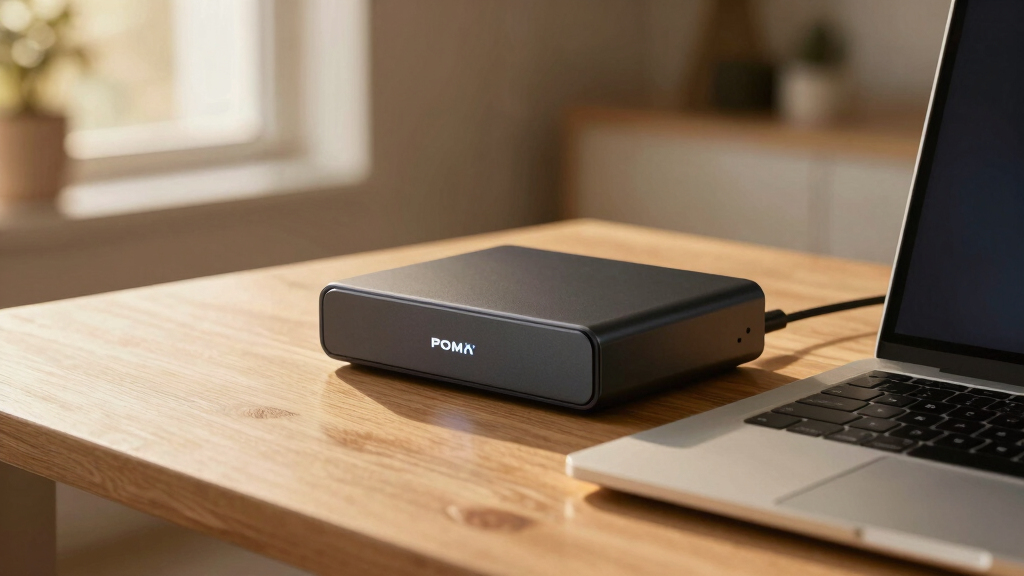

Choosing an external GPU enclosure over $500 involves balancing performance, compatibility, and portability. For most users, the Razer Core X V2 offers a versatile, future-proof option with support for high-end GPUs and modular upgrades. Meanwhile, the Plugable Thunderbolt 5 AI eGPU stands out for AI workloads and maximum power with its 850W supply, but it’s less portable. For those prioritizing raw performance and connectivity, the Sonnet Breakaway Box 850 T5 provides a high-bandwidth solution supporting triple-wide cards, while the ASUS ROG XG Mobile offers a portable, gaming-optimized experience with top-tier NVIDIA hardware. Each choice involves different tradeoffs around size, cost, and compatibility, making it essential to match your specific needs with these premium options.

Get privacy and security gear delivered free with Prime
- Fast, free delivery on millions of items
- Prime Video, Amazon Music and more included
- Member-only deals all year
Key Takeaways
- The Razer Core X V2 offers a balance of size, modularity, and compatibility for versatile use.
- Plugable’s Thunderbolt 5 AI enclosure is ideal for AI and high-performance workloads with its massive 850W PSU.
- Sonnet’s enclosure supports triple-wide cards and high bandwidth, suited for demanding professional applications.
- ASUS ROG XG Mobile emphasizes portability and top-tier gaming performance but may lack detailed compatibility info.
- All options over $500 prioritize performance and expandability but differ significantly in size, power, and target use cases.
| Razer Core X V2 External Desktop Graphics Card Enclosure |  | Best Overall for Versatility and Upgradability | Compatibility: Thunderbolt 4, Thunderbolt 5, USB 4 | Supports GPU Size: up to 3.5 slots | Cooling: 120mm active fan | VIEW LATEST PRICE | See Our Full Breakdown |
| Plugable Thunderbolt 5 AI eGPU Enclosure & Dock |  | Best for AI and High-Power Workloads | Supported Motherboard: ATX | Power Supply: 850W | Maximum GPU Size: 346mm x 170mm x 77mm | VIEW LATEST PRICE | See Our Full Breakdown |
| Sonnet Breakaway Box 850 T5 eGPU Enclosure |  | Best for High-Bandwidth Professional Use | Supported GPU Series: NVIDIA GeForce RX50, 40, 30 Series; AMD Radeon RX 9000, 7000, 6000 Series | Power Supply: 850W | Connectivity: Thunderbolt 5, 3 USB 3.0 ports, 1 5GbE Ethernet | VIEW LATEST PRICE | See Our Full Breakdown |
| ASUS ROG XG Mobile External Graphics Card with NVIDIA GeForce RTX 5090 |  | Best for Portable Gaming and Creative Power | Graphics Coprocessor: NVIDIA GeForce RTX 5090 | RAM: 32 GB | Video Output Interface: PCI Express | VIEW LATEST PRICE | See Our Full Breakdown |
| external GPU enclosures over $500 | Power Supply | Cooling | Material | Connectivity |
|---|---|---|---|---|
| Razer Core X V2 External Deskt | Not included (requires desktop ATX power supply) | 120mm active fan | Vented steel | — |
| Plugable Thunderbolt 5 AI eGPU | 850W | — | — | Thunderbolt 5, Thunderbolt 4, USB4 |
| Sonnet Breakaway Box 850 T5 eG | 850W | Variable-speed, temperature-controlled fan | Alloy Steel | Thunderbolt 5, 3 USB 3.0 ports, 1 5GbE Ethernet |
| ASUS ROG XG Mobile External Gr | — | — | — | — |
More Details on Our Top Picks
Razer Core X V2 External Desktop Graphics Card Enclosure
The Razer Core X V2 stands out for its support of high-performance PCIe graphics cards up to 3.5 slots, combined with next-generation Thunderbolt 5 bandwidth for smooth, high-speed performance. Its vented steel chassis with active cooling ensures optimal airflow, making it suitable for intense gaming or creative workloads. Compared with other options, it’s more adaptable thanks to modular upgrades, though it requires users to supply their own power supply, which adds a layer of complexity. Its bulkier size makes it less portable but excellent for stationary setups that demand flexibility and future-proofing.
Pros:- Supports GPUs up to 3.5 slots, accommodating most high-end cards
- Future-proof with modular PCIe and power supply upgrades
- Active cooling and vented steel chassis for thermal management
Cons:- Power supply and GPU sold separately
- Bulky design limits portability
- Requires compatible Thunderbolt 4, 5, or USB 4 device
Best for: Users seeking a flexible, upgradeable enclosure for high-end gaming or creative work.
Not ideal for: Those needing a compact, portable solution or an all-in-one package.
- Compatibility:Thunderbolt 4, Thunderbolt 5, USB 4
- Supports GPU Size:up to 3.5 slots
- Cooling:120mm active fan
- Material:Vented steel
- Connection:Type-C Thunderbolt 5 cable included
- Power Supply:Not included (requires desktop ATX power supply)
Our verdict“Best for users who want a versatile, upgradeable GPU enclosure with robust cooling and support for large cards.”
Plugable Thunderbolt 5 AI eGPU Enclosure & Dock
The Plugable TBT5-AI is designed for high-performance AI applications and demanding GPU tasks, thanks to its 850W power supply supporting GPUs up to 346mm in length. Its comprehensive connectivity, including Ethernet, USB 3.0 ports, and Thunderbolt 5, makes it a strong choice for building offline, secure AI systems. While it’s less portable due to its large size, this enclosure excels in professional environments where maximum power and multiple connections are critical. Its incompatibility with macOS and Linux limits its flexibility for some users, but it’s unmatched for Windows-based AI setups requiring high wattage and bandwidth.
Pros:- Supports Thunderbolt 5 with 80Gbps bandwidth
- Includes 850W power supply for demanding GPUs
- Multiple connectivity options for versatile workflows
Cons:- Large size and weight may require ample space
- Incompatible with macOS, Linux, or Thunderbolt 3 systems
- Requires compatible GPU and system support
Best for: AI professionals or users with high-performance GPU needs on Windows systems.
Not ideal for: Mac or Linux users, or those seeking a portable setup.
- Supported Motherboard:ATX
- Power Supply:850W
- Maximum GPU Size:346mm x 170mm x 77mm
- Connectivity:Thunderbolt 5, Thunderbolt 4, USB4
- Cooling Method:Air
- Dimensions:13.62″D x 13.62″W x 3.03″H
Our verdict“Ideal for AI and professional workloads demanding maximum power and connectivity on Windows systems.”
Sonnet Breakaway Box 850 T5 eGPU Enclosure
The Sonnet Breakaway Box 850 T5 offers a compelling combination of high bandwidth—80 Gbps—and support for triple-wide graphics cards, making it suited for demanding professional workloads. Its built-in 850W power supply and Thunderbolt 5 dock expand connectivity options, including USB 3.0 and Ethernet, all housed in a sturdy alloy steel case. Compared with other enclosures, it provides a high level of performance at a slightly larger footprint. However, its size and weight make it less portable, and system compatibility is limited to Windows 11 or newer with Thunderbolt 5 or USB4 support.
Pros:- Supports triple-wide high-end graphics cards
- High bandwidth of 80 Gbps for fast GPU performance
- Includes built-in 850W power supply and Thunderbolt 5 dock
Cons:- Large and somewhat heavy for portable use
- Limited to Windows 11 or newer systems
- Potentially high cost for high-end features
Best for: Professionals requiring maximum bandwidth and support for large, high-end GPUs.
Not ideal for: Users needing a lightweight or portable solution, or those on older systems.
- Supported GPU Series:NVIDIA GeForce RX50, 40, 30 Series; AMD Radeon RX 9000, 7000, 6000 Series
- Power Supply:850W
- Connectivity:Thunderbolt 5, 3 USB 3.0 ports, 1 5GbE Ethernet
- Cooling:Variable-speed, temperature-controlled fan
- Material:Alloy Steel
Our verdict“Best for professionals who need maximum bandwidth and expandability for demanding GPU tasks.”
ASUS ROG XG Mobile External Graphics Card with NVIDIA GeForce RTX 5090
The ASUS ROG XG Mobile packs a NVIDIA GeForce RTX 5090 GPU with 24GB VRAM into a portable, lightweight design weighing just over 2 pounds. It supports Thunderbolt 5 for ultra-fast connectivity, capable of delivering 8K video output and powering multiple 4K displays. Its advanced cooling system and customizable RGB lighting make it a premium choice for gamers and creators who need high-end performance on the move. However, the limited detailed specs and high price reflect its niche focus and top-tier components, which may not suit users requiring extensive system compatibility or bulkier setups.
Pros:- High-performance NVIDIA GeForce RTX 5090 with 24GB VRAM
- Supports Thunderbolt 5 for high-speed data and video
- Portable at just over 2 pounds with advanced cooling
Cons:- Limited detailed compatibility info
- High cost due to premium GPU and features
- Requires Thunderbolt 5 port, not universal on all devices
Best for: Gamers and creators seeking portable, high-performance external GPU solutions.
Not ideal for: Users needing detailed setup info or system compatibility on older platforms.
- Graphics Coprocessor:NVIDIA GeForce RTX 5090
- RAM:32 GB
- Video Output Interface:PCI Express
- Graphics RAM Type:GDDR7
- Compatible Devices:Desktop, Laptop
Our verdict“Best for mobile users demanding top-tier gaming and creative performance in a compact form.”

How We Picked
Our selection process focused on enclosures priced over $500 that deliver exceptional performance, build quality, and future-proof features. We prioritized compatibility with the latest Thunderbolt 5 and USB4 standards, support for high-end graphics cards, and robust power supplies. We also considered user needs such as portability, AI workloads, and professional-grade expansion, ensuring each product offers a distinct value proposition. Tradeoffs like size, cost, and setup complexity were factored in to provide a well-rounded comparison for high-end users.
| external GPU enclosures over $500 | Material | Connectivity |
|---|---|---|
| Razer Core X V2 External Deskt | Vented steel | — |
| Plugable Thunderbolt 5 AI eGPU | — | Thunderbolt 5, Thunderbolt 4, USB4 |
| Sonnet Breakaway Box 850 T5 eG | Alloy Steel | Thunderbolt 5, 3 USB 3.0 ports, 1 5GbE Ethernet |
| ASUS ROG XG Mobile External Gr | — | — |
Factors to Consider When Choosing Best External GPU Enclosures Over $500
Selecting a high-end external GPU enclosure over $500 hinges on your specific requirements—whether it’s raw power, portability, or professional features. It’s vital to consider compatibility with your system, especially Thunderbolt 5 support, and how much power your GPU demands. Size and weight also matter if you need mobility, but for stationary setups, larger enclosures with higher wattage and expandability can unlock maximum performance. Understanding these tradeoffs helps ensure your investment aligns with your workflows and device ecosystem.
Performance and Compatibility
High-end enclosures should support the latest Thunderbolt 5 or USB4 standards, ensuring they can handle the fastest data transfer rates. Compatibility with your system — whether Windows, macOS, or Linux — influences your choice, especially when considering features like GPU size support and connection options. For demanding workloads, prioritize enclosures with robust power supplies (850W or higher) and support for large, triple-wide cards. These features maximize performance but often come with larger footprints.
Size, Portability, and Setup
If you need a portable GPU enclosure, look for lightweight, compact options like the ASUS ROG XG Mobile. However, these often sacrifice expandability and maximum GPU support. For stationary use, larger enclosures such as the Sonnet or Plugable models provide higher power and connectivity options at the expense of portability. Consider your workspace and how much space you can allocate for setup and transport before making a decision.
Future-Proofing and Upgradability
Many premium enclosures support modular upgrades, whether in the form of replacing the GPU, power supply, or adding additional ports. This flexibility extends the lifespan of your investment, especially if you plan to upgrade your GPU periodically. However, compatibility with the latest standards and large GPUs is critical, and some models may require additional components or specific system configurations. Weigh these factors against your long-term needs for a more sustainable setup.
Frequently Asked Questions
What should I consider when choosing an external GPU enclosure over $500?
When selecting an external GPU enclosure over $500, consider compatibility with your system (Thunderbolt 5 or USB4 support), the size of your GPU, and your power requirements. Also, think about portability versus performance, as larger enclosures typically offer better expandability and higher wattage, but are less mobile. Matching these features to your workflow ensures you’ll get the best value for your high-end setup.
Is Thunderbolt 5 essential for these enclosures?
Thunderbolt 5 provides the fastest data transfer speeds currently available, which is vital for high-performance GPU tasks like gaming at 8K or professional rendering. While some enclosures also support USB4, Thunderbolt 5 ensures maximum bandwidth, making it a key feature if you want to future-proof your setup and minimize bottlenecks. However, compatibility with your device’s ports is necessary before opting for Thunderbolt 5-specific models.
Are these enclosures suitable for portable use?
Most premium enclosures over $500 are designed for stationary use, offering larger sizes and higher power supplies. The ASUS ROG XG Mobile stands out as a portable option, but many others, like the Sonnet or Plugable models, are bulkier and intended for desktop environments. If portability is your priority, focus on lightweight, compact solutions, but be prepared for some performance tradeoffs.
Do I need to buy a separate power supply for these enclosures?
Many high-end enclosures like the Razer Core X V2 and Sonnet Breakaway Box include built-in power supplies, but some, like the Razer Core X V2, require you to supply your own desktop ATX power supply. This allows for greater customization and future upgrades but adds complexity. Always verify whether a power supply is included or if you’ll need to purchase one separately to meet your GPU’s wattage demands.
Can I use these enclosures with macOS or Linux systems?
Compatibility varies among these high-end enclosures. The Plugable Thunderbolt 5 AI is only compatible with Windows 11 or newer, limiting its use on macOS or Linux. The Sonnet and Razer Core X V2 are more flexible but still depend on the device supporting Thunderbolt 4 or 5. Always check the manufacturer’s specifications to confirm compatibility with your system before purchasing, especially if you’re using macOS or Linux.
Conclusion
For users prioritizing versatility and upgradeability, the Razer Core X V2 offers great value. Professionals who need maximum bandwidth and high power, especially for demanding GPU applications, should consider the Sonnet Breakaway Box 850 T5. Creators and gamers seeking portability without sacrificing top-tier performance might find the ASUS ROG XG Mobile the best fit. Meanwhile, those focused on AI workloads or specialized professional setups will appreciate the Plugable Thunderbolt 5 AI eGPU. Matching your specific workflow, system compatibility, and mobility needs will guide the right choice among these premium options.