
Finding the best firewall appliances for home labs in 2026 requires balancing performance, flexibility, and budget. The FortiGate 100F stands out for its extensive port options and robust security features, making it ideal for more advanced setups. The Zyxel USGFLEX100H offers a compact form factor with solid security at a lower price point, perfect for smaller labs. A key tradeoff in this category is between raw throughput and ease of configuration, as more powerful devices often come with steeper learning curves. Continue reading for a detailed breakdown of each option and which might best suit your needs.
Key Takeaways
- High port counts and multi-Gigabit support are common among top-tier options, enabling flexible network design.
- Price and complexity increase together; more advanced appliances tend to require more networking knowledge.
- Compact, fanless designs like the Zyxel USGFLEX100H provide a silent operation and straightforward setup for small labs.
- Dual power supplies in higher-end models like the FortiGate 100F improve reliability but add cost and complexity.
- Compatibility with open-source firmware (pfSense, OPNsense) is a key factor for customization and control.
| FortiGate 40F Firewall Appliance – 5 Gigabit Ethernet Ports, Small Business Security |  | Best Overall for Small Home Labs | Form Factor: Desktop, fanless | Number of Ports: 5 Gigabit Ethernet RJ45 | WAN Ports: 1 | VIEW LATEST PRICE | See Our Full Breakdown |
| FortiGate 100F Firewall Appliance – 22 Gigabit Ethernet Ports, 4 SFP, 2 10G SFP+ Ports, Dual Power Supplies |  | Best for Demanding Home Labs with Critical Needs | Number of Ports: 22 GE RJ45, 4 SFP, 2 10G SFP+ | Redundancy: Dual Power Supplies | Security Features: AI threat detection, malware protection | VIEW LATEST PRICE | See Our Full Breakdown |
| FortiGate 60F Firewall Appliance – 10 Gigabit Ethernet, Includes DMZ, WAN & Internal Ports (No Subscription) |  | Best for Enterprise-Grade Home Labs | Ports: 10 Gigabit Ethernet RJ45 | WAN Ports: 2 | DMZ Port: 1 | VIEW LATEST PRICE | See Our Full Breakdown |
| Zyxel USGFLEX100H Cyber Security Firewall |  | Best for Small to Medium Home Labs on a Budget | Firewall Throughput: 4 Gbps | Maximum Users: 50 | Ports: 8 x Gigabit RJ-45 | VIEW LATEST PRICE | See Our Full Breakdown |
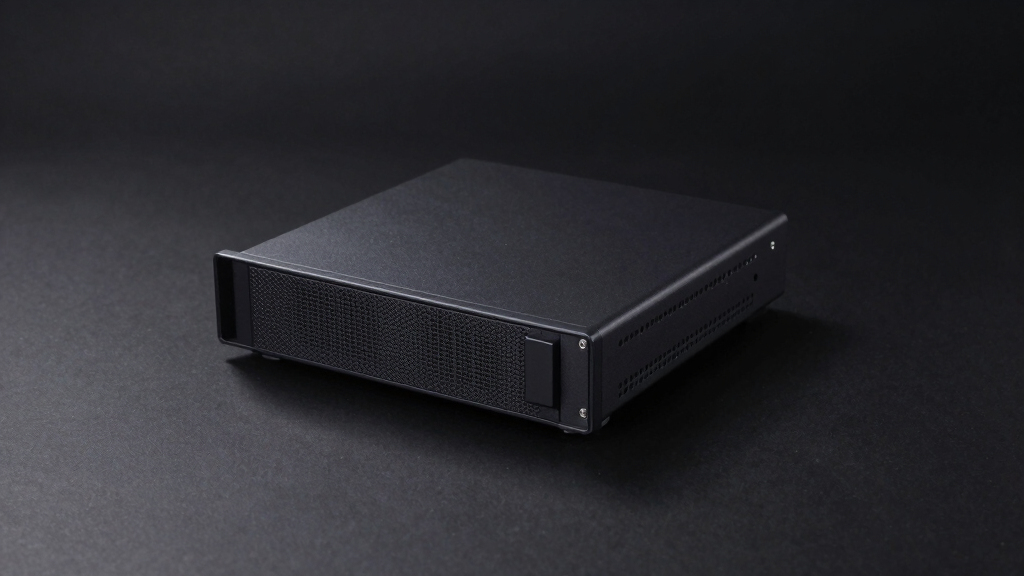
| Fanless 2.5Gbe Firewall Appliance with Intel Celeron N5095, 8GB RAM, 128GB NVMe SSD, Support for pfSense and OPNsense |  | Best for Silent, High-Speed Home Labs | Processor: Intel Celeron N5095, Quad-core, 2.0GHz up to 2.9GHz | RAM: 8GB DDR4 (expandable to 32GB) | Storage: 128GB NVMe SSD, 1x 2.5-inch SATA HDD/SSD slot | VIEW LATEST PRICE | See Our Full Breakdown |
| Zyxel USGFLEX200H Cyber Security Firewall |  | Best for Centralized Management and High Throughput | Firewall Throughput: 6.5 Gbps | Maximum Users: 100 | Ports: 6 x Gigabit, 2 x 2.5G | VIEW LATEST PRICE | See Our Full Breakdown |
More Details on Our Top Picks
FortiGate 40F Firewall Appliance – 5 Gigabit Ethernet Ports, Small Business Security
The FortiGate 40F stands out for its compact, fanless design, making it ideal for those who want a quiet, space-saving setup. Its high-performance security throughput, including 1 Gbps IPS and 600 Mbps threat protection, ensures reliable protection without overkill for small networks. Compared to the FortiGate 60F, the 40F offers similar security features but with fewer ports and no subscription options, making it simpler but less scalable. The tradeoff is that it requires familiarity with security management and doesn’t include subscriptions, which could add to the total cost. This pick makes the most sense for enthusiasts or small business owners seeking a straightforward, reliable firewall without complex enterprise features.Pros:- Compact, fanless design saves space and reduces noise
- High security throughput suitable for small networks
- Easy deployment with Zero Touch setup
Cons:- No included subscription services for threat intelligence
- Limited to small or mid-sized network environments
Best for: Home lab enthusiasts or small business owners needing a quiet, easy-to-deploy security device
Not ideal for: Larger or heavily trafficked networks that require more ports or advanced features
- Form Factor:Desktop, fanless
- Number of Ports:5 Gigabit Ethernet RJ45
- WAN Ports:1
- Internal Ports:4
- Throughput:1 Gbps IPS, 600 Mbps threat protection
- Security Features:AI-powered threat detection, FortiGuard Labs
Bottom line: This is an excellent choice for small home labs or offices seeking a simple, reliable firewall with minimal noise and footprint.
FortiGate 100F Firewall Appliance – 22 Gigabit Ethernet Ports, 4 SFP, 2 10G SFP+ Ports, Dual Power Supplies
The FortiGate 100F offers extensive connectivity, with 22 Gigabit Ethernet ports, multiple SFP options, and dual power supplies, making it suited to advanced home lab setups that mimic enterprise environments. Its AI-driven security features—including threat detection, intrusion prevention, and SSL inspection—outperform smaller models like the 40F, providing a more comprehensive shield. Unlike the FortiGate 60F, which is more suited for smaller networks, the 100F supports critical applications and larger traffic loads, but with increased complexity and cost. Its setup may require more technical skill, especially for managing multiple interfaces and licenses, but the benefit is a highly scalable, resilient platform. This device makes the most sense for serious hobbyists or early-stage lab environments needing robust, enterprise-grade security and extensive connectivity.Pros:- Extensive port options for flexible network architecture
- Dual power supplies enhance redundancy
- AI-powered security for proactive threat mitigation
- Supports complex network setups with centralized management
Cons:- Requires technical expertise for setup and management
- Higher price point with potential additional licensing costs
- No specified dimensions or weight, may be bulky
Best for: Advanced home lab builders or small organizations requiring high availability and extensive port options
Not ideal for: Beginners or those seeking a simple, plug-and-play solution for casual use
- Number of Ports:22 GE RJ45, 4 SFP, 2 10G SFP+
- Redundancy:Dual Power Supplies
- Security Features:AI threat detection, malware protection
- Performance:Up to 1.5 million concurrent sessions
Bottom line: This is best suited for experienced users aiming to replicate enterprise environments with demanding security and connectivity needs.
FortiGate 60F Firewall Appliance – 10 Gigabit Ethernet, Includes DMZ, WAN & Internal Ports (No Subscription)
The FortiGate 60F offers high-speed 10 Gbps ports, including dedicated WAN, DMZ, and internal interfaces, making it ideal for home labs aspiring to emulate enterprise environments. Its robust security features, such as SSL inspection and SD-WAN, are complemented by user-friendly management, though setup can be complex without prior experience. Compared to the FortiGate 40F, the 60F provides better scalability and faster performance but at a higher complexity and cost. It does not include subscriptions, which can be a drawback if ongoing threat intelligence is needed. This device is best for users who want enterprise-grade features at home and are comfortable with a steeper learning curve.Pros:- High-speed 10 Gbps ports for demanding traffic loads
- Includes dedicated DMZ and internal network ports
- Advanced security with SD-WAN and SSL inspection
Cons:- Setup complexity may challenge less experienced users
- No included subscription services for ongoing updates
- Designed primarily for enterprise use, not typical home environments
Best for: Advanced hobbyists or small organizations needing enterprise features and high throughput
Not ideal for: Beginners or casual users seeking simplicity and low cost
- Ports:10 Gigabit Ethernet RJ45
- WAN Ports:2
- DMZ Port:1
- Security Throughput:1.4 Gbps
- Management:User-friendly console with automation
Bottom line: This option is perfect for those who want enterprise-grade security with high-speed connectivity and are prepared for configuration complexity.
Zyxel USGFLEX100H Cyber Security Firewall
The Zyxel USGFLEX100H delivers up to 4 Gbps throughput with support for 50 users, making it a solid choice for small to medium home labs that need capable security without enterprise complexity. Its fanless, compact design is ideal for quiet operation in a home environment. With features like IPS, anti-malware, and web filtering, it offers multi-layered security comparable to larger devices like the FortiGate 100F but with a focus on smaller networks. The reliance on Nebula Cloud management simplifies setup and ongoing control, though some advanced features may require additional licensing. Compared to the FortiGate 40F, it supports more users and provides a more comprehensive security suite, but the user limit and cloud dependency restrict larger or highly complex setups.Pros:- High throughput with multi-layered security features
- Fanless and space-efficient design
- Flexible port configurations with VLAN support
- Centralized management via Nebula cloud
Cons:- Limited to 50 users, not suitable for larger networks
- Full feature set depends on Nebula subscription and licensing
- Advanced features may incur additional costs
Best for: Small to medium-sized home labs seeking feature-rich security on a budget
Not ideal for: Large networks or users needing more than 50 concurrent connections
- Firewall Throughput:4 Gbps
- Maximum Users:50
- Ports:8 x Gigabit RJ-45
- VLAN Support:16 VLAN interfaces
- Concurrent Sessions:300,000
Bottom line: This device offers a compelling balance of performance and ease of use for small home labs needing robust security without enterprise complexity.
Fanless 2.5Gbe Firewall Appliance with Intel Celeron N5095, 8GB RAM, 128GB NVMe SSD, Support for pfSense and OPNsense
This fanless mini PC excels in environments where noise levels matter, making it ideal for home labs that prioritize a quiet setup. Its support for 2.5GbE connections provides a significant speed boost over standard gigabit, especially compared to lower-tier options like the Zyxel USGFLEX200H, which only offers gigabit ports. The Intel Celeron N5095 offers decent processing power for firewall tasks, and the expandable RAM and storage allow for future-proofing. However, the absence of built-in Wi-Fi means you’ll need additional hardware for wireless networks, and its reliance on Linux-based OSes like pfSense or OPNsense can be a hurdle for less technical users. This appliance is perfect for hobbyists who want a silent, high-performance firewall with flexible OS support, but it’s less suitable for those needing integrated wireless or plug-and-play simplicity.Pros:- Fanless design ensures silent operation, ideal for quiet home environments
- Supports high-speed 2.5GbE networks for faster data transfer
- Expandable RAM and storage for future upgrades
- Compatible with multiple OSes like pfSense and OPNsense
Cons:- Requires compatible network infrastructure to utilize 2.5GbE speeds effectively
- No built-in Wi-Fi, needing extra modules for wireless connectivity
- Setup can be complex for users unfamiliar with Linux-based firewall OSes
Best for: Home lab enthusiasts who need a silent, high-speed firewall with flexible OS options and don’t mind manual setup.
Not ideal for: Users seeking an all-in-one device with built-in Wi-Fi and simple, out-of-the-box setup—this requires additional hardware and technical knowledge.
- Processor:Intel Celeron N5095, Quad-core, 2.0GHz up to 2.9GHz
- RAM:8GB DDR4 (expandable to 32GB)
- Storage:128GB NVMe SSD, 1x 2.5-inch SATA HDD/SSD slot
- Network:4x Intel i225-V LAN ports, support for 2.5GbE
- Graphics:Intel UHD Graphics
- Ports:HDMI 2.0, USB
- Form Factor:Mini PC, fanless
- OS Support:pfSense, OPNsense, ESXi, Proxmox, CentOS, OpenWrt
Bottom line: This pick suits tech-savvy home lab builders seeking a silent, high-speed firewall with flexible OS support and room to grow.
Zyxel USGFLEX200H Cyber Security Firewall
The Zyxel USGFLEX200H stands out for its high throughput capacity of 6.5 Gbps, making it a strong choice for small to medium networks that need robust security without bottlenecks. Its fanless design and multiple multi-gig ports, including two 2.5G ports, position it well against the Fanless 2.5Gbe Firewall Appliance, which offers more flexibility in OS choices but less raw throughput. The centralized Nebula cloud management simplifies administration, a plus for teams overseeing multiple devices, yet this requires a subscription that adds ongoing costs. Setup can be somewhat complex for beginners, especially those unfamiliar with Zyxel’s management interface, and licensing is necessary for full security features like anti-malware. This appliance is ideal for users seeking a high-performance, centralized security device with scalable management, but less suited for those who prefer open-source OS options and a no-cost management approach.Pros:- High throughput of 6.5 Gbps supports demanding network environments
- Fanless design ensures silent operation and low maintenance
- Multi-gig ports offer flexible network configurations
- Cloud-based centralized management via Nebula simplifies oversight
Cons:- Full security suite requires ongoing licensing costs
- Initial setup can be complex for users unfamiliar with Zyxel’s interface
- Limited to hardware features; no included power supply
Best for: Small to medium-sized network administrators wanting high throughput and centralized cloud management with robust security features.
Not ideal for: Home users or hobbyists preferring open-source or free firewall solutions, as setup complexity and licensing costs may be prohibitive.
- Firewall Throughput:6.5 Gbps
- Maximum Users:100
- Ports:6 x Gigabit, 2 x 2.5G
- VLAN Support:32 VLANs
- VPN Support:Up to 100 IPSec tunnels, 50 SSL VPN users
- Form Factor:Rack-Mount
- Fanless:Yes
- Management:Nebula cloud management
Bottom line: This device makes the most sense for network managers seeking high throughput, centralized management, and strong security, willing to invest in licensing and configuration time.

How We Picked
The products were evaluated based on performance (throughput, port variety), build quality, ease of setup, and feature set tailored for home lab use. We prioritized devices with a balance of affordability and capability, ensuring they support common lab configurations. Devices with flexible software options and expandability scored higher, as they cater to varied user expertise and future growth. The ranking reflects a mix of value, versatility, and user-friendliness, aiming to help different types of home lab enthusiasts find suitable options.Factors to Consider When Choosing Best Firewall Appliances For Home Labs
Choosing the best firewall appliance for your home lab involves considering several factors beyond raw specifications. Reliability and ease of management are critical, especially if you’re new to networking. Budget constraints often influence the decision, but investing in a device with more features can pay off in long-term flexibility. It’s also vital to evaluate the device’s compatibility with open-source firmware if customization is a priority. Lastly, consider future growth—selecting a device that can scale as your lab expands prevents costly upgrades later.Performance and Throughput
For a home lab, your firewall needs to handle the expected data load without bottlenecks. Devices with gigabit or multi-gigabit ports ensure smooth internal traffic, especially if you plan to test high-speed networks or run multiple VMs. Be wary of overpaying for throughput that exceeds your actual usage, but also avoid models with insufficient capacity, which can slow down your network and frustrate experiments. Balancing performance with your current needs and future growth is key.
Port Variety and Expandability
The number and type of ports determine how flexible your network setup can be. Higher-end models with SFP+ or 10G ports support faster uplinks or future upgrades, but come at a higher cost. For most home labs, a mix of gigabit Ethernet ports is sufficient, but having spare ports or the ability to add modules can extend the device’s lifespan. Think about your current topology and potential growth to avoid bottlenecks down the line.
Ease of Use and Management
While some firewalls come with user-friendly interfaces, others require networking expertise to configure properly. Devices that support open-source firmware like pfSense or OPNsense often provide more control but demand a learning curve. For beginners, pre-configured appliances with straightforward setup procedures are preferable, even if they offer fewer advanced features. Consider your comfort level and willingness to learn when choosing a device.
Reliability and Redundancy
For a home lab that’s actively used or serves as a testing ground, stability matters. Features like dual power supplies or hardware watchdog timers enhance uptime and prevent disruptions. Cheaper models may lack these features, risking unexpected downtime. If you’re planning critical testing, investing in a more reliable device can save time and frustration.
Software Compatibility and Customization
Open-source options like pfSense and OPNsense provide powerful customization, but require more technical skill. Proprietary appliances often come with dedicated management tools and support, which can simplify maintenance. Assess whether you prefer a plug-and-play device or one that offers deep customization; your choice will influence features and learning curve.
Frequently Asked Questions
Can I use a consumer router as a firewall for my home lab?
While some consumer routers include basic firewall features, they generally lack the advanced security, port flexibility, and customization options needed for a dedicated lab environment. They might suffice for simple setups but fall short when testing complex network configurations or running multiple isolated environments. Investing in a purpose-built firewall appliance provides more control, performance, and scalability, making it worth considering for serious home lab projects.
Is it necessary to get a device with dual power supplies?
Dual power supplies improve reliability by providing redundancy; if one power source fails, the device continues to operate without interruption. For a home lab, this can be beneficial if the environment is critical or if you want to minimize downtime. However, dual power supplies usually increase cost and complexity, so for most hobbyist setups, a single reliable power source is sufficient, especially if the device is kept in a stable environment.
Should I prioritize high port count or better throughput?
It depends on your network design and future plans. A higher port count allows more devices or VLANs to connect directly, which is helpful if you plan to expand or segment your network. Conversely, throughput capacity is critical if you expect high internal data loads or want to run multiple virtual machines at full speed. Balancing both factors based on your current needs and growth expectations leads to the most effective setup.
Are open-source firmware options like pfSense better than proprietary solutions?
Open-source firmware offers extensive customization, which appeals to advanced users who want full control over their network. These solutions typically support a wide range of hardware and allow for tailored security rules and features. However, they require more technical knowledge to set up and maintain. Proprietary appliances, on the other hand, provide a simplified experience with dedicated support, ideal for users who prefer a plug-and-play approach without the steep learning curve.
How much should I expect to pay for a good home lab firewall appliance?
Expect to spend anywhere from around $200 for entry-level devices up to $1,000 or more for advanced, multi-port, high-throughput appliances. Budget options often provide sufficient features for small labs but may lack expandability or resilience features. Higher-priced models tend to offer better performance, more ports, dual power supplies, and greater flexibility, which can be worthwhile investments if you plan to grow your network or need more sophisticated testing capabilities.
Conclusion
For most home lab enthusiasts, the FortiGate 40F offers a solid balance of performance and affordability, making it ideal for those starting out or with modest needs. The FortiGate 100F suits users seeking higher throughput and expansion potential, fitting more advanced setups. The Zyxel USGFLEX100H makes sense for small, quiet labs where space and simplicity matter most.If you’re a beginner, a device with straightforward setup like the Zyxel USGFLEX100H will reduce frustration. More experienced users aiming for customization will appreciate open-source options compatible with pfSense or OPNsense. Finally, for critical or enterprise-grade labs, investing in higher-end models with dual power supplies and extensive port options can provide peace of mind and future-proofing.