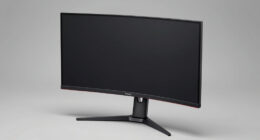
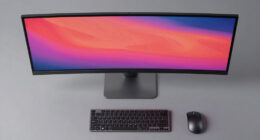
Choosing the best photo editing monitor over $500 requires balancing color accuracy, resolution, build quality, and connectivity. The ASUS ProArt Display 32” 4K HDR (PA329CV) stands out as the overall top pick for its exceptional color precision and professional features. The BenQ SW321C is a great choice for dedicated color-critical workflows, while the LG 32SR85U-W offers impressive versatility with built-in smart features. However, higher price tags often mean tradeoffs between calibration complexity, panel technology, and size. Continue reading for a detailed breakdown of what each monitor offers and who it’s best suited for.
Key Takeaways
- Color accuracy and calibration are the most critical factors for professional photo editing, and the top picks excel here.
- Size and resolution choices impact workspace comfort; larger, 4K screens are generally preferred but come with higher costs.
- Connectivity options like USB-C and Thunderbolt are essential for seamless workflows, especially for Mac users.
- Build quality and ergonomic features vary, influencing long hours of editing without strain.
- Price differences among these monitors reflect features like HDR capabilities, panel technology, and color gamut coverage.


More Details on Our Top Picks
ASUS ProArt Display 32” 4K HDR Monitor (PA329CV)
The ASUS ProArt PA329CV stands out for its exceptional factory-calibrated color accuracy, making it ideal for serious photo editing. Compared to the BenQ SW321C, it offers a similar high-level color precision but with a slightly more refined ergonomic stand and broader connectivity options like USB-C and HDMI. However, its higher price and 60Hz refresh rate mean it’s less suited for fast-paced gaming or multimedia that demands higher refresh rates. This monitor excels in providing reliable, consistent color for professional workflows, but does not include built-in speakers, which could be a drawback for some users.
Pros:- Exceptional factory calibration with Delta E < 2
- Wide 178° viewing angles and HDR support
- Multiple connectivity options including USB-C with 60W PD
Cons:- Relatively high cost compared to some competitors
- Limited to 60Hz refresh rate, not ideal for fast gaming
Best for: Professional photographers and retouchers who need precise color accuracy and reliable calibration.
Not ideal for: Gamers or casual users seeking high refresh rates or integrated multimedia features.
- Display Size:32 Inches
- Resolution:3840 x 2160 (4K UHD)
- Panel Type:IPS
- Brightness:400 cd/m²
- Color Gamut:100% sRGB / Rec.709
- Response Time:5 ms
Bottom line: This monitor is best suited for professionals demanding top-tier color fidelity and calibration for photo editing.
LG 32SR85U-W Smart Monitor 32-inch 4K UHD IPS Display with webOS 23, USB-C 90W PD, Built-in Webcam & Speakers, HDR10, AirPlay 2, Screen Share, White
The LG 32SR85U-W offers a compelling combination of 4K image quality and smart features like webOS, making it a flexible choice for those who want a monitor that can handle work, streaming, and video calls. Its built-in webcam and speakers add convenience, especially compared to the ASUS PA329CV, which lacks multimedia features. The main tradeoff is its 32-inch size might be small for detailed editing, and webOS may not be as intuitive for some users. While it supports HDR10 and offers height and tilt adjustments, it doesn’t match the color accuracy focus of the BenQ SW321C or ASUS ProArt models.
Pros:- Vivid 4K IPS display with wide viewing angles
- Built-in webcam and speakers for seamless video calls
- WebOS platform for streaming and app use
Cons:- Limited to 32 inches, which may be small for detailed editing
- WebOS interface may require adjustment to new users
- No high-end audio quality or professional calibration
Best for: Content creators who want a multi-purpose monitor with smart TV capabilities and good connectivity for streaming and remote work.
Not ideal for: Pixel-perfect photo editors requiring the highest color accuracy or professional-grade calibration.
- Display Size:32 inches
- Resolution:3840 x 2160 (4K UHD)
- Display Type:IPS
- WebOS Version:23
- USB-C Power Delivery:90W
- HDR:HDR10
Bottom line: This monitor is perfect for multimedia enthusiasts and remote workers seeking versatility over studio-grade color precision.
Dell 32 Plus 4K Monitor – S3225QS, 31.5-inch 4K (3840 x 2160), 120Hz, VA Panel, AMD FreeSync Premium, 99% sRGB, 95% DCI-P3, HDR, Ash White
The Dell S3225QS offers a compelling mix of high refresh rate and wide color coverage, making it suitable for both entertainment and some photo editing. Its 120Hz refresh rate and AMD FreeSync make it a better choice than the ASUS PA329CV for casual multimedia and light gaming. However, the VA panel’s contrast ratio provides more vibrant blacks compared to the IPS panels of the ASUS and BenQ, but at the expense of slightly narrower viewing angles. Its sleek white design and ComfortView Plus feature help reduce eye strain during long sessions, yet it lacks built-in speakers, which limits multimedia convenience.
Pros:- High 120Hz refresh rate for smooth visuals
- Vivid colors with 99% sRGB and 95% DCI-P3 coverage
- ComfortView Plus for reduced eye fatigue
Cons:- Limited to 2 HDMI ports which might restrict device connections
- No built-in speakers for audio playback
Best for: General users who want vibrant visuals for both editing and entertainment, with occasional gaming.
Not ideal for: High-end professional photo editors who need absolute color accuracy and calibration tools.
- Display Size:31.5 inches
- Resolution:3840 x 2160 (4K)
- Panel Type:VA
- Contrast Ratio:1500:1
- Refresh Rate:120Hz
- HDR:Yes
Bottom line: This monitor is a versatile choice for users balancing photo editing with multimedia and casual gaming needs.
BenQ SW321C 32-Inch 4K UHD Photo & Video Editing Monitor, 99% AdobeRGB, 100% sRGB, 95% P3, IPS, Hardware Calibrated, USB-C (60W), Black
The BenQ SW321C is tailored for demanding creatives, with its 99% AdobeRGB, 100% sRGB, and 95% P3 support ensuring rich, accurate colors. Its hardware calibration capability and uniformity correction set it apart from the ASUS and LG options, offering precise control for critical editing tasks. Compared to the ASUS ProArt, it has a slightly larger color gamut and more robust calibration features, but it comes at a notably higher power consumption and a premium price. The 60Hz refresh rate is typical for professional monitors, but not suitable for serious gaming or fast-paced video editing.
Pros:- High color accuracy with wide gamuts and Delta E ≤ 2
- Hardware calibration with 14-bit 3D LUT
- Multiple color profiles including AdobeRGB, sRGB, P3
Cons:- High power consumption at 170W
- Limited to 60Hz refresh rate, not for gaming
Best for: Professional photographers and videographers requiring maximum color fidelity and calibration controls.
Not ideal for: Casual users or gamers who prioritize high refresh rates or multimedia features over color accuracy.
- Display Size:32 Inches
- Resolution:3840 x 2160 (4K UHD)
- Display Technology:IPS
- Color Gamut:99% AdobeRGB, 100% sRGB, 95% P3
- Color Accuracy:Delta E ≤ 2
- Hardware Calibration:Yes, 14-bit 3D LUT
Bottom line: This monitor delivers exceptional color precision and calibration control tailored for professional photo and video editing workflows.
INNOCN 27″ OLED 2K QHD Gaming Monitor, 500Hz, G-SYNC Compatible, HDR 500, 0.03ms Response, HDMI 2.1, Adjustable Stand
The INNOCN OLED 27″ combines stunning visuals with ultra-fast performance, featuring a 500Hz refresh rate and HDR 500. Its 1440p resolution and 0.03ms response time ensure fluid, detailed images, ideal for gamers who also do some photo editing. Compared to the other monitors in this roundup, its OLED panel provides unrivaled contrast and vibrant colors, but burn-in risk and high cost are notable downsides. Its adjustable stand and HDMI 2.1 support make it highly versatile, though it’s less suited for traditional professional photo editing where color accuracy and calibration are critical.
Pros:- Incredible 500Hz refresh rate for ultra-smooth gameplay
- Vivid colors with 99% DCI-P3 and HDR 500 support
- VESA mount and adjustable stand for flexible setup
Cons:- OLED panels are susceptible to burn-in over time
- High price limits accessibility for casual buyers
- Requires high-end graphics hardware to fully utilize 500Hz
Best for: High-end gamers and multimedia enthusiasts seeking minimal motion blur and outstanding contrast.
Not ideal for: Photographers and video editors requiring exact color calibration and long-term reliability.
- Size:27 inches
- Resolution:2560 x 1440 (QHD)
- Refresh Rate:500Hz
- Response Time:0.03ms
- Panel Type:QD-OLED
- HDR:HDR 500
Bottom line: This monitor excels for gamers seeking lightning-fast response and vibrant visuals, but less so for critical photo editing professionals.
ASUS ProArt Display 27” 4K HDR Professional Monitor (PA279CRV)
The ASUS ProArt PA279CRV stands out for its exceptional color accuracy, offering 99% DCI-P3 and Adobe RGB coverage, making it a reliable choice for professional photographers and retouchers. Compared to the ASUS ProArt 5K (PA27JCV), this model provides a more accessible 4K resolution, which is less demanding on hardware while still delivering precise detail. Its factory calibration and Delta E < 2 ensure consistent, true-to-life colors straight out of the box. The extensive connectivity—including USB-C with 96W Power Delivery—supports streamlined workflows across multiple devices. However, its higher price reflects its professional-grade features, and the 60Hz refresh rate limits smoothness for fast-paced editing or gaming. This monitor suits creatives who need reliable, accurate visuals and flexible connectivity but can accept a bulkier design. For those on a tighter budget or seeking ultra-high resolution, the ASUS 5K model may be better suited.Pros:- Excellent color accuracy with 99% DCI-P3 and Adobe RGB coverage
- Factory pre-calibrated with Delta E < 2 for consistent color fidelity
- Versatile connectivity including USB-C with 96W Power Delivery
- Ergonomic design for comfortable extended use
Cons:- Relatively high price point for a 27-inch monitor
- Limited refresh rate at 60Hz may not satisfy fast-paced workflows or gaming
Best for: Professional photographers, retouchers, and color-critical designers needing accurate color and versatile connectivity
Not ideal for: Casual users or gamers requiring high refresh rates or lower costs
- Display Size:27 inches
- Resolution:3840 x 2160 (4K UHD)
- Display Technology:LED LCD
- Panel Type:IPS
- Color Gamut:99% DCI-P3, 99% Adobe RGB
- Connectivity:DisplayPort, HDMI, USB-C (with 96W Power Delivery)
- Brightness:1199 nits
- Contrast Ratio:3,000:1
- Warranty:3 years
Bottom line: This monitor is ideal for creative professionals who prioritize color precision and flexible connections over high refresh rates.
ASUS ProArt 27-Inch 5K HDR Professional Monitor (PA27JCV)
The ASUS ProArt PA27JCV’s 5K resolution delivers unparalleled detail, making it a prime choice for professionals who need pixel-perfect accuracy, especially compared to the 4K PA279CRV. Its wide-view IPS panel covers 99% DCI-P3 and 100% sRGB, ensuring vibrant, true-to-life colors suitable for detailed retouching and color grading. The factory calibration and Calman verification guarantee consistent results, while the ambient light sensors optimize brightness and color temperature automatically. The main tradeoff is the premium price, which may be prohibitive for casual or less-intensive users. Additionally, its focus on high-end features means it’s less suitable for general use or gaming. This monitor is perfect for creatives demanding the highest resolution and precision, ready to invest in top-tier color fidelity.Pros:- Stunning 5K resolution for pixel-perfect detail
- Excellent color accuracy with 99% DCI-P3 and 100% sRGB coverage
- Calman Verified and factory calibrated for consistent, precise colors
- Ambient light sensors enhance viewing comfort and accuracy
Cons:- Premium price makes it less accessible for casual users
- Focus on professional features limits its appeal for general or gaming use
Best for: High-end photographers, video editors, and colorists seeking maximum detail and color accuracy in a 27-inch format
Not ideal for: Budget-conscious users or those who do not require 5K resolution for their workflow
- Display Size:27 inches
- Resolution:5120 x 2880 (5K)
- Display Technology:IPS
- Color Gamut:99% DCI-P3, 100% sRGB
- Color Accuracy:Delta E < 2
- HDR:HDR
- Connectivity:USB-C PD 96W
- Calibration:Calman Verified, factory calibrated
- Warranty:3 years
Bottom line: This monitor is best suited for professionals who need maximum resolution and superb color fidelity, willing to invest in top-tier imaging tools.

How We Picked
To select these monitors, I evaluated each based on key criteria: color accuracy (covering wide gamuts like AdobeRGB and DCI-P3), resolution, panel technology (IPS being preferred for consistent color), connectivity options, ergonomic features, and overall build quality. I prioritized models that support hardware calibration to maintain color consistency over time, especially for professional workflows. The rankings reflect a balance between performance, value, and usability, aiming to help different types of users—from professionals needing precise color to enthusiasts seeking high resolution without excessive cost.Factors to Consider When Choosing Best Photo Editing Monitors Over $500
When choosing a photo editing monitor over $500, several factors can significantly influence your experience and results. Understanding these considerations helps avoid common pitfalls such as sacrificing color accuracy for higher resolution or overlooking connectivity options that streamline your workflow. A well-chosen monitor not only enhances your editing precision but also improves comfort during long sessions. Here are the key factors to weigh before making your investment.Color Accuracy and Gamut Coverage
Accurate color reproduction is the foundation of professional photo editing. Look for monitors with wide color gamuts like AdobeRGB and DCI-P3, which allow for true-to-life color adjustments. Hardware calibration support ensures your colors stay consistent over time, preventing drift that can compromise your work. Cheaper high-resolution screens often lack these features, so prioritize models that explicitly advertise professional-grade color fidelity.
Resolution and Screen Size
Higher resolutions, such as 4K and 5K, provide sharper details essential for detailed editing tasks. Larger screens (27 inches and above) offer more workspace, reducing the need to constantly zoom and pan. However, bigger screens demand powerful hardware and may be more expensive. Balance your workspace needs with your system’s capabilities to choose a size that enhances productivity without overwhelming your desk setup.
Panel Technology and Uniformity
IPS panels are preferred for photo editing due to their consistent color and wide viewing angles. Look for monitors that specify high uniformity ratings to ensure consistent color and brightness across the entire screen, especially important for print and calibration work. Avoid panels with significant light bleed or uneven brightness, which can distort your editing accuracy.
Connectivity and Ergonomics
Seamless connectivity—such as USB-C, Thunderbolt, or HDMI—streamlines your workflow, especially if you connect multiple devices. Adjustable stands and VESA compatibility improve comfort during long editing sessions, preventing neck and eye strain. Consider your existing hardware and workflow needs when selecting input options and ergonomic features.
Price and Additional Features
Prices over $500 often include advanced features like HDR support, higher color precision, and larger screens. Decide which features are necessary for your work; for instance, HDR can enhance certain workflows but isn’t always essential for photo editing. Investing in a monitor with a solid warranty and reliable calibration tools offers better long-term value, especially in a professional setting.
Frequently Asked Questions
Do I need a 5K monitor for professional photo editing?
A 5K monitor provides extremely high pixel density, which benefits detailed editing and retouching. However, it also demands a powerful graphics card and comes at a high price. For most professionals, a well-calibrated 4K display with excellent color coverage offers a practical balance of sharpness and affordability. Only if your workflow involves extremely detailed work or large-scale printing should you prioritize 5K options.
Is HDR necessary for photo editing over $500?
HDR support can improve your viewing experience by displaying a wider range of brightness and contrast, which is useful for certain types of editing like HDR photography. However, not all HDR features are equally important for photo editing; some monitors advertise HDR but offer limited actual benefit without proper calibration or HDR content. Focus first on color accuracy and gamut coverage, and consider HDR as a supplementary feature if your workflow benefits from it.
Should I prioritize size or resolution when choosing a monitor?
Both size and resolution are important, but resolution often has a more direct impact on image clarity. Larger screens with 4K resolution provide more workspace and sharper images, but they also require more powerful hardware. Smaller screens with high resolution can be more affordable and space-efficient. Consider your desk space, hardware capabilities, and how much detail you need to see at once when balancing these factors.
How important is hardware calibration support?
Hardware calibration ensures your monitor maintains accurate color over time, which is essential for professional photo editing. Monitors with built-in calibration sensors or support for calibration devices provide better consistency. Without calibration, colors can shift gradually, leading to inaccuracies in your work. Investing in a monitor with this feature offers greater long-term reliability and confidence in your edits.
What connectivity options should I look for?
USB-C and Thunderbolt connections are increasingly common and highly convenient for connecting modern laptops and desktops, providing power and display over a single cable. HDMI and DisplayPort are also important for compatibility with various hardware. Choose a monitor with the connectivity options that match your existing setup to streamline your workflow and avoid unnecessary adapters or dongles.