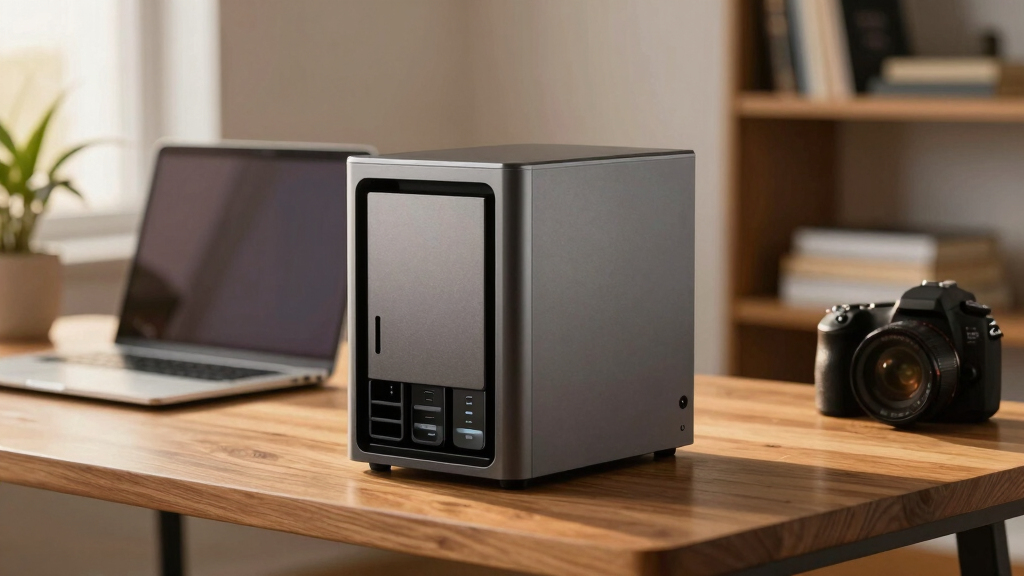
When searching for the best NAS devices over $500, you’re looking for a balance of power, expandability, and reliability. The Synology DiskStation DS925+ stands out as the top overall choice for its versatile features and smooth user experience. For those needing raw performance, the TERRAMASTER F8 SSD Plus offers impressive hardware with enterprise-grade capabilities. Meanwhile, the Asustor Lockerstor 6 Gen2+ appeals to power users with its extensive expandability and high-speed connectivity. However, these options come with tradeoffs: premium features often mean higher costs, and some models may be overkill for smaller setups. Continue reading for a detailed breakdown of each model and what makes them unique.

Get privacy and security gear delivered free with Prime
- Fast, free delivery on millions of items
- Prime Video, Amazon Music and more included
- Member-only deals all year
Key Takeaways
- The best models balance performance, expandability, and ease of use, with premium prices reflecting advanced features.
- Power users should prioritize models with multiple M.2 SSD slots and high-speed network ports for maximum flexibility.
- The top picks often include diskless options, allowing buyers to customize storage capacity based on their needs.
- Build quality and firmware support are critical for long-term reliability, especially in professional environments.
- Price premiums typically correlate with features like dual 10GbE ports, advanced media servers, and extensive RAM.
| TERRAMASTER F8 SSD Plus NAS 8-Bay Intel Core i3-8 Core, 16GB DDR5, Diskless |  | Best Overall for High-Performance Small Business and Power Users | Processor: Intel Core i3-N305 8-core | Memory: 16GB DDR5 4800MHz | Storage Capacity: Supports 8 NVMe SSDs up to 8TB each | VIEW LATEST PRICE | See Our Full Breakdown |
| QNAP TS-664 6-Bay Desktop NAS |  | Best for Home and Small Business with Dual 2.5GbE and Expandability | Processor: Intel Celeron N5105/N5095 4-core | RAM: Up to 16GB DDR4 | Storage Bays: 6 | VIEW LATEST PRICE | See Our Full Breakdown |
| Synology DiskStation DS925+ (Diskless) 4-Bay NAS |  | Best for Scalability and Data Management in Growing Businesses | Model: DS925+ | Number of Bays: 4 | Supports Expansion: Up to 9 drives | VIEW LATEST PRICE | See Our Full Breakdown |
| UGREEN NAS DXP4800 Pro 4-Bay for IT Professionals, Developers & Power Users |  | Best for Demanding Workflows and Virtualization | Digital Storage Capacity: 144 TB | Hard Disk Interface: SATA | Connectivity Technology: SATA | VIEW LATEST PRICE | See Our Full Breakdown |
| Synology DS425+ Private Cloud Media Server – 4-Bay Diskless NAS |  | Best for Business Data Sharing and Surveillance | Model Number: DS425+ | Number of Bays: 4 | Warranty: 3 years | VIEW LATEST PRICE | See Our Full Breakdown |
| BUFFALO TeraStation Essentials 2025 4-Bay Desktop NAS with 32TB Hard Drives | 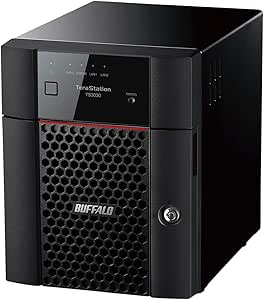 | Best Overall for Small Offices Seeking Reliability and Security | Digital Storage Capacity: 32 TB | Hard Disk Interface: Serial ATA-600 | Connectivity Technology: Ethernet | VIEW LATEST PRICE | See Our Full Breakdown |
| UGREEN DXP4800 Plus 4-Bay NAS for Families, Creators & Small Teams |  | Best for Large Data Needs and Creative Workflows | Digital Storage Capacity: 144 TB | Hard Disk Interface: Serial ATA | Connectivity Technology: Ethernet, HDMI, SATA, USB | VIEW LATEST PRICE | See Our Full Breakdown |
| Asustor Lockerstor 6 Gen2+ AS6706T v2 6 Bay NAS, Intel Quad-Core CPU, Dual 5GbE Ports, 8GB DDR4, 4 M.2 SSD Slots, HDMI, Plex Media Server, Diskless |  | Best for Professional Workflows and Content Creators | Processor: Intel Celeron N5105 quad-core | Memory: 8GB DDR4 | Storage Bays: 6 (hybrid HDD + SSD) | VIEW LATEST PRICE | See Our Full Breakdown |
| top rated NAS devices over $500 | Warranty |
|---|---|
| TERRAMASTER F8 SSD Plus NAS 8- | — |
| QNAP TS-664 6-Bay Desktop NAS | — |
| Synology DiskStation DS925+ | 3 years |
| UGREEN NAS DXP4800 Pro 4-Bay f | — |
| Synology DS425+ Private Cloud | 3 years |
| BUFFALO TeraStation Essentials | 3 years |
| UGREEN DXP4800 Plus 4-Bay NAS | — |
| Asustor Lockerstor 6 Gen2+ AS6 | 3 Years |
More Details on Our Top Picks
TERRAMASTER F8 SSD Plus NAS 8-Bay Intel Core i3-8 Core, 16GB DDR5, Diskless
The TERRAMASTER F8 SSD Plus stands out for its impressive processing power, featuring an 8-core Intel Core i3 and 16GB DDR5 RAM, which makes it ideal for demanding tasks like virtualization and intensive data handling. Unlike the Synology DS925+, it is more compact and offers faster SSD-based storage, but it requires users to purchase their own SSDs, adding to the initial investment. Its quiet operation and enterprise backup support make it suitable for small business environments where performance and reliability are priorities. However, the need for SSD installation and its diskless design mean it’s less user-friendly for those unfamiliar with building or configuring storage arrays. This NAS is best suited for tech-savvy professionals or advanced home setups that demand high throughput without the bulk of larger enterprise units.
Pros:- Powerful 8-core Intel Core i3 processor enables high-speed data handling
- Supports up to 8 NVMe SSDs for maximum performance
- Quiet operation with advanced convection cooling
- Compact and portable design
Cons:- Requires purchasing SSDs separately for optimal performance
- Limited to NVMe SSDs only, which can be costly
Best for: Small business owners and tech-savvy power users who need fast, reliable SSD-based storage in a compact form.
Not ideal for: Casual users or those seeking an out-of-the-box solution with included drives and simple setup.
- Processor:Intel Core i3-N305 8-core
- Memory:16GB DDR5 4800MHz
- Storage Capacity:Supports 8 NVMe SSDs up to 8TB each
- Ethernet:10Gbps
- Noise Level:Below 19dB
- Form Factor:Compact, palm-sized
Our verdict“This NAS is perfect for users needing high-speed SSD storage and processing power in a small, quiet footprint.”
QNAP TS-664 6-Bay Desktop NAS
The QNAP TS-664 offers a balanced mix of performance and expandability, equipped with a quad-core Intel Celeron processor and support for up to 16GB DDR4 RAM, making it suitable for media, backup, and shared storage needs. Compared to the Synology DS425+, it provides faster network options through dual 2.5GbE ports and supports M.2 NVMe SSD caching, enhancing responsiveness. Its hardware encryption adds security for sensitive data. However, its RAM is limited to 16GB, which could restrict intensive virtual machine workloads, and it’s relatively heavy for a desktop device. The absence of native PCIe slots limits future expansion options for some users. This NAS is ideal for small offices or advanced home users who want reliable performance, network speed, and some expansion potential without venturing into enterprise territory.
Pros:- Dual 2.5GbE ports for fast network transfer
- Supports M.2 NVMe SSD caching for improved performance
- Hardware encryption enhances data security
- Supports up to 16GB RAM for multitasking
Cons:- Limited to 16GB RAM, restricting heavy virtualization
- Heavy weight and desktop footprint may be cumbersome
Best for: Small office teams or home users who need fast network speeds and flexible caching options.
Not ideal for: Users requiring extensive virtual machine hosting or larger RAM capacity beyond 16GB.
- Processor:Intel Celeron N5105/N5095 4-core
- RAM:Up to 16GB DDR4
- Storage Bays:6
- Network Ports:2 x 2.5GbE
- SSD Slots:2 M.2 PCIe Gen3x2
- Hard Drive Interface:SATA
Our verdict“This NAS suits users who prioritize fast network speeds and caching in a compact, expandable package.”
Synology DiskStation DS925+ (Diskless) 4-Bay NAS
The Synology DS925+ makes a compelling case with its support for up to 9 drives and its advanced data management features. It’s a step above the DS425+ in scalability, offering more bays and expansion options, which is valuable for expanding storage needs. Its dual 2.5GbE ports ensure high-speed data transfer, and the built-in M.2 NVMe slots support caching, speeding up access times. However, the need to purchase additional drives for full capacity and the complex setup process can be barriers for less experienced users. While its 3-year warranty offers peace of mind, the price may be a concern for budget-conscious buyers. Overall, this NAS is well-suited for growing teams needing scalable storage and robust data protection, but it’s less ideal for those seeking a simple, ready-to-use device.
Pros:- Supports up to 9 drives with expansion unit
- Dual 2.5GbE ports for fast network speeds
- Built-in M.2 NVMe caching slots
- 3-year warranty adds reliability
Cons:- Requires additional drives for full capacity
- Setup can be complex for novices
Best for: Growing small businesses or advanced users requiring expandable storage and comprehensive data solutions.
Not ideal for: Beginners or casual users who want an all-in-one, easy-to-setup NAS with included drives.
- Model:DS925+
- Number of Bays:4
- Supports Expansion:Up to 9 drives
- Network Ports:Dual 2.5GbE
- Built-in Slots:2 M.2 NVMe
- Warranty:3 years
Our verdict“This NAS is ideal for users who need scalable, high-speed data management with room to grow.”
UGREEN NAS DXP4800 Pro 4-Bay for IT Professionals, Developers & Power Users
The UGREEN NAS DXP4800 Pro is a powerhouse tailored for professional workflows, offering massive 144TB storage capacity and support for Docker, VMs, and AI features. Its hardware, including an Intel Core i3 and extensive RAM, surpasses many consumer NAS options like the Synology DS425+ in raw performance for virtualization and AI tasks. The inclusion of enterprise-grade security, dual M.2 NVMe slots, and multiple connectivity options make it suitable for data centers, media editing, and development environments. On the downside, its setup complexity and large size can be off-putting for casual users, and its higher price reflects its professional-grade features. This NAS is best for users with technical expertise seeking a flexible, high-capacity solution for demanding applications.
Pros:- Massive 144TB capacity for large-scale storage needs
- Supports Docker, VMs, and AI-powered features
- Enterprise-grade security features
- Dual M.2 NVMe slots for caching
Cons:- Complex setup requiring technical knowledge
- Large size and higher cost limit suitability for small spaces
Best for: IT professionals, developers, and power users needing high-capacity, virtualization, and AI-ready storage.
Not ideal for: Home users or those seeking an easy plug-and-play NAS for basic backup and media sharing.
- Digital Storage Capacity:144 TB
- Hard Disk Interface:SATA
- Connectivity Technology:SATA
- Additional Features:Docker, VMs, AI features
- Form Factor:Desktop
- Warranty & Support:2 years
Our verdict“This NAS excels for demanding professional environments requiring high capacity, virtualization, and advanced features.”
Synology DS425+ Private Cloud Media Server – 4-Bay Diskless NAS
The Synology DS425+ offers a reliable, high-speed solution for business data sharing, backup, and surveillance with its robust 278 MB/s transfer speeds. Its support for up to 30 IP cameras makes it attractive for small to medium surveillance setups, especially compared to the more media-focused Ugreen NAS DXP4800 Pro. It’s diskless, so users need to invest in drives, which may complicate initial setup, and it might be less suitable for casual or home use due to its business-oriented features. The multi-user access and RAID support make it a strong candidate for collaborative environments, but the setup complexity and additional drive costs are notable considerations. This NAS is best for small business environments with a focus on data sharing and surveillance, rather than media editing or virtualization.
Pros:- High network transfer speeds of 278 MB/s
- Supports up to 30 IP cameras for surveillance
- Multi-user access with robust data protection
- Includes RAID and backup options
Cons:- Requires purchasing drives separately
- Business-oriented features may be unnecessary for casual users
Best for: Small business environments needing high-speed sharing and extensive surveillance support.
Not ideal for: Casual home users or those looking for an all-in-one media server with simple setup.
- Model Number:DS425+
- Number of Bays:4
- Warranty:3 years
- Network Speed:278 MB/s
- Supported Cameras:30 IP cameras
- Item Count:1
Our verdict“This NAS is well-suited for small business environments prioritizing data sharing and surveillance capabilities.”
BUFFALO TeraStation Essentials 2025 4-Bay Desktop NAS with 32TB Hard Drives
This model stands out for its straightforward setup, making it a strong contender for small office environments that prioritize security and ease of use. Unlike the QNAP TS-664, it comes with pre-configured hard drives, saving initial setup time, but sacrifices flexibility since drives are 5400 rpm, which may slow data access compared to enterprise drives. Its native 2.5GbE port provides faster transfers than typical Gigabit Ethernet, yet it lacks wireless options, limiting remote flexibility. The included 4 drives and robust security features make it ideal for users who want a turnkey, secure storage solution. However, it’s not suited for larger enterprises or those needing wireless connectivity or high-performance drives.
Pros:- Pre-installed drives for immediate setup
- Fast data transfer with native 2.5GbE port
- Robust security features including 256-bit encryption
- Easy RAID configuration for data protection
Cons:- Limited to small office environments, not scalable for larger needs
- Hard drives run at 5400 rpm, potentially slower than 7200 rpm drives
Best for: Small business owners needing a reliable, secure NAS with plug-and-play drives
Not ideal for: Large enterprises or users requiring wireless access or higher RPM drives
- Digital Storage Capacity:32 TB
- Hard Disk Interface:Serial ATA-600
- Connectivity Technology:Ethernet
- Hard Disk Form Factor:3.5 inches
- Hard Disk Rotational Speed:5400 rpm
- Media Speed:2.5 gigabits_per_second
- Data Transfer Rate:2.5 gigabits_per_second
- Warranty:3 years
Our verdict“Ideal for small offices seeking a secure, ready-to-use NAS with reliable performance.”
UGREEN DXP4800 Plus 4-Bay NAS for Families, Creators & Small Teams
The UGREEN DXP4800 Plus is tailored for users with substantial storage needs, such as families with extensive media libraries or creative professionals working with large files. Compared to the Asustor Lockerstor 6 Gen2+, it offers a significantly higher capacity of up to 144TB, making it suitable for multimedia and backup-heavy environments. Its support for advanced features like Docker, virtual machines, and AI-powered photo organization sets it apart for tech-savvy users. The high-speed 10GbE and USB ports ensure quick data transfers, but the absence of included drives and lack of Wi-Fi support mean additional setup complexity and wiring. Its complex setup may deter less technical users, especially those seeking a simple, out-of-the-box solution.
Pros:- Massive storage capacity up to 144TB
- High transfer speeds with 10GbE and USB ports
- Supports advanced features like Docker and AI photo management
- Secure private cloud with encryption and permissions
Cons:- Hard drives are not included, increasing initial cost
- No Wi-Fi support and wired connection required
- Setup can be complex for non-technical users
Best for: Creative professionals or large households with extensive multimedia and backup needs
Not ideal for: Users seeking a plug-and-play experience or wireless connectivity
- Digital Storage Capacity:144 TB
- Hard Disk Interface:Serial ATA
- Connectivity Technology:Ethernet, HDMI, SATA, USB
- Hard Disk Rotational Speed:7200 rpm
- Read Speed:1250 MB/s
- Media Speed:1250 MB/s
Our verdict“Best suited for power users and creators with large storage demands who can handle a demanding setup process.”
Asustor Lockerstor 6 Gen2+ AS6706T v2 6 Bay NAS, Intel Quad-Core CPU, Dual 5GbE Ports, 8GB DDR4, 4 M.2 SSD Slots, HDMI, Plex Media Server, Diskless
The Asustor Lockerstor 6 Gen2+ is designed for users needing high-speed connections and versatile storage configurations, making it perfect for content creators, small studios, and advanced users. Its dual 5GbE ports provide faster network throughput than the BUFFALO TeraStation, especially when combined with link aggregation. The inclusion of four M.2 SSD slots offers powerful caching options, boosting performance during intensive tasks like 4K media playback or virtualization. Compared to the UGREEN DXP4800 Plus, it focuses more on professional workflows rather than raw storage capacity. However, being diskless means added setup effort and higher initial costs, and the complex configuration may challenge less experienced users.
Pros:- Dual 5GbE ports for high-speed networking
- Supports multiple storage configurations with hybrid HDD and SSD
- Ideal for 4K media streaming and virtualization
- Pre-installed 8GB RAM for multitasking
Cons:- Requires additional drives for full storage capacity
- Setup complexity may be overwhelming for beginners
- Higher price for professional features
Best for: Content creators and professionals needing high-speed network and flexible storage options
Not ideal for: Users seeking an out-of-the-box solution or simple storage needs
- Processor:Intel Celeron N5105 quad-core
- Memory:8GB DDR4
- Storage Bays:6 (hybrid HDD + SSD)
- Network Ports:Dual 5GbE
- Video Output:HDMI
- Warranty:3 Years
Our verdict“Best for professionals and content creators who need high-performance, flexible workflows, and are comfortable with advanced setup.”
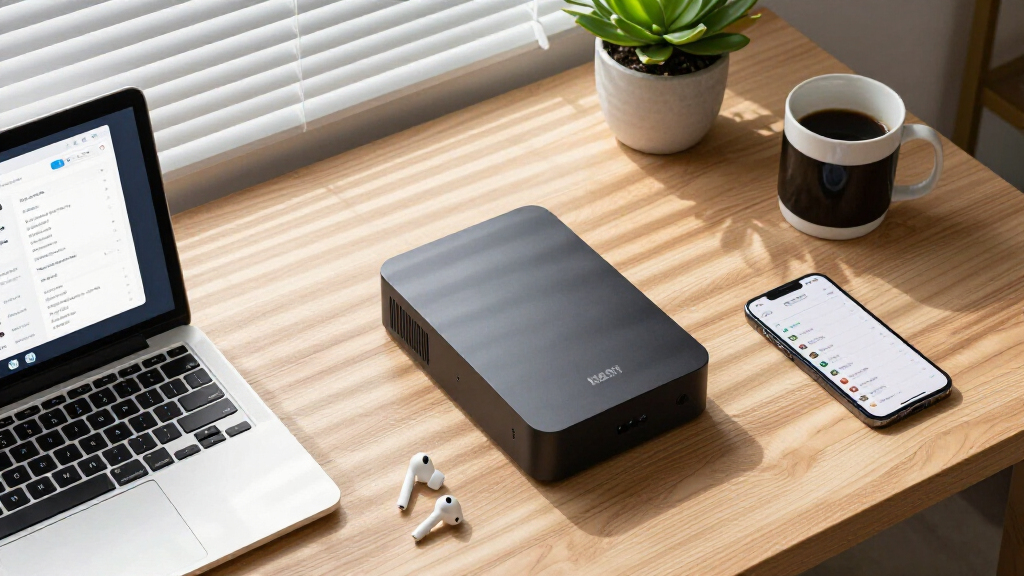
How We Picked
Our evaluation focused on performance benchmarks, build quality, expandability, ease of setup, and firmware support. We prioritized models with robust hardware, such as multi-core CPUs, ample RAM, and multiple drive bays, to ensure they meet demanding use cases. Compatibility with various applications and future-proof features like M.2 SSD slots or 10GbE ports influenced the rankings. Cost-to-value ratio was also considered, ensuring that higher-priced units delivered proportional benefits for professional or intensive use. This approach helps identify models that excel in real-world scenarios, rather than just specifications on paper.Factors to Consider When Choosing Top Rated NAS Devices Over $500
Choosing the right NAS device over $500 requires careful consideration of your specific needs and future plans. Beyond raw specs, factors like expandability, connectivity, and ecosystem compatibility influence long-term satisfaction. This guide highlights key aspects to evaluate, helping you avoid common pitfalls and make a smarter investment.Performance and Hardware Capabilities
Look for models with multi-core processors, sufficient RAM, and hardware acceleration options if you plan to run demanding applications like media servers or virtual machines. Higher performance ensures smoother operation under load, which is especially important for professional environments or large data transfers. Consider whether the device supports SSD caching, which can significantly boost responsiveness for frequent access files. Choosing hardware aligned with your current workload but with room to grow can prevent costly upgrades later.
Expandability and Storage Flexibility
Many NAS units in this price range offer multiple drive bays, but not all are equally flexible. Look for units with M.2 NVMe SSD slots, as these can accelerate data access or serve as cache. Check whether the device allows for easy addition of drives or replacement of existing ones without complex procedures. Consider your future storage needs—if you anticipate growth, a model with more bays or compatible expansion units will serve you better over time, even if it costs more upfront.
Connectivity and Network Options
Fast, reliable network connections are vital, especially if multiple users access the NAS simultaneously. Prioritize models with dual 1GbE ports at minimum, and consider 10GbE support if your network infrastructure can handle it. USB ports, HDMI output, and built-in media server capabilities can also add convenience, depending on your use case. Be aware that having multiple high-speed ports may increase the price, but it can significantly reduce bottlenecks in data transfer and streaming.
Usability and Ecosystem Compatibility
An intuitive interface and strong ecosystem support can make managing your NAS less frustrating. Synology and QNAP, for instance, offer mature apps and active communities, which can simplify setup and troubleshooting. Compatibility with your existing devices and operating systems is also important—ensure the NAS supports your preferred backup solutions, media formats, and remote access tools. A user-friendly experience reduces downtime and helps you maximize the device’s features without steep learning curves.
Price and Total Cost of Ownership
While over $500 can buy a highly capable NAS, consider the total cost, including drives, optional accessories, and ongoing maintenance. Some models are diskless, giving flexibility but requiring additional investment in drives. Others come with pre-installed drives, which might inflate initial costs but simplify setup. Think about your long-term budget—investing slightly more upfront might save money over time if it means fewer replacements or upgrades. Also, consider energy consumption, as power-efficient models reduce operational costs.
Frequently Asked Questions
Can I upgrade the RAM or storage on these NAS devices later?
Most high-end NAS units over $500 support upgrades to RAM and storage, but the process varies by model. Many offer accessible bays or slots for adding SSDs or RAM modules, making future expansion feasible without professional help. However, some units have soldered RAM or sealed cases, which limit upgrades. It’s best to verify the upgrade options during purchase if you anticipate needing more resources later. Planning for future growth can help avoid the need for a new device down the line.
Is a 6-bay NAS significantly better than a 4-bay model for my small business?
A 6-bay NAS offers more storage capacity and potential for RAID configurations, which can improve data redundancy and performance. For small business needs, this extra capacity can be valuable if you handle large files or want to keep multiple backups. However, the additional cost and complexity might be unnecessary if your current storage needs are modest. Consider your future growth—if you expect data volumes to increase, investing in a 6-bay unit now could pay off, but for smaller setups, a 4-bay might be sufficient and more economical.
Should I prioritize hardware features like dual 10GbE ports or media server capabilities?
Prioritizing hardware features depends on your specific use case. Dual 10GbE ports are essential for high-speed, multi-user environments, such as video editing workflows or virtual machine hosting. Media server capabilities are more suited for home entertainment or content creators. Evaluate your main tasks and network environment—paying extra for high-speed ports makes sense if you need rapid data transfers, while media-focused features add value if streaming or multimedia management is your priority. Over-investing in features you won’t use can inflate costs unnecessarily.
How important is the brand reputation when choosing a NAS device over $500?
Brand reputation often reflects the quality of firmware support, hardware reliability, and community resources available. Established brands like Synology, QNAP, and Asustor tend to offer more mature ecosystems, better customer support, and longer firmware updates, which can improve the longevity of your investment. Lesser-known brands may have competitive pricing but might lack robust support or long-term software updates. Prioritizing reputable brands can reduce the risk of hardware failures or software issues, especially in professional or critical environments.
Is it better to buy a diskless NAS or one with pre-installed drives?
Choosing between diskless and pre-installed NAS depends on your flexibility needs and budget. Diskless units offer the advantage of selecting drives that suit your performance and capacity requirements, often at a lower upfront cost. They also allow you to upgrade drives over time as needed. Pre-installed models provide convenience, quick setup, and guaranteed compatibility but tend to be more expensive initially and offer less customization. If you already have drives or want to tailor your storage, a diskless NAS generally offers greater long-term flexibility and value.
Conclusion
For most users, the Synology DiskStation DS925+ remains the best overall choice, combining ease of use with strong expandability. Power users and professionals should consider the TERRAMASTER F8 SSD Plus or Asustor Lockerstor 6 Gen2+ for their advanced hardware and connectivity features. Small business owners or those seeking value should lean toward models like the QNAP TS-664, which balances performance and affordability. Beginners or casual users might find the Synology DS425+ easier to set up and manage. Tailor your pick based on your current needs and future growth plans, ensuring a smart investment in your data infrastructure.
Halloween Picks

10.5 ft Lighted Pumpkin and Ghost Halloween Inflatable Archway

Spirit Halloween 54-Inch Sitting Scarecrow Animatronic

11.2-Foot Halloween Inflatable Pumpkin with LED Lights
As an affiliate, we earn on qualifying purchases.