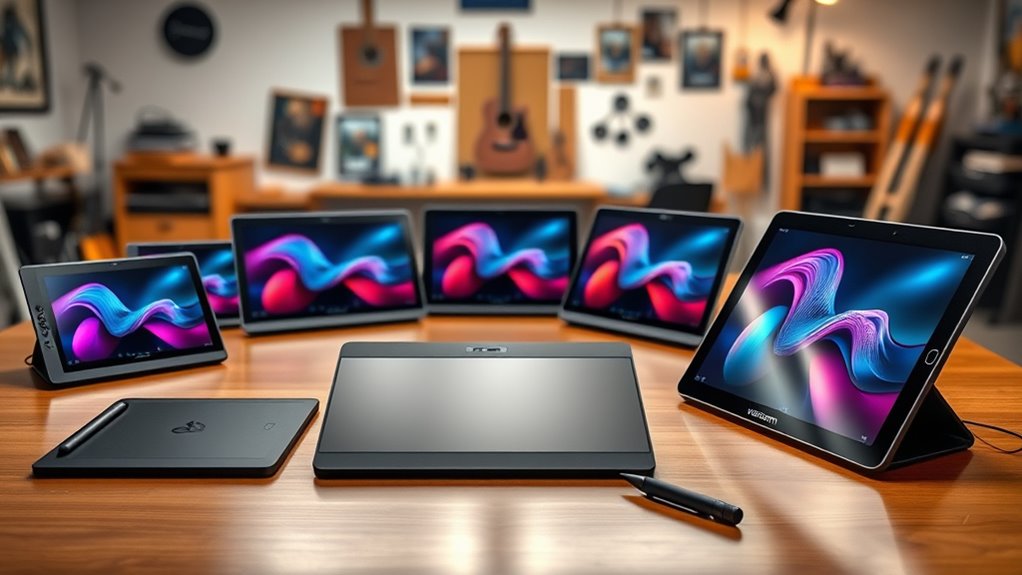
If you’re searching for a Wacom tablet, you’re likely looking for a device that balances precision, ease of use, and versatility. The Wacom Intuos Pro stands out as the best overall choice for professionals needing advanced features, while the Wacom One 14 offers a more affordable, full HD screen experience for hobbyists. The tradeoffs often involve balancing drawing quality against price, portability, and whether you prefer a screen or a traditional tablet with a stylus. Continue reading for a detailed comparison to help you pick the right model for your needs.

Get privacy and security gear delivered free with Prime
- Fast, free delivery on millions of items
- Prime Video, Amazon Music and more included
- Member-only deals all year
Key Takeaways
- The best overall Wacom tablet combines professional features with good value, exemplified by the Wacom Intuos Pro series.
- Models with screens, like the Wacom Cintiq line, prioritize display quality but come at a higher price point.
- Portability and mobile use are best served by models like the Wacom MovinkPad 11 and MovinkPad Pro 14, which include Android compatibility.
- Bluetooth connectivity adds convenience but may slightly increase cost or complexity in some models.
- Choosing between a screen and a traditional tablet depends on your workflow and budget, with each option offering distinct advantages.
| Wacom Intuos Small Wired Graphic Drawing Tablet with Pen and Software |  | Best Overall for Versatile Digital Artists | Technology: Electromagnetic Resonance (EMR) | Connectivity: Wired | Size: Small | VIEW ON AMAZON | See Our Full Breakdown |
| Wacom One 14 Drawing Tablet with IPS Full HD Screen & Pen |  | Best for Beginners and Learning Digital Art | Display Size: 14 inches | Display Type: IPS Full HD Laminated Screen | Color Accuracy: 98% sRGB | VIEW ON AMAZON | See Our Full Breakdown |
| Wacom MovinkPad 11 Android Mobile Drawing Tablet with Pro Pen 3 |  | Best for On-the-Go Digital Note-Taking and Sketching | Display: 11.45 inches | Operating System: Android 14 | Memory: 8 GB | VIEW ON AMAZON | See Our Full Breakdown |
| Wacom Intuos Small Bluetooth Graphics Drawing Tablet with Pen and Software |  | Best for Wireless Flexibility in a Compact Design | Connectivity: Bluetooth and USB-A | Technology: Electromagnetic Resonance (EMR) | Size: Small | VIEW ON AMAZON | See Our Full Breakdown |
| Wacom Cintiq 24 Touch Drawing Tablet with QHD Touchscreen & Pro Pen 3 |  | Best for Professional-Grade Creative Work | Display Size: 23.8 inches | Resolution: 2560 x 1440 (WQHD) | Touch Capability: 10-finger multi-touch | VIEW ON AMAZON | See Our Full Breakdown |
| Wacom Cintiq 22 Drawing Tablet with Full HD Screen & Pro Pen 2 |  | Best Overall for Creative Professionals | Display Size: 21.5 inches | Resolution: 1920×1080 (Full HD) | Weight: Approximately 4 pounds | VIEW ON AMAZON | See Our Full Breakdown |
| Wacom Cintiq 16 Drawing Tablet with QHD Screen & Pro Pen 3 |  | Best for High-Resolution, Color-Rich Work | Display Size: 16 inches | Resolution: 2560 x 1600 (QHD) | Color Coverage: 99% DCI-P3, 100% sRGB | VIEW ON AMAZON | See Our Full Breakdown |
| Wacom Intuos Pro Large Bluetooth Graphic Drawing Tablet with ProPen 3 |  | Best for Professional Precision and Large Workspace | Active Area: 14.8 x 9.9 inches | Pressure Levels: 8192 | Connectivity: USB and Bluetooth | VIEW ON AMAZON | See Our Full Breakdown |
| Wacom Intuos Medium Bluetooth Graphics Drawing Tablet with Pen and Software |  | Best for Beginners and Versatile Creators | Connectivity: Bluetooth and USB-A | Compatibility: Mac, PC, Chromebook, Android | Included Software: Creative software and online training | VIEW ON AMAZON | See Our Full Breakdown |
| Wacom MovinkPad Pro 14 Android Mobile Tablet with OLED and ProPen 3 |  | Best for On-the-Go Professional Artists | Display: 14-inch OLED, 2880 × 1800px | Processor: Snapdragon 8s Gen 3 | RAM: 12GB | VIEW ON AMAZON | See Our Full Breakdown |
| Wacom Intuos Pro Small, Bluetooth Graphic Drawing Tablet with ProPen 3 |  | Best Overall for Professionals | Connectivity Technology: Bluetooth, USB | Pressure Sensitivity: 8192 levels | Operating System Compatibility: Windows 10 or later, Mac OS 13 or later | VIEW ON AMAZON | See Our Full Breakdown |
| Wacom Movink 13 Drawing Tablet with OLED Touchscreen & Pro Pen 3 |  | Best Portable OLED Touchscreen | Display: OLED | Weight: Less than 1 lb | Thickness: 4-6.6mm | VIEW ON AMAZON | See Our Full Breakdown |
| Wacom Intuos Pro Medium Bluetooth Graphic Drawing Tablet with ProPen 3 |  | Best for Large-Scale Professional Work | Active Area: 11.4 x 8.1 inches | Size: Medium | Connectivity: USB and Bluetooth | VIEW ON AMAZON | See Our Full Breakdown |
| Wacom One Medium Bluetooth Graphic Drawing Tablet with Pen and Software |  | Best Entry-Level for Beginners | Dimensions: 9.92″ x 7.13″ x 0.31″ | Active Area: 8.5″ x 5.3″ | Pressure Sensitivity: 4096 levels | VIEW ON AMAZON | See Our Full Breakdown |
| wacom tablet | Connectivity |
|---|---|
| Wacom Intuos Small Wired Graph | Wired |
| Wacom One 14 Drawing Tablet wi | — |
| Wacom MovinkPad 11 Android Mob | — |
| Wacom Intuos Small Bluetooth G | Bluetooth and USB-A |
| Wacom Cintiq 24 Touch Drawing | USB-C, DisplayPort Alt, Thunderbolt 3/4 |
| Wacom Cintiq 22 Drawing Tablet | 3-in-1 cable |
| Wacom Cintiq 16 Drawing Tablet | USB-C (DisplayPort Alt Mode or Thunderbolt 3/4) |
| Wacom Intuos Pro Large Bluetoo | USB and Bluetooth |
| Wacom Intuos Medium Bluetooth | Bluetooth and USB-A |
| Wacom MovinkPad Pro 14 Android | — |
| Wacom Intuos Pro Small | — |
| Wacom Movink 13 Drawing Tablet | USB-C |
| Wacom Intuos Pro Medium Blueto | USB and Bluetooth |
| Wacom One Medium Bluetooth Gra | Bluetooth, USB-C |
More Details on Our Top Picks
Wacom Intuos Small Wired Graphic Drawing Tablet with Pen and Software
The Wacom Intuos Small stands out for its industry-leading pen technology, offering high precision and a natural pen-on-paper feel, making it a reliable choice for most digital artists. Compared with the Wacom Intuos Small Bluetooth, this wired version ensures a stable connection without pairing issues, though it sacrifices portability. Its compatibility with all major software and inclusion of training resources make it ideal for beginners and professionals alike. The small size might restrict users who prefer larger canvases, but for desktop use, this is a solid, straightforward option. The wired connection could be a drawback for those seeking maximum mobility, but for stable, consistent performance, it excels.
Pros:- High precision and control with industry-leading pen technology
- Compatible with all major creative software
- Includes software and online training resources
Cons:- Wired connection limits portability and workspace flexibility
- Small drawing area may not suit users needing larger canvases
Best for: Artists and designers who prioritize precision and stable connectivity in a dedicated desktop setup
Not ideal for: Mobile artists or users who need to sketch on the go, due to the wired design and limited working area
- Technology:Electromagnetic Resonance (EMR)
- Connectivity:Wired
- Size:Small
- Included Software:Yes
- Battery:Battery-free pen
Our verdict“This pick is perfect for desktop-based artists who value accuracy and reliable connection over mobility.”
Wacom One 14 Drawing Tablet with IPS Full HD Screen & Pen
The Wacom One 14 offers a generous 14-inch laminated IPS display with 98% sRGB color coverage, making it ideal for newcomers looking to dive into digital art with vibrant colors and natural drawing feel. Compared to the Wacom MovinkPad 11, this tablet provides a larger workspace, although it demands a USB-C connection, which may require adapters for some setups. Its included software trials and training make it accessible for beginners, but the moderate customer rating suggests some users find setup or software integration less seamless. The high-resolution screen and responsive pen provide a satisfying experience for learning artists, but the need for additional adapters might be a hurdle for some.
Pros:- Large 14-inch display with high color fidelity
- Responsive, battery-free pen with pressure sensitivity
- Includes trial software and training courses
Cons:- Requires USB-C connection, possibly needing adapters
- Moderate customer ratings indicate mixed experiences with setup or software
Best for: Beginners or students seeking an intuitive, large-screen drawing experience with color accuracy
Not ideal for: Advanced professionals needing portable or pen-only devices, due to its size and connection requirements
- Display Size:14 inches
- Display Type:IPS Full HD Laminated Screen
- Color Accuracy:98% sRGB
- Pen Type:Battery-free pen with pressure sensitivity
- Included Software:Yes
- Warranty:1 year
Our verdict“A strong choice for beginners who want a large, colorful display and comprehensive learning resources, despite some connectivity hassles.”
Wacom MovinkPad 11 Android Mobile Drawing Tablet with Pro Pen 3
The Wacom MovinkPad 11 is tailored for mobile creatives, featuring an 11.45-inch textured display that mimics paper and a lightweight design weighing just over 1.3 pounds. Its Android 14 OS and 8 GB RAM support smooth multitasking, making it a portable tool for sketching, note-taking, and quick edits. The high-pressure Pro Pen 3 with 8,192 levels offers exceptional control, rivaling larger, more expensive tablets like the Cintiq 24 Touch. However, its platform limitation to Android means it may not be compatible with all desktop apps, and some users might find it lacking for more complex projects. The need for frequent nib replacements is a minor inconvenience in exchange for mobility.
Pros:- High-pressure sensitivity with 8,192 levels for precise control
- Paper-like textured display reduces glare and fingerprints
- Lightweight and portable for on-the-go use
Cons:- Limited to Android platform, restricting app compatibility
- May lack some advanced features of larger or more expensive tablets
- Requires replacement nibs, which can be an ongoing cost
Best for: Mobile artists and note-takers who need a compact, high-pressure sensitivity device for Android-compatible apps
Not ideal for: Users needing extensive desktop software compatibility or more advanced features found on larger tablets
- Display:11.45 inches
- Operating System:Android 14
- Memory:8 GB
- Storage:128 GB
- Pen:Pro Pen 3, 8,192 pressure levels
- Weight:1.3 lbs
Our verdict“Ideal for Android users craving a portable, natural-feel drawing device with professional-grade sensitivity, though not suited for heavy desktop workflows.”
Wacom Intuos Small Bluetooth Graphics Drawing Tablet with Pen and Software
The Wacom Intuos Small Bluetooth combines wireless convenience with Wacom’s proven EMR technology, providing a natural drawing experience without the clutter of cables. It’s a step up for artists who want to work freely within a small, manageable size, perfect for desktop use or portable setups. Compared to the wired Intuos Small, this model offers greater flexibility, but the Bluetooth connection can sometimes introduce pairing or latency issues. Its compatibility with all major software and inclusion of training resources make it versatile, although the small size limits the drawing workspace, which might frustrate users with larger projects. This model balances convenience with performance, ideal for versatile, on-the-move creatives.
Pros:- Wireless Bluetooth connectivity for flexible working
- Battery-free pen offers natural, precise control
- Compatible with all major software programs
Cons:- Small drawing area limits creative space
- Bluetooth pairing and connection can sometimes be inconsistent
Best for: Digital artists seeking wireless freedom in a compact tablet for desktop or portable use
Not ideal for: Artists needing large canvases or working on complex, detailed projects requiring more space
- Connectivity:Bluetooth and USB-A
- Technology:Electromagnetic Resonance (EMR)
- Size:Small
- Included Software:Yes
- Battery:Battery-free pen
Our verdict“A smart choice for artists who want mobility and simplicity without sacrificing Wacom’s trusted pen technology.”
Wacom Cintiq 24 Touch Drawing Tablet with QHD Touchscreen & Pro Pen 3
The Wacom Cintiq 24 Touch sets a new standard with its expansive 23.8-inch 2.5K QHD display, delivering exceptional detail and color accuracy for professional artists. Its multi-touch gestures, tilt-sensitive Pro Pen 3, and fully adjustable stand make it highly adaptable to demanding workflows. Compared with the Wacom Intuos series, it offers a large, high-res workspace suited for intricate projects, but at a steep price and with setup complexity due to its required computer connection. Its compatibility with Windows and Mac, along with multiple connectivity options, makes it a versatile centerpiece for a professional studio. The premium cost limits accessibility for hobbyists, but for dedicated professionals, this is a powerful, ergonomic tool that enhances productivity and creativity.
Pros:- Large, high-resolution display ideal for detailed artwork
- Responsive Pro Pen 3 with tilt and pressure sensitivity
- Multi-touch gestures improve workflow efficiency
- Fully adjustable stand for ergonomic comfort
Cons:- Requires compatible computer with USB-C and DisplayPort/Thunderbolt support
- High price and setup complexity may deter casual users
- Additional cables or adapters might be needed for some configurations
Best for: Professional digital artists, illustrators, and creative studios needing large, detailed workspaces
Not ideal for: Hobbyists or casual users who require portability or a lower-cost option, due to its size and price
- Display Size:23.8 inches
- Resolution:2560 x 1440 (WQHD)
- Touch Capability:10-finger multi-touch
- Pen Technology:Pro Pen 3 with 8192 pressure levels
- Tilt Support:±60°
- Connectivity:USB-C, DisplayPort Alt, Thunderbolt 3/4
Our verdict“This tablet is designed for professionals demanding a large, detailed, and versatile workspace with maximum control and comfort.”
Wacom Cintiq 22 Drawing Tablet with Full HD Screen & Pro Pen 2
This model stands out for its large, vibrant 21.5-inch full HD display, which delivers true-to-life colors essential for professional artwork. Compared to the smaller Wacom Cintiq 16, the Cintiq 22 offers a bigger canvas but adds weight and requires more desk space. The Pro Pen 2, with tilt recognition and 8,192 pressure levels, provides highly precise control, making it ideal for detailed illustrations or photo editing. Its adjustable foldable legs support ergonomic positioning, reducing fatigue during long sessions. However, the screen size is limited for some professional workflows that demand larger or higher-resolution displays, and its external power requirement adds to desktop clutter. This pick makes the most sense for artists or designers needing a sizable, accurate drawing surface without stepping into premium price territory.
Pros:- Large, full HD display with accurate color reproduction
- Pro Pen 2 offers tilt support and high sensitivity for detailed work
- Adjustable foldable legs for ergonomic comfort
- Reduces fatigue during extended creative sessions
Cons:- Relatively heavy at approximately 4 pounds, less portable
- Limited to a 21.5-inch screen, smaller than some professional displays
- Requires external power, adding desktop clutter
Best for: Professional artists and serious hobbyists who want a sizable, color-accurate display with precise pen control.
Not ideal for: Casual users or those with limited desk space, as its weight and size may be cumbersome.
- Display Size:21.5 inches
- Resolution:1920×1080 (Full HD)
- Weight:Approximately 4 pounds
- Thickness:Approximately 1 inch
- Pen Sensitivity:8,192 levels
- Connectivity:3-in-1 cable
Our verdict“This tablet suits professionals seeking a reliable, accurate, and reasonably large display for intensive creative work.”
Wacom Cintiq 16 Drawing Tablet with QHD Screen & Pro Pen 3
The Wacom Cintiq 16 offers a sharp 16-inch IPS display with 2.5K resolution, providing finer detail than the full HD options like the Cintiq 22. Its wide color gamut (99% DCI-P3, 100% sRGB) ensures vibrant, accurate colors, making it ideal for professional illustrators and colorists. The Pro Pen 3 supports 8,192 pressure levels and tilt, rivaling the Cintiq 22’s pen but with more modern responsiveness. While it requires a compatible computer with USB-C or Thunderbolt, this makes it more suited for users with recent high-performance setups. The adjustable stand allows for custom angles, but the higher price point might deter casual users. This model makes the most sense for creatives prioritizing detail, color, and precision over screen size.
Pros:- High-resolution 2.5K display with excellent color coverage
- Pro Pen 3 with tilt and pressure sensitivity for precise control
- Adjustable stand for ergonomic comfort
- Vivid, consistent color reproduction
Cons:- Requires high-spec compatible computer with USB-C or Thunderbolt
- Additional cables may be needed for setup
- Priced higher than smaller or lower-res models
Best for: Professional artists needing detailed, color-accurate visuals in a portable size.
Not ideal for: Users with older computers lacking USB-C or Thunderbolt ports, or those who prefer larger screens for detailed work.
- Display Size:16 inches
- Resolution:2560 x 1600 (QHD)
- Color Coverage:99% DCI-P3, 100% sRGB
- Pen Technology:Pro Pen 3 with 8192 pressure levels
- Tilt Support:Yes
- Connectivity:USB-C (DisplayPort Alt Mode or Thunderbolt 3/4)
Our verdict“Ideal for professionals who need sharp visuals, rich colors, and precise pen control in a compact form.”
Wacom Intuos Pro Large Bluetooth Graphic Drawing Tablet with ProPen 3
The Wacom Intuos Pro Large is designed for professionals needing maximum control, with an active area of nearly 15×10 inches—perfect for multi-monitor setups or detailed illustrations. Its 8,192 pressure levels and tilt support ensure a highly responsive drawing experience that rivals the Cintiq line but with a more traditional tablet form factor. Wireless Bluetooth connectivity adds flexibility, freeing users from cluttered cables. Compared to the smaller Intuos Pro models, the large size offers more space for complex workflows but requires ample desk real estate. The premium price and size might be overkill for casual artists or those with limited space. This device is best for those who prioritize workspace and precision over portability.
Pros:- Large active area for detailed work and multi-monitor use
- High precision with 8192 pressure levels and tilt support
- Wireless Bluetooth connectivity for increased flexibility
- Customizable buttons and dials for workflow efficiency
Cons:- High price point may be prohibitive for casual users
- Large size demands significant desk space
- No built-in display, requiring connection to a computer
Best for: Professional digital artists needing a large, precise, and wireless drawing surface.
Not ideal for: Beginners or casual users who don’t need extensive workspace, due to its high cost and size.
- Active Area:14.8 x 9.9 inches
- Pressure Levels:8192
- Connectivity:USB and Bluetooth
- Dimensions:4mm thick
Our verdict“This tablet appeals to professional artists seeking a large, precise, and wireless tablet for detailed work and multi-monitor setups.”
Wacom Intuos Medium Bluetooth Graphics Drawing Tablet with Pen and Software
The Wacom Intuos Medium offers a balanced mix of portability and functionality, making it well-suited for newcomers and casual artists. Its wireless Bluetooth connection simplifies setup compared to wired options like the smaller Intuos, with compatibility across Mac, PC, Chromebook, and Android devices—more versatile than the MovinkPad series. Included software and online tutorials help new users develop their skills, making it a solid entry point. However, the medium size may feel limiting for those working on larger projects or multi-monitor setups. It also has a learning curve for beginners unfamiliar with digital art workflows. This pick is ideal for those starting out or needing a portable tablet for on-the-go sketching or light design work.
Pros:- Wireless Bluetooth connectivity for easy setup
- Compatible with multiple devices and platforms
- Includes creative software and tutorials for learning
- Pressure-sensitive pen for precise drawing
Cons:- Requires a compatible device with latest Chrome OS or Android
- Learning curve for new users unfamiliar with digital workflows
- Limited to medium size, less suitable for large artwork
Best for: Beginners and users seeking a portable, versatile drawing tablet with software support.
Not ideal for: Advanced professionals or those requiring a large active area for detailed projects, as its size may feel restrictive.
- Connectivity:Bluetooth and USB-A
- Compatibility:Mac, PC, Chromebook, Android
- Included Software:Creative software and online training
- Technology:EMR battery-free pen
Our verdict“This tablet offers a practical entry-level solution for beginners and mobile creators needing flexibility and software support.”
Wacom MovinkPad Pro 14 Android Mobile Tablet with OLED and ProPen 3
The Wacom MovinkPad Pro 14 combines portability with professional-grade features, boasting a vivid 14-inch OLED display with 3K resolution, making it ideal for artists needing high-quality visuals anywhere. Its Snapdragon 8s Gen 3 processor supports demanding creative apps, while the ProPen 3 offers 8,192 pressure levels without charging, reducing downtime. Its Android OS opens access to a wide range of apps, making it a versatile tool for on-the-go workflows. Compared to larger or less portable options like the Cintiq 22, this device prioritizes mobility without sacrificing color accuracy or pen sensitivity. Its limited OS compatibility and microSD storage expansion are tradeoffs for portability and performance. This device is best for professional artists who want a compact, standalone creative unit for travel or fieldwork.
Pros:- Vivid 14-inch OLED display with 3K resolution
- No charging needed for the ProPen 3 with high sensitivity
- Powerful Snapdragon processor supports demanding apps
- Expandable storage via microSD card
Cons:- Limited to Android 15 and specific OS compatibility
- MicroSD storage expansion may be insufficient for large files
- Higher price point for an Android tablet
Best for: Mobile professionals and artists seeking a high-resolution, portable Android creative tablet.
Not ideal for: Users needing Windows or macOS compatibility, or those with extensive storage needs beyond microSD expansion.
- Display:14-inch OLED, 2880 × 1800px
- Processor:Snapdragon 8s Gen 3
- RAM:12GB
- Storage:256GB, expandable via microSD
- Pen:ProPen 3, 8192 pressure levels
Our verdict“This device suits professional artists who require a portable, high-resolution OLED display with versatile Android app support for travel or field use.”
Wacom Intuos Pro Small, Bluetooth Graphic Drawing Tablet with ProPen 3
This compact yet powerful tablet stands out for its advanced Pro Pen 3 technology, offering 8192 pressure levels, tilt support, and lag-free tracking—features that make it ideal for detailed artists and animators. Compared with the larger Intuos Pro Medium, the Small version sacrifices some workspace but remains remarkably precise and portable, perfect for artists on the go. Its customizable ExpressKeys and a mechanical dial boost efficiency, especially in fast-paced workflows. The magnesium build ensures durability without bulk, and wireless Bluetooth adds flexibility, making it suitable for both studio and mobile use. The main tradeoff involves the smaller active area, which may limit extensive work sessions for some users. This pick makes the most sense for professional artists seeking high precision in a compact form.
Pros:- Outstanding pen sensitivity with 8192 pressure levels
- Tilt support and lag-free tracking for natural strokes
- Compact size with a large active area for portability
- Wireless Bluetooth for versatile workspace setup
Cons:- Smaller active surface may hinder extensive drawing
- Premium price may be prohibitive for casual users
Best for: Professional digital artists and animators who need portability without sacrificing pen precision
Not ideal for: Beginners or casual hobbyists who prefer larger workspaces and simpler setups
- Connectivity Technology:Bluetooth, USB
- Pressure Sensitivity:8192 levels
- Operating System Compatibility:Windows 10 or later, Mac OS 13 or later
- Display:N/A
- Measurements:8.5″ x 6.4″
- Item Weight:8.48 ounces
Our verdict“This tablet is best suited for pros who value precision and portability in a professional-grade device.”
Wacom Movink 13 Drawing Tablet with OLED Touchscreen & Pro Pen 3
The Wacom Movink 13 offers a lightweight, highly portable design with a vibrant OLED touchscreen and the same Pro Pen 3 technology found in larger models like the Intuos Pro Medium. Its OLED display provides rich, accurate color support—ideal for artists who need color fidelity in a compact device. While it’s extremely portable, it’s limited by the need for a USB-C connection for both charging and operation, which could be a drawback compared to wireless options. The touch display enhances versatility, enabling direct interaction with artwork, but detailed software features are less documented, which might concern professional users seeking extensive customization. The Movink 13 is best for artists who prioritize mobility and vibrant visuals, especially those working in the field or with limited desk space.
Pros:- Lightweight and compact for portability
- High-pressure sensitivity with 8K levels
- Vibrant OLED display with broad color support
- Cross-platform compatibility with ChromeOS, Android, macOS, Windows
Cons:- Requires USB-C connection for power and use
- Limited details on software features and customizations
Best for: Artists and designers requiring a portable device with color accuracy and touchscreen control
Not ideal for: Users who need extensive software integration or wireless operation for daily studio work
- Display:OLED
- Weight:Less than 1 lb
- Thickness:4-6.6mm
- Pressure Sensitivity:8k
- Color Support:Adobe RGB, sRGB, DCI-P3, Rec. 709, EBU, Rec2020
- Connectivity:USB-C
Our verdict“This tablet is ideal for artists needing a portable, high-color fidelity device with touch capabilities on the go.”
Wacom Intuos Pro Medium Bluetooth Graphic Drawing Tablet with ProPen 3
This medium-sized Intuos Pro offers a large active area of 11.4 x 8.1 inches, making it suitable for artists who work across multiple monitors or need more space for detailed projects. Its Pro Pen 3 delivers 8192 pressure levels with tilt support, comparable to the small version but with more room to maneuver. The addition of customizable ExpressKeys and dials enhances workflow efficiency, while Bluetooth allows wireless flexibility—beneficial for studio setups or remote work. The main caveat is its high cost, which might be excessive for casual users. Setup and calibration are necessary for optimal performance, and some might find the size overwhelming if desk space is limited. Overall, this tablet suits professionals who prioritize workspace and productivity.
Pros:- Extensive active area for multitasking and detailed work
- High precision with 8192 pressure levels and tilt support
- Wireless Bluetooth connectivity for flexible workspace
- Customizable shortcuts for efficiency
Cons:- Premium price tag may deter casual users
- Size may require dedicated desk space and setup time
Best for: Professional artists who need a large active area and high precision for complex projects
Not ideal for: Beginners or hobbyists with limited desk space or budget constraints
- Active Area:11.4 x 8.1 inches
- Size:Medium
- Connectivity:USB and Bluetooth
- Pressure Levels:8192
- Included Items:Pro Pen 3, stand, replacement nibs, nib removal tool, USB cable, USB-C adapter, grips, weight, button covers
- Warranty:2 years
Our verdict“This tablet is perfect for professionals who desire a spacious workspace and high-end features for demanding creative tasks.”
Wacom One Medium Bluetooth Graphic Drawing Tablet with Pen and Software
The Wacom One Medium is designed with beginners and casual users in mind, offering a natural pen-on-paper feel with 4096 pressure levels that suffice for most basic drawing and editing tasks. Its 8.5″ x 5.3″ active area strikes a balance between portability and workspace, and the wireless Bluetooth adds convenience for those who prefer a clutter-free desk. Unlike premium models, it lacks advanced customization features, making it more straightforward but less flexible for intensive workflows. Compatibility with multiple operating systems, including Chromebooks and Android devices, expands its versatility. However, it is limited in features for professional-grade work and may require additional adapters for certain connections. This tablet makes the most sense for beginners seeking an affordable, easy-to-use device for learning digital art or light editing.
Pros:- Natural pen-on-paper drawing experience
- Wireless Bluetooth for easy setup
- Compatible with multiple operating systems
- Compact and lightweight for portability
Cons:- Limited advanced features and customization
- Basic pressure sensitivity may limit detailed work
- Some devices may need extra adapters for full connectivity
Best for: Beginners and students exploring digital art or basic photo editing
Not ideal for: Experienced artists or professionals needing advanced features and customization
- Dimensions:9.92″ x 7.13″ x 0.31″
- Active Area:8.5″ x 5.3″
- Pressure Sensitivity:4096 levels
- Connectivity:Bluetooth, USB-C
- Compatibility:Windows, Mac, Chromebook, Android
- Included Pen:Battery-free, 2 programmable buttons
Our verdict“This tablet offers a straightforward, affordable entry point for newcomers interested in digital art and light editing.”

How We Picked
The products in this roundup were evaluated based on performance, build quality, usability, and value for money. We prioritized models that are widely regarded in the creative community, focusing on features like pressure sensitivity, screen resolution, and compatibility with popular software. Portability and connectivity options also played a key role, especially for mobile artists. Our ranking reflects a balance between professional-grade features and affordability, ensuring options for different user levels—from beginners to seasoned professionals.Factors to Consider When Choosing Wacom Tablet
Selecting the right Wacom tablet involves considering several factors beyond just price. Understanding your specific needs—such as whether you require a screen, portability, or advanced pressure sensitivity—helps narrow down choices. Making the wrong tradeoff, like choosing a cheaper model with limited features, can hinder your workflow or creative expression. Here are key factors to keep in mind when making your decision.Type of Tablet: Screen vs. Non-Screen
Deciding between a screen tablet, like the Wacom Cintiq series, and a traditional drawing tablet with a stylus, such as the Wacom Intuos line, is fundamental. Screen models offer a more natural drawing experience but are significantly more expensive. Non-screen tablets are more portable and budget-friendly but require you to look at a separate monitor or device. Your choice should align with your budget, workspace, and how immersive you want your drawing experience to be.
Pressure Sensitivity and Resolution
Higher pressure sensitivity levels, such as 8192 levels, allow for more nuanced strokes, which is crucial for professional illustration or photo editing. Screen resolution impacts how detailed your work appears, with QHD and 4K options providing sharper images. However, increased sensitivity and resolution typically come at a higher cost. Balance these specs with your actual needs—beginners may not notice the difference beyond a certain point.
Connectivity and Compatibility
Most Wacom tablets connect via USB or Bluetooth, offering flexibility for different setups. Ensure the device is compatible with your operating system and creative software. Wireless models provide more freedom of movement but may have slight input lag or battery concerns. Compatibility with mobile devices, like Android, can be a bonus for artists on the go, but verify support for your preferred apps before purchasing.
Size and Portability
Tablet size influences workspace and portability. Larger models like the Wacom Cintiq 24 Touch suit studio setups, while smaller, lightweight options like the Wacom Intuos Small are better for travel. Consider how often you’ll need to move your device; a bulky tablet might be impractical for field work. Smaller screens also sometimes mean less drawing space, which can impact workflow for detailed projects.
Price and Long-Term Value
Investing in a Wacom tablet often reflects your skill level and intended use. High-end models like the Wacom Cintiq Pro series deliver exceptional performance but are costly. Budget options may lack advanced features but can still serve beginners well. Think about future needs—spending more upfront might save you from needing an upgrade soon. Always consider warranty and customer support when evaluating value for money.
Frequently Asked Questions
Should I choose a screen model or a traditional tablet?
If you prefer a more intuitive, paper-like drawing experience, a screen model such as the Wacom Cintiq is ideal, especially for detailed work. However, if portability and budget are priorities, a non-screen tablet like the Wacom Intuos offers excellent performance for its price. Consider your workspace, workflow, and how often you’ll need to travel with your device when making this choice.
Is higher pressure sensitivity always better?
Higher pressure sensitivity provides more control over stroke dynamics, which benefits professional artists and illustrators. However, for beginners or casual users, the difference between 4096 and 8192 levels may be minimal in practice. Balance sensitivity with other features like screen quality and price to find a model that truly enhances your work without overspending.
Can I use a Wacom tablet for 3D modeling or animation?
Many Wacom tablets are compatible with 3D modeling and animation software, especially those with higher pressure sensitivity and tilt support. The Wacom Intuos Pro and Cintiq lines are popular among 3D artists for their precision and stylus capabilities. Check your software’s compatibility and consider models with tilt and rotation features for the best experience in these workflows.
Do I need a Bluetooth-enabled tablet?
Bluetooth connectivity offers more freedom of movement and reduces cable clutter, which can enhance your drawing experience. However, it may introduce slight latency and drain battery faster. If portability and convenience are priorities, a Bluetooth model makes sense, but ensure your workspace supports reliable wireless connections and that your device’s battery life meets your needs.
Is it worth investing in the larger Wacom Intuos Pro models?
The larger Intuos Pro provides more drawing space, which benefits detailed artwork and professional workflows. However, it also comes at a higher cost and larger footprint. If space and budget permit, the extra drawing area can improve productivity, but for casual or space-constrained use, smaller models often suffice without sacrificing too much functionality.
Conclusion
For those seeking the best overall experience, the Wacom Intuos Pro offers a blend of advanced features and durability suitable for professionals. Budget-conscious artists or hobbyists will find the Wacom One 14 provides excellent value with its integrated screen. Beginners or casual users should consider smaller, simpler models like the Wacom Intuos Small for ease of use. For mobile artists, options like the Wacom MovinkPad 11 or MovinkPad Pro 14 deliver portability with decent performance. Ultimately, your choice depends on your workflow, workspace, and how much you’re willing to invest in your digital art setup.
Fall Picks
fall essentials
As an affiliate, we earn on qualifying purchases.