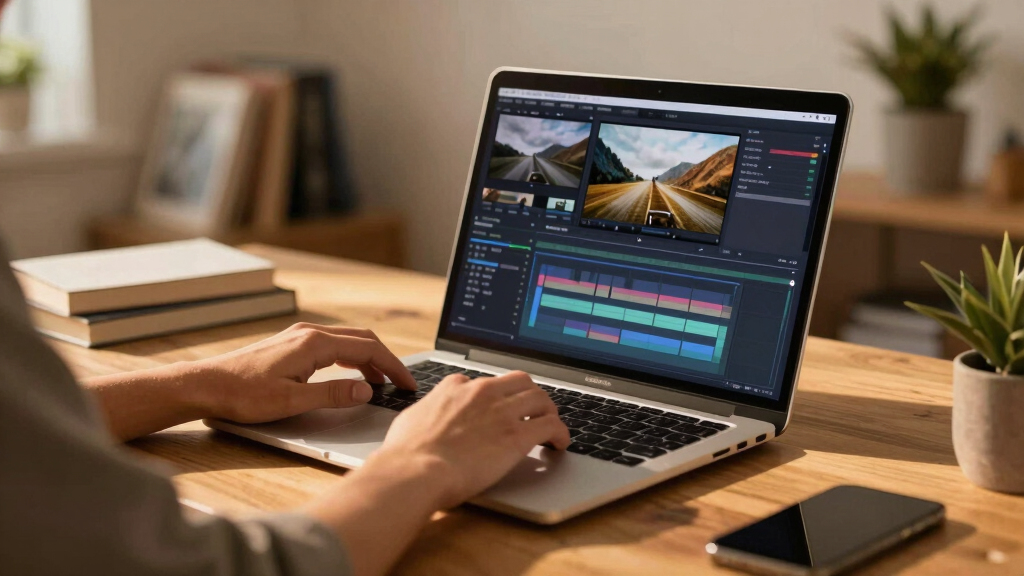

Finding the best laptops for video editing over $500 involves balancing power, display quality, and portability. The HP 15.6″ FHD Touchscreen i7 Laptop stands out as the top overall choice thanks to its robust Intel i7 processor and ample RAM, ideal for demanding editing tasks. The ASUS Vivobook S16 Ultra offers a stunning 2.8K OLED display for color-critical work, making it perfect for professionals who prioritize screen quality. Meanwhile, the Lenovo LOQ Gaming Laptop combines a high-performance RTX 4060 GPU with a fast Ryzen processor, suited for GPU-accelerated editing. However, each comes with tradeoffs, whether in price, battery life, or form factor. Continue reading for a detailed breakdown of these options and what to look for in your next editing laptop.
Key Takeaways
- High RAM (32GB or more) consistently benefits video editing performance, especially with large files and multitasking.
- Displays with high resolution and color accuracy, like OLED or 2.5K panels, make a noticeable difference in editing precision.
- A balanced combination of CPU and GPU power is essential for smooth rendering and playback, with dedicated graphics providing an edge.
- Build quality and thermal management impact long-term usability, especially during intensive editing sessions.
- Price often correlates with features; investing over $500 usually ensures better performance but watch for features that truly benefit editing needs.


More Details on Our Top Picks
HP 15.6″ FHD Touchscreen i7 Laptop, 32GB RAM, 1TB SSD, Windows 11 Pro
This HP model stands out for combining a high-performance 13th Gen Intel Core i7 processor with 32GB RAM, making it well-suited for demanding video editing tasks. Its vibrant 15.6″ FHD touchscreen enhances interactive workflows, while the 1TB SSD ensures quick load times and ample storage. Compared to the Dell 16-inch, it offers a lighter, more portable form factor, but the battery life may be slightly limited for extended editing sessions. The inclusion of Wi-Fi 6 and Windows 11 Pro further elevates its appeal for professionals needing both power and mobility. Tradeoffs include a higher price point and a lightweight design that may restrict some port options.
Pros:- Powerful 13th Gen Intel Core i7 processor with 32GB RAM for smooth multitasking
- Vibrant 15.6″ FHD touchscreen for interactive editing
- Fast 1TB SSD storage for quick access and large files
Cons:- Limited port options due to lightweight design
- Battery life of up to 7.75 hours may vary with heavy use
Best for: Video editors who need a balance of power, portability, and a touchscreen interface for on-the-go editing.
Not ideal for: Power users requiring extensive port selection or longer battery life, as the lightweight design limits some ports and battery runtime.
- Processor:Intel 13th Gen Core i7-1355U (up to 5.0GHz)
- RAM:32GB DDR4
- Storage:1TB SSD
- Display:15.6″ FHD (1920×1080) touchscreen
- Graphics:Intel Iris Xe
- Webcam:720p HD private camera with AI noise reduction
- Wireless:Wi-Fi 6, Bluetooth
- Ports:1 x USB-C 3.0, 2 x USB-A 3.0, 1 x HDMI
- Battery Life:Up to 7.75 hours
Bottom line: This laptop is ideal for professionals seeking a portable yet powerful machine for video editing with a touchscreen interface.
Dell 16-Inch Touchscreen Laptop with AMD Ryzen 7 350 Processor, 32GB RAM, 1TB SSD, Windows 11 Home
This Dell 16-inch offers a sharp 2K display with a 16:10 aspect ratio, making it excellent for detailed video editing and multitasking. Its AMD Ryzen 7 350 processor pairs with 32GB RAM to handle heavy workloads, while the 1TB SSD ensures speedy data access. Compared to the HP 15.6″ touchscreen, it provides a larger display, but at a slightly heavier weight, which may affect portability. The inclusion of a fingerprint reader and anti-glare coating enhances security and usability. However, limited information on battery life and a higher price tag make it less suitable for extended mobile use.
Pros:- High-resolution 2K touchscreen with immersive visuals
- Powerful AMD Ryzen 7 processor and 32GB RAM for multitasking
- Secure login features like fingerprint reader
Cons:- Relatively heavy for portable use
- Limited battery life information
Best for: Creative professionals prioritizing display quality and security in a larger form factor.
Not ideal for: Those needing a lightweight, all-day portable machine, as it weighs over 4 pounds and lacks detailed battery data.
- Display Size:16 inches
- Resolution:2K
- Processor:AMD Ryzen AI 7 350
- RAM:32GB
- Storage:1TB SSD
- Operating System:Windows 11 Home
- Weight:4.24 pounds
- Additional Features:Fingerprint reader, anti-glare coating
Bottom line: This laptop suits users wanting a larger display with security features for intensive editing, but less so for frequent mobile work.
ASUS Vivobook 18 Laptop, 18” WUXGA 144Hz Display, AMD Ryzen 7 2600, 32GB RAM, 1TB SSD, Quiet Blue
The ASUS Vivobook 18 offers a sizable 18-inch WUXGA display with a 144Hz refresh rate, providing fluid visuals that benefit video editing and casual gaming. Its AMD Ryzen 7 2600 processor and 32GB RAM support demanding multitasking, and the 1TB SSD ensures fast storage. Compared with more portable options like the HP 15.6″, this model prioritizes screen size and long battery life, up to 17 hours, at the expense of weight and bulk. The backlit keyboard and privacy shutter add practical touches, but the heavier weight and bulk might limit mobility for on-the-go editing.
Pros:- Massive 18-inch display with high refresh rate for smooth visuals
- Long battery life up to 17 hours for extended editing sessions
- Powerful AMD Ryzen 7 processor and 32GB RAM for multitasking
Cons:- Heavy and bulky for mobile use
- Limited GPU details; may lack dedicated GPU for intensive editing
Best for: Editors who prefer a larger display for detailed work and need long battery life for extended sessions.
Not ideal for: Frequent travelers or those needing a lightweight machine, as it weighs over 5.7 pounds and is less portable.
- Display:18-inch WUXGA (1920 x 1200), 144Hz
- Processor:AMD Ryzen 7 2600
- RAM:32GB DDR5
- Storage:1TB SSD
- Battery Life:Up to 17 hours
- Weight:5.73 lbs
Bottom line: This is a strong choice for desktop-like editing experiences with a focus on screen size and battery longevity over portability.
Lenovo LOQ 15 Gaming Laptop – AMD Ryzen 7 8845HS, RTX 4060, 15.6″ FHD Display, 32GB RAM, 2TB SSD, Windows 11
The Lenovo LOQ 15 combines a potent AMD Ryzen 7 8845HS processor with NVIDIA RTX 4060 graphics, making it an excellent choice for gaming and intensive video editing. Its 15.6-inch FHD IPS display with a 144Hz refresh rate ensures smooth playback and editing precision. The 32GB DDR5 RAM and 2TB SSD provide ample resources for large projects and multitasking. Compared to the HP or Dell models, it excels in GPU capabilities, but the battery life is not specified, which could be a concern during mobile workflows. The gaming-oriented cooling tech and lightweight design add practical benefits for creators who also game or need high-performance graphics.
Pros:- NVIDIA RTX 4060 GPU for accelerated rendering and gaming
- High-refresh 15.6″ FHD IPS display with G-SYNC
- Large 2TB SSD and 32GB RAM for heavy multitasking
Cons:- Battery life not specified, potential limitations during mobile use
- Open seal for upgrades might affect warranty if not handled carefully
Best for: Video editors who need high-end GPU power and portability for demanding work and gaming.
Not ideal for: Users prioritizing battery longevity or seeking a budget-friendly, less gaming-focused device, as the high-performance components may drain power quickly.
- Processor:AMD Ryzen 7 8845HS
- Graphics Card:NVIDIA GeForce RTX 4060 6GB
- Display:15.6″ FHD IPS, 144Hz
- RAM:32GB DDR5
- Storage:2TB PCIe SSD
- Weight:5.1 lbs
- Additional Features:Webcam with E-shutter, Cooling Technology
Bottom line: This machine suits creators who want serious GPU performance in a portable design, but might not be ideal for all-day battery life needs.
HP 17 Laptop Essential Computer, 17.3-inch FHD IPS Business PC, AMD Ryzen 5, 64GB RAM, 2TB SSD + 500GB External Storage, Windows 11 Pro, Lifetime Office, Bundle
This HP 17 offers a massive 17.3-inch FHD IPS display, ideal for detailed editing and multitasking. Its AMD Ryzen 5 7430U processor, combined with 64GB RAM, makes it capable of handling multiple high-demand applications simultaneously. The 2TB SSD and included external drive provide extensive storage, and Windows 11 Pro with lifetime Office access adds productivity value. Compared with smaller, more portable laptops, it focuses on a desktop-like experience, but its weight of over 4.5 pounds and bulkiness limit mobility. The battery life, around 8 hours, is decent but may vary with heavy workloads.
Pros:- Large 17.3-inch FHD IPS display for detailed editing
- Extensive 64GB RAM supports heavy multitasking
- Ample storage with 2TB SSD and external drive included
Cons:- Heavy and less portable for mobile editing
- Battery life of up to 8 hours may fluctuate with use
Best for: Professionals who require a large display and extensive multitasking capacity for editing, spreadsheets, and productivity.
Not ideal for: Frequent travelers or mobile editors, as its weight and size make portability challenging.
- Processor:AMD Ryzen 5 7430U (up to 4.3 GHz, 6 cores)
- Display:17.3-inch FHD IPS
- RAM:64GB DDR4
- Storage:2TB PCIe NVMe SSD
- Additional Storage:500GB External Drive
- Webcam:HP True Vision HD with privacy shutter
- Battery:Up to 8 hours
Bottom line: This is a strong choice for desktop-based editing setups requiring large screens and heavy multitasking, but less suitable for frequent mobility.
Light Gaming Laptop with AMD Ryzen 7 7730U, 16GB RAM, 512GB SSD, 15.6-inch IPS Display, Windows 11
This lightweight gaming laptop excels in providing a balance between performance and portability, making it a strong choice for video editors who value mobility. Its AMD Ryzen 7 7730U processor with 8 cores and 16 threads offers solid multitasking, comparable to the Intel Core i5 options in some mid-range editing laptops. The 15.6-inch IPS display delivers vivid visuals, which is essential for color-accurate editing, although it’s not a high-end display like the OLED in the ASUS Vivobook S16. Multiple ports and WiFi 6 support enhance connectivity, and expandable storage options add future-proofing. However, its lightweight build may compromise durability, and battery life details are missing, which could matter for on-the-go editing sessions. Compared to the ASUS TUF F16, it’s more portable but less gaming-oriented with a simpler display. This pick makes the most sense for budget-conscious users who need a capable all-rounder without sacrificing too much performance.Pros:- Strong AMD Ryzen 7 processor with excellent multitasking ability
- Vivid 15.6-inch IPS display suitable for editing and entertainment
- Multiple connectivity options including WiFi 6 and versatile ports
- Expandable storage and RAM for future upgrades
Cons:- Build may feel less durable due to lightweight design
- Battery life is not specified, which could limit portability
Best for: Editors who need a portable, all-purpose machine for editing, multitasking, and casual gaming.
Not ideal for: Heavy-duty professional editors requiring a display with high color accuracy or long battery life for extended field work.
- Processor:AMD Ryzen 7 7730U (8 cores, 16 threads, up to 4.5GHz)
- RAM:16GB DDR4
- Storage:512GB NVMe PCIe 3.0 SSD (expandable up to 4TB)
- Display:15.6-inch IPS LCD, 1920×1080, 60Hz
- Graphics:AMD Radeon Graphics
- Weight:Approximately 4.07 lbs
Bottom line: A flexible, portable option ideal for users balancing editing needs with mobility.
ASUS Vivobook S16 Ultra 9 Laptop, 16-inch 2.8K OLED, 120Hz, Intel Core Ultra 9 285H, 32GB RAM, 2TB SSD, Windows 11 Pro
The ASUS Vivobook S16 Ultra 9 stands out for its incredible 2.8K OLED display, offering vibrant, color-rich visuals crucial for accurate video editing. Its Intel Core Ultra 9 processor with 16 cores rivals desktop-class performance, making it suitable for demanding editing workflows and multitasking. Comparing with the Dell 16 Plus, it provides a more vivid display, though at a slightly higher cost and weight. The 32GB RAM and 2TB SSD ensure rapid performance and ample storage, ideal for handling large video files. Its portability is decent at just over 3 pounds, but premium features and display quality come at a premium price. Battery life isn’t highlighted, which could limit prolonged mobile use. This makes most sense for creative professionals who prioritize display quality and processing power over affordability.Pros:- Stunning 2.8K OLED display with excellent color accuracy
- Powerful Intel Core Ultra 9 processor with 16 cores
- Ample 32GB RAM and 2TB SSD for multitasking and storage
- Lightweight and portable for a high-performance laptop
Cons:- Premium features come at a higher price point
- Battery life details are not specified
Best for: Video editors and creators seeking a high-resolution, color-accurate display with top-tier processing.
Not ideal for: Budget-conscious hobbyists or those who prioritize battery life and portability over display quality and processing power.
- Processor:Intel Core Ultra 9 285H 2.9 GHz (up to 5.4 GHz, 16 cores)
- Memory:32GB LPDDR5X SDRAM
- Storage:2TB SSD
- Display:16-inch 2.8K OLED, 2880×1800, 120Hz
- Graphics:Intel Arc Integrated Graphics
- Weight:3.31 pounds
Bottom line: Perfect for professionals who need a superb display and robust performance in a portable form.
ASUS TUF F16 Gaming Laptop RTX 5070 with Intel Core i7-14650HX, 16″ FHD+ Display, 32GB RAM, 1TB SSD, RGB Backlit Keyboard
The ASUS TUF F16 combines gaming-grade graphics with a powerful i7 processor, making it suitable for video editing that benefits from GPU acceleration. Its 16-inch FHD+ display with a 165Hz refresh rate and 100% sRGB coverage ensures smooth visuals and accurate colors, comparable to the RTX 4050-equipped Acer Nitro but with higher gaming capabilities. Its 32GB DDR5 RAM and 1TB SSD support demanding editing workflows, though its 4.79-pound weight makes it less portable than ultralight options. The RGB keyboard and gaming-oriented features might appeal to creative professionals who also game, but some might prefer a more subdued design. Battery life, while decent at up to 10 hours, may be impacted during intense editing sessions. It’s best for users who want a versatile, gaming-capable machine that handles editing and creative tasks well.Pros:- High-performance Intel Core i7-14650HX processor with excellent multitasking
- 165Hz FHD+ display with accurate sRGB coverage
- Large 32GB DDR5 RAM and 1TB SSD for demanding workflows
- RGB backlit keyboard suited for gaming and low-light work
Cons:- Relatively heavy at nearly 5 pounds, less portable
- Design geared toward gamers, which might not suit all professional environments
Best for: Creative professionals who want a gaming-capable laptop for editing and gaming alike, with a focus on performance.
Not ideal for: Editors prioritizing ultra-lightweight portability or those needing a subdued design without gaming features.
- Processor:Intel Core i7-14650HX
- Graphics:NVIDIA GeForce RTX 5070 8GB GDDR7
- Display:16-inch FHD+ IPS, 165Hz
- RAM:32GB DDR5
- Storage:1TB PCIe SSD
- Weight:4.79 lbs
Bottom line: Ideal for gamers who need a robust editing machine that can double as a gaming rig.
Acer Nitro V Gaming Laptop with Intel Core i5-13420H and NVIDIA GeForce RTX 4050
The Acer Nitro V offers a compelling mix of gaming power and editing capability at a more accessible price point. Its Intel Core i5-13420H and RTX 4050 graphics handle video rendering tasks efficiently, comparable to higher-tier laptops but with some compromises on raw processing power. The 15.6-inch 165Hz IPS display provides sharp visuals, though it lacks the color accuracy and resolution of OLED or 2.8K screens found in premium models. The 8GB DDR5 RAM is somewhat limiting for intensive multitasking, especially compared to the 32GB available in other options, but it can be upgraded. Connectivity is versatile with Wi-Fi 6 and Thunderbolt 4, making it suitable for on-the-go editing. Its primary tradeoff is the limited RAM, which can slow down workflow in complex projects, but it remains an excellent choice for budget-conscious creators.Pros:- Solid gaming and editing performance with RTX 4050 graphics
- Fast 165Hz refresh rate for smooth visuals
- Versatile connectivity options including Thunderbolt 4
- Affordable price for the hardware offered
Cons:- Limited 8GB RAM out of the box; upgrade recommended
- Display lacks high-end color accuracy compared to OLED or 2.8K screens
Best for: Budget-conscious users who want a capable gaming laptop for video editing and multitasking without overspending.
Not ideal for: Heavy multi-project editors or those needing extensive RAM for large files, as the default 8GB may hinder performance.
- Processor:Intel Core i5-13420H
- Graphics:NVIDIA GeForce RTX 4050
- Display:15.6″ FHD IPS, 165Hz
- RAM:8GB DDR5
- Storage:512GB PCIe Gen 4 SSD
- Connectivity:Wi-Fi 6, Thunderbolt 4
Bottom line: A smart choice for gamers and casual editors seeking powerful specs at an accessible price.
Dell 16 Plus Laptop with 16.0-inch 2.5K Display, Intel Core Ultra 9, 32GB RAM, 2TB SSD, Arc Graphics, Backlit Keyboard, Windows 11 Home
The Dell 16 Plus combines a large, high-resolution 2.5K display with robust performance, making it an attractive option for serious video editors. Its Intel Core Ultra 9 processor paired with 32GB RAM and 2TB SSD ensures smooth editing workflows and quick data access. The 16-inch display offers a generous workspace and excellent clarity, comparable to the ASUS Vivobook’s OLED but with a more traditional LCD panel. The laptop’s build quality and military-grade testing add durability, though at over four pounds, portability is less ideal for frequent travelers. Its graphics support AI-accelerated tasks, but the Arc graphics are not quite as powerful for rendering complex effects as dedicated Nvidia or AMD cards. This is a strong choice for professionals who prioritize a large, detailed screen and top-tier hardware.Pros:- Large 16-inch 2.5K display suitable for multitasking and detailed editing
- Powerful Intel Core Ultra 9 processor with 32GB RAM
- Fast 2TB SSD and durable, military-grade build quality
- High-quality webcam and backlit keyboard
Cons:- Relatively heavy at over 4 pounds, less portable
- Graphics are integrated Arc, not dedicated Nvidia/AMD, limiting some rendering tasks
Best for: Professional video editors and creators who need a large, high-resolution display and high-performance specs.
Not ideal for: Those seeking lightweight portability or budget buyers who don’t need the extensive specs this model offers.
- Display:16.0-inch 2.5K (2560×1600)
- Processor:Intel Core Ultra 9 288V
- Memory:32GB LPDDR5X
- Storage:2TB SSD
- Graphics:Intel Arc Graphics
- Weight:4.12 lbs
Bottom line: Best suited for professionals who want a large, high-res screen combined with powerful hardware for demanding editing workflows.
Dell 14 Plus Laptop with 14-inch 2.5K Display, Intel Core Ultra 9-288V, 32GB RAM, 1TB SSD, Intel Arc Graphics, Windows 11 Home
This Dell 14 Plus distinguishes itself through its vivid 14-inch 2.5K display, which offers sharp visuals ideal for detailed video editing on the go. Unlike the larger Dell Precision, it prioritizes portability without sacrificing performance, thanks to its high-end Intel Core Ultra 9-288V processor and 32GB RAM that handle editing workflows smoothly. Its integrated Intel Arc graphics provide competent visual performance, though they fall short of dedicated GPU options for intensive rendering, making it less suited for heavy 3D work. The sleek aluminum build and secure features add to its appeal, but the premium price may be a barrier for some. Compared to bulkier options like the Dell Precision, this pick offers a more portable experience, but at the expense of raw GPU power for complex tasks.
Pros:- High-resolution 14-inch display with vivid visuals
- Powerful 32GB RAM and 1TB SSD enable fast multitasking and storage
- Enhanced AI features and durable aluminum build
Cons:- Premium price for the hardware and display quality
- Limited details on battery life may impact portability
- No dedicated GPU, which could limit rendering speed for complex projects
Best for: Creative professionals who need a portable, visually stunning laptop for editing and AI tasks.
Not ideal for: Heavy 3D rendering or multi-layered compositing users who require dedicated GPU power.
- Display:14-inch 2.5K (2560×1600)
- Processor:Intel Core Ultra 9-288V
- RAM:32GB LPDDR5X
- Storage:1TB SSD
- Graphics:Intel Arc
- Operating System:Windows 11 Home
- Build Material:Aluminum
- Special Features:Backlit Copilot Key Keyboard, Military-grade durability
Bottom line: This model suits video editors who prioritize portability and stunning visuals over raw GPU power.
Dell Precision 17.3″ FHD Laptop with Intel Core i7-10850H, 32GB RAM, 1TB SSD, NVIDIA Quadro RTX 3000, Windows 11 Pro (Renewed)
This Dell Precision 17.3-inch offers a significant step up in GPU power with its NVIDIA Quadro RTX 3000, making it ideal for demanding editing tasks, multi-layer projects, and even some 3D work. Its large 17.3-inch FHD display provides ample space for timeline editing and detailed color grading, outperforming the smaller Dell 14 Plus in screen real estate. The Intel Core i7-10850H processor and 32GB RAM deliver robust performance, but the laptop’s weight—over 6.5 pounds—reduces portability, and as a renewed device, it may raise concerns about long-term reliability. While it excels in power, the size and weight make it less practical for frequent travel compared to lighter models like the Dell 14 Plus. Still, for stationary editing stations or studio use, it stands out as a powerhouse.
Pros:- Powerful Intel Core i7 processor with high clock speeds
- Large 17.3-inch FHD display with vivid color reproduction
- Professional-grade NVIDIA Quadro RTX 3000 GPU
Cons:- Heavy and less portable at over 6.5 pounds
- Renewed condition might impact reliability over time
- Limited battery life details for mobile use
Best for: Video editors working on complex projects needing professional-grade GPU and large display in a stationary setup.
Not ideal for: Travelers or those needing a lightweight, portable editing device due to its weight and size.
- Processor:Intel Core i7-10850H, 6 cores, up to 5.10GHz
- Display:17.3-inch FHD (1920 x 1080), Anti-Glare, 60Hz, 100% DCI-P3
- Graphics Card:NVIDIA Quadro RTX 3000 6GB GDDR6
- RAM:32GB DDR4 SDRAM
- Storage:1TB SSD
- Operating System:Windows 11 Pro 64-bit
- Weight:6.65 pounds
Bottom line: This laptop is best suited for stationary editing setups demanding high GPU performance and ample screen space.
How We Picked
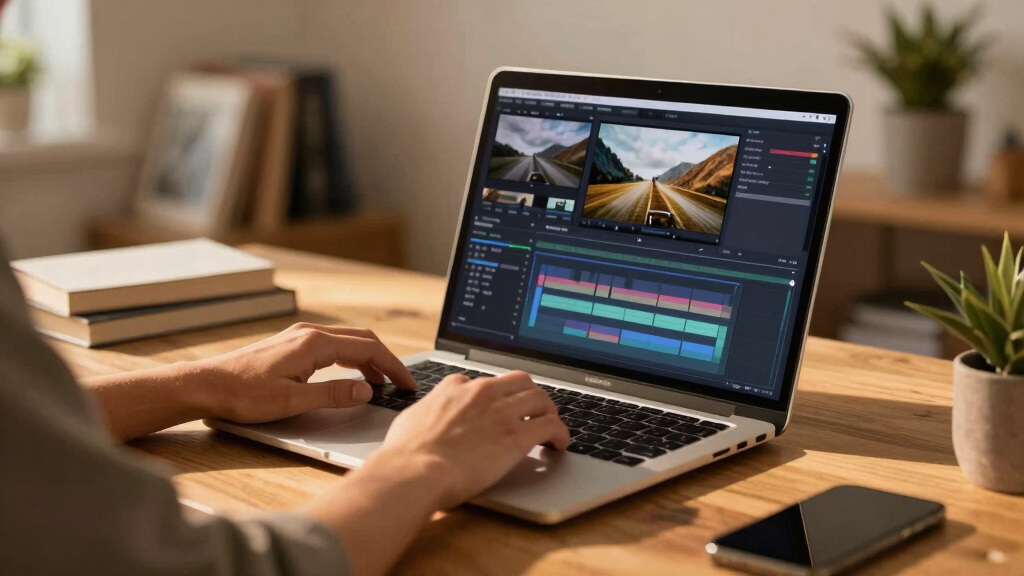
These laptops were selected based on their ability to handle demanding video editing tasks without breaking the $500 threshold. We evaluated core components such as CPU strength, GPU capability, and RAM size, since these directly influence rendering times and multitasking. Display quality was also a key factor, as accurate color reproduction and resolution are critical for editing work. Usability features like keyboard comfort and thermal management were considered, along with overall value given the price point. The ranking prioritizes models that strike the best balance between performance, build quality, and price, ensuring that each pick serves a specific user need while maintaining reliable performance for professional or serious hobbyist editing.Factors to Consider When Choosing Best Laptops For Video Editing Over $500
Choosing the best laptop for video editing over $500 requires understanding which features truly impact editing workflows. Not all high-spec labels translate into better editing experiences; some models excel in specific areas like display or GPU, while others offer superior CPU performance. It’s vital to align your needs—whether professional editing, hobbyist projects, or content creation—with the right specifications. Additionally, budget considerations should not sacrifice essential features, but knowing where to invest more can lead to noticeably smoother editing sessions. This guide outlines key factors to help you make an informed decision.Processor Power
The CPU is the backbone of any editing laptop. For smooth performance, especially when rendering or exporting large videos, a recent-generation Intel Core i7 or AMD Ryzen 7 processor is ideal. Cheaper options with lower-tier CPUs may struggle with multitasking or cause frustrating delays. Prioritize models with at least 8 cores, which handle multitasking and complex editing tasks more efficiently, reducing bottlenecks during intensive workflows.
Graphics Card
A dedicated GPU, such as an NVIDIA RTX 4060 or AMD Radeon equivalent, enhances rendering speed and accelerates effects processing. While integrated graphics can suffice for lighter edits, GPU-accelerated tasks benefit from a capable discrete graphics card. Consider your editing needs: if you work with 4K footage or complex effects regularly, investing in a model with a strong GPU pays off in shorter render times and smoother playback.
Display Quality
The display quality directly affects your editing accuracy. Look for screens with high resolution (at least 1080p, with 2.5K or OLED options for better color and contrast). Color accuracy, measured by coverage of Adobe RGB or DCI-P3, matters if you do color grading. While OLED screens are more expensive, they offer superior contrast and color depth, making them worth considering for detailed visual work.
Memory and Storage
Video editing demands substantial RAM and fast storage. Aim for at least 16GB of RAM, with 32GB preferable for heavy multitasking or 4K editing. SSD storage is critical for quick file access and rendering; a 1TB SSD strikes a good balance between capacity and speed, but larger capacities or additional external drives may be necessary for extensive projects. Avoid models with slower HDDs as primary storage for editing files.
Build and Portability
While powerful specs are essential, the laptop’s build quality and thermal management influence usability. Overheating can throttle performance, so look for models with effective cooling. Portability varies—gaming or workstation laptops tend to be bulkier, which matters if you work on the go. Consider your workspace and mobility needs carefully before choosing a heavier or lighter model.
Price and Value
Investing over $500 typically yields better performance and features, but it’s important to match your budget with your editing requirements. Sometimes a slightly higher price ensures future-proofing or longer usability. Be wary of models that cut corners on key components like GPU or display to meet lower price points, as these can hinder your editing experience over time.
Frequently Asked Questions
Can I do professional video editing on a laptop just over $500?
While it’s possible to perform professional-level editing on laptops around this price range, expect some limitations. These models can handle 1080p editing and lighter 4K projects, but may struggle with complex effects or large files. Investing slightly more can provide additional headroom, especially in GPU and RAM, leading to smoother workflows and faster render times for demanding projects.
Is a touchscreen necessary for video editing?
Touchscreens can enhance workflow, especially for detailed timeline adjustments or color grading, but they are not essential. Many professional editors rely on precision with a mouse or pen tablet. If touchscreen features help you work more intuitively, they’re a nice bonus; otherwise, prioritizing performance and display quality is more important.
How important is battery life for video editing laptops?
Battery life is less critical if you primarily work in a fixed location with access to power, but it matters if you plan to edit on the go. Powerful hardware tends to drain batteries faster, so expect shorter runtimes on high-performance models. For mobile editing, look for laptops with efficient power management and decent battery longevity.
Should I prioritize display resolution or color accuracy?
Both are important, but if your work involves precise color grading, prioritize color accuracy and high-quality panels like OLED or 2.5K screens. Resolution affects how much you see on screen; higher resolutions provide more workspace. Ideally, choose a laptop that offers a balance—high resolution with good color fidelity—for the best editing experience.
Is it worth paying more for a dedicated GPU in a video editing laptop under $1000?
Yes, a dedicated GPU significantly accelerates rendering and effects processing, especially in 4K editing or complex projects. While integrated graphics can handle basic tasks, investing in a model with a capable GPU ensures smoother playback and faster exports. If your budget allows, prioritizing GPU power pays off in time saved and editing fluidity.
Conclusion
For those seeking the best overall performance that balances power and usability, the HP 15.6″ FHD Touchscreen i7 Laptop makes a compelling choice. Budget-conscious buyers or hobbyists will find the Light Gaming Laptop with AMD Ryzen 7 7730U offers strong specs at a lower price. Creative professionals demanding top-tier display and GPU capabilities should consider the ASUS Vivobook S16 Ultra for its stunning screen. Beginners or casual editors benefit from lighter, more portable options, while power users should look at models with dedicated graphics and high RAM. This roundup aims to match each user profile with the right machine, ensuring you get the best value and performance for your investment in 2026.