

Fileless malware hides entirely in your RAM, making it tricky to spot with regular antivirus tools. It exploits trusted system processes like PowerShell or browser processes to execute malicious actions without creating files on disk. Because it operates in memory, it vanishes after shutdown, leaving little trace. Detecting it requires behavioral monitoring and advanced security measures. Stay alert—understanding how these invisible threats work can help you better defend your devices from such stealthy attacks.
Key Takeaways
- Fileless malware operates entirely in memory, avoiding disk storage to evade traditional detection methods.
- It exploits legitimate system tools like PowerShell and WMI for malicious activities.
- Detection requires monitoring runtime behaviors and process activities rather than relying on signature-based scans.
- Attackers use techniques like code injection and process hijacking to maintain persistence and evade security tools.
- Advanced endpoint security solutions focus on behavior analysis to identify these elusive, memory-resident threats.

Have you ever wondered how cybercriminals manage to stay hidden even when your antivirus detects threats? The answer lies in a stealthy form of malware called fileless malware. Unlike traditional viruses that rely on files stored on your disk, this malicious code executes solely in your computer’s RAM. It injects itself into running processes without creating any files or leaving traces on your hard drive. This zero-footprint approach makes it extremely difficult for signature-based antivirus tools to identify and block these attacks. Instead of downloading and installing malicious files, cybercriminals use legitimate system tools like PowerShell, WMI, or even browser processes to carry out their malicious activities. They leverage trusted processes such as javaw.exe or iexplore.exe to inject malicious code directly into memory, effectively hiding in plain sight.
Fileless malware hides in memory, using legitimate tools to evade detection and leave no trace on your hard drive.
This malware is characterized by its lack of identifiable code or signatures, making it invisible to most traditional detection methods. It resides entirely in your system’s RAM, which means once your device is powered down, the malware disappears. It exploits native operating system processes to execute malicious scripts, often delivered through phishing emails with embedded macros or via malicious links to compromised websites. Attackers also use droppers—small files like documents or ZIP archives—that run scripts in memory, avoiding the need for persistent files on your disk. In mobile environments, they exploit URL schemes or runtime code injections, turning your device into a target for memory-based assaults. Memory-resident malware can also leverage encryption techniques to hide malicious payloads during runtime, further complicating detection efforts.
Once inside, fileless malware can perform a variety of malicious actions. It can download payloads into memory, create backdoors, or manipulate system registry entries to maintain persistence without leaving any disk traces. Techniques like reflective DLL injection or self-injection into processes allow the malware to stay active even after reboots. Attackers often use tools like PowerShell to remotely download and execute payloads, or they hijack scheduled tasks and WMI to reacquire access. They also manipulate trusted system tools to exfiltrate data via FTP or to perform lateral movement across networks, all while remaining undetectable to most defenses.
Your traditional antivirus might not catch this threat, as it lacks files for signature detection and often mimics legitimate processes. Some logs show that in about 20% of cases, malware was active even when antivirus alerts were present. To defend against fileless malware, you need advanced endpoint security that monitors behavior and process activity beyond signatures. Techniques like runtime manipulation detection, application whitelisting, and anomaly detection are essential. Cybercriminals increasingly rely on these stealth tactics to evade detection, making understanding and countering fileless malware vital for keeping your systems safe.
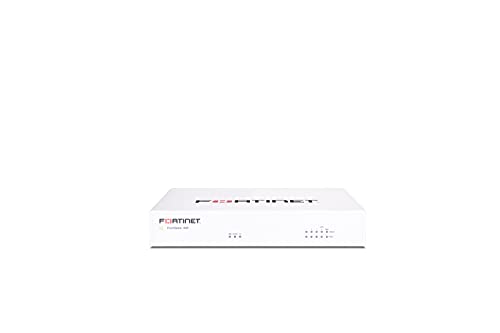
FortiGate-40F Firewall Appliance - 5 Gigabit Ethernet RJ45 Ports, Ideal for Small Businesses (Appliance Only, No Subscription) (FG-40F)
Compact and Efficient Design: The FortiGate 40F is designed for small to mid-sized businesses and enterprise branch offices,...
As an affiliate, we earn on qualifying purchases.
Frequently Asked Questions
How Can Organizations Effectively Detect Fileless Malware in Real-Time?
You can detect fileless malware in real-time by implementing advanced endpoint detection and response tools that monitor behavior and process activities continuously. Focus on identifying suspicious memory behaviors, unusual process injections, or anomalies in legitimate system tools. Use threat hunting, anomaly detection, and behavioral analytics to spot signs of in-memory attacks early. Combining these techniques helps you catch stealthy threats before they cause significant damage.
What Are the Best Practices for Preventing Memory-Based Attacks?
An ounce of prevention is worth a pound of cure. To prevent memory-based attacks, you should prioritize behavior-based detection over signature scans, as these attacks evade traditional antivirus tools. Implement advanced endpoint security that monitors processes and memory activity, use application whitelisting, and enforce strict access controls. Regularly update your systems, train your staff on phishing risks, and employ runtime manipulation detection tools to catch suspicious activities early.
Can Traditional Antivirus Tools Detect Fileless Malware?
Traditional antivirus tools struggle to detect fileless malware because it operates entirely in RAM, leaving no files on disk. They rely on signature-based detection, which these attacks bypass by using legitimate system tools and dynamic memory techniques. To effectively identify and prevent such threats, you need behavior-based monitoring, advanced endpoint security, and real-time analysis that can spot malicious activities within memory processes.
Which Operating Systems Are Most Vulnerable to Fileless Malware?
You might not realize it, but your Windows systems are most vulnerable to fileless malware. Hackers target Windows because of its widespread use and open architecture that allows malicious scripts to hide in memory. While macOS and Linux are less common targets, they’re not immune. Windows’ reliance on native tools and processes creates opportunities for attackers to exploit RAM, making vigilance essential to defend against these invisible threats.
How Does Fileless Malware Evade Signature-Based Detection Methods?
You might not realize it, but fileless malware evades signature-based detection by operating solely in memory, leaving no files on your disk. It injects into legitimate processes like browsers or system tools, making it hard for traditional antivirus to recognize. Since it doesn’t rely on malicious files, signatures don’t exist, so detection relies on behavioral monitoring and advanced endpoint security that analyze memory and process activities instead.

FortiGate-100F Firewall Appliance - 22 Gigabit Ethernet RJ45 Ports, 4 SFP & 2 10G SFP+ Ports, Dual Power Supplies (Appliance Only, No Subscription) (FG-100F)
Comprehensive Connectivity and Redundancy: The FortiGate 100F Firewall Appliance features an extensive array of connectivity options including 22...
As an affiliate, we earn on qualifying purchases.
Conclusion
You might not see it, but fileless malware is a growing threat, hiding in your RAM and evading traditional detection methods. Did you know that over 60% of cyberattacks now involve some form of fileless malware? This statistic highlights just how prevalent and dangerous these invisible threats are. Stay vigilant, keep your security measures updated, and remember—sometimes, the most harmful threats are the ones you can’t see.
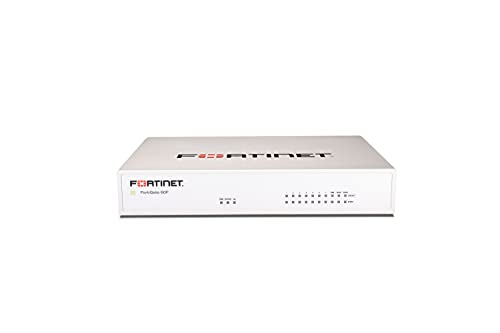
FortiGate-60F Firewall Appliance - 10 Gigabit Ethernet RJ45 Ports, Includes DMZ, WAN & Internal Ports (Appliance Only, No Subscription) (FG-60F)
Extensive Connectivity Options: The FortiGate 60F is designed with 10 GE RJ45 ports, including 2 WAN ports, 1...
As an affiliate, we earn on qualifying purchases.

Zyxel USGFLEX100H Cyber Security Firewall | 4 Gbps, Up to 50 Users | Hardware Only | 8X Gigabit Ports | IPSec/SSL VPN, IPS Anti-Malware, UTM | Nebula Cloud | Fanless | TAA Compliant
MULTI-LAYERED SECURITY HARDWARE: Reputation filtering (IP/DNS/URL) and SecuReporter visibility included in Entry Defense Pack, while the optional Gold...
As an affiliate, we earn on qualifying purchases.