
Using a privacy VPN service helps protect your online activity from tracking, censorship, and data collection. This guide covers how to choose a trustworthy VPN provider, set up the service correctly, and verify your connection is secure. It is suitable for users with basic internet knowledge who want to enhance their privacy. Completing these steps will ensure your internet traffic is encrypted and your location is hidden from external observers.

Get privacy and security gear delivered free with Prime
- Fast, free delivery on millions of items
- Prime Video, Amazon Music and more included
- Member-only deals all year
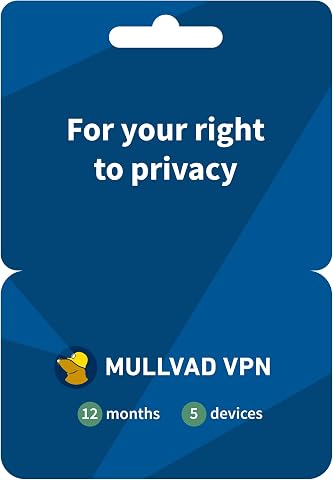
Mullvad VPN – 12 Months for 5 Devices – No-Log VPN Service for Your Privacy
- ✔ Duration: 12 months
- ✔ Devices: 5
- ✔ Protocols: WireGuard

HMA VPN Privacy Protection Service – 1 Year, 5 Devices
- ✔ Devices: 5
- ✔ Duration: 1 Year
- ✔ Platform Compatibility: Windows, Mac, iOS, Android, Linux, Routers

Deeper Connect Mini DPN Router, 1Gbps ARM64 Quad Core Hardware Gateway with Layer 7 Firewall, Smart Routing, Multi Device Coverag…
- ✔ Connectivity: 1Gbps
- ✔ Processor: ARM64 Quad Core
- ✔ Features: Layer 7 Firewall, Smart Routing, Multi Device Coverage, Decentralized VPN
Difficulty: Intermediate | Time: 30-45 minutes
What You’ll Need
Tools & Materials:
- a computer or mobile device with internet access
- a valid email address
- payment method (credit card, PayPal, or other accepted payment options)
Knowledge:
- basic understanding of internet privacy concepts
- ability to install software or apps
Ensure your device is updated to the latest software version before starting. Choose a VPN provider with a strong privacy policy that does not log user data.
Mullvad VPN – 12 Months for 5 Devices – No-Log VPN Service for Your Privacy
Mullvad VPN is a standout for its unwavering commitment to privacy, with a strict no-log policy and support for five devices on a single subscription. Its use of the WireGuard protocol ensures fast, secure connections, making it ideal for those prioritizing privacy above all else. Compared with HMA, Mullvad’s setup is less streamlined, requiring an activation code and offering no free trial, which might deter casual users. However, for dedicated privacy advocates, Mullvad’s transparent policies and multi-platform compatibility—covering iOS, Android, Windows, macOS, and Linux—make it a top choice. Its main tradeoff is the initial setup complexity, but once configured, it provides reliable, no-log protection across devices.
Pros:
- No logs or personal data collected
- Supports multiple devices simultaneously
- Compatible with major operating systems
Cons:
- Requires activation code for setup
- No free trial option mentioned
Best for: Privacy-conscious users who want strong anonymity and multi-device support without logging concerns
Not ideal for: Users seeking a free trial or easy one-click setup
Bottom line: Mullvad is the best choice for privacy purists needing multi-device support with a transparent no-log policy.
“Mullvad is the best choice for privacy purists needing multi-device support with a transparent no-log policy.”
HMA VPN Privacy Protection Service – 1 Year, 5 Devices
HMA VPN offers a compelling mix of extensive global server coverage—over 190 countries—and robust security, thanks to 256-bit AES encryption. It supports a wide range of platforms including Windows, Mac, iOS, Android, Linux, and routers, making it highly versatile. Compared to Mullvad, HMA’s setup is slightly more involved, requiring users to purchase a key card for activation, which might be inconvenient for some. Nevertheless, its strong privacy stance—logging no user activity—makes it well-suited for those needing broad geographical access combined with high security. The absence of a clear free trial or money-back guarantee is a drawback, especially for cautious buyers.
Pros:
- Supports multiple devices and platforms
- Over 190 server locations worldwide
- Excellent encryption and no activity logs
Cons:
- No free trial or clear refund policy
- Activation requires purchase of a key card
Best for: Users needing extensive global access and military-grade encryption for privacy and content unblocking
Not ideal for: Casual users seeking a free or trial-based setup
Bottom line: HMA VPN is ideal for users seeking global coverage and high-end encryption, with a slight tradeoff in setup convenience.
“HMA VPN is ideal for users seeking global coverage and high-end encryption, with a slight tradeoff in setup convenience.”
Deeper Connect Mini DPN Router, 1Gbps ARM64 Quad Core Hardware Gateway with Layer 7 Firewall, Smart Routing, Multi Device Coverag…
The Deeper Connect Mini is a simple, plug-and-play device designed for straightforward online privacy at home. Its built-in decentralized VPN provides a lifetime service without ongoing subscription costs, making it an affordable option for basic privacy. The device supports 1Gbps connectivity and features like Layer 7 Firewall and Smart Routing, which enhance security against common threats. Compared to Mullvad and HMA, this router is much easier to set up, requiring no technical skills. However, it’s limited to basic privacy needs and lacks the advanced customization options of dedicated VPN apps. It’s ideal for users who want a hassle-free, all-in-one privacy device for everyday browsing but not for complex network configurations or high-end security demands.
Pros:
- Easy setup, no technical skills needed
- Includes lifetime decentralized VPN at no extra cost
- Provides basic online security and privacy
Cons:
- Limited advanced features and customization
- Designed for simple home use, not complex networks
- Lacks flexibility for enterprise or highly technical needs
Best for: Home users seeking simple, lifetime privacy protection without technical complexity
Not ideal for: Advanced users needing customizable VPN features or enterprise-level security
Bottom line: Deeper Connect Mini is perfect for users seeking an easy, low-cost privacy solution for home use with lifetime VPN access.
“Deeper Connect Mini is perfect for users seeking an easy, low-cost privacy solution for home use with lifetime VPN access.”
As an Amazon Associate we earn from qualifying purchases.
Before You Start
Research VPN providers to find one with a good reputation for privacy. Avoid free VPN services that may log or sell your data. Prepare a secure email and payment method, and read the provider’s privacy policy to confirm they do not keep logs.
Step-by-Step Instructions
Step 1: Select a reputable VPN provider
Research and compare VPN services that prioritize privacy, such as ExpressVPN, NordVPN, or ProtonVPN. Check for no-log policies, strong encryption standards, and positive user reviews.
Tip: Avoid free VPNs or those with suspiciously low prices; they often compromise privacy or sell user data.
Check: You have chosen a VPN provider known for privacy and downloaded their app or software.
Step 2: Create an account and subscribe
Visit the VPN provider’s website, create an account using your email, and select a subscription plan. Enter your payment details securely and complete the purchase.
Tip: Use a dedicated email address for VPN registration if privacy is a primary concern.
Check: Your account is active, and you have access to the VPN service dashboard.
Step 3: Download and install the VPN application
Download the VPN app suitable for your device (Windows, macOS, Android, iOS). Follow the installation prompts to install the software.
Tip: Ensure you download directly from the provider’s official website or app store to avoid malicious copies.
Check: The app is installed and opens without errors.
Step 4: Open the VPN app and log in
Launch the VPN application and log in with your account credentials.
Tip: Opt for two-factor authentication if available for added security.
Check: You are logged into the VPN application and see the main control panel.
Step 5: Configure VPN settings for privacy
Access the settings menu within the app. Enable features such as a kill switch, DNS leak protection, and choose the strongest encryption protocols (e.g., OpenVPN or WireGuard).
Tip: Turn on the kill switch to prevent data leaks if the VPN connection drops unexpectedly.
Check: Settings are configured with privacy-enhancing features enabled.
Step 6: Connect to a VPN server
Choose a server location close to your physical location for speed or select a country that aligns with your privacy goals. Tap or click the connect button.
Tip: Use the recommended or fastest server if unsure, but consider a server in a privacy-friendly jurisdiction.
Check: The VPN status indicates a secure connection, and the app displays your new IP address and location.
Step 7: Verify your VPN connection
Open a web browser and visit a site like ipleak.net or dnsleaktest.com. Check that your IP address and DNS requests show the VPN server location and not your real location.
Tip: Repeat the test with different servers if leaks are detected or if the location does not match your VPN server.
Check: The test confirms your real IP and DNS requests are hidden, and your online activity is protected.
Common Mistakes to Avoid
- Not enabling privacy features like kill switch or DNS leak protection — Always review and activate these features in your VPN settings before connecting.
- Using a VPN server in a jurisdiction with weak privacy laws — Choose servers in countries with strong privacy protections, avoiding jurisdictions known for data retention.
- Ignoring DNS or IP leak tests after connection — Always verify your connection with online leak tests to confirm your real IP and DNS are hidden.
Troubleshooting
Problem: VPN connection drops frequently
Solution: Enable the kill switch feature and select a different server. Restart the app and reconnect.
Problem: Leak tests show your real IP or DNS requests
Solution: Review your VPN settings to ensure leak protection is active and try connecting to a different server.
Problem: Unable to connect to VPN servers
Solution: Check your internet connection, restart the app, or try a different server location. Contact support if persistent.
What Success Looks Like
You are connected to a VPN server, and online leak tests show your IP address and DNS requests match the VPN server location. Your real IP is hidden, and your activities are encrypted.
Next Steps
Regularly update your VPN app, keep your device security patches current, and review your VPN settings periodically. Consider enabling automatic startup on device boot for continuous privacy protection.
Frequently Asked Questions
Does a VPN make me completely anonymous online?
While a VPN greatly enhances privacy by hiding your IP and encrypting your traffic, it does not guarantee complete anonymity. Combining it with other privacy tools and practices provides better protection.
Can I use a free VPN for privacy?
Free VPNs often have limitations and may log or sell your data. For strong privacy, choose a reputable paid VPN service with a strict no-log policy.
Will a VPN slow down my internet connection?
Using a VPN can reduce speed due to encryption and server distance. Selecting a nearby server and a high-quality provider minimizes speed loss.
Is it safe to use a VPN on mobile devices?
Yes, using a VPN on smartphones and tablets offers similar privacy benefits. Ensure the app is from a trusted provider and keep your device updated.
Halloween Picks
halloween
As an affiliate, we earn on qualifying purchases.