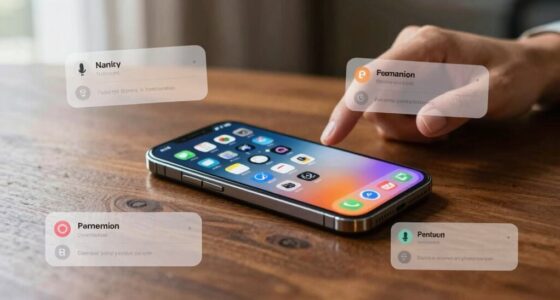

Understanding cybersecurity jargon is vital for your digital safety. Key terms include malware, which refers to malicious software, and phishing, a tactic for stealing sensitive information through deceptive messages. Firewalls protect your network by filtering traffic, while encryption secures data during transmission. By familiarizing yourself with these terms and others, you can better recognize threats and protect yourself online. You’ll soon discover even more ways to enhance your cybersecurity knowledge and stay secure in the digital world.
Key Takeaways
- Malware: Malicious software designed to harm systems or steal data, including viruses and ransomware, that beginners should be aware of.
- Phishing: Deceptive attempts to acquire sensitive information through fake emails or messages, making it crucial for beginners to recognize such scams.
- Firewalls: Security barriers that filter incoming and outgoing network traffic, essential for protecting devices from unauthorized access.
- Encryption: The process of converting data into a coded format to ensure that only authorized users can access it, vital for maintaining data privacy.
- Threat Detection: Tools and software that identify and mitigate potential threats, helping beginners understand how to protect their systems effectively.
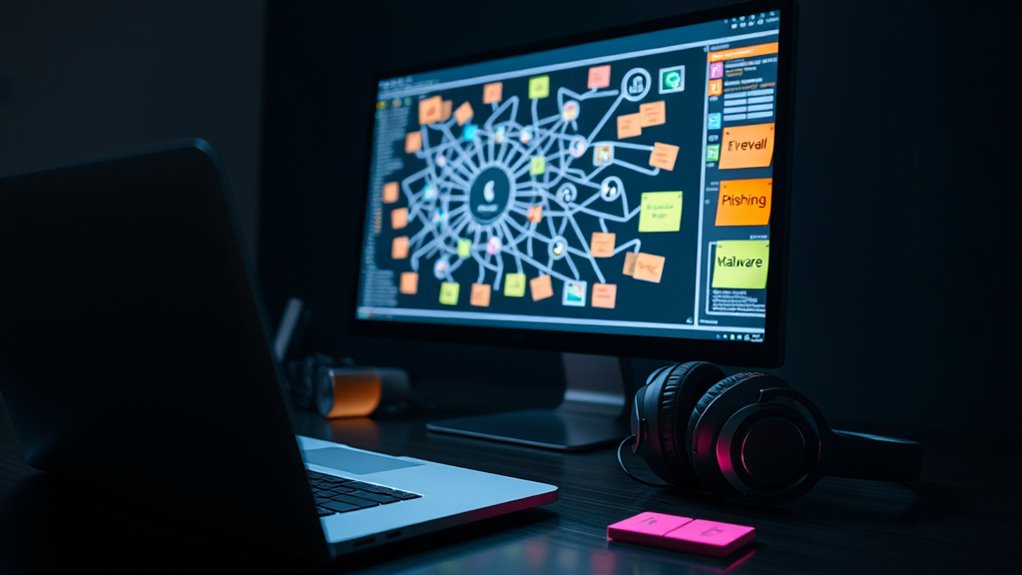
Ever wonder why cybersecurity talks often sound like a foreign language? If you’ve ever found yourself lost in a conversation about firewalls, phishing attacks, or malware detection, you’re not alone. Understanding cybersecurity jargon is essential for anyone wanting to navigate this complex landscape. So let’s break down some vital terms that can help you stay informed and secure.
First off, let’s talk about phishing attacks. You’ve probably heard this term thrown around, but what does it really mean? Phishing is a method hackers use to trick you into giving away sensitive information, like passwords or credit card numbers. They often disguise themselves as trustworthy sources, like banks or popular websites, sending you emails or messages that look legitimate. When you click on a link or open an attachment, you might unwittingly hand over your personal details. Recognizing phishing attempts is key to protecting yourself online, and knowing the signs can save you from a major headache.
Next, we’ve got malware detection, another vital term in the cybersecurity sphere. Malware, short for malicious software, refers to any software designed to harm your computer or steal your information. This can include viruses, ransomware, and spyware. Malware detection tools help identify and eliminate these threats before they can cause damage. These tools scan your system and alert you if they find anything suspicious, allowing you to take action before it’s too late. Familiarizing yourself with how malware detection works can empower you to keep your devices safe.
Now, you might hear terms like “firewall” or “encryption” tossed around in discussions about cybersecurity. A firewall acts as a barrier between your trusted internal network and untrusted external networks, filtering incoming and outgoing traffic. On the other hand, encryption involves converting data into a code to prevent unauthorized access. Understanding these concepts can enhance your digital security and help you communicate more effectively about cybersecurity matters.
Additionally, just as in relationships, effective dynamic communication can significantly improve your understanding of cybersecurity concepts, making it easier to discuss these topics with others.
Finally, don’t be intimidated by the jargon. The more you learn about these terms, the easier it’ll be to engage in conversations about cybersecurity. Just remember that everyone starts as a beginner. By familiarizing yourself with key concepts like phishing attacks and malware detection, you’ll not only protect yourself but also contribute to a more secure online community. So, immerse yourself and start learning; the world of cybersecurity is waiting for you!

Lenovo V-Series V15 Business Laptop, 15.6" FHD Display, AMD Ryzen 7 7730U, 40GB RAM, 1TB SSD, Numeric Keypad, HDMI, RJ45, Webcam, Wi-Fi, Windows 11 Pro, Black
[High Speed RAM And Enormous Space] 40GB high-bandwidth RAM to smoothly run multiple applications and browser tabs all...
As an affiliate, we earn on qualifying purchases.
Frequently Asked Questions
What Should I Do if I Suspect a Cyber Attack?
If you suspect a cyber attack, act quickly. Start by isolating affected systems to prevent further damage. Gather evidence by documenting unusual activities and errors. Then, notify your incident response team or IT department to initiate your cyber attack response plan. Implement incident management strategies to contain the threat and assess the impact. Finally, consider reporting the incident to authorities and review security protocols to enhance future defenses. Stay vigilant!
How Can I Protect My Personal Information Online?
To guard your personal information online, think of it as locking your treasures in a digital vault. Start by using password encryption to scramble your login credentials like a secret code. Next, enable two-factor authentication, adding an extra layer of security, like a guard standing watch. Always be cautious of suspicious emails and avoid sharing sensitive details on public networks. With these measures, you’ll fortify your online presence and keep your data safe.
What Are the Signs of a Phishing Attempt?
You can spot a phishing attempt by looking for certain signs. If you receive a phishing email, check for poor grammar or spelling mistakes. Be cautious of unsolicited messages asking for personal information. Suspicious links often lead to fake websites, so hover over them before clicking. If the email creates urgency or fear, it’s likely a scam. Trust your instincts—if something feels off, don’t engage and report it immediately.
Why Is Strong Password Management Important?
Strong password management’s essential because a weak password is like leaving your front door wide open! You’ve got to practice good password hygiene to protect your sensitive info. Using a password manager can be a game-changer, generating and storing complex passwords you wouldn’t remember otherwise. This way, you won’t be tempted to reuse passwords or resort to easily guessable ones. Keep your digital life secure and sleep soundly knowing you’re protected!
How Often Should I Update My Software for Security?
You should update your software regularly, ideally as soon as updates are available. Software patching fixes vulnerabilities and enhances security, so don’t ignore those notifications! If possible, enable automatic updates to guarantee you’re always protected without having to remember. Regular updates help keep your devices safe from cyber threats, so make it a habit to check for updates frequently. Staying proactive is key to maintaining your security posture.

Lenovo ThinkBook 15 Business Laptop (15.6" FHD Anti-Glare, 16GB RAM, 512GB SSD, AMD Ryzen 7 5825U (> Intel i7-1255U)) Fingerprint, 1080p Webcam, Military Grade, Ethernet, Wi-Fi, Win 11 Pro w/Copilot
INTRODUCING THE THINKBOOK 15 GEN 4 - the perfect commercial laptop that is both budget-friendly and MIL-SPEC tested...
As an affiliate, we earn on qualifying purchases.
Conclusion
Understanding cybersecurity jargon is essential for anyone steering today’s digital landscape. Did you know that in 2022, cybercrime costs are estimated to reach a staggering $10.5 trillion annually? By familiarizing yourself with these essential terms, you’ll not only enhance your knowledge but also empower yourself to better protect your online presence. So, keep learning and stay ahead of the threats—your digital safety depends on it!

SAMSUNG 49" Odyssey G9 (G95C) Series DQHD 1000R Curved Gaming Monitor, 240Hz, 1ms(GtG), DisplayHDR 1000, AMD FreeSync Premium Pro, Eye Saver Mode, Auto Source Switch+, LS49CG950ENXZA, 2024
HANDPICKED BY AMAZON: They did the research so you don’t have to.
As an affiliate, we earn on qualifying purchases.

LG 32GX850A-B 32" UltraGear 4K UHD (3840 x 2160) Glossy OLED Gaming Monitor, Dual-Mode 165Hz/330Hz, 0.03ms, G-SYNC, FreeSync Premium Pro, TrueBlack 400, HDMI, DP, Tilt/Height/Swivel/Pivot Stand, Black
32" 4K UHD Glossy OLED Display - Experience ultra-sharp visuals and lifelike color on a stunning 32-inch 4K...
As an affiliate, we earn on qualifying purchases.