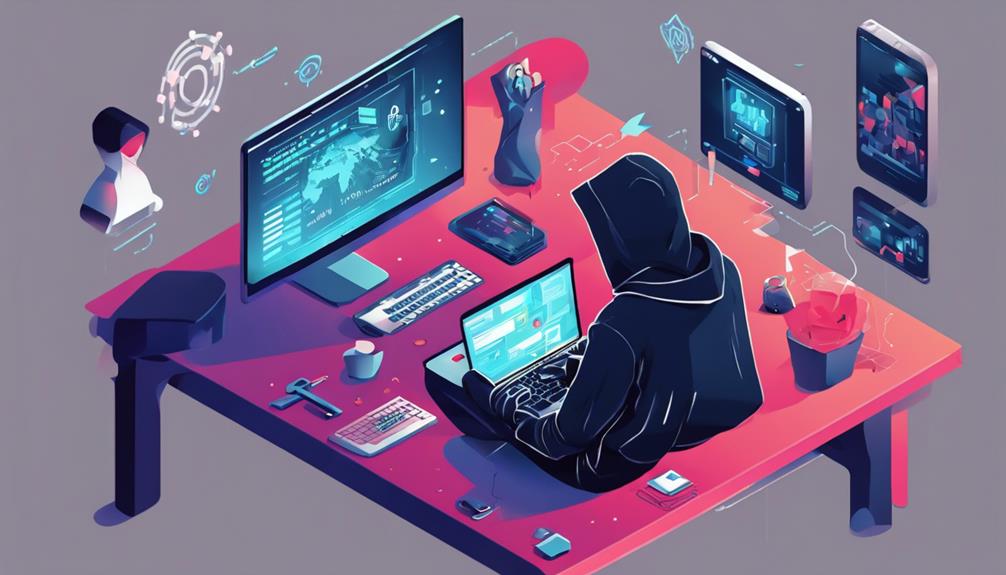
Cybersecurity is all about protecting your digital life from online threats. It’s essential for keeping your personal information safe from cybercriminals who want to steal or damage it. You rely on various strategies and tools to defend against risks like malware and phishing attacks. By staying informed and practicing good security habits, you can enhance your safety online. If you want to discover more about securing your digital world, there’s plenty more to explore.

Get privacy and security gear delivered free with Prime
- Fast, free delivery on millions of items
- Prime Video, Amazon Music and more included
- Member-only deals all year
Key Takeaways
- Cybersecurity involves protecting systems, networks, and data from digital attacks to ensure safety in our technology-driven lives.
- It encompasses strategies for risk management and recognizes various threats, such as malware and phishing attacks.
- Continuous monitoring and detection of unusual activity help prevent potential breaches and maintain digital security.
- Implementing strong passwords, multi-factor authentication, and educating users on social engineering tactics are essential security best practices.
- Cybersecurity is a shared responsibility, requiring ongoing vigilance and improvement to stay ahead of evolving threats.

In a world where nearly every aspect of our lives relies on technology, understanding cybersecurity has never been more crucial. You’re constantly connected—whether it’s banking online, shopping, or sharing personal information on social media. With these conveniences come considerable risks. Cybersecurity is the practice of protecting systems, networks, and data from digital attacks. It’s about safeguarding your information from unauthorized access, theft, or damage. As a beginner, grasping the basics of cybersecurity will empower you to navigate this digital landscape more safely.
At its core, cybersecurity involves various strategies and technologies designed to manage risk. You need to be aware that threats come in many forms, from malicious software to phishing attempts. Risk management is about identifying these potential threats and implementing measures to mitigate them. By understanding the types of risks you face, you can take proactive steps to protect yourself. For instance, regularly updating your software can patch vulnerabilities that cybercriminals might exploit. It’s about creating a layer of defense that keeps your information secure.
Another essential aspect of cybersecurity is threat detection. This involves monitoring systems and networks to identify potential breaches before they escalate into serious problems. By employing tools and techniques that detect unusual activity, you can respond swiftly to potential threats. It’s like having an alarm system for your digital life—alerting you to suspicious behavior so you can take action. Understanding the importance of threat detection will encourage you to be vigilant and aware of your digital footprint.
You might also consider using strong passwords and multi-factor authentication as part of your cybersecurity strategy. These simple yet effective practices considerably reduce the likelihood of unauthorized access. When you make it a habit to create complex passwords and regularly change them, you bolster your defenses. Also, don’t underestimate the importance of educating yourself about social engineering tactics. Cybercriminals often exploit human psychology, tricking individuals into revealing sensitive information. By staying informed, you can recognize these tactics when they occur.
Ultimately, cybersecurity is everyone’s responsibility. By embracing risk management and threat detection, you’ll be taking the essential steps toward a safer online experience. Whether you’re browsing the web, using apps, or engaging on social media, being proactive about cybersecurity is key. Equip yourself with knowledge and tools, and navigate the digital world with confidence. Additionally, understanding the importance of regular maintenance for your cybersecurity measures can help you stay ahead of potential threats.
Frequently Asked Questions
What Are Common Types of Cyber Threats?
Common types of cyber threats you should watch out for include phishing attacks and malware infections. Phishing attacks trick you into revealing sensitive information by pretending to be a trusted source. On the other hand, malware infections can compromise your devices, stealing personal data or causing system damage. Staying vigilant and employing security measures can help you protect yourself from these ever-evolving threats in today’s digital landscape.
How Can I Protect My Personal Information Online?
To protect your personal information online, start by adjusting your privacy settings on social media and apps. This limits who can see your data. Use secure browsing practices, like checking for HTTPS in URLs and avoiding public Wi-Fi for sensitive transactions. Regularly update your passwords and consider using two-factor authentication for added security. By staying vigilant and proactive, you can markedly reduce the risk of your information being compromised.
What Is the Role of a Cybersecurity Professional?
As a cybersecurity professional, you’ll be on the front lines, defending against threats that could jeopardize sensitive information. Your responsibilities include monitoring systems, conducting risk assessments, and developing security protocols. It might seem intimidating, but you’ll also get to solve puzzles and outsmart potential attackers. In this exciting cybersecurity career, you’ll constantly learn and adapt, ensuring you stay one step ahead in the ever-evolving landscape of digital threats.
How Often Should I Update My Passwords?
You should update your passwords every three to six months. Regularly changing them helps protect your accounts from unauthorized access. Focus on password management by using a password manager to create and store complex passwords. Make certain each password is unique and includes a mix of letters, numbers, and symbols. This boosts password complexity and makes it harder for attackers to crack them. Stay proactive to keep your online presence secure.
What Tools Can I Use for Cybersecurity at Home?
Imagine your home as a fortress, where security is paramount. To protect it, you can use tools like firewall configuration and antivirus software. A robust firewall acts as a gatekeeper, controlling incoming and outgoing traffic, while antivirus software scans for threats lurking in the shadows. They work together to safeguard your devices, ensuring you can browse and connect without fear. So, fortify your digital space and keep those intruders at bay!
Conclusion
In today’s digital world, understanding cybersecurity isn’t just for techies; it’s essential for everyone. You might think it’s too complicated, but it’s really about protecting yourself and your information. By taking simple steps like using strong passwords and being cautious online, you can secure your digital life. So, don’t feel overwhelmed—embrace these practices, and you’ll gain confidence in maneuvering the online landscape. Remember, a little awareness goes a long way in keeping you safe!
Halloween Picks
halloween
As an affiliate, we earn on qualifying purchases.