
TL;DR

Get privacy and security gear delivered free with Prime
- Fast, free delivery on millions of items
- Prime Video, Amazon Music and more included
- Member-only deals all year
A VPN creates an encrypted connection between your device and a VPN server, which can reduce exposure on public Wi-Fi and hide your IP address from websites. It also shifts some trust to the VPN provider, so compare its data practices, independent assessments, security features, ownership, and performance. A VPN does not make you anonymous or stop tracking through accounts, cookies, phishing, or malware.
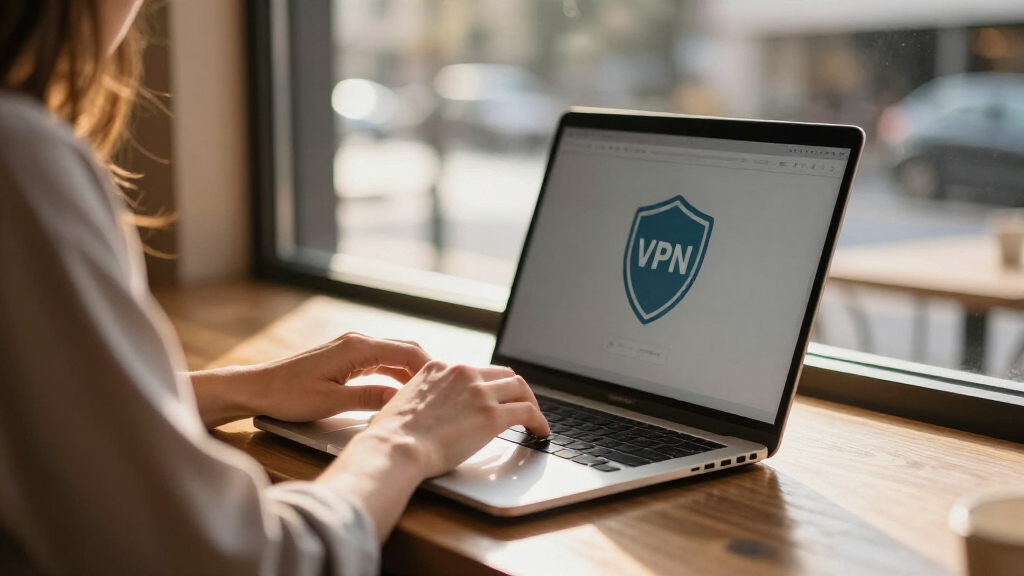
Your coffee shop’s Wi-Fi can see that your laptop joined its network, but a VPN can keep that network from reading the traffic inside your encrypted tunnel. That small shift can matter when you check work email from a station bench or pay a bill beside a crowded café window.
A virtual private network creates an encrypted connection between a device and a VPN server. It can help protect traffic on an untrusted network and conceal your IP address from websites. It does not make you anonymous, block every tracker, or turn a risky website into a safe one.
This guide shows you what a privacy-focused VPN can protect, where it falls short, and how to judge claims such as “no logs.” You’ll also get a practical checklist for comparing providers without mistaking polished marketing for proof.
A VPN encrypts the connection to its server and can hide your IP address from websites, but the provider becomes a point of trust.
Read the logging policy for named data, retention periods, and sharing rules; treat “no logs” as a claim to check.
An audit supports specific claims about its scope and date, but it does not prove that every system was examined forever.
Use a kill switch and DNS leak protection where available, while keeping HTTPS, account security, and cautious link habits.
Compare real performance and costs on your own devices; a free plan needs the same close review as a paid one.
A VPN changes who can see parts of your connection
A privacy-focused VPN encrypts traffic between your device and a VPN server, which can limit what your internet provider or a public Wi-Fi operator can read along that stretch. Websites see the VPN server’s IP address instead of your home or mobile IP address. The VPN provider becomes a new party you need to trust.
Think of the tunnel like a sealed envelope carried by a courier. The café can see that you handed the courier a package, and the VPN company can see that it received one; HTTPS usually keeps the message inside the envelope protected from both. For example, a café operator might see your device connect to a VPN, but not read the contents of an HTTPS banking session.
That division of visibility matters. Your internet provider may still know you use a VPN, and the VPN company may process connection details such as connection time, chosen server, or data volume. Your browser and the sites you visit may also identify you through cookies or account logins.
So ask a practical question: which observer are you trying to limit? A VPN may help on hotel Wi-Fi, but it will not hide your identity from a retailer when you sign into your account. Privacy is a set of boundaries, not a cloak that makes every action disappear.
Products Worth Considering

Logitech MX Ergo S Advanced Wireless Trackball Mouse USB-C – Graphite

LG UltraGear 27-inch QHD OLED Gaming Monitor, 240Hz

Amazon Kindle Scribe (3rd Generation), 64GB, 11-inch Display, Graphite, with Premium Pen
As an affiliate, we earn on qualifying purchases.
Check what “no logs” means before you trust it
A VPN’s logging policy explains what information the company collects, why it collects it, and how long it keeps it. “No logs” is not a single technical standard, so the phrase alone does not tell you whether a provider stores connection times, account details, or data usage.
Picture two providers making the same promise on their home pages. One explains that it keeps minimal account records for billing and describes its retention period; the other offers only a slogan. If you’re choosing a service for regular travel, the first provider gives you more to evaluate, even though the policy itself still needs scrutiny.
Independent assessments can add evidence. An audit might review a particular system, policy, or time period, but it cannot prove that a provider will never collect data or that every server and process was examined. In recent years, providers have increasingly published audit summaries, transparency reports, and open-source apps. The value depends on the scope and timing of each check.
Use this short checklist when you read a policy:
- Collected data: Does it name the information the service receives?
- Retention: Does it say how long records remain?
- Sharing: Does it explain when data may go to vendors or authorities?
- Evidence: Does it link to a recent assessment and describe what that assessment covered?
A clear policy is useful evidence, not a guarantee. Treat each claim as something to verify against the provider’s reporting and technical explanations.
Compare providers with a few concrete questions
Privacy-focused VPN services are easier to compare when you look at specific practices instead of country labels or bold promises. A provider’s ownership, legal obligations, infrastructure, and security habits all shape the trust decision. Jurisdiction can matter, but a company’s location alone does not prove that it protects privacy well.
Suppose you’re choosing a VPN for a week of remote work in hotels. You might compare two services this way: one has a detailed policy, published assessment scope, and a kill switch across your laptop and phone; another promises total anonymity but gives little detail. The first still deserves questions, but it gives you more concrete facts to weigh.
| What to compare | Useful evidence | Why it matters |
|---|---|---|
| Data handling | Specific collection and retention details | Shows what records may exist |
| Independent checks | Scope, date, and systems reviewed | Shows what an outside reviewer examined |
| Ownership and transparency | Company details and regular reports | Helps you understand who operates the service |
| Security features | Protocol options, kill switch, DNS protection, account MFA | Helps reduce exposure when configured properly |
| Usability | Device support, speed, price, and support options | A reliable tool must work in your daily routine |
Look for specifics you can check, such as a dated report or a policy that names retention periods. If a provider says it offers “complete protection,” ask what that claim covers. Strong marketing copy cannot replace a clear account of how the service operates.
Set up the VPN for public Wi-Fi without skipping basics
To use a VPN on public Wi-Fi, install the provider’s official app, choose a nearby server, and check that the tunnel and leak protections are active before you sign in to sensitive accounts. A kill switch can block internet traffic if the VPN connection drops, while DNS leak protection helps keep some name lookups inside the protected route.
- Install the official app from the provider’s site or your device’s trusted app store.
- Turn on automatic protection for unfamiliar Wi-Fi networks if the app supports it.
- Enable the kill switch and DNS leak protection in the settings.
- Connect to a nearby server to avoid an unnecessarily long route.
- Keep HTTPS and account protections in place, including multi-factor authentication where available.
Imagine opening a work document at an airport gate. The VPN can encrypt the device-to-server connection, but it cannot spot a fake login page in a message or prevent you from entering your password there. A VPN is one layer in the same way a front-door lock is one layer: it helps with a particular route of access, while you still need safe habits and secure accounts.
Follow your employer’s instructions for work devices. A company may require its own VPN or security app, and a personal subscription may not fit its policies. Use the right tool for the network, then keep updates, HTTPS, and careful link handling in the mix.
Know what a VPN cannot hide or stop
A VPN does not make you anonymous because websites can recognize you through account logins, cookies, browser fingerprinting, and information you choose to share. It also does not stop phishing, malware, or unsafe downloads. The tunnel protects a connection path; it does not erase every clue about who you are.
For instance, if you sign in to the same shopping account at home and through a VPN, the retailer can still associate both visits with your account. A tracker may also recognize a browser through stored cookies. The website sees the VPN’s IP address, but it still sees the account you used and the actions you took.
Some VPN subscriptions bundle tracker blocking, malware filters, password managers, or identity monitoring. These are separate products with their own settings and privacy tradeoffs. A filtering feature may block some known domains, but a subscription bundle does not automatically make every extra effective or suitable for you.
A VPN changes your route through the internet; it does not change every way services recognize you.
Use browser privacy controls and a dedicated content blocker if your goal is to reduce ad tracking. Use a password manager and multi-factor authentication to protect accounts. Keep software updated, and treat an unexpected attachment or urgent password request with suspicion even when your VPN is connected.
Balance privacy against speed, price, and daily use
A VPN can slow a connection or add latency because traffic travels through another server and receives encryption. The effect depends on distance, server congestion, protocol, device, and your original connection. A nearby, lightly loaded server may feel quick; a faraway server during a busy evening can make a video call stutter.
Modern protocols, including WireGuard and newer implementations of established protocols, have become more common. They can offer speed and simpler designs, but protocol choice does not settle questions about data handling or provider operations. Test the service on the devices and networks you actually use, such as a phone on hotel Wi-Fi and a laptop on home broadband.
Free services deserve a closer look because VPNs cost money to run. Some free plans have data limits, display ads, collect data, or rely on unclear business models. Free does not automatically mean unsafe, but vague policies and unknown apps make it harder to understand the tradeoff. A free plan from a provider with clear terms may suit occasional use; a plan that hides its funding deserves caution.
Start with your real use case. If you only want added protection on travel networks, a modest plan with reliable device support may be enough. If the app drains your battery, disconnects during calls, or makes your work tools unreliable, you may stop using it. A privacy tool has to fit your routine to provide practical value.
Frequently Asked Questions
Does a VPN make me anonymous?
No. A VPN can hide your IP address from websites, but account logins, cookies, browser fingerprints, and your own activity can still identify you. Treat it as a privacy layer, not an invisibility switch.
Can my VPN provider see what I do online?
The provider may process connection metadata, depending on its systems and policy. HTTPS generally protects the contents of web traffic between your browser and a website, though the VPN provider can still handle connection details.
Are free VPN services safe?
Some may suit limited needs, but check how the service is funded, what data it collects, and whether its policy explains retention and sharing. A free price does not prove a service is unsafe or trustworthy.
Will a VPN protect me on public Wi-Fi?
It can encrypt traffic between your device and the VPN server, reducing what the local network can read. It does not block phishing, malicious downloads, or tracking through accounts, so keep HTTPS and safe browsing habits.
How do I check whether a VPN keeps logs?
Read the privacy policy for named data, retention periods, and sharing rules. Look for independent assessments and check their date and scope; a broad “no logs” phrase by itself is not proof.
Will using a VPN slow down my internet?
It can, since traffic travels through another server and encryption adds work. Server distance, congestion, protocol, device, and connection quality affect the change, so test a provider on your usual networks.
Conclusion
Choose a VPN for a clear job, such as reducing exposure on public Wi-Fi, then judge the provider by its stated data practices, evidence, and day-to-day reliability. Keep the limits in view: a tunnel can hide one route, while accounts, cookies, and unsafe clicks leave other doors open.
Before you subscribe, read the policy and check the latest assessment details. A good VPN should feel less like an invisibility cloak and more like a well-made raincoat: useful in a storm, with no promise that it keeps the whole world dry.