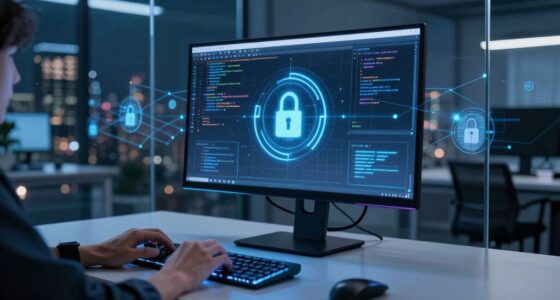

Understanding your home cybersecurity gear is worth it because it helps protect your personal information and connected devices from cyber threats. Strong encryption like WPA3 and device authentication prevent unauthorized access, while regular updates and security settings keep vulnerabilities at bay. Knowing how to configure and maintain your gear guarantees your network stays secure. Keep exploring to discover more ways you can strengthen your defenses and keep your digital life safe.

Get privacy and security gear delivered free with Prime
- Fast, free delivery on millions of items
- Prime Video, Amazon Music and more included
- Member-only deals all year
Key Takeaways
- It helps protect sensitive personal and financial information from cybercriminals and unauthorized access.
- Understanding features like encryption and device authentication enhances overall network security.
- Proper configuration and maintenance prevent vulnerabilities and reduce the risk of cyber threats.
- Awareness of security measures enables proactive responses to emerging cyber threats.
- Using advanced tools such as firewalls and VPNs creates layered defenses for home networks.
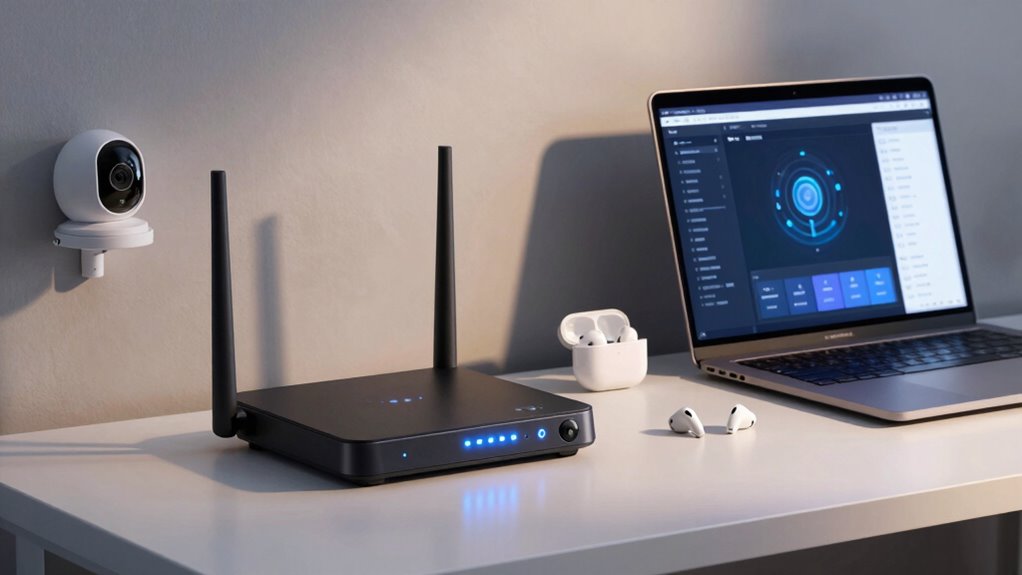
Are you confident that your home’s digital defenses are strong enough against today’s cyber threats? If not, it’s time to understand what makes home cybersecurity gear essential. Today’s hackers are more sophisticated, targeting personal devices, smart home systems, and even your internet connection. To stay ahead, you need the right tools and knowledge. One of the most fundamental aspects of home cybersecurity is wireless encryption. It protects your Wi-Fi network by encoding the data transmitted between your devices and your router. Without strong encryption, cybercriminals can intercept your internet traffic, potentially stealing sensitive information like passwords, financial details, or personal messages. Ensuring your Wi-Fi uses the latest encryption standards, such as WPA3, substantially reduces this risk, making it harder for outsiders to eavesdrop on your network.
Strong wireless encryption like WPA3 is essential to protect your home network from cybercriminals intercepting your data.
Alongside wireless encryption, device authentication plays a pivotal role in safeguarding your home network. This process verifies that only trusted devices can connect, preventing unauthorized access. Many modern routers support multiple authentication methods, including passwords, PINs, or even biometric verification. Setting up robust device authentication acts as a barrier, ensuring that strangers or malicious devices can’t join your network without your permission. It’s a simple step but one that greatly enhances your security posture. Additionally, understanding cyber threats and how they operate can help you better defend your digital environment. Being aware of common attack vectors and tactics used by hackers allows you to tailor your security measures more effectively. Educating yourself about threat detection can also empower you to identify suspicious activity early and respond swiftly. Incorporating security standards into your home network setup ensures you’re aligned with current best practices and mitigates vulnerabilities effectively. Regularly reviewing your network security settings and staying informed about new developments is crucial to maintaining a strong defense.
Understanding these components helps you realize why home cybersecurity gear isn’t just for tech enthusiasts or large businesses. Simple measures like enabling WPA3 encryption and implementing strong device authentication are accessible and highly effective for everyday users. They work together to create a layered defense, making it much more difficult for cybercriminals to breach your network. Without these protections, your personal information and connected devices are vulnerable to hacking, malware, and spying.
Investing in home cybersecurity gear means knowing what features to look for and how to configure them correctly. Modern routers often come with built-in security options, but it’s up to you to activate and maintain them. Regularly updating your firmware, changing default passwords, and disabling unnecessary features are vital steps. You should also consider additional security tools like firewalls, VPNs, or intrusion detection systems if you handle sensitive data or want an extra layer of protection. Educating yourself on security best practices can further strengthen your defenses and help you respond effectively to potential threats. Staying informed about emerging cyber threats and evolving security standards ensures your defenses remain current and effective. In addition, understanding home network architecture can help you identify potential weak points and optimize your overall security setup.
In the end, understanding what makes home cybersecurity gear worth your attention isn’t just about technology; it’s about safeguarding your digital life. By focusing on essentials like wireless encryption and device authentication, you’re taking proactive steps to protect your privacy, family, and personal information from today’s evolving cyber threats.
As an affiliate, we earn on qualifying purchases.
Frequently Asked Questions
How Often Should I Update My Cybersecurity Devices?
You should update your cybersecurity devices regularly, ideally as soon as updates are available. Frequent updates guarantee your device firmware stays current, fixing vulnerabilities and enhancing threat detection. Set your devices to auto-update if possible, so you don’t miss critical patches. Regular updates protect your network from evolving threats, keeping your home secure. Don’t delay; staying proactive with updates is the best way to stay ahead of cyber risks.
Are There Affordable Cybersecurity Tools for Small Households?
Think of affordable cybersecurity tools as your household’s digital guardian angels, quietly watching over your online world. You can find budget-friendly options with smart home integration that seamlessly connect your devices, making security effortless. Many also come with parental control features, giving you peace of mind. These tools protect your family without draining your wallet, ensuring your small household stays safe from cyber threats while enjoying connected comfort.
Can Home Cybersecurity Gear Prevent All Types of Cyber Threats?
Home cybersecurity gear can’t prevent all cyber threats, but it substantially reduces risks. It helps protect against IoT device vulnerabilities by securing connected gadgets, and it aids insider threat mitigation by controlling access and monitoring activity. While no system is foolproof, using extensive cybersecurity tools creates layers of defense, making it harder for hackers to exploit weaknesses and increasing your home’s overall safety.
What Features Should I Prioritize When Choosing Cybersecurity Equipment?
Imagine your home network as a fortress, and your cybersecurity gear as the gates and walls. Prioritize devices that offer seamless device compatibility, so all your gadgets—smartphones, laptops, tablets—fit smoothly into your security setup. User accessibility is key; choose equipment that’s easy to understand and operate, ensuring you can swiftly respond to threats. This combination keeps your digital fortress resilient, protecting your personal data effortlessly.
How Does Home Cybersecurity Gear Impact Internet Speed?
Home cybersecurity gear can slightly impact your internet speed by increasing internet latency and bandwidth impact. When you install advanced security devices like firewalls or intrusion detection systems, they process data, which may cause minor delays. However, the trade-off is worthwhile for enhanced protection. To minimize speed issues, choose equipment designed to handle your bandwidth and optimize settings to balance security and performance, ensuring your internet remains fast and safe.
As an affiliate, we earn on qualifying purchases.
Conclusion
Understanding your home cybersecurity gear is like mastering the keys to a digital fortress; it transforms you from a passive occupant into a vigilant guardian. By staying informed and proactive, you’re weaving an invisible shield around your sanctuary, making cyber threats drift harmlessly away. Think of it as tending a garden—regular care keeps your digital landscape thriving and secure. Embrace this knowledge, and your home becomes a well-guarded castle in the vast, unpredictable domain of the internet.
As an affiliate, we earn on qualifying purchases.
As an affiliate, we earn on qualifying purchases.
Halloween Picks
halloween
As an affiliate, we earn on qualifying purchases.