
To secure your smart home, make certain your Wi-Fi uses the latest encryption like WPA3 and create a strong, unique password. Manage device access carefully by setting up separate networks for smart devices and updating firmware regularly. Disable features like WPS and avoid default credentials. Keep an eye on connected devices and enable multi-factor authentication if possible. Staying proactive with these basics considerably reduces your risk; continue exploring essential tips for total peace of mind.
Key Takeaways
- Use WPA3 encryption and strong, unique passwords for your Wi-Fi network; regularly update them.
- Segregate smart home devices onto a separate, secure network to limit potential attack vectors.
- Keep firmware and software of all devices up to date to patch security vulnerabilities.
- Manage device access with strong passwords, permissions, and multi-factor authentication where possible.
- Regularly review connected devices and network activity to detect and respond to suspicious behavior.

Living in a smart home offers convenience and advanced features, but it also requires you to understand key security basics to protect your digital and physical assets. One of the foundational elements is making sure your wireless network is secure. Wireless encryption is crucial here; it encrypts the data transmitted between your devices and your router, preventing outsiders from intercepting sensitive information. Use WPA3 encryption if your router supports it, as it’s currently the most secure standard. Avoid outdated protocols like WEP or WPA, which are vulnerable to hacking. When setting up your Wi-Fi, create a strong, unique password that combines letters, numbers, and symbols. Change this password regularly to reduce the risk of unauthorized access. Additionally, disable features like WPS, which can be exploited by attackers to gain access to your network easily.
Secure your home Wi-Fi with WPA3, strong passwords, and by disabling WPS to protect your smart devices.
Access control is another critical aspect of smart home security. It’s important to manage who can access your devices and data. Set up separate user accounts for different household members rather than sharing a single password. Many smart devices allow you to assign permissions, so you can restrict certain functions or data sharing to specific users. Make sure your smart home hub and devices have strong, unique passwords—don’t rely on default credentials, which are often easy for hackers to guess. Enable multi-factor authentication whenever possible, adding an extra layer of security beyond just a password. Regularly review connected devices and remove any that are no longer in use or unfamiliar. This minimizes potential attack vectors and keeps your network tidy. Strong, unique passwords are essential for all your connected devices and accounts.
Furthermore, understanding wireless encryption and its role in safeguarding data transmission helps you better appreciate the importance of secure protocols and configurations. Implementing a segregated network for your smart home devices further isolates them from your main network, reducing potential vulnerabilities. Creating a separate network for IoT devices can add an additional layer of security, making it harder for attackers to access your private data. Also, consider segregating your smart home devices from your main network by creating a guest or IoT-specific network. This way, even if a device gets compromised, it won’t give an attacker access to your personal computers or sensitive information. Keep your device firmware and software up to date, as updates often include security patches that fix vulnerabilities. Employing these practices helps you stay ahead of potential threats and keeps both your physical space and digital data protected.
In short, understanding and implementing wireless encryption and strict access control measures form the backbone of your smart home security. They make sure that your connected devices remain safe from intrusion while maintaining the convenience you enjoy. Regularly reviewing security settings, updating passwords, and staying informed about new threats are ongoing steps that keep your smart home secure and functioning smoothly.
As an affiliate, we earn on qualifying purchases.
Frequently Asked Questions
How Often Should I Update My Smart Home Security Passwords?
You should update your smart home security passwords every three to six months to maintain strong access control. Regular password management helps prevent unauthorized access, especially if a breach occurs. Avoid reusing passwords across devices, and choose unique, complex ones. Changing your passwords frequently reduces the risk of hacking, keeping your smart home secure. Remember, vigilant access control is essential for protecting your digital and physical space.
What’s the Best Way to Secure My Wi-Fi Network?
To secure your Wi-Fi network, start by using strong encryption protocols like WPA3 or WPA2. Change your default passwords to unique ones and enable network segmentation to isolate smart devices from your main network. Regularly update your router’s firmware for added security. These steps help protect your smart home from unauthorized access, ensuring your devices and personal data stay safe.
Are There Specific Security Protocols for Smart Home Devices?
Did you know over 60% of smart home breaches happen due to weak security protocols? To protect your devices, guarantee they use strong device encryption and require robust user authentication. Many smart devices support WPA3 encryption, which offers better security. Always update your device firmware regularly, and enable multi-factor authentication where possible. These steps help prevent unauthorized access and keep your smart home safe from cyber threats.
How Can I Prevent Hacking of My Smart Home System?
To prevent hacking of your smart home system, you should enable device encryption and strong user authentication. Always update your device firmware regularly to patch vulnerabilities. Use unique, complex passwords for each device and your Wi-Fi network. Enable multi-factor authentication where possible, and disable remote access when not needed. These steps guarantee your system stays secure, making it much harder for hackers to gain unauthorized access.
What Should I Do if I Suspect a Security Breach?
When you suspect a security breach, act fast—don’t let it fester. Start by changing your passwords and checking for unauthorized access on your smart devices. Make sure device encryption is enabled to protect your data. Disconnect any suspicious devices from your network and run a security scan. Contact your smart home provider for guidance. Remember, staying proactive helps prevent further damage and keeps your home safe from future threats.
As an affiliate, we earn on qualifying purchases.
Conclusion
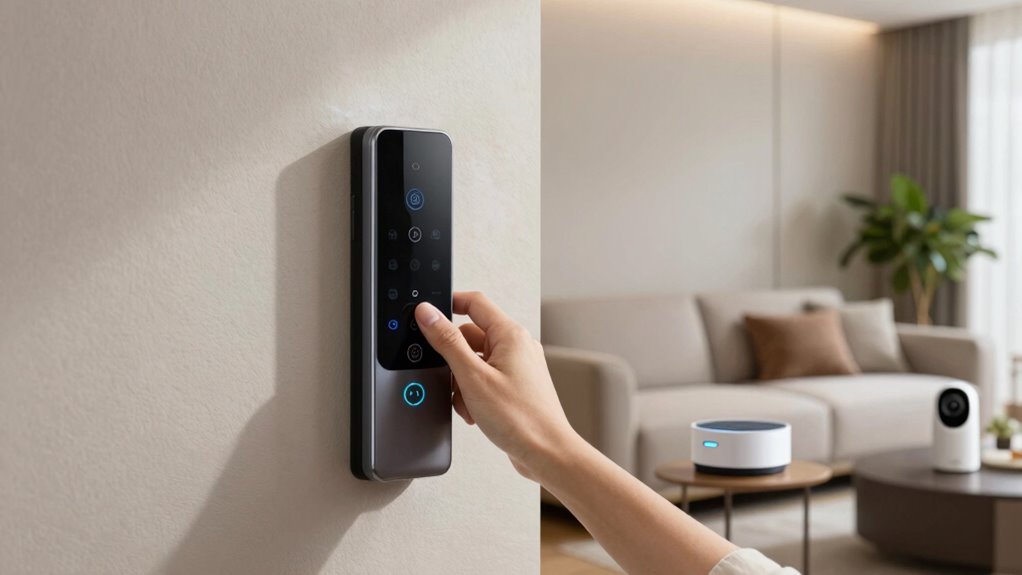
By understanding these security basics, you can better protect your smart home and loved ones. For example, enabling two-factor authentication on your smart locks can prevent unauthorized access, even if someone gets your password. Regularly updating firmware and using strong, unique passwords create a safer environment. Remember, staying vigilant and informed helps you enjoy the convenience of smart technology while keeping your home secure and worry-free. Stay proactive, and your smart home will be both smart and safe.
multi-factor authentication device
As an affiliate, we earn on qualifying purchases.
As an affiliate, we earn on qualifying purchases.
As an affiliate, we earn on qualifying purchases.