
Your security system’s real strength comes from proper setup and integration, not just high specs. Even top devices can underperform if they’re poorly installed or placed in the wrong spots. Well-placed cameras, sensors, and alarms need correct positioning and effective configuration to cover blind spots and communicate smoothly. Additionally, user training and ongoing maintenance build a dependable system that reacts quickly when it matters most. Keep exploring to discover how proper setup makes all the difference.

Get privacy and security gear delivered free with Prime
- Fast, free delivery on millions of items
- Prime Video, Amazon Music and more included
- Member-only deals all year
Key Takeaways
- Proper hardware placement ensures maximum coverage and reduces blind spots, enhancing overall security effectiveness.
- Seamless integration of components is essential for real-time alerts and coordinated responses.
- User training prevents misoperation, false alarms, and ensures correct system utilization.
- High-spec devices underperform without correct installation and configuration.
- Ongoing maintenance and proper setup are crucial for long-term system reliability and security.
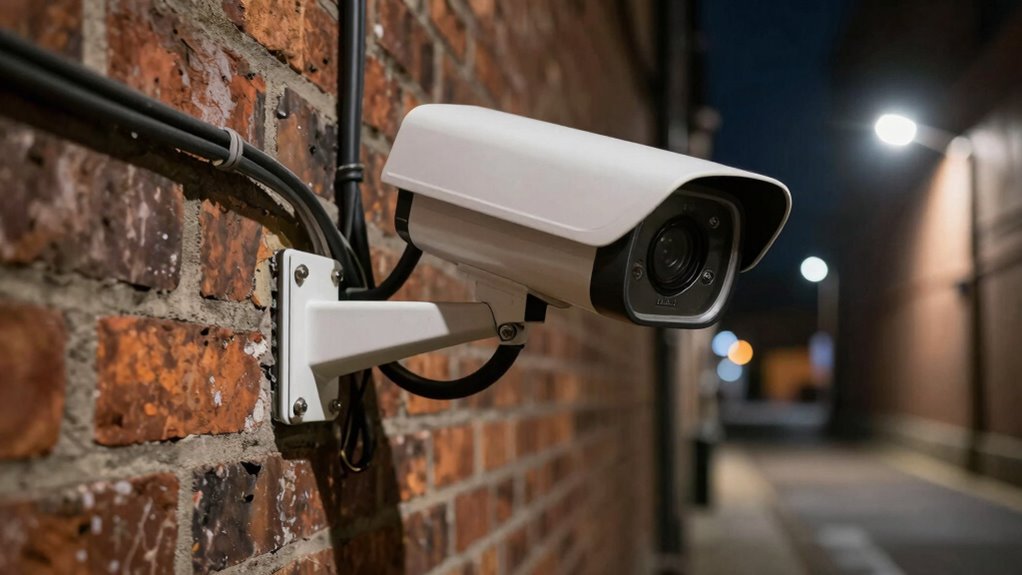
Setting up security hardware properly is essential to protect your property and guarantee peace of mind. It’s tempting to focus on getting the latest, most advanced equipment with high specs, but without proper setup, even the best hardware can fall short. The key isn’t just in the quality of the devices but in how you install, configure, and maintain them. A well-placed camera or a reliable alarm system won’t do much good if it’s not integrated correctly with your existing setup. Accessory integration plays a crucial role here—you need to ensure that all components work seamlessly together. For instance, your cameras, sensors, and alarm panels should communicate effortlessly, providing a comprehensive security network rather than isolated units. This integration minimizes blind spots and ensures you get real-time alerts without delay, which is vital when seconds count.
Properly integrating security components ensures seamless communication and real-time alerts, strengthening your property’s protection.
Beyond hardware, user training becomes a fundamental part of effective security. If you or your staff aren’t familiar with how to operate or troubleshoot the equipment, its effectiveness diminishes significantly. Proper training ensures everyone knows how to arm or disarm systems, interpret alerts, and respond appropriately to different scenarios. It also helps prevent accidental deactivation or false alarms, which can reduce overall system reliability. You might have the most sophisticated hardware on the market, but if no one knows how to use it correctly, its protective value drops sharply. Regular training sessions, clear documentation, and ongoing support are investments that pay off by maintaining your security system’s integrity over time.
Installing hardware properly isn’t just about following manufacturer instructions; it involves strategic planning to optimize placement and functionality. For example, placing cameras at angles that cover high-traffic areas while avoiding blind spots is crucial. Similarly, sensors should be positioned to detect movement effectively without being easily disabled or triggered by environmental factors. This careful setup demands a thoughtful approach rather than a quick installation, which often results in vulnerabilities.
In the end, better security hardware setup isn’t just about having the latest devices or high specs. It’s about making sure those devices work together seamlessly through proper accessory integration and ensuring everyone involved understands how to operate them through comprehensive user training. When you invest time in these areas, you’re not just installing equipment—you’re building a reliable, responsive security system that truly safeguards your property and gives you peace of mind.
security camera installation kit
As an affiliate, we earn on qualifying purchases.
As an affiliate, we earn on qualifying purchases.
Frequently Asked Questions
How Can Improper Setup Compromise Security Hardware Effectiveness?
Improper setup can seriously compromise your security hardware’s effectiveness. If you ignore accessory compatibility, devices may not communicate properly, creating vulnerabilities. Skipping setup automation can lead to inconsistent configurations, leaving gaps in coverage. When you set up security hardware correctly, ensuring compatibility and using automation, you maximize protection. Poor setup doesn’t just reduce efficiency—it exposes your system to threats, making proper installation essential for best security.
What Are Common Setup Mistakes to Avoid?
You need to avoid common setup mistakes like neglecting firmware updates, which can leave vulnerabilities open, and misconfiguring access control settings that compromise security. Always guarantee firmware is up-to-date to patch known issues, and carefully configure access controls to restrict unauthorized entry. Skipping these steps can weaken your security hardware’s effectiveness, so double-check your setup and stay vigilant to maintain a strong security posture.
How Often Should Security Hardware Be Reconfigured?
You should reconfigure your security hardware whenever you notice issues like wireless interference or inconsistent performance, typically every 6 to 12 months. Regular reconfiguration helps address wireless interference that can disrupt signals and enhance power management, ensuring your system functions efficiently. Additionally, reconfiguring after major network changes or hardware upgrades keeps security tight and performance reliable, preventing vulnerabilities and maintaining peak operation.
What Training Is Needed for Proper Hardware Setup?
You need thorough user training that covers proper installation procedures to guarantee security hardware is set up correctly. This includes understanding how to connect devices, configure settings, and perform initial testing. Hands-on training helps you avoid mistakes, optimize performance, and maintain security. Regular refresher courses keep you updated on best practices, ensuring that every setup is secure and reliable, reducing vulnerabilities caused by improper installation.
Can Setup Improve Hardware Lifespan and Performance?
Think of your hardware as a delicate garden, thriving only with proper care. Yes, setup can considerably improve lifespan and performance by ensuring firmware updates are timely and environmental factors like temperature and humidity are controlled. When you meticulously configure your hardware, you prevent overheating and software glitches, allowing your equipment to operate smoothly and last longer. Proper setup acts as a shield, safeguarding your investment against premature failures.
wireless security alarm system with app
As an affiliate, we earn on qualifying purchases.
As an affiliate, we earn on qualifying purchases.
Conclusion
Think of security hardware as the foundation of a house—you can have the strongest walls and the toughest locks, but if the foundation isn’t solidly set, everything else can crumble. A proper setup is your blueprint for true protection, ensuring each component works seamlessly. Don’t just chase better specs like shiny paint; focus on the craftsmanship of your installation. When you prioritize setup, you build a fortress that’s resilient, not just impressive on paper.
As an affiliate, we earn on qualifying purchases.
security system user training guide
As an affiliate, we earn on qualifying purchases.
As an affiliate, we earn on qualifying purchases.
Halloween Picks
halloween
As an affiliate, we earn on qualifying purchases.