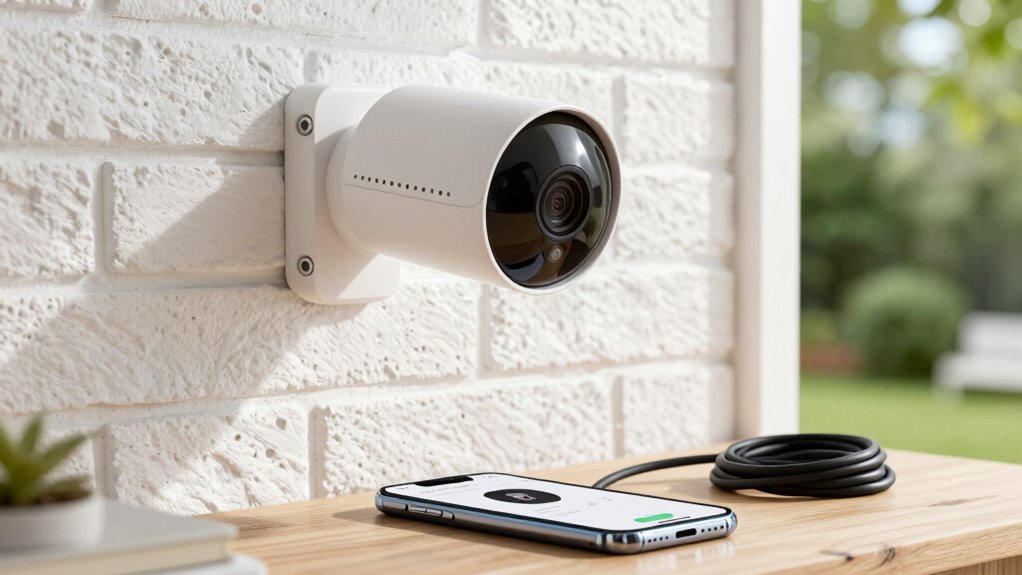

Before building a camera-based home security system, consider your Wi-Fi reliability or opt for Ethernet for more stability. Decide between wired or wireless cameras based on your power and placement needs, and make sure cameras cover key areas like entrances or blind spots. Account for environmental factors such as wildlife that could cause false alerts. Plus, check if your system integrates with your existing smart home devices. Want to learn more about creating a seamless and effective security setup?

Get privacy and security gear delivered free with Prime
- Fast, free delivery on millions of items
- Prime Video, Amazon Music and more included
- Member-only deals all year
Key Takeaways
- Assess your internet connectivity and consider wired options or boosters for reliable footage transmission.
- Choose between wired or wireless cameras based on power availability, placement flexibility, and maintenance willingness.
- Prioritize camera placement in high-traffic, entry points, and blind spots with suitable resolution and night vision features.
- Account for environmental factors like wildlife and weather to minimize false alerts and improve accuracy.
- Ensure system compatibility with existing smart devices for seamless control, monitoring, and quick response.

Setting up a camera-based home security system is an effective way to protect your property and give you peace of mind. Before diving into installation, it’s essential to understand some key factors that can influence your system’s effectiveness and ease of use. One of the primary considerations is wireless connectivity. Many modern security cameras rely on Wi-Fi to transmit footage, so ensuring your home has a reliable internet connection is critical. If your Wi-Fi signal is weak or inconsistent, your cameras might experience lag, dropped footage, or disconnections. To prevent this, you might need to position your cameras closer to your router or consider upgrading your internet plan for better bandwidth. Some cameras also support Ethernet connections, which provide a more stable link, especially in high-traffic areas or where Wi-Fi interference is common.
Ensuring reliable Wi-Fi or Ethernet connection is crucial for effective, uninterrupted home security footage.
Next, think about power options. Cameras can be powered in several ways, and choosing the right method depends on your home setup and personal preference. Wired cameras require a direct electrical connection, which might involve running cables through walls or ceilings. This can be more invasive but offers continuous power without the need for frequent battery replacements. On the other hand, wireless cameras typically run on batteries, offering flexible placement without wiring hassles. However, battery-powered cameras demand regular maintenance to recharge or replace batteries, so consider the battery life and your willingness to perform routine upkeep. Some models come with rechargeable batteries or solar panels, which can extend their operational time and reduce the hassle of frequent replacements.
Beyond power and connectivity, you should also think about camera placement. High-traffic areas, entry points, and blind spots are prime locations for security cameras. Proper placement ensures thorough coverage and minimizes the chance of missing crucial footage. Additionally, consider the resolution of the cameras—higher resolutions deliver clearer images, which are essential for identifying faces or license plates. Be mindful of lighting conditions; cameras with night vision capabilities are essential for 24/7 security. It’s also important to understand the significance of biodiversity in your local environment, as it can influence the placement and types of cameras you choose—especially if you want to monitor local wildlife or natural habitats around your property. Incorporating environmental factors into your planning can also help prevent false alerts caused by animals or changing weather conditions. Recognizing the potential for false alarms is crucial in designing an efficient system that doesn’t cause unnecessary stress or maintenance. Additionally, understanding wireless connectivity and its limitations can help in choosing the best placement and technology for your setup.
Lastly, assess how your security system integrates with other smart home devices. Compatibility with your existing ecosystem can streamline control and monitoring, making security management more straightforward. Whether through a mobile app or a central hub, seamless integration enhances your ability to respond quickly to alerts and view footage remotely. By understanding these factors—wireless connectivity, power options, placement, and system compatibility—you set a solid foundation for a robust, reliable home security setup that truly protects your property and provides peace of mind.
As an affiliate, we earn on qualifying purchases.
Frequently Asked Questions
How Do I Choose the Right Camera Resolution?
You should choose a camera resolution that balances clear video quality with your storage needs. Higher resolution cameras, like 4K, offer detailed images, aiding in identification, but they require more video storage and bandwidth. Consider your camera features—such as night vision and motion detection—to make sure they work well with higher resolutions. Opt for a resolution that provides sharp footage without overwhelming your video storage, keeping your security system efficient and effective.
What Are the Best Locations for Camera Placement?
You should place cameras at key outdoor locations like entrances, driveways, and backyards, ensuring they’re not obstructed by outdoor lighting or objects. Position cameras to maximize their field of view, covering vulnerable areas without blind spots. Consider the angle and height for ideal coverage, and avoid direct exposure to sunlight or weather elements. Proper placement helps you monitor activity effectively and enhances your overall home security.
How Do I Ensure My Security Footage Is Private?
You can guarantee your security footage stays private by implementing strong privacy protocols and data encryption. Investigate whether your security system uses end-to-end encryption, which safeguards footage during transmission and storage. Regularly update passwords and firmware, and restrict access to authorized users only. By applying these measures, you make it considerably more difficult for intruders to access your footage, keeping your home security private and secure.
Can I Integrate Cameras With Existing Home Systems?
Yes, you can integrate cameras with your existing home systems. Look for models with wireless connectivity, so they easily connect to your Wi-Fi network. Consider how they will be powered—whether through Power over Ethernet (PoE), batteries, or plug-in adapters—matching your home’s infrastructure. Compatibility with your smart home hub or system guarantees smooth integration, allowing you to monitor footage seamlessly alongside other devices in your setup.
What Is the Typical Maintenance Required for Security Cameras?
You’ll need to regularly clean your cameras to keep the lens clear and check for dust or debris that can hinder image quality. Guarantee the power source remains reliable—whether it’s wired or battery-powered—by replacing batteries or inspecting power connections. Consider camera durability, especially if they’re outdoors, and verify weatherproof seals. Routine maintenance like these helps your security cameras perform at their best, providing clear footage and reliable surveillance.
As an affiliate, we earn on qualifying purchases.
Conclusion
Before you build your camera-based home security setup, remember to choose the right cameras, consider privacy, and plan your placement carefully. Did you know that homes with security cameras are 300% less likely to be targeted by burglars? By understanding these key factors, you’ll create a more effective and reliable security system that keeps your home safe. Take your time, do your research, and enjoy peace of mind knowing your home is well protected.
security camera with night vision
As an affiliate, we earn on qualifying purchases.
As an affiliate, we earn on qualifying purchases.
As an affiliate, we earn on qualifying purchases.
Halloween Picks
halloween
As an affiliate, we earn on qualifying purchases.