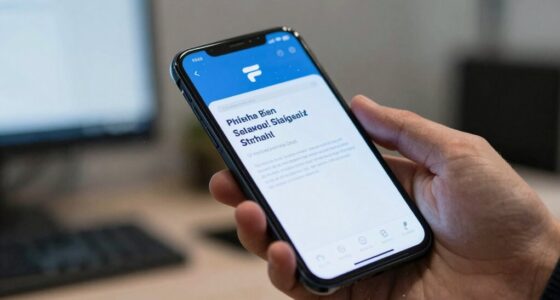

Mobile phishing differs from email phishing because attackers exploit platform-specific features like fake app interfaces and notifications that appear directly on your lock or home screen. They rely on urgent alerts and quick interactions to trick you into revealing sensitive info without much scrutiny. Since mobile devices are always with you, scammers capitalize on your constant presence and familiarity, making their tactics more immediate and convincing. Keep exploring to uncover more ways these scams target your mobile habits.

Get privacy and security gear delivered free with Prime
- Fast, free delivery on millions of items
- Prime Video, Amazon Music and more included
- Member-only deals all year
Key Takeaways
- Mobile phishing often uses fake app interfaces and notifications to deceive users, unlike email phishing which relies on malicious emails.
- Notifications on mobile devices prompt quick responses with urgent language, reducing user scrutiny.
- Mobile platforms have inherent security limitations, making it easier for attackers to exploit mobile-specific vulnerabilities.
- Phishing on mobile blends seamlessly into daily app interactions, whereas email phishing involves malicious emails.
- Mobile phishing exploits constant device presence and quick interactions, increasing the likelihood of user fallibility.

Phishing attacks have evolved to target users across different platforms, but mobile phishing stands out as uniquely different from traditional email scams. When you’re using your smartphone, the way attackers exploit vulnerabilities changes significantly. One major difference lies in app interface vulnerabilities. Unlike emails, which often appear in your inbox with familiar layouts, mobile apps sometimes have less secure interfaces that can be manipulated by hackers. These vulnerabilities enable attackers to create fake login screens or mimic legitimate apps, tricking you into revealing sensitive information. Because mobile apps are designed for quick interactions, you might not scrutinize these fake interfaces as carefully as you would a suspicious email. This ease of deception makes app interface vulnerabilities a powerful tool for scammers. Additionally, the user’s familiarity with app layouts can contribute to falling for these scams, as they often appear trustworthy at first glance.
Another key distinction is the rise of notification scams, which are almost exclusive to mobile devices. These scams send fake notifications that look like alerts from trusted apps or even your bank, prompting you to click a link or provide personal data. Unlike email phishing, where you might have time to analyze the sender or check the email’s authenticity, notification scams demand immediate attention. They often use alarmist language or urgent calls to action, pushing you to act without thinking. Because notifications appear directly on your lock screen or home screen, they are harder to ignore or dismiss. This immediacy increases the chances of falling for a scam before you realize it’s fake. Moreover, these notifications can often bypass traditional security measures, making them particularly effective for scammers. Recognizing mobile-specific attack methods can help you stay vigilant against these evolving threats.
Mobile phishing also benefits from the fact that your phone is constantly with you. You’re more likely to see and respond to notifications quickly, especially when they come from apps you trust. Scammers exploit this familiarity by creating convincing fake alerts that seem urgent. Since mobile devices rely heavily on app-based interactions rather than traditional web browsers, attackers craft phishing tactics that blend seamlessly into your daily routine. For example, a notification scam might mimic a message from your banking app or social media platform, prompting you to enter login details on a fake page. These tactics are designed to bypass your usual skepticism, especially when you’re on the go and less likely to scrutinize each message carefully. Understanding the security limitations of mobile platforms can further enhance your awareness of potential attack vectors.
As an affiliate, we earn on qualifying purchases.
Frequently Asked Questions
How Can Users Identify Mobile Phishing Attempts?
You can identify mobile phishing attempts by staying aware of suspicious links, unexpected messages, or urgent requests for personal info. User awareness about common tactics helps you spot scams quickly. Always verify the sender’s details and avoid clicking on unfamiliar links. Enhancing device security with updated apps and security software adds an extra layer of protection. Trust your instincts—if something feels off, don’t engage, and report the attempt to stay safe.
Are Mobile Phishing Scams More Sophisticated Than Email Scams?
Yes, mobile phishing scams are often more sophisticated than email scams due to mobile vulnerabilities and the phishing evolution. Scammers exploit mobile device features, like push notifications and SMS, to deceive you more convincingly. They adapt quickly to new security measures, making their attacks harder to spot. As a result, you need to stay vigilant, recognize subtle signs, and understand that scammers constantly refine their tactics for mobile platforms.
What Types of Mobile Apps Are Most Targeted?
They say, “Don’t judge a book by its cover,” but with mobile apps, you must judge carefully. Banking, social media, and messaging apps are prime targets because of their mobile app vulnerabilities and access to sensitive info. Attackers exploit malicious app permissions to trick you into revealing personal details. Be cautious with app permissions and stay vigilant, as these targeted apps can be gateways for mobile phishing attacks.
How Does Mobile Phishing Impact Corporate Security?
Mobile phishing considerably impacts your corporate security by exploiting mobile device vulnerabilities and leveraging diverse phishing attack vectors. When you fall for these scams, malicious actors can access sensitive company data, compromise accounts, or introduce malware into your network. Because mobile devices often have less security than desktops, attackers find it easier to exploit vulnerabilities. This heightened risk means your organization must stay vigilant and implement robust mobile security measures to counteract these threats.
What Are the Best Prevention Strategies for Mobile Phishing?
You can prevent mobile phishing by implementing strong mobile authentication, like two-factor authentication, to secure access. Regularly review app permissions to guarantee apps don’t access unnecessary data or features. Educate yourself about common phishing tactics and avoid clicking on suspicious links or attachments. Using security apps and keeping your device’s software updated can also help detect and block potential threats, making your mobile experience safer.
As an affiliate, we earn on qualifying purchases.
Conclusion
Understanding the differences between mobile and email phishing helps you stay one step ahead. Mobile phishing often sneaks in through texts or app notifications, making it easier to catch you off guard. Knowing these tricks means you won’t bite the bait so easily. Remember, a wise person doesn’t put all their eggs in one basket. Stay alert, stay safe, and don’t let cybercriminals pull the wool over your eyes.
As an affiliate, we earn on qualifying purchases.
As an affiliate, we earn on qualifying purchases.
Halloween Picks
halloween
As an affiliate, we earn on qualifying purchases.