
Phishing 2.0 is a sophisticated form of cyber deception where criminals impersonate trusted organizations to manipulate your emotions. They create realistic emails that urge you to act quickly, often leading to data breaches. Always check sender details, be skeptical of unexpected requests for sensitive info, and verify with trusted contacts. Staying vigilant and informed can help you spot these tactics. Want to know more about defensive strategies and signs to watch for?

Get privacy and security gear delivered free with Prime
- Fast, free delivery on millions of items
- Prime Video, Amazon Music and more included
- Member-only deals all year
Key Takeaways
- Phishing 2.0 uses advanced email impersonation techniques, making it essential to verify sender email addresses before responding to suspicious messages.
- Cybercriminals employ social engineering tactics, leveraging emotions like fear and urgency to manipulate recipients into taking hasty actions.
- Always pause and assess any unsolicited requests for sensitive information; skepticism is crucial for identifying potential phishing attempts.
- Contact organizations directly using verified contact information to confirm the legitimacy of suspicious requests or communications.
- Stay informed about evolving phishing tactics to enhance your awareness, and combine cautiousness with proactive verification for effective defense.
Phishing 2.0
Have you ever wondered how cybercriminals evolve their tactics to stay one step ahead? It’s a constant game of cat and mouse, and you’re often the target in this high-stakes showdown. As technology advances, so do the methods used by these digital thieves. One of the most alarming trends is the rise of phishing 2.0, an evolution in deception that incorporates sophisticated email impersonation and social engineering tactics. Understanding these threats can help you stay safe in this ever-changing landscape.
Email impersonation is one of the most common tactics you’ll encounter. Cybercriminals mimic legitimate organizations or individuals you trust, making it easy for you to let your guard down. You might receive an email that looks exactly like one from your bank, complete with logos and familiar language. The message often urges you to click a link or provide sensitive information. It’s designed to create a sense of urgency, tricking you into acting quickly without thinking. Always verify the sender’s email address and be wary of any unusual requests, even if they appear to come from a trusted contact.
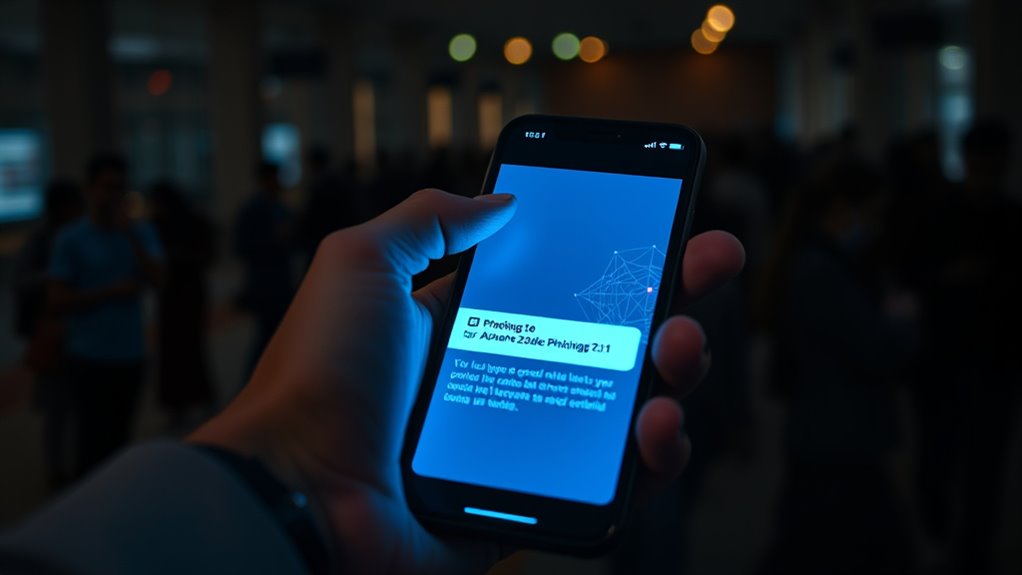
Cybercriminals often impersonate trusted organizations, creating urgency to trick you into revealing sensitive information. Stay vigilant and verify sender details.
Additionally, social engineering tactics play a *vital* role in phishing 2.0. These tactics exploit human psychology rather than just technology. Cybercriminals know you’re busy and may be more likely to overlook details when you’re rushed. They create scenarios that pull on your emotions, whether it’s fear, curiosity, or urgency. For instance, you might receive an email stating that your account has been compromised, prompting you to act immediately to secure it. This emotional manipulation makes it easier for them to trick you into providing personal information or downloading malware. Understanding the importance of quality assurance in software development can help you recognize the need for secure communication practices.
To protect yourself, always take a moment to pause and assess the situation. Check the sender’s details and be skeptical of unsolicited requests for sensitive information. If you’re unsure, don’t hesitate to contact the organization directly using trusted contact information.
Phishing 2.0 is a sophisticated threat, but being aware of these evolving tactics can help you stay one step ahead. By understanding the role of email impersonation and social engineering in these scams, you empower yourself to recognize red flags. Remember, the best defense against these tactics is a healthy dose of skepticism and vigilance. Stay informed, stay cautious, and you can navigate the digital landscape with confidence.
Frequently Asked Questions
What Are Some Common Signs of a Phishing Attempt?
When you’re checking your emails, look for common signs of a phishing attempt. Email red flags include poor spelling or grammar, urgent language demanding immediate action, and generic greetings like “Dear Customer.” If you notice a suspicious sender, especially one that doesn’t match the organization’s official domain, be cautious. Links leading to odd websites or attachments you weren’t expecting are also red flags. Always verify with the sender before taking any action.
How Can I Report a Phishing Scam?
You can report a phishing scam by following your local reporting procedures. Have you ever wondered how many people fall victim to these scams? First, verify the scam by checking with your email provider or relevant authorities. Then, report it to platforms like the FTC or Action Fraud. This helps protect others from similar threats. Always keep a record of the details for future reference in case further action is needed.
Are Mobile Devices Vulnerable to Phishing Attacks?
Yes, mobile devices are vulnerable to phishing attacks. To enhance your mobile security, always scrutinize app permissions before downloading. Unnecessary permissions can expose your device to malicious apps that trick you into sharing personal information. Be cautious with links in messages or emails, and use security features like two-factor authentication. Staying informed about potential threats will help you protect your device and personal data against phishing attempts effectively.
What Should I Do if I Clicked a Phishing Link?
If you clicked a phishing link, act fast! First, disconnect from the internet to prevent further damage. Then, change your passwords immediately, especially for sensitive accounts. Enable email verification wherever possible to add an extra layer of security. Check your accounts for any unauthorized transactions or changes. Finally, report the phishing attempt to your email provider and consider running a malware scan on your device to guarantee it’s safe.
Can Antivirus Software Prevent Phishing Attacks?
Antivirus software can help reduce the risk of phishing attacks, but it’s not foolproof. You should also focus on email authentication and browser security. Make sure your email provider uses strong authentication methods to verify senders. Keep your browser updated and enable security features that warn you about unsafe sites. While antivirus programs add a layer of protection, staying vigilant and informed is key to effectively avoiding phishing scams.
Conclusion
In a world where phishing tactics evolve like a cunning chameleon, staying vigilant is your best defense. Just like a seasoned fisherman knows to check his nets for holes, you need to scrutinize every email and link. Remember that 1 in 99 emails is a phishing attempt; it’s as if a shark lurks among the minnows. By arming yourself with knowledge and skepticism, you can navigate the waters of the internet safely and avoid becoming the catch of the day.
Halloween Picks
halloween
As an affiliate, we earn on qualifying purchases.