
Remote work has widened your organization’s cybersecurity risks by increasing devices and networks exposed to threats. Unsecured home Wi-Fi, personal devices, and shadow IT create entry points for hackers. Phishing, ransomware, and data breaches have become more common and harder to detect outside the office. To protect yourself, you need layered security measures like multi-factor authentication and continuous monitoring. Stay tuned to learn how you can better defend against these evolving threats.

Get privacy and security gear delivered free — and shop member deals
- Fast, free delivery on millions of items
- Access to Prime Big Deal Days deals on October 6–7
- Prime Video, Amazon Music and more included
Key Takeaways
- Expanded remote work increases attack surface through vulnerable devices, unsecured networks, and home routers lacking enterprise security.
- Phishing and social engineering threats rise as remote employees access sensitive data outside secure corporate environments.
- Shadow IT and unmanaged personal devices introduce vulnerabilities, complicating asset management and increasing malware risks.
- Cloud misconfigurations and rapid migration efforts create security gaps, leading to data leaks and unauthorized access.
- Evolving threats like ransomware and malware exploit remote work vulnerabilities, requiring layered, adaptive cybersecurity measures.
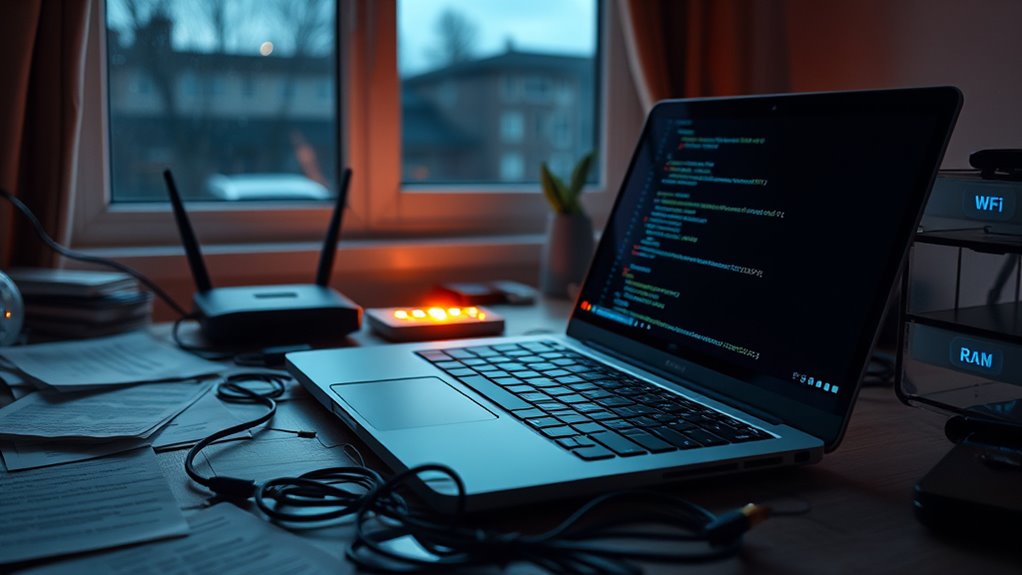
Have you ever considered how remote work has expanded your organization’s cybersecurity risks? As more employees connect from home, your attack surface grows exponentially. Every device—phones, tablets, laptops—linked to the internet becomes a potential entry point for cybercriminals. In 2023, VPN vulnerabilities increased by 47%, exposing weaknesses in remote access points. By 2025, nearly half of all remote workers relied on VPNs and other remote tools, creating a larger, more vulnerable perimeter. Home routers and personal devices often lack the enterprise-grade security protections found in corporate environments. Many use default passwords or outdated firmware, making them easy targets for attackers. Every unpatched device or unsecured Wi-Fi network becomes a door left open for intruders. These weaknesses multiply when employees connect via public Wi-Fi, which is inherently insecure and susceptible to man-in-the-middle attacks. Without proper encryption or virtual private networks, sensitive data transmitted over these networks can be intercepted, risking exposure and breach.
Your remote workforce also faces increased risks from social engineering and phishing. In 2025, 60% of companies identified phishing as their top remote-work threat, with attacks rising year over year. Remote employees, isolated from immediate IT support, are more likely to click malicious links or share credentials. The lack of corporate email filtering on off-network mail adds to the problem, allowing more phishing attempts to succeed. Credential theft and account takeovers surged, with over 54% of breaches in 2025 linked to compromised remote access credentials. The success of these attacks often depends on exploiting weak or stolen passwords, which are common with unmanaged personal devices or poorly secured home networks. Shadow IT—unauthorized apps, browser extensions, and personal devices—further broadens the attack surface by creating unknown vulnerabilities, with unknown risks increasing by approximately 31% in 2025. In addition, the rapid shift to remote work has led to increased reliance on cloud services, which, if misconfigured, can open additional security gaps. Proper cloud security practices are essential to prevent data leaks and unauthorized access.
Remote work also complicates cloud and data protection efforts. Rapid migration to cloud services led to a rise in misconfiguration incidents, accounting for roughly 17% of remote-work security events. Inconsistent access controls and excessive permissions mean sensitive data can be exposed or exfiltrated by malicious actors. Shadow IT, including unauthorized file-sharing and integrations, makes it difficult to enforce security policies and monitor data flows. The use of personal devices for work, often unmanaged, hampers asset inventory and vulnerability management, increasing the risk of malware infections and data breaches. Ransomware and malware attacks are now more prevalent, with 44% of breaches in 2025 involving ransomware. These threats spread through phishing, unpatched software, and compromised remote sessions, often going undetected longer than in traditional office setups. As a result, your organization’s security posture must evolve, emphasizing layered defenses like multi-factor authentication, endpoint detection, zero-trust models, and continuous remote risk assessments to counter these expanding threats effectively.
Frequently Asked Questions
How Can Organizations Detect Shadow IT Activities Effectively?
You can detect shadow IT activities by implementing continuous network monitoring to identify unauthorized apps and devices. Use automated tools to scan for unknown cloud services, browser extensions, and personal device connections. Regular audits and user access reviews help spot unapproved tools. Educate employees on security policies, and enforce strict access controls and app whitelisting. Combining these measures guarantees you stay ahead of shadow IT risks and maintain better visibility over your IT environment.
What Are the Best Practices for Securing Personal Devices Used for Work?
You should implement strict BYOD policies, as over 70% of remote workers use personal devices for work. Enforce strong password requirements, enable multi-factor authentication, and make certain devices have updated OS and security software. Regularly conduct security training and remote device audits. Use endpoint protection tools, VPNs, and encryption to safeguard data. These steps reduce vulnerabilities, protect sensitive information, and help prevent attackers from exploiting personal devices as entry points into your network.
How Does Remote Work Impact Compliance With Data Protection Regulations?
Remote work complicates compliance with data protection regulations because it broadens the attack surface and introduces uncontrolled environments. You need to enforce strict access controls, guarantee encryption for data in transit and at rest, and regularly audit remote systems. Using personal devices and unmanaged networks increases risks of data leaks and breaches. To stay compliant, you must implement extensive security policies, monitor remote activities, and verify adherence to regulatory standards consistently.
What Strategies Mitigate Risks From Vulnerable Home Network Equipment?
You can strengthen your home network security by starting with strong, unique passwords for routers and enabling WPA3 encryption. Regularly update firmware to patch vulnerabilities, disable remote management features, and set up a separate guest network for visitors. Using a reputable firewall and VPN adds layers of protection. Finally, educate yourself and your team on phishing risks and safe browsing practices to prevent attackers from exploiting weak spots.
How Can Companies Improve Phishing Defenses for Remote Employees?
You can improve phishing defenses for remote employees by implementing extensive training programs that focus on recognizing scams and social engineering tactics. Enforce multi-factor authentication (MFA) to reduce credential theft risks, and use advanced email filtering to block malicious messages. Regularly update and patch software, promote the use of secure, company-approved communication channels, and conduct simulated phishing exercises to keep staff vigilant and prepared against evolving threats.
Conclusion
As you navigate the shift to remote work, remember that cybersecurity is your shield in a digital battlefield. Like a fortress built brick by brick, your vigilance and best practices strengthen your defenses against evolving threats. Don’t let complacency be the chink in your armor—stay alert, update your tools, and think of cybersecurity as your trusted partner guiding you through this new landscape. In this fight, your awareness is the key to staying safe.
Fall Picks
fall essentials
As an affiliate, we earn on qualifying purchases.