A higher monitor refresh rate improves your daily digital activities by making everything look smoother and more natural. It enhances video calls, reducing lag and motion judder, so your conversations feel more fluid. When editing photos or browsing, it provides better clarity, responsiveness, and less eye strain. Plus, it makes scrolling, switching windows, and multitasking more comfortable. If you’re curious about how a higher refresh rate can transform your everyday experience, there’s more to discover below.

Get privacy and security gear delivered free with Prime
- Fast, free delivery on millions of items
- Prime Video, Amazon Music and more included
- Member-only deals all year
Key Takeaways
- Higher refresh rates improve visual smoothness in everyday tasks like browsing, editing, and scrolling, enhancing overall user experience.
- They ensure smoother and clearer video conferencing, reducing motion judder and lag during calls.
- Enhanced refresh rates provide greater precision and responsiveness for detailed activities like photo editing.
- They reduce eye strain and fatigue during long periods of computer use by offering more natural and fluid visuals.
- Combining higher refresh rates with adaptive sync technology minimizes stuttering and lag in various non-gaming applications.
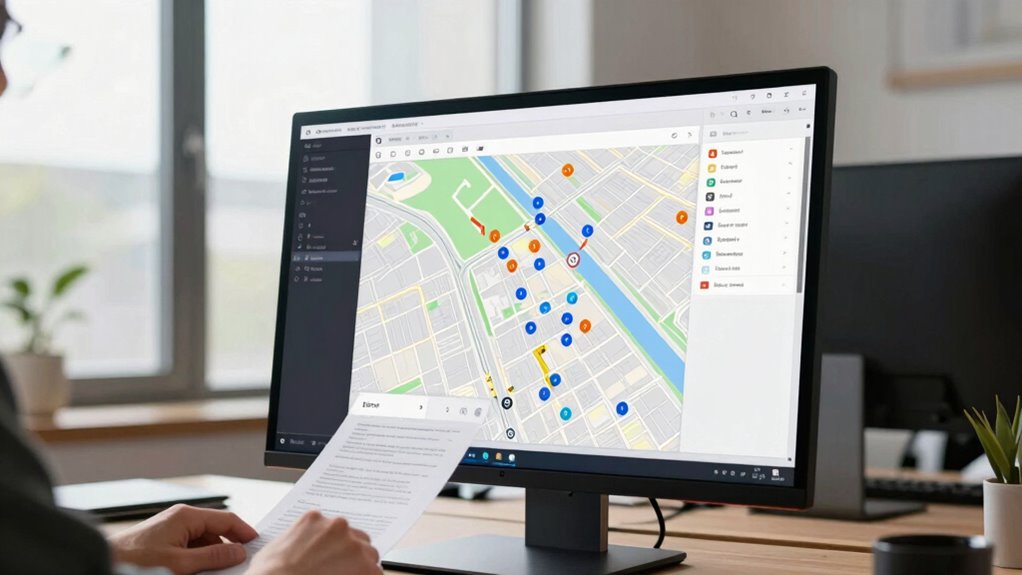
Have you ever wondered why some monitors look smoother than others, even when you’re not gaming? The answer often comes down to the monitor’s refresh rate. Refresh rate, measured in hertz (Hz), indicates how many times your screen updates each second. While gamers chase high refresh rates to eliminate motion blur during fast-paced action, those same features are just as crucial for everyday activities. Whether you’re participating in video conferencing, editing photos, or simply scrolling through your favorite website, a higher refresh rate can markedly improve your experience.
In video conferencing, a higher refresh rate ensures that your video feed stays smooth and clear. When you’re on a call, a monitor with a 75Hz or higher refresh rate minimizes motion judder and lag, giving your face and movements a natural, fluid appearance. This smoother visual makes conversations feel more natural and less distracting. It’s especially important if you’re sharing your screen or presenting. You want your audience to see a seamless display of your content, which high refresh rates facilitate by reducing flickering or stuttering that can occur with lower Hz displays.
Photo editing, on the other hand, benefits greatly from a higher refresh rate because of the precision and clarity it offers. When you’re working on detailed images, every pixel counts. A smoother display helps you see subtle changes in color, contrast, and detail without the distraction of flickering or motion artifacts. This is particularly noticeable when you’re zoomed in or panning across large images, where a monitor with a higher refresh rate gives you a more responsive and accurate view. It allows you to work more efficiently, reducing eye strain and fatigue, especially during long editing sessions. Additionally, visual clarity is enhanced with higher refresh rates, making it easier to distinguish fine details and color nuances.
Beyond these specific activities, a higher refresh rate also enhances overall user experience. Scrolling through documents or browsing the web becomes more fluid, which can boost productivity and comfort. You might also notice improved motion smoothness during rapid scrolling or window transitions, contributing to a more seamless digital environment. This is especially true when combined with adaptive sync technology, which helps synchronize the display’s refresh rate with your graphics card for even smoother visuals. You won’t feel the stuttering or lag that often comes with lower refresh rates, making your daily tasks more enjoyable. Furthermore, a higher refresh rate can contribute to visual comfort, reducing eye fatigue during prolonged use. It’s a simple upgrade that can have a profound impact on how smooth and responsive your digital interactions feel.
high refresh rate monitor for productivity
As an affiliate, we earn on qualifying purchases.
As an affiliate, we earn on qualifying purchases.
Frequently Asked Questions
How Does Refresh Rate Affect Video Editing Quality?
A higher refresh rate improves your video editing quality by providing smoother motion, making it easier to spot frame-by-frame issues. It also enhances motion smoothing, helping you see real-time changes more clearly. Additionally, a fast refresh rate can improve color accuracy during playback, reducing eye strain and allowing for more precise editing. Overall, a higher refresh rate guarantees your edits are more accurate and visually consistent.
Can a Higher Refresh Rate Improve Virtual Meeting Experiences?
Yes, a higher refresh rate can improve your virtual meeting experiences. It enhances video smoothness and motion clarity, making conversations feel more natural and reducing eye strain. When your monitor refreshes faster, movements on screen appear more fluid, which helps you follow shared content more easily. This is especially beneficial during presentations or collaborative work, where clear, smooth visuals improve communication and overall productivity.
Does Refresh Rate Impact Battery Life on Laptops?
Think of your laptop’s display as a busy city intersection. A higher refresh rate is like traffic lights switching faster, making everything smoother but using more energy. This increases power consumption and can reduce battery efficiency. So, yes, a higher refresh rate impacts battery life, as it demands more power. To conserve battery, consider lowering the refresh rate when you’re not gaming or doing intensive tasks.
Is a Higher Refresh Rate Beneficial for Programming or Coding?
A higher refresh rate can enhance your programming comfort by providing smoother scrolling and reducing eye strain during long coding sessions. While it doesn’t directly improve coding accuracy, the visual clarity and fluidity can help you focus better and catch errors more easily. If you spend hours coding, a higher refresh rate might make your work more comfortable and efficient, especially when browsing through complex code or multiple windows.
How Does Refresh Rate Influence the Use of Multiple Monitors?
A higher refresh rate improves your experience when using multiple monitors by delivering smoother visuals, reducing flicker, and enhancing visual comfort. This is especially important when switching between screens quickly or working with fast-moving content. While color accuracy isn’t directly impacted, a higher refresh rate minimizes eye strain and provides more consistent, comfortable viewing, helping you stay focused and productive across multiple displays.
smooth video conferencing monitor
As an affiliate, we earn on qualifying purchases.
As an affiliate, we earn on qualifying purchases.
Conclusion
So, next time you’re choosing a monitor, don’t just focus on resolution or size—consider the refresh rate. You might think it’s only important for gaming, but smoother visuals benefit your daily tasks too, reducing eye strain and making everything feel more natural. Some say higher refresh rates can even boost your productivity by making shifts and animations more seamless. So, could a higher refresh rate be the secret to a more comfortable, efficient workspace? It’s worth exploring.
photo editing monitor with high refresh rate
As an affiliate, we earn on qualifying purchases.
As an affiliate, we earn on qualifying purchases.
ergonomic monitor for long computer use
As an affiliate, we earn on qualifying purchases.
As an affiliate, we earn on qualifying purchases.
Fall Picks
fall essentials
As an affiliate, we earn on qualifying purchases.