For encrypted flash drives for privacy, I rank the Kingston IronKey Vault Privacy 50 as the best overall option for buyers who want a high-capacity drive from a security-focused line. The Apricorn Aegis Secure Key 3NX stands out for keypad-based access, while the Kingston IronKey Keypad 200 is a strong fit for USB-C devices. The main tradeoffs are keypad convenience versus simpler plug-in use, storage capacity versus the space needed for protected files, and device compatibility versus added security controls. A drive’s encryption features matter only if its setup and recovery process suit your habits. Read on for the full comparison and advice on choosing a drive that fits your privacy needs.

Get privacy and security gear delivered free with Prime
- Fast, free delivery on millions of items
- Prime Video, Amazon Music and more included
- Member-only deals all year
Key Takeaways
- The lineup splits between keypad drives, such as the Apricorn Aegis Secure Key models and Kingston IronKey Keypad 200, and drives that rely on other access methods; your choice affects how you unlock the device as well as how you connect it.
- High-capacity options like the 256GB IronKey Vault Privacy 50 and 128GB Aegis Secure Key 3 NXC suit larger file collections, while 4GB and 8GB models are better matched to small, deliberately limited transfers.
- USB-C support is a practical differentiator: the Aegis Secure Key 3 NXC and IronKey Keypad 200 are more relevant to USB-C-first setups, while USB 3.0 models may require an adapter on newer devices.
- A recognizable security-focused product line does not remove the need to check operating-system support, setup steps, and recovery procedures before storing important files.
- The strongest choice depends on the use case: keypad access favors direct control, larger capacities favor carrying more data, and lower-capacity drives can help keep a portable archive narrowly scoped.
| iStorage datAshur PRO 4 GB Encrypted USB Flash Drive |  | Best for Rugged, PIN-Controlled Portability | Storage capacity: 4 GB | Encryption: 256-bit AES-XTS hardware encryption | Authentication: 7–15 digit PIN | VIEW LATEST PRICE | See Our Full Breakdown |
| Kingston DataTraveler Vault Privacy 8GB USB 3.0 Flash Drive |  | Best for Corporate IT Deployment | Capacity: 8 GB | Interface: USB 3.0 | Encryption: 256-bit AES hardware-based encryption | VIEW LATEST PRICE | See Our Full Breakdown |
| Integral Crypto-197 4GB Encrypted USB 3.0 Flash Drive |  | Best for Automatic Locking and Lockout Erasure | Storage capacity: 4 GB | Encryption: 256-bit AES hardware encryption | Certification: FIPS 197 | VIEW LATEST PRICE | See Our Full Breakdown |
| Apricorn Aegis Secure Key 3NX 8GB Encrypted USB 3.0 Flash Drive |  | Best for PIN Roles and Managed Access | Storage capacity: 8 GB | Encryption: 256-bit AES-XTS | Security validation: FIPS 140-2 Level 3 | VIEW LATEST PRICE | See Our Full Breakdown |
| INNÔPLUS 64GB Encrypted USB 3.0 Flash Drive, Gray |  | Best for Higher-Capacity Encrypted Storage | Storage capacity: 64 GB | Encryption: 256-bit AES-XTS hardware encryption | Interface and connector: USB 3.0, USB Type-A | VIEW LATEST PRICE | See Our Full Breakdown |
| Kingston IronKey Locker+ 50 G2 32GB Encrypted USB Drive | 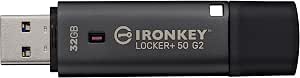 | Best for Managed Personal Access | Capacity: 32 GB | Encryption: 256-bit XTS-AES hardware encryption | Certification: FIPS 197 | VIEW LATEST PRICE | See Our Full Breakdown |
| 32GB Secure USB 3.0 Flash Drive with 256-Bit Hardware Encryption |  | Best for Software-Free, Cross-Platform Use | Capacity: 32GB | Encryption: 256-bit AES XTS hardware encryption | Interface: USB 3.0 | VIEW LATEST PRICE | See Our Full Breakdown |
| Kingston IronKey D500S 16GB Encrypted USB Flash Drive |  | Best for Advanced Threat Controls | Capacity: 16GB | Encryption: XTS-AES 256-bit | Certification: FIPS 140-3 Level 3, pending | VIEW LATEST PRICE | See Our Full Breakdown |
| Apricorn Aegis Secure Key 3 NXC 128GB Hardware-Encrypted USB-C Flash Drive |  | Best USB-C Choice | Capacity: 128GB | Encryption: 256-bit AES-XTS hardware encryption | Security validation: FIPS 140-2 Level 3 | VIEW LATEST PRICE | See Our Full Breakdown |
| Kingston IronKey Vault Privacy 50 256GB Encrypted USB Drive |  | Best High-Capacity Pick | Capacity: 256GB | Encryption: Hardware-based AES 256-bit, XTS mode | Certification: FIPS 197 | VIEW LATEST PRICE | See Our Full Breakdown |
| Apricorn Aegis Secure Key 3Z 16GB Hardware-Encrypted USB 3.0 Flash Drive |  | Best for Rugged, Certified Simplicity | Storage capacity: 16 GB | Encryption: 256-bit AES XTS hardware encryption | Security validation: FIPS 140-2 Level 3 | VIEW LATEST PRICE | See Our Full Breakdown |
| Kingston IronKey Keypad 200 32GB USB-C Encrypted Flash Drive |  | Best for USB-C and Flexible Access Controls | Storage capacity: 32 GB | Encryption: XTS-AES 256-bit hardware-based encryption | FIPS certification: FIPS 140-3 Level 3 pending | VIEW LATEST PRICE | See Our Full Breakdown |
| DataLocker Sentry K350 16GB Encrypted USB Drive |  | Best for Enterprise-Grade Physical Protection | Storage capacity: 16 GB | Encryption: AES 256-bit | Security validation: FIPS 140-3 validated | VIEW LATEST PRICE | See Our Full Breakdown |
| encrypted flash drives for privacy | Encryption | Storage capacity |
|---|---|---|
| iStorage datAshur PRO 4 GB Enc | 256-bit AES-XTS hardware encryption | 4 GB |
| Kingston DataTraveler Vault Pr | 256-bit AES hardware-based encryption | — |
| Integral Crypto-197 4GB Encryp | 256-bit AES hardware encryption | 4 GB |
| Apricorn Aegis Secure Key 3NX | 256-bit AES-XTS | 8 GB |
| INNÔPLUS 64GB Encrypted USB 3. | 256-bit AES-XTS hardware encryption | 64 GB |
| Kingston IronKey Locker+ 50 G2 | 256-bit XTS-AES hardware encryption | — |
| 32GB Secure USB 3.0 Flash Driv | 256-bit AES XTS hardware encryption | — |
| Kingston IronKey D500S 16GB En | XTS-AES 256-bit | — |
| Apricorn Aegis Secure Key 3 NX | 256-bit AES-XTS hardware encryption | — |
| Kingston IronKey Vault Privacy | Hardware-based AES 256-bit, XTS mode | — |
| Apricorn Aegis Secure Key 3Z 1 | 256-bit AES XTS hardware encryption | 16 GB |
| Kingston IronKey Keypad 200 32 | XTS-AES 256-bit hardware-based encryption | 32 GB |
| DataLocker Sentry K350 16GB En | AES 256-bit | 16 GB |
More Details on Our Top Picks
iStorage datAshur PRO 4 GB Encrypted USB Flash Drive
The datAshur PRO pairs onboard PIN authentication with 256-bit AES-XTS hardware encryption, so access control does not depend on software installed on the host computer. Its IP57-rated housing gives it a durability advantage over the Kingston DataTraveler Vault Privacy, whose supplied details do not specify water and dust resistance. That makes this a sensible pick for people carrying sensitive files between offices or in less controlled environments. The tradeoff is its 4 GB capacity: it suits documents and small work files, not a large archive or regular video transfers. The PIN step also adds friction each time you connect it. Compared with the 8 GB Apricorn Aegis Secure Key 3NX, the datAshur is more compact in capacity but offers a stated higher maximum read speed and stronger listed ingress protection.
Pros:- 256-bit AES-XTS hardware encryption works without requiring software.
- A 7–15 digit PIN adds access control before the drive can be used.
- IP57 rating provides stated dust and water resistance.
- Broad compatibility includes Windows, macOS, Linux, Chrome, and Android.
Cons:- 4 GB capacity is restrictive for large files and growing archives.
- PIN entry adds a step before every use.
Best for: People who carry a small set of confidential documents between devices and want PIN access plus stated dust and water resistance.
Not ideal for: Users storing large project folders, media libraries, or backups; 4 GB leaves little room for those workloads.
- Storage capacity:4 GB
- Encryption:256-bit AES-XTS hardware encryption
- Authentication:7–15 digit PIN
- Certifications:FIPS 140-2 Level 3, NLNCSA DEP-V, NATO Restricted
- Dust and water resistance:IP57
- Interface:USB 3.0
- Maximum read speed:Up to 169 MB/s
- Compatibility:Windows, macOS, Linux, Chrome, Android, and other USB-compatible devices
Our verdict“Choose the datAshur PRO if rugged protection and PIN-controlled access matter more than storage capacity.”
Kingston DataTraveler Vault Privacy 8GB USB 3.0 Flash Drive
The DataTraveler Vault Privacy is aimed less at individual configuration and more at organizations that need a hardware-encrypted USB 3.0 drive they can adapt to corporate IT requirements. Its 256-bit AES hardware encryption protects stored data without relying on host software, while optional ESET protection may suit workplaces that want an additional malware-control layer. That antivirus feature is optional, though, so buyers should not treat it as included protection. Compared with the iStorage datAshur PRO, this Kingston offers twice the capacity at 8 GB, but the supplied product details do not list an onboard keypad, environmental rating, or PIN length. It is a more workplace-oriented choice than the Integral Crypto-197, whose six-failed-attempt erase behavior is explicitly described. Confirm the exact management and security settings with your IT team before deployment.
Pros:- 256-bit AES hardware-based encryption protects stored data.
- Customization can support corporate IT requirements.
- USB 3.0 interface suits routine file transfers.
- Optional ESET protection offers an additional feature for deployments that need it.
Cons:- ESET antivirus protection is optional rather than a stated standard inclusion.
- The supplied details do not specify authentication method or failed-attempt lockout behavior.
- 8 GB remains limited for large work files and archives.
Best for: IT administrators seeking an 8 GB hardware-encrypted USB drive that can be customized around corporate requirements.
Not ideal for: Individual buyers who need a clearly specified onboard PIN keypad, rugged water resistance, or detailed lockout behavior.
- Capacity:8 GB
- Interface:USB 3.0
- Encryption:256-bit AES hardware-based encryption
- Customization:Supports corporate IT requirements
- Antivirus protection:Optional ESET protection
- Compliance:TAA compliant
- Model:DTVP30/8GB
Our verdict“Pick this Kingston for an IT-managed setting where customization matters more than detailed, user-facing authentication features.”
Integral Crypto-197 4GB Encrypted USB 3.0 Flash Drive
The Crypto-197 stands apart through its clearly defined response to access risk: it locks when disconnected, requires an 8–16 character alphanumeric password, and erases stored data after six unsuccessful attempts. That last feature may appeal to people carrying especially sensitive files, but it makes password discipline non-negotiable; a forgotten password or repeated entry mistake can destroy the contents. Its FIPS 197-certified AES hardware encryption and no-software setup keep protection independent of the computer. The dual-layer housing adds a practical layer of physical protection, unlike the Kingston DataTraveler Vault Privacy, whose supplied details do not specify a rugged enclosure. Like the 4 GB iStorage datAshur PRO, it is best for a small, carefully chosen file set rather than bulk storage. The tradeoff is the especially unforgiving six-attempt erase rule.
Pros:- FIPS 197-certified 256-bit AES hardware encryption requires no software installation.
- Automatically locks when disconnected.
- Data erasure after six unsuccessful password attempts limits repeated access attempts.
- Dual-layer housing is designed to resist bumps, drops, and water immersion.
Cons:- Six incorrect password attempts erase the drive’s data.
- The 8–16 character alphanumeric password adds setup and recall demands.
- 4 GB capacity is too small for many media and backup needs.
Best for: People carrying a small volume of highly sensitive files who want automatic relocking and a defined failed-password erase policy.
Not ideal for: Anyone likely to forget passwords or share access with users who may mistype; six failed attempts erase the data.
- Storage capacity:4 GB
- Encryption:256-bit AES hardware encryption
- Certification:FIPS 197
- Interface and connector:USB 3.0, USB Type-A
- Password length:8–16 alphanumeric characters
- Failed-access protection:Data erased after 6 unsuccessful attempts
- Housing:Dual-layer waterproof design with hardened internal case and rubberized silicone exterior
- Compatibility:PC and Mac; devices with USB 3.0 and USB Type-A
Our verdict“Choose the Crypto-197 if automatic locking and a strict erase-on-failure policy outweigh the risk of losing data after mistyped passwords.”
Apricorn Aegis Secure Key 3NX 8GB Encrypted USB 3.0 Flash Drive
The Aegis Secure Key 3NX is the most configurable access-control pick in this group. Its onboard keypad avoids dependence on host software, while separate admin and user modes, read-only modes, and data-recovery PINs give an organization more ways to manage access than the simpler PIN-focused datAshur PRO. Its FIPS 140-2 Level 3 validation and tamper-resistant, epoxy-protected components add reassurance for controlled workflows. The tradeoff is speed: the listed 77 MB/s read and 72 MB/s write rates are below the INNÔPLUS drive’s stated maximums, and its 8 GB capacity is modest beside that model’s 64 GB. The keypad and layered modes make the 3NX a better fit for users who will configure and maintain its features, not someone seeking the simplest plug-in storage option.
Pros:- Onboard keypad PIN authentication works without host software.
- Admin and user modes, read-only options, and recovery PINs support managed access.
- FIPS 140-2 Level 3 validation and epoxy-protected components add security-focused design details.
- Listed compatibility spans Windows, iOS, Linux, Android, and Chrome.
Cons:- 8 GB capacity is limited for large archives and media.
- Listed read and write speeds are lower than the INNÔPLUS drive’s stated maximums.
- A powered USB port and compatible storage file system are required.
Best for: Small teams or professionals who need keypad access with separate admin and user controls for sensitive files.
Not ideal for: Buyers prioritizing high capacity, fast transfers, or a simple setup without multiple access modes.
- Storage capacity:8 GB
- Encryption:256-bit AES-XTS
- Security validation:FIPS 140-2 Level 3
- Authentication:Onboard keypad PIN; separate admin and user modes
- Interface and connector:USB 3.0, USB Type-A
- Read speed:77 MB/s
- Write speed:72 MB/s
- Compatibility:Windows, iOS, Linux, Android, Chrome
Our verdict“Choose the Aegis Secure Key 3NX when configurable keypad access matters more than capacity or transfer speed.”
INNÔPLUS 64GB Encrypted USB 3.0 Flash Drive, Gray
Capacity is the INNÔPLUS drive’s clearest advantage: its 64 GB of storage gives it room for larger work folders than the 4 GB datAshur PRO or the 8 GB Apricorn Aegis Secure Key 3NX. It combines that space with 256-bit AES-XTS hardware encryption and password protection, with no added software or drivers required across Windows, Mac, Linux, and embedded systems. The stated maximum read and write speeds are also higher than the listed rates for the Apricorn, though actual performance may vary. Privacy comes with a firm recovery tradeoff: ten incorrect password entries trigger a factory reset and data erasure. Its zinc-alloy shell is compact and described as resistant to wear, but the supplied details do not list a certification or environmental ingress rating. Choose it for capacity, not for the most fully documented security credentials.
Pros:- 64 GB capacity exceeds the 4 GB and 8 GB options in this batch.
- 256-bit AES-XTS hardware encryption and password protection require no extra software or drivers.
- Broad compatibility includes Windows, Mac, Linux, and embedded systems.
- Stated maximum speeds reach up to 480 MB/s read and 160 MB/s write.
Cons:- Ten incorrect password entries trigger a factory reset and erase stored data.
- Maximum speeds may vary in actual use.
- The supplied details do not list a security certification or water-and-dust rating.
Best for: People who need more encrypted space for sizable document sets or project files across Windows, Mac, Linux, and embedded systems.
Not ideal for: Buyers who need a stated security certification, water-and-dust rating, or a forgiving recovery policy after failed password attempts.
- Storage capacity:64 GB
- Encryption:256-bit AES-XTS hardware encryption
- Interface and connector:USB 3.0, USB Type-A
- Maximum read speed:Up to 480 MB/s
- Maximum write speed:Up to 160 MB/s
- Compatible systems:Windows, Mac, Linux, embedded systems
- Material:Zinc alloy
- Incorrect password limit:10 attempts; factory reset and data erasure
Our verdict“Choose the INNÔPLUS if you need substantially more encrypted capacity and can manage its strict ten-attempt reset rule.”
Kingston IronKey Locker+ 50 G2 32GB Encrypted USB Drive
The IronKey Locker+ 50 G2 suits buyers who want hardware encryption with a clear distinction between account administration and everyday access. Its 256-bit XTS-AES encryption and FIPS 197 certification make it a more security-focused choice than the basic 32GB encrypted USB drive in this group, while separate administrator and user passwords can help when one person manages access for another. Complex-password and passphrase modes give users some flexibility without requiring separate software.
The tradeoff is capacity: 32GB is better for sensitive documents than a large media archive, and its USB Type-A connector may need an adapter on newer devices. Compared with the 128GB Apricorn Aegis Secure Key 3 NXC, this Kingston offers less room and lacks USB-C, but remains a straightforward pick for users who prioritize managed passwords over capacity.
Pros:- 256-bit XTS-AES hardware encryption with FIPS 197 certification.
- Separate administrator and user passwords support managed access.
- Complex-password and passphrase modes offer different authentication styles.
- Specified read speeds up to 145 MB/s and write speeds up to 115 MB/s.
Cons:- 32GB capacity limits its usefulness for large backups and media libraries.
- USB Type-A connector may require an adapter with newer devices.
Best for: People who need a modest-capacity drive for sensitive work files and want separate administrator and user password options.
Not ideal for: USB-C-only laptop and phone owners, or anyone storing large backups who will quickly outgrow 32GB.
- Capacity:32 GB
- Encryption:256-bit XTS-AES hardware encryption
- Certification:FIPS 197
- Password options:Administrator and user passwords; complex or passphrase modes
- Interface and connector:USB 3.2 Gen 1; USB Type-A
- Read speed:Up to 145 MB/s
- Write speed:Up to 115 MB/s
- Warranty:5 years
Our verdict“Choose the Locker+ 50 G2 for managed, hardware-encrypted access to a smaller set of files, not for high-capacity or USB-C-first storage.”
32GB Secure USB 3.0 Flash Drive with 256-Bit Hardware Encryption
This 32GB hardware-encrypted drive is aimed at buyers who want password-protected storage without installing software or drivers. Its stated support for Windows, macOS, Linux, and embedded systems makes it more flexible across mixed-device environments than the Kingston IronKey Locker+ 50 G2, whose listed connection is USB Type-A and whose supplied data does not specify the same breadth of operating-system compatibility. The zinc-alloy shell also gives it a sturdy portable form.
Its defining tradeoff is the 10-try erasure rule: entering the wrong password ten times wipes the drive and restores factory settings. That may suit sensitive data, but it makes password retention and careful entry especially important. The listed speeds reach 480MB/s read and 150MB/s write, though actual transfer performance depends on the host and workload. Compared with Kingston’s IronKey D500S, it offers broad stated compatibility but not that model’s listed BadUSB protections or hidden partitions.
Pros:- 256-bit AES XTS hardware encryption with password protection.
- Listed compatibility covers Windows, macOS, Linux, and embedded systems without software or drivers.
- Zinc-alloy shell is designed for portable use and resistance to physical wear.
- Specified speeds reach up to 480MB/s read and 150MB/s write.
Cons:- Ten incorrect password entries erase stored data and restore factory settings.
- 32GB capacity may be restrictive for full backups or larger media collections.
- The supplied product data does not list a certification or dedicated BadUSB protection.
Best for: People who move a small set of protected files among Windows, macOS, Linux, or embedded systems and want to avoid installing authentication software.
Not ideal for: Users who may forget passwords or need a recovery path after repeated entry mistakes, since ten incorrect attempts erase the data.
- Capacity:32GB
- Encryption:256-bit AES XTS hardware encryption
- Interface:USB 3.0
- Wrong-password limit:10 attempts; then data is erased and the drive returns to factory settings
- Compatibility:Windows, macOS, Linux, and embedded systems
- Software or drivers:Not required
- Read and write speeds:Up to 480MB/s read; up to 150MB/s write
- Material:Zinc alloy
Our verdict“Pick this drive for software-free use across varied operating systems, provided you can reliably retain and enter its password.”
Kingston IronKey D500S 16GB Encrypted USB Flash Drive
The IronKey D500S stands apart for buyers who want more than password encryption alone. Its feature set includes brute-force and BadUSB attack protection, multiple password options, dual hidden partitions, and a crypto-erase password. Those controls make it a more specialized choice than the IronKey Locker+ 50 G2, which has simpler administrator-and-user password modes but greater capacity. The rugged zinc casing is also designed to help resist penetration attacks.
The main compromises are clear: 16GB is limited, and FIPS 140-3 Level 3 certification is listed as pending rather than completed. Its 260MB/s read and write figures are specified, but buyers should not treat a pending certification as validated. Compared with the 256GB IronKey Vault Privacy 50, the D500S gives more distinctive attack-response features in a smaller package; the Vault is the more practical fit for larger file sets.
Pros:- XTS-AES 256-bit encryption with listed brute-force and BadUSB protections.
- Dual hidden partitions and multiple password options support more specialized access setups.
- Crypto-erase password provides an emergency data-erasure option.
- Rugged zinc casing is designed to resist penetration attacks.
Cons:- 16GB capacity is restrictive for large working folders or backups.
- FIPS 140-3 Level 3 certification is listed as pending.
- USB Type-A may need an adapter for devices with only USB-C ports.
Best for: Security-conscious professionals carrying a small set of sensitive files who value attack protections, hidden partitions, and an emergency crypto-erase option.
Not ideal for: People needing a high-capacity backup drive or requiring a currently completed FIPS 140-3 Level 3 certification.
- Capacity:16GB
- Encryption:XTS-AES 256-bit
- Certification:FIPS 140-3 Level 3, pending
- Interface and connector:USB 3.2 Gen 1; USB Type-A
- Read and write speeds:260 MB/s read; 260 MB/s write
- Security features:Brute-force and BadUSB protection; multiple password options; dual hidden partitions; crypto-erase password
- Casing:Rugged zinc
- Warranty:Limited 5-year warranty
Our verdict“Choose the D500S for layered attack controls on a small set of files, but favor the Vault Privacy 50 if storage capacity matters more.”
Apricorn Aegis Secure Key 3 NXC 128GB Hardware-Encrypted USB-C Flash Drive
The Aegis Secure Key 3 NXC is the strongest fit here for buyers whose devices use USB-C and who want room for more than a handful of documents. Its 128GB capacity is four times that of the IronKey Locker+ 50 G2, while software-free authentication and separate administrator and user modes keep access controls on the drive rather than dependent on host software. FIPS 140-2 Level 3 validation gives its security credentials a clear distinction from the D500S, whose FIPS 140-3 Level 3 status is listed as pending.
That combination makes it a practical choice for laptops, tablets, and compatible phones, including USB OTG devices. The tradeoff is connector dependence: USB-C or USB OTG support is required, so older USB-A systems may need an adapter. The listed 625MB/s write speed is higher than its 171MB/s read figure, an unusual specification worth checking against the host and intended workflow rather than assuming uniform transfer speeds.
Pros:- 256-bit AES-XTS hardware encryption with FIPS 140-2 Level 3 validation.
- 128GB capacity offers substantially more room than the 16GB IronKey D500S.
- Software-free authentication includes separate administrator and user modes.
- USB-C and USB OTG support suit compatible computers, tablets, and smartphones.
Cons:- Requires USB-C or USB OTG support; some older devices may need an adapter.
- Listed write speed of 625 MB/s exceeds the listed read speed of 171 MB/s, so the figures may not match every workload.
- Three-year warranty is shorter than the five-year terms listed for several Kingston drives here.
Best for: USB-C laptop, tablet, and smartphone owners who need validated hardware encryption and enough capacity for a substantial working folder.
Not ideal for: People relying on USB-A-only computers or those who need a compact connector that works directly with older ports.
- Capacity:128GB
- Encryption:256-bit AES-XTS hardware encryption
- Security validation:FIPS 140-2 Level 3
- Interface:USB 3.2 Type-C
- Authentication:Software-free; separate administrator and user modes
- Read and write speeds:171 MB/s read; 625 MB/s write
- Compatible devices:Computers, tablets, and smartphones with USB 3.2 and USB-C ports; USB OTG devices
- Warranty:3 years
Our verdict“Choose the Aegis Secure Key 3 NXC if you need validated encryption, 128GB of storage, and direct USB-C access.”
Kingston IronKey Vault Privacy 50 256GB Encrypted USB Drive
For buyers who want privacy without keeping their entire archive on a small drive, the IronKey Vault Privacy 50 brings 256GB capacity together with hardware-based AES 256-bit encryption in XTS mode and FIPS 197 certification. It also lists digitally signed firmware for BadUSB protection, safeguards against brute-force password attacks, flexible password options, and write-protect settings. Compared with the 32GB IronKey Locker+ 50 G2, it gives far more room and adds explicit firmware and write-protection features.
That capacity makes it a better fit for larger document collections or project files, though its USB Type-A connector can be inconvenient for USB-C-only devices. The supplied dimensions, 7.09 × 5.12 × 0.39 inches, are unusually large for a flash drive and should be checked against portability expectations. The Apricorn Aegis Secure Key 3 NXC is the better match for direct USB-C access, but this Kingston wins when capacity and listed protections take priority.
Pros:- 256GB capacity supports larger sensitive-file collections than the other Kingston drives in this batch.
- Hardware-based AES 256-bit XTS encryption with FIPS 197 certification.
- Listed BadUSB and brute-force protections add safeguards beyond encryption alone.
- Flexible password options and write-protect settings support controlled access and reduced accidental changes.
Cons:- USB Type-A connector may require an adapter for newer laptops and phones.
- Listed dimensions of 7.09 × 5.12 × 0.39 inches are unusually large for a portable flash drive.
- The supplied speed data does not specify read or write performance.
Best for: Professionals and small teams who need to carry a larger volume of sensitive files with hardware encryption, password safeguards, and write protection.
Not ideal for: USB-C-only device owners or travelers who want a compact drive; the listed dimensions are unusually large for a flash drive.
- Capacity:256GB
- Encryption:Hardware-based AES 256-bit, XTS mode
- Certification:FIPS 197
- Interface and connector:USB 3.2 Gen 1; USB Type-A
- Security features:BadUSB and brute-force protection; flexible password options; write-protect settings
- Read and write speeds:Not specified in supplied product data
- Dimensions:7.09 × 5.12 × 0.39 inches
- TAA compliance:Yes
Our verdict“Pick the Vault Privacy 50 when high capacity and added firmware and write-protection features matter more than USB-C convenience or compact size.”
Apricorn Aegis Secure Key 3Z 16GB Hardware-Encrypted USB 3.0 Flash Drive
The Apricorn Aegis Secure Key 3Z suits buyers who want hardware encryption and PIN access without installing software. Its FIPS 140-2 Level 3 validation and onboard 7–16 digit PIN make it a straightforward choice for moving sensitive files between supported systems. Compared with the USB-C Kingston IronKey Keypad 200, this drive uses USB-A and has a lower listed transfer speed, but its IP57 aluminum housing adds meaningful protection against dust and water. That ruggedness comes with a capacity tradeoff: 16GB leaves less room for large archives than the Kingston’s 32GB. PIN entry also adds a step every time you access the drive. I’d choose it for compact, protected document sets rather than frequent transfers of large media libraries.
Pros:- 256-bit AES XTS hardware encryption with embedded PIN authentication
- FIPS 140-2 Level 3 validation
- Software-free design supports use across compatible operating systems
- IP57-rated rugged aluminum housing resists water and dust
Cons:- 16GB capacity is restrictive for large backups or media files
- USB-A connector may require an adapter with newer devices
- PIN entry is required to access the drive
Best for: People carrying sensitive documents across supported USB-A devices who value validated encryption, simple PIN access, and water- and dust-resistant construction.
Not ideal for: USB-C-only device owners and people storing large media collections, since it has a USB-A connector and just 16GB of capacity.
- Storage capacity:16 GB
- Encryption:256-bit AES XTS hardware encryption
- Security validation:FIPS 140-2 Level 3
- Interface:USB 3.0
- Connector:USB Type-A
- Authentication:Embedded 7–16 digit PIN
- Read/write speeds:77 MB/s read; 72 MB/s write
- Ingress protection:IP57 water and dust resistant
Our verdict“Choose the Aegis Secure Key 3Z for a rugged, validated USB-A drive for smaller sensitive file sets, but pick the Kingston IronKey Keypad 200 for USB-C and more capacity.”
Kingston IronKey Keypad 200 32GB USB-C Encrypted Flash Drive
The Kingston IronKey Keypad 200 is the most adaptable fit here for people who need a keypad-protected drive for USB-C devices. Its XTS-AES 256-bit encryption, admin and user PINs, and OS-independent operation keep access controls on the drive rather than relying on host software. Compared with the Apricorn Aegis Secure Key 3Z, it doubles the capacity and lists faster transfers, while adding BadUSB and brute-force protection and global or session read-only modes. The tradeoff is that its FIPS 140-3 Level 3 certification is pending, unlike the Apricorn’s stated FIPS 140-2 validation. The keypad also means access involves physical PIN entry, and the listed speed may matter less than the added security controls for buyers moving modest files.
Pros:- XTS-AES 256-bit hardware encryption with keypad PIN access
- Admin and user PIN options plus global or session read-only modes
- Brute-force and BadUSB protection with digitally signed firmware
- USB-C connectivity and OS-independent operation
Cons:- FIPS 140-3 Level 3 certification is pending
- Keypad PIN entry adds friction compared with software-based access
- Does not list water- or dust-resistance ratings
Best for: USB-C device users who need 32GB, separate admin and user PINs, read-only controls, and protection against brute-force and BadUSB attacks.
Not ideal for: Buyers who require an already validated FIPS 140-3 Level 3 certification or prefer a drive without keypad-based PIN entry.
- Storage capacity:32 GB
- Encryption:XTS-AES 256-bit hardware-based encryption
- FIPS certification:FIPS 140-3 Level 3 pending
- Connector:USB Type-C
- Hardware interface:USB 3.2 Gen 1
- PIN options:Admin and user PINs
- Security features:Brute-force protection, BadUSB protection, digitally signed firmware, tamper-evident epoxy coating
- Read-only option:Global or session
- Read/write speeds:145 MB/s read; 145 MB/s write
Our verdict“Pick the IronKey Keypad 200 for USB-C access controls and added attack protections, but choose the Apricorn Aegis Secure Key 3Z if stated FIPS validation and ruggedness matter more.”
DataLocker Sentry K350 16GB Encrypted USB Drive
The DataLocker Sentry K350 is the strongest fit in this group for buyers who prioritize certified security and physical resilience over capacity. It pairs FIPS 140-3 validated AES 256-bit encryption with a Common Criteria EAL5+ certified microprocessor, while its IP68 and MIL-STD-810G ratings address water, dust, and shock exposure. Compared with the Kingston IronKey Keypad 200, the K350 has stated FIPS 140-3 validation rather than pending certification and adds tougher environmental ratings, but it offers only 16GB and uses USB-A rather than USB-C. The touchscreen and keypad support password setup and management, though that control system may be more than casual users need. Optional SafeConsole management also requires a separate license, so its enterprise features can add complexity.
Pros:- FIPS 140-3 validated AES 256-bit encryption
- Common Criteria EAL5+ certified microprocessor
- IP68 and MIL-STD-810G ratings for water, dust, and shock resistance
- Touchscreen and keypad support password setup and management
Cons:- 16GB capacity limits storage for large backups and media
- USB-A may require an adapter on newer devices
- SafeConsole remote management requires a separate license
Best for: Organizations and professionals carrying sensitive files in demanding environments who need stated FIPS 140-3 validation, ruggedness, and broad OS compatibility.
Not ideal for: USB-C-only users, buyers needing more than 16GB, or individuals who do not need enterprise-oriented controls and remote management options.
- Storage capacity:16 GB
- Encryption:AES 256-bit
- Security validation:FIPS 140-3 validated
- Microprocessor certification:Common Criteria EAL5+
- Interface:USB-A
- Password controls:Touchscreen and keypad
- Compatibility:Windows, macOS, Linux, Android, Chrome OS, and Citrix Ready systems
- Remote management:Optional SafeConsole; separate license required
Our verdict“Choose the Sentry K350 for validated security and rugged use across varied operating systems, but favor the Kingston IronKey Keypad 200 for USB-C connectivity and double the capacity.”

How We Picked
I ranked these 13 drives by how well their stated security approach, access method, connection type, and capacity align with privacy-focused use. I gave weight to whether a buyer can understand and manage the unlock process, whether the device fits common computer ports, and whether its capacity makes sense for secure transport rather than simply looking large on paper. I also favored products with a clearly identified security-focused model line over listings whose specifications are less specific.
The ranking reflects tradeoffs, not a claim that one drive suits everyone. The Kingston IronKey Vault Privacy 50 leads for its combination of a named security line and large capacity; the Apricorn keypad models and Kingston IronKey Keypad 200 serve buyers who prioritize keypad access or USB-C. Smaller-capacity options remain useful for limited transfers, but they rank below more versatile picks for general use. Buyers should confirm the exact security features, compatibility, and recovery options for the specific model and configuration before purchase.
Factors to Consider When Choosing Encrypted Flash Drives For Privacy
Choosing a privacy drive involves more than selecting a capacity or an encryption label. I would start with how you will unlock it, where you will plug it in, and what happens if you forget the credential. The following checks help distinguish a drive that fits your routine from one that may become inconvenient or unusable.
Match the Unlock Method to Your Routine
A keypad lets you enter a credential on the drive itself, which can be useful when you do not want to depend on a computer-side unlock utility. It also adds a step every time you connect the drive, so frequent transfers may feel slower. Before buying, check how the device handles failed attempts, credential changes, and recovery; these details affect both privacy and the risk of locking yourself out. Do not assume every keypad model follows the same policy just because the products share a category. If several people need access, agree on a credential and recovery plan before loading files.
Choose Capacity for the Data You Actually Carry
A larger drive can hold working folders, media, and archives together, but it also makes it easier to carry more sensitive information than a task requires. A small-capacity model can support a deliberate, limited transfer, though it may become restrictive when files grow. Estimate the size of your typical transfer and leave room for updates or temporary copies rather than buying based on an imagined future library. Keep a separate encrypted backup for irreplaceable files; a secure USB drive is still a portable device that can be lost or damaged. Capacity should serve a clear workflow, not act as a substitute for backup planning.
Check Ports and Operating-System Compatibility
USB-C models can connect directly to many newer laptops and tablets, while USB 3.0 drives may need an adapter on devices with only USB-C ports. An adapter can add another item to lose and may be awkward in tight spaces. Confirm whether the drive’s unlock process works with the operating systems and devices you use, especially if you move between managed work computers and personal machines. Some systems restrict software installation or external storage, which can limit use even when the connector fits. Test compatibility with a non-sensitive file before relying on a drive for an urgent transfer.
Read the Recovery and Reset Rules Before Setup
Strong access controls can become a liability if a forgotten credential leaves your files inaccessible. Find out whether a reset erases stored data, whether an administrator or recovery option exists, and what documentation the maker provides. Write down the recovery procedure and store it separately from the drive; keeping the password beside the device defeats much of its privacy value. If the drive is for work, check whether your organization has its own credential and recovery rules. A simple recovery plan can prevent an avoidable loss without weakening everyday access controls.
Treat Encryption as One Part of Data Protection
Hardware encryption protects data stored on a drive when the device is locked, but it does not protect every stage of handling. Files may still be exposed on a computer after unlocking, copied into unencrypted folders, or shared through an insecure channel. Keep the host computer updated, lock the drive when you finish, and remove temporary copies when practical. For highly sensitive files, consider whether you need an additional encrypted backup and a way to verify that the copy is current. A secure drive reduces one category of risk; it does not replace careful file management.
Verify the Exact Model and Security Claims
Product families can include different capacities, connectors, and feature sets, so confirm the precise model number rather than relying on a family name or a broad listing description. Look for documentation that explains encryption, authentication, compatibility, and any certification claims relevant to your requirements. Avoid treating phrases such as “256-bit” as a complete security assessment; implementation and access controls also matter. For regulated or employer-managed data, follow the organization’s approved-device list instead of choosing by consumer features alone. If the listing leaves a key specification unclear, resolve that uncertainty before storing private files.
Frequently Asked Questions
Should I choose a keypad drive or one that unlocks through a computer?
A keypad drive can be convenient when you want to enter a credential directly on the device and avoid relying on a computer-side unlock tool. It adds a step during everyday use, and keypad layout and credential handling vary by model. A computer-dependent approach may suit a simpler desk workflow, but it can be less convenient on restricted or unfamiliar machines. Compare the exact unlock process with the computers you expect to use. Also check what happens after repeated incorrect entries and how recovery works.
Is a 4GB or 8GB encrypted drive enough for private files?
It can be enough for documents, selected scans, or a small set of work files, particularly when the goal is to carry only what a task requires. It is less suitable for large media collections or frequent transfers that grow over time. Smaller capacity may help limit the amount of information exposed if the drive is lost, but it does not make the data safer by itself. Check the total size of your files, including working copies, before deciding. Keep a separate backup rather than relying on one small drive as the only copy.
Do I need USB-C, or is a USB 3.0 drive still a sensible choice?
Choose USB-C if your regular devices have USB-C ports and you want to avoid carrying an adapter. A USB 3.0 drive can remain practical if your computers have compatible ports or you already use a reliable adapter. Port fit is only part of compatibility: confirm the drive’s unlock method works with your operating system and any work-device restrictions. Consider where you will use it most, not just the newest device you own. A connector mismatch can turn a secure drive into an inconvenient one.
What should I do if I forget the drive’s password or PIN?
Check the model’s recovery and reset instructions before storing anything important, because some reset procedures erase the contents. Set up any supported recovery option during initial configuration and keep its details in a secure place separate from the drive. Do not store the credential in an unprotected file on the same device. If the drive is for work, follow your organization’s recovery process rather than inventing a personal workaround. If no recovery path can restore access, maintain another protected copy of the data.
Can an encrypted flash drive replace an encrypted cloud backup?
No single portable drive is a dependable backup plan: it can be lost, damaged, or left behind with the only copy of a file. A flash drive can provide offline access and reduce exposure to some online threats, while a separate encrypted backup can protect against local loss. Keep backup copies in separate locations and make sure you can restore them before an emergency. Choose storage methods that match your threat model and the sensitivity of the files. For work or regulated information, follow the applicable retention and backup rules.
Conclusion
My best overall pick is the Kingston IronKey Vault Privacy 50 for buyers who want a high-capacity option from a security-focused line. For best value in a focused, smaller-capacity format, consider the Kingston DataTraveler Vault Privacy 8GB, after confirming its exact specifications and compatibility. The best premium-style keypad choices are the Apricorn Aegis Secure Key 3 NXC for USB-C use and the Kingston IronKey Keypad 200 for buyers who want a keypad with a USB-C connection. For beginners, I would favor a model whose setup and recovery instructions are clear and whose connection matches the computer they use most; verify those details before purchase. For specific needs, choose the 4GB or 8GB options for limited transfers, a USB-C model for newer port setups, or a larger-capacity drive when you routinely carry substantial files. The right choice is the one whose access method, capacity, and recovery plan you can manage consistently.
Black Friday Picks

Bose QuietComfort Headphones (2nd Gen), Wireless Over-Ear Noise-Cancelling Headphones, Black
As an affiliate, we earn on qualifying purchases.