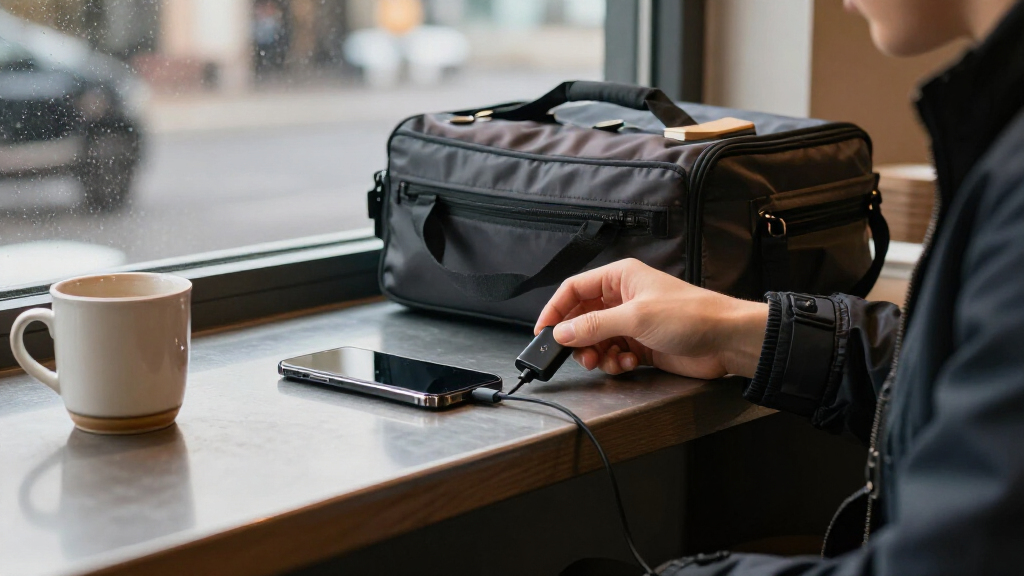

USB data blocker adapters let a compatible device draw power from a USB port while blocking the data connection, which can help reduce exposure to unwanted data access at public charging stations. My best overall pick is the LUARXSIN USB-A and USB-C Data Blockers, 6 Pack for its mix of connector types and multi-adapter coverage; the JSAUX USB and USB-C Data Blockers, 4-Pack stand out for shoppers who want both formats from one brand, while the PortaPow USB-A Data Blocker suits a simpler USB-A-only setup. The main tradeoffs are connector compatibility, charging speed and power limits, and whether a multi-pack offers useful variety or just extra adapters you will not use. A blocker is not a universal security guarantee, and it may not support every charging feature. Read on for the full comparison, buying criteria, and advice on choosing the right adapter for your devices.

Get privacy and security gear delivered free with Prime
- Fast, free delivery on millions of items
- Prime Video, Amazon Music and more included
- Member-only deals all year
Key Takeaways
- Connector coverage separates the most versatile picks: LUARXSIN, BUISAMG, and JASHALO list both USB-A and USB-C adapters, while PortaPow and Lamroyce are USB-A-focused options.
- Pack size does not tell the whole story: the 6-packs offer more pieces, but a smaller set with the connectors you actually use can be more practical to carry.
- USB-C compatibility deserves a closer check: a USB-C plug does not by itself confirm support for a particular charging protocol, cable, device, or power level.
- Adapter direction matters: the Duttek USB-C to USB-A model is aimed at bridging those connector types, unlike sets with separate USB-A and USB-C blockers.
- The lineup favors straightforward charge-only use over guaranteed fast charging: compare stated compatibility with your charger and device, and do not assume every blocker preserves full charging speed.
| Rixmie USB-A Data Blocker, 2-Pack |  | Best Compact Aluminum Pick | Brand: Rixmie | Model: DB001 | Pack quantity: 2 | VIEW LATEST PRICE | See Our Full Breakdown |
| JSAUX USB-A Charge-Only Data Blocker, 4-Pack, Red |  | Best for Shared Travel Kits | Brand: JSAUX | Connector type: USB Type-A | Function: Charge-only; blocks data transmission | VIEW LATEST PRICE | See Our Full Breakdown |
| PortaPow USB-A Data Blocker, Black |  | Best for Charging-Standard Support | Brand: PortaPow | Model number: PPUSBDBAA | Connector type: USB Type-A | VIEW LATEST PRICE | See Our Full Breakdown |
| LUARXSIN USB-A and USB-C Data Blockers, 6 Pack |  | Best Mixed-Connector Kit | Brand: LUARXSIN | Pack size: 6 | Connector types: USB Type-A, USB Type-C | VIEW LATEST PRICE | See Our Full Breakdown |
| BUISAMG USB-A and USB-C Data Blocker, 6-Pack |  | Best High-Quantity Mixed-Connector Set | Brand: BUISAMG | Model number: 700128420147 | Connectors: USB Type-A, USB Type-C | VIEW LATEST PRICE | See Our Full Breakdown |
| Fidioto USB Data Blocker Adapter Set, 4-Pack |  | Best for Mixed-Port Households | Brand: Fidioto | Quantity: 4 | Connector types: USB Type-A and USB Type-C | VIEW LATEST PRICE | See Our Full Breakdown |
| RUXELY USB Data Blocker Adapter, 3-Pack |  | Best for USB-A Cable Reach | Brand: RUXELY | Quantity: 3-pack | Connector type: USB Type-A | VIEW LATEST PRICE | See Our Full Breakdown |
| OFFGRID USB-C Data Blocker, 2-Pack |  | Best Compact USB-C Pick | Brand: OFFGRID | Quantity: 2 | Connector: USB Type-C | VIEW LATEST PRICE | See Our Full Breakdown |
| Duttek USB-C to USB-A Data Blocker, 2-Pack, Blue |  | Best for USB-A Port Compatibility | Connector type: USB Type-C male to USB 3.0 Type-A female | Maximum charging: 10 W (5 V, 2 A) | Package quantity: 2 | VIEW LATEST PRICE | See Our Full Breakdown |
| JSAUX USB and USB-C Data Blockers, Charge-Only, 4-Pack |  | Best for Mixed-Port Fast Charging | Brand: JSAUX | Pack contents: Two USB data blockers and two USB-C data blockers | Number of ports: 4 | VIEW LATEST PRICE | See Our Full Breakdown |
| Lamroyce USB-A Data Blocker Adapters, 4-Pack |  | Best USB-A Multipack | Connector: USB Type-A male to female | Quantity: 4 adapters | Charging output: Up to 5V/3A | VIEW LATEST PRICE | See Our Full Breakdown |
| JASHALO USB Data Blocker Set, 4 USB-A and USB-C Adapters |  | Best for High-Power USB-C Charging | Quantity: 4 adapters | Adapter types: USB-C to C, USB-A to C, USB-C to A, and USB-A to A | Charging function: Power only; blocks data transfer | VIEW LATEST PRICE | See Our Full Breakdown |
| Plugable USB-MC1 USB Data Blocker and Charge-Only Adapter |  | Best Single-Adapter Pick | Model: USB-MC1 | Ports: 1 | Input voltage: 5 V | VIEW LATEST PRICE | See Our Full Breakdown |
| USB-C and USB-A Data Blockers, 3-Pack |  | Best Mixed-Connector Starter Set | Included adapters: USB-C male to USB-C female; USB-A male to USB-C female; USB-A male to USB-A female | Quantity: 3 adapters | USB-C charging: Up to 100W (20V/5A) | VIEW LATEST PRICE | See Our Full Breakdown |
| QIANRENON USB 3.0 Data Shielding Adapter, Male to Female, 4-Pack |  | Best Compact Aluminum USB-A Set | Connector: USB 3.0 male to female | Package quantity: 4 adapters | Function: Charging only; blocks data transmission | VIEW LATEST PRICE | See Our Full Breakdown |
| USB data blocker adapter | Compatible devices | Color | Brand |
|---|---|---|---|
| Rixmie USB-A Data Blocker | Smartphones, tablets, earbuds, smartwatches, and power banks | Black | Rixmie |
| JSAUX USB-A Charge-Only Data B | — | Red | JSAUX |
| PortaPow USB-A Data Blocker | Android and iPhone | Black | PortaPow |
| LUARXSIN USB-A and USB-C Data | iPhone, MacBook, iPad, and other USB or USB-C devices | — | LUARXSIN |
| BUISAMG USB-A and USB-C Data B | Phones, tablets, and computers with compatible USB-C connections | Red | BUISAMG |
| Fidioto USB Data Blocker Adapt | Smartphones, tablets, Bluetooth headsets, and power banks | Multiple kinds | Fidioto |
| RUXELY USB Data Blocker Adapte | — | — | RUXELY |
| OFFGRID USB-C Data Blocker | — | Black | OFFGRID |
| Duttek USB-C to USB-A Data Blo | USB-C phones, tablets, and computers | Blue | — |
| JSAUX USB and USB-C Data Block | USB and USB-C devices, including iPhone, Samsung Galaxy, MacBook, and iPad | Black | JSAUX |
| Lamroyce USB-A Data Blocker Ad | PCs, laptops, and devices with USB-A ports | — | — |
| JASHALO USB Data Blocker Set | iPhone 15/16/17 series, Samsung devices, iPad, MacBook, and laptops | Transparent | — |
| Plugable USB-MC1 USB Data Bloc | — | — | — |
| USB-C and USB-A Data Blockers | Laptops, smartphones, and tablets | — | — |
| QIANRENON USB 3.0 Data Shieldi | Chargers and power banks | Gray-purple | — |
More Details on Our Top Picks
Rixmie USB-A Data Blocker, 2-Pack
The Rixmie two-pack suits buyers who want a small, durable-feeling layer of protection for USB-A public charging ports without carrying a larger kit. Its aluminum body and compatibility with existing USB-A charging cables make it straightforward to add between a cable and a port. Like the JSAUX four-pack, it blocks data while allowing power, but Rixmie includes fewer adapters and does not state a maximum current. That makes the JSAUX a clearer choice for stocking bags or sharing, while Rixmie is the more focused option for carrying a couple of blockers. The tradeoff is limited functionality: it does not support fast-charging modes, file transfer, CarPlay, or Android Auto. I’d choose it for charge-only use, not as a general USB adapter.
Pros:- Blocks USB data transfer while allowing charging
- Works with existing USB-A charging cables
- Compact aluminum construction
- Includes two adapters for a personal spare
Cons:- Fast-charging modes such as Quick Charge are not supported
- Data-dependent features, including file transfer, CarPlay, and Android Auto, will not work
Best for: USB-A device owners who want two compact aluminum blockers for a personal travel kit.
Not ideal for: People who need fast charging, data syncing, or a blocker for CarPlay or Android Auto connections.
- Brand:Rixmie
- Model:DB001
- Pack quantity:2
- Connector types:USB Type-A, USB Type-C
- Charging function:Power only; blocks USB data transfer
- Material:Aluminum
- Color:Black
- Compatible devices:Smartphones, tablets, earbuds, smartwatches, and power banks
Our verdict“Choose Rixmie for a compact two-piece USB-A charge-only kit, but pick JSAUX if you need more adapters or a stated current limit.”
JSAUX USB-A Charge-Only Data Blocker, 4-Pack, Red
The JSAUX four-pack is the practical choice when blockers need to be spread across several bags, devices, or family members. Its stated 2.4A maximum current gives buyers a clearer charging reference than the Rixmie two-pack, though actual charging still depends on the device and power source. The compact aluminum shells and non-slip design are suited to travel, and the red finish can make the adapters easier to spot among cables. Compared with the PortaPow USB-A Data Blocker, JSAUX provides more individual blockers, while PortaPow specifies SmartCharge support for Apple, universal, and Samsung standards. JSAUX remains charge-only: syncing is unavailable, and each unit needs a compatible USB-A cable. I’d favor it for quantity and portability over charging-standard details.
Pros:- Four blockers make it easy to equip multiple bags
- Blocks data transmission while allowing charging
- Supports charging up to 2.4A
- Compact aluminum shell with a non-slip design
Cons:- Does not support data syncing
- Requires a compatible USB-A cable
Best for: Families, frequent travelers, or teams who want several USB-A charge-only blockers to keep in separate bags.
Not ideal for: Buyers who need file syncing, USB-C connections, or a blocker with specified compatibility across charging standards.
- Brand:JSAUX
- Connector type:USB Type-A
- Function:Charge-only; blocks data transmission
- Maximum current:2.4 A
- Pack quantity:4
- Color:Red
- Dimensions:1.18 x 0.39 x 0.39 inches
- Warranty:18 months
Our verdict“Pick JSAUX for a portable four-piece USB-A kit with a stated current limit, rather than for syncing or USB-C use.”
PortaPow USB-A Data Blocker, Black
The PortaPow USB-A Data Blocker is the most specific choice here for buyers concerned about charging compatibility: its SmartCharge chip supports Apple, universal, and Samsung charging standards, with charging up to 2.4A. That added charging guidance sets it apart from the Rixmie, which does not list a current limit or named charging standards. PortaPow is sold as a single blocker, so it is less useful than the JSAUX four-pack for equipping several bags. Its USB-A connector also limits it to setups using USB-A, and the charge-only design means data transfer remains unavailable. I’d select it when support for named charging standards matters more than getting several adapters in one package; buyers seeking broad connector coverage should look at a USB-A-and-USB-C set instead.
Pros:- SmartCharge chip supports Apple, universal, and Samsung charging standards
- Supports charging up to 2.4A
- Blocks USB data transfer while charging
- Two-year warranty is specified
Cons:- USB-A connector limits use with USB-C-only setups
- Package quantity is one, fewer than the JSAUX four-pack
- Charge-only operation prevents data syncing
Best for: iPhone, Android, and Samsung device owners using USB-A cables who want stated support for common charging standards.
Not ideal for: Travelers who need multiple blockers or people whose charging setup relies on USB-C connectors.
- Brand:PortaPow
- Model number:PPUSBDBAA
- Connector type:USB Type-A
- Charging support:SmartCharge support for Apple, universal, and Samsung standards
- Maximum charging current:2.4 A
- Compatible devices:Android and iPhone
- Color:Black
- Warranty:2 years
Our verdict“Choose PortaPow for a single USB-A blocker with named charging-standard support, not for multi-device coverage or USB-C connections.”
LUARXSIN USB-A and USB-C Data Blockers, 6 Pack
For households or travelers carrying both USB-A and USB-C gear, the LUARXSIN six-pack offers the broadest stated connector coverage among these five picks. Its mix of USB-A and USB-C blockers can reduce the need to pack separate single-connector sets, unlike the USB-A-only JSAUX four-pack. The adapters block data and syncing while supporting charging up to 2A, a lower stated ceiling than the JSAUX or PortaPow 2.4A options. That is the main tradeoff: LUARXSIN prioritizes connector variety and quantity over the higher listed current. The compact, lightweight design is travel-friendly, but the manufacturer notes that actual charging speed depends on the device and wall charger. I’d choose it for mixed-device coverage, not for buyers focused on the highest stated charging current.
Pros:- Includes both USB-A and USB-C connector types
- Six adapters suit multi-device households or shared travel kits
- Blocks data transfer and syncing while charging
- Compact, lightweight design with aluminum-alloy shells
Cons:- Supports up to 2A, below the stated 2.4A limit of JSAUX and PortaPow
- Actual charging speed depends on the connected device and wall charger
Best for: Travelers carrying a mix of USB-A and USB-C phones, tablets, and other compatible devices who want one multi-adapter kit.
Not ideal for: Buyers prioritizing the highest stated current, or anyone who needs data syncing through the adapter.
- Brand:LUARXSIN
- Pack size:6
- Connector types:USB Type-A, USB Type-C
- Maximum charging current:2A
- Function:Charging while blocking data transfer and syncing
- Shell material:Aluminum alloy
- Compatible devices:iPhone, MacBook, iPad, and other USB or USB-C devices
- Warranty:1 year
Our verdict“Choose LUARXSIN when connector variety and a six-piece kit matter more than a higher stated charging-current limit.”
BUISAMG USB-A and USB-C Data Blocker, 6-Pack
The BUISAMG six-pack is aimed at buyers who want several blockers and need USB-A as well as USB-C options. Like the LUARXSIN six-pack, it covers both connector types and blocks data during charging; BUISAMG states support up to 2.4A, compared with LUARXSIN’s 2A limit. That makes BUISAMG the stronger fit on listed current, while LUARXSIN provides more detail about its aluminum-alloy shell and named compatible devices. BUISAMG’s compatibility information is less precise: it refers to phones, tablets, and computers with compatible USB-C connections, so buyers should check their exact connection before relying on it. Because data transfer is blocked, these adapters cannot be used for file syncing. The red color can help identify them in a crowded cable pouch.
Pros:- Six blockers provide coverage for several devices or bags
- Includes USB-A and USB-C connector types
- Manufacturer states charging support up to 2.4A
- Red finish can make adapters easier to distinguish from cables
Cons:- Data transfer is blocked, so file syncing is unavailable
- Compatibility may depend on the device and connection type
Best for: People equipping several bags or devices who need a mixed USB-A and USB-C blocker set and value a stated 2.4A maximum.
Not ideal for: Buyers who need file syncing or want detailed assurance about compatibility with a specific device and connection.
- Brand:BUISAMG
- Model number:700128420147
- Connectors:USB Type-A, USB Type-C
- Pack quantity:6
- Maximum charging current:Up to 2.4 A, manufacturer stated
- Color:Red
- Item weight:0.03 kg
- Compatible devices:Phones, tablets, and computers with compatible USB-C connections
Our verdict“Choose BUISAMG for a six-piece mixed-connector kit with a stated 2.4A limit, provided your devices match its connection requirements.”
Fidioto USB Data Blocker Adapter Set, 4-Pack
The Fidioto four-pack suits travelers carrying a mix of USB-A and USB-C devices: its four adapter configurations offer more connector flexibility than the OFFGRID USB-C Data Blocker, which is limited to USB-C. The listed charging support reaches up to 100W, useful for compatible higher-power devices, though the actual speed also depends on the device and power source. These are charge-only adapters, so they block data access by giving up file transfer and syncing while connected. The 2.2 g lightest-adapter weight makes the set easy to carry, but the six-month warranty is relatively short. I’d pick Fidioto for connector variety and a higher stated charging ceiling; buyers who need only USB-C can choose a simpler, more focused set.
Pros:- Four adapter configurations cover USB-A and USB-C connections
- Supports charging up to 100W
- Blocks data connections while allowing power through
- Lightweight design, with the lightest adapter listed at 2.2 g
Cons:- Charge-only design prevents data transfer and syncing
- Six-month warranty is limited
- Actual charging speed depends on the connected device and power source
Best for: Travelers and households carrying both USB-A and USB-C phones, tablets, headsets, or power banks who want several adapter configurations in one set.
Not ideal for: People who need to transfer files or sync through the adapter, or buyers who want a longer warranty than six months.
- Brand:Fidioto
- Quantity:4
- Connector types:USB Type-A and USB Type-C
- Maximum charging power:100W
- Lightest adapter weight:2.2 g
- Compatible devices:Smartphones, tablets, Bluetooth headsets, and power banks
- Warranty:Six months
- Color:Multiple kinds
Our verdict“Choose Fidioto if your travel kit includes both USB-A and USB-C devices and you want a compact set with a 100W charging ceiling.”
RUXELY USB Data Blocker Adapter, 3-Pack
The RUXELY three-pack is the USB-A pick for buyers who want a short cable between a charging port and their device rather than a rigid plug-in adapter. Its 0.6-foot braided cable can make awkward port placement easier to manage, while aluminum alloy connectors and plug-and-play operation keep setup simple. Compared with the Duttek USB-C to USB-A Data Blocker, RUXELY works on the USB-A side and includes three adapters, but its listed charging figures are more modest: up to 2.4 A at 5 V. It blocks data access, so file transfer and syncing are unavailable. I’d choose it for USB-A travel charging and a little cable flexibility; USB-C-only users should look to the OFFGRID or Duttek options instead.
Pros:- Three charge-only adapters in the pack
- Short 0.6-foot cable adds flexibility around crowded or awkward ports
- Nylon-braided cable and aluminum alloy connectors
- Plug-and-play use requires no software
Cons:- USB-A connector type does not directly suit USB-C-only devices
- Charge-only operation prevents data transfer and syncing
- Listed charging limit is 2.4 A at 5 V
Best for: USB-A device owners who use public charging ports and prefer a short flexible lead over a compact rigid adapter.
Not ideal for: USB-C-only users or anyone who needs data transfer, syncing, or charging beyond the listed 2.4 A at 5 V.
- Brand:RUXELY
- Quantity:3-pack
- Connector type:USB Type-A
- Cable length:0.18 m (0.6 ft)
- Maximum current:2.4 A
- Maximum voltage:5 V
- Wattage:60 W (listed)
- Cable material:Nylon-braided cable with aluminum alloy connectors
- Connector gender:Male-to-female
Our verdict“Pick RUXELY if you need several USB-A data blockers with a short flexible cable and can work within its listed charging limit.”
OFFGRID USB-C Data Blocker, 2-Pack
The OFFGRID two-pack keeps the choice simple for people whose devices and charging leads are already USB-C: both adapters use USB-C connectors, with a lightweight metal enclosure suited to travel. Like the Duttek USB-C to USB-A Data Blocker, it blocks data while allowing charging, but OFFGRID does not list a specific maximum wattage. Duttek, by comparison, states a 10W ceiling and connects a USB-C device to a USB-A port. That makes Duttek clearer for older USB-A charging stations, while OFFGRID is the cleaner fit for USB-C-to-USB-C setups. The tradeoff is narrow compatibility: neither adapter changes the port type, and OFFGRID’s charging performance is harder to judge from the supplied specifications. It is a compact choice, not a universal one.
Pros:- Two USB-C data blockers in the pack
- Blocks data transfer while allowing charging
- Lightweight metal enclosure suits travel
- Listed as compatible with USB-C phones, tablets, and laptops
Cons:- USB-C-only design does not serve USB-A ports
- No maximum charging wattage is provided in the supplied specs
- Charge-only operation does not support data transfer
Best for: USB-C phone, tablet, and laptop owners who want a small metal charge-only adapter for compatible USB-C charging ports.
Not ideal for: People using USB-A-only charging ports or buyers who need a clearly stated maximum charging wattage before choosing.
- Brand:OFFGRID
- Quantity:2
- Connector:USB Type-C
- Enclosure material:Metal
- Color:Black
- Output voltage:5 volts
- Total USB ports:2
- Features:Fast charging, pass-through charging, lightweight design, and travel
Our verdict“Choose OFFGRID for compact USB-C-only travel charging, but choose Duttek if you need a USB-A port connection or a stated wattage limit.”
Duttek USB-C to USB-A Data Blocker, 2-Pack, Blue
The Duttek two-pack has a distinct job: connect a USB-C device to a USB-A port while blocking data transfer. That makes it more adaptable to older chargers and public USB-A outlets than the OFFGRID USB-C Data Blocker, which stays within USB-C connections. The tradeoff is a clearly limited 10W maximum (5 V, 2 A); this is a basic charging option, not the pick for buyers seeking higher-power charging. Its compact form and no-app, no-driver operation keep it straightforward, and the two-pack allows one adapter to stay in a travel bag. As with the other charge-only choices here, it cannot sync or move files. I’d favor Duttek when port conversion matters more than charging headroom.
Pros:- USB-C male to USB-A female connector bridges common port types
- Blocks data transfer while allowing charging
- Compact two-pack requires no apps or drivers
- Specified charging output is 10W (5 V, 2 A)
Cons:- Maximum charging output is limited to 10W
- Charge-only design prevents data transfer and syncing
- USB-A female end requires a compatible USB-A charging port
Best for: USB-C phone and tablet owners who often encounter USB-A charging ports and want a small adapter that blocks data access.
Not ideal for: Laptop users or anyone prioritizing higher-wattage charging, since the listed maximum is 10W.
- Connector type:USB Type-C male to USB 3.0 Type-A female
- Maximum charging:10 W (5 V, 2 A)
- Package quantity:2
- Color:Blue
- Item weight:10 g
- Compatible devices:USB-C phones, tablets, and computers
Our verdict“Choose Duttek when you need to charge a USB-C device from a USB-A port and accept a 10W charging limit.”
JSAUX USB and USB-C Data Blockers, Charge-Only, 4-Pack
The JSAUX four-pack is the strongest fit here for buyers who need both USB-A and USB-C coverage but want the charging limits spelled out by connector: its two USB-C blockers support up to 100W, while the two USB blockers are listed at up to 2.4A. That makes it easier to match an adapter to a device than with the OFFGRID USB-C Data Blocker, which is USB-C-only and has no maximum wattage listed in the supplied data. JSAUX also blocks syncing as well as data transfer, so it is strictly for charging. Its headline USB-C capacity does not guarantee a device will charge at that rate; the charger and device also set the speed. I’d choose this set for mixed-device travel, not for anyone who needs data access through the adapter.
Pros:- Includes two USB and two USB-C data blockers
- USB-C versions support charging up to 100W
- USB versions are listed at up to 2.4A
- Compact format suits travel and public charging stations
Cons:- Charge-only design blocks data transfer and syncing
- Actual charging speed depends on the device and wall charger
- USB-A and USB-C versions have different stated charging limits
Best for: Travelers carrying USB-A and USB-C devices, including compatible laptops and phones, who want a charge-only set with a stated high USB-C charging ceiling.
Not ideal for: People who need syncing or file transfer, or buyers who expect every USB-C device to charge at 100W regardless of its charger and capabilities.
- Brand:JSAUX
- Pack contents:Two USB data blockers and two USB-C data blockers
- Number of ports:4
- USB-C fast charging:Up to 100W (20V/5A)
- USB charging current:Up to 2.4A
- Color:Black
- Compatible devices:USB and USB-C devices, including iPhone, Samsung Galaxy, MacBook, and iPad
- Model number:DC0008DC0010
Our verdict“Choose JSAUX for a mixed-port travel kit with a stated 100W ceiling on its USB-C blockers, provided charging-only operation suits your needs.”
Lamroyce USB-A Data Blocker Adapters, 4-Pack
For buyers who mainly charge through USB-A, the Lamroyce four-pack offers a straightforward way to keep several charge-only adapters on hand. Each one blocks data transfer while passing power at up to 5V/3A, and the aluminum-alloy housing and keychain attachment suit everyday carry. Compared with the Plugable USB-MC1, Lamroyce gives you four adapters and a higher stated charging limit, rather than a single adapter rated at 1A or more. That makes it a better fit for households or travelers sharing gear, but the USB-A-only connectors limit its usefulness with newer USB-C-only chargers and devices. It also cannot support syncing or any other data connection, by design. I’d choose it for multiple USB-A charging points, not as a universal adapter set.
Pros:- Four adapters provide coverage for multiple charging locations or devices.
- Passes charging at up to 5V/3A.
- Aluminum-alloy housing with a compact keychain design.
- Three-year warranty.
Cons:- USB-A connectors do not serve USB-C-only charging setups.
- Blocks data transfer and synchronization entirely.
- The stated 5V/3A limit may not match the fast-charging capabilities of newer USB-C options.
Best for: Travelers or households with several USB-A charging setups who want a separate charge-only adapter for each one.
Not ideal for: People whose chargers and devices use USB-C exclusively, or anyone who needs to transfer data through the adapter.
- Connector:USB Type-A male to female
- Quantity:4 adapters
- Charging output:Up to 5V/3A
- Data transfer:Blocked
- Material:Aluminum alloy
- Compatible devices:PCs, laptops, and devices with USB-A ports
- Warranty:3 years
Our verdict“Choose Lamroyce if you need several portable USB-A charge-only adapters, but skip it if USB-C coverage is a priority.”
JASHALO USB Data Blocker Set, 4 USB-A and USB-C Adapters
The JASHALO set is the most versatile pick here for buyers who need a data-blocking adapter across both USB-A and USB-C connections. Its four connector combinations include USB-C to C and USB-A to A, plus the cross-standard options, while the stated PD 3.0/2.0 support reaches 100W. Compared with the three-piece USB-C and USB-A set in this roundup, JASHALO adds a fourth adapter type and lists broad laptop and mobile-device compatibility. That flexibility can reduce the need to carry separate sets, though actual charging speed still depends on the charger and connected device. Like every charge-only option here, it blocks data rather than allowing syncing, and the product information does not specify a warranty. I’d favor it when connector coverage and high-power USB-C charging matter more than a minimal kit.
Pros:- Includes four USB-A and USB-C adapter combinations.
- Supports stated PD 3.0/2.0 charging up to 100W.
- Covers both USB-A and USB-C charging setups.
- Compact design suits portable use.
Cons:- Does not pass data or support synchronization.
- Actual charging speed depends on the charger and device.
- Warranty details are not provided in the product data.
Best for: People carrying USB-C laptops and phones alongside USB-A accessories who want one set for varied charging ports.
Not ideal for: Buyers who need data transfer, or anyone who prefers a clearly stated warranty and does not need multiple connector types.
- Quantity:4 adapters
- Adapter types:USB-C to C, USB-A to C, USB-C to A, and USB-A to A
- Charging function:Power only; blocks data transfer
- Fast charging:PD 3.0/2.0, up to 100W (20V/5A)
- Compatible devices:iPhone 15/16/17 series, Samsung devices, iPad, MacBook, and laptops
- Color:Transparent
- Model:JLCV-B0001
Our verdict“Pick JASHALO for the broadest connector mix and high-power USB-C support in this group, provided you only need charging.”
Plugable USB-MC1 USB Data Blocker and Charge-Only Adapter
The Plugable USB-MC1 is a simple choice for someone who wants one compact data blocker rather than a multi-adapter kit. It blocks data transfers and supports charging at 1A or more, making it a basic fit for public USB charging when a modest current rating is enough. Compared with the four-pack Lamroyce, Plugable offers no spare adapters and a lower stated current ceiling, but its single-adapter format may suit a traveler who wants only one piece to track. The product lists desktop computers, smartphones, and tablets as compatible, though its USB description is less specific than the connector combinations listed for JASHALO. Its 1A-or-more rating is the key limitation: buyers seeking higher stated charging capacity should look at JASHALO or the 100W USB-C adapter in the three-piece set instead.
Pros:- Blocks data transfers while allowing charging.
- Compact dimensions and 14 g weight suit travel.
- Works with desktops, smartphones, and tablets.
- Includes a two-year limited parts-and-labor warranty.
Cons:- Limited to a stated charging current of 1A or more.
- Only one adapter is included.
- Product data does not specify USB-A or USB-C connector details.
Best for: A traveler who wants one compact, charge-only adapter for occasional use with USB charging ports.
Not ideal for: People who need a multi-device kit, a higher stated current rating, or a specified USB-C connector option.
- Model:USB-MC1
- Ports:1
- Input voltage:5 V
- Nominal power:5 W
- Charging current:1A or more
- Dimensions:1.75 x 0.5 x 0.75 in
- Weight:14 g
- Warranty:2-year limited parts and labor
Our verdict“Choose the Plugable USB-MC1 for a basic, lightweight single adapter, not for faster charging or broad connector coverage.”
USB-C and USB-A Data Blockers, 3-Pack
This three-piece set is a practical middle ground for buyers who need both USB-A and USB-C support but do not need four adapter types. It includes USB-C to C, USB-A to C, and USB-A to A, so it handles common combinations across newer phones and older charging ports. Its USB-C adapter supports up to 100W, while the USB-A options are limited to 2.4A. Compared with JASHALO’s four-piece set, this one leaves out USB-C to A and has a narrower set of connector choices; in return, its included adapter mix is easy to understand. The different limits matter if you expect fast charging through USB-A, where 2.4A is the ceiling. As with the other options, it blocks data access, so it cannot be used for syncing.
Pros:- Includes USB-C-to-C, USB-A-to-C, and USB-A-to-A adapters.
- USB-C adapter supports charging up to 100W.
- Compact set covers common USB-A and USB-C charging combinations.
- Compatible with laptops, smartphones, and tablets.
Cons:- Does not include a USB-C male to USB-A female adapter.
- USB-A adapters support up to 2.4A.
- Charging speed depends on the connected device and charger.
Best for: People with a mix of USB-C phones or laptops and USB-A charging gear who want a compact, clearly defined set.
Not ideal for: Users who need USB-C-to-A coverage, data transfer, or high-power charging through USB-A.
- Included adapters:USB-C male to USB-C female; USB-A male to USB-C female; USB-A male to USB-A female
- Quantity:3 adapters
- USB-C charging:Up to 100W (20V/5A)
- USB-A charging:Up to 2.4A
- Connectors:USB Type-A and USB Type-C
- Compatible devices:Laptops, smartphones, and tablets
- Warranty:Limited
- Finish:Glossy silver
Our verdict“Choose this set for common USB-A and USB-C charging combinations, but select JASHALO if you need a fourth connector type.”
QIANRENON USB 3.0 Data Shielding Adapter, Male to Female, 4-Pack
QIANRENON suits buyers who want a four-pack of small, metal-bodied adapters for USB-A charging-only use. The USB 3.0 male-to-female design physically blocks data transmission while passing up to 5V/2A, or 10W. Compared with Lamroyce’s four-pack, it has the same quantity and aluminum-alloy construction but a lower stated charging limit; Lamroyce lists up to 5V/3A and adds a keychain attachment and three-year warranty. QIANRENON’s product data instead makes the 10W limit explicit, which helps set expectations for charging, but it does not provide a warranty detail or a keychain feature. It also lists chargers and power banks as compatible devices, rather than naming a broader range of host equipment. This is a focused pick for USB-A charging, not a flexible USB-C kit.
Pros:- Four adapters are included.
- Aluminum-alloy housings are compact and durable.
- Blocks data transmission while allowing charging.
- States a clear charging limit of 10W (5V/2A).
Cons:- USB-A only, with no USB-C adapter included.
- Its 5V/2A limit is lower than Lamroyce’s stated 5V/3A.
- Warranty information is not specified.
Best for: Buyers who want several compact aluminum USB-A charge-only adapters for use with chargers or power banks.
Not ideal for: People who need USB-C connectors, higher stated USB-A output than 5V/2A, or data transfer through an adapter.
- Connector:USB 3.0 male to female
- Package quantity:4 adapters
- Function:Charging only; blocks data transmission
- Maximum charging power:10W (5V/2A)
- Housing material:Aluminum alloy
- Color:Gray-purple
- Compatible devices:Chargers and power banks
Our verdict“Choose QIANRENON for a compact four-pack of aluminum USB-A blockers, but prefer Lamroyce for a higher stated charging limit and listed warranty.”
How We Picked
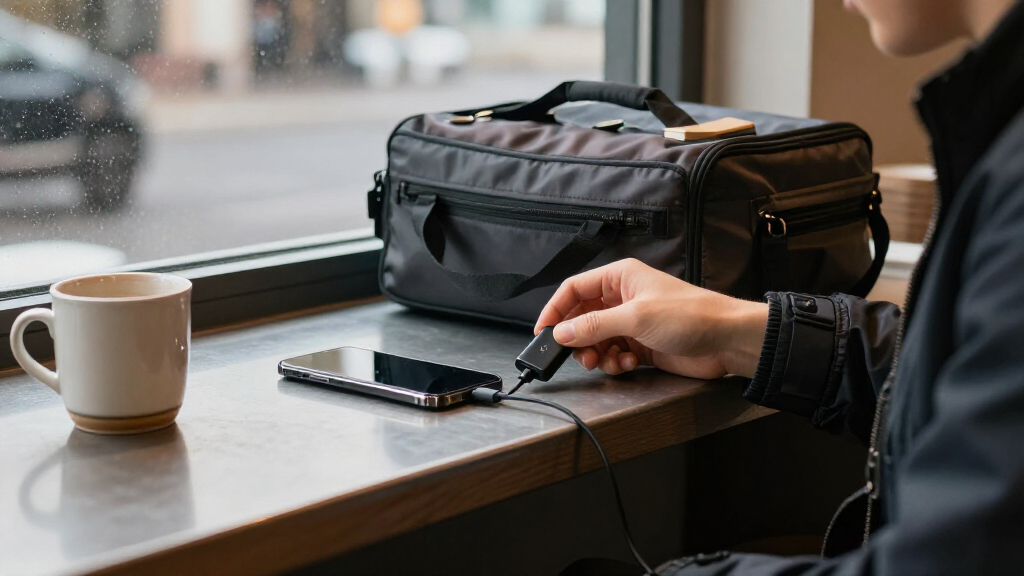
I compared these 15 USB data blocker adapters by how clearly each product fits a real charging setup: connector type and direction, pack contents, stated charge-only purpose, and how easily a buyer can identify the right adapter for a phone, cable, or power source. I also weighed portability and practical variety. A larger pack earned attention only when its mix of adapters could serve more than one likely device or charging situation; a focused USB-A model could still rank well for shoppers with a matching setup.
The ranking favors clear compatibility and useful versatility over pack count alone. Products listing both USB-A and USB-C adapters rank ahead for mixed-device households, while dedicated USB-A or USB-C options make more sense for narrower needs. Product names and listed features do not establish exact charging speeds, protocol support, or independent security performance, so I avoid treating those as proven. Buyers should check the product details against their own cables and devices before choosing.
Factors to Consider When Choosing USB Data Blocker Adapters
Choosing a USB data blocker is less about collecting the most adapters and more about matching the blocker to the connection you already use. I would start with the ports on your charger and device, then check charging expectations and how you plan to carry the adapter.
Match the Connector at Both Ends
Start by identifying the port on the power source and the plug on your cable; a blocker only helps if it fits the connection path you need. USB-A and USB-C are not interchangeable, and an adapter described as USB-C to USB-A may have a specific direction rather than functioning as a universal bridge. Check whether the product includes separate blockers for each connector or only one conversion style. This is especially useful when a household has older USB-A chargers alongside newer USB-C devices. A mixed set can reduce the need to pack extra converters, but it adds little value if all your charging gear uses one port type. Match the product listing to your actual cable ends before buying.
Do Not Assume a Blocker Preserves Fast Charging
A charge-only design describes the intended data-blocking function, not a promise that every charging mode will work at full speed. Charging performance can depend on the power source, cable, device, and any supported charging protocol. If fast charging matters, check the product’s stated power and protocol compatibility rather than relying on a USB-C label or a general claim that it charges. A basic blocker may be suitable for topping up a phone, but less suitable for a device that depends on a particular high-power setup. Compare the cost of convenience—such as carrying a separate compatible charger—with the flexibility you need when away from home. Treat unspecified speed as unknown, not as confirmation that your usual charging rate will be maintained.
Choose Pack Contents for Your Routine
Pack counts are useful only when the pieces match the devices and locations where you charge. A multi-pack can make sense for a travel bag, work kit, and home charging station, or for several people who share supplies. But a larger pack of one connector type may be less useful than a smaller mixed set if your devices use different ports. Check whether the listing specifies the number of USB-A and USB-C adapters, not just the total. Also think about whether each piece can stay attached to a cable or needs to be stored separately, since tiny adapters are easy to misplace. Buy for your regular setup rather than treating extra pieces as automatic value.
Understand What a Data Blocker Can and Cannot Do
A USB data blocker is intended to prevent the data connection through its USB path while allowing power to pass; it is not a general privacy or device-security tool. It cannot protect against every risk associated with a charging environment, and it does not replace your device’s security settings or a trusted charger. Product descriptions may use terms such as data shield or charge-only, but those labels do not establish independent test results. If the listing does not explain compatibility or technical limits, avoid assuming more than the stated function. For sensitive devices, consider whether charging from your own wall adapter or power bank is a simpler way to avoid an unfamiliar USB port. Use the blocker as one layer of caution, not a guarantee.
Check Adapter Direction and Physical Fit
Some products provide blockers for different port types, while others convert between USB-C and USB-A in a defined direction. Confirm which connector is male and which is female, and where the blocker sits between the cable and the power source. This can prevent buying a device that fits one side of your setup but cannot connect to the other. Physical size also matters: a bulky adapter can obstruct neighboring ports on a crowded charger or laptop. If you plan to leave one attached to a cable, look for a form factor that will not put strain on the connection during travel. A compact, correctly oriented adapter is often more useful than a broader set that is awkward to plug in.
Pay for Verified Fit, Not Assumed Security
Paying more only makes sense when the product offers a practical benefit you can identify, such as the connector mix you need, clearly stated compatibility, or a better fit for frequent travel. A brand name or technical-sounding product title does not by itself prove stronger blocking performance. Compare the product details and included adapters, then look for clear explanations of charging limitations and intended use. If you only need one USB-A blocker for occasional trips, a large mixed set may add clutter rather than useful coverage. If several people use different devices, spending more on a varied set can reduce the need to buy separate adapters later. Keep the decision tied to your connection needs and the claims the listing actually supports.
Frequently Asked Questions
Will a USB data blocker work with my USB-C fast charger?
It may fit physically, but that does not confirm support for your charger’s fast-charging protocol or power level. Check the blocker listing for explicit compatibility with the charger and device combination you use. If the listing only says charge-only or USB-C, treat fast-charging performance as unconfirmed. A basic charge may still work even when a higher-speed mode does not. If charging speed is important, keep a compatible wall charger or power bank available as an alternative.
Should I buy a USB-A and USB-C set or a single-connector blocker?
Choose a mixed set if your charging sources or cables use both connector types, or if several people will share the adapters. A single-connector model is simpler when your setup is consistent and you want fewer pieces to keep track of. Check whether a mixed pack contains separate blockers for each port type or a converter with a specific direction. Pack totals can hide an uneven mix, so verify the contents before choosing. The best fit is the set that matches your actual cables, not the one with the most adapters.
Can I use a data blocker with a cable that already has a USB adapter?
Possibly, but each added connector can affect fit and compatibility, and the order of the components matters. Check the blocker’s port direction and confirm that it can connect to the cable adapter and power source as intended. Avoid stacking converters if a direct-fit blocker is available, especially in a crowded port or a setup that may put strain on the connector. Product descriptions may not cover every adapter combination. If the combination is unclear, test it with a non-critical device and charger before relying on it while traveling.
Does a data blocker guarantee that a public USB port is safe?
No. A data blocker is designed to limit the data connection through the USB path while allowing power, but it is not a guarantee against every charging-related risk. Its usefulness also depends on correct connector fit and the product’s actual design and compatibility. It does not replace device security updates, account protections, or caution around unfamiliar equipment. For the simplest way to avoid using a public USB port, charge from your own wall adapter or power bank. Treat a blocker as a precaution, not complete protection.
What should I do if my device charges slowly or not at all through a blocker?
First check that the blocker is facing the right direction, that the cable and port types match, and that the charger supplies enough power for the device. Try a different known-compatible cable or power source to isolate the cause. Some blockers may not support the charging protocol or power level your device expects, even if the connectors fit. Review the product’s stated compatibility rather than assuming the adapter is defective or that every charge-only model works the same way. If dependable fast charging matters, use a charger and cable combination known to support your device.
Conclusion
For most mixed-device setups, I would start with the LUARXSIN USB-A and USB-C Data Blockers, 6 Pack as the best overall choice because its listed connector variety can cover more charging situations. For a value-minded buyer, the Rixmie USB-A Data Blocker, 2-Pack is a focused option when USB-A is all you need; the larger JSAUX or mixed-connector packs make more sense when you will use their extra pieces. My best premium-style pick for a clearly defined, dedicated use is the PortaPow USB-A Data Blocker, though it is not the right fit for a USB-C-only setup. Beginners who want both connector types in one purchase can start with the JSAUX USB and USB-C Data Blockers, Charge-Only, 4-Pack and verify the included formats before ordering. For a specific USB-C-to-USB-A connection, consider the Duttek USB-C to USB-A Data Blocker, 2-Pack; if you need USB-C-only coverage, look at OFFGRID. Whichever you choose, confirm port direction and charging compatibility rather than assuming a blocker supports every device or charging speed.