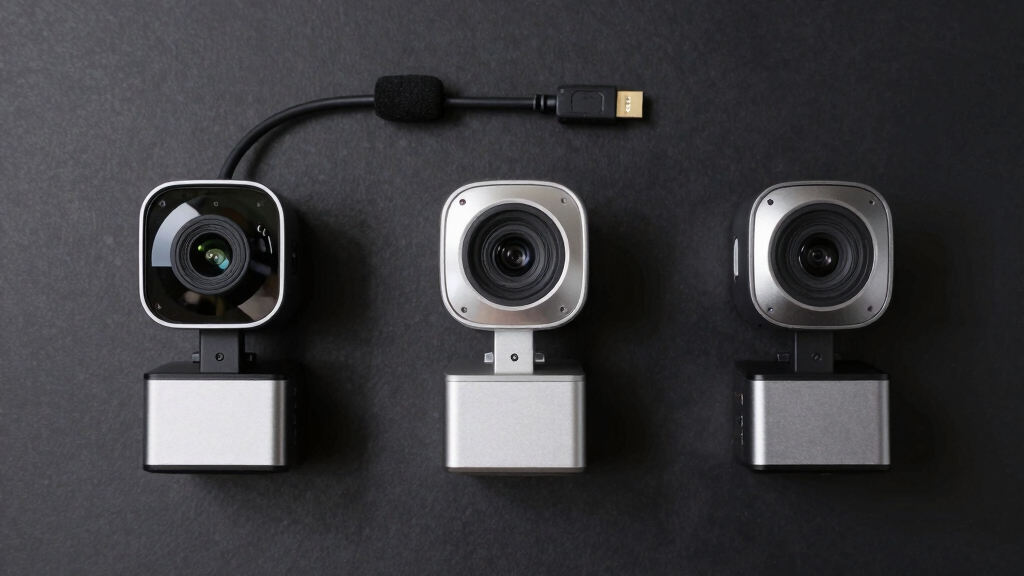

When searching for the best high end webcams over $500, you’re looking for top-tier performance, exceptional build quality, and features that support professional-level streaming or conferencing. The Jabra PanaCast 50 stands out for its expansive 180° field of view, making it ideal for large meeting rooms. The Logitech Rally Plus offers versatile PTZ controls and superb video quality, perfect for dynamic conference setups. However, these models come with significant price tags, and the tradeoff often involves balancing advanced features with usability and installation complexity. Keep reading for a detailed comparison to help you choose the right high-end webcam for your needs.

Get privacy and security gear delivered free with Prime
- Fast, free delivery on millions of items
- Prime Video, Amazon Music and more included
- Member-only deals all year
Key Takeaways
- The top picks excel in either video quality, wide-angle coverage, or smart tracking capabilities, but rarely all in one device.
- Price often correlates with advanced features like AI-based tracking, multiple camera controls, or extensive integration options.
- Build quality and ease of setup are vital considerations, especially for larger conference rooms or professional environments.
- Most high-end webcams offer 4K resolution, but the actual usability depends on your hardware and bandwidth capabilities.
- Choosing the right model depends heavily on your specific use case—whether for meetings, streaming, or large-scale conferences.
| Jabra PanaCast 50 180° Panoramic 4K Meeting Room Webcam, Black |  | Best Overall for Flexible Room Coverage | Camera Resolution: 4K | Number of Cameras: 3 | Camera Megapixels: 13 MP each | VIEW LATEST PRICE | See Our Full Breakdown |
| Logitech Rally Plus Video Conference Equipment |  | Best for Professional-Grade Large-Scale Meetings | Sensor Type: CCD | Connectivity Technology: USB | Zoom: Optical 15x | VIEW LATEST PRICE | See Our Full Breakdown |
| Logitech MeetUp Video Conferencing System 4K 3 Microphones – Black |  | Best for Small and Huddle Rooms | Video Resolution: 4K Ultra HD | Field of View: 120° (expandable to 170°) | Microphones: 3 beamforming | VIEW LATEST PRICE | See Our Full Breakdown |
| Owl Labs Meeting Owl 3 – 360° HD Conference Room Camera with AI Speaker-Tracking |  | Best for Hybrid Collaboration and Small to Medium Rooms | Video Resolution: 1080p HD | Audio Pickup Range: 18 feet | Field of View: 360° | VIEW LATEST PRICE | See Our Full Breakdown |
| Meeting Owl 4+ 360-Degree 4K Smart Video Conference Camera, Microphone, and Speaker |  | Best for Versatile Hybrid Rooms with Sharp 4K Clarity | Sensor Type: CMOS | Connectivity Technology: Wi-Fi | Video Resolution: 4K | VIEW LATEST PRICE | See Our Full Breakdown |
| Logitech Brio 4K Webcam (Pack of 4) |  | Best for High-Quality Versatility in Multi-Device Setups | Resolution: 4K at 30 fps | Field of View: 65°, 78°, 90° presets | Microphone: Dual omnidirectional noise-canceling | VIEW LATEST PRICE | See Our Full Breakdown |
| high end webcams over $500 | Field of View | Video Resolution | Compatibility |
|---|---|---|---|
| Jabra PanaCast 50 180° Panoram | 90°, 120°, 140°, 180° | — | — |
| Logitech Rally Plus Video Conf | — | — | — |
| Logitech MeetUp Video Conferen | 120° (expandable to 170°) | 4K Ultra HD | MS Teams, Zoom, Google Meet |
| Owl Labs Meeting Owl 3 | 360° | 1080p HD | MS Teams, Zoom, Google Meet |
| Meeting Owl 4+ 360-Degree 4K S | 360° | 4K | — |
| Logitech Brio 4K Webcam | 65°, 78°, 90° presets | — | Windows, Mac, ChromeOS |
More Details on Our Top Picks
Jabra PanaCast 50 180° Panoramic 4K Meeting Room Webcam, Black
The Jabra PanaCast 50 stands out for its stunning 4K panoramic video with adjustable fields of view up to 180°, making it ideal for larger or flexible meeting spaces. Unlike the Logitech MeetUp, which offers a narrower 120° view, the PanaCast 50 provides a broader perspective, enhancing inclusivity. Its real-time video stitching and intelligent zoom ensure everyone stays visible without manual adjustments. Setup is straightforward with its USB-A connection, but this can limit compatibility with newer ultra-thin devices lacking USB-A ports. While it excels in video quality and room coverage, details on audio capabilities are limited, which might be a concern for those prioritizing sound clarity. Overall, this pick is perfect for conference rooms needing a versatile, high-quality video solution, despite its premium price and some connectivity constraints.
Pros:- High-resolution 4K panoramic video with adjustable field of view
- Real-time video stitching creates seamless wide-angle views
- Plug-and-play setup with USB-A connection
- Compatible with major platforms like Teams and Zoom
Cons:- Requires USB-A port, limiting compatibility with newer devices
- Premium price point may be prohibitive for some users
- Limited information on integrated audio capabilities
Best for: Large conference rooms or teams requiring flexible panoramic views and high-resolution video
Not ideal for: Small or portable setups where USB-C or wireless options are preferred, as it relies on USB-A and is less portable
- Camera Resolution:4K
- Number of Cameras:3
- Camera Megapixels:13 MP each
- Field of View:90°, 120°, 140°, 180°
- Microphones:8
- Connectivity:USB-A
Our verdict“Ideal for larger conference rooms needing flexible, high-quality panoramic video with simple setup despite some connectivity limitations.”
Logitech Rally Plus Video Conference Equipment
The Logitech Rally Plus delivers outstanding studio-quality video and advanced audio, making it suitable for large, demanding conference setups. Its high-resolution UHD video and 15x optical zoom surpass the other products like the Meeting Owl 4+ in detail and flexibility. However, it’s quite heavy at 17 pounds, requiring sturdy mounting solutions, and its extensive feature set might be overkill for smaller rooms. While its focus on professional environments is unmatched, the system’s size and complexity mean it’s less ideal for quick deployment or smaller spaces. This system makes the most sense for organizations seeking top-tier video quality and advanced audio in a permanent conference room setup, accepting the tradeoff of higher cost and installation effort.
Pros:- Exceptional UHD video quality with detailed zoom capabilities
- Includes a dedicated microphone pod for clear, studio-quality sound
- Supports high-resolution video and advanced zoom for large rooms
- Robust build suitable for professional settings
Cons:- Heavy weight requiring sturdy mounting hardware
- High price and complex setup may be overkill for small rooms
- Limited info on cross-platform compatibility beyond USB
Best for: Large conference rooms or enterprise environments needing professional-grade video and audio quality
Not ideal for: Small teams or casual users who need portable, easy-to-setup solutions due to its weight and complexity
- Sensor Type:CCD
- Connectivity Technology:USB
- Zoom:Optical 15x
- Maximum UHD:Yes
- Weight:17 pounds
- Focus Type:Auto Focus
Our verdict“Best suited for enterprise or large conference rooms where top-tier video and audio quality justify the investment, despite its size and cost.”
Logitech MeetUp Video Conferencing System 4K 3 Microphones – Black
The Logitech MeetUp is tailored for small and huddle rooms, offering 4K ultra HD video with a wide 120° field of view that can expand to 170° with pan/tilt. Its motorized pan/tilt and beamforming microphones provide flexible room coverage and clear audio, outperforming many basic webcams like the Logitech Brio in integrated audio-visual features. However, the system’s reliance on USB 2.0 for 4K video requires USB 3.0 for optimal performance, which could limit compatibility on older computers. Its design is simple and plug-and-play, but it’s not meant for larger or more complex spaces. This makes it ideal for small rooms needing a comprehensive, easy-to-use solution, though it might fall short for larger conference settings or outdoor use.
Pros:- High-quality 4K video with wide field of view
- Motorized pan/tilt for flexible room coverage
- Integrated beamforming microphones for clear sound
- Easy plug-and-play setup with multiple mounting options
Cons:- Requires USB 3.0 for 4K performance, limiting compatibility
- Does not include expansion mics, adding to costs
- Limited to small or medium rooms
Best for: Small conference or huddle rooms where wide coverage and integrated audio are priorities
Not ideal for: Large conference rooms or outdoor environments due to limited coverage and no water resistance
- Video Resolution:4K Ultra HD
- Field of View:120° (expandable to 170°)
- Microphones:3 beamforming
- Connectivity:USB 2.0 (USB 3.0 for 4K)
- Mounting Options:Wall, credenza, TV
- Compatibility:MS Teams, Zoom, Google Meet
Our verdict“Perfect for small rooms needing wide-angle 4K video and integrated sound, with some limitations on scalability and platform compatibility.”
Owl Labs Meeting Owl 3 – 360° HD Conference Room Camera with AI Speaker-Tracking
The Meeting Owl 3 offers a unique 360-degree experience with 1080p HD video and audio coverage up to 18 feet, making it ideal for hybrid meetings in small to medium rooms. Its AI-driven speaker-tracking automatically centers the active speaker, unlike the fixed wide-angle views of the Logitech MeetUp. While it excels in providing comprehensive, all-in-one coverage, it doesn’t match the raw detail or zoom flexibility of systems like the Logitech Rally Plus. Its plug-and-play USB connection simplifies setup, but additional accessories may be needed for larger rooms. This device is best for organizations prioritizing a simple, immersive hybrid experience, accepting some limitations in detail and expandability.
Pros:- 360° video and audio coverage for inclusive hybrid meetings
- AI speaker-tracking enhances engagement
- Easy to set up with plug-and-play USB
- Compatible with major platforms like Teams and Zoom
Cons:- Requires additional accessories for larger rooms
- Limited zoom and detail compared to multi-camera systems
- Some users may find premium price a barrier
Best for: Small to medium rooms requiring 360° coverage and AI speaker-tracking for hybrid meetings
Not ideal for: Large conference rooms or outdoor use, due to limited range and lack of water resistance
- Video Resolution:1080p HD
- Audio Pickup Range:18 feet
- Field of View:360°
- Compatibility:MS Teams, Zoom, Google Meet
- Setup:Plug-and-Play USB
- Expandable:Yes, with additional Owl devices
Our verdict“Excellent for small to medium hybrid rooms seeking all-in-one, AI-enhanced coverage with straightforward deployment, despite some expandability limits.”
Meeting Owl 4+ 360-Degree 4K Smart Video Conference Camera, Microphone, and Speaker
The Meeting Owl 4+ combines 4K resolution with 360° audio and video, providing a highly immersive experience for hybrid meetings across various room sizes. Its advanced AI automatically focuses on speakers, similar to the Owl Labs Meeting Owl 3, but with sharper image quality and smarter features. While it offers excellent flexibility and plug-and-play simplicity, it’s not water-resistant, and the weight isn’t specified, which could impact portability. Compared to dedicated systems like the Logitech Rally Plus, it sacrifices some zoom and detail for ease of use and versatility. This makes it ideal for organizations that want a single device capable of handling different room sizes with high-quality visuals and sound, accepting some limitations in outdoor or heavy-use environments.
Pros:- Sharp 4K video with 360° coverage
- AI speaker-tracking for dynamic focus
- Plug-and-play USB setup with broad platform compatibility
- Automatic focus enhances hybrid engagement
Cons:- Not water-resistant, limiting outdoor or heavy-use scenarios
- Item weight not specified, may affect portability
- Requires stable Wi-Fi for optimal performance
Best for: Small to medium hybrid rooms needing high-quality 4K video and AI speaker-tracking
Not ideal for: Outdoor or outdoor-adjacent environments due to lack of water resistance and unspecified portability features
- Sensor Type:CMOS
- Connectivity Technology:Wi-Fi
- Video Resolution:4K
- Field of View:360°
- Special Features:AI speaker-tracking
- Weight:Not specified
Our verdict“Best suited for small to medium hybrid spaces seeking high-resolution, AI-enhanced 360° coverage with easy deployment, despite some outdoor limitations.”
Logitech Brio 4K Webcam (Pack of 4)
The Logitech Brio 4K Webcam stands out for delivering stunning 4K resolution, making it ideal for professional streaming and high-detail video conferencing. Compared to the Jabra PanaCast 50, which offers a wider panoramic view, the Brio’s adjustable field of view provides more flexibility for focused or expansive shots. Its dual noise-canceling microphones ensure clear audio, complementing its sharp video quality. The inclusion of a privacy shutter and Windows Hello support adds security and convenience, though the need for compatible hardware can limit full feature utilization. This pack is especially suited for teams or facilities requiring multiple webcams with top-tier quality, but the higher cost per unit and bulk packaging make it less appealing for individual users or small setups.
Pros:- Exceptional 4K video quality with detailed resolution
- Adjustable field of view for versatile framing
- Built-in noise-canceling microphones for clear audio
- Supports Windows Hello for secure login
Cons:- Higher price point makes it less accessible for casual users
- Bulk pack may be unnecessary for single users or small offices
- Full feature set depends on compatible hardware
Best for: Large organizations or production teams needing multiple high-end webcams with 4K resolution and advanced features
Not ideal for: Small businesses or individual professionals with limited budgets or space, as the bulk pack and premium price may be excessive
- Resolution:4K at 30 fps
- Field of View:65°, 78°, 90° presets
- Microphone:Dual omnidirectional noise-canceling
- Lighting Correction:RightLight 3 with HDR
- Compatibility:Windows, Mac, ChromeOS
- Includes:4 webcams
- Privacy Shutter:Yes
- Warranty:1 year limited hardware
Our verdict“This webcam is best suited for large teams or professionals who prioritize top-tier quality and are equipped to handle its premium price and bulk packaging.”

How We Picked
The products were selected based on their price point exceeding $500 and their relevance for professional or high-end conferencing and streaming. Evaluation criteria included video resolution, field of view, ease of use, build quality, additional features like AI tracking or PTZ controls, and overall value for a premium investment. Each product was ranked according to how well it balances performance with usability and how suitable it is for different professional environments. The list highlights options that stand out either for their advanced features or exceptional build quality, ensuring there’s a choice for various high-end needs.| high end webcams over $500 | Compatibility |
|---|---|
| Jabra PanaCast 50 180° Panoram | — |
| Logitech Rally Plus Video Conf | — |
| Logitech MeetUp Video Conferen | MS Teams, Zoom, Google Meet |
| Owl Labs Meeting Owl 3 | MS Teams, Zoom, Google Meet |
| Meeting Owl 4+ 360-Degree 4K S | — |
| Logitech Brio 4K Webcam | Windows, Mac, ChromeOS |
Factors to Consider When Choosing Best High End Webcams Over $500
Choosing a high-end webcam over $500 involves more than just looking at resolution. Consider factors like field of view, which determines how much of the room is captured, especially for group meetings. Pay attention to the ease of integration with existing video conferencing tools and the quality of the microphone system if audio is also important. Build quality and durability matter for long-term use, while features like AI tracking or PTZ controls can add significant value for dynamic presentations or larger rooms. Finally, assess your bandwidth and hardware compatibility to ensure the webcam’s capabilities can be fully utilized.Video Resolution and Frame Rate
While 4K resolution is common in this range, it’s important to verify whether your hardware and internet connection can support it smoothly. Higher resolutions provide sharper images, which are crucial for professional presentations or detailed product demos. However, some models optimize performance at 1080p for more stable streaming. Consider whether you need high frame rates for smooth motion, especially if you’re streaming fast-paced content or using AI tracking features that depend on consistent video quality.
Field of View and Coverage
The field of view (FOV) determines how much of the room or scene the camera captures. Wide-angle lenses, such as 180°, are ideal for large conference rooms, allowing multiple participants to be seen without multiple cameras. Narrower FOVs are better suited for individual or small group use, offering a more focused shot. Think about your room size and layout before choosing a model with the right coverage to avoid awkward framing or the need for multiple devices.
Smart Features and Controls
Advanced webcams may include AI-based face tracking, auto-framing, or pan-tilt-zoom (PTZ) controls, which enhance usability in dynamic environments. These features help keep the speaker centered or adjust the view automatically, reducing the need for manual adjustments. However, they can add complexity and cost, so consider whether these features justify the investment based on your typical use case. Devices with remote control options or software-based adjustments also improve flexibility and ease of use.
Build Quality and Setup
High-end webcams should have robust construction and easy mounting options, especially if they are meant for permanent installation. Look for models with secure mounting hardware and cable management options to keep your workspace tidy. Ease of setup is often overlooked but crucial, as complex configurations can negate the benefits of premium features. Ensure the device is compatible with your existing hardware and conferencing platforms to avoid frustration.
Bandwidth and Hardware Compatibility
Premium webcams demand significant bandwidth and processing power, especially at 4K and high frame rates. Confirm that your internet connection can handle the data stream without lag or buffering. Additionally, check compatibility with your operating system and conferencing software to ensure seamless integration. Investing in a high-end device also means considering the overall infrastructure—such as dedicated hardware or upgraded PCs—that can support its advanced features effectively.
Frequently Asked Questions
Do I really need 4K resolution for a high-end webcam?
While 4K resolution provides sharper images and more detail, it demands higher bandwidth and more powerful hardware to run smoothly. For most professional conferencing needs, 1440p or high-quality 1080p might be sufficient, especially if your internet connection or computer hardware limits performance. If your primary goal is detailed visuals or large-format streaming, then 4K can be justified, but for everyday meetings, it’s often more about overall image quality and stability.
Are AI tracking features worth the extra cost?
AI tracking can significantly improve your presentation experience by automatically keeping you in frame, especially in larger rooms or dynamic settings. However, these features can add complexity and require compatible software or hardware. If your meetings involve frequent movement or you want a hands-free experience, investing in AI tracking makes sense. Otherwise, a simpler camera with manual controls might suffice, especially if you prefer straightforward setup and operation.
How important is field of view for a conference room camera?
The field of view determines how much of the room the camera can capture, which is critical for larger spaces. A wider FOV, like 180°, allows multiple participants to be seen in a single shot, reducing the need for multiple cameras. However, extremely wide angles can distort proportions or include unnecessary background. The right FOV depends on your room size and the number of people typically in view; larger rooms benefit from wider lenses.
Should I prioritize build quality over advanced features?
Both are important, but your choice depends on your environment and usage. High-quality build ensures durability and reliability, especially for permanent installations. Advanced features like AI tracking, PTZ controls, or multiple camera options enhance functionality but can be more fragile or harder to set up. For long-term use in a professional setting, a balance of sturdy construction and key features is ideal, but prioritize durability if your environment is demanding or the device will be used frequently.
What common mistakes do buyers make when choosing high-end webcams?
Many buyers focus solely on resolution without considering factors like field of view, connectivity, or ease of use. Overestimating bandwidth capabilities can lead to performance issues at 4K, while neglecting compatibility can result in frustration. Additionally, buyers sometimes overlook the importance of mounting options or cable management, which affects installation quality. Avoid these pitfalls by assessing your actual needs and environment before making a high-end investment.
Conclusion
For those seeking the best overall experience, the Jabra PanaCast 50 offers an excellent blend of wide coverage and sharp 4K quality, making it ideal for large conference rooms. The Logitech Rally Plus stands out for users who need flexible PTZ controls and advanced features, perfect for executive setups. Budget-conscious professionals or smaller teams might prefer the Logitech MeetUp for its balance of quality and usability. For newcomers or those with simple needs, the Meeting Owl 4+ provides smart tracking and easy setup. Ultimately, your choice depends on your environment, use case, and desired feature set—each of these models excels in different areas, so select the one that aligns best with your specific requirements.
Halloween Picks
halloween
As an affiliate, we earn on qualifying purchases.