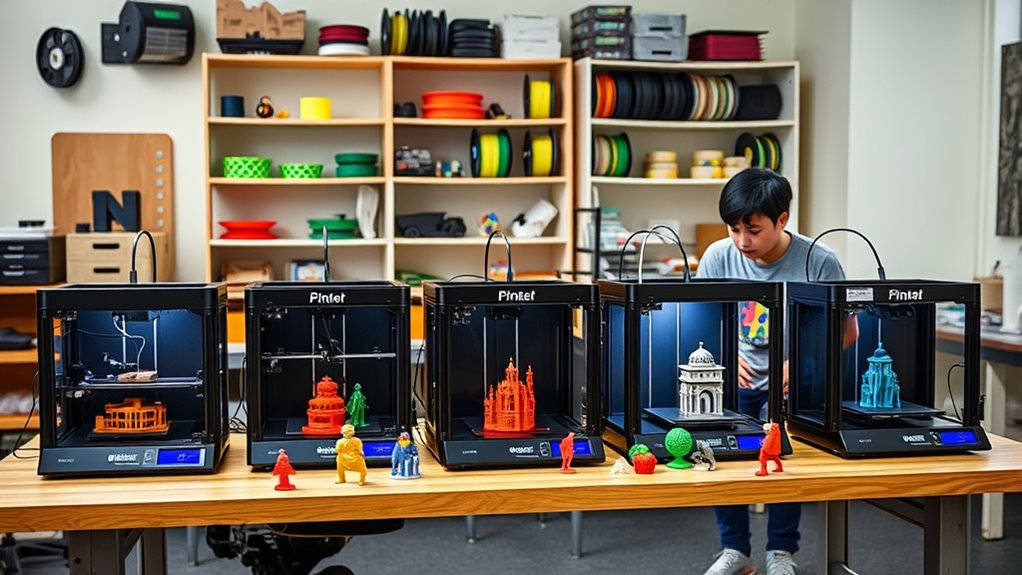

Choosing the right 3D printer for students and hobbyists involves balancing ease of use, versatility, and affordability. The Fully Assembled Mini 3D Printer stands out as an ideal starter with auto-leveling and precision, perfect for newcomers. Meanwhile, the Bambu Lab A1 offers a ready-to-use experience ideal for those who want quick setup, and the ELEGOO Centauri excels in high-speed printing for more advanced projects. The main challenge is finding a machine that combines simplicity with capability without overwhelming the user with complex features or steep learning curves. Keep reading to see how these options compare and which might be best for your needs.

Get privacy and security gear delivered free with Prime
- Fast, free delivery on millions of items
- Prime Video, Amazon Music and more included
- Member-only deals all year
Complete the kit


Key Takeaways
- The best 3D printers for students balance ease of assembly and user-friendly features with reliable performance.
- Multicolor and high-speed printing options are available but often come at a higher price and complexity.
- Auto-leveling and WiFi control significantly reduce setup time and improve print success rates for beginners.
- Compact size is a common feature, but it may limit print volume for larger projects.
- Entry-level models often sacrifice advanced features like multi-material support but excel in core usability.
| Fully Assembled Mini 3D Printer for Kids & Beginners – Complete Starter Kit with Auto Leveling, High Speed, and High Precision |  | Best for Absolute Beginners and Young Kids | Product Dimensions: 10.63 x 10.12 x 15.94 inches | Item Weight: 6.61 pounds | Print Speed: 250mm/s | VIEW ON AMAZON | See Our Full Breakdown |
| Bambu Lab A1 3D Printer, Ready-to-Use FDM 3D Printer for Beginners and Kids |  | Best for Multi-Color and Quiet Operation | Product Dimensions: 21.76 x 20.83 x 12.87 inches | Item Weight: 22 pounds | ASIN: B0D17TMWFB | VIEW ON AMAZON | See Our Full Breakdown |
| ELEGOO Centauri Carbon 3D Printer, CoreXY, 500mm/s High Speed, Auto Calibration, 320°C Nozzle, Built-in Camera, 256x256x256mm |  | Best for Speed and Advanced Filament Compatibility | Build Volume: 256x256x256 mm | Max Nozzle Temperature: 320°C | Print Speed: up to 500 mm/s | VIEW ON AMAZON | See Our Full Breakdown |
| Anycubic Kobra X Multicolor 3D Printer |  | Best for Large, Multi-Color Projects and Maker Spaces | Print Size: 260mm x 260mm x 260mm | Color Support: Up to 19 colors | Max Speed: 600mm/s | VIEW ON AMAZON | See Our Full Breakdown |
| ENTINA MINI 3D Printer TIAN2PLUS 250mm/s Fast 3D Printer for Beginners |  | Best for Rapid Prototyping and Small Projects | Dimensions: 8.6 x 8.6 x 12.8 inches | Weight: 10.03 pounds | Build Volume: 100 x 105 x 100 mm | VIEW ON AMAZON | See Our Full Breakdown |
| FlashForge Adventurer 5M 3D Printer with Auto Leveling and High-Speed Printing |  | Best Overall for Versatile Home Use and Fast Prototyping | Print Size: 220x220x220mm | Max Speed: 600mm/s | Extruder Temperature: 280°C | VIEW ON AMAZON | See Our Full Breakdown |
| Bambu Lab A1 Mini 3D Printer + LED Lamp Kit for Beginners |  | Best for Beginners and Creative Light Projects | Product Dimensions: 15.21 x 16.77 x 17.94 inches | Item Weight: 12.1 pounds | Nozzle Temperature: Not specified | VIEW ON AMAZON | See Our Full Breakdown |
| Geeetech Mini 3D Printer for Kids and Beginners with Auto Leveling, High Speed, Fully Open Source, Fully Assembled, 3D Print Area 3.94×4.33×3.94 in |  | Best Compact Mini for Kids and Classroom Use | Print Area: 3.94×4.33×3.94 in | Hot-end Power: 50W | Auto-Leveling Points: 16 | VIEW ON AMAZON | See Our Full Breakdown |
| Entina Tina2C 3D Printer for Kids & Beginners, Fully Assembled Mini 3D Printer with App & WiFi Control |  | Best for Educational STEM and App-Driven Projects | Build Volume: 3.9 × 3.9 × 3.9 inches | Connectivity: WiFi, TF card | Compatible Software: Cura, Simplify3D | VIEW ON AMAZON | See Our Full Breakdown |
| Bambu Lab P1S 3D Printer, Ready-to-Use FDM 3D Printer |  | Best for Multi-Color and High-Speed Printing in Creative Projects | Color Capabilities: Up to 16 colors | Printing Speed: 500mm/s | Acceleration: 20000 mm/s² | VIEW ON AMAZON | See Our Full Breakdown |
| FLASHFORGE Adventurer 5M 3D Printer, High-Speed, Fully Auto Leveling, Upgraded Direct Extruder, 280°C Nozzle, Dual-Sided PEI Coating Plate, 220x220x220mm |  | Best Overall for Speed and Convenience | Product Dimensions: 14.29 x 15.83 x 17.64 inches | Item Weight: 23.8 pounds | Print Size: 220x220x220mm | VIEW ON AMAZON | See Our Full Breakdown |
| Creality Ender 3 V3 SE Beginner-Friendly 3D Printer with Auto Leveling |  | Best for Beginners and Easy Setup | Product Dimensions: 15 x 19.6 x 15 inches | Item Weight: 19.8 pounds | Auto Leveling: CR Touch | VIEW ON AMAZON | See Our Full Breakdown |
| Bambu Lab P2S Combo, P2S 3D Printer & AMS 2 Pro, Multi-Color 3D Printing |  | Best for Multi-Color and Multi-Material Projects | Print Speed: 600 mm/s | Setup Time: 15 minutes | Filament Compatibility: Multi-material, multi-color | VIEW ON AMAZON | See Our Full Breakdown |
| Creality Ender 3 V3 SE 3D Printer Bundle with 4 Packs of PLA Filament (Black, White, Red, Blue) |  | Best for High-Speed, Packaged Value | Maximum Printing Speed: 250mm/s | Extruder: Sprite full metal dual-gear | Auto Leveling: CR Touch | VIEW ON AMAZON | See Our Full Breakdown |
| Snapmaker U1 3D Printer, 4-Toolhead with 5s Toolchanger, Multi-Color Printing |  | Best for Multi-Tool, Multi-Color Projects | Product Dimensions: 22.6 x 13 x 14.2 inches | Item Weight: 59 pounds | Build Volume: 270 x 270 x 270 mm | VIEW ON AMAZON | See Our Full Breakdown |
More Details on Our Top Picks
Fully Assembled Mini 3D Printer for Kids & Beginners – Complete Starter Kit with Auto Leveling, High Speed, and High Precision
This fully assembled mini 3D printer shines for absolute beginners and young kids seeking a simple, plug-and-play experience. Its high speed of 250mm/s allows quick prototyping, while the 0.01mm precision ensures quality prints suitable for small projects. Unlike larger or more complex models like the ELEGOO Centauri, this printer’s compact size and auto-leveling make setup straightforward, though its limited build volume restricts larger creations. The included starter kit with filament and SD card enhances ease of use, but occasional setup issues reported by some users highlight its beginner-focused design. This pick makes the most sense for those new to 3D printing, especially younger users or hobbyists testing the waters without technical hassle.
Pros:- Fully assembled and ready to operate, perfect for beginners
- High speed and high precision for quality small prints
- Auto-leveling and nozzle cleaning for hassle-free setup
- Complete starter kit with filament and SD card included
Cons:- Limited to small-scale projects due to size constraints
- Requires additional filament for ongoing use
- Occasional customer reports of setup challenges
Best for: Beginners, young students, or parents introducing kids to 3D printing
Not ideal for: Hobbyists looking for larger build volumes or advanced features; those needing extensive filament options
- Product Dimensions:10.63 x 10.12 x 15.94 inches
- Item Weight:6.61 pounds
- Print Speed:250mm/s
- Print Precision:0.01mm
- Included Filament:1 roll of PLA
- Auto Leveling:Yes
- Heated Bed:PEI heated bed
Our verdict“This mini, beginner-friendly printer is ideal for young learners and newcomers seeking quick, quality results without complexity.”
Bambu Lab A1 3D Printer, Ready-to-Use FDM 3D Printer for Beginners and Kids
The Bambu Lab A1 stands out for users who want multi-color printing with minimal fuss. Its automatic calibration and active flow rate compensation deliver high accuracy, making it suitable for colorful, detailed projects. Compared with the simpler ENTINA TIAN2PLUS, the A1 offers a more sophisticated interface with a touchscreen and supports multi-color output, though it requires the optional AMS lite for multi-color capabilities—adding extra cost. Its quiet operation is a plus for school or home environments, but limited build volume details and potential accessory costs mean it’s best for those who value ease of use over extensive customization. Overall, this model makes sense for beginners eager for multi-color options with a user-friendly experience.
Pros:- Automatic calibration ensures quick, accurate setup
- Supports multi-color printing with optional AMS lite
- Quiet operation and an intuitive touchscreen interface
- Easy maintenance and minimal manual adjustments
Cons:- Requires additional purchase for multi-color capability
- Limited build volume details provided
- Potential extra costs for accessories or upgrades
Best for: Beginners, kids, or educators wanting multi-color prints with easy operation
Not ideal for: Hobbyists needing large build volumes or advanced filament options without extra costs
- Product Dimensions:21.76 x 20.83 x 12.87 inches
- Item Weight:22 pounds
- ASIN:B0D17TMWFB
- Warranty:See product page
Our verdict“This printer excels for beginners interested in colorful, multi-material projects with a straightforward, quiet experience.”
ELEGOO Centauri Carbon 3D Printer, CoreXY, 500mm/s High Speed, Auto Calibration, 320°C Nozzle, Built-in Camera, 256x256x256mm
The ELEGOO Centauri Carbon is tailored for users who need rapid, reliable printing with high-temperature capabilities. Its impressive speed of up to 500mm/s surpasses most hobby-level printers, making it ideal for producing detailed prototypes quickly—though this speed demands careful calibration to avoid quality issues, unlike the more forgiving Bambu Lab A1. The built-in camera and auto calibration add convenience, especially for remote monitoring or troubleshooting. Its large build space of 256x256x256mm caters to more ambitious projects, but the higher price and enclosed chamber might be overkill for casual hobbyists or beginners with smaller needs. This model suits those who want a high-performance machine for detailed, fast production.
Pros:- High-speed printing up to 500 mm/s for rapid prototyping
- Auto bed calibration for ease of setup
- Built-in camera for real-time monitoring
- High-temperature hotend compatible with advanced filaments
Cons:- Requires careful calibration to maintain high print quality
- Enclosed chamber limits access for maintenance
- Higher cost compared to basic hobby printers
Best for: Advanced hobbyists or students needing high-speed printing with high-temp filament use
Not ideal for: Beginners or casual users with small projects, due to complexity and cost
- Build Volume:256x256x256 mm
- Max Nozzle Temperature:320°C
- Print Speed:up to 500 mm/s
- Frame:Die-cast aluminum
- Features:Auto calibration, built-in camera, touchscreen
- Compatible Filaments:Carbon fiber reinforced, PLA, and more
Our verdict“This printer is best for users who prioritize speed and high-temperature capabilities over simplicity, making it suitable for serious hobbyists or students with advanced needs.”
Anycubic Kobra X Multicolor 3D Printer
The Anycubic Kobra X excels in versatility, especially for projects requiring multiple colors and large print areas. Its expandable support for up to 19 colors and auto bed leveling are significant advantages for creative, multi-material work, setting it apart from single-color printers like the ENTINA TIAN2PLUS. The large build volume of 260mm cube makes it suitable for complex, sizable models, though its setup can be complex for less experienced users and filament spools are not included—adding to the initial effort. Its high maximum speed of 600mm/s enables quick turnaround, but the extensive setup and multi-filament management mean it’s better suited to makers with some technical experience who want flexibility and scale.
Pros:- Supports up to 19 colors with expandability
- Large build volume suitable for complex projects
- Fast print speeds up to 600mm/s
- Supports multiple filament types and remote monitoring
Cons:- Filament spools and printed models not included
- Setup can be complex for inexperienced users
- Incompatible with some other units like ACE 2 Pro
Best for: Makers, educators, or hobbyists who want multi-color printing and large build capacity
Not ideal for: Absolute beginners seeking simple, out-of-the-box solutions or those with limited technical skills
- Print Size:260mm x 260mm x 260mm
- Color Support:Up to 19 colors
- Max Speed:600mm/s
- Nozzle Temperature:300℃
- Connectivity:Wi-Fi, LAN
Our verdict“This multi-color, large-volume printer is ideal for skilled hobbyists and educators wanting creative flexibility and high-speed production.”
ENTINA MINI 3D Printer TIAN2PLUS 250mm/s Fast 3D Printer for Beginners
The ENTINA TIAN2PLUS is designed for hobbyists and newcomers who prioritize speed and ease of use. Its fast print speed of 250mm/s helps produce small prototypes quickly, making it suitable for rapid iteration. The pre-calibrated, fully assembled design simplifies setup, similar to the Fully Assembled Mini, but with a slightly larger build volume of 100x105x100mm, accommodating small to medium-sized models. Its auto-leveling and dual Z-axis improve stability, though the limited build size restricts larger projects. The higher price might be a concern for casual users, but for those seeking quick, reliable prints with minimal fuss, this model offers a compelling balance of speed and simplicity.
Pros:- Pre-assembled and ready for immediate use
- Fast print speeds up to 250mm/s
- Auto-leveling and dual Z-axis for stability
- Multiple connectivity options and quiet operation
Cons:- Limited build volume restricts project size
- Requires compatible slicer software for optimal results
- Higher price compared to very basic models
Best for: Hobbyists and beginners needing fast turnaround for small models or prototypes
Not ideal for: Users requiring larger build volumes or complex multi-material projects
- Dimensions:8.6 x 8.6 x 12.8 inches
- Weight:10.03 pounds
- Build Volume:100 x 105 x 100 mm
- Nozzle Diameter:0.4 mm
- Max Temperature:245°C
Our verdict“This printer suits hobbyists and beginners who need quick results on small-scale projects without sacrificing ease of use.”
FlashForge Adventurer 5M 3D Printer with Auto Leveling and High-Speed Printing
The FlashForge Adventurer 5M stands out for its combination of high-speed capabilities and user-friendly features like automatic bed leveling, making it ideal for hobbyists who want quick results. Compared to the Bambu Lab P1S, it offers faster prints up to 600mm/s, though this can lead to noisier operation. Its large 220x220x220mm build size makes it suitable for more ambitious projects, but its high-speed operation could be disruptive in quiet environments. While it supports a variety of filament types, some limitations may exist depending on specific materials. The real-time app monitoring adds convenience, but the potential noise and price could be drawbacks for budget-conscious users. This printer makes the most sense for users who value speed and ease of use over ultra-quiet operation or specialized filament support.Pros:- Automatic bed leveling simplifies setup
- High-speed printing up to 600mm/s accelerates workflows
- Real-time remote monitoring via app
Cons:- Potentially noisy during high-speed operation
- Limited filament compatibility for some advanced materials
Best for: Hobbyists and students who need fast, reliable printing with minimal setup.
Not ideal for: Quiet home environments or those working with delicate or specialty filaments requiring precise temperature control.
- Print Size:220x220x220mm
- Max Speed:600mm/s
- Extruder Temperature:280°C
- Nozzle:3S Detachable Nozzle
- Structure:CoreXY All Metal
- Nozzle Sizes Supported:0.25mm to 0.8mm
Our verdict“This printer is an excellent choice for hobbyists seeking speed and ease of use, especially in active workshop settings.”
Bambu Lab A1 Mini 3D Printer + LED Lamp Kit for Beginners
The Bambu Lab A1 Mini is tailored for newcomers, offering a straightforward setup with automatic calibration that reduces frustration for first-time users. Unlike the FlashForge Adventurer 5M, it emphasizes quiet operation and ease of use, making it perfect for home environments. Its inclusion of an LED Lamp Kit adds value for creative projects beyond standard printing. However, detailed specifications are limited, and its cost might be higher for beginners on a tight budget. Still, its simplicity and quietness make it a top pick for those just starting out or focusing on creative lighting applications. This printer makes the most sense for students or hobbyists who prioritize ease and quiet operation over advanced features.Pros:- Easy to set up and operate
- Automatic calibration ensures high-quality results
- Quiet operation fits well in home or classroom settings
Cons:- Limited detailed specs in the product description
- Price and availability are not specified
Best for: Beginners and students eager to explore 3D printing with minimal setup and noise.
Not ideal for: Users needing larger build volumes or advanced filament options for complex projects.
- Product Dimensions:15.21 x 16.77 x 17.94 inches
- Item Weight:12.1 pounds
- Nozzle Temperature:Not specified
- Auto Calibration:Yes
- Supported Filaments:Various, unspecified
- Special Feature:LED Lamp Kit
Our verdict“Ideal for novice users wanting a simple, quiet, and reliable 3D printer for educational and creative projects.”
Geeetech Mini 3D Printer for Kids and Beginners with Auto Leveling, High Speed, Fully Open Source, Fully Assembled, 3D Print Area 3.94×4.33×3.94 in
The Geeetech Mini 3D Printer offers a compact, fully assembled solution tailored for children and beginners, with auto-leveling and high-speed capabilities that outperform many small printers. Its small print area of just under 4 inches in each dimension limits larger projects but makes it ideal for quick, small prototypes or educational demonstrations. Unlike the Bambu Lab A1 Mini, it emphasizes simplicity and a fully open-source design, fostering learning and customization. Its magnetic, flexible build plate simplifies removal, but the limited build volume and lack of wireless connectivity could be restricting for more ambitious projects. This model is best suited for young learners or classroom setups where space and ease of use are priorities.Pros:- Fully assembled for immediate use
- Auto-leveling and heated platform for reliable prints
- High-speed printing within small volumes
Cons:- Limited build volume restricts bigger models
- No Wi-Fi or remote connectivity
Best for: Kids and beginners who need a small, easy-to-use, fully assembled 3D printer for educational purposes.
Not ideal for: Users interested in larger projects or advanced filament compatibility, as the build volume is quite limited.
- Print Area:3.94×4.33×3.94 in
- Hot-end Power:50W
- Auto-Leveling Points:16
- Display:2.4″ LCD color screen
- Build Plate:Magnetic, removable, PEI
- Connectivity:TF Card
Our verdict“This compact, easy-to-use printer is perfect for young learners and beginners wanting quick results without complex setup.”
Entina Tina2C 3D Printer for Kids & Beginners, Fully Assembled Mini 3D Printer with App & WiFi Control
The Tina2C offers a balanced mix of ease and connectivity, making it ideal for educational settings and young makers. Its WiFi and app control facilitate remote operation, a feature not available in the Geeetech Mini, while auto-leveling and a large model library support creative projects. Compared to the Bambu Lab A1 Mini, it emphasizes STEM learning with multiple DIY modules and app integration, though its smaller build volume may limit larger or more complex models. Its self-cleaning nozzle and quick setup streamline maintenance, but reliance on internet connectivity and device compatibility could pose challenges. This device is best for classrooms or home users focused on learning and small project versatility.Pros:- Easy and quick setup for beginners
- Supports WiFi and offline printing via TF card
- Auto-leveling and self-cleaning nozzle enhance print quality and maintenance
Cons:- Limited build volume for bigger projects
- Requires internet and compatible devices for full features
Best for: Students and educators aiming to incorporate 3D printing into STEM curricula with remote control features.
Not ideal for: Users seeking large-volume prints or advanced filament options, since the build size is limited.
- Build Volume:3.9 × 3.9 × 3.9 inches
- Connectivity:WiFi, TF card
- Compatible Software:Cura, Simplify3D
- App Support:Poloprint Cloud
- Auto Leveling:Yes
- Nozzle Design:Self-cleaning, quick-swap
Our verdict“A strong choice for educational environments and small creative projects that benefit from remote access and automation.”
Bambu Lab P1S 3D Printer, Ready-to-Use FDM 3D Printer
The Bambu Lab P1S is designed for users who want vibrant, multi-material prints with speed, making it ideal for advanced hobbyists and small studios. Its ability to print with up to 16 colors and support for various filaments surpasses most entry-level options like the Geeetech Mini, which is more limited in scope. The P1S’s automatic bed leveling and enclosed design contribute to consistent quality, but its need for optional Bambu Lab AMS modules for multi-color printing adds complexity and extra cost. It’s not suited for composites like carbon fiber or glass fiber, which some advanced users might expect in a versatile machine. This pick makes the most sense for those who prioritize multi-color, multi-material output and speed over ultra-high-end filament compatibility.Pros:- Vibrant multi-color and multi-material capabilities
- High-speed printing up to 500mm/s
- Automatic bed leveling and enclosed design
Cons:- Requires additional AMS module for multi-color printing
- Not compatible with carbon or glass fiber reinforced filaments
Best for: Hobbyists and small creative studios focusing on multi-color, multi-material projects with speed requirements.
Not ideal for: Users needing large-scale or highly specialized filament options, such as reinforced composites.
- Color Capabilities:Up to 16 colors
- Printing Speed:500mm/s
- Acceleration:20000 mm/s²
- Design:Enclosed
- Auto Bed Leveling:Yes
- Supported Filaments:PLA, PETG, TPU, PVA, PET ABS, ASA; Capable: PA, PC
Our verdict“An excellent choice for creative users seeking multi-material, multi-color printing with rapid turnaround times.”
FLASHFORGE Adventurer 5M 3D Printer, High-Speed, Fully Auto Leveling, Upgraded Direct Extruder, 280°C Nozzle, Dual-Sided PEI Coating Plate, 220x220x220mm
The FLASHFORGE Adventurer 5M stands out for its combination of high-speed printing—up to 600mm/s—and user-friendly features like fully automatic bed leveling. Compared with the Creality Ender 3 V3 SE, it offers faster print speeds and support for a wider range of filament types, thanks to its upgraded direct extruder and durable PEI coating. However, its larger size and weight mean it needs ample space, and some beginners may find its complex features a bit daunting at first. The power loss recovery and filament run-out sensor add reliability for ongoing projects, making it well-suited for dedicated hobbyists or students who want quick turnaround times and ease of use without sacrificing quality.
Pros:- High-speed printing up to 600mm/s for rapid prototyping
- Automatic one-click bed leveling simplifies setup
- Supports multiple filament types with a durable PEI plate
- Power loss recovery and filament sensor enhance reliability
Cons:- Relatively large and heavy, requiring ample space
- Complex features may have a learning curve for new users
Best for: Hobbyists and students who prioritize fast, reliable printing without frequent manual adjustments
Not ideal for: Casual users with limited space or beginners who prefer simple, plug-and-play setups
- Product Dimensions:14.29 x 15.83 x 17.64 inches
- Item Weight:23.8 pounds
- Print Size:220x220x220mm
- Nozzle Temperature:280°C
- Maximum Speed:600mm/s
- Heating Time:35 seconds to 200°C
Our verdict“This printer makes the most sense for experienced hobbyists or students eager for fast, versatile printing with minimal manual calibration.”
Creality Ender 3 V3 SE Beginner-Friendly 3D Printer with Auto Leveling
The Creality Ender 3 V3 SE is designed for newcomers, offering straightforward assembly and auto leveling with the CR Touch sensor. Its maximum print speed of 250mm/s ensures decent throughput, and the upgraded Sprite Direct Drive Extruder guarantees smoother filament feeding compared to earlier Ender models. While its setup is simplified, some users may find the lack of detailed support or warranty information limiting, especially if technical issues arise. Compared to the FlashForge Adventurer 5M, it may lack some advanced features but remains a dependable choice for students and hobbyists just starting out, especially those who value ease of use and quiet operation.
Pros:- Auto leveling with CR Touch for quick setup
- Quiet operation with a silent 32-bit mainboard
- Reliable filament feeding with upgraded extruder
- High-speed printing up to 250mm/s
Cons:- Limited detailed support or warranty info
- Potential complexity for absolute beginners unfamiliar with 3D printers
Best for: Beginners and students seeking a reliable, easy-to-assemble 3D printer with auto leveling
Not ideal for: Experienced hobbyists needing high-speed or multi-material capabilities
- Product Dimensions:15 x 19.6 x 15 inches
- Item Weight:19.8 pounds
- Auto Leveling:CR Touch
- Max Printing Speed:250mm/s
- Extruder:Sprite Direct Drive
- Operation Noise:Silent 32-bit mainboard
Our verdict“This model suits beginners or students who want dependable, easy-to-use features without complex customization.”
Bambu Lab P2S Combo, P2S 3D Printer & AMS 2 Pro, Multi-Color 3D Printing
The Bambu Lab P2S Combo is tailored for users who want high-speed, multi-material, multi-color printing with seamless automation. Its impressive 600mm/s speed, automatic calibration, and multi-color capabilities via the AMS 2 Pro make it a versatile tool for creative projects. Compared to the Snapmaker U1, it offers easier setup and more advanced multi-material features, but it does not support multi-color printing independently without the combo, which could be limiting for some users. The complex features may present a learning curve for newcomers, yet it remains a top pick for those ready to explore multi-color printing at a professional level, especially students or hobbyists with more ambitious projects.
Pros:- High-speed printing up to 600mm/s for rapid prototyping
- Automatic calibration and quick setup
- Seamless multi-color/multi-material printing with AMS 2 Pro
- Smart airflow and filament drying for high-quality results
Cons:- Does not support multi-color printing without the Combo
- Complex features may require a learning curve for new users
Best for: Advanced hobbyists or students interested in multi-color, multi-material printing with speed and automation
Not ideal for: Absolute beginners unsure about handling complex multi-material workflows or without dedicated workspace
- Print Speed:600 mm/s
- Setup Time:15 minutes
- Filament Compatibility:Multi-material, multi-color
- Filament Drying Temp:65 °C
- Chamber Temp:50 °C
- Airflow System:Adaptive Airflow
Our verdict“This printer is ideal for users ready to master multi-material and multi-color printing, especially for complex projects.”
Creality Ender 3 V3 SE 3D Printer Bundle with 4 Packs of PLA Filament (Black, White, Red, Blue)
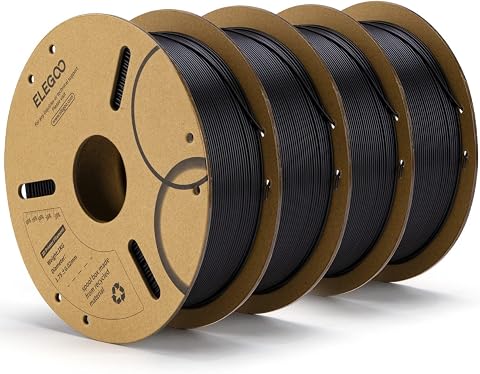
The Creality Ender 3 V3 SE Bundle combines speed and affordability, offering a capable 3D printer with a maximum of 250mm/s and an upgraded Sprite extruder for smooth filament handling. The auto leveling with CR Touch simplifies setup, especially combined with the included PLA filament packs, making it an accessible package for hobbyists and students wanting to get started quickly. Compared to the FlashForge Adventurer 5M, it offers slightly lower speeds but at a more approachable price point and with a bundle of filament options. Its more involved setup process might challenge absolute beginners, but it provides a good balance of speed, reliability, and value for those willing to learn a bit of assembly.
Pros:- High-speed printing up to 250mm/s
- Auto leveling with CR Touch for easier calibration
- Includes four color filament packs for versatility
- Upgraded extruder for smoother filament feeding
Cons:- Complex setup may intimidate absolute beginners
- Limited material support beyond common filaments
Best for: Students or hobbyists seeking a budget-friendly, high-speed printer with filament included
Not ideal for: Users looking for a fully plug-and-play experience or materials beyond PLA, TPU, PETG
- Maximum Printing Speed:250mm/s
- Extruder:Sprite full metal dual-gear
- Auto Leveling:CR Touch
- Z-axis:Dual Z-axis
- Y-axis:8mm linear shafts
- Filament Type:PLA, TPU, PETG
Our verdict“This bundle offers a solid balance of speed, value, and ease of starting for students and hobbyists ready to assemble and learn.”
Snapmaker U1 3D Printer, 4-Toolhead with 5s Toolchanger, Multi-Color Printing
The Snapmaker U1 emphasizes versatility with its four-toolhead system and rapid 5-second automatic tool changer. It excels in multi-color and multi-material projects, offering a build volume of 270x270x270mm and fast speeds up to 500mm/s. Its smart calibration and user-friendly interface make it accessible for hobbyists eager to combine 3D printing with other fabrication methods. Compared to Bambu Lab P2S, it provides more tool options in a single machine but at a higher weight and size, which could be a concern for limited space. Its complex setup may challenge beginners, but it remains an excellent choice for those wanting a multi-tool platform capable of diverse projects at a hobbyist level.
Pros:- Fast 5-second automatic tool change for multi-color printing
- High-speed up to 500mm/s with precise results
- Supports a wide range of materials
- Smart calibration and user interface for easy operation
Cons:- Relatively heavy and large, requiring ample space
- Complex setup that might challenge absolute beginners
Best for: Hobbyists or students interested in multi-material, multi-color projects that include other fabrication techniques
Not ideal for: Casual hobbyists or beginners who prefer a simple, dedicated 3D printer without multi-tool complexity
- Product Dimensions:22.6 x 13 x 14.2 inches
- Item Weight:59 pounds
- Build Volume:270 x 270 x 270 mm
- Max Printing Speed:500 mm/s
- Number of Toolheads:4
- Warranty:1 year
Our verdict“This multi-tool platform is best suited for hobbyists and students ready to handle a more complex, all-in-one fabrication system.”
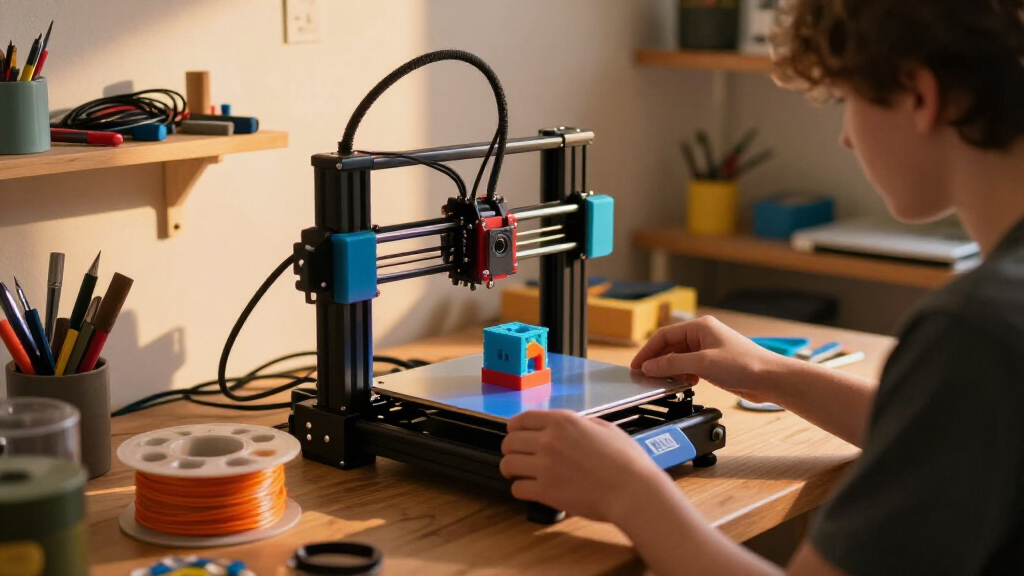
How We Picked
Our evaluation focused on printers that suit students and hobbyists, emphasizing ease of use, build quality, and value. We prioritized models with straightforward assembly or ready-to-use setups, as well as features like auto-leveling, WiFi connectivity, and reliable print quality. Cost-effectiveness was also a key factor, ensuring that the options are accessible without compromising essential functionality. We compared performance specs, usability, maintenance, and user support to determine which models offer the best balance for those just starting or exploring 3D printing as a hobby. The ranking reflects a combination of versatility, affordability, and beginner-friendly features.Factors to Consider When Choosing 3d Printers For Students And Hobbyists
When selecting a 3D printer for students and hobbyists, it’s important to consider several factors that influence ease of use, project scope, and long-term value. Understanding these can help avoid common pitfalls and ensure the chosen printer matches your skill level and creative ambitions. Below are key considerations that can guide your decision-making process, helping you find a machine that is both accessible and capable.Ease of Use and Setup
For beginners, a printer that arrives fully assembled or requires minimal setup can save time and frustration. Features like auto-leveling and WiFi connectivity streamline the printing process, reducing manual calibration and setup errors. Consider whether the printer’s interface is intuitive and if the manufacturer offers good support or tutorials. A complex machine might offer advanced features but can be intimidating for newcomers, so balance functionality with simplicity.
Build Volume and Size
Size matters when you’re working on specific projects or limited space. Compact printers are easier to fit into a home or dorm environment but typically have smaller build areas. Larger volumes allow for more ambitious projects but may require more space and investment. Think about your typical project size and storage constraints before choosing a model; a smaller, more manageable printer can be more satisfying for hobbyists starting out.
Print Quality and Speed
Print resolution and speed are important for achieving detailed results and maintaining workflow. High-speed printers can produce models faster but may sacrifice some detail or reliability. Conversely, slower, high-precision machines tend to produce cleaner results but can extend project times. Decide which aspect is more critical based on your projects: detailed miniatures or rapid prototyping.
Material Compatibility and Support
Most hobbyist printers support common filaments like PLA and ABS, but some advanced models can handle specialty materials like flexible or composite filaments. Ensure the printer’s extruder and heated bed are compatible with your preferred materials. Also, check whether the machine supports multi-material or multi-color printing if your projects require complex color schemes or different filament types.
Price and Long-Term Value
While affordability is a key factor, investing in a slightly more expensive model with better durability, support, and features can pay off in the long run. Beware of very cheap printers that may require frequent repairs or lack essential features like auto-leveling or reliable extrusion. Consider the total cost of ownership, including maintenance, replacement parts, and filament compatibility, to ensure the printer remains a valuable tool over time.
Frequently Asked Questions
What is the easiest 3D printer for beginners?
For newcomers, a fully assembled, auto-leveling printer with WiFi connectivity tends to be the easiest to start with. Models like the Fully Assembled Mini 3D Printer or Bambu Lab A1 excel in simplifying setup and operation, reducing the learning curve. These printers typically feature intuitive interfaces and reliable performance, making them ideal for those with little to no prior experience.
Can I print with multiple materials or colors on a beginner’s 3D printer?
Most entry-level printers support basic filaments like PLA, but multi-material or multi-color printing requires more advanced features, such as multiple extruders or multi-material modules. While some beginner models, like the Bambu Lab P2S Combo, offer multi-color options, they come with increased complexity and higher costs. If multi-material printing is a priority, be prepared to invest in a more capable machine and spend extra time learning its operation.
How important is print speed for hobbyists and students?
Print speed can influence how quickly you complete projects, especially if you’re working on multiple or large models. However, faster printing often compromises detail and reliability, which might be frustrating for detailed miniatures or precision parts. For most hobbyists and students, a balance between speed and quality is ideal. Prioritize features that ensure consistent results first, then consider speed as a secondary factor.
Are there any safety considerations when choosing a 3D printer for home use?
Safety features like enclosed build chambers, automatic shutdown, and thermal protection are important, especially if children or beginners will operate the printer. Always ensure proper ventilation, as some filaments can emit fumes. Choosing a machine with clear safety guidelines, accessible emergency stops, and reliable thermal controls helps prevent accidents and makes the printing process safer for all users.
How much maintenance does a typical hobbyist 3D printer require?
Most hobbyist printers need regular maintenance such as cleaning the print bed, lubricating moving parts, and replacing worn extruder components. Some models with auto-leveling and enclosed designs reduce ongoing calibration efforts. Budget models might require more frequent repairs or adjustments, while higher-end machines often include easier access for maintenance. Budgeting time for routine upkeep can extend the lifespan and improve print quality over time.
Conclusion
For those just starting out or seeking a reliable, user-friendly machine, the Fully Assembled Mini 3D Printer makes an excellent choice. Hobbyists looking for more speed or multi-material options will appreciate the versatility of the Bambu Lab A1. The ELEGOO Centauri suits users who want high-speed performance for larger or more complex projects. Beginners should prioritize auto-leveling and straightforward interfaces, while more experienced hobbyists might opt for models with multi-color capabilities or larger build volumes. Ultimately, selecting the right printer depends on your specific needs, budget, and comfort with technical features.
Halloween Picks
halloween
As an affiliate, we earn on qualifying purchases.