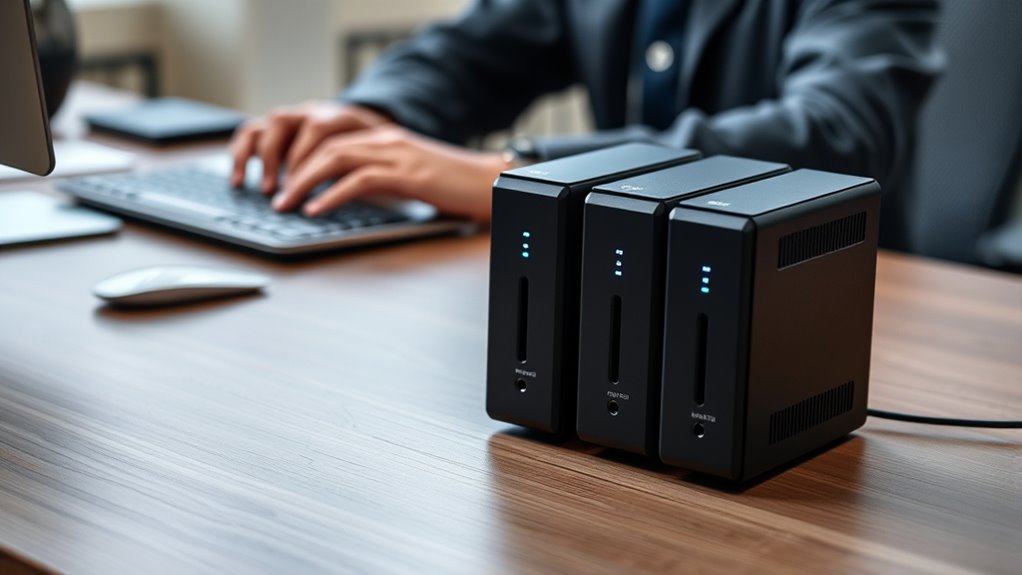

If you’re looking for secure NAS options with 2-factor authentication, I’ve found the top models that combine strong defense with reliable performance. Whether you need a compact home setup or a robust business solution, devices like the Buffalo TeraStation, Synology DiskStation, and Ugreen NASync offer great features for protecting your data. These systems support 2FA, encryption, and other security measures while delivering impressive storage capacity. Exploring these options will help you find the perfect fit for your needs and security concerns.
Key Takeaways
- Many advanced NAS devices, such as Synology and Buffalo models, support 2-factor authentication for enhanced data security.
- Security-focused NAS solutions often include 2FA along with AES 256-bit encryption to protect stored data.
- Enterprise-grade NAS units like Buffalo TeraStation 5420DN feature 2FA, RAID, and hardware encryption for comprehensive security.
- User-friendly NAS devices for small businesses and home use increasingly incorporate 2FA for remote access protection.
- Compatibility with multi-platform 2FA apps (e.g., Google Authenticator) is common across top NAS brands for secure login.
Ugreen NASync DXP4800 Plus 4-Bay Desktop NAS
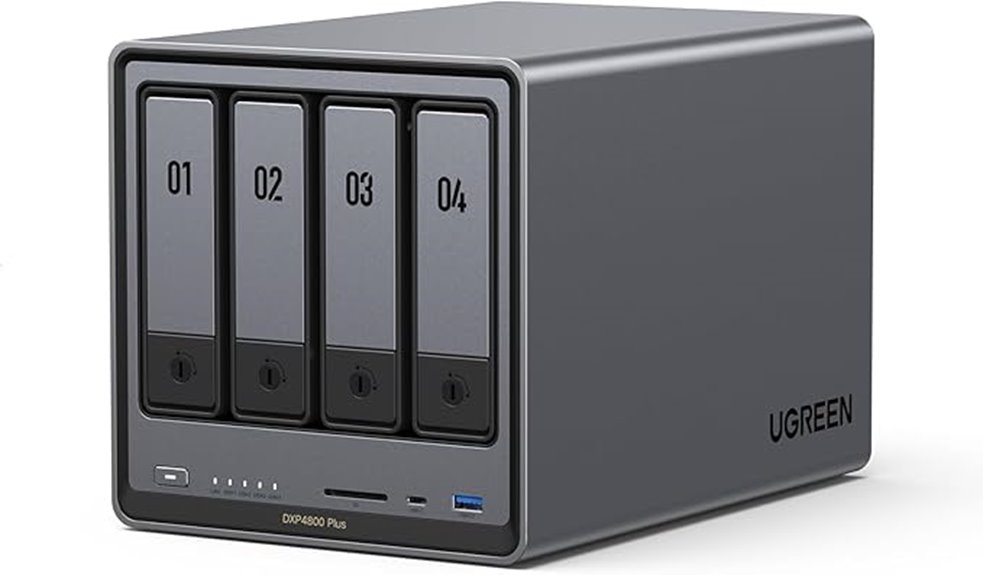
If you’re looking for a high-performance NAS that offers robust security features, the Ugreen NASync DXP4800 Plus is an excellent choice, especially when combined with 2-factor authentication. This 4-bay desktop NAS packs an Intel Pentium Gold 8505 5-core CPU, 8GB DDR5 RAM (upgradable), and supports up to 136TB of storage. It features multiple expansion options, including 10GbE and 2.5GbE ports, M.2 NVMe slots, and a 4K HDMI output. Designed for easy setup and upgrades, it handles large media libraries and offers fast data transfer speeds, making it ideal for secure, reliable home or small business storage.
Best For: home users and small businesses seeking a high-performance, secure, and versatile NAS with easy upgrade options and robust media management.
Pros:
- Powerful Intel Pentium Gold 8505 processor with fast data transfer capabilities
- Expandable RAM and multiple connectivity options including 10GbE and M.2 NVMe slots
- User-friendly setup with support for media apps like Plex and Jellyfin, plus secure remote access
Cons:
- Limited app store options and certain software features like folder sync in backup software
- Occasional network negotiation issues down to 1GbE which can be quickly resolved
- Storage drives sold separately, requiring additional purchase for full capacity and performance
BUFFALO LinkStation 210 2TB NAS Storage with HDD Included
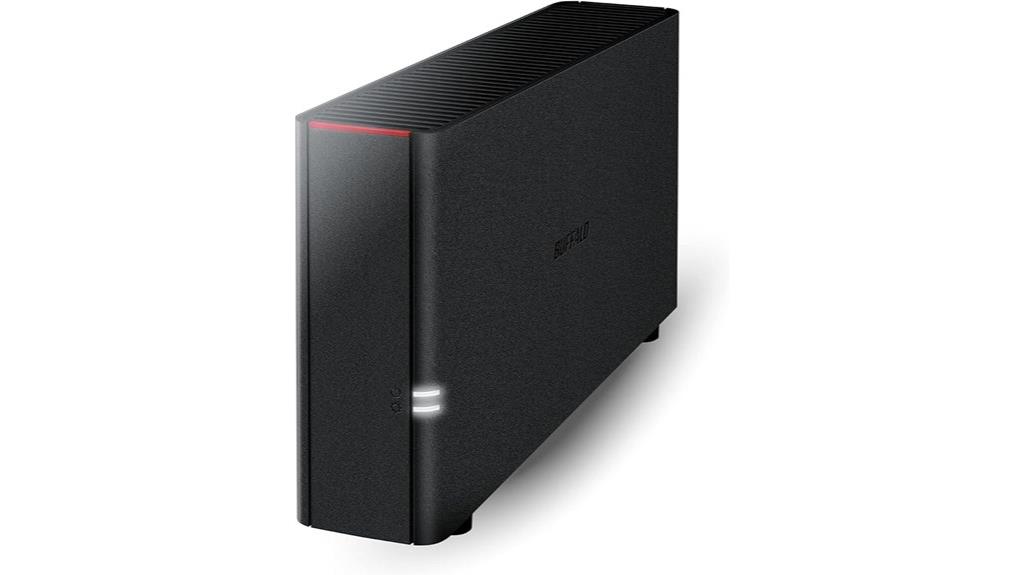
The Buffalo LinkStation 210 2TB NAS Storage with HDD Included is an excellent choice for home users seeking reliable, straightforward network storage. It offers 2TB of capacity within a single drive bay, making it ideal for personal use. Connect it to your router, and it becomes accessible across Windows and macOS devices. The device includes user-friendly backup software and NAS Navigator utility, ensuring your data is protected with automated backups. Built with security in mind, it features SSL encryption and configurable folder access restrictions. For those needing basic, secure network storage, the LinkStation 210 provides a simple, effective solution.
Best For: home users seeking a reliable, straightforward network-attached storage solution with easy data backup and security features.
Pros:
- Simple setup and compatibility with Windows and macOS devices
- Includes automatic backup software and NAS Navigator utility for data protection
- Built-in security features such as SSL encryption and folder access controls
Cons:
- Limited to 2TB storage capacity with a single drive bay
- Lacks advanced features like RAID or cloud integration found in higher-end models
- Performance may be slower compared to more robust NAS solutions for heavy data usage
BUFFALO LinkStation SoHo 220 2-Bay NAS with 12TB Hard Drives
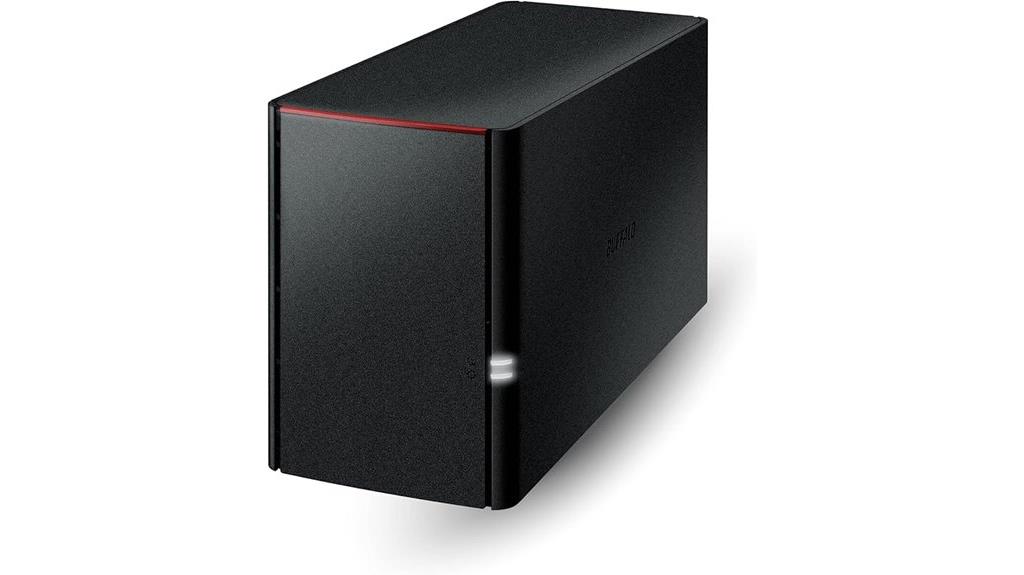
For small office or home users seeking reliable data protection, the Buffalo LinkStation SoHo 220 2-Bay NAS stands out with its built-in security features and ample storage capacity. It offers a total of 12TB, configured with two 6TB drives, and defaults to RAID 1 for automatic backups and data redundancy. Connecting directly to your router, it supports multiple devices simultaneously and includes SSL encryption for secure file transfers. The device is compatible with both Windows and macOS, providing an easy-to-use, subscription-free personal cloud. Its robust security and straightforward setup make it a solid choice for safeguarding valuable data in small-scale environments.
Best For: small office or home users seeking reliable, secure, and easy-to-manage personal cloud storage with ample capacity.
Pros:
- Provides 12TB of total storage with RAID 1 for data redundancy and safety
- Supports both Windows and macOS, ensuring wide compatibility
- Features SSL encryption and a closed system for enhanced security
Cons:
- Defaults to RAID 1, which halves the usable storage capacity to 6TB unless reconfigured
- Limited to basic network connectivity without higher-speed options like 2.5 GbE (though upgrade options exist)
- May require additional hardware or upgrades for advanced performance needs
BUFFALO TeraStation 5420DN 4-Bay NAS with 16TB Hard Drives
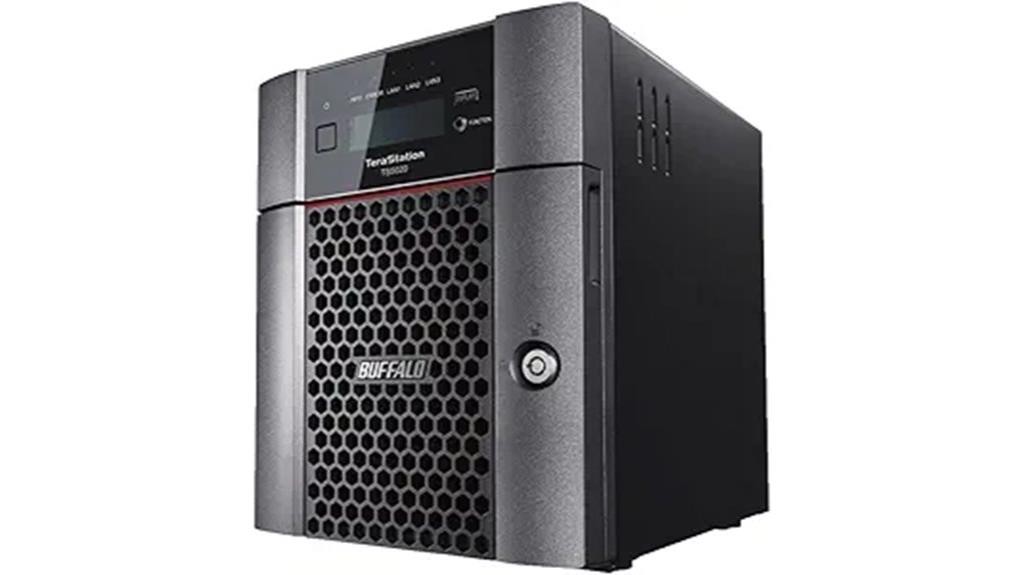
The BUFFALO TeraStation 5420DN 4-Bay NAS stands out as an ideal choice for businesses that prioritize data security and reliable performance. With four 4TB drives totaling 16TB, it offers ample storage and supports RAID, iSCSI, and network sharing for versatile setups. Its advanced hardware handles heavy loads without slowing down, while 256-bit drive encryption and two-factor authentication protect sensitive information. Native 10GbE ports ensure fast data transfers, and cloud integration with services like Dropbox and Azure adds flexibility. Backed by a 3-year warranty and strong customer ratings, this NAS delivers robust security and dependable operation for professional environments.
Best For: small to medium-sized businesses seeking a secure, high-performance NAS with versatile data management and cloud integration.
Pros:
- Robust security features including 256-bit drive encryption and two-factor authentication
- High-speed data transfer with native 10GbE ports
- Flexible storage options supporting RAID, iSCSI, and cloud syncing
Cons:
- May be more expensive than basic NAS solutions for small businesses
- Larger physical footprint and weight, requiring adequate space for setup
- Limited drive bays (4) may restrict expansion compared to multi-bay enterprise models
Synology DiskStation DS1522+ NAS Server Bundle
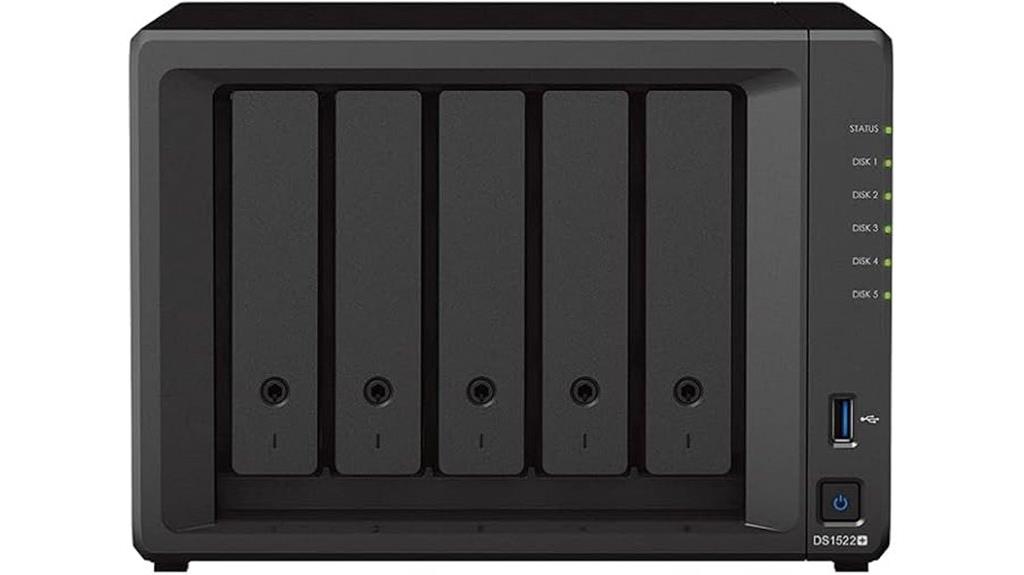
If you’re seeking a reliable, scalable NAS solution tailored for small to medium-sized businesses or advanced home setups, the Synology DiskStation DS1522+ bundle stands out. It offers versatile storage for large files, data sharing, backups, and multimedia streaming. Powered by a Ryzen R1600 CPU and 32GB DDR4 ECC memory, it handles demanding tasks smoothly. With 20TB of SATA HDD storage plus 1TB NVMe SSD, it ensures fast access and ample space. Connectivity includes four LAN ports supporting link aggregation and failover, plus USB and eSATA ports. Running Synology DSM, it provides intuitive management and robust data protection, making it an ideal choice for secure, flexible storage.
Best For: small to medium-sized businesses and advanced home users seeking a reliable, scalable NAS solution for large file storage, data sharing, backups, and multimedia streaming.
Pros:
- Powerful Ryzen R1600 CPU with 32GB DDR4 ECC memory ensures smooth handling of demanding tasks
- High-capacity storage with 20TB SATA HDDs and 1TB NVMe SSD provides ample space and fast data access
- Multiple connectivity options including four LAN ports with link aggregation and failover, plus USB and eSATA ports for versatile peripherals
Cons:
- Requires separate purchase and installation of hard drives and memory, which may be inconvenient for some users
- Chassis is delivered sealed, so setup may take additional effort for initial configuration
- Advanced features and management may require familiarity with Synology DSM for optimal use
Synology DS420+ NAS Server for Business

The Synology DS420+ NAS server stands out as an ideal solution for small to medium-sized businesses that need reliable, high-performance storage with robust security features. It’s perfect for backup, file sharing, email servers, and domain management. Powered by a Celeron J4025 dual-core CPU and 6GB DDR4 RAM, it offers speedy data access with optional SSD cache and large HDD capacity. Its DSM operating system includes AES 256-bit encryption and two-factor authentication to enhance security. Connectivity options like Gigabit Ethernet ports and USB 3.2 ports ensure flexible integration. The compact, sealed chassis allows easy upgrades, making it a versatile, secure storage solution for business environments.
Best For: small to medium-sized businesses seeking a reliable, high-performance storage solution with robust security features for backup, file sharing, and server management.
Pros:
- Supports flexible storage configurations with SSD caching and large HDD capacity
- Equipped with advanced security features such as AES 256-bit encryption and two-factor authentication
- Easy to upgrade with user-installable drives and memory in a compact, sealed chassis
Cons:
- Hard drives and memory modules are sold separately and require user installation
- Limited to 6GB DDR4 RAM (expandable but may not meet very high memory demands)
- Dual-core CPU may be less suitable for extremely intensive workloads
Asustor Drivestor 2 Lite NAS Enclosure (AS1102TL)
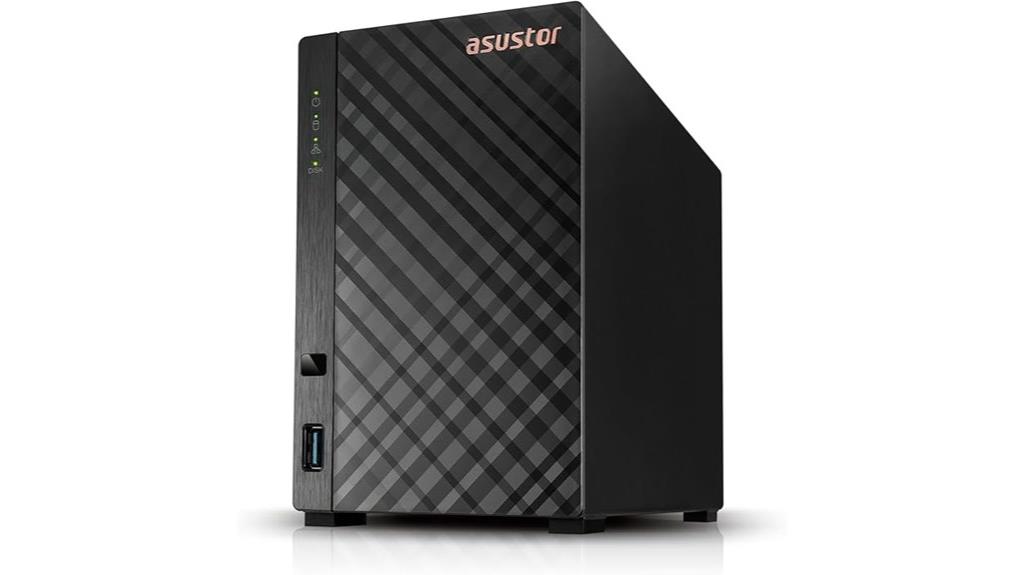
Designed for users seeking secure and reliable data storage, the Asustor Drivestor 2 Lite NAS Enclosure (AS1102TL) offers robust protection features, including support for 2-factor authentication. This 2-bay, diskless enclosure is easy to set up thanks to its tool-free design and features a powerful quad-core Realtek RTD1619B processor with 1GB DDR4 RAM. It supports 4K transcoding for smooth media streaming and integrates Btrfs and iSCSI snapshot capabilities for efficient data management and backups. With a 1GbE network port and Wake on LAN support, it provides flexible, remote control options, making it a reliable choice for secure network storage.
Best For: small to medium-sized home or office users seeking a reliable, secure, and easy-to-use network storage solution with media streaming capabilities.
Pros:
- Supports 4K transcoding for high-quality media streaming.
- Easy installation with a tool-free design, suitable for users with minimal technical experience.
- Equipped with robust data management features like Btrfs and iSCSI snapshots for backups and recovery.
Cons:
- Limited to 1GB DDR4 RAM, which may restrict performance under heavy multi-user loads.
- Only a single 1GbE network port, potentially limiting bandwidth in high-traffic environments.
- Diskless design requires users to purchase and install compatible drives separately.
QNAP TS-233-US 2-Bay Desktop NAS with ARM Cortex-A55 Processor
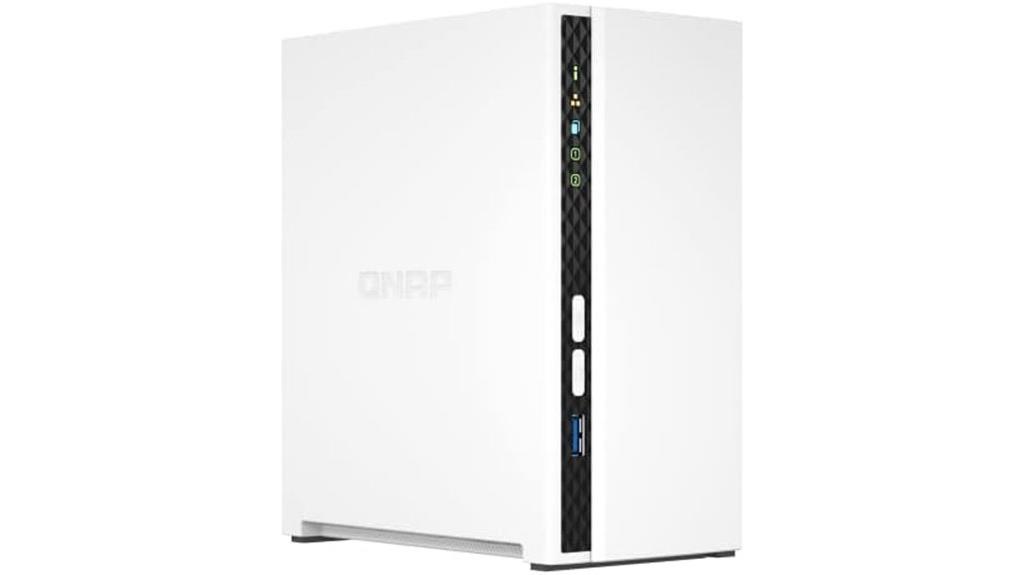
For households seeking an affordable yet reliable way to secure their personal data, the QNAP TS-233-US 2-Bay Desktop NAS is an excellent choice. It features an ARM Cortex-A55 quad-core 2.0GHz processor and 2GB DDR4 RAM, offering dependable performance for everyday tasks like file storage, multimedia streaming, and photo organization. The device is diskless, so you can install compatible drives as needed. It includes security features like storage snapshots to mitigate ransomware threats and supports easy backups for Windows and Mac computers. Its compact design and user-friendly setup make managing personal data straightforward while enhancing security and multimedia experiences at home.
Best For: households seeking an affordable, reliable, and easy-to-manage solution for centralized data storage, multimedia streaming, and personal backup needs.
Pros:
- Cost-effective and user-friendly setup suitable for home users
- Reliable performance with ARM Cortex-A55 quad-core processor and 2GB DDR4 RAM
- Security features like storage snapshots and easy backups for Windows and Mac
Cons:
- Limited to 2 drive bays, which may restrict scalability for larger storage needs
- Diskless design requires users to purchase compatible drives separately
- Not designed for high-performance or enterprise-level applications
Asustor Flashstor 12 Pro FS6712X 12-Bay NVMe SSD NAS Storage
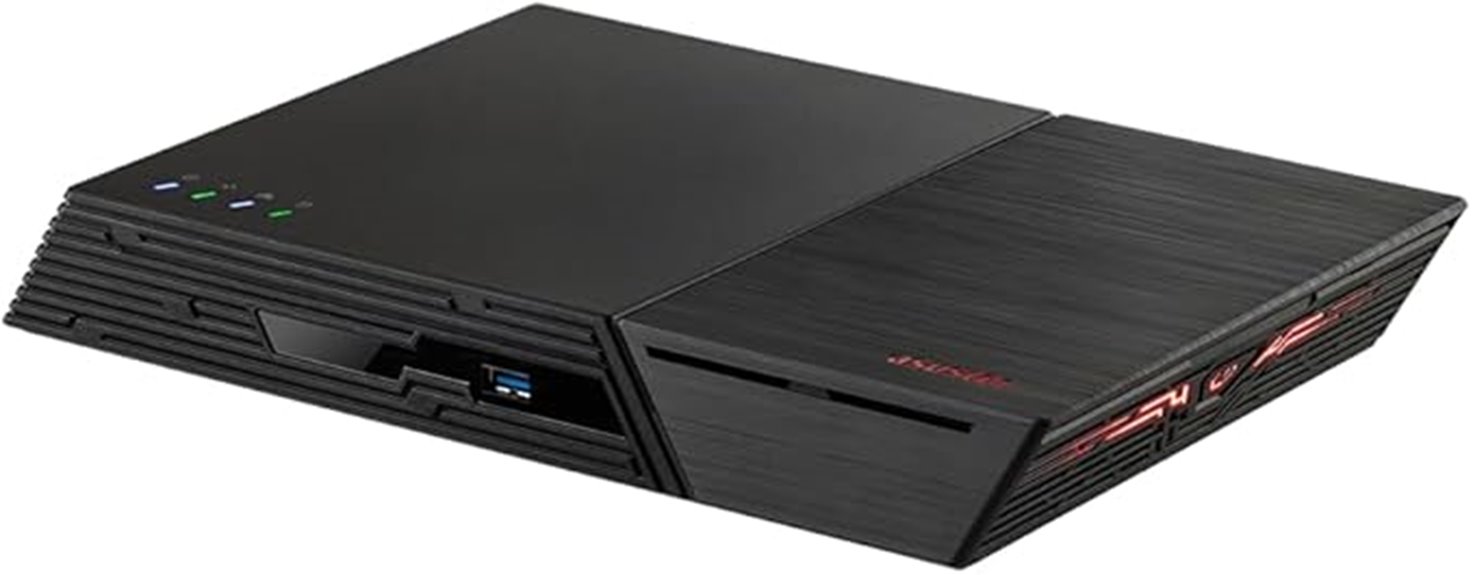
If you’re seeking a high-performance NAS solution capable of handling demanding workloads, the Asustor Flashstor 12 Pro FS6712X stands out with its 12 NVMe SSD bays and 10-Gigabit Ethernet. It’s powered by a quad-core Intel Celeron N5105 processor running at 2.0GHz, paired with 4GB of DDR4 RAM for efficient multitasking. With 12 M.2 NVMe slots, it offers extensive SSD expansion, ensuring fast data access and transfer speeds. Additional features like 4K hardware transcoding, dual USB 3.2 ports, HDMI output, and S/PDIF make it ideal for multimedia and professional workflows. It’s a reliable, high-speed storage solution for demanding environments.
Best For: professionals and small businesses seeking a high-performance, reliable NAS with extensive SSD expansion and fast network connectivity for demanding workloads.
Pros:
- High-speed data transfer with 10-Gigabit Ethernet and multiple NVMe SSD bays
- Robust hardware with quad-core Intel Celeron N5105 processor and 4GB DDR4 RAM for efficient multitasking
- Versatile multimedia features including 4K hardware transcoding, HDMI output, and S/PDIF audio
Cons:
- Limited 4GB RAM may restrict performance in highly demanding multitasking scenarios
- Higher cost due to extensive SSD bays and premium features
- Requires compatible NVMe SSDs and network infrastructure to maximize performance
Synology DiskStation DS220j NAS Server
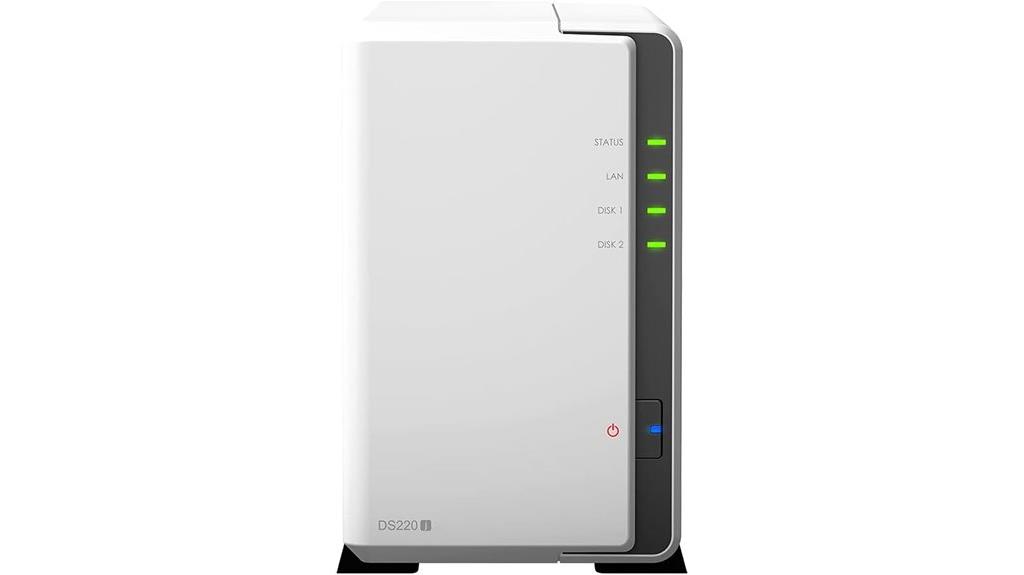
The Synology DiskStation DS220j NAS server stands out as an excellent choice for small businesses or home users who prioritize data security. It features AES 256-bit encryption and two-factor authentication, helping protect sensitive data and restrict unauthorized access. Powered by a quad-core 1.4GHz CPU and 512MB DDR4 RAM, it offers reliable performance for backups, file sharing, and media streaming. With support for high-speed SSD storage and dual USB ports, it’s versatile and easy to manage through Synology’s user-friendly DSM operating system. While hard drives and memory are sold separately, its security features make it a solid, affordable option for safeguarding your data.
Best For: small businesses and home users seeking affordable, secure data storage and media streaming solutions.
Pros:
- Robust security features including AES 256-bit encryption and two-factor authentication
- Reliable performance with a quad-core CPU and 512MB RAM suitable for backups and media streaming
- User-friendly DSM operating system with extensive application support and easy management
Cons:
- Hard drives and memory are sold separately, requiring additional purchase and installation
- Limited 2TB storage capacity may not suffice for extensive data needs
- Non-ECC memory may be less suitable for critical business applications needing higher data integrity
Beelink ME Mini PC, Desktop NAS with Intel N150, 12GB RAM, 64GB Storage
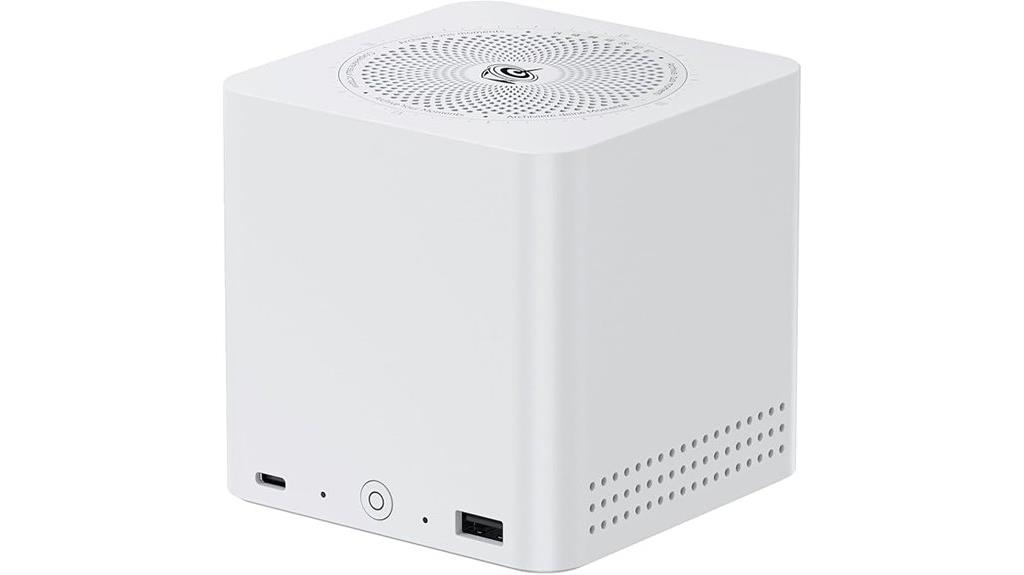
If you’re seeking a compact yet powerful device for secure data management, the Beelink ME Mini PC stands out thanks to its robust hardware and versatile connectivity options. It features a 13th Gen Intel N150 processor, offering impressive performance with low power consumption. With 12GB of LPDDR5 RAM and support for multiple NVMe SSDs up to 24TB, it provides fast access and ample storage. Dual 2.5Gbps LAN ports and Wi-Fi 6 ensure high-speed network connectivity. Its cooling system maintains low temperatures during intensive tasks, while a range of ports supports diverse applications. Perfect for home NAS, media streaming, or remote work setups, it’s a reliable, efficient choice.
Best For: individuals or small businesses seeking a compact, energy-efficient device for secure data management, NAS, media streaming, or remote work setups.
Pros:
- Powerful 13th Gen Intel N150 processor with low power consumption (25W)
- Supports multiple NVMe SSDs up to 24TB for extensive storage options
- High-speed connectivity with dual 2.5Gbps LAN ports and Wi-Fi 6
Cons:
- Limited 64GB eMMC storage may require additional SSDs for large data needs
- Compact size may limit expandability beyond existing ports
- No dedicated GPU, which may affect high-end multimedia editing or gaming
BUFFALO TeraStation 51220RH NAS with Hard Drives
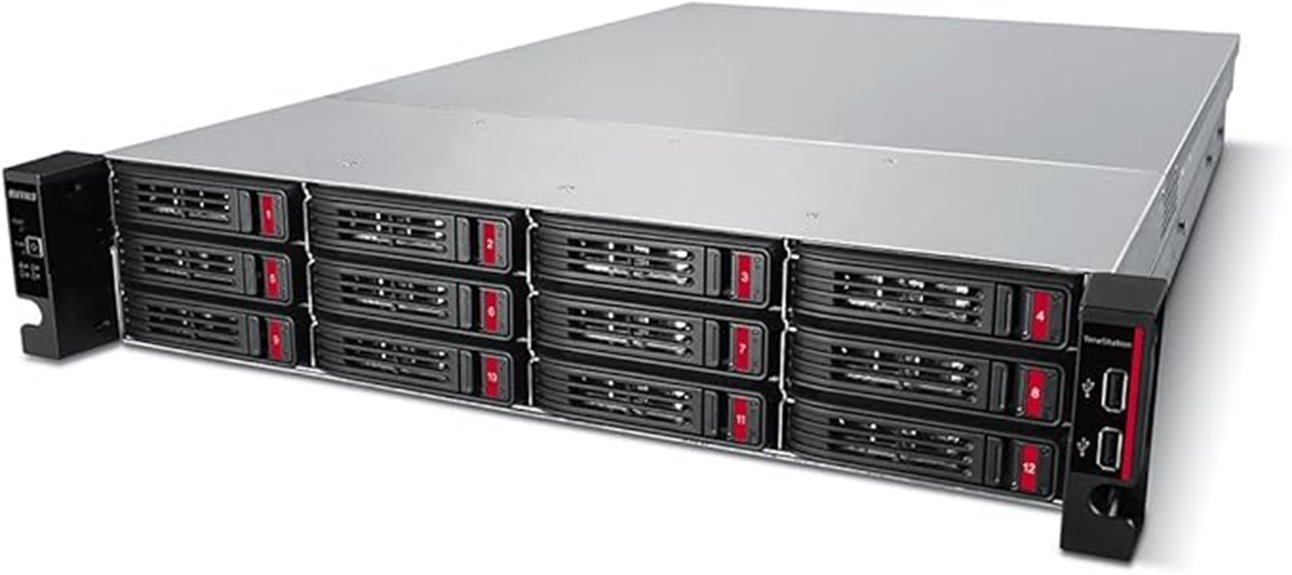
Designed for professional environments that demand robust security, the BUFFALO TeraStation 51220RH NAS with Hard Drives stands out with its built-in 2-factor authentication feature. It offers a 12-bay rackmount design equipped with four 8TB drives, providing a total of 32TB storage. The device supports high-speed data transfers via a native 10GbE port and features advanced hardware for reliability under heavy loads. Its security measures include 256-bit drive encryption and flexible backup options like snapshots. This NAS is ideal for businesses seeking a secure, high-capacity storage solution with reliable performance and enhanced data protection.
Best For: businesses requiring a secure, high-capacity, and reliable network storage solution with advanced data protection features.
Pros:
- Supports high-speed data transfers with a native 10GbE port for efficient performance
- Equipped with robust security features including 256-bit drive encryption and 2-factor authentication
- Comes with four pre-installed 8TB drives, providing a total of 32TB storage capacity
Cons:
- Large physical size may require substantial rack space in some environments
- Higher initial cost due to enterprise-grade hardware and security features
- Limited to 12 bays, which may not be sufficient for extremely large data storage needs
Seagate IronWolf 8TB NAS Internal Hard Drive
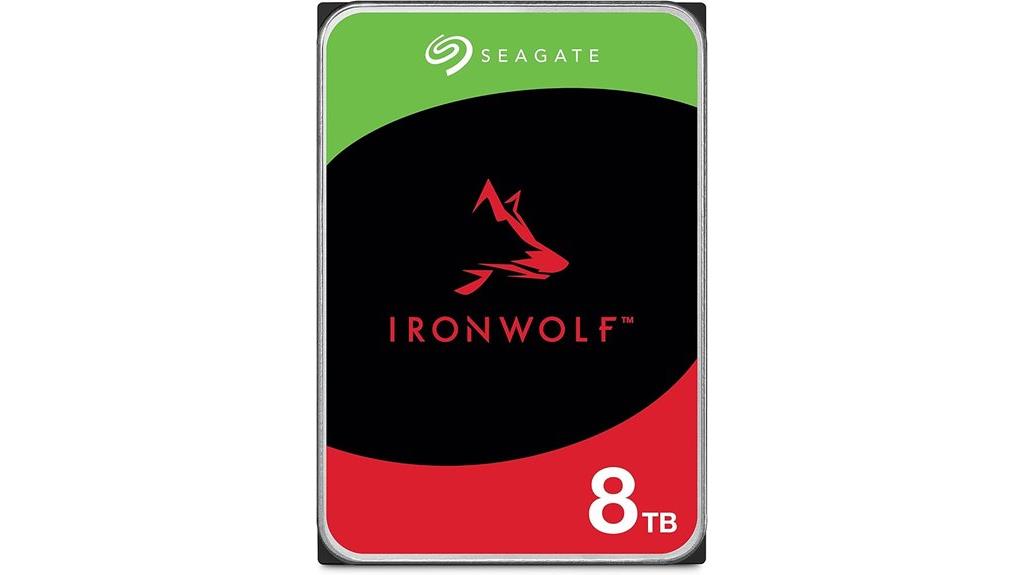
For anyone seeking reliable, high-capacity storage for a multi-user NAS environment, the Seagate IronWolf 8TB NAS Internal Hard Drive stands out as a top choice. It’s built specifically for NAS setups, supporting up to 8-bay systems with RAID compatibility. With a 7200 RPM speed and 256MB cache, it delivers fast data transfer rates of up to 6Gb/s, ensuring smooth performance. Designed for durability, it offers a 1 million-hour MTBF and features IronWolf Health Management for easy drive monitoring. Plus, it comes with a five-year warranty and Rescue Data Recovery Services, giving you peace of mind for long-term, reliable storage.
Best For: individuals or businesses seeking reliable, high-capacity, multi-user NAS storage solutions to ensure data integrity and performance.
Pros:
- Supports up to 8-bay NAS systems with RAID compatibility for flexible storage configurations
- High rotational speed of 7200 RPM and 256MB cache for fast data transfer and quick access
- Long-term reliability with a 1 million-hour MTBF and built-in health management system
Cons:
- Designed specifically for NAS environments, so less suitable for desktop or external storage needs
- May be more expensive than standard desktop hard drives due to enterprise features and warranty coverage
- Limited to 6Gb/s data transfer rate, which might be slower than newer interfaces in some high-speed applications
BUFFALO TeraStation 3430DN 4-Bay NAS with Hard Drives
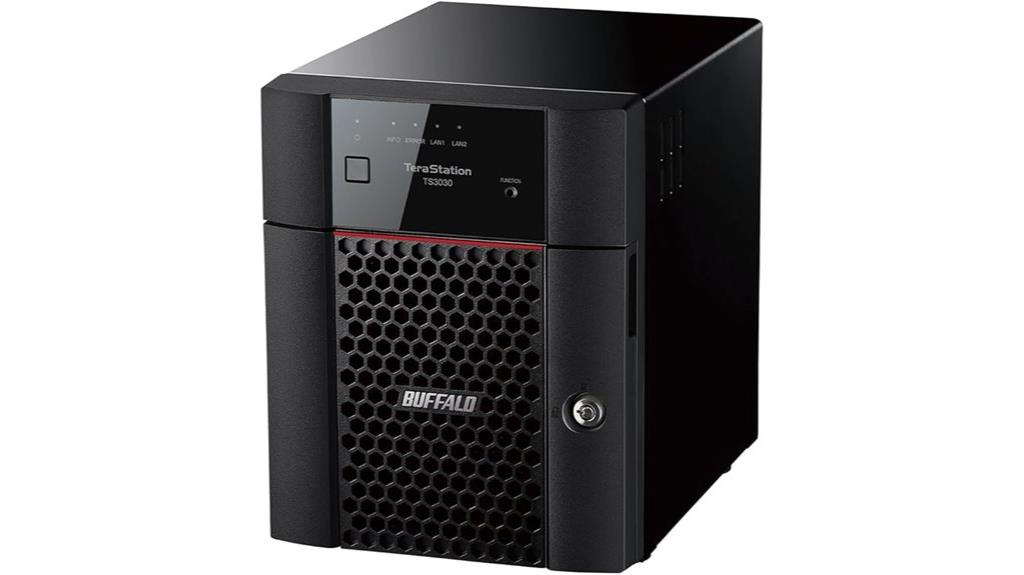
The Buffalo TeraStation 3430DN stands out as an ideal choice for small offices seeking reliable, secure, and scalable NAS solutions. It features a 4-bay design with two pre-installed 2TB drives in RAID 1, offering 2TB of usable space, with the flexibility to switch to RAID 0 for full 4TB capacity. Built for 24/7 operation, it ensures high performance and dependable uptime. Security is a priority, with 256-bit drive encryption, two-factor authentication, and proactive monitoring to thwart attacks. Plus, it supports cloud integration with services like Dropbox and Amazon S3, making data management and expansion straightforward.
Best For: small offices requiring reliable, secure, and scalable network storage with easy expansion and cloud integration.
Pros:
- Supports RAID 1 for data redundancy and quick setup with pre-installed drives
- Robust security features including 256-bit encryption and two-factor authentication
- Designed for 24/7 operation with high performance and reliable uptime
Cons:
- Limited to 2TB usable capacity in RAID 1 unless switched to RAID 0
- May require technical knowledge for RAID configuration and network setup
- Higher initial cost compared to basic NAS devices without security features
Factors to Consider When Choosing a Network Attached Storage With 2‑Factor
When selecting a NAS with 2-factor authentication, I consider several key factors to guarantee it meets my needs. Security features, storage capacity, and performance are essential, but I also look at compatibility and backup options. Addressing these points helps me find a device that’s reliable, secure, and fits my workflow.
Security Features Importance
Security features are a vital factor to consider when selecting a NAS with 2-factor authentication because they directly impact the device’s ability to protect sensitive data from cyber threats. Robust security measures, like 2FA, add an essential layer of protection, making unauthorized access much harder even if login credentials are compromised. Features such as SSL encryption complement 2FA by safeguarding data during transfer, preventing breaches from malicious actors. When choosing a NAS, I look for devices that support strong 2FA methods and advanced encryption options, as these considerably reduce risks of hacking and remote intrusion. These security features not only protect confidential information but also assure the integrity of the entire network environment, giving me peace of mind knowing my data remains secure against evolving cyber threats.
Storage Capacity Needs
Choosing a NAS with 2-factor authentication means not only considering security features but also ensuring it offers enough storage capacity to meet my needs now and in the future. I need to assess my current data volume, including media, backups, and system files, to select the right size. It’s important to contemplate if my storage demands will grow and whether the NAS supports expandable options like additional drive bays or larger hard drives. I also evaluate whether RAID configurations, such as RAID 0, 1, or 5, can help balance redundancy and capacity as my data needs evolve. Knowing the typical size of my data sets, whether terabytes of media or smaller project files, guides me in choosing a device with a maximum capacity that won’t limit my growth.
Performance Requirements
To guarantee my NAS meets my performance needs, I need to pay close attention to data transfer speeds, processing power, and network infrastructure. Data transfer speeds vary, with gigabit Ethernet supporting up to 125MB/s and 10GbE reaching 1.25GB/s, so I choose based on my workload. RAID configurations also influence performance; RAID 0 offers maximum speed, while RAID 1 balances speed with redundancy. The processor and RAM are essential, especially when managing multiple users or intensive tasks—more powerful CPUs and ample memory improve responsiveness. Additionally, SSD caching and NVMe drives can boost read/write speeds, reducing latency. Finally, my network setup—switch quality and cable integrity—must support these speeds to make certain I maximize my NAS’s potential.
Compatibility & Connectivity
When selecting a NAS with 2-factor authentication, ensuring compatibility with your existing network setup is essential. First, check that the device supports fundamental network interfaces like Gigabit Ethernet, 2.5GbE, or 10GbE, especially if you need higher transfer speeds. Multiple ports for link aggregation can enhance performance and reliability. Verify that the NAS works seamlessly with your current routers, switches, and cabling standards. Additionally, consider if it offers various connection options, such as USB, eSATA, or Thunderbolt, for direct device linking. Compatibility with your operating systems and protocols (SMB, NFS, AFP, iSCSI) is critical for smooth access. Finally, look for secure connection features like SSL encryption and VPN support to protect data during remote access.
Backup & Recovery Options
Once you’ve verified that your NAS integrates smoothly with your existing network and security setup, it’s important to contemplate its backup and recovery features. I look for devices that support automated backup schedules with versioning, making it easy to revert to previous data states when needed. Snapshot features are essential for near-instant backups, allowing quick restoration after data corruption or accidental deletion. Compatibility with multiple backup protocols like rsync, FTP, or cloud sync options broadens recovery choices. I also prioritize encrypted backups to safeguard data during transfer and storage, maintaining privacy and integrity. Additionally, flexible recovery solutions, such as hybrid cloud integration and local restoration, enhance disaster recovery plans and ensure data resilience, giving me peace of mind knowing my data is protected and easily recoverable.
Ease of Management
Choosing a NAS with 2-factor authentication becomes much easier when it offers straightforward management features. A user-friendly interface makes setup, configuration, and maintenance much simpler. Intuitive management tools, like centralized dashboards and automated alerts, help me stay on top of system health and updates without hassle. Support for web-based management consoles accessible via browsers allows me to manage the NAS remotely, which is convenient. Built-in wizards and guided workflows streamline complex tasks such as RAID setup, user permissions, and network configuration, saving me time and reducing errors. Additionally, compatibility with mobile apps and third-party management solutions makes overseeing the system on the go effortless. All these features combined ensure managing my NAS is efficient, stress-free, and accessible from anywhere.
Price & Support Value
Price and support value are essential factors because a higher upfront cost often means better service, faster support, and longer warranties. I’ve found that investing more in a NAS usually grants access to 24/7 support, quicker response times, and thorough troubleshooting resources. These features are crucial when managing critical data or minimizing downtime. Budget-friendly options might save money initially but often lack robust support, have shorter warranties, and limited assistance, which can lead to higher long-term costs. Support services like data recovery, hardware replacement, and proactive monitoring can save time and reduce operational disruptions. Ultimately, paying a bit more for a NAS with strong support options provides peace of mind, ensuring swift issue resolution and reliable performance when it matters most.
Frequently Asked Questions
How Does 2-Factor Authentication Integrate With NAS Device Login Processes?
2-factor authentication integrates with NAS device login processes by adding an extra security step. When I log in, I enter my password first, then I receive a code via SMS, email, or an authenticator app. I input that code to verify my identity. This way, even if someone gets my password, they can’t access my data without the second factor, making my NAS much more secure.
Are There Specific Security Protocols Required for 2FA on NAS Devices?
Yes, there are specific security protocols needed for 2FA on NAS devices. I guarantee that my NAS supports protocols like RADIUS, LDAP, or OAuth, which facilitate secure 2FA integration. Additionally, I configure multi-factor authentication apps like Google Authenticator or Authy, and enforce secure communication channels like SSL/TLS. These protocols help protect my data by verifying user identities thoroughly, preventing unauthorized access even if passwords are compromised.
Can 2FA Be Customized for Different User Access Levels?
Think of 2FA like a multi-layered lock on your storage vault. Yes, you can customize 2FA for different user access levels. I set stricter authentication for admins and simpler for regular users, ensuring critical data stays secure while maintaining ease of access. This tailored approach helps me control who can do what, adding an extra shield of protection exactly where it’s needed most.
What Are Common Challenges When Implementing 2FA on NAS Devices?
Implementing 2FA on NAS devices can be tricky because compatibility issues often arise with existing systems. I’ve found that configuring the authentication process can be complex, especially for non-technical users. Additionally, ensuring that all users consistently use 2FA without causing access delays is challenging. Sometimes, device limitations or software updates interfere with 2FA functionality, making it essential to choose compatible hardware and keep firmware current for smooth integration.
How Does 2FA Impact NAS Device Performance and User Convenience?
Ever wondered if 2FA slows down your NAS experience? Honestly, the impact is minimal. While it adds an extra security step, most devices handle it smoothly, with quick authentication methods like push notifications or biometrics. User convenience might be slightly affected during login, but it’s a small price for increased security. Overall, 2FA enhances safety without substantially compromising performance or ease of use—making your data much safer, hassle-free.
Conclusion
Choosing a NAS with 2-factor authentication is like building a fortress around your digital treasures. It’s not just about storing files; it’s about safeguarding your castle from unseen invaders. As you select the right device, remember that security is the sturdy moat that keeps threats at bay. With the right NAS, you’re not just storing data—you’re fortifying your digital domain against the storms of cyber threats.