
Many believe adding symbols or changing passwords frequently makes them stronger, but that’s a myth. The real key is using long, unique, and unpredictable passphrases that are easy for you to remember but hard for others to guess. Combining length with some complexity offers better security than short, complicated passwords. Layered security like multi-factor authentication adds extra protection. Keep these facts in mind, and you’ll discover how simple changes can greatly boost your online safety.

Get privacy and security gear delivered free with Prime
- Fast, free delivery on millions of items
- Prime Video, Amazon Music and more included
- Member-only deals all year
Key Takeaways
- Length is more critical than adding numbers or symbols; aim for 12-16 characters for stronger security.
- Avoid relying on predictable patterns; use random, lengthy passphrases for better protection.
- Frequent password changes can weaken security; update only if a breach occurs.
- Writing down passwords isn’t inherently unsafe if stored securely; password managers are recommended.
- Combining long, unique passwords with multi-factor authentication provides the strongest defense.

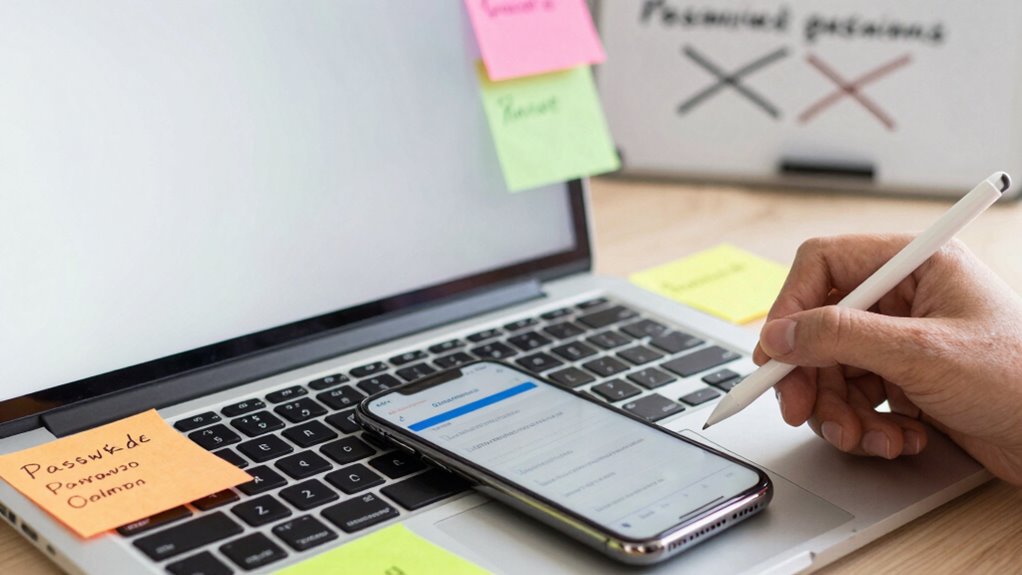
Many people believe that adding numbers and symbols automatically makes passwords stronger. But complexity rules often lead to predictable patterns like Password123! or P@ssword. Instead, focusing on length offers better security. For example, a 12- to 16-character password strikes the right balance between security and usability. Longer passwords are exponentially harder to crack—16 characters can take centuries to break with current computing power. Even passwords consisting of random words, like “AspenDogTurquoise,” can be incredibly strong if they’re long enough, often taking hundreds of years to crack. Combining length with some complexity provides ideal defense. Additionally, utilizing proper security practices such as multi-factor authentication adds an extra layer of protection beyond just strong passwords. Another misconception is that frequent password changes improve security. In reality, changing passwords monthly encourages users to pick weaker, more predictable variations—adding numbers or symbols to meet arbitrary deadlines. Experts now recommend changing passwords only if you suspect a breach or evidence of compromise. Regular resets don’t necessarily enhance security and can lead to frustration, resulting in poor choices. Instead, focus on creating strong, unique passwords initially, and only change them when necessary. Finally, many believe that writing down passwords is unsafe or that memorizing them is enough. But relying solely on memory often leads to reuse or predictable patterns, especially for complex passwords. Password managers eliminate this risk by securely generating and storing unique passphrases—long, memorable sequences of words that are tough for hackers to crack. These managers help you maintain strong, varied passwords without the mental burden of memorization. Remember, hashing and other security measures protect passwords in databases, but your best defense remains strong, unique passwords combined with multi-factor authentication.
Frequently Asked Questions
Is It Better to Change Passwords Regularly Regardless of Compromise?
You shouldn’t change passwords regularly unless there’s evidence of a compromise. Forcing frequent resets can lead to weaker passwords or reuse of old ones, which weakens your security. Focus instead on creating strong, unique passwords using a password manager and enabling multifactor authentication. Regularly monitor your accounts for suspicious activity, but don’t reset passwords just because of a routine schedule. This approach keeps your accounts safer and reduces user frustration.
Do Symbols and Uppercase Letters Significantly Strengthen a Password?
Symbols and uppercase letters do add some complexity, but their impact on strength is limited if your password is already long and unique. Focusing on length, especially with passphrases over 15 characters, offers far greater protection. Instead of obsessing over adding symbols or uppercase letters, prioritize creating a long, random, unique password or passphrase. Use a password manager to generate and store these secure credentials effortlessly.
Are Password Managers Safe to Store All My Passwords?
Sure, your trusty password manager is as safe as a vault in Fort Knox—if you pick a reputable one. It encrypts your passwords, so even if hackers break in, they see only gibberish. Just remember, don’t reuse master passwords or store it insecurely. Use two-factor authentication and keep your software updated. With those precautions, your password vault is a fortress, not a paper bag.
Can Passphrases Be Easier to Remember Than Complex Passwords?
Yes, passphrases can be easier to remember than complex passwords. By combining multiple real words into a phrase, you create a longer, memorable string that’s still very secure. Aim for at least 15 characters, using common words you can recall easily. Avoid simple or predictable phrases, and consider using a password manager to generate and store stronger passphrases, ensuring both ease of recall and high security.
Are Biometrics or Passkeys More Secure Than Traditional Passwords?
Biometrics and passkeys are generally more secure than traditional passwords because they use unique physical traits or cryptographic keys, making them hard to crack. You can think of them as a fortress that’s tough to breach, unlike passwords which can be guessed or stolen. While no system is foolproof, employing biometrics or passkeys considerably reduces your attack surface, keeping your accounts safer without the hassle of remembering complex passwords.
Conclusion
Now that you’ve busted the myths, you’re armed with real knowledge to craft stronger passwords. Remember, a password isn’t a fortress made of complex characters alone—it’s a key that should be unique, memorable, and kept secret. Think of your password as a lighthouse guiding away threats in a stormy sea; its strength lies in simplicity and unpredictability. By applying these truths, you turn your digital security into a sturdy ship, ready to weather any cyber storm.
Halloween Picks
halloween
As an affiliate, we earn on qualifying purchases.