
TL;DR

Get privacy and security gear delivered free with Prime
- Fast, free delivery on millions of items
- Prime Video, Amazon Music and more included
- Member-only deals all year
Building a DIY AI workstation was cheaper, but recent component shortages and price spikes mean prebuilt systems often now match or beat DIY costs. Your choice depends on your need for customization, support, and how much time you want to spend tuning your machine.
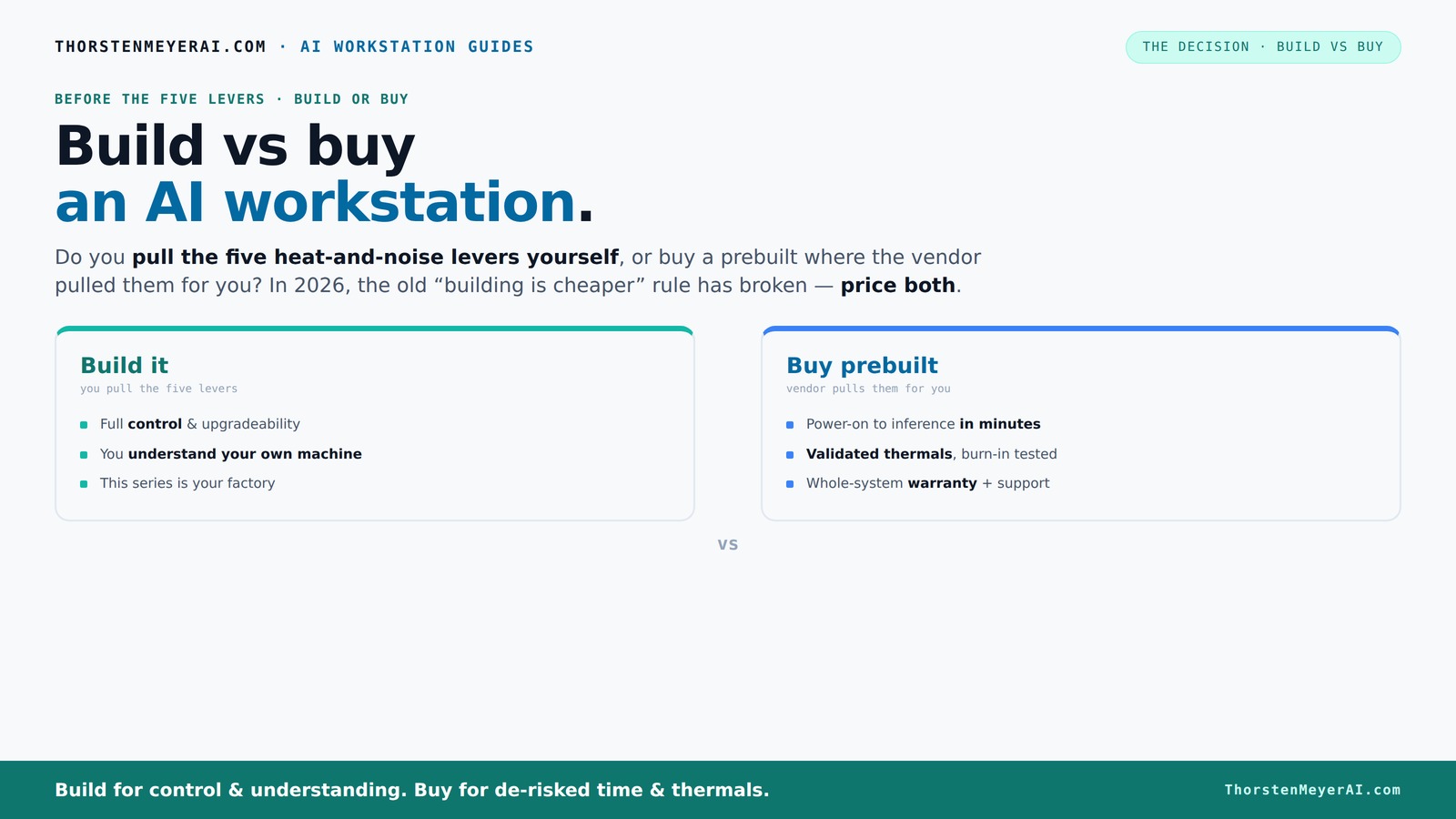
Build vs buy
an AI workstation.
The real question behind this whole series: do you pull the five heat-and-noise levers yourself, or buy a prebuilt where the vendor pulled them for you? And in 2026, the old “building is cheaper” rule has broken. Match your situation in Part 3.
Key Takeaways
- Component shortages in 2026 have pushed up prices, making prebuilt systems often as affordable as DIY builds.
- Building your own AI workstation offers customization but requires time, technical skill, and patience for troubleshooting.
- Prebuilt systems from reputable vendors come with validated thermals, warranties, and support, saving you hours and stress.
- Deciding depends more on your priorities—control and tinkering versus convenience and support—than just cost.
- For complex multi-GPU setups or high-reliability needs, prebuilt workstations typically offer better thermal management out of the box.
Products Worth Considering

Logitech MX Mechanical Wireless Illuminated Keyboard, Tactile Quiet, Graphite

Apple iPad Air (2025) 13‑inch Wi‑Fi 256 GB – Space Gray (M3 chip)

Amazon Kindle Paperwhite (12th Generation, 2024), 16 GB, 7-inch Display, Jade
As an affiliate, we earn on qualifying purchases.
Why the old rule of 'build cheaper' no longer holds in 2026
Building your own AI workstation used to be the budget-friendly champion. You could pick parts, assemble, and save hundreds. But recent global chip shortages, supply chain snarls, and bulk buying by prebuilt makers have changed that. A build that cost $1,200 last year now costs around $1,500 or more, while prebuilt systems often stay competitive or even cheaper.
For example, a high-end GPU like the NVIDIA RTX 4090 surged in price from around $1,200 to over $1,600 last year. Meanwhile, prebuilt systems from companies like Lambda or BIZON now include these GPUs at a price very close to, or below, piecing it together yourself, thanks to bulk discounts and optimized sourcing.
This shift has significant implications. It means that the traditional advantage of building—cost savings—has eroded, forcing you to consider other factors like support, warranty, and time investment. The tradeoff is now less about immediate savings and more about long-term control and peace of mind. If you value having a system that’s ready to deploy with minimal hassle, prebuilt options may offer better value, especially when the cost difference is negligible or reversed.
What does it really mean to 'build' your AI workstation today?
Building means more than just assembling parts. It’s about tuning every lever—overclocking GPUs, matching cooling systems, optimizing airflow, and fine-tuning fan curves. You get a machine tailored exactly to your workload, whether it’s deep learning, data analysis, or training large models.
Imagine you’re a hobbyist who loves tweaking. You pick a quiet GPU, undervolt it for less heat, install a custom water-cooling loop, and set up airflow to keep temperatures steady at 65°C during heavy training. That’s building in action—your hands, your rules.
But it’s also a puzzle—matching components, troubleshooting driver issues, and balancing noise with performance. It’s rewarding but demands time and expertise. The tradeoff: you gain maximum customization and potentially better thermal performance, but at the cost of increased complexity and time investment. This process matters because in AI workloads, efficient thermal management and noise control directly impact hardware longevity and operational stability. Poor airflow or inadequate cooling can cause thermal throttling, reducing performance, or even hardware failure over time. Therefore, understanding and tuning these aspects is crucial for maintaining high performance over long training sessions or continuous operation.
Why buying a prebuilt might be your smarter move in 2026
If you value plug-and-play simplicity, prebuilt systems are often the better choice now. Companies like Puget Systems or Lambda test and tune each machine—running it under load for hours, optimizing fans, and ensuring thermal stability before shipping. They stand behind their work with warranties, so if something goes wrong, you’re covered.
For example, a prebuilt AI workstation with dual GPUs, 128GB RAM, and enterprise-grade cooling can be ready to go in minutes. You turn it on, install your software stack, and start training or inference. No fuss, no troubleshooting, no waiting for parts.
This approach also reduces the risk of compatibility issues or thermal bottlenecks that can be tricky to diagnose and resolve in custom builds. The validation process these vendors perform ensures that the hardware operates within safe temperature ranges, maintaining performance consistency during prolonged workloads. This reliability is especially critical for professional AI tasks where downtime or hardware failure can be costly. Additionally, support from these vendors often includes on-site repairs or rapid replacements, which can save you significant time and frustration in the long run. Considering the complexity of high-performance AI hardware, the peace of mind offered by prebuilt systems often outweighs the initial cost difference, especially for those who need dependable, ready-to-run solutions.
The heat-and-noise battle: who pulls the levers?
Running high-performance AI hardware is like managing a furnace—heat and noise are your enemies. For more insights, visit drone technology and UAV innovations. Building your own gives you control over the five levers: undervolting, cooling, airflow, fan tuning, and placement. You can make the system whisper quiet or push it to the limit.
Prebuilts, on the other hand, handle all this at the factory. They validate thermals, tune fan curves, and often include water cooling to keep noise low and temperatures stable. Companies like BIZON promise systems engineered for up to 30% lower noise and temps, all tested before shipping.
This means that prebuilt systems are designed with thermal management in mind, often resulting in more consistent and quieter operation out of the box. For users who prioritize a quiet environment or need consistent thermal performance for extended AI training sessions, prebuilt solutions reduce the guesswork and manual tuning involved in DIY setups. Conversely, if you’re a thermal tinkerer, building your own allows you to push the limits, but it requires ongoing adjustments and monitoring. The choice hinges on your comfort with managing these aspects and your specific noise and thermal requirements. Effective thermal management directly affects hardware lifespan and performance stability, making this a critical consideration for sustained AI workloads.
Cost comparison: building vs buying in today’s market
| Factor | Build Your Own | Buy Prebuilt |
|---|---|---|
| Typical Cost | $1,250–$2,500 for mid-range, more for high-end | $2,000–$6,000 for ready-to-run systems |
| Component Shortages | Price spikes for GPUs, RAM, SSDs | Bulk buying reduces some costs, often more stable |
| Support & Warranty | Limited to individual parts, DIY troubleshooting | Full support, warranties up to 5 years |
| Time & Effort | Several hours to days assembling, tuning | Minutes to set up, minimal effort |
How to decide: should you build or buy?
Follow this simple checklist to find your best fit:
- Assess your skills: Are you comfortable assembling and tuning hardware?
- Define your budget: Can you afford a high-quality prebuilt, or do parts fit your budget better?
- Time availability: Do you have hours or days to build and troubleshoot?
- Performance needs: Do you require custom cooling, ultra-quiet operation, or multi-GPU setups?
- Long-term plans: Will you upgrade your machine over time?
If you prefer a hassle-free experience and support, a prebuilt is likely your best bet. If you enjoy tinkering and want maximum control, building is still a rewarding choice—just keep the current market realities in mind.