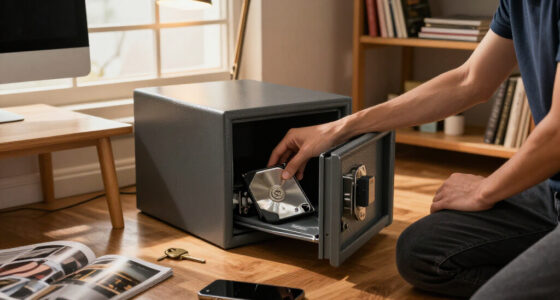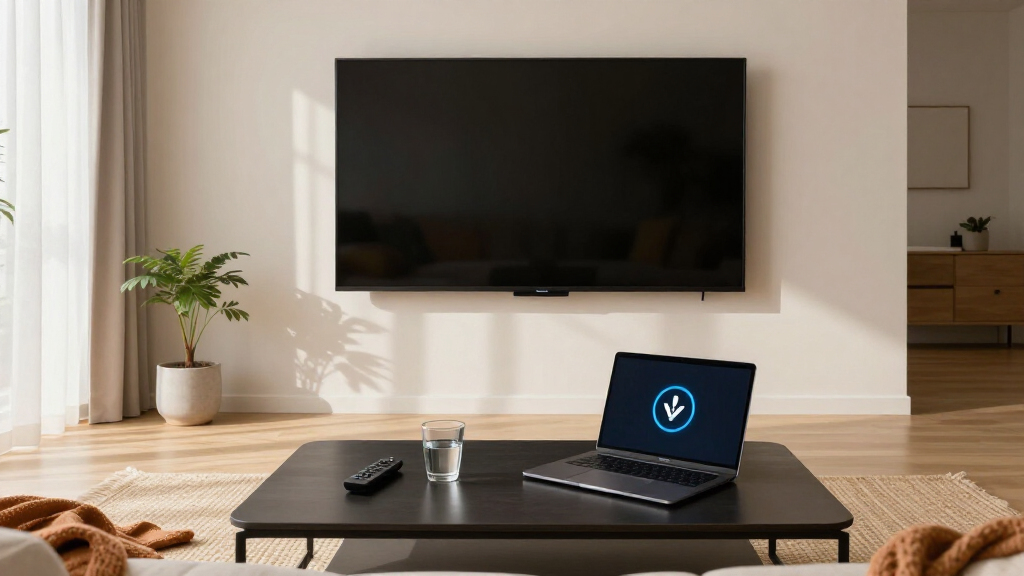

The best privacy-focused smart TVs balance useful streaming features with control over data collection, voice features, and connected services. I’d put the Roku 65-Inch Select Series 4K QLED first for buyers who want a straightforward platform with privacy settings to review, while the Roku 55-Inch Select Series offers a smaller-screen alternative and the Samsung S90H OLED is a premium picture-quality choice for viewers willing to spend more time managing smart features. The main tradeoff is that connected platforms make streaming convenient but can involve data collection, while limiting network access can reduce smart-TV functionality. Screen size, picture quality, and platform preferences matter alongside privacy controls. Read on for the full breakdown and guidance on choosing a TV that fits your viewing habits.

Get privacy and security gear delivered free with Prime
- Fast, free delivery on millions of items
- Prime Video, Amazon Music and more included
- Member-only deals all year
Key Takeaways
- Roku’s three Select models share a platform-first advantage: the 65-inch and 55-inch 4K QLED sets suit larger rooms, while the 40-inch 1080p model is the compact choice; screen size and resolution separate them more than privacy intent.
- The Roku 65-inch Select is the roundup’s best overall fit for shoppers prioritizing a simple streaming experience, while the 55-inch version is the more practical pick when a smaller screen better suits the room.
- Premium picture quality brings platform tradeoffs: Samsung’s S90H OLED and LG’s C6 and C4 OLED models target viewers who place image performance high on the list and should be prepared to review their connected-TV settings.
- The Hisense U7 and Samsung QN70F offer Mini-LED alternatives for buyers who want a large 4K screen without choosing an OLED, but their Google TV and Samsung smart platforms call for their own privacy-setting review.
- No model makes privacy automatic. Buyers should check current data, voice, advertising, and viewing-information settings after setup, and may prefer an external streaming device or offline use for tighter control.
| Roku 65-Inch Select Series 4K QLED Smart TV |  | Best for a Simple, Big-Screen Roku Setup | Screen size: 65 inches | Display type: QLED | Resolution: 4K | VIEW LATEST PRICE | See Our Full Breakdown |
| Roku 55-Inch Select Series 4K QLED Smart TV |  | Best Mid-Size Roku Value | Screen size: 55 inches | Display technology: QLED, LED | Resolution: 4K UHD | VIEW LATEST PRICE | See Our Full Breakdown |
| Samsung 48-Inch Class S90H Series OLED 4K Smart TV (2026 Model) |  | Best for Gaming and Picture Quality | Screen size: 48 inches | Display type: OLED | Resolution: 4K | VIEW LATEST PRICE | See Our Full Breakdown |
| Samsung 65-Inch Neo QLED QN70F 4K Mini LED Smart TV (2025) |  | Best Large-Screen Gaming Alternative | Screen size: 65 inches | Display technology: Neo QLED Mini LED | Resolution: 4K | VIEW LATEST PRICE | See Our Full Breakdown |
| Roku Select Series 40-Inch 1080p Full HD Smart TV |  | Best Compact Roku for Secondary Rooms | Screen size: 40 inches | Display technology: LED | Resolution: 1080p Full HD | VIEW LATEST PRICE | See Our Full Breakdown |
| LG OLED evo AI C6 65″ 4K Smart webOS TV (2026) with Extended Protection Bundle |  | Best for OLED Gaming | Screen size: 65 inches | Resolution: 4K | Panel: OLED evo | VIEW LATEST PRICE | See Our Full Breakdown |
| Hisense 65″ U7 Mini-LED ULED 4K UHD Smart Google TV (65U7SG, 2026) |  | Best for Bright Rooms | Screen size: 65 inches | Resolution: 4K UHD | Display technology: Mini-LED / ULED (Hi-QLED) | VIEW LATEST PRICE | See Our Full Breakdown |
| LG 65-Inch OLED evo C4 Series 4K Smart TV (OLED65C4PUA, 2024) |  | Best Established OLED Choice | Screen size: 65 inches | Resolution: 4K | Display type: OLED evo | VIEW LATEST PRICE | See Our Full Breakdown |
| privacy-focused smart TV | Screen size | Resolution | Refresh rate | Smart platform |
|---|---|---|---|---|
| Roku 65-Inch Select Series 4K | 65 inches | 4K | — | Roku TV |
| Roku 55-Inch Select Series 4K | 55 inches | 4K UHD | 60 Hz | — |
| Samsung 48-Inch Class S90H Ser | 48 inches | 4K | 165Hz Motion Xcelerator | — |
| Samsung 65-Inch Neo QLED QN70F | 65 inches | 4K | — | Samsung Smart TV |
| Roku Select Series 40-Inch 108 | 40 inches | 1080p Full HD | 60 Hz | — |
| LG OLED evo AI C6 65" 4K Smart | 65 inches | 4K | Up to 165Hz | webOS 26 with Google Gemini and Microsoft Copilot |
| Hisense 65" U7 Mini-LED ULED 4 | 65 inches | 4K UHD | — | Google TV with Gemini AI |
| LG 65-Inch OLED evo C4 Series | 65 inches | 4K | Up to 144Hz | — |
More Details on Our Top Picks
Roku 65-Inch Select Series 4K QLED Smart TV
The 65-inch screen and simple Roku TV home screen make this the strongest fit here for buyers who want a large, approachable streaming TV without a complicated setup. Roku Voice, Siri, Alexa, and Google Assistant compatibility offer several ways to control it, though voice features and streaming services can involve internet-connected accounts. The supplied details do not describe privacy controls, data collection settings, or ad personalization switches, so I would not treat the easy interface as proof of stronger privacy.
Compared with the 55-inch Roku Select, this model gives you more screen area but fewer detailed specifications are provided, making a direct feature comparison harder. Its 4K QLED picture and HDR10 support are a step up in resolution and color from the 40-inch Roku Full HD, while built-in audio is geared toward clearer speech rather than immersive sound. Choose it for screen size and straightforward streaming, not for documented privacy protections.
Pros:- 65-inch 4K QLED display with HDR10
- Roku TV offers a simple home screen and access to streaming apps and free live TV
- Works with Roku Voice, Siri, Alexa, and Google Assistant
- Voice remote includes a lost-remote finder
Cons:- Product details do not specify privacy settings or controls for personalized recommendations
- Built-in audio prioritizes speech clarity over immersive sound
- Some features depend on an internet connection and app availability
Best for: Households that want a large Roku TV and straightforward access to streaming, live TV, and voice control.
Not ideal for: Privacy-first buyers who require documented data controls, or viewers who need immersive built-in sound without a separate audio system.
- Screen size:65 inches
- Display type:QLED
- Resolution:4K
- HDR:HDR10
- Smart platform:Roku TV
- Connectivity:Wi-Fi, Bluetooth, Apple AirPlay
- Voice control:Roku Voice, Siri, Alexa, Google Assistant
- Remote:Enhanced voice remote with lost-remote finder
Our verdict“Choose this Roku for a large, simple streaming screen, but look elsewhere if verified privacy controls are your main requirement.”
Roku 55-Inch Select Series 4K QLED Smart TV
This 55-inch Select Series is a sensible middle ground for buyers who want 4K QLED and Roku’s familiar streaming layout without stepping up to the 65-inch model. Its published specs also spell out HDR10, HDR10+, and HLG, plus four HDMI ports, which helps buyers check device compatibility before purchase. That detail makes it easier to evaluate than the 65-inch Roku listing, whose supplied specifications are less extensive.
For privacy-conscious households, the clear interface may make everyday use less confusing, but the product information does not identify tracking, voice-data, or recommendation controls. Voice assistants and personalized services can involve connected accounts, so buyers should review the platform’s settings rather than assume a privacy advantage. Compared with the 40-inch Roku Full HD, this is the better fit for a main-room 4K screen; compared with the Samsung S90H, it gives up OLED contrast and high-refresh gaming for a more conventional streaming-focused setup. Its 60 Hz panel also suits everyday viewing better than fast-motion gaming.
Pros:- 55-inch 4K QLED screen with HDR10, HDR10+, and HLG support
- Four HDMI ports and two USB ports for connected devices
- Roku streaming, free live TV options, and AirPlay 2 screen mirroring
- Voice remote has a lost-remote finder
Cons:- 60 Hz refresh rate and no motion enhancement technology
- Privacy and data-personalization controls are not detailed in the supplied product information
- Maximum brightness is listed as 250 nits
Best for: Viewers seeking a mid-size 4K Roku TV with clearly listed connections and broad voice-assistant compatibility.
Not ideal for: Gamers who want high refresh rates, or privacy-focused buyers seeking documented controls over data collection and personalization.
- Screen size:55 inches
- Display technology:QLED, LED
- Resolution:4K UHD
- Refresh rate:60 Hz
- HDR formats:HDR10, HDR10+, HLG
- Maximum brightness:250 nits
- HDMI ports:4
- Screen mirroring:AirPlay 2, Miracast
- Voice assistants:Roku Voice, Siri, Alexa, Google Assistant
Our verdict“Pick this model for a mid-size 4K Roku setup with clearly specified connections, not for high-refresh gaming or proven privacy controls.”
Samsung 48-Inch Class S90H Series OLED 4K Smart TV (2026 Model)
The 48-inch OLED panel and 165Hz gaming support make the S90H the specialist pick for gamers who want a compact 4K screen with deep contrast and adaptive-sync support. Glare Free technology targets reflections, while the NQ4 AI Gen3 processor is described as upscaling content and enhancing picture and sound. That combination gives it a clear picture-and-gaming advantage over the Roku Select models, which are listed at 60 Hz and focus more on accessible streaming than advanced gaming.
Its privacy case is less clear: the supplied details name no smart platform, voice assistant, or privacy controls. That absence does not prove the TV lacks those features, but it leaves buyers with less information than the Samsung QN70F, which lists its platform and built-in Alexa. OLED also carries a potential burn-in tradeoff when static images stay on screen for long periods. I would shortlist this for responsive gaming, not as a privacy leader backed by disclosed controls.
Pros:- 48-inch 4K OLED display with OLED HDR+
- 165Hz Motion Xcelerator with NVIDIA G-SYNC and AMD FreeSync Premium Pro
- Glare Free technology is designed to reduce distracting reflections
- NQ4 AI Gen3 processor with 128 neural networks for upscaling and enhancement
Cons:- OLED panels may be susceptible to burn-in from prolonged static content
- Supplied product details do not identify the smart platform or voice assistant
- Privacy controls and data practices are not specified
Best for: Console and PC gamers who want a compact 4K OLED with high refresh support and adaptive sync.
Not ideal for: Buyers who need documented smart-platform privacy settings, or households that leave static menus and images on screen for long periods.
- Screen size:48 inches
- Display type:OLED
- Resolution:4K
- Processor:NQ4 AI Gen3, 128 neural networks
- Refresh rate:165Hz Motion Xcelerator
- Gaming features:NVIDIA G-SYNC, AMD FreeSync Premium Pro
- HDR support:OLED HDR+, Auto HDR Remastering
- Model year:2026
Our verdict“Choose the S90H for high-refresh OLED gaming in a smaller room, but not when privacy disclosures are your deciding factor.”
Samsung 65-Inch Neo QLED QN70F 4K Mini LED Smart TV (2025)
The QN70F pairs a 65-inch Mini LED screen with 4K VRR gaming up to 144Hz, making it the large-screen performance pick in this group. Its Samsung Smart TV platform and built-in Alexa are explicitly identified, unlike the Samsung S90H listing, which leaves its platform and voice assistant unspecified. That makes the QN70F easier to evaluate as a connected TV, but it does not establish that its privacy controls are stronger: the supplied product details say nothing about data collection or ad personalization settings.
Compared with the 65-inch Roku Select, the QN70F adds Mini LED backlighting and high-refresh gaming, while Roku’s appeal is its simpler, more clearly described streaming interface. Samsung also lists thousands of free channels, but channel availability and connected services depend on the platform and region. Its AI processing can upscale content, though conversion of standard dynamic range material is not the same as native HDR. Choose it for screen size and gaming capability, not for an evidenced privacy advantage.
Pros:- 65-inch 4K Neo QLED display with Mini LED lighting
- Supports 4K VRR gaming up to 144Hz
- Samsung Smart TV platform and Alexa built in are specified
- Includes access to more than 2,700 free channels
Cons:- Product information does not detail privacy or ad-personalization settings
- Maximum 4K 144Hz performance depends on compatible hardware and content
- Upscaling SDR content does not make it equivalent to native HDR
Best for: Living-room gamers and streaming households that want a large 4K screen, VRR, and a named smart platform.
Not ideal for: Privacy-first shoppers who require disclosed data controls, or buyers who want a simple interface without a broad connected-TV ecosystem.
- Screen size:65 inches
- Display technology:Neo QLED Mini LED
- Resolution:4K
- Processor:NQ4 AI Gen2
- Neural networks:20
- Maximum refresh rate:144Hz
- Gaming support:4K VRR up to 144Hz
- Smart platform:Samsung Smart TV
- Voice assistant:Alexa built in
Our verdict“Choose the QN70F for a large Mini LED gaming screen with a named smart platform, but verify Samsung’s privacy settings before relying on it as a privacy-focused choice.”
Roku Select Series 40-Inch 1080p Full HD Smart TV
The 40-inch Select Series is the most space-conscious option here, with Roku streaming, voice search, AirPlay 2, and Bluetooth headphone mode in a smaller Full HD format. It suits a bedroom or smaller living space where 1080p is a practical match for the screen size. Its product details list no privacy controls, so Roku’s simple interface should not be mistaken for a privacy guarantee; voice search and connected apps still involve online services.
Compared with the 55-inch Roku Select, this model gives up 4K QLED resolution and some screen area in exchange for a more compact footprint. It also trails the 65-inch Roku on screen size, but retains the same general Roku-first approach and adds useful night-listening features. The 60 Hz panel and lack of motion enhancement make it a less suitable choice for fast-moving games, while 250-nit brightness may limit viewing in bright rooms. I would choose it for a secondary room, not as the roundup’s strongest picture or privacy pick.
Pros:- Compact 40-inch screen with Roku streaming and free live TV access
- AirPlay 2 and Miracast screen mirroring
- Bluetooth headphone mode supports quieter night listening
- Voice search works with Roku Voice, Siri, Alexa, and Google Assistant
Cons:- 1080p resolution falls short of the 4K Roku models in this roundup
- 60 Hz refresh rate with no motion enhancement technology
- Privacy and recommendation-data controls are not specified
Best for: People furnishing a bedroom, guest room, or compact apartment who want built-in streaming and private headphone listening.
Not ideal for: Main-room viewers seeking 4K detail, bright-room performance, or high-refresh gaming, and privacy-focused buyers who need documented data controls.
- Screen size:40 inches
- Display technology:LED
- Resolution:1080p Full HD
- Refresh rate:60 Hz
- Maximum brightness:250 nits
- HDR format:HDR10
- HDMI ports:3
- Screen mirroring:AirPlay 2, Miracast
- Mounting:Table mount or wall mount; VESA 200 x 300 mm
Our verdict“Pick this compact Roku for a secondary room and headphone listening, but choose a larger 4K model for a main viewing space.”
LG OLED evo AI C6 65″ 4K Smart webOS TV (2026) with Extended Protection Bundle
I rank the LG OLED evo AI C6 as the gaming-focused OLED pick: its self-lit pixels give each scene deep blacks, while 0.1ms response time and refresh rates up to 165Hz suit fast, compatible games. Compared with the Mini-LED Hisense 65U7SG, the C6 is the stronger fit for viewers who value OLED contrast and a rapid pixel response; the Hisense instead offers much higher stated peak brightness, which can matter in a sunlit room.
For privacy-conscious buyers, the choice is not just picture quality: this TV uses webOS 26 with Gemini and Copilot, so shoppers who prefer fewer connected services should review available voice, data, and personalization settings before setup. OLED can also be vulnerable to burn-in with prolonged static imagery, and the bundle’s protection plan and cables do not change the TV’s software practices. Its listed webOS update window is five years, a meaningful limit for buyers planning long ownership.
Pros:- Self-lit OLED pixels provide deep blacks and vivid color.
- Up to 165Hz refresh rate, VRR, G-Sync compatibility, and FreeSync Premium support fast gaming.
- Dolby Vision, Dolby Atmos, and FILMMAKER MODE support cinematic viewing.
- Bundle includes a one-year protection plan and two HDMI cables.
Cons:- OLED may be susceptible to burn-in from prolonged static content.
- webOS 26 includes Gemini and Copilot, which may not suit buyers seeking fewer connected AI features.
- webOS Re:New updates are listed for five years.
Best for: Console and PC gamers who want OLED contrast, high refresh rates, and are willing to review and limit smart features during setup.
Not ideal for: Buyers who want the brightest screen for a sunlit room, display static content for long periods, or prefer a smart TV platform without prominent AI integrations.
- Screen size:65 inches
- Resolution:4K
- Panel:OLED evo
- Processor:α11 AI Processor 4K Gen3
- Refresh rate:Up to 165Hz
- Smart platform:webOS 26 with Google Gemini and Microsoft Copilot
- HDR and audio:Dolby Vision and Dolby Atmos
- Model year:2026
Our verdict“Choose the C6 if OLED contrast and high-refresh gaming matter more than avoiding AI-enabled smart features or the possibility of OLED burn-in.”
Hisense 65″ U7 Mini-LED ULED 4K UHD Smart Google TV (65U7SG, 2026)
The Hisense 65U7SG is the bright-room alternative in this group: its listed peak brightness of up to 3000 nits and anti-reflection screen are aimed at keeping daytime viewing clear. Up to 3000 local dimming zones add contrast control, though the Mini-LED image differs from the pixel-level blacks of the LG OLED evo AI C6. The Hisense also posts a native 165Hz refresh rate and Game Booster VRR up to 330Hz, but that upper VRR figure depends on compatible gaming hardware.
Its privacy tradeoff is more apparent than its picture one: Google TV with Gemini AI brings connected services and AI features that may require a closer look at setup permissions and personalization controls. The provided product details do not specify privacy settings or data practices, so I would not treat the platform as a privacy advantage. Choose it for brightness, reflection handling, and gaming flexibility—not for a documented reduction in data collection.
Pros:- Peak brightness listed up to 3000 nits supports viewing in bright rooms.
- Anti-reflection dual-layer screen helps limit distracting reflections.
- Native 165Hz refresh rate and VRR up to 330Hz suit compatible gaming setups.
- Up to 3000 local dimming zones and Pantone-validated color support detailed images.
Cons:- Google TV with Gemini AI may not appeal to buyers who want fewer connected smart features.
- The listed 330Hz VRR ceiling requires compatible hardware to use.
- Mini-LED local dimming does not provide the same pixel-level black control as OLED.
Best for: Households with bright living rooms that want a reflection-reducing screen, strong HDR brightness, and high-refresh gaming support.
Not ideal for: Privacy-first buyers seeking documented limits on data collection, or viewers who prefer OLED’s pixel-level black control over Mini-LED dimming.
- Screen size:65 inches
- Resolution:4K UHD
- Display technology:Mini-LED / ULED (Hi-QLED)
- Native refresh rate:165Hz
- Local dimming zones:Up to 3000
- Peak brightness:Up to 3000 nits
- Smart platform:Google TV with Gemini AI
- HDR support:HDR10+, Dolby Vision IQ, and IMAX Enhanced
- Audio:2.1.2-channel, tuned by Devialet, with Dolby Atmos
Our verdict“Pick the Hisense for a bright room and feature-rich gaming, but skip it if a less connected platform is your main privacy requirement.”
LG 65-Inch OLED evo C4 Series 4K Smart TV (OLED65C4PUA, 2024)
The LG OLED evo C4 is the more established OLED option here, with a clearly specified five-year webOS Re:New update period and a 2024 platform generation. That makes its update timeline easier to weigh than the C6’s newer package, though both use webOS and neither listing provides detailed data-collection controls. Its 144Hz refresh rate and 0.1ms response time are ample for compatible gaming, while the newer C6 goes up to 165Hz and adds a newer processor.
For privacy-focused shopping, I’d treat the C4’s Alexa integration and smart-TV connectivity as reasons to check voice and personalization settings rather than as privacy benefits. Four HDMI 2.1 inputs are useful for connecting several consoles or other devices without frequent cable swaps. The tradeoff is that OLED remains susceptible to burn-in with static content, and the built-in audio may not deliver the impact of a separate sound system. Compared with the Hisense 65U7SG, this is the better match for OLED contrast, not maximum brightness.
Pros:- OLED evo pixels deliver deep blacks and strong contrast.
- Four HDMI 2.1 inputs provide room for multiple compatible devices.
- Up to 144Hz, 0.1ms response time, VRR, G-Sync, and FreeSync Premium support gaming.
- Five-year webOS Re:New update period is specified.
Cons:- Alexa Built-in and smart-TV connectivity may not suit buyers minimizing connected services.
- OLED panels can be susceptible to burn-in with prolonged static content.
- Built-in audio may lack the impact of an external sound system.
Best for: Buyers who want a 65-inch OLED with a stated five-year update period, multiple HDMI 2.1 inputs, and strong gaming support.
Not ideal for: Shoppers who need a bright-room screen, want to avoid Alexa-enabled connected features, or display static graphics for extended periods.
- Screen size:65 inches
- Resolution:4K
- Display type:OLED evo
- Processor:A9 AI Processor Gen7
- Refresh rate:Up to 144Hz
- HDMI inputs:4 HDMI 2.1
- Smart platform and updates:webOS with five-year webOS Re:New updates
- Voice assistant:Alexa Built-in
- Video and audio:Dolby Vision, FILMMAKER MODE, and Dolby Atmos
Our verdict“Choose the C4 if you want OLED contrast, several HDMI 2.1 connections, and a specified update window, while accepting connected voice features and OLED care tradeoffs.”

How We Picked
I ranked these eight TVs by how well their overall package fits a privacy-conscious buyer, not by picture quality alone. I considered the smart-TV platform and the privacy controls a buyer can review, the ease of limiting optional features, screen size and resolution, and whether the model’s strengths make sense for a particular room or viewing priority. Since platform features and menus can change through software updates, I avoid treating any manufacturer as a guarantee of minimal data collection.
The Roku Select models rank highly for a simple, consistent streaming experience and offer distinct size choices, with the 65-inch version leading as the most versatile fit and the 55-inch and 40-inch options serving smaller rooms. Premium OLEDs from Samsung and LG place higher for viewers who give more weight to picture quality, while Samsung’s QN70F and Hisense’s U7 provide Mini-LED alternatives. Those sets are not ranked as privacy leaders just because they offer more advanced displays: buyers still need to review each platform’s settings. I also account for tradeoffs such as resolution, platform preference, and the added setup complexity of connected features.
| privacy-focused smart TV | Smart platform | Display technology | Processor |
|---|---|---|---|
| Roku 65-Inch Select Series 4K | Roku TV | — | — |
| Roku 55-Inch Select Series 4K | — | QLED, LED | — |
| Samsung 48-Inch Class S90H Ser | — | — | NQ4 AI Gen3, 128 neural networks |
| Samsung 65-Inch Neo QLED QN70F | Samsung Smart TV | Neo QLED Mini LED | NQ4 AI Gen2 |
| Roku Select Series 40-Inch 108 | — | LED | — |
| LG OLED evo AI C6 65" 4K Smart | webOS 26 with Google Gemini and Microsoft Copilot | — | α11 AI Processor 4K Gen3 |
| Hisense 65" U7 Mini-LED ULED 4 | Google TV with Gemini AI | Mini-LED / ULED (Hi-QLED) | — |
| LG 65-Inch OLED evo C4 Series | — | — | A9 AI Processor Gen7 |
Factors to Consider When Choosing Best Privacy-focused Smart TVs
Privacy is shaped by how a TV is configured and used, not only by its brand or operating system. I’d make the decision in two passes: choose the display and platform that suit your household, then decide how much connected functionality you are willing to keep enabled. These factors help avoid paying for features you do not need or assuming a particular TV collects no data.
Decide How Much Smart Functionality You Need
A smart TV’s built-in apps are convenient, but every connected service adds accounts, permissions, and settings to manage. If you mainly watch streaming services, a built-in platform may be all you need; if you already use a separate streaming device, the TV’s smart features may matter less. Buyers seeking tighter limits can connect the TV only when needed or use external equipment whose settings they prefer to manage. Check whether the TV can be used with network access disabled, and what functions stop working when it is offline. Avoid assuming that a privacy toggle disables every type of data collection. Review the manufacturer’s current privacy documentation before purchase and again after setup.
Review Data, Voice, and Viewing-Information Controls
Privacy menus can separate several choices that sound similar: diagnostic data, personalized advertising, voice recognition, and viewing activity may each have different controls. Read the wording rather than switching off one setting and assuming every other feature follows it. A voice assistant may need microphone access, while a remote voice button or far-field microphone can introduce additional settings to check. If those features are not useful in your home, leaving them disabled reduces the number of services you have to manage. Ask everyone who uses the TV before changing shared settings, since restrictions can affect search and recommendations. Save a note of your choices so you can revisit them after a software update or factory reset.
Choose a Platform Your Household Can Manage
Roku, Samsung’s smart platform, webOS, and Google TV differ in interface, account requirements, app availability, and settings layout. Familiarity can be a privacy benefit: a household that can find and maintain its settings is less likely to leave options enabled by accident. Before buying, check whether your essential apps are available and whether the TV requires an account for the functions you plan to use. A platform with more recommendations or voice features is not automatically a poor choice, but those extras may mean more setup decisions. Choose for the people who will actually use the TV, not just the person configuring it. If you want to minimize platform dependence, favor a setup where the display can be used with an external player or limited network access.
Match Resolution and Screen Size to the Room
Screen size and resolution affect daily satisfaction more directly than a long feature list. The 40-inch Roku Select is the only 1080p option here, making it a sensible fit for a compact room or secondary screen, but it is less suited to buyers seeking a large 4K display. The 55-inch and 65-inch options offer more screen area, though a larger set can be awkward if seating distance or wall space is limited. Measure the viewing area and check stand or mounting needs before deciding. Do not buy a larger or sharper TV simply because it appears more future-proof if the room will not benefit. A well-sized television can be the better long-term choice than a higher-tier display that dominates the space.
Pay More for Display Benefits You Will Notice
OLED and Mini-LED are display choices, not privacy features, so treat them as a separate part of the decision. OLED models in this lineup suit buyers who place a premium on picture quality, while the Hisense U7 and Samsung QN70F provide Mini-LED alternatives. A higher-end display may make sense for frequent movie watching, gaming, or a room where image performance is a priority. It is harder to justify when the TV is used casually or when limiting connected features matters more than display technology. Compare the display benefits with your actual content and room conditions before paying for them. Privacy-conscious buyers can still choose a premium screen, but should make the platform and setup decision deliberately.
Plan for Updates, Accounts, and Shared Use
Privacy settings are not a one-time task: software updates, new apps, and account changes can alter the choices available or how services work. Decide who will maintain the TV and whether other household members may add apps, enable voice features, or sign into personal accounts. Use strong, distinct passwords for TV and streaming accounts, and remove accounts or apps that are no longer needed. Keep the TV’s software current, then check privacy settings again after major updates. If a guest room or shared space does not need recommendations or voice search, configure it with those features off from the start. This routine often matters more than selecting a model based on a broad claim about privacy.
Frequently Asked Questions
Can I use one of these smart TVs without connecting it to the internet?
Many TVs can display content from connected devices or local sources without an internet connection, but built-in streaming apps and online services will not work as usual. Check the specific model’s setup requirements and which functions remain available offline before buying. If you plan to stream, an external player can give you another way to manage accounts and network access, though it also has its own privacy settings. Keep in mind that some setup prompts may ask you to connect before you can reach the home screen. The most reliable approach is to confirm the offline options in the manufacturer’s current support information.
Is a Roku TV automatically more private than a Samsung, LG, or Google TV?
No platform should be treated as a guarantee of minimal data collection. Roku, Samsung, LG, and Google TV each have their own account, advertising, voice, and viewing-data settings, and those controls can change. A familiar interface may make settings easier to manage, but that is different from a promise that less information is collected. Compare the current privacy documentation and setup options for the exact model you plan to buy. Then disable features you do not use and review the choices after updates.
Would an external streaming device make one of these TVs more private?
It can give you a separate device and set of account controls to manage, but it does not automatically remove every privacy consideration. The TV may still connect to the network or have its own enabled features, depending on how you configure it. For tighter control, consider keeping the TV offline when practical and using the external player for streaming. Check the device maker’s privacy settings too, since streaming hardware can collect information of its own. This approach is most useful when you want to choose a platform independently from the display.
Should I choose a 2026 model over the 2024 LG C4 for privacy reasons?
Model year alone does not tell you which TV collects less data or offers better privacy controls. The newer Samsung S90H and LG C6 may differ from the LG C4 in hardware and software features, but buyers should check the exact platform settings and current privacy policies rather than infer privacy from the release year. The C4 may still suit someone who prefers its display and smart-TV experience, while a newer model may appeal for other reasons. Compare the setup requirements, supported apps, and controls that matter to your household. Select by verified features and usability, not by the year printed in the model name.
Is the 40-inch Roku Select a good choice if I want a private TV for a bedroom?
It can be a sensible compact option if the room does not need a 4K screen and Roku’s streaming interface suits you. The 1080p resolution is the main tradeoff compared with the 55-inch and 65-inch 4K Select models, so think about viewing distance and the content you watch. Privacy still depends on the settings you choose, including account, advertising, voice, and data options. If the bedroom TV rarely needs streaming, you could limit its network access or use an external player. Choose it for the room and resolution fit, not because its smaller size guarantees greater privacy.
Conclusion
For the best overall fit, I’d choose the Roku 65-Inch Select Series 4K QLED when a large screen and straightforward streaming platform are the priorities. The 55-inch Roku Select is my best value-style fit for buyers who want the same general platform approach in a smaller size, while the 40-inch Roku Select is the best beginner and compact-room choice for someone comfortable with 1080p. For a best premium display, compare the Samsung S90H and LG C6 OLEDs; the LG C4 is another OLED option for shoppers whose needs match its platform and features. Choose the Hisense U7 or Samsung QN70F if you prefer a Mini-LED set, and review the relevant Google TV or Samsung settings before setup. Whichever model you select, the strongest privacy approach is to disable unused features, check current policies, and revisit settings after updates.