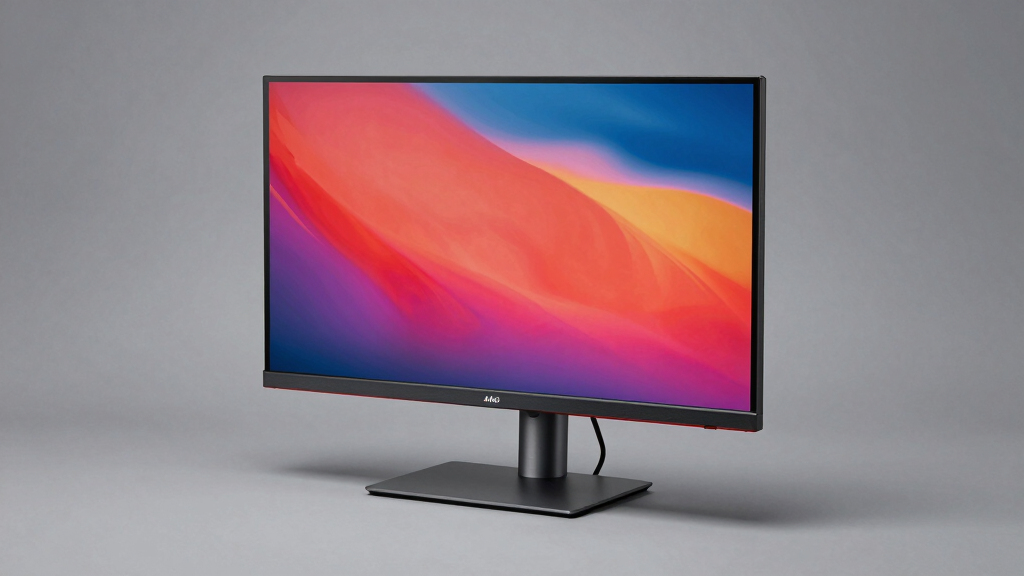

When searching for the top rated 4K monitors over $500, you’re looking for a blend of exceptional image quality, build quality, and advanced features. The Dell UltraSharp U2723QE stands out as the best overall pick, offering a balanced mix of color accuracy and versatility. For gamers, the LG 32GX850A-B and ASUS ROG PG32UCDM provide high refresh rates and OLED technology, but they come with higher price tags and some tradeoffs in color calibration or input lag. The main challenge in this category is balancing premium features with value, as many monitors offer high-end specs but at a steep cost. Keep reading for a detailed breakdown of what makes each option unique and how to choose the right one for your needs.
Key Takeaways
- The highest-priced models like the ASUS ROG PG32UCDM offer advanced OLED tech but come with premium costs and potential burn-in concerns.
- Color accuracy and factory calibration are stronger in professional-grade options like the Dell UltraSharp U2723QE and ASUS ProArt PA329CRV.
- Gaming-focused monitors like LG 32GX850A-B and LG 32GX870A-B deliver high refresh rates and adaptive sync but may lack some professional color features.
- Connectivity options vary widely; Thunderbolt hubs like the Dell U3226QER improve workflow for Mac users, while others focus on HDMI and DisplayPort versatility.
- Choosing a monitor involves weighing resolution and refresh rate tradeoffs—some models prioritize sharp images while others emphasize fast response times.
| Dell UltraSharp U2723QE 27″ 4K UHD WLED LCD Monitor – Black, Silver |  | Best Overall for Versatile Professional Use | Screen Size: 27 inches | Resolution: 3840 x 2160 (4K UHD) | Aspect Ratio: 16:9 | VIEW LATEST PRICE | See Our Full Breakdown |
| LG 32GX850A-B 32″ UltraGear 4K UHD OLED Gaming Monitor with G-SYNC and FreeSync Premium Pro |  | Best for High-End Gaming and Immersive Visuals | Display Size: 32 inches | Resolution: 3840 x 2160 (4K UHD) | Panel Type: OLED | VIEW LATEST PRICE | See Our Full Breakdown |
| ASUS ROG PG32UCDM 32-Inch 4K QD-OLED Gaming Monitor |  | Best for High-Performance Gaming & Creative Work | Display Size: 32 inches | Resolution: 3840 x 2160 (4K UHD) | Panel Type: QD-OLED | VIEW LATEST PRICE | See Our Full Breakdown |
| Dell U3225QE 31.5-Inch 4K UHD HDR Monitor |  | Best for Professional Creators & Those Wanting Deep Blacks | Display Size: 31.5 inches | Resolution: 3840 x 2160 (4K UHD) | Contrast Ratio: 3000:1 | VIEW LATEST PRICE | See Our Full Breakdown |
| LG 32GX870A-B 32-inch Ultragear 4K UHD OLED Gaming Monitor |  | Best for Dual-Mode Gaming & Versatility | Display Size: 32 inches | Resolution: 3840 x 2160 (4K UHD) | Refresh Rate: 240Hz / 480Hz | VIEW LATEST PRICE | See Our Full Breakdown |
| Dell UltraSharp 32 4K UHD Thunderbolt Hub Monitor – U3226QER, 120Hz |  | Best Overall for Creative Professionals and Multitaskers | Display Size: 31.5 inches | Resolution: 4K UHD | Refresh Rate: 120 Hz | VIEW LATEST PRICE | See Our Full Breakdown |
| ASUS ProArt PA329CRV 32-Inch 4K HDR Professional Monitor for Mac |  | Best for Color-Critical Work and Extended Warranties | Display Size: 32 inches | Resolution: 4K UHD | Refresh Rate: 60 Hz | VIEW LATEST PRICE | See Our Full Breakdown |
| top rated 4K monitors over $500 | Resolution | Brightness | Refresh Rate | Display Size |
|---|---|---|---|---|
| Dell UltraSharp U2723QE 27" 4K | 3840 x 2160 (4K UHD) | 400 Nits | 60 Hz | — |
| LG 32GX850A-B 32" UltraGear 4K | 3840 x 2160 (4K UHD) | 275 nits | 165Hz / 330Hz | 32 inches |
| ASUS ROG PG32UCDM 32-Inch 4K Q | 3840 x 2160 (4K UHD) | 275 nits | 240Hz | 32 inches |
| Dell U3225QE 31.5-Inch 4K UHD | 3840 x 2160 (4K UHD) | Not specified | 120Hz | 31.5 inches |
| LG 32GX870A-B 32-inch Ultragea | 3840 x 2160 (4K UHD) | Up to 1300 nits (peak) | 240Hz / 480Hz | 32 inches |
| Dell UltraSharp 32 4K UHD Thun | 4K UHD | 600 nits | 120 Hz | 31.5 inches |
| ASUS ProArt PA329CRV 32-Inch 4 | 4K UHD | 1370.4 lumens | 60 Hz | 32 inches |
More Details on Our Top Picks
Dell UltraSharp U2723QE 27″ 4K UHD WLED LCD Monitor – Black, Silver
The Dell UltraSharp U2723QE stands out for delivering a high-resolution 4K display with vibrant colors and excellent viewing angles, making it ideal for multitasking and detailed work. Compared with the larger LG 32GX850A-B, this model offers a more compact footprint, which benefits users with limited desk space. The inclusion of multiple connectivity options, including USB-C with power delivery, enhances productivity, though its 60Hz refresh rate limits it for high-end gaming. Its anti-glare matte finish helps reduce reflections in bright environments, but the monitor’s power consumption is relatively high, which could be a concern for energy-conscious users. This pick makes the most sense for professionals needing a reliable, high-quality display that can handle a variety of tasks without the premium cost of OLED options.
Pros:- Vibrant 4K resolution with accurate colors
- Multiple connectivity options including USB-C with power delivery
- Anti-glare matte finish suitable for various lighting conditions
- Wide viewing angles for better visibility
Cons:- Limited to 60 Hz refresh rate, not ideal for competitive gaming
- Higher power consumption compared to some alternatives
- Size may require more desk space than smaller models
Best for: Content creators, professionals, and general users who need a versatile 4K monitor with excellent color accuracy and multiple inputs.
Not ideal for: High-end gamers seeking ultra-fast refresh rates or enthusiasts wanting the absolute best contrast and black levels for gaming, as this monitor is limited to 60Hz.
- Screen Size:27 inches
- Resolution:3840 x 2160 (4K UHD)
- Aspect Ratio:16:9
- Brightness:400 Nits
- Contrast Ratio:2000:1
- Viewing Angle:178 degrees
- Response Time:5 ms GTG
- Refresh Rate:60 Hz
- Connectivity:HDMI, DisplayPort, USB-C, Ethernet
Our verdict“This monitor is well-suited for professionals and creative users who prioritize color accuracy and connectivity over gaming speed.”
LG 32GX850A-B 32″ UltraGear 4K UHD OLED Gaming Monitor with G-SYNC and FreeSync Premium Pro
The LG 32GX850A-B offers a stunning OLED display with deep blacks, vibrant colors, and a high contrast ratio, making it perfect for gamers and multimedia enthusiasts. Its dual refresh rates of 165Hz and 330Hz, combined with G-SYNC and FreeSync, enable ultra-smooth gameplay, surpassing the standard 60Hz of the Dell U2723QE. The fast 0.03ms response time minimizes motion blur, which is critical for fast-paced gaming. However, the glossy OLED finish can cause reflections in brightly lit rooms, and the premium price reflects its high-end features. The 32-inch size might be restrictive for users who prefer larger screens or multitasking with multiple windows. This monitor best suits gamers looking for top-tier visuals and responsiveness but may be too costly for casual users.
Pros:- Vivid 4K OLED display with deep blacks and vibrant colors
- High refresh rates up to 330Hz for smooth gameplay
- Fast 0.03ms response time reduces motion blur
- Flexible ergonomic adjustments for comfort
Cons:- Glossy finish may cause reflections in bright environments
- Premium price point limits accessibility
- OLED burn-in risk if not properly managed
Best for: High-performance gamers and multimedia creators who want deep blacks, vibrant colors, and ultra-smooth gameplay.
Not ideal for: Users with small desks or those concerned about potential burn-in, since OLED panels require careful management and are priced at a premium.
- Display Size:32 inches
- Resolution:3840 x 2160 (4K UHD)
- Panel Type:OLED
- Brightness:275 nits
- Contrast Ratio:1.5M:1
- Response Time:0.03 ms
- Refresh Rate:165Hz / 330Hz
- Connectivity:HDMI, DisplayPort
Our verdict“This monitor is ideal for serious gamers and creative professionals seeking top-tier visuals and responsiveness, despite its higher cost and care requirements.”
ASUS ROG PG32UCDM 32-Inch 4K QD-OLED Gaming Monitor
The ASUS ROG PG32UCDM combines a 32-inch 4K QD-OLED panel with a 240Hz refresh rate and 0.03 ms response time, making it a powerhouse for gamers and creatives alike. Its vibrant colors and deep blacks surpass many LCD options, including the Dell UltraSharp, especially in HDR and contrast. The inclusion of advanced heat management and a three-year warranty with burn-in coverage adds longevity to this premium device. While the high price reflects its cutting-edge technology, OLED susceptibility to burn-in requires careful usage habits. It’s best suited for users who prioritize top-tier visuals without compromise, but less so for those on a strict budget or with extensive multi-monitor setups.
Pros:- Exceptional 4K OLED display with deep blacks and vibrant colors
- High 240Hz refresh rate and ultra-fast 0.03 ms response time
- Advanced heat management and burn-in protection
- Supports G-SYNC for tear-free gaming
Cons:- Premium price limits accessibility
- OLED burn-in risk requires careful usage
- Limited to high-end gaming and professional users
Best for: High-end gamers and professionals needing color accuracy, deep blacks, and rapid response times for demanding creative tasks.
Not ideal for: Budget-conscious users or those with environments prone to burn-in issues, as OLED panels demand careful management and come at a premium.
- Display Size:32 inches
- Resolution:3840 x 2160 (4K UHD)
- Panel Type:QD-OLED
- Brightness:275 nits
- Contrast Ratio:1.5M:1
- Response Time:0.03 ms
- Refresh Rate:240Hz
- Connectivity:USB-C, DisplayPort
Our verdict“This monitor is ideal for gamers and creative professionals demanding the best visual fidelity and speed, despite its high cost and burn-in considerations.”
Dell U3225QE 31.5-Inch 4K UHD HDR Monitor
The Dell U3225QE offers a larger 31.5-inch screen with a remarkable 3000:1 contrast ratio thanks to its enhanced IPS Black technology, delivering richer blacks and vibrant colors. Its 120Hz refresh rate provides smoother visuals for multimedia and light gaming, and the Thunderbolt hub simplifies peripheral connectivity. Compared to the LG 32GX850A-B, this monitor excels in black levels and color accuracy, making it a favorite for creative work. However, its high-end features come at a premium, and its size might not suit users with limited space. This model appeals most to professionals requiring color fidelity and large screens for detailed editing or multimedia consumption.
Pros:- Vivid 4K display with deep blacks and accurate colors
- Seamless Thunderbolt connectivity for peripherals
- Enhanced IPS Black panel for richer blacks
- 120Hz refresh rate for smoother visuals
Cons:- High price point may be prohibitive
- Large size may not fit small desks
- Limited gaming performance compared to high refresh rate models
Best for: Professional creators, photographers, and video editors who need deep blacks, accurate colors, and seamless connectivity.
Not ideal for: Casual users or gamers seeking ultra-fast refresh rates or competitive gaming performance, as the focus is on color fidelity and size.
- Display Size:31.5 inches
- Resolution:3840 x 2160 (4K UHD)
- Contrast Ratio:3000:1
- Brightness:Not specified
- Color Coverage:99% DCI-P3
- Response Time:Not specified
- Refresh Rate:120Hz
- Connectivity:Thunderbolt
Our verdict“Ideal for creative professionals who prioritize color accuracy and large display size, but less suited for high-speed gaming.”
LG 32GX870A-B 32-inch Ultragear 4K UHD OLED Gaming Monitor
The LG 32GX870A-B combines OLED technology with dual-mode refresh rates of 240Hz and 480Hz, offering exceptional flexibility for gamers who want both ultra-smooth gameplay and stunning visuals. The 0.03ms response time and HDR support make it a top choice for immersive gaming sessions. Its OLED panel provides vibrant colors and deep blacks, surpassing traditional LCDs like the Dell U2723QE in contrast and color vibrancy. However, its high price and potential burn-in issues may deter casual users or those with limited budgets. The monitor’s extensive features and smart customization options make it perfect for dedicated gamers and tech enthusiasts, but less so for everyday desktop users.
Pros:- Exceptional 4K OLED display with vibrant colors and deep blacks
- Dual-mode refresh rates of 240Hz and 480Hz for versatile gaming
- Fast 0.03ms response time reduces ghosting
- Smart features and customizable layouts
Cons:- Premium price may be prohibitive for some
- OLED burn-in risk with prolonged static images
- Limited connectivity options compared to others
Best for: Dedicated gamers seeking the highest refresh rates, deep blacks, and vibrant colors for competitive and immersive play.
Not ideal for: Users with limited space, or those worried about OLED burn-in over long-term use, as it demands careful management.
- Display Size:32 inches
- Resolution:3840 x 2160 (4K UHD)
- Refresh Rate:240Hz / 480Hz
- Response Time:0.03 ms
- HDR:VESA DisplayHDR True Black 400
- Brightness:Up to 1300 nits (peak)
- Panel Type:OLED
- Connectivity:USB-C, DisplayPort
Our verdict“This monitor excels for serious gamers demanding the best visuals and speed, despite its higher cost and burn-in considerations.”
Dell UltraSharp 32 4K UHD Thunderbolt Hub Monitor – U3226QER, 120Hz
The Dell UltraSharp 32 U3226QER stands out for its stunning 4K resolution combined with a 99% DCI-P3 color coverage, making it ideal for creators who demand color accuracy and high detail. Its Thunderbolt 4 port simplifies connectivity by enabling a single cable to transfer video, data, and power up to 140W, catering to professionals working with demanding workflows. Compared to the ASUS ProArt PA329CRV, it offers a higher refresh rate at 120Hz, which benefits users who also engage in fast-paced editing or occasional gaming, although it sacrifices some versatility since it primarily relies on Thunderbolt connections—less compatible with non-Mac setups. The monitor’s premium design with a near-borderless matte screen enhances productivity and immersion. Its main tradeoff is the high price point, which may be prohibitive for budget-conscious users, and the absence of USB-C ports or built-in speakers limits some connectivity options. This choice makes the most sense for users prioritizing high-resolution visuals, color fidelity, and seamless connectivity in a professional environment.
Pros:- Outstanding 4K UHD resolution with near-perfect color accuracy
- Single Thunderbolt 4 cable handles video, data, and up to 140W power
- Elegant, near-borderless design enhances workspace aesthetics
- High 120Hz refresh rate benefits creative workflows and light gaming
Cons:- Premium price may be too high for casual or budget-conscious users
- Limited to Thunderbolt connectivity, reducing compatibility with some PCs
- No built-in speakers or traditional USB-C ports
Best for: Creative professionals and multitaskers who need accurate colors, high resolution, and streamlined connections in a single display.
Not ideal for: Users seeking flexible connectivity options beyond Thunderbolt, or those on a tight budget, as the premium cost and limited port variety may be restrictive.
- Display Size:31.5 inches
- Resolution:4K UHD
- Refresh Rate:120 Hz
- Contrast Ratio:3000:1
- Brightness:600 nits
- Color Gamut:99% DCI-P3
Our verdict“This monitor is best suited for professionals who prioritize top-tier image quality and streamlined connectivity in a high-end workspace.”
ASUS ProArt PA329CRV 32-Inch 4K HDR Professional Monitor for Mac
The ASUS ProArt PA329CRV offers a large 32-inch 4K HDR display with 98% DCI-P3 coverage, making it a strong contender for professionals who require precise color calibration. Its factory calibration and wide viewing angles ensure consistent visuals across different environments, surpassing many gaming or casual models like the LG 32GX850A-B in color accuracy. It provides extensive connectivity options, including USB-C with 96W power delivery, HDMI, and DisplayPort, making it versatile for various setups. However, the 60Hz refresh rate limits its appeal for fast-paced gaming or video editing involving rapid motion, unlike the Dell U3226QER’s 120Hz. Despite its high power consumption at 96W, it compensates with a lengthy 5-year warranty, appealing to users who value peace of mind for professional use. The premium price tag might be a barrier for casual users, but it delivers exceptional value for dedicated content creators.
Pros:- Excellent factory-calibrated color accuracy with 98% DCI-P3
- Versatile connectivity including USB-C with 96W power delivery
- Large 32-inch HDR display suitable for detailed work
- Extended 5-year warranty offers peace of mind
Cons:- Limited to 60Hz refresh rate, less ideal for gaming or fast video editing
- High power consumption at 96W
- Premium price may be out of reach for casual users
Best for: Professional creators and designers who need highly accurate colors, extensive connectivity, and long-term support.
Not ideal for: Gamers or users seeking high refresh rates for fast action, due to its 60Hz limit, or budget-conscious buyers wary of the high price and power use.
- Display Size:32 inches
- Resolution:4K UHD
- Refresh Rate:60 Hz
- Brightness:1370.4 lumens
- Color Gamut:98% DCI-P3
- HDR Support:VESA DisplayHDR400
Our verdict“This monitor is tailored for professionals who prioritize precise color, reliable long-term performance, and extensive connectivity, accepting the tradeoff of a lower refresh rate.”

How We Picked
I evaluated these monitors based on key criteria that matter most to high-end buyers: display performance, color accuracy, build quality, connectivity options, and value relative to features. Each model was assessed for its ability to deliver consistent 4K resolution, professional-grade color fidelity, and advanced features like HDR support or gaming enhancements. The ranking reflects a balanced view of these factors, favoring models that excel in multiple areas without sacrificing reliability or usability. Price was also a consideration, but only within the context of features offered, ensuring each product justified its premium tag.| top rated 4K monitors over $500 | Connectivity |
|---|---|
| Dell UltraSharp U2723QE 27" 4K | HDMI, DisplayPort, USB-C, Ethernet |
| LG 32GX850A-B 32" UltraGear 4K | HDMI, DisplayPort |
| ASUS ROG PG32UCDM 32-Inch 4K Q | USB-C, DisplayPort |
| Dell U3225QE 31.5-Inch 4K UHD | Thunderbolt |
| LG 32GX870A-B 32-inch Ultragea | USB-C, DisplayPort |
| Dell UltraSharp 32 4K UHD Thun | — |
| ASUS ProArt PA329CRV 32-Inch 4 | — |
Factors to Consider When Choosing Top Rated 4K Monitors Over $500
Choosing a 4K monitor over $500 requires careful consideration of several factors that affect daily usability and long-term satisfaction. Beyond raw resolution, aspects like color accuracy, refresh rate, connectivity, and build quality determine how well a monitor performs for specific tasks. Making the right choice involves understanding these tradeoffs and aligning them with your primary use case—whether professional editing, gaming, or general productivity. This section breaks down the key considerations to help you avoid common pitfalls and select a monitor that offers true value for your investment.Display Performance and Resolution
While all monitors in this category feature 4K resolution, the way they render images varies. High-end models often incorporate HDR support and wider color gamuts, which benefit creative professionals but may be less noticeable for casual users. Ensuring uniform brightness and contrast across the panel is also critical for consistent image quality. Beware of models with lower peak brightness or limited HDR capabilities, as they can diminish visual impact despite high resolution. Balancing resolution with other features like response time and refresh rate is essential for both professional work and gaming.
Color Accuracy and Calibration
For creative professionals or those who prioritize image fidelity, factory calibration and color accuracy are vital. Monitors like the ASUS ProArt series are designed with color precision in mind, often covering 100% of color spaces like AdobeRGB or DCI-P3. Cheaper high-resolution monitors may lack this calibration, leading to less predictable color consistency. Keep in mind that some monitors allow calibration adjustments, which can improve accuracy over time. If your work depends on precise color reproduction, investing in a model with high color fidelity is well worth the extra cost.
Gaming Features and Refresh Rate
If gaming is a priority, look for monitors with high refresh rates—120Hz or higher—and adaptive sync technologies like G-SYNC or FreeSync. OLED models such as the LG 32GX850A-B excel here, providing smooth motion and minimal input lag. However, these features often come at a premium and may sacrifice some color accuracy or HDR performance. For non-gaming use, a standard 60Hz to 75Hz refresh rate combined with excellent color reproduction might suffice. Be cautious about overpaying for gaming features if your primary focus is professional work or media consumption.
Connectivity and Ergonomics
Assess your workflow and device compatibility before choosing a monitor. Thunderbolt ports, USB-C hubs, or multiple HDMI/DisplayPort inputs expand versatility, especially for professionals using multiple devices. Ergonomics—adjustable height, tilt, swivel—are equally important for comfort during long sessions. Some models come with built-in speakers or USB hubs, adding convenience but potentially increasing cost. Prioritize connectivity options that match your device ecosystem to maximize productivity and ease of use.
Price-to-Feature Tradeoffs
Higher prices often correlate with better panel technology, more accurate color, and additional features like HDR or high refresh rates. However, not every feature is necessary for every user. For example, a professional might prioritize color accuracy over gaming capabilities, while a gamer might prefer fast response times over perfect color fidelity. Avoid paying extra for features you won’t use; instead, focus on what aligns with your primary tasks. Understanding this tradeoff helps prevent overspending on unnecessary bells and whistles.
Frequently Asked Questions
Is it worth paying over $500 for a 4K monitor?
Paying over $500 can be justified if you need professional-level color accuracy, high dynamic range, or advanced connectivity options that enhance your workflow or creative output. For gaming, some high-end models offer features like OLED screens and ultra-fast refresh rates, but they also come with higher costs and potential drawbacks like burn-in. For general use, many $500+ monitors provide excellent image quality, but the added expense may not always translate into noticeable improvements for everyday tasks. Ultimately, the value depends on your specific needs and whether the features justify the price premium.
Should I prioritize color accuracy or gaming features?
This depends on your primary use. If you’re a photographer, designer, or video editor, color accuracy and HDR support should take precedence, making professional-grade monitors a better fit. Conversely, if gaming is your main focus, look for models with high refresh rates, G-SYNC, or FreeSync, which improve motion clarity and responsiveness. Some monitors try to balance both, but often you’ll need to choose a model tailored to your main activity for the best experience. Recognizing your core requirements helps avoid paying for unnecessary features.
What’s more important: panel type or resolution?
Resolution dictates pixel count, but panel technology impacts contrast, color, and response times. OLED and IPS panels generally offer better color accuracy and viewing angles compared to TN panels, which might be faster but less color-rich. For 4K monitors over $500, choosing an IPS or OLED panel typically yields a more vibrant and consistent image—crucial for detailed work or media consumption. While resolution is fixed at 4K in this category, the panel quality determines how well that resolution translates into real-world image quality.
Can I use these monitors for both work and gaming?
Many 4K monitors over $500 are versatile enough for both work and gaming, especially models with high refresh rates and adaptive sync technology. However, compromises are common: gaming monitors tend to prioritize response times and refresh rates over color accuracy, while professional monitors focus on color fidelity and calibration. Combining both requires carefully balancing features, often by choosing models with flexible settings or hybrid designs. If you want the best of both worlds, look for models that explicitly advertise high refresh rates alongside professional color support.
Are OLED 4K monitors over $500 worth the investment?
OLED monitors like the ASUS ROG PG32UCDM and LG OLED models offer exceptional contrast ratios and vibrant colors, making them attractive for media professionals and enthusiasts. However, they come with higher costs and potential concerns about burn-in if used improperly. For users who prioritize image quality and plan to use the monitor for extended periods of static content, OLED can be a worthwhile investment. For casual users or those concerned about longevity, high-quality IPS panels may provide a safer, more cost-effective alternative.
Conclusion
For general users seeking a well-rounded experience, the Dell UltraSharp U2723QE offers excellent performance at a fair price. Creative professionals or those requiring precise color reproduction should consider the ASUS ProArt PA329CRV for its calibration and wide color gamut. Gamers and media enthusiasts will find the LG 32GX850A-B or ASUS ROG PG32UCDM perfect for fast-paced visuals and immersive experiences. Budget-conscious buyers should focus on models that balance features without overpaying, while those demanding the ultimate in image quality may find OLED models worth the premium. Your choice hinges on your primary use and how much you value advanced features versus overall versatility.
Fall Picks
fall essentials
As an affiliate, we earn on qualifying purchases.