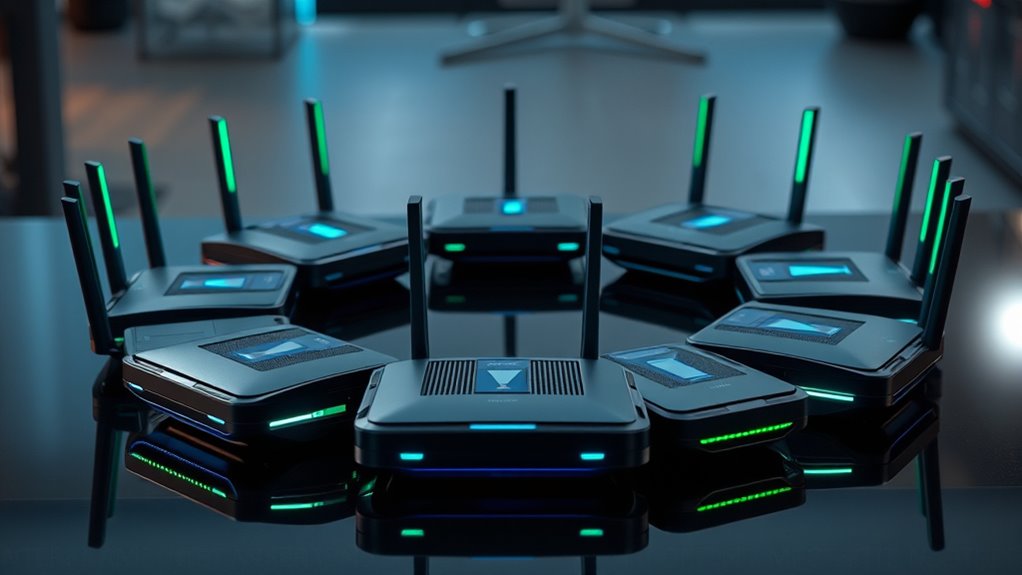

When searching for the fastest wifi 7 routers, the main goal is maximizing speed and coverage without sacrificing reliability. The TP-Link Archer BE12000 stands out for its impressive tri-band performance, ideal for demanding households. The ASUS ROG Rapture GT-BE98 Pro is a top choice for gamers needing ultra-low latency. However, higher speeds often come with tradeoffs like increased cost or complexity. Continue reading for a detailed breakdown of these options to find the best fit for your network needs.

Get privacy and security gear delivered free with Prime
- Fast, free delivery on millions of items
- Prime Video, Amazon Music and more included
- Member-only deals all year
Key Takeaways
- Tri-band configurations generally provide better speeds and coverage for large homes.
- Gaming routers like ASUS ROG models prioritize low latency over maximum throughput.
- Price varies widely, with premium models offering advanced features and more affordable options focusing on core performance.
- Coverage area is a key factor; some routers cover over 3,000 sq ft, but often at the expense of size and complexity.
- Wired ports and multi-Gig Ethernet support are common in the fastest routers, essential for high-performance wired connections.
| TP-Link Archer BE12000 Tri-Band Wi-Fi 7 Router |  | Best Overall for High-Speed Home Networking | Wi-Fi Bands: Tri-band | Maximum Speed: up to 5,765 Mbps (6 GHz), 5,765 Mbps (5 GHz), 688 Mbps (2.4 GHz) | Ports: 1x 10 Gbps WAN/LAN, 1x 2.5 Gbps WAN/LAN, 3x 1 Gbps LAN, USB 3.0 | VIEW ON AMAZON | See Our Full Breakdown |
| TP-Link Archer BE11000 Tri-Band Wi-Fi 7 Router – Black (Renewed) |  | Best Value for Demanding Users Seeking Speed and Reliability | Frequency Band: Tri-Band | Maximum Data Rate: 11000 Mbps | LAN Ports: 4 | VIEW ON AMAZON | See Our Full Breakdown |
| ASUS ROG Rapture GT-BE98 Pro WiFi 7 Gaming Router – Quad-Band, 30Gbps, Mesh |  | Best for Gaming and High-Performance Multidevice Use | Frequency Band Class: Quad-Band | Wireless Compatibility: 802.11.be | Data Transfer Rate: 30000 Mbps | VIEW ON AMAZON | See Our Full Breakdown |
| TP-Link Tri-Band WiFi 7 Router Archer BE700 |  | Best for 4K/8K Streaming and Gaming in Large Homes | WiFi Bands: Tri-band | Max Speed: 11528 Mbps | Ports: 1x 10 Gbps WAN, 3x 1 Gbps LAN | VIEW ON AMAZON | See Our Full Breakdown |
| NETGEAR Nighthawk WiFi 7 Router RS700S, Up to 3,500 sq ft, 19 Gbps |  | Best for Large Homes and Multiple Devices | WiFi Speed: Up to 19 Gbps | Coverage: Up to 3,500 sq ft | Number of Devices: Up to 200 | VIEW ON AMAZON | See Our Full Breakdown |
| ASUS RT-BE9700 WiFi 7 Router – Tri-Band (6GHz), 9.7 Gbps, Dual WAN, Mesh |  | Best Overall for Advanced Home Networks | WiFi Standard: WiFi 7 (802.11be) | Bands: Tri-Band (2.4GHz, 5GHz, 6GHz) | Maximum Speed: 9.7 Gbps | VIEW ON AMAZON | See Our Full Breakdown |
| ASUS RT-BE96U WiFi 7 Router – Tri-Band, 19 Gbps, Dual 10G WAN, Mesh |  | Best for Power Users and Gamers | Wireless Standard: 802.11be | Bandwidth: 320MHz | Max Speed: 19,000 Mbps | VIEW ON AMAZON | See Our Full Breakdown |
| Ubiquiti UDR7 Dual-Band 10Gbps Ethernet Wi-Fi 7 Router |  | Best for Quick Replacement and Hassle-Free Service | Speed: 10 Gbps | Bands: Dual-Band | Coverage: Limited info | VIEW ON AMAZON | See Our Full Breakdown |
| TP-Link Tri-Band WiFi 7 Router (Archer BE600) |  | Best for Large Homes and Multiple Devices | WiFi Technology: WiFi 7 | Speed: Up to 5,765 Mbps | Coverage: Up to 2,600 sq. ft. | VIEW ON AMAZON | See Our Full Breakdown |
| NETGEAR Nighthawk WiFi 7 Router RS90, Up to 2,000 sq ft, 3.6 Gbps |  | Best for Moderate Speed & Easy Management | Max Speed: 3.6 Gbps | Coverage: 2000 sq ft | Device Capacity: 50 devices | VIEW ON AMAZON | See Our Full Breakdown |
| NETGEAR Nighthawk RS300 Tri-Band WiFi 7 Router, Wireless Speed Up to 9.3 Gbps, Covers Up to 2500 Sq. Ft., Black – Certified Refurbished |  | Best Overall for Large Homes with Demanding Needs | Wireless Speed: Up to 9.3 Gbps | Coverage Area: Up to 2500 sq. ft. | Number of Bands: Tri-Band | VIEW ON AMAZON | See Our Full Breakdown |
| ASUS ROG Rapture GT-BE98 PRO Quad-Band WiFi 7 Gaming Router |  | Best for Gamers Demanding Ultra-Fast Speeds | Frequency Band: Quad-Band | Wi-Fi Standard: WiFi 7 (802.11be) | Max Speed: 30 Gbps | VIEW ON AMAZON | See Our Full Breakdown |
| NETGEAR Nighthawk WiFi 7 Router BE17000, Up to 3,300 sq ft, 17 Gbps |  | Best for Large Smart Homes with Many Devices | WiFi Standard: WiFi 7 | Speed: Up to 17 Gbps | Coverage: Up to 3300 sq ft | VIEW ON AMAZON | See Our Full Breakdown |
| TP-Link Tri-Band WiFi 7 Router (Archer BE550) – 6-Stream, 2.5G Ports, Extended Coverage, VPN Support (Renewed) |  | Best for Budget-Conscious Smart Homes Needing High Speed | Model: BE9300 | Connectivity Technology: Wi-Fi (802.11be, ac, ax, n, g), Ethernet, USB | Frequency Band: Tri-Band | VIEW ON AMAZON | See Our Full Breakdown |
| fastest wifi 7 router | Coverage |
|---|---|
| TP-Link Archer BE12000 Tri-Ban | Up to 3,000 sq. ft. |
| TP-Link Archer BE11000 Tri-Ban | — |
| ASUS ROG Rapture GT-BE98 Pro W | — |
| TP-Link Tri-Band WiFi 7 Router | — |
| NETGEAR Nighthawk WiFi 7 Route | Up to 3,500 sq ft |
| ASUS RT-BE9700 WiFi 7 Router | — |
| ASUS RT-BE96U WiFi 7 Router | — |
| Ubiquiti UDR7 Dual-Band 10Gbps | Limited info |
| TP-Link Tri-Band WiFi 7 Router | Up to 2,600 sq. ft. |
| NETGEAR Nighthawk WiFi 7 Route | 2000 sq ft |
| NETGEAR Nighthawk RS300 Tri-Ba | — |
| ASUS ROG Rapture GT-BE98 PRO Q | — |
| NETGEAR Nighthawk WiFi 7 Route | Up to 3300 sq ft |
| TP-Link Tri-Band WiFi 7 Router | 2000 sq ft |
More Details on Our Top Picks
TP-Link Archer BE12000 Tri-Band Wi-Fi 7 Router
The TP-Link Archer BE12000 stands out for its exceptional combination of speed, coverage, and manageability, making it ideal for demanding households that stream, game, and connect multiple smart devices simultaneously. Compared with the ASUS ROG Rapture GT-BE98 Pro, it offers slightly less raw speed but excels in coverage and ease of setup, thanks to the Tether App. Its extensive coverage of up to 3,000 sq. ft. and six high-gain antennas ensure reliable performance across large spaces, while the inclusion of a 10 Gbps WAN port supports future-proof wired connections. However, it requires a separate modem, and its performance can be affected by environmental factors, which might limit its effectiveness in complex layouts. This pick makes the most sense for users who prioritize balanced speed and broad coverage without over-complicating their setup.
Pros:- Exceptional Wi-Fi 7 speeds up to 5,765 Mbps per band
- Wide coverage with 6 high-gain antennas
- Includes multiple gigabit ports, including a 10 Gbps WAN port
- Easy setup via Tether App
Cons:- Requires a separate modem for internet connectivity
- Performance may vary due to environmental obstacles
Best for: Large households needing reliable, fast Wi-Fi coverage with multiple wired connections
Not ideal for: Apartment dwellers with small spaces or those seeking an all-in-one modem/router solution
- Wi-Fi Bands:Tri-band
- Maximum Speed:up to 5,765 Mbps (6 GHz), 5,765 Mbps (5 GHz), 688 Mbps (2.4 GHz)
- Ports:1x 10 Gbps WAN/LAN, 1x 2.5 Gbps WAN/LAN, 3x 1 Gbps LAN, USB 3.0
- Coverage:Up to 3,000 sq. ft.
- Antennas:6 high-gain antennas
- Security:HomeShield with WPA3
Our verdict“This router is best suited for users needing extensive coverage and fast speeds in large, demanding home environments.”
TP-Link Archer BE11000 Tri-Band Wi-Fi 7 Router – Black (Renewed)
The TP-Link Archer BE11000, even as a renewed product, offers impressive speeds up to 11 Gbps, making it a compelling choice for tech-savvy users who want top-tier performance without paying full price. Its support for the 6 GHz band reduces latency, matching the capabilities of more premium models like the ASUS ROG Rapture GT-BE98 Pro, but at a lower cost. The multiple high-speed ports, including a 10G WAN and four 2.5G LANs, add flexibility for wired devices. Setting it up might be complex for casual users due to its advanced features, and as a renewed product, warranty and longevity could be concerns. Still, for those comfortable with tech, this router delivers excellent value for high-demand environments.
Pros:- High-speed Wi-Fi 7 performance up to 11 Gbps
- Supports 6 GHz band for lower latency
- Multiple high-performance ports including 10G WAN
- Renewed product offers significant savings
Cons:- Setup may be overwhelming for non-technical users
- Being renewed, it may have limited warranty or unknown durability
Best for: Tech enthusiasts and demanding users looking for high speeds at a lower price point
Not ideal for: Casual users or those seeking a straightforward plug-and-play setup
- Frequency Band:Tri-Band
- Maximum Data Rate:11000 Mbps
- LAN Ports:4
- WAN Port:1 (10G)
- Antenna Location:Home
- Connectivity Technology:Wi-Fi
Our verdict“This router suits tech-savvy users who want high-speed, future-proof Wi-Fi 7 at a better price, accepting some setup complexity.”
ASUS ROG Rapture GT-BE98 Pro WiFi 7 Gaming Router – Quad-Band, 30Gbps, Mesh
The ASUS ROG Rapture GT-BE98 Pro delivers speeds up to 30Gbps and quad-band connectivity, making it an excellent choice for gamers and power users who demand top-tier throughput and low latency. Its multi-link operation and dual 10G ports support high-volume data transfers and smooth gaming experiences, surpassing the speed and capacity of the TP-Link BE12000. However, its setup can be complex, especially for those unfamiliar with advanced networking, and its price reflects its high-end features. This router is tailored for gamers or users with intensive bandwidth needs who prefer maximum performance over simplicity.
Pros:- Supports WiFi 7 with speeds up to 30Gbps
- Quad-band setup enhances network capacity
- Includes dual 10G ports and quad 2.5G ports for flexible wired connections
- Optimized for gaming with advanced traffic prioritization
Cons:- Setup complexity may deter less technical users
- High price and overkill for typical home use
Best for: Gamers and users with heavy bandwidth demands in multi-device environments
Not ideal for: Casual home users or those seeking an easy, low-maintenance setup
- Frequency Band Class:Quad-Band
- Wireless Compatibility:802.11.be
- Data Transfer Rate:30000 Mbps
- LAN Port Bandwidth:10 Gigabit
- Number of Ports:7
- Security Protocol:WPA2-Enterprise, WPA3-Personal
Our verdict“This router is best suited for dedicated gamers and high-demand users who need maximum speed and capacity, accepting a more complex setup process.”
TP-Link Tri-Band WiFi 7 Router Archer BE700
The TP-Link Archer BE700 offers combined speeds of up to 11,528 Mbps, making it a strong contender for users who prioritize high-bandwidth activities like 4K/8K streaming and gaming. Its tri-band design ensures broad coverage, especially with beamforming technology and six antennas, which outperform less equipped models like the ASUS RT-BE9700 in coverage and stability. The setup via the Tether app is straightforward, and multiple multi-gig ports support fast wired connections. Still, it demands a modem for internet access and may come with additional hardware or subscription needs for advanced security features. This router balances speed and ease of use for demanding home setups.
Pros:- High speeds up to 11,528 Mbps
- Extensive coverage with beamforming and multiple antennas
- Multiple multi-gig ports for wired devices
- Easy setup via Tether app
Cons:- Requires a modem for internet connection
- Premium features might need additional hardware or subscriptions
Best for: Home users who need fast, reliable Wi-Fi for streaming and gaming in large spaces
Not ideal for: Apartment residents or users with small, simple networks
- WiFi Bands:Tri-band
- Max Speed:11528 Mbps
- Ports:1x 10 Gbps WAN, 3x 1 Gbps LAN
- Antennas:6 with Beamforming
- Security:Basic, IoT protection, parental controls
Our verdict“This router makes the most sense for large homes where high-speed, reliable Wi-Fi is essential for streaming and gaming.”
NETGEAR Nighthawk WiFi 7 Router RS700S, Up to 3,500 sq ft, 19 Gbps
The NETGEAR Nighthawk RS700S offers up to 19 Gbps speeds and coverage of 3,500 sq. ft., positioning itself as an excellent choice for multi-story homes with many connected devices. Its tri-band setup and quad-core processor support heavy multitasking, and the inclusion of a 10 Gbps WAN port makes wired connections swift for demanding tasks. Compared to the Archer BE12000, it offers larger coverage but slightly lower maximum speeds. Setting up this device can involve some configuration, especially regarding subscription services like NETGEAR Armor. It is well-suited for households with extensive device counts and large living areas, but requires a separate modem/gateway for internet access.
Pros:- High speeds up to 19 Gbps
- Covers up to 3,500 sq. ft.
- Supports up to 200 devices simultaneously
- Includes a 10 Gbps wired port
Cons:- Requires a separate modem or gateway
- Subscription needed for NETGEAR Armor after trial
Best for: Large homes with many connected devices needing broad Wi-Fi coverage
Not ideal for: Small apartments or users who want an all-in-one router/modem
- WiFi Speed:Up to 19 Gbps
- Coverage:Up to 3,500 sq ft
- Number of Devices:Up to 200
- Bands:Tri-band
- Processor:Quad-core 2.6 GHz
- Ports:1x 10 Gbps WAN, 4x 1 Gbps LAN, USB 3.0
Our verdict“This router suits large, device-rich homes demanding extensive coverage and fast wired/wireless connections, with some setup complexity and extra costs.”
ASUS RT-BE9700 WiFi 7 Router – Tri-Band (6GHz), 9.7 Gbps, Dual WAN, Mesh
This ASUS model stands out for its impressive speed up to 9.7 Gbps across tri-bands, making it ideal for households with heavy data needs. Compared with the ASUS RT-BE96U, it offers slightly lower maximum speed but benefits from more flexible WAN options and advanced security features like AiProtection and VPN, which are crucial for privacy-conscious users. The setup can be complex, especially for those unfamiliar with mesh configurations, and the premium price reflects its high-end features. For users seeking a robust, future-proof network capable of supporting multiple 4K streams, gaming, and smart devices simultaneously, this router is a top contender.
Pros:- Supports ultra-fast WiFi 7 speeds up to 9.7 Gbps
- Tri-Band with Mesh support for seamless coverage
- Versatile dual WAN options including mobile tethering
- Advanced security with VPN and AiProtection
Cons:- Setup complexity may challenge non-technical users
- High cost could be prohibitive for some
Best for: Tech-savvy homeowners with demanding internet needs and a need for seamless mesh coverage
Not ideal for: Casual users or small households who won’t utilize the high speeds or advanced security features
- WiFi Standard:WiFi 7 (802.11be)
- Bands:Tri-Band (2.4GHz, 5GHz, 6GHz)
- Maximum Speed:9.7 Gbps
- Multi-Link Operation:Yes
- WAN Ports:2
- Security:AiProtection, VPN
- Memory:256 MB Flash, 1 GB DDR4 RAM
- Compatibility:802.11a/b/g/n/ac/ax/be, IPv4, IPv6
Our verdict“This router suits those needing top-tier speeds and security in a complex, high-performance home network.”
ASUS RT-BE96U WiFi 7 Router – Tri-Band, 19 Gbps, Dual 10G WAN, Mesh
The ASUS RT-BE96U is designed for users who need exceptional speed, supporting up to 19 Gbps thanks to its tri-band setup and dual 10G WAN ports. Unlike the ASUS RT-BE9700, it prioritizes raw throughput, making it perfect for gaming, AR/VR, and high-bandwidth applications. Its advanced security, including lifetime internet security, adds peace of mind, while its support for Mesh ensures coverage in large or multi-floor homes. The setup process can be complicated, and the price point is high, but for power users who demand maximum performance, this router delivers unmatched speed and stability.
Pros:- Supports peak WiFi speeds up to 19 Gbps
- Dual 10G WAN ports for maximum bandwidth
- Lifetime internet security included
- Mesh support for extensive coverage
Cons:- Complex setup could be overwhelming for average users
- Premium price limits accessibility
Best for: Gamers and tech enthusiasts who need the fastest possible WiFi speeds
Not ideal for: Casual households or users with standard browsing needs, due to its complexity and cost
- Wireless Standard:802.11be
- Bandwidth:320MHz
- Max Speed:19,000 Mbps
- Number of Ports:6
- WAN Ports:2x 10G
- Security Protocols:WPA2-Enterprise, WPA3-Personal
- Control Method:App, Touch
- Special Features:Access Point Mode, Alexa Compatible
Our verdict“This router is ideal for users who require the highest possible speeds and network stability for gaming and demanding applications.”
Ubiquiti UDR7 Dual-Band 10Gbps Ethernet Wi-Fi 7 Router
The Ubiquiti UDR7 simplifies the upgrade process with support for speeds up to 10 Gbps and immediate replacement services, making it a compelling choice for those who want plug-and-play reliability. Unlike other high-end options like the ASUS RT-BE96U, it offers less detailed technical specs and coverage information, which could be a drawback for precise planning. This model is best suited for users who prioritize quick setup and hassle-free swaps, rather than extensive customization or the highest speeds available. It’s a practical choice for small to medium homes seeking solid WiFi 7 support without fuss.
Pros:- Supports high-speed 10Gbps Ethernet and Wi-Fi 7
- Immediate replacement service for minimal downtime
- Prepaid return shipping included for hassle-free returns
Cons:- Limited technical details on coverage and range
- Lacks advanced configuration options
Best for: Users who want straightforward, quick replacement without detailed setup or advanced features
Not ideal for: Power users needing extensive coverage or advanced security options
- Speed:10 Gbps
- Bands:Dual-Band
- Coverage:Limited info
- Ethernet:10 Gbps
- Support:Immediate replacement
- Additional Features:Prepaid return shipping
Our verdict“This router is perfect for those prioritizing quick, reliable replacements over advanced customization or extensive coverage.”
TP-Link Tri-Band WiFi 7 Router (Archer BE600)
The TP-Link Archer BE600 targets large households with its coverage up to 2,600 sq. ft. and support for speeds up to 5,765 Mbps. Compared with the NETGEAR RS90, it offers more balanced coverage and multi-device capacity, making it ideal for streaming, gaming, and smart home setups. Its six external antennas with Beamforming help direct signals efficiently, while the easy setup via the Tether app appeals to less technical users. Although its maximum speed doesn’t match the ultra-high-end routers, it provides enough bandwidth for most demanding household activities, making tradeoffs in speed for broader coverage and user-friendly features.
Pros:- Supports WiFi 7 speeds up to 5,765 Mbps
- Coverage up to 2,600 sq. ft.
- Six external antennas with Beamforming for strong signal direction
- Easy setup via mobile app
Cons:- Price may be high relative to mid-range routers
- Maximum speed is lower than ultra-premium options
Best for: Large households needing extensive coverage and reliable multi-device support
Not ideal for: Users seeking the absolute fastest speeds for single-device high-performance tasks
- WiFi Technology:WiFi 7
- Speed:Up to 5,765 Mbps
- Coverage:Up to 2,600 sq. ft.
- Antennas:6 external
- Ports:1x 10 Gbps WAN, 1x 2.5 Gbps WAN, 3x 2.5 Gbps LAN
- Security:HomeShield, parental controls
- Setup:Tether app
Our verdict“This router offers a good balance of speed and coverage for large homes with multiple connected devices.”
NETGEAR Nighthawk WiFi 7 Router RS90, Up to 2,000 sq ft, 3.6 Gbps
The NETGEAR RS90 offers a practical option with speeds up to 3.6 Gbps and coverage up to 2,000 sq ft, making it suitable for busy households that need reliable, fast internet. Compared to the ASUS RT-BE9700, it emphasizes ease of use with the Nighthawk app, while sacrificing some raw speed. Designed for streaming, gaming, and smart home devices, it supports up to 50 connected devices with MU-MIMO and OFDMA technology. While it doesn’t deliver the highest possible WiFi 7 speeds, its straightforward setup and management make it a solid choice for users who want dependable performance without fuss.
Pros:- Supports WiFi 7 with up to 3.6 Gbps
- Covers up to 2,000 sq ft.
- Supports 50 devices simultaneously
- Easy setup via Nighthawk app
Cons:- Requires separate modem for internet service
- Limited coverage compared to larger routers
Best for: Families or small offices needing reliable coverage and simple management
Not ideal for: Power users or households with extremely high bandwidth demands
- Max Speed:3.6 Gbps
- Coverage:2000 sq ft
- Device Capacity:50 devices
- Ports:1x 2.5 Gbps WAN, 4x 1 Gbps LAN
- Security:Advanced Router Protection
- App Support:Nighthawk app
Our verdict“This router is a balanced choice for users seeking reliable WiFi 7 performance with simple setup and management.”
NETGEAR Nighthawk RS300 Tri-Band WiFi 7 Router, Wireless Speed Up to 9.3 Gbps, Covers Up to 2500 Sq. Ft., Black – Certified Refurbished
The NETGEAR Nighthawk RS300 stands out for delivering high-speed WiFi 7 performance up to 9.3 Gbps combined with extensive coverage up to 2,500 sq. ft. It’s a solid choice for large households that need reliable streaming, gaming, and video conferencing, especially compared with the more gaming-focused ASUS ROG Rapture GT-BE98 PRO, which offers even higher speeds but with a narrower coverage focus. The tradeoff here is that the RS300 is a refurbished product, which may impact warranty and support, but it provides excellent value for demanding applications. Its multiple Ethernet ports ensure wired devices stay fast, and security updates keep your network safe. However, it requires a separate modem for cable or fiber internet, and being refurbished could mean limited warranty support.
Pros:- High-speed WiFi 7 performance up to 9.3 Gbps
- Wide coverage area suitable for large homes
- Multiple high-speed Ethernet ports for wired devices
- Built-in security features and automatic updates
Cons:- Refurbished product may have limited warranty
- Requires separate modem for internet service
Best for: Large households needing broad coverage and high-speed performance on demanding devices
Not ideal for: Users seeking a brand-new product with full warranty or those with fiber internet plans requiring multi-gig plans built-in
- Wireless Speed:Up to 9.3 Gbps
- Coverage Area:Up to 2500 sq. ft.
- Number of Bands:Tri-Band
- Ethernet Ports:2 x 2.5 Gbps, 2 x 1 Gbps
- Color:Black
- Refurbished:Yes
Our verdict“This router makes the most sense for large homes that need extensive coverage and high-speed wireless performance, even with the caveat of being refurbished.”
ASUS ROG Rapture GT-BE98 PRO Quad-Band WiFi 7 Gaming Router
The ASUS ROG Rapture GT-BE98 PRO is designed for gamers who want the absolute fastest speeds, supporting up to 30 Gbps through its quad-band setup. Its dual 10G ports and external antennas enhance wired and wireless coverage, making it ideal for competitive gaming and streaming. Compared with the NETGEAR RS300, which emphasizes coverage and general high-speed performance, this model prioritizes raw speed and gaming features, but it comes with a complex setup process that may challenge non-technical users. Additionally, being a renewed product could limit warranty or support options. Its advanced antennas and multiple gaming modes help optimize latency, but the premium price reflects its niche focus rather than broader home coverage.
Pros:- Supports WiFi 7 speeds up to 30 Gbps
- Dual 10G ports for high-speed wired connections
- Enhanced external antennas for better coverage
- Multiple gaming optimization features
Cons:- Complex setup process for non-technical users
- Premium features may require additional configuration
- Renewed status may limit warranty support
Best for: Hardcore gamers and streamers who need ultra-fast, low-latency WiFi 7 for competitive play and high-quality streaming
Not ideal for: Users seeking a simple, plug-and-play router or those with less technical expertise who prefer straightforward setup
- Frequency Band:Quad-Band
- Wi-Fi Standard:WiFi 7 (802.11be)
- Max Speed:30 Gbps
- Ports:Dual 10G ports, quad 2.5G ports
- Antenna Count:2
- Security Protocol:WPA3
Our verdict“This router is best suited for gamers and streamers who prioritize raw speed and are comfortable with complex setup procedures, despite the higher cost and renewal risks.”
NETGEAR Nighthawk WiFi 7 Router BE17000, Up to 3,300 sq ft, 17 Gbps
The NETGEAR Nighthawk BE17000 offers a balanced blend of speed—up to 17 Gbps—and coverage, reaching 3,300 sq. ft., making it suitable for large smart homes with many streaming, gaming, and IoT devices. It supports up to 150 devices simultaneously thanks to MU-MIMO and OFDMA, outperforming some competitors like the TP-Link BE550 in device capacity, though it doesn’t hit the ultra-high speeds of the ASUS ROG. Its multiple Ethernet ports, including a 10 GIG WAN, support extensive wired setups, but it requires a compatible modem or gateway, and high-end features like NETGEAR Armor may need a subscription. This makes it a flexible choice for demanding, device-rich environments, but setup can be intimidating for less experienced users.
Pros:- High-speed tri-band WiFi 7 with up to 17 Gbps
- Large coverage area of up to 3,300 sq ft
- Supports many devices simultaneously with MU-MIMO & OFDMA
- Multiple wired Ethernet options including 10 GIG WAN
Cons:- Requires separate modem or gateway for internet
- Some features need subscription after trial
Best for: Large households with many connected devices needing a mix of high-speed wireless and wired connections
Not ideal for: Users with limited technical skills or those who want a full-featured, out-of-the-box experience without subscriptions
- WiFi Standard:WiFi 7
- Speed:Up to 17 Gbps
- Coverage:Up to 3300 sq ft
- Device Capacity:Up to 150 devices
- Ethernet Ports:One 10 GIG WAN, three 1 GIG LAN
- Security:NETGEAR Armor, Advanced Router Protection
Our verdict“Ideal for large, device-dense homes that need fast wireless coverage and extensive wired options, despite requiring some technical setup.”
TP-Link Tri-Band WiFi 7 Router (Archer BE550) – 6-Stream, 2.5G Ports, Extended Coverage, VPN Support (Renewed)
The TP-Link Archer BE550 offers impressive speeds with a transfer rate up to 9300 Mbps and coverage around 2000 sq. ft., making it a compelling choice for smart homes, gaming, and streaming. Its tri-band setup and 6 internal antennas help extend coverage and reduce latency, similar in speed capability to the ASUS RT-BE9700 but at a potentially lower cost, especially as a renewed product. The multiple ports, including a 2.5G Ethernet, support fast wired connections, and VPN support enhances security. However, being a renewed device means potential warranty limitations and uncertain condition, and setup might be challenging for non-technical users. Its high speed combined with coverage makes it suitable for users who want performance without complexity.
Pros:- High-speed Wi-Fi 7 transfer rate up to 9300 Mbps
- Coverage of approximately 2000 sq ft
- Multiple ports including 2.5G Ethernet
- Supports VPN for enhanced security
Cons:- Renewed product may have limited warranty
- Setup can be complex for some users
Best for: Smart home users seeking high-speed WiFi with broad coverage on a budget, willing to accept renewal risks
Not ideal for: Less tech-savvy users or those wary of used electronics without full warranty support
- Model:BE9300
- Connectivity Technology:Wi-Fi (802.11be, ac, ax, n, g), Ethernet, USB
- Frequency Band:Tri-Band
- Data Transfer Rate:9300 Mbps
- LAN Port Bandwidth:2.5 Gbps
- Coverage:2000 sq ft
- Features:Access Point Mode, Guest Mode, QoS, Remote Access, VPN Support
Our verdict“This router offers excellent speed and coverage for budget-conscious users comfortable with renewal risks and setup complexity.”

How We Picked
The routers in this roundup were evaluated based on maximum wireless speed, coverage capabilities, build quality, and feature set. Performance benchmarks such as throughput and latency were prioritized, alongside usability factors like setup simplicity and firmware stability. Value was also a key consideration—balancing cutting-edge speed with cost-effectiveness. Products are ranked to highlight those offering the best combination of speed, coverage, and features for different user needs, with premium options at the top and more budget-friendly models further down.Factors to Consider When Choosing Fastest Wifi 7 Routers
Choosing the fastest wifi 7 router involves more than just looking at max speeds. It’s important to consider your home’s size, device density, and whether you need gaming-specific features or advanced security. Understanding these factors helps avoid overpaying for features you won’t use or ending up with a router that underperforms in your environment.Speed and Performance
The primary reason for choosing a wifi 7 router is speed, but not all models deliver equally. Pay attention to the combined throughput figures and real-world performance, especially if you have many devices or bandwidth-intensive tasks. Higher speeds are beneficial for 4K streaming, large file transfers, or gaming, but only if your internet plan supports such speeds and your devices can utilize them effectively.
Coverage Area
Assess your home’s size and layout when selecting a router. Larger homes may require routers with higher coverage or mesh capabilities, while smaller apartments might do fine with compact models. Keep in mind that coverage isn’t just about range—obstructions like walls and floors can significantly impact signal strength and speed.
Number of Bands and Ports
Tri-band routers provide an extra 6GHz band to reduce congestion and enhance speed, especially in dense environments. Also, consider Ethernet ports—multi-Gig ports support wired connections at higher speeds, which are often critical for gaming or professional workflows. A router with flexible port options can future-proof your setup and improve overall network reliability.
Ease of Use and Firmware
Fastest routers shouldn’t be difficult to set up or manage. Look for models with user-friendly interfaces, good firmware stability, and regular updates. Advanced features like QoS, parental controls, and mesh support add value but should be intuitive to configure, especially if you’re not a networking expert.
Price and Future-Proofing
While it’s tempting to go for the top speed, consider your budget and whether you need all the latest features right now. Investing in a slightly more expensive model can offer better longevity and compatibility with future devices. Conversely, if your use case is modest, a mid-range option might deliver excellent value without unnecessary extras.
Frequently Asked Questions
Do I need a wifi 7 router if I have a gigabit internet plan?
Not necessarily. While a wifi 7 router can provide faster local wireless speeds and better performance for multiple devices, your internet plan’s speed limits your actual internet access. If your plan is capped at gigabit speeds, a high-end wifi 7 router will still improve your local network’s responsiveness and future-proof your setup, but it won’t increase your internet speed beyond that cap.
Will a wifi 7 router work with my existing devices?
Most wifi 7 routers are backward compatible with older Wi-Fi standards like 6 and 5, so existing devices will still connect. However, to experience the full benefits of wifi 7, your devices need to support the new standard. If most of your devices are older, you might not see significant speed improvements immediately, but upgrading can future-proof your network for upcoming tech.
How important is multi-Gig Ethernet in the fastest wifi 7 routers?
Multi-Gig Ethernet ports are very useful if you want high-speed wired connections for gaming, streaming, or professional work. They allow wired devices to take advantage of the router’s maximum throughput, reducing latency and improving stability. If most of your devices are wireless or you don’t require ultra-fast wired connections, this feature might be less critical.
Are mesh systems necessary for the fastest wifi 7 speeds?
Mesh systems can extend coverage and maintain high speeds across large or multi-story homes, but they are not strictly necessary for achieving top wifi 7 speeds in smaller spaces. Many high-performance routers include mesh capabilities built-in, offering a streamlined setup. Consider a mesh if you experience dead zones or have a large area that needs strong coverage.
Is paying more for a wifi 7 router worth it?
It depends on your specific needs. If you have a large household with multiple high-bandwidth devices, or if you’re a gamer or creator requiring ultra-low latency and maximum speeds, investing in a premium model can be justified. For average users, mid-range options often provide excellent performance without the higher price tag, making them more cost-effective.
Conclusion
For most users, the TP-Link Archer BE12000 offers the best overall combination of speed, coverage, and features, making it ideal for demanding households. The ASUS ROG Rapture GT-BE98 Pro is the top choice for gamers prioritizing low latency. Budget-conscious buyers will find great value in models like the TP-Link Archer BE700, which deliver solid performance without breaking the bank. If you’re new to high-speed Wi-Fi or want a simple setup, a more straightforward router with mesh capabilities might suit you best. Ultimately, your choice should align with your home size, device needs, and budget.
Halloween Picks

JOYIN 5-Foot Halloween Animatronic Drinking Skeleton

10ft Halloween Inflatable Archway – Pumpkin Skeleton Yard Décor

Max Fun 10-Foot Halloween Dragon and Pumpkin Inflatable Archway with LED Lights
As an affiliate, we earn on qualifying purchases.