
At a Glance
| Criteria | Matte Privacy Screen Protector | Glossy Privacy Screen Protector | Winner |
|---|---|---|---|
| Visibility Angle | Narrower (about 30°) | Wider (about 60°) | B |
| Screen Clarity | Slightly reduced | Minimal reduction | A |
| Glare Reduction | Very effective | Less effective | A |
| Ease of Installation | Easy | Moderate | A |
| Price | Lower cost | Higher cost | A |
| Durability | Moderate | Higher | B |
| Aesthetics | Matte finish, less reflective | Glossy finish, more reflective | A |
| Compatibility | Highly compatible with most laptops | May have compatibility issues with certain screens | Depends |
Magicmoon 15.6" Privacy Screen Protector, Anti-Spy/Glare Film for 15.6 inch Widescreen Notebook Laptop

<p>This privacy filter stands out for its tailored fit for 15.6-inch laptops with a 16:9 aspect ratio, making it ideal for most mainstream notebooks. Its <strong>effective side-view blocking</strong> ensures privacy from most angles, while the reduction of blue light by 30% helps mitigate eye strain during long work sessions. Its dual installation options—slide-on/off or mounted—provide flexibility, but the need for precise measurement limits its suitability for users with slightly different screen sizes or touchscreens. Compared with other options, this model excels in privacy and screen protection but sacrifices touchscreen compatibility.</p>
Magicmoon 15.6" Privacy Screen Protector, Anti-Spy/Glare Film for 15.6 inch Widescreen Notebook Laptop
- ✔ Compatibility: 15.6 inch, 16:9 aspect ratio laptops
- ✔ Screen Dimensions: 344mm x 194mm
- ✔ Blue Light Block: 30%

SightPro Magnetic Laptop Privacy Screen 14 Inch 16:9
- ✔ Filter Dimensions: Width: 12 3/16" (310 mm), Height: 6 7/8" (175 mm)
- ✔ Compatibility: Lenovo, HP, Dell, Acer, Asus, Samsung, and others
- ✔ Magnetic Attachment: Yes

14 Inch Laptop Privacy Screen with Reversible Filter for 16:9 Screens
- ✔ Size: 14 inches
- ✔ Aspect Ratio: 16:9
- ✔ Dimensions: 12.2" x 6.9"
Pros:
- Highly effective privacy protection from side views
- Reduces blue light to lower eye strain
- Flexible installation options
- Protects against dust and scratches
Cons:
- Not compatible with touchscreen devices
- Requires exact measurement of screen dimensions
- Limited to specific 15.6-inch screens
Best for: Users with 15.6-inch non-touch laptops seeking reliable privacy and eye protection
Not ideal for: Touchscreen laptops or those with irregular screen sizes
Bottom line: A top pick for users prioritizing privacy and eye comfort on standard 15.6-inch laptops, with some installation constraints.
“A top pick for users prioritizing privacy and eye comfort on standard 15.6-inch laptops, with some installation constraints.”
SightPro Magnetic Laptop Privacy Screen 14 Inch 16:9
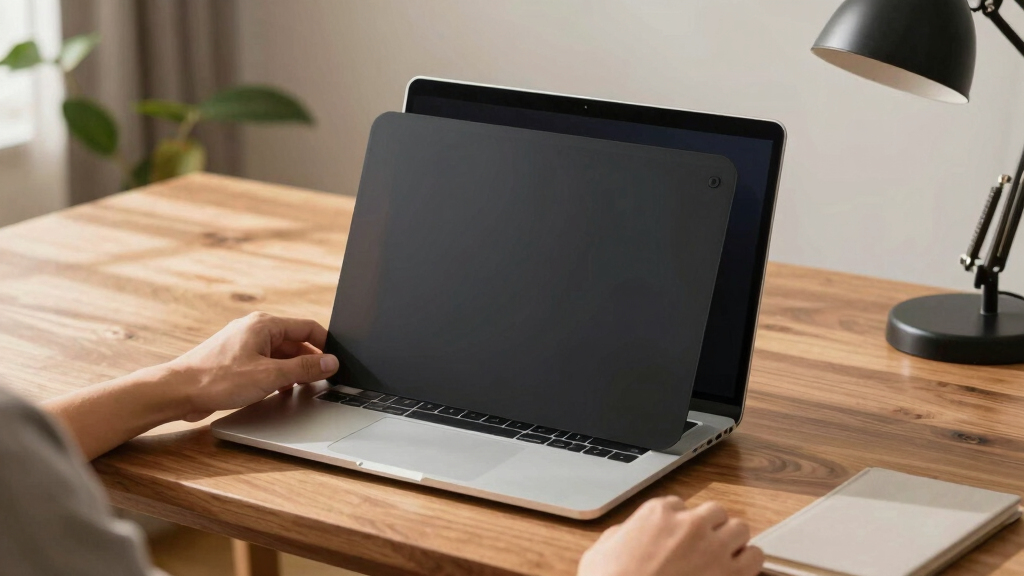
<p>This magnetic privacy screen is designed for 14-inch laptops, offering a <strong>fast and easy magnetic attachment</strong> that makes installation and removal simple, especially for users on the go. It provides <strong>robust side-view privacy</strong> while maintaining clarity when viewed straight-on. The inclusion of accessories like a webcam cover and cleaning cloth enhances its convenience. However, its <strong>magnetic attachment may require precise dimension verification</strong> to ensure proper fit, and it’s not optimized for touchscreen laptops, which could limit compatibility for some users. Compared to fixed-frame filters, this model shines in portability and ease of use.</p>
Pros:
- Quick magnetic attachment for easy installation
- Effective side-view privacy with clear front view
- Includes webcam cover and cleaning cloth
- Ideal for portable and flexible workspace setups
Cons:
- Not optimized for touchscreen laptops
- Requires verification of screen dimensions
- Does not block visibility directly behind the user
Best for: Travelers and remote workers needing a portable privacy solution
Not ideal for: Touchscreen laptop owners or users with non-standard screen sizes
Bottom line: Perfect for users who prioritize quick setup and portability, with some limitations in touchscreen compatibility.
“Perfect for users who prioritize quick setup and portability, with some limitations in touchscreen compatibility.”
14 Inch Laptop Privacy Screen with Reversible Filter for 16:9 Screens
<p>This 14-inch privacy screen offers a <strong>reversible design</strong> that allows users to switch between privacy mode and clear viewing, making it versatile for different environments. It provides a high level of <strong>blue light and UV protection</strong>, filtering out 95% of blue light and 92% of UV rays, which is superior to most standard filters. Its simple installation with multiple mounting options makes it compatible with a broad range of laptops, but its <strong>dimensions vary slightly by model</strong>, requiring careful measurement before purchase. This pick is best suited for users who value flexibility and comprehensive eye protection.</p>
Pros:
- Reversible for privacy or clear viewing
- Exceptional blue light and UV protection
- Multiple mounting options for versatile installation
- Compatible with many brands
Cons:
- Not compatible with MacBooks
- Size measurements must be precise
- Potential fit issues across different models
Best for: Users seeking a dual-mode privacy filter with maximum eye protection
Not ideal for: MacBook owners or those with irregular screen dimensions
Bottom line: An excellent choice for users needing flexible privacy modes and maximum eye protection, with a focus on accurate sizing.
“An excellent choice for users needing flexible privacy modes and maximum eye protection, with a focus on accurate sizing.”
As an Amazon Associate we earn from qualifying purchases.
Key Differences
The main difference between matte and glossy privacy protectors centers on their viewing angles and visual clarity. Matte screens diffuse light, limiting the viewing angle to about 30°, which enhances privacy but slightly dulls the display’s sharpness. They are more effective in brightly lit environments and reduce glare, making them suitable for outdoor or office use. Glossy protectors, with a wider viewing angle of around 60°, offer clearer images and vibrant colors when viewed head-on, but compromise privacy by allowing side viewing. They are better suited for indoor, controlled lighting conditions where screen clarity is paramount.Detailed Comparison
Visibility Angle (Matte Privacy Screen Protector wins — major)
Matte protectors restrict viewing angles to approximately 30°, effectively blocking side views and enhancing privacy. Glossy protectors allow about 60°, providing a broader viewing window but at the expense of privacy. In practice, choose matte if you need strong privacy in public spaces; choose glossy if you primarily work alone or in private settings.Screen Clarity (Glossy Privacy Screen Protector wins — moderate)
Glossy protectors preserve full color vibrancy and sharpness, making them preferable for media consumption and detailed work. Matte protectors slightly dull the display, which might affect color accuracy and sharpness in professional tasks. Choose glossy for tasks requiring precision; matte if privacy outweighs visual fidelity.Glare Reduction (Matte Privacy Screen Protector wins — major)
Matte protectors excel at reducing glare, making them ideal for brightly lit environments. Glossy protectors reflect ambient light more, which can cause discomfort and reduce visibility in bright settings. Opt for matte if glare is a concern; glossy if lighting conditions are controlled.Ease of Installation (Matte Privacy Screen Protector wins — minor)
Both types are generally easy to install with adhesive backing, but matte protectors tend to hide fingerprints and dust better, making maintenance easier. Glossy protectors may show smudges more prominently, requiring more frequent cleaning.Price (Matte Privacy Screen Protector wins — moderate)
Matte privacy protectors are typically less expensive, making them more accessible for budget-conscious users. Glossy protectors often cost more due to their higher clarity and manufacturing quality. Choose matte if budget is a concern; glossy if clarity justifies the additional expense.Durability (Matte Privacy Screen Protector wins — minor)
Both options are generally comparable in durability, but matte protectors may hide scratches and fingerprints better over time. Glossy surfaces are more prone to showing wear and smudges, which can affect appearance.Aesthetics (Glossy Privacy Screen Protector wins — minor)
Glossy protectors provide a sleek, high-quality appearance with vibrant display clarity, preferred for aesthetic appeal. Matte protectors have a more subdued, anti-glare finish, which some users find less attractive but more practical.Compatibility (Matte Privacy Screen Protector wins — Depends)
Both are generally compatible with most laptops, but glossy protectors may sometimes interfere with screens that have certain anti-reflective coatings or sensitive displays. Matte protectors tend to be more universally compatible.Matte Privacy Screen Protector: Pros and Cons
Pros:
- Excellent privacy at wider viewing angles
- Reduces glare, suitable for outdoor use
- Lower cost and easy to install
- Hides fingerprints and smudges well
Cons:
- Slightly dulls screen clarity and color
- Limited viewing angle may be restrictive indoors
Glossy Privacy Screen Protector: Pros and Cons
Pros:
- Provides clearer, more vibrant display
- Better for detailed visual work
- Aesthetic appeal with glossy finish
Cons:
- Less effective at privacy due to wider angle
- More reflective, prone to glare
- Usually more expensive
Who Should Choose What
Choose Matte Privacy Screen Protector if:
- You often work in public or crowded spaces where privacy is critical
- You prefer glare reduction and outdoor readability
- Cost is a significant factor
Choose Glossy Privacy Screen Protector if:
- You primarily work indoors or in private environments
- Display clarity, color vibrancy, and aesthetics are priorities
- You are willing to pay a premium for better visual quality
Value for Money
Matte privacy protectors offer good value for users prioritizing privacy, glare reduction, and affordability, especially in public or outdoor settings. Glossy protectors justify their higher price for users needing vibrant display quality and clarity in controlled environments. Paying more is worthwhile if visual fidelity outweighs privacy concerns, but for most users, matte provides a balanced, cost-effective solution.Final Verdict
Choose a matte privacy screen protector if privacy, glare reduction, and budget are your main concerns. Opt for a glossy protector if you need vivid display clarity and primarily work in private, controlled lighting conditions. The decisive factor is the environment in which you’ll use your laptop—privacy versus display quality.Frequently Asked Questions
Do privacy screen protectors affect touchscreen functionality?
Most privacy protectors are designed to be compatible with touchscreens, but some matte variants may slightly reduce touch sensitivity. Check product specifications for compatibility with your device.Can I use a privacy protector with a screen protector or a case?
Yes, but ensure the privacy protector is compatible in size and thickness. Some protectors may not fit well if combined with other screen accessories.Are privacy protectors suitable for outdoor use?
Matte privacy protectors are better suited for outdoor or brightly lit environments due to their glare reduction and privacy features.How do I clean and maintain a privacy screen protector?
Use a soft, lint-free cloth and mild cleaning solution. Avoid abrasive materials to prevent scratches, especially on glossy surfaces which show smudges more prominently.Fall Picks
fall essentials
As an affiliate, we earn on qualifying purchases.